WordPress 7.1.3 Security Release: What It Changes, Why It Matters, And How To Operationalize Updates Without Breaking SEO
WordPress 7.1.3 patches seven security vulnerabilities and fixes a critical image-upload fatal error tied to missing PHP DOM support. Here’s what business owners and agencies should do now—plus a practical, approval-based workflow to ship security updates safely without torpedoing rankings, conversions, or content ops.

WordPress just reminded every business owner of an uncomfortable truth: your marketing site is also software, and software ages fast.
According to Search Engine Journal’s coverage of the WordPress 7.1.3 security release, version 7.1.3 patches seven security vulnerabilities and fixes a critical flaw that can make image uploads fail with a fatal error on certain hosts. WordPress recommends updating immediately.
On the surface, this looks like “just another update.” In practice, it’s a perfect case study in why SEO, security, and operations can’t live in separate rooms anymore. If your CMS can be exploited, your brand and customer data are at risk. If your CMS can’t upload images, your content pipeline breaks. And if your update process is chaotic, you’ll either delay patching (risk) or deploy recklessly (downtime).
I’m Marius Dosinescu from AYSA.ai. This editorial isn’t a rewrite of the news—it’s a playbook: what changed, why it matters for real businesses, what can go wrong, and how to operationalize updates with an approval-based workflow that protects both revenue and rankings.
Concise summary
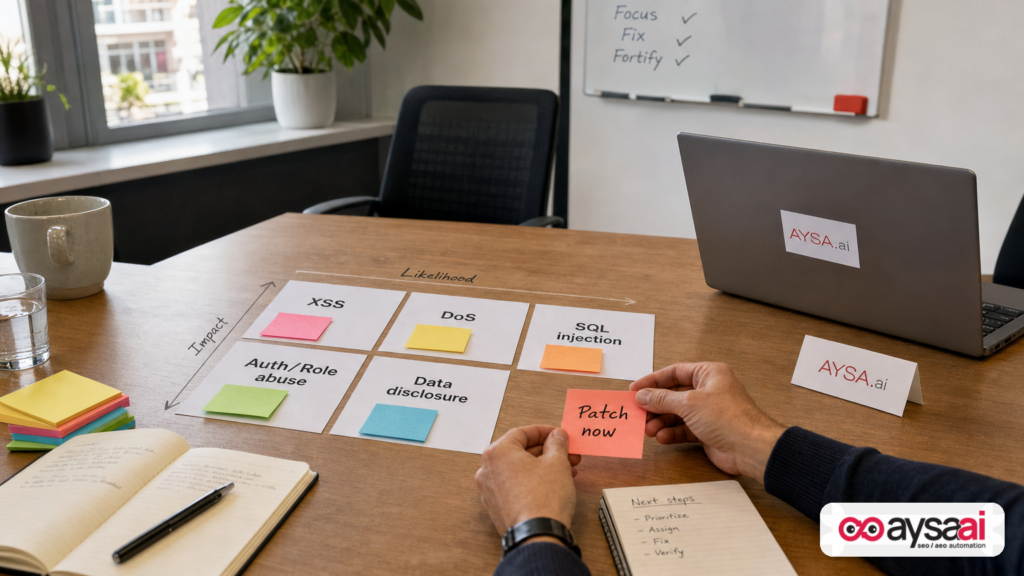
- WordPress 7.1.3 addresses seven vulnerabilities (including stored XSS, DoS, and second-order SQL injection) and includes bug fixes, one of which can trigger fatal errors during image uploads on hosts missing PHP’s DOM extension (ext-dom).
- Even when an issue sounds “technical,” the impact is business-level: site trust, lead flow, ecommerce revenue, and content velocity.
- “Update immediately” is directionally correct—but “update professionally” is the difference between safe patching and avoidable downtime.
- The right goal is not heroics. It’s repeatable execution: Monitoring, staging tests, backups, approvals, and fast rollback.
- AYSA fits where most teams struggle: monitor → prepare → ask for approval → execute accepted website changes with accountability. See AYSA Monitoring and AYSA AI SEO tools.
Key takeaways (for busy owners)

- Patch latency is a business risk. The longer you wait on security releases, the more time attackers have to scan and exploit known weaknesses.
- Not all “critical” issues are catastrophic, but they’re still operationally critical. If you can’t upload images, you can’t publish new products, posts, landing pages, or update key content.
- Security and SEO are coupled. Malware warnings, injected spam pages, redirects, and downtime can crush organic performance and brand trust.
- Your update process matters as much as the update. The best teams ship changes with staging + verification + rollback—and they do it without drama.
Table of contents
- What happened in WordPress 7.1.3—and what we do (and don’t) know
- Why this matters beyond “security”: revenue, brand, and search
- The 7 vulnerabilities (plain English) — what to know, what to do
- The critical bug: image uploads failing due to missing PHP DOM support
- How these issues show up in the real world (symptoms business owners notice)
- The security ↔ SEO connection most teams underestimate
- Concrete SME scenario: an ecommerce team on a weekly product-launch cadence
- A practical, low-drama update workflow (SMEs + agencies)
- What to monitor after updating (technical + SEO checks)
- What agencies should rethink: maintenance is now part of performance
- Where AYSA fits: monitor → prepare → approve → execute
- What to do next (action list)
- Sources and further reading
What happened in WordPress 7.1.3—and what we do (and don’t) know
WordPress released version 7.1.3 as a security update addressing seven vulnerabilities and shipping four bug fixes, one labeled critical because it can break image uploads with a fatal error on hosts missing a recommended PHP component.
Search Engine Journal’s report notes a key operational detail: WordPress recommends updating immediately, and security fixes are being backported to older WordPress branches eligible for security updates (extending through 4.7, per the report), though those backports may ship progressively by branch.
What we don’t have from the public summary (as described by SEJ): detailed severity ratings, CVSS scores, exploitation status “in the wild,” or deep technical writeups for each issue. That’s not unusual for security releases—responsible disclosure often balances transparency with not handing attackers a roadmap.
So how should operators respond when details are limited?
- Assume material risk because WordPress explicitly recommends immediate updates.
- Focus on patching and verification rather than debating the exact exploitability of each item.
- Reduce blast radius with a professional rollout: staging test, backups, rollback plan, and post-release monitoring.
This is the shift: modern website operations is less about “Do I think this will hurt me?” and more about “Do I have a system to ship safe changes quickly?”
Why this matters beyond “security”: revenue, brand, and search
Most small businesses still put WordPress updates into one of two buckets:
- “IT stuff” (we’ll get to it later)
- “Scary stuff” (what if it breaks the site?)
Both buckets are expensive.
Security vulnerabilities aren’t abstract. They can translate into:
- Brand damage (defacement, malicious redirects, spam pages)
- Revenue loss (downtime, checkout issues, lead forms failing)
- Operational slowdown (content team can’t upload images, marketing can’t publish)
- Search visibility problems (malware warnings, hacked content indexed, crawl waste, reputational signals)
And the “critical image upload bug” is a perfect example of why availability is part of security thinking. Even if you’re not hacked, if your CMS can’t perform basic tasks like uploading media, your growth machine stops.
For SEO teams and business owners, the question becomes: how do we prevent a security patch from turning into a marketing outage?
The answer is process—and this is where execution systems matter.
The 7 vulnerabilities (plain English) — what to know, what to do
Per SEJ’s summary of the WordPress announcement, WordPress 7.1.3 addresses seven items:
- Stored XSS
- Denial-of-service (DoS)
- Second-order SQL injection
- A weakness allowing Author role users to sticky posts
- Unauthenticated disclosure of comments
- Imgur embeds vulnerable to XSS
- Forgeable parameters that can lead to action name collision
Let’s translate these into the “what it could mean for my business” language—without pretending we know exploit details that weren’t provided in the source context.
1) Stored XSS (stored cross-site scripting)
What it is: A stored XSS flaw generally allows an attacker to inject malicious script into content that gets saved and later served to other users (for example, in comments, profiles, forms, or admin-visible content).
Why you care: It can lead to account compromise (especially if an admin views infected content), unauthorized actions, data exposure, or malicious redirects—depending on where it lands and who views it.
What to do:
- Update core promptly.
- Audit who can publish or submit content (roles, forms, contributor access).
- Reduce plugin bloat; many XSS issues originate or are amplified in plugins/themes.
2) Denial-of-service (DoS) issue
What it is: A DoS weakness allows a site to be slowed down or made unresponsive by triggering expensive operations repeatedly.
Why you care: Slow sites bleed conversions and rankings, and downtime kills both. Even “partial” outages—admin panels timing out, API endpoints failing—can block publishing and revenue operations.
What to do:
- Update core.
- Make sure you have basic protection: caching, rate limiting, a WAF/CDN if appropriate.
- Monitor performance after updating so you can separate “attack traffic” from “regression.”
3) Second-order SQL injection
What it is: Second-order SQL injection typically means malicious input is stored somewhere “safely” at first, and later used in a database query in a way that can be exploited.
Why you care: SQL injection can be severe because databases often contain user data, order data, content, and credentials. Even limited SQL issues can enable data leakage or privilege escalation.
What to do: Patch promptly, and treat your database as a high-value asset—backups, least privilege, and secure hosting matter.
4) Weakness allowing Author role users to sticky posts
What it is: “Sticky posts” affect content prominence. If users with Author-level permissions can abuse stickiness, they may be able to promote content in ways they shouldn’t.
Why you care: For publishers, this is editorial integrity. For businesses, it can still matter: an account with limited privileges could push content to the top of the blog or archive pages, which can cause reputational issues or mislead customers.
What to do: Patch core, and review roles. Many SMEs over-grant access because it’s easier than managing approvals.
5) Unauthenticated disclosure of comments
What it is: Disclosure suggests a user might access comment data without proper authentication.
Why you care: Comments can include personal data, emails (depending on configuration), or sensitive information accidentally shared by customers. It’s also a trust issue: your site should not leak data.
What to do: Update core and confirm your privacy posture. If you run forms/comments, understand what is publicly accessible vs. private.
6) Imgur embeds vulnerable to XSS
What it is: Embedding external content is always a risk boundary. If an embed mechanism can be abused, it could become an injection vector.
Why you care: Many businesses embed third-party media in posts and landing pages. Even a narrow issue can become a broader compromise if your editors frequently use embeds.
What to do: Patch core, and standardize how your team embeds media. Less “random embed codes,” more controlled workflows.
7) Forgeable parameters leading to action name collision
What it is: Without over-speculating, “action name collision” implies that parameters can be forged to overlap with or trigger unintended actions.
Why you care: Collisions in action routing can lead to unauthorized behavior—especially when combined with other weaknesses.
What to do: Patch core promptly and keep plugins updated; complex sites amplify complexity risks.
Important note: The SEJ summary explicitly says the official announcement did not list severity ratings or whether these are exploited “in the wild.” That’s why your posture should be: patch now, verify, and monitor.
The critical bug: image uploads failing due to missing PHP DOM support
In addition to the vulnerabilities, WordPress 7.1.3 fixes bug issues—one of which is operationally painful: image uploads can fail with a fatal error on hosts lacking an optional but recommended PHP library.
SEJ’s summary explains the mechanism clearly:
- The missing component is PHP’s DOM extension (ext-dom), which provides
DOMDocumentandDOMXPath. - WordPress strongly recommends the extension but does not require it.
- WordPress 7.0 introduced code that used
DOMDocumentwithout checking if the extension existed. - On hosts without ext-dom, image uploads could trigger a fatal error and fail.
The WordPress ticket (as described by SEJ) rated it as critical, but a core committer suggested it’s probably rare because it took 134 days before the first report—implying most hosts already include the extension.
Here’s the business translation:
- If your host is missing ext-dom, your site can appear “fine” until you try to upload media—then your workflow breaks.
- This failure hits marketing where it hurts: product launches, blog publishing, landing page refreshes, press releases, seasonal promos.
- And it can create SEO knock-on effects: missing images, broken internal workflows, delayed publishing, and inconsistent page quality.
Even if the bug is rare, it’s exactly the kind of edge case that shows why “just click update” isn’t an operational plan.
How these issues show up in the real world (symptoms business owners notice)
Small business owners rarely discover vulnerabilities from a CVE feed. They discover them from symptoms:
Security-related symptoms
- Customers report odd redirects, popups, or warnings.
- Search results show spammy titles/descriptions you didn’t write.
- New admin users appear in WordPress unexpectedly.
- Contact form leads drop to zero (because delivery is broken) or spike with junk.
Operational symptoms (the “critical bug” class)
- “I can’t upload photos.”
- Editors avoid publishing because the media library is unstable.
- Product pages get updated text but missing images (bad UX, lower conversions).
- The team delays site improvements because every change feels risky.
Notice what’s common: none of these symptoms are framed as “security.” They’re framed as “our website isn’t doing its job.” That’s why leadership needs to treat maintenance as part of growth.
The security ↔ SEO connection most teams underestimate
SEO is often presented as keywords, content, links, and “helpful pages.” True—but those are downstream from a more basic requirement: your site must be trustworthy and consistently available.
When security slips, SEO is impacted through multiple pathways:
1) Trust collapses before rankings do
Even if rankings don’t immediately drop, users may stop clicking if they see browser warnings, weird snippets, or mismatched page content. CTR and conversions are business metrics first, SEO metrics second.
2) Indexing quality degrades
Injected pages, hacked archives, and spammy internal links can distort your Site architecture. Search engines may crawl and index garbage instead of your real pages, consuming Crawl budget and polluting signals.
3) Content velocity is a competitive advantage—and bugs can freeze it
If your team can’t upload images, you may miss seasonal windows and product launch cycles. Competitors who can ship content weekly will outpace you, regardless of how good your Keyword research is.
4) Performance and availability are now table stakes
DoS vulnerabilities and operational regressions can cause slowness and downtime. SEO doesn’t reward broken experiences, and customers definitely don’t.
If you want a framework to bring this into modern search, treat it as “visibility hygiene.” We talk about this concept broadly in AI search visibility because the same principle applies across classic search and AI-powered discovery: broken, risky, or low-trust sites don’t get recommended—by people or machines.
Concrete SME scenario: an ecommerce team on a weekly product-launch cadence
Let’s make this real.
Scenario: A 12-person ecommerce brand on WordPress launches new products every Friday. The marketing manager preps:
- 10 new product photos
- 2 comparison blog posts
- 1 landing page for email + paid
Thursday afternoon, the team updates WordPress (or a host auto-updates). Suddenly, image uploads fail with a fatal error because the host lacks the PHP DOM extension (the class of issue described in the SEJ summary).
What happens next:
- Product pages can’t be completed.
- The Friday launch is delayed or ships with missing imagery (conversion hit).
- Blog posts publish late or not at all (organic hit).
- The team starts “working around WordPress,” e.g., hosting images elsewhere, which can create new performance and tracking problems.
The hidden SEO cost: not a one-time ranking drop, but a compounding disadvantage: slower publishing, inconsistent page quality, and less iteration.
This is why release notes matter even to non-technical operators. The goal isn’t to read every changelog; it’s to build a system that handles changes safely.
A practical, low-drama update workflow (SMEs + agencies)
Here’s the workflow I want more teams to adopt. It’s intentionally boring—and that’s a compliment.
Step 1: Know what you’re running (inventory)
- WordPress version
- Theme + child theme status
- Plugin list (and which ones are mission critical)
- Hosting stack basics: PHP version, key extensions, caching layers
If you can’t list this in 5 minutes, you don’t have an update plan—you have hope.
Step 2: Verify backups and a rollback path
- Confirm you have a recent backup (files + database).
- Confirm you can restore quickly (not “in theory”).
- Document who has access and how long restoration takes.
Backups are not optional. They’re your seatbelt.
Step 3: Use staging for core updates
Staging doesn’t need to be perfect; it needs to be representative enough to catch obvious conflicts and environment issues.
Specifically for this release: staging is where you’d discover environment-related failures (like missing PHP extensions) without burning a production content cycle.
Step 4: Run a short, repeatable smoke test
Keep it consistent, so you can do it fast:
- Login/logout, password reset
- Upload an image (critical for this release’s bug class)
- Publish/update a post
- Check a key form (lead, checkout, appointment)
- Check top 5 revenue pages
Step 5: Put an approval gate before production
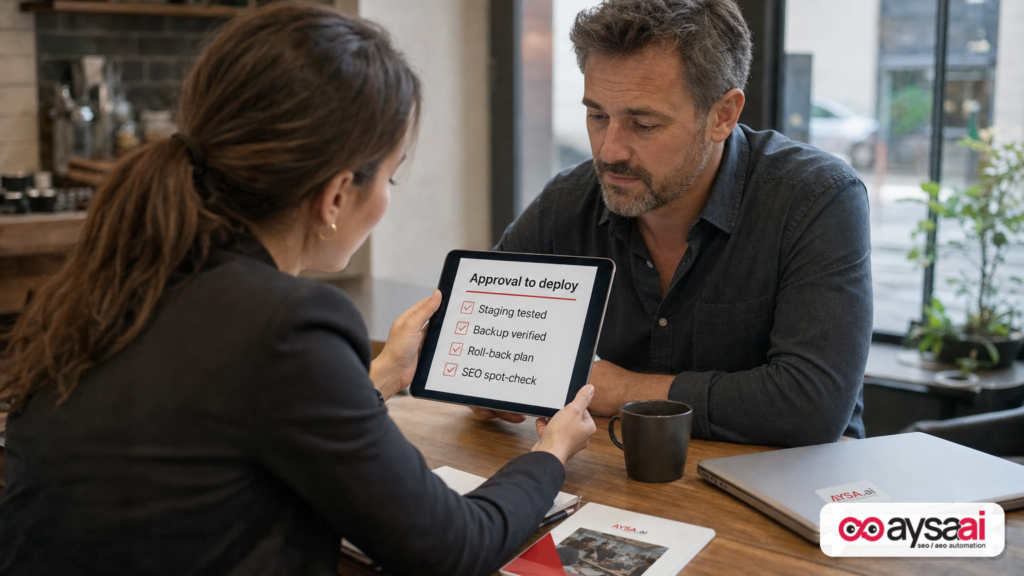
This is where SMEs and agencies level up. Someone accountable should approve production deployment after seeing:
- Staging results
- Rollback plan
- Known risks (plugin conflicts, timing constraints)
Approval gates reduce impulsive changes and “Friday night deploys” that ruin weekends.
Step 6: Deploy during a sensible window + monitor
- Pick a time when the team can respond quickly.
- Monitor uptime, error logs, and conversion events.
- Be ready to rollback if needed.
What to monitor after updating (technical + SEO checks)
After updating WordPress core, don’t stop at “the site loads.” Do a focused set of checks that catch the failures that actually cost money.
Operational checks
- Media upload: upload a few images of different sizes (this release makes that particularly important).
- Editor experience: verify the post editor works and embeds behave normally.
- Forms: submit test leads; confirm delivery.
- Checkout/booking: test the money path.
SEO checks (lightweight, high leverage)
- Indexing signals: watch for unusual spikes in excluded pages or errors in Google Search Console (if you’re already using it).
- Core templates: ensure titles, meta, canonicals, and schema are unchanged on key page types.
- Performance: confirm no obvious slowdown (especially on mobile).
- Logs/alerts: monitor for new 404 patterns or PHP errors.
This is exactly the kind of ongoing oversight that a monitoring-first posture supports. See AYSA Monitoring for how we think about continuous, actionable visibility.
What agencies should rethink: maintenance is now part of performance
Agencies often sell SEO as strategy + content + links. But clients live with the site daily, and operational failures erase strategic wins.
WordPress security releases are a good forcing function to rethink your offer:
- Maintenance can’t be a side quest. It belongs in the performance retainer because it protects the outcomes the client is paying for.
- Execution speed is a competitive advantage. If your agency takes two weeks to safely ship a critical update, you’ll lose accounts to operators who can do it in two days.
- Approval workflows reduce account churn. Clients hate surprises. They love visibility and control.
If you’re an agency reading this, ask yourself: do you have a standardized “security update runbook,” or does every update turn into a Slack fire drill?
If it’s the latter, build the boring system. Your margins will improve, and your clients will trust you more.
Where AYSA fits: monitor → prepare → approve → execute
AYSA.ai exists for the operational reality most teams face: everyone agrees what should be done, but too little actually gets shipped—and when it does, it’s risky.
Our model is straightforward:
- Monitor the site and its search visibility posture (technical issues, opportunities, and changes that matter). Learn more: AYSA Monitoring
- Prepare changes in a structured way—so teams aren’t guessing what to edit or how.
- Ask for approval before executing changes, so stakeholders stay in control.
- Execute accepted changes cleanly and consistently, reducing time-to-fix and time-to-value.
This matters in moments like WordPress 7.1.3 because the “right answer” isn’t simply “update.” The right answer is: update quickly and safely, verify outcomes, and keep moving.
If you’re exploring how automation can help without removing human accountability, start here:
- AYSA AI SEO tools (how we think about execution, not just insights)
- AI search visibility (visibility is broader than rankings)
- Pricing (to see what’s feasible for SMEs vs. agencies)
- AYSA blog (ongoing editorials and playbooks)
What to do next (action list)
Use this as your checklist for the next 48 hours.
If you’re an SME / business owner
- Identify your current WordPress version and confirm whether 7.1.3 (or the appropriate backported security release) applies to you.
- Confirm you have a restorable backup (files + database).
- Update WordPress core in staging first if possible; otherwise pick a low-risk deployment window.
- Immediately test media uploads (upload a few images). This release specifically flags upload failures tied to missing PHP DOM support on some hosts.
- Spot-check revenue flows (forms, booking, checkout).
- Schedule a monthly maintenance cadence so security updates don’t pile up into scary “big bang” deployments.
If you’re an agency
- Send a client advisory: what’s changing, why it matters, and how you’ll deploy safely.
- Standardize a smoke test that includes media upload verification.
- Add an approval gate to reduce surprises and scope creep during security releases.
- Bundle maintenance into performance: clients pay you for outcomes; maintenance protects outcomes.
- Review role permissions (especially if you manage publisher-type clients) to reduce abuse risk.
Sources and further reading
- Search Engine Journal: WordPress 7.1.3 Fixes 7 Vulnerabilities And 1 Critical Flaw
- Search Engine Journal: SEO coverage (context for how updates intersect with search operations)
- Search Engine Journal: Technical SEO (operational/technical impacts)
- Search Engine Journal: SEO News
- Search Engine Journal: AI Search (for broader visibility context)
Note: The SEJ summary references an “official announcement” and a “WordPress ticket” for the critical upload flaw, but those primary URLs were not included in the supplied research context. If you have them, adding them to this section would strengthen the sourcing further.
Final perspective
WordPress security releases are not just “patch notes.” They’re recurring tests of whether your organization can operate a revenue website like a system: fast updates, controlled risk, and continuous verification.
The businesses that win aren’t the ones who never face issues. They’re the ones who can ship safe changes quickly—without freezing, panicking, or breaking the marketing engine.
If you want to build that muscle with an approval-first execution model, explore Monitoring and our approach to execution at AI SEO Tools.
Continue the AI search topic inside AYSA.
Use these pages to connect the article with AI SEO tools, AI visibility monitoring, AI Overviews and approved website execution.
Turn this topic into a website action plan.
Use these AYSA hubs to move from reading to technical fixes, AI visibility monitoring, research, glossary context and approval-first SEO execution.