
Google Tag Manager’s Guided Setup for Google Ads Purchase Tracking: Faster Setup, Same Accountability (and a Better Playbook for SMEs)
Google Tag Manager’s new Guided Setup (beta) for Google Ads purchase conversions reduces setup friction by auto-creating tags, triggers, and variables. But “easier” still isn’t “correct.” This deep editorial breaks down what changed, why accurate purchase signals matter more than ever for automated bidding, what can still break in real checkout stacks, and the governance and monitoring model SMEs and agencies need—plus how AYSA turns measurement into approved, ongoing execution.

Google is making it easier to implement purchase Conversion tracking for Google Ads—specifically through Google Tag Manager (GTM). In July 2026, Search Engine Land reported that GTM is rolling out a Guided Setup (beta) for Google Ads purchase conversions that automatically creates the key GTM components you’d otherwise build by hand: tags, triggers, and variables.
That sounds like a convenience feature, but it’s more than that. It’s an admission of where paid marketing has landed in 2026:
- Automation is the default (bidding, targeting, creative selection, campaign types).
- Measurement is now the constraint. Not ideas. Not “strategy.” The constraint is whether the conversion signals feeding the machine are accurate, consistent, and stable over time.
Here’s my opinion as Marius Dosinescu: guided setup is helpful, but it’s also dangerous if it convinces owners and marketers that tracking is “done.” In reality, purchase tracking is closer to a production system than a marketing checkbox. The technical work is only half the job; the other half is governance, validation, reconciliation, and maintenance—especially for SMEs that change their website every week.
This editorial is a complete practical resource: what changed, why it matters, what can still break, and what to do next. I’ll also show how AYSA fits into this world as an Approved Execution system that monitors your site, prepares changes, asks for approval, and then executes what you accept—so tracking doesn’t quietly rot as your site evolves.
Table of contents

- Concise summary
- Key takeaways
- What changed: GTM Guided Setup for Google Ads purchase tracking
- Why Google is doing this now (and why you should care)
- The real problem: “tracking installed” doesn’t mean “tracking works”
- What’s new in Guided Setup (and what it likely creates behind the scenes)
- Automated bidding depends on your purchase signal—whether you like it or not
- What can still break: the failure modes guided setup can’t prevent
- A concrete SME scenario: the $79 product, the 3-step checkout, and the mystery of “missing” conversions
- Agency and in-house implications: measurement as a product, not a task
- Governance is the advantage: why measurement now needs an operating system
- A practical implementation playbook: implement, verify, harden, monitor
- What SMEs should monitor weekly (and what to ignore)
- Where AYSA fits: approved execution for measurement and site changes
- What to do next: action list
- Sources and further reading
Concise summary
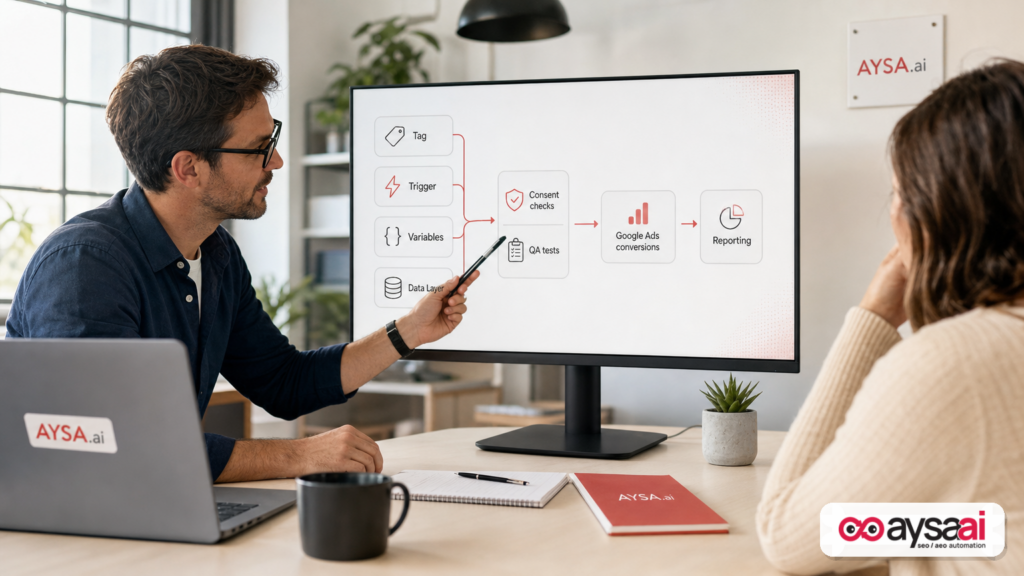
GTM’s new Guided Setup (beta) for Google Ads purchase conversion tracking reduces setup friction by auto-creating tags, triggers, and variables inside Google Tag Manager. That matters because advertisers increasingly rely on automated bidding that only performs well when conversion data is accurate. But guided setup doesn’t guarantee correctness: checkout architecture, consent behavior, deduplication, values/currency, Attribution differences, and ongoing website changes can still cause undercounting, double-counting, and misleading ROI narratives. SMEs and agencies should treat purchase tracking like a maintained system: define the conversion, test end-to-end, document and approve changes, and monitor continuously. AYSA supports this by Monitoring websites, preparing fixes, asking for approval, and executing accepted changes so measurement doesn’t drift.
Key takeaways

- Guided Setup lowers the barrier by generating GTM components automatically—great for speed and reducing basic configuration mistakes.
- Auto-created is not validated. You still need to run test purchases, verify values/currency, confirm single-fire behavior, and reconcile against your actual orders.
- Bad conversion signals don’t just “mess up reporting.” They train automated bidding to optimize toward the wrong outcome, faster.
- Checkout and consent are where most failures live: redirects, multiple domains, SPAs, payment providers, and consent logic can all break purchase events in ways that look “fine” until you compare to backend reality.
- Governance is a competitive advantage. Teams that implement definitions, approvals, monitoring, and reconciliation will outperform teams doing one-time setups.
What changed: GTM Guided Setup for Google Ads purchase tracking
The change is straightforward in description and significant in impact: GTM is introducing a Guided Setup experience for Google Ads Purchase Conversions. Per Search Engine Land, the guided flow automatically creates the required:
- Tags
- Triggers
- Variables
Instead of requiring users to configure each measurement component manually. The feature is reported as beta, so it isn’t available to all GTM users yet, and details may evolve.
It was also first surfaced by a practitioner (Paid Search expert Vivek Gupta) and then covered by Search Engine Land—an important reminder that many of Google’s practical changes appear in the wild before they appear in official documentation. (The supplied research context does not include Google’s official documentation link for this guided setup; if Google publishes one later, it’s worth adding to your internal measurement wiki.)
Why Google is doing this now (and why you should care)
If you run an SME, it’s tempting to interpret guided setup as “Google trying to help.” That’s partially true. But it’s also a strategic platform move. Here’s the non-cynical, business-realistic read:
1) Measurement adoption is still uneven
Lots of businesses advertise without reliable purchase conversion tracking. Some don’t have it at all. Others have it “installed” but not functioning. Guided setup reduces friction, which increases adoption and standardization.
2) Automation needs high-quality signals
In 2026, paid search is increasingly automation-led. When the platform does more of the deciding, the platform needs better inputs. Purchase conversions are among the most valuable inputs for ecommerce—and they’re a core feedback loop for automated bidding.
3) Google wants to lower the technical tax for SMEs
Most SMEs don’t have an analytics engineer. Many don’t even have a developer on staff. GTM itself is already a “bridge” product—allowing marketers to implement measurement without writing code. Guided setup is a further step: not only “no code,” but “less configuration.”
4) This is part of a broader pattern in the search ecosystem
Search Engine Land’s broader coverage around automation and governance reinforces the same direction of travel. For example, they’ve published pieces about governance as a competitive advantage in Google Ads automation (source) and the evolution of Google Ads campaign automation (e.g., AI Max and the DSA sunset discussions: source). Different topics, same core theme: platforms are automating; advertisers must professionalize measurement and governance.
The real problem: “tracking installed” doesn’t mean “tracking works”
When conversion tracking fails, it’s rarely because someone couldn’t create a tag. It fails because the tag doesn’t map cleanly to business reality.
Let’s separate the two concepts most SMEs accidentally merge:
- Implementation: the tag exists, the trigger exists, the variables exist.
- Integrity: the event represents a real purchase, fires once, carries correct value/currency/IDs, respects consent expectations, and stays stable after site changes.
Guided setup improves implementation. Integrity still belongs to you.
Here are the most common integrity failures I see in the wild (and they happen to both “new” and “advanced” teams):
Double-counting purchases
This happens when a purchase fires multiple times for a single order. Common triggers:
- Refreshing the thank-you page
- Using the back button then forward again
- Single-page app route changes
- Both client-side and server-side conversion mechanisms running without deduplication
Missing purchases (silent undercounting)
This happens when purchases occur, but the tag never fires (or fires too late). Common triggers:
- Redirects to payment providers
- Cross-domain checkout behavior
- Consent logic suppressing tags in certain regions/browsers
- Thank-you page no longer loads as expected after a checkout update
Wrong value/currency
Even when a purchase event fires, the value might be wrong. The tracking “works,” but it’s lying. Common triggers:
- Discounts applied incorrectly (full price sent instead of discounted price)
- Shipping/tax included or excluded inconsistently across platforms
- Currency not set or set incorrectly for international stores
Wrong definition of “purchase”
Some setups fire on “place order button click” instead of “order confirmed.” That inflates conversions when payments fail, 3D Secure is required, or customers abandon mid-payment.
Bottom line: guided setup can reduce the number of ways you can mis-click inside GTM. It cannot guarantee your event means what you think it means.
What’s new in Guided Setup (and what it likely creates behind the scenes)
Search Engine Land reports that Guided Setup auto-creates the required GTM components: tags, triggers, and variables. The supplied source does not provide the full technical specification of what exactly is created (names, templates, parameter mappings), so I won’t invent those details.
However, it’s reasonable to describe what a purchase conversion setup generally requires in GTM. In most environments, a workable system needs:
- A conversion tag that sends the event to Google Ads.
- A firing condition (trigger) that determines when that tag should execute (e.g., on the order confirmation page or on a purchase event pushed into the data layer).
- Variables that pull purchase attributes (e.g., order ID, value, currency) from the page, data layer, or other sources.
In other words, Guided Setup is likely acting as a “baseline generator.” That’s a big deal for teams that previously got stuck in GTM’s configuration complexity—especially small advertisers who are better at merchandising, operations, and customer service than at debugging event parameters.
But as you read the rest of this article, keep a simple framing in mind:
- Guided Setup can build the skeleton.
- You still need to prove the skeleton matches the body.
Automated bidding depends on your purchase signal—whether you like it or not
Most SMEs think of purchase tracking as a reporting requirement. In 2026, it’s closer to a control system input.
Here’s the uncomfortable reality: Google Ads automation is not a consultant. It doesn’t “know” what you meant. It optimizes toward what you measure. That means if your conversion tracking is wrong, Google Ads will optimize toward the wrong target more efficiently than you could manually.
Three ways this shows up in real businesses:
1) Overcounting causes overspending (and fake confidence)
If conversions are double-counted, it can look like campaigns are profitable when they’re not. This can lead to:
- increased bids,
- expanded reach into lower-intent queries,
- more aggressive budget allocation.
The business result: ad spend rises while real profit doesn’t. The owner loses trust in marketing.
2) Undercounting causes under-investment (and missed growth)
If conversions are missing due to checkout redirects or consent suppression, smart bidding sees fewer outcomes and becomes conservative. You’ll often see:
- lower impression share,
- campaigns that can’t exit “learning,”
- volatile ROAS swings that are actually measurement swings.
3) Wrong values distort value-based bidding decisions
Even if conversion counts are “right,” wrong values can push the system to prioritize the wrong customers. If value excludes high-margin add-ons, or includes shipping in one channel but not another, the platform learns a warped picture of what “good” looks like.
In short: guided setup is important because the world it supports—automation—punishes measurement mistakes more harshly than the manual-bidding era ever did.
What can still break: the failure modes guided setup can’t prevent
Even with perfect GTM configuration, your environment can break purchase tracking. Below is a failure-mode checklist that SMEs and agencies should explicitly test. Treat this as the “things Guided Setup won’t magically solve” list.
1) Deduplication and order identity
A purchase should generally have a unique identity (often an order or transaction ID). Without uniqueness, you can’t reliably prevent duplicate firing or reconcile events against orders.
What to test:
- Refresh the confirmation page—does it fire again?
- Back/forward—does it fire again?
- Open confirmation page in a new tab (some systems allow it)—does it fire again?
If you can’t confidently answer “no,” you don’t have a bidding signal—you have a coin flip.
2) Cross-domain and hosted checkout behavior
Many ecommerce sites don’t have a single-domain checkout anymore. Cart, checkout, payment confirmation, and thank-you can be split across subdomains or third-party providers.
What to test:
- Does the final confirmation page actually load in the browser?
- Is GTM present on that confirmation experience?
- Do scripts get blocked due to embedded iframes or restricted contexts?
Guided Setup can’t change your architecture. It can only configure within what your architecture allows.
3) Single-page apps and modern frontend frameworks
In SPAs, pageviews and route changes don’t behave like classic websites. If your trigger relies on URL patterns or page load events, it may not fire when you expect—or may fire multiple times.
What to test:
- Complete purchases in multiple navigation patterns (direct checkout vs. returning cart vs. saved payment)
- Confirm the purchase event triggers exactly once across those patterns
4) Consent behavior and region/browser differences
The supplied research context does not include official documentation about how Guided Setup interacts with consent frameworks, so the right approach is conservative:
- Assume consent affects your data.
- Test consented and non-consented states.
- Decide what you consider acceptable under your compliance posture.
Don’t let this become a “legal vs marketing” argument. Make it a systems question: “What’s our policy, and does the website behave accordingly?”
5) Value/currency definitions that don’t match finance
Every business must decide what “purchase value” means. This is not a technical question; it’s an operational one.
Examples of definitional choices you should make explicitly:
- Do we include taxes?
- Do we include shipping?
- How do we treat discount codes?
- Do we treat refunds as negative conversions (if supported) or reconcile elsewhere?
Once defined, your tracking implementation should reflect that definition consistently.
6) Attribution mismatches across tools
Google Ads purchases may not equal backend purchases. That’s not automatically an error; different attribution models and lookback windows can cause different counts.
But you still need guardrails:
- If the gap widens suddenly after a site release, it’s likely tracking drift.
- If the gap is stable and explainable, document it and move on.
A concrete SME scenario: the $79 product, the 3-step checkout, and the mystery of “missing” conversions
Let’s put this into a scenario you can recognize without being a tracking specialist.
Business: A small ecommerce store sells a $79 specialty product (think premium home goods, skincare, or niche food). They’re not venture-backed. They have a lean team: a founder, one marketer, and a part-time developer or agency partner.
Change: They update the checkout to reduce friction. Now checkout is three steps:
- Cart
- Shipping
- Payment → Thank-you
Symptom: A week later, Google Ads shows fewer purchases. ROAS looks worse. The team panics and starts cutting budgets.
What likely happened (realistic possibilities):
- The thank-you page URL changed, so the trigger no longer matches.
- The purchase event now fires on a different route because of an SPA update.
- A new consent banner suppresses the purchase tag in certain browsers.
- A payment redirect briefly leaves the domain where GTM is installed, so the purchase confirmation never includes the tag manager container.
Where Guided Setup helps: it reduces the “I don’t know what to create in GTM” barrier and can quickly rebuild a baseline with the required components.
Where Guided Setup does not help: it doesn’t automatically detect that your confirmation experience changed, that your checkout is now cross-domain, or that consent logic is blocking events. That’s why the right response isn’t “install tracking again,” it’s “treat tracking like a system and test it end-to-end.”
The business lesson: measurement failures don’t just distort reporting—they directly distort decision-making. A store can cut spend on campaigns that are actually profitable simply because the signal broke.
Agency and in-house implications: measurement as a product, not a task
If you’re an agency or a fractional marketer, Guided Setup changes the conversation with clients (and it should). Historically, many teams sold “GTM setup” as a deliverable. In 2026, that’s like selling “installing a smoke detector” without offering ongoing fire safety.
What agencies should rethink:
Tracking setup vs. tracking operations
Setup is a moment in time. Operations is a recurring discipline. Websites change continuously, and conversion integrity changes with them.
Tracking operations should include:
- change review for checkout/theme/CRO releases,
- test order cadence,
- reconciliation against backend orders,
- documentation of conversion definitions and exceptions.
Trust is built by explaining mismatches, not hiding them
Clients lose trust when Ads numbers don’t match their store orders. Agencies that win are the ones who can say:
- “These systems will not match exactly, and here’s why,”
- “Here’s the expected variance,”
- “Here’s what would indicate a tracking failure,”
- “Here’s the process we follow when that happens.”
Governance is becoming the differentiator
Search Engine Land has been explicit about the governance angle in the context of ad automation (Google Ads automation makes governance a competitive advantage). That article’s point maps cleanly here: as platforms automate more, the human advantage becomes governance—setting definitions, preventing errors, and maintaining integrity.
Governance is the advantage: why measurement now needs an operating system
I want to be direct: most SMEs don’t need more “tools.” They need an operating model that makes measurement reliable without turning the founder into an analyst.
Governance doesn’t have to be heavy. You don’t need a committee. You need five simple things:
1) Definitions (written down)
Answer these in plain English:
- What event counts as a purchase conversion for Google Ads?
- When exactly does it fire?
- What value is sent (and what’s included/excluded)?
- What ID is used to prevent duplicates?
2) Ownership (one accountable person)
Not a shared Slack channel. One person (internal or agency) should be accountable for “tracking health.” They can delegate tasks, but they own the outcome.
3) Approvals (one small gate)
Any change to checkout, confirmation pages, or tag firing rules should have a quick approval gate:
- “Did we run a test purchase?”
- “Did we confirm single-fire?”
- “Did we confirm value/currency?”
4) Reconciliation (lightweight, recurring)
Pick a cadence (weekly at first, then monthly) to compare:
- backend paid orders (source of truth) vs.
- Google Ads purchase conversions (optimization signal).
You’re not trying to force exact matching. You’re trying to detect drift and catch breakages.
5) Monitoring (alerts for spikes and drops)
If purchase conversions suddenly drop to near-zero, you should know within a day—not after a month of “performance issues.” Monitoring is how you prevent measurement problems from becoming business problems.
A practical implementation playbook: implement, verify, harden, monitor
If Guided Setup appears in your GTM account, use it—but pair it with a disciplined workflow. Here’s a playbook SMEs and agencies can execute without turning into a data engineering team.
Step 1: Generate the baseline with Guided Setup
- Run Guided Setup to create the required GTM components.
- Name and label what it creates in a way your team understands (e.g., “Google Ads Purchase – Primary”).
- Write down your current conversion definition before you start changing things (so you don’t move the goalposts mid-debug).
Step 2: Test purchases like a skeptic
Do not accept “it fires” as proof. Do the obvious abuse tests:
- Place a test order on desktop and mobile.
- Use a discount code once.
- Choose different shipping options if relevant.
- Refresh the confirmation page.
- Use back/forward navigation.
Your goal is to confirm:
- It fires once per order.
- It sends the value you intended.
- It sends the correct currency.
Step 3: Harden for your checkout reality
Guided Setup gives you the baseline. Hardening makes it resilient to the way customers actually buy.
- If your checkout is cross-domain or uses hosted payment pages, confirm GTM is present where the purchase is confirmed.
- If your site is an SPA, confirm triggers work on route changes.
- If duplicates are possible, ensure there’s a deduplication strategy based on order identity.
Step 4: Align the conversion signal with your bidding strategy
This is less technical and more strategic:
- If you sell a single product at a stable price, optimizing on purchase count may be sufficient.
- If you sell multiple products with different margins, value-based optimization becomes more attractive—but only if values are accurate.
- If you have subscriptions, define whether conversion value should represent first payment, expected lifetime value proxy, or something else (be careful not to invent value numbers—use a conservative, documented approach).
Step 5: Put monitoring and change control in place
The majority of tracking problems happen after setup, when the website changes. Set up a routine:
- Weekly quick reconciliation against backend orders.
- Monthly deeper parameter spot-check.
- Re-test after any checkout/theme/CRO release.
What SMEs should monitor weekly (and what to ignore)
Small teams drown in dashboards. The point is not to measure everything—it’s to measure what prevents expensive mistakes.
Monitor these essentials weekly
- Purchase conversion volume trend: sudden drops or spikes are often tracking issues, not market changes.
- Purchase value trend: if values drop sharply, your value mapping may have broken (or discounts changed; either way, investigate).
- Mismatch against backend paid orders: you’re looking for drift, not perfection.
- Duplicate order signals: repeated transaction IDs or suspiciously high conversion counts on low order volume days.
Ignore (or de-prioritize) these until tracking integrity is stable
- Minor day-to-day fluctuations in ROAS when your volume is low.
- Over-optimizing attribution disagreements between tools before you’ve confirmed the purchase event fires correctly.
- Chasing “perfect” cross-platform matching—aim for explainable, consistent measurement, not fantasy accuracy.
Where AYSA fits: approved execution for measurement and site changes
Conversion tracking breaks because websites evolve. New theme. New checkout. New cookie banner. New upsell. New payment provider. The marketing team is judged on results, but the website is a moving target.
AYSA is built for that operational reality. We’re not a replacement for GTM or Google Ads. We’re an execution layer that helps you keep your website and performance systems aligned over time.
Here’s how AYSA fits into the measurement problem:
1) Monitor: detect drift before it becomes a budget problem
AYSA continuously monitors your site so you can detect issues early—especially the kind that happens after releases or experiments. Start here: AYSA Monitoring.
2) Prepare: turn findings into concrete, reviewable changes
SMEs don’t need a list of “possible issues.” They need proposed fixes that map to business outcomes. AYSA’s approach is to prepare changes so your team can review what would happen before anything touches production.
3) Approve: keep control without becoming technical operators
Most owners want two things that usually conflict: speed and control. Our model is designed to reconcile them—AYSA asks for approval before execution.
4) Execute: implement accepted website improvements consistently
Execution is where strategies die. AYSA executes accepted changes so improvements aren’t trapped in tickets and Slack threads.
Because measurement and search visibility are connected (you can’t optimize what you can’t measure, and you can’t measure what you don’t ship), we also encourage teams to connect measurement work with modern visibility:
- Understand how your brand is showing up in AI-driven results and discovery: AI Search Visibility
- Explore AYSA’s practical tooling approach: AI SEO Tools
- Evaluate fit and budget: AYSA Pricing
- Read more editorials like this: AYSA Blog
The strategic point: Guided Setup makes it easier to start tracking. AYSA helps you keep performance foundations healthy after the start—when most businesses quietly lose the plot.
What to do next: action list
- Check if you have access to Guided Setup in GTM (it’s beta, so it may not appear yet).
- If available, use it to generate the baseline tag/trigger/variable setup for Google Ads purchase conversions.
- Define your purchase conversion in plain English (when it fires, what value means, what currency rules apply).
- Run at least 3–5 test purchases across devices/browsers and abuse-test refresh/back/forward for duplicates.
- Reconcile against backend orders for at least two weeks after any major checkout/theme change.
- Implement a lightweight governance gate for any changes that can impact purchase tracking (checkout, thank-you page, consent banner, frontend routing).
- Set monitoring expectations: what constitutes a “red alert” drop/spike and who investigates within 24 hours.
- If you want execution support, consider an operating layer like AYSA to monitor site changes, prepare fixes, ask for approval, and execute accepted improvements: Monitoring.
Sources and further reading
- Search Engine Land: Google Tag Manager adds guided setup for Google Ads purchase tracking
- Search Engine Land: Google Ads automation makes governance a competitive advantage
- Search Engine Land: How to prepare for Google’s DSA sunset and move to AI Max
- Search Engine Land: AI Max spotted in Google Standard Shopping campaigns
- Search Engine Land: Google says AI Search features send billions of clicks to websites each week
Accuracy note: The supplied research context did not include official Google documentation detailing the exact mechanics of the Guided Setup beta (specific templates, parameter mappings, or consent interactions). Where specifics can’t be verified from the provided sources, this article presents them as implementation considerations and testing recommendations—not definitive claims.
Continue the AI search topic inside AYSA.
Use these pages to connect the article with AI SEO tools, AI visibility monitoring, AI Overviews and approved website execution.
Turn this topic into a website action plan.
Use these AYSA hubs to move from reading to technical fixes, AI visibility monitoring, research, glossary context and approval-first SEO execution.

