
Mueller on vibe coding: why AI-built sites still fail SEO (and the checklist to avoid it)
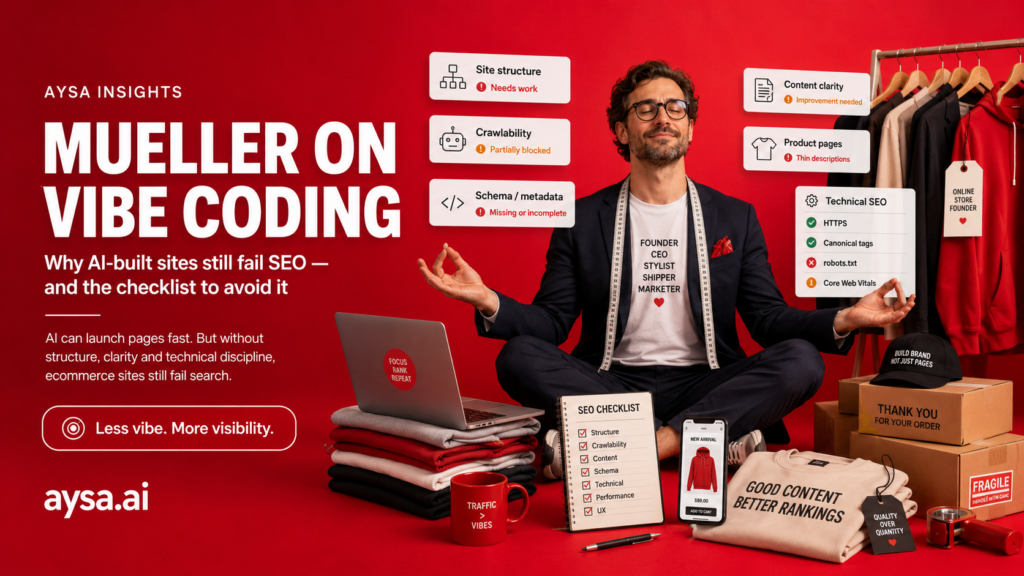
Mueller on vibe coding: why AI-built sites still fail SEO (and the checklist to avoid it)
“Vibe coding” (AI-assisted site building with loose prompts) is going mainstream because it’s fast and fun.
But SEO doesn’t care how your site was made. SEO cares whether Google can:
John Mueller and Martin Splitt’s message (as summarized by SEJ) is basically the same message we’ve seen for 15+ years:
> vague requirements produce vague outcomes.
AI can write code. It won’t automatically ship an SEO-ready site unless you specify what “SEO-ready” means.
What changed
SEJ referenced an episode/transcript of Google’s Search Off the Record where Mueller and Splitt discuss vibe coding and why “add SEO” isn’t a sufficient instruction.
This is important because many businesses will ship *good-looking* sites that are quietly broken in ways that kill organic growth.
The SEO failure modes we see in AI-built sites (real-world)
1. Accidental Noindex on the whole site or key templates
2. Broken canonicals (pointing to staging, query strings, or wrong hosts)
3. Thin, duplicated titles and headings across pages
4. JavaScript-only rendering where core content doesn’t exist in HTML
5. No Sitemap, or a sitemap that isn’t updated
6. Internal linking that looks fine in UI but is structurally weak
None of these are “advanced SEO.” They’re launch hygiene.
The “site rebuild” trap: most SEO losses come from migration mistakes
Many vibe-coded sites are not net-new sites. They replace an existing site.
That is where the real SEO damage happens:
- URLs change without redirects.
- internal links break silently.
- canonical URLs shift.
- content gets rewritten into generic fluff.
If you are rebuilding a site, you need a migration plan:
- export all existing URLs that currently get traffic,
- map old URLs to new URLs,
- implement 301 redirects before launch,
- keep the content that already ranks (improve it, don’t delete it).
This is not optional. It’s the difference between “launch day” and “traffic cliff.”
The AI site launch checklist (copy/paste for your team)
### Technical essentials (must pass)
Robots.txtallows Crawling where intendedsitemap.xmlexists, is correct, and is submitted in Search Console- no accidental sitewide
noindex - correct canonicals on every indexable page
- correct HTTP status codes (no soft-404 surprises)
- redirects are intentional and minimal
### Content essentials (must pass)
- each page has a unique title that matches intent
- one clear H1 that explains the page purpose
- core content is in server-rendered HTML
- “money pages” include proof blocks (pricing ranges, process, constraints)
### Measurement essentials (must pass)
- Search Console connected on day one
- baseline snapshot of top pages and intended query themes
- weekly monitoring for 4 weeks post-launch (indexing + coverage + CTR)
Acceptance tests (the easiest way to stop AI from shipping SEO bugs)
Treat these as “must pass” checks before you publish:
GET /robots.txtreturns 200 and allows crawling where intendedGET /sitemap.xmlreturns 200 and includes canonical URLs- key pages return 200 (not 302 chains)
- no
noindexon production templates - canonicals point to production URLs
- titles are unique on money pages
- H1 exists and matches page intent
If you can’t automate them, at least run them manually every launch.
Migration playbook (if you are replacing an existing site)
If you are rebuilding, here is the minimum migration process that prevents traffic loss:
1) Inventory the current site
- export all URLs from sitemap
- export all URLs that get traffic from Search Console
- export top landing pages from analytics
Merge these into one list. That list is your “do not break” set.
2) Create a redirect map
For every old URL, decide:
- direct equivalent new URL (best)
- nearest relevant new URL (ok)
- keep the old URL (sometimes the correct move)
Implement 301 redirects before launch.
3) Preserve what already works
If a page ranks, don’t delete it “because AI can rewrite it better.”
Improve it:
- clarify intent,
- add constraints,
- add proof blocks,
- improve structure.
Deleting ranking pages is the fastest way to lose traffic.
4) Post-launch: verify the redirect coverage
- crawl old URLs and confirm 301 to correct targets
- check for chains and loops
- monitor 404s in Search Console
This is how you avoid the classic migration cliff.
Where AYSA adds real leverage (beyond “write me a page”)
When a human builds a site, the weak point is execution consistency. With AI site builders, the weak point is verification: people assume the output is correct.
AYSA exists to turn SEO into a controlled workflow:
- build a business + site profile (
https://aysa.ai/setup-seo-profile/) - monitor technical + on-page readiness (
https://aysa.ai/technical-seo/,https://aysa.ai/monitoring/) - generate an approval-ready fix list
- execute approved changes in WordPress (fast + consistent)
That’s how you avoid “we launched, it looks great, why is traffic zero?”
The deeper lesson (why “vibe coding” fails in production)
AI tools are great at generating *plausible* code. SEO failures usually come from things that are not “plausible” or “pretty”:
- edge cases,
- defaults you didn’t specify,
- environment differences (staging vs production),
- and missing acceptance tests.
So the correct mindset is:
AI is your junior developer. You still need a spec and a QA checklist.
What to tell an AI site builder (the prompt that actually helps)
Instead of “make my site SEO friendly,” define requirements like:
- “Every indexable page must have a canonical tag to the public URL.”
- “Generate a sitemap at
/sitemap.xmland keep it updated.” - “Do not include
noindexanywhere except staging.” - “Render primary content in HTML (SSR), not only client-side.”
- “Create unique titles and one H1 per page.”
This is how you prevent “SEO by accident.”
The post-launch monitoring plan (the first 30 days)
If you launch a new or rebuilt site, treat the first month as a controlled rollout:
Week 1
- Verify indexing: submit sitemap, check coverage, fix obvious noindex/canonical mistakes.
- Confirm the top pages are crawlable and returning 200.
Week 2
- Check query alignment: are pages getting impressions for the right topics?
- Fix titles/H1s and internal links where intent mismatch appears.
Week 3
- Improve conversion clarity on money pages (proof blocks, constraints, next steps).
- Fix thin pages that rank for the wrong reasons.
Week 4
- Re-crawl, re-check Core Web Vitals and performance regressions, and lock in templates.
This schedule is realistic for small teams and prevents “we’ll look at it later” failure.
The full “AI-built site” QA checklist (use this before you hit publish)
If you want a vibe-coded site to be SEO-ready, you need to verify more than “it looks fine.”
Indexability
- No accidental
noindexin templates. - No accidental
nofollowon internal links. - Canonical tags present and correct on indexable pages.
- Pagination and archives behave intentionally (not accidental infinite duplicates).
Redirects and migrations
- Old URLs that had traffic are redirected (301) to the new equivalents.
- No redirect chains (A→B→C). One hop when possible.
- Both
httpandwwwvariants redirect to the canonical host.
Content structure
- One clear H1 per page (not three).
- Titles are unique for money pages.
- Above-the-fold explains: what, who, where, next step.
- Pages include constraints and qualification (pricing bands, service area, prerequisites).
Technical
robots.txtandsitemap.xmlexist and are correct.- Pages return correct status codes (no soft 404s).
- Image and JS assets load from the canonical host without mixed content.
- Page speed is acceptable (especially for core landing pages).
Analytics
- GA4 installed and firing.
- Key conversions tracked (form submit, call click, booking).
- Search Console verified and sitemap submitted.
If you do only this checklist, you will outperform most “AI-built” sites in organic performance.
WordPress-specific pitfalls (we see these constantly)
If you launch on WordPress, these are the common gotchas:
- the theme outputs multiple H1s (logo + page title + block heading)
- page builders hide content behind client-side rendering
- categories/tags create thin duplicate archives
- “preview” URLs get indexed accidentally
- plugins add noindex/nofollow unexpectedly
The fix is simple: choose a consistent template system and audit it once, then reuse it everywhere.
The internal linking blueprint (so pages support each other)
Vibe-coded sites often look fine but have weak internal linking. Fix it with a blueprint:
- every service page links to:
– pricing guidance (if you have it),
– process page,
– 2–3 relevant guides,
– 1–2 case studies (if available),
– a contact/booking page.
- every guide links to:
– the relevant service page,
– 2–3 related guides,
– a glossary definition (when relevant).
This creates a crawlable, understandable site graph. That is still one of the strongest “SEO fundamentals” in 2026.
The “content map” you should build before generating pages with AI
Don’t start with “generate 50 pages.” Start with a content map:
- core pages (home, services, locations, pricing/process, about, contact)
- supporting pages (guides, comparisons, FAQs)
- trust pages (case studies, reviews, credentials)
Then generate content to fit that structure. AI is much better when it fills a plan than when it improvises.
A safer way to use AI for website building (what we recommend)
Use AI to accelerate, but keep control:
- use AI to draft sections, not the whole architecture
- keep templates stable
- apply changes in batches
- verify against acceptance tests
That is how you get speed without shipping SEO regressions.
How to use AYSA for vibe-coded sites (a practical workflow)
If you already run the site on WordPress, AYSA becomes the execution system that prevents “random prompt changes” from breaking SEO.
A simple AYSA-driven approach:
- Set up business context and site structure (
https://aysa.ai/setup-seo-profile/) - Run a technical readiness sweep (
https://aysa.ai/technical-seo/) - Build an on-page improvement queue for money pages (
https://aysa.ai/on-page-seo/) - Monitor indexing and early performance shifts (
https://aysa.ai/monitoring/) - Approve and execute changes in controlled batches (so you can roll back if needed)
That is the difference between “AI made it” and “AI shipped it responsibly.”
FAQ: quick answers to common “AI-built site” SEO questions
Do I need a custom-coded site to rank?
No. You need a site that is crawlable, indexable, and useful. WordPress can rank extremely well when templates are consistent and content is clear.
Is JavaScript bad for SEO?
No, but JS-only content is risky. If the core content does not exist in HTML, you are relying on perfect rendering every time. That’s a fragile foundation.
Should I publish lots of AI-generated pages to “cover keywords”?
Not as a default strategy. Publish pages that match real intent and add value. Thin pages increase maintenance cost and dilute authority.
What is the single biggest migration mistake?
Breaking old URLs without redirects. It’s the fastest way to lose traffic you already earned.
Do I need schema?
You don’t “need” it, but schema helps reduce ambiguity. Use the minimum set that matches visible content and you can keep accurate.
How fast should I expect results after a rebuild?
If you preserved URLs and improved clarity, you can see improvements within weeks. If you changed URLs and structure, expect volatility and monitor closely for 30 days.
How do I know if Google can crawl the new site?
Use Search Console URL inspection, check index coverage, and run a crawl. Also test with JS disabled to validate HTML-first content.
Can I “prompt” my way into technical SEO?
Only if you turn prompts into a spec with acceptance tests. Vague prompts create vague output.
What should be on every money page?
What you do, who it’s for, constraints, pricing bands, timelines, proof, and a clear next step.
What’s the first thing to set up on launch day?
Search Console + sitemap submission. Then verify robots/canonicals/noindex across key templates.
The detailed rebuild checklist (print this)
- Export current ranking URLs from Search Console.
- Export top landing pages from analytics.
- Build a redirect map for every important URL.
- Implement 301 redirects before launch.
- Verify no redirect chains.
- Verify canonicals point to production URLs.
- Verify sitemap contains canonical URLs only.
- Verify robots.txt allows crawling.
- Verify noindex is not present on production templates.
- Verify money pages have unique titles and one H1.
- Verify core content is present in HTML (JS disabled test).
- Add constraints and qualification blocks to money pages.
- Add proof blocks to money pages.
- Fix internal linking (service pages link to guides, process, pricing).
- Submit sitemap in Search Console.
- Monitor coverage errors daily for the first week.
- Fix 404s and soft 404s immediately.
- Re-crawl and compare templates after 2 weeks.
30-day launch plan (to avoid the “looks great, no traffic” outcome)
Week 1:
- Verify indexability and coverage (robots, sitemap, noindex, canonicals).
- Fix redirect coverage for old URLs that had traffic.
- Ensure money pages have clarity + constraints + proof + CTA.
Week 2:
- Improve internal linking between services, guides, and trust pages.
- Fix duplicate titles/H1s across templates.
- Validate that primary content exists in HTML on key pages.
Week 3:
- Review query alignment in Search Console (what queries map to what pages).
- Improve pages that get impressions for the wrong intent.
- Add missing content blocks (pricing bands, timelines, process).
Week 4:
- Re-crawl the site and clean up leftovers (404s, chains, canonicals).
- Establish a monthly workflow so the site keeps improving (not a one-time launch).
This is the main mindset shift: treat SEO readiness as release criteria. If it’s not verified, it’s not shipped.
Extra checks after launch (optional)
- verify top 20 landing pages are indexed
- verify canonical tags across templates
- verify structured data matches visible content
- check for duplicate archives (categories/tags)
- watch 404s and soft 404s weekly
- monitor CTR changes on money pages
- confirm internal links don’t rely on JS-only navigation
- run a crawl and fix broken links
- compare old vs new query clusters
- schedule a monthly technical hygiene pass
If you do this consistently, vibe coding becomes a speed advantage instead of a source of invisible technical debt.
It also makes future redesigns cheaper because you’re not rebuilding from broken fundamentals each time.
If you want the short version: write a spec, run the checklist, then ship. Don’t ship vibes.
And if you already shipped: do the 30-day plan and clean up the fundamentals before you scale content.
That’s the fastest way to turn an AI-built site into a real growth asset.
No excuses.
Ship it right.
Every time.
Seriously.
OK.
Done.
!
Common mistakes (avoid these)
- Rebuilding URLs without redirects.
- Letting AI rewrite ranking pages into generic fluff.
- Shipping JS-only pages where core content isn’t in HTML.
- Launching without Search Console + sitemap submission.
- Ignoring template-level issues (duplicate titles/H1s, canonicals).
- Treating “SEO” as an afterthought instead of acceptance criteria.
Key takeaways (save this)
- Vibe coding is fine; “vibe launching” is the problem.
- Define SEO requirements as acceptance tests.
- Migrations need redirects and URL inventory, every time.
- Consistent templates and internal linking beat random page generation.
Extra checks (quick wins)
- Remove accidental indexable staging URLs.
- Ensure only one canonical host is used everywhere.
- Verify category/tag archives aren’t creating thin duplicates.
- Ensure your menu links are crawlable without JS.
- Add a “How we work” page and link it from every service page.
- Add pricing variables and constraints to money pages.
- Run a crawl weekly for the first month after launch.
- Fix 404s immediately (especially on internal links).
- Keep a simple redirect registry for future changes.
- Treat every AI-generated change as “needs QA,” not “done.”
- Add breadcrumbs and ensure they match real site structure.
- Ensure XML sitemap excludes non-canonical URLs.
- Keep author and company info consistent across the site.
- Make sure contact info is prominent and consistent (NAP for local).
- Add a “pricing guidance” page if sales questions are repetitive.
- Consolidate overlapping pages instead of publishing near-duplicates.
- Keep a change log for launches and major content updates.
- After launch, review top queries weekly and adjust titles/H1s for intent.
- Don’t rely on a page builder if it hides content behind JS-only rendering.
Sources
- SEJ (topic signal): https://www.searchenginejournal.com/googles-mueller-vibe-coding-wont-handle-your-seo-for-you/574237/
- Search Off the Record transcript index: https://search-off-the-record.libsyn.com/