
AI Mode Visitors Don’t Browse—They Execute: How To Rebuild Your Site For 30-Second Task Completion
AI Mode is changing who lands on your website and what they expect. These visitors arrive pre-decided, with constraints and a plan. If your pages still force a “persuasion funnel,” you’ll lose high-intent conversions. Here’s how to audit AI-referred landing pages, redesign for 30-second task completion, and operationalize the fix with AYSA’s monitoring + approved execution.
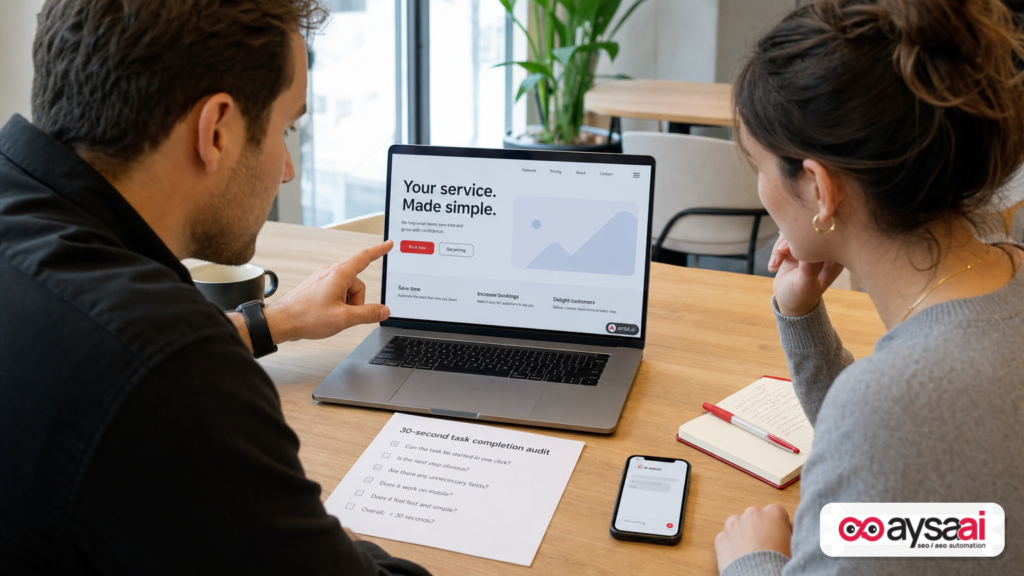
Search is no longer just a list of options. In AI Mode, the visitor often arrives with the research already done, the trade-offs already weighed, and the constraints already defined. They click because they’re ready to do something—book, buy, schedule, compare exact specs, get a quote, or confirm availability. If your website still behaves like it’s meeting a cold visitor at the top of the funnel, you’ll add friction to the most valuable traffic you get.
This editorial is written from the perspective of building practical systems for SMEs and teams who don’t have infinite time for redesigns. We’ll translate what’s changing into a measurable, repeatable operating model: identify AI-referred landing pages, run a “30-second task completion” audit, and ship targeted changes that help high-intent visitors finish fast—without breaking the parts of your site that still need persuasion.
Primary source used for research: Search Engine Journal’s coverage and commentary on AI Mode visitor behavior and website readiness (see: AI Mode Sends A Different Visitor. Your Website Wasn’t Built For Them).
Concise summary
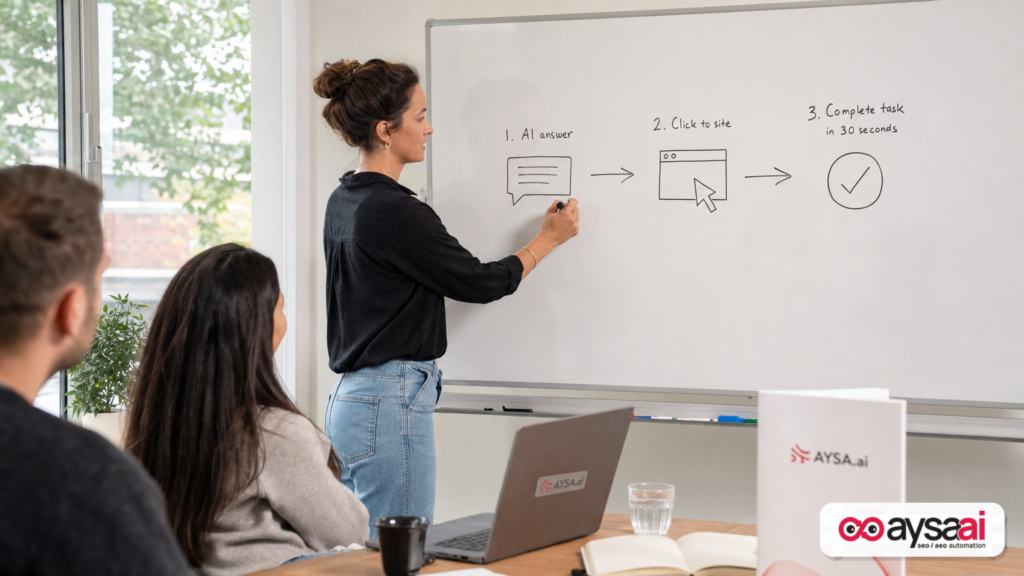
- AI Mode Clicks are increasingly “execution clicks.” The visitor arrives pre-decided, with context and constraints baked in.
- Your biggest risk is not ranking—it’s mismatch. Pages designed to persuade will slow down visitors who came to complete a task.
- The fastest fix is a 30-second audit. For AI-referred landing pages, make the primary task possible immediately (Above The Fold, minimal detours).
- Measurement needs to catch up. Use GA4 referral patterns and page-level behavior to isolate AI-referred landing pages; don’t wait for perfect Attribution.
- Execution is the differentiator. Small, approved changes shipped continuously will beat a single “AI redesign” project that never lands.
Key takeaways (print this)
- Stop treating AI referrals as “top of funnel.” Treat them as “ready to transact” unless behavior proves otherwise.
- Every AI landing page needs a primary task surface. Booking, checkout, pricing, availability, quote—whatever “done” means for that page.
- Speed isn’t just page load—it’s decision speed. Reduce time-to-action, steps-to-action, and “scroll-to-action.”
- Design for two realities at once. Some visitors still need persuasion. AI visitors often need execution. Your layout must serve both without conflict.
- Build a weekly operating loop. Identify, audit, ship, measure, repeat—especially for the top AI-referred pages.
Table of contents
- What changed: the AI Mode visitor is different
- Why it matters: the click is now the last step
- The new visitor: pre-decided, constraint-heavy, impatient
- Where websites fail: funnel architecture that assumes ignorance
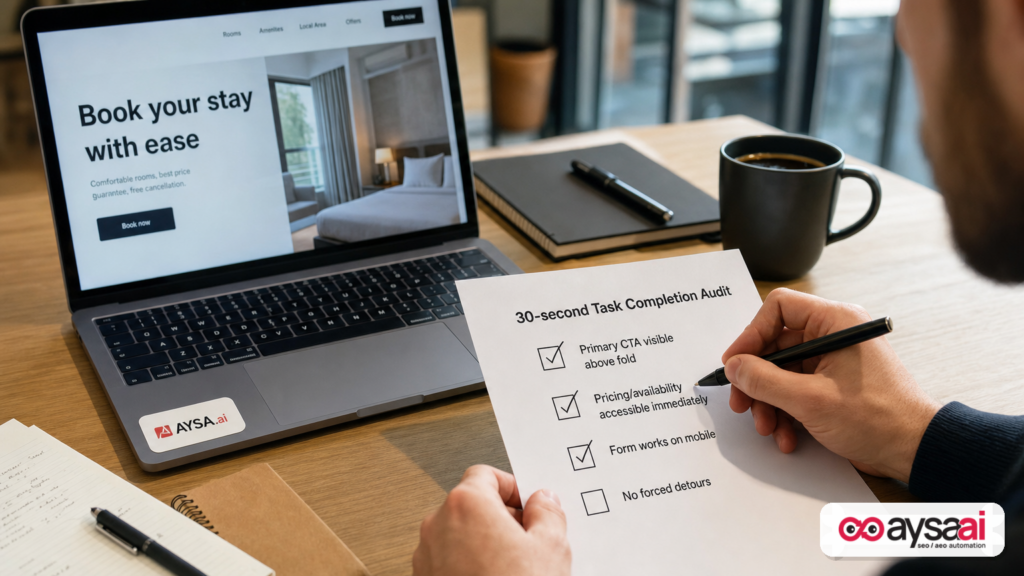
- The 30-second task completion audit (fastest win)
- Landing page patterns that convert AI visitors (without redesign)
- How to measure AI-referred traffic with today’s tools
- A concrete SME scenario: clinic, florist, local service
- What agencies and in-house teams must rethink
- Where AYSA fits: monitor, prepare, ask approval, execute
- A 30-day action plan
- What to do next
- Sources and further reading
What changed: the AI Mode visitor is different
For years, most websites were built on an assumption that was usually true: organic search visitors arrived early in the decision process. They typed short queries, skimmed multiple results, opened several tabs, and moved slowly from awareness to consideration to decision. Your Site architecture mirrored that journey:
- Category pages that explain options.
- Product and service pages that persuade.
- Trust layers that build confidence over time.
- CTAs that appear after “the story.”
AI Mode changes the sequence. In the Search Engine Journal source, the key idea is simple and consequential: many AI Mode visitors land on your website after the AI has already helped them compare and plan. The click is often the handoff from “plan” to “execute.” When your page greets them with the beginning of the story, you make them repeat steps they already completed.
Even if you don’t follow every product update inside Google, you can feel the shift in the shape of queries and the expectations on the landing page. AI-assisted search encourages longer, more specific prompts, and more follow-up refinement before the user ever visits you. The visitor is arriving with:
- More constraints (price range, location, availability, compatibility, timing).
- More confidence (they trust the AI’s synthesis).
- Less tolerance for detours (they already “did the browsing”).
This is not the end of persuasion. It’s the end of forcing persuasion on the wrong visitor class.
Why it matters: the click is now the last step
The strategic mistake I’m seeing across SMEs is treating AI traffic like “just another referral source.” It’s not. It’s a different stage in the decision journey. When the AI summarizes options, compares features, or recommends next steps, it compresses the funnel upstream. Your site becomes the place where the visitor expects the final action to happen quickly.
That creates a new competitive reality:
- You can earn the mention and still lose the sale if the landing experience is slow to action.
- You can lose the mention and still win later if the AI visitor continues researching elsewhere, but that’s a worse bet than being the obvious “finish line.”
- Your best pages may become your worst pages if they’re optimized for explaining rather than completing.
The clearest operational takeaway from the SEJ source is the right one: don’t start with theory. Start with your top AI-referred landing pages and ask a brutally practical question: can the visitor complete what they came to do quickly?
The new visitor: “pre-decided, constraint-heavy, impatient”
Let’s define the new visitor in plain business terms.
1) Pre-decided (or close enough)
In AI-assisted search, many users arrive after they’ve already seen a synthesized comparison. They often aren’t wondering whether they need your product or service—they’re wondering:
- Is it in stock?
- Does it work for my specific use case?
- How fast can I get it?
- What’s the exact price for my scenario?
- Can I book an appointment at a specific time?
2) Constraint-heavy
Longer, more specific queries mean the visitor is not shopping “in general.” They have parameters. They want you to honor those parameters instantly. That changes page priorities: “benefits” become less important than “fit.”
3) Impatient (because the AI already saved them time)
AI Mode is, at its core, a time-saving interface. It trains users to expect fast progress. If your site slows down progress—through unclear navigation, hidden CTAs, forced scrolling, or multi-step forms—the visitor doesn’t “try harder.” They bounce and ask the AI for another option.
This is why I recommend thinking of many AI visitors as agent-like, even when they’re human. They behave like a task runner: arrive, attempt action, exit if blocked.
Where websites fail: funnel architecture that assumes ignorance
Most conversion issues are not “SEO problems.” They’re architectural mismatches. Below are the most common ways websites unintentionally reject AI Mode visitors.
Failure mode #1: The CTA is buried under persuasion
Classic marketing pages are built like this: headline → value prop → benefits → social proof → features → more proof → FAQ → CTA. That can work for cold traffic.
For AI visitors, it often backfires. They want “Book,” “Buy,” “Get pricing,” “Check availability,” or “Start trial.” If the action is not immediately visible, your page communicates, “We’re not ready for you yet.”
Failure mode #2: The wrong landing page receives the click
AI answers may link to a deep page—sometimes a blog post, sometimes a Category page, sometimes a product page. If that page can’t complete the task the user has in mind, you force a navigation problem. The visitor doesn’t want to solve a maze; they want to complete a plan.
Failure mode #3: You re-explain what they already learned
Many pages open with paragraphs of explanatory copy. For AI Mode visitors, that content feels like repetition. You can keep it—but it can’t push the task surface down.
Failure mode #4: Friction in forms, checkout, and contact
AI visitors are not allergic to forms—they’re allergic to pointless forms. If you demand too much information before showing price, schedule, or feasibility, you’ll lose the click.
Failure mode #5: Mobile task completion is harder than desktop
Even if your desktop experience is fine, mobile often has hidden CTAs, sticky bars that cover buttons, or accordions that bury key details. AI Mode visitors are frequently on mobile, and they will not fight your layout.
The 30-second task completion audit (the fastest win in AI search)
The SEJ source recommends a practical audit approach: pull top AI-referred landing pages and evaluate whether the visitor can finish within 30 seconds. I agree with the spirit, but most teams need a more precise checklist so it becomes an operating habit, not a one-time exercise.
Here is the AYSA-style audit you can run today.
Step 1: Identify AI-referred landing pages
Start with your analytics. The SEJ source notes GA4 can show referrals from AI surfaces (for example, referrals originating from certain AI domains). Your goal isn’t perfect attribution; your goal is to pick the top pages where AI visitors already land and improve them first.
Make a list of your top 10 landing pages receiving AI referrals. If you can only find 3–5 clearly, start there.
Step 2: Define the page’s “job”
Every landing page should have one primary job for an AI visitor. Examples:
- Product page: add to cart / choose variant / confirm delivery date
- Service page: get price / request quote / book consultation
- Local page: call / get directions / schedule appointment
- SaaS feature page: start trial / see pricing / book demo
If you can’t describe the job in one sentence, you don’t have a landing page problem—you have a positioning and information architecture problem.
Step 3: Run the 30-second test
Open the page on mobile and desktop. Start a timer. Ask:
- Can I see the primary CTA without scrolling?
- Can I take the first step instantly? (e.g., select date, choose size, check availability)
- Do I hit a dead end? (login wall, “contact us for pricing,” unclear next step)
- Do I have to navigate elsewhere to complete the task?
- Do I need to read a long explanation to proceed?
If the answer is “I have to hunt,” the page is not built for AI Mode arrivals. That doesn’t mean the page is bad. It means it’s optimized for a different visitor class.
Step 4: Fix order of operations (not the entire design)
Most businesses jump to redesign. Don’t. The highest ROI changes are often reordering and surfacing:
- Move the action module above the fold.
- Make pricing or a price range discoverable immediately.
- Add “availability” and “delivery” clarity near the CTA.
- Provide a short “fit statement” that mirrors constraints.
Think of it as changing what the page prioritizes, not what the page is.
Landing page patterns that convert AI visitors (without a redesign)
Below are practical patterns you can apply across industries. Each one is designed to reduce time-to-action while still supporting persuasion for visitors who need it.
Pattern 1: A “task-first” above-the-fold section
Your hero section should do three things fast:
- Confirm fit in one sentence (who it’s for, what problem it solves).
- Expose the primary action (book/buy/get pricing/check availability).
- Reduce anxiety with one trust cue (reviews summary, guarantee, accreditation, shipping policy link).
Keep the long persuasion content—just don’t put it in front of the task.
Pattern 2: A dedicated “execution module” (booking, quote, checkout-ready)
For services, the best execution module is often a lightweight booking or quote widget embedded directly on the landing page. For ecommerce, it’s the fully functional buy box with variant selection and delivery details.
This is where many SMEs accidentally sabotage conversion: they link to a separate “Contact” page, or they require a multi-step flow before showing basic feasibility.
Pattern 3: Pricing clarity without forcing a call
“Contact for pricing” is one of the fastest ways to lose an AI Mode visitor, because the AI already helped them compare options—including cost ranges. If you truly can’t publish exact prices, publish:
- Starting prices
- Typical ranges
- What changes the price
- Financing/insurance acceptance (where applicable)
The goal is not to turn your site into a spreadsheet. The goal is to remove the “unknown” that forces the visitor back into AI Mode for alternatives.
Pattern 4: Constraint-based FAQs (not generic FAQs)
Generic FAQs often answer questions nobody asked. AI visitors have specific constraints, so your FAQ should mirror that reality:
- “Can I get this delivered today?”
- “Does this work with [compatibility scenario]?”
- “What documents do I need for an appointment?”
- “What’s the turnaround time?”
This is AEO/GEO thinking in practice: structure information around how questions are asked in AI interfaces.
Pattern 5: “Next step” internal links that behave like a guided plan
If the landing page can’t fully complete the task (sometimes it can’t), then it must provide a clear next step without making the visitor think. Example:
- “See availability in your ZIP code”
- “Compare sizes”
- “Get an instant quote”
These links should feel like part of a plan, not a navigation menu.
Pattern 6: Technical basics that matter more in AI Mode
I’m not going to pretend AI Mode makes technical SEO irrelevant. It makes certain basics more valuable because a “task-first” visitor is less tolerant of failure:
- Mobile usability: CTAs not covered, forms usable, tap targets correct.
- Page speed: not as a vanity metric, but as “time to first meaningful action.”
- Indexable and consistent pages: the page that AI cites should be the page that performs.
- Clear structured content: headings, concise summaries, scannable modules.
Where possible, add structured data carefully—but don’t treat schema as a substitute for UX. (If you need a structured approach to AI search visibility, see AYSA’s overview at AI Search Visibility.)
How to measure AI-referred traffic with today’s tools
Measurement is messy right now, and you should not wait for perfect dashboards to start improving. The SEJ source notes two important realities:
- GA4 can show certain AI referrals directly (depending on referrer and tracking context).
- Search Console may roll AI Mode clicks into overall search metrics without clean filtering yet.
So what can SMEs do today?
1) Build a landing-page-first view in GA4
Your most useful lens is: Landing page + source/referrer + conversion behavior.
- Which pages are being used as “AI landing pages”?
- Do those pages have higher or lower conversion rate than other sources?
- What is the time-to-action (or at least engagement + conversion proxy)?
Even if attribution is imperfect, page-level behavior will expose where AI visitors are getting stuck.
2) Track micro-conversions that represent task progress
Not every business has a clean purchase conversion. Define micro-conversions that mean “progress”:
- Click-to-call
- Form start
- Calendar open
- Pricing page view (if pricing is not on the landing page)
- Add-to-cart
Then ask: do AI referrals progress faster or slower? If they progress slower, your page is misaligned with their intent.
3) Monitor changes weekly, not quarterly
AI search behavior is evolving quickly. This is one reason we built AYSA with a monitoring-first operating model: you need trend detection and alerts, not a one-time audit. See how monitoring fits into the workflow at AYSA Monitoring.
A concrete SME scenario: the clinic, the florist, and the local service business
Let’s make this painfully practical. Imagine three businesses—none of them “SEO companies,” all of them dependent on high-intent leads.
Scenario A: A clinic with appointment demand
A potential patient uses AI Mode to ask something like: “Find a clinic near me that offers X service, accepts my insurance, and has appointments this week.” The AI summarizes options and links to your service page.
If your service page starts with paragraphs explaining what the service is, and the “Book appointment” button appears after testimonials and a long FAQ, you’ve created a mismatch. The visitor came to schedule. They already decided that the service is relevant.
Fix: Add an above-the-fold booking module (or a clear “Check availability” step), display insurance acceptance info near the CTA, and provide a short “what to bring” checklist without making them scroll.
Scenario B: A florist with delivery constraints
A customer uses AI Mode to plan: “Same-day delivery flowers under $80 to [neighborhood], with a modern style.” The AI links to a category page.
If the category page is beautiful but doesn’t clearly show delivery cutoff times, delivery zones, or total price with delivery, the visitor will leave and ask AI for another florist.
Fix: Put delivery cutoff time and delivery-zone checker near the top, add filters that match constraints (price, style), and ensure product pages have a clear “delivery date” selector.
Scenario C: A local service business (HVAC, roofing, cleaning)
A homeowner asks AI Mode: “Get me a reputable [service] provider with transparent pricing and availability in the next 48 hours.” The AI links to your service page.
If your page forces a “Contact us” flow with 12 fields and no idea of price range, you lose. The visitor wants a quote and a time slot, not a brand story.
Fix: Provide starting price ranges and what drives cost, add a short quote form (3–5 fields) or offer call scheduling instantly, and present licensing/insurance trust cues as a compact line near the CTA.
Across all three scenarios, the rule is the same: the landing page must behave like the final step of a plan.
What agencies and in-house teams must rethink
AI Mode isn’t just a new ranking factor conversation. It forces a new operating model across SEO, content, UX, and conversion.
Shift #1: From content volume to task completion outcomes
Many teams spent the last decade scaling content. In AI search, content still matters—but the winning KPI isn’t “publish more.” It’s: how many AI-referred visitors complete the task they arrived for?
Shift #2: From silos to landing page ownership
When SEO owns traffic but product/marketing owns the page and engineering owns deployment, improvements stall. AI search punishes stalled execution because visitor expectations move faster than roadmaps.
This is exactly why we emphasize approved execution as a system: changes need to be proposed, reviewed, and shipped continuously—not parked in tickets for three months.
Shift #3: From big redesigns to weekly iteration
The temptation is to launch an “AI redesign project.” Most SMEs don’t need that first. They need to fix the top 10 landing pages where AI visitors already land, and they need to do it in weeks, not quarters.
Shift #4: From reporting to operating
A dashboard is not a strategy. Your team needs a rhythm:
- Monitor where AI referrals land.
- Audit page job and friction.
- Propose changes.
- Approve changes.
- Execute changes.
- Measure impact.
If that sounds like an execution system, it is. That’s the point.
Where AYSA fits: monitor, prepare, ask for approval, execute
AYSA is built for the reality most SMEs face: you know what you should do, but you can’t get it shipped consistently. AI search makes that gap expensive because the traffic you do get is often closer to conversion—and more sensitive to friction.
Here’s how AYSA fits into the AI Mode readiness workflow:
1) Monitoring: detect AI visibility and landing-page risk
Use monitoring to identify which pages matter most and where behavior shifts. This is the foundation for prioritization—especially when attribution is imperfect. Learn more at AYSA Monitoring.
2) Prepare: generate a task-first change plan (without guessing)
AYSA’s role is to turn observations into specific, implementable recommendations: what should move above the fold, what should be clarified near the CTA, which internal links should be added, and where friction is likely happening.
For broader context on AI-driven search visibility (AEO/GEO), see AI Search Visibility and our tools page at AI SEO Tools.
3) Ask for approval: keep humans in control
SMEs don’t want a black box changing their site. The right model is: propose changes → business approves → changes ship. That’s how you move fast without brand risk.
4) Execute: ship improvements continuously
The winners in AI search won’t be the teams with the best opinions. They’ll be the teams that can implement improvements every week. AYSA is designed to support that operating cadence.
5) Fit and affordability for SMEs
If you want to evaluate whether AYSA matches your team size and workflow, pricing and plan structure are here: AYSA Pricing.
If you want more field notes and playbooks, start at AYSA Blog.
A 30-day action plan (for SMEs and lean teams)
This is a realistic plan you can run without hiring a new team or launching a redesign.
Week 1: Identify and prioritize
- Pull AI-referred landing pages in GA4 (or as close as you can) and list top 10.
- For each page, write its “job” in one sentence.
- Mark pages that represent revenue-critical tasks (booking, checkout, quote).
Week 2: Audit friction with the 30-second test
- Run the test on mobile and desktop.
- Record: time-to-CTA, steps-to-action, and where the visitor gets blocked.
- Pick the top 3 pages with highest business value and biggest friction.
Week 3: Ship “task-first” changes
- Move the primary CTA and/or execution module above the fold.
- Add constraint-matching info near the CTA (pricing range, availability, delivery cutoff, compatibility).
- Convert generic FAQs into constraint-based FAQs.
- Add clear next-step internal links if the full task can’t be completed on the page.
Week 4: Measure and iterate
- Compare conversion and micro-conversion rates for AI referrals vs. other sources.
- Look for improvements in time-to-action proxies: fewer pageviews to convert, higher form start rate, higher click-to-call rate.
- Repeat with the next 3 pages.
The key is not perfection. It’s iteration.
What to do next
- Pick one page that already gets high-intent traffic (product, service, or location page).
- Run the 30-second test on mobile. If you can’t reach the action immediately, you have your first fix.
- Move the task surface up: booking, pricing, availability, add-to-cart—whatever “done” means.
- Rewrite your above-the-fold copy to confirm fit in one sentence, not to explain the category.
- Set a weekly loop to audit and improve the next page.
If you want AYSA to help operationalize this as a system—monitoring, recommendations, approvals, and continuous execution—start with:
Sources and further reading
- Search Engine Journal (research input): AI Mode Sends A Different Visitor. Your Website Wasn’t Built For Them
- Search Engine Journal: Latest news (useful for tracking ongoing AI search changes)
- Search Engine Journal: SEO section (broader context and analysis)
Note on sourcing: The source article references broader platform and analytics developments. Where primary sources (e.g., original Google announcements, Adobe reports) are not included in the provided research context, this editorial treats them as contextual signals rather than independently verified datasets. The operational recommendations above do not require those numbers to be true—they rely on observable page-level behavior and conversion friction you can measure in your own analytics.
Continue the AI search topic inside AYSA.
Use these pages to connect the article with AI SEO tools, AI visibility monitoring, AI Overviews and approved website execution.
Turn this topic into a website action plan.
Use these AYSA hubs to move from reading to technical fixes, AI visibility monitoring, research, glossary context and approval-first SEO execution.

