Claude Opus 5.5 Prompting Changes: What “Effort” Really Means For AI Search, Cost, And Content Operations
Anthropic’s new prompting guidance for Claude Opus 5.5 is a warning shot for every team shipping AI into marketing, support, and SEO: model upgrades quietly change defaults, cost/latency tradeoffs, and even the value of classic prompt lines like “think carefully.” Here’s what changed, why it matters for AI Search/AEO/GEO, and how to operationalize the shift with monitored, approved execution.

Anthropic’s latest prompting guidance for Claude Opus 5.5 isn’t just a set of tips for prompt engineers. It’s a reminder that every model upgrade is an operational change—one that can shift defaults, latency, cost, and user experience even if you don’t touch a single prompt.
And for businesses competing in AI Search—where your brand is summarized, compared, and recommended by assistants instead of only ranked by blue links—these “small” changes can ripple into conversions, support load, and reputation.
In this editorial, I’ll unpack what changed with Opus 5.5 prompting guidance, why the classic “think carefully” instruction is suddenly questionable, how “effort” is becoming the new control knob for quality/speed/cost, and what teams should do to stay stable across model releases. I’ll also explain how we think about this at AYSA: Monitoring outcomes, preparing changes, requiring approval, and executing only what you accept.
Concise summary (for busy operators)
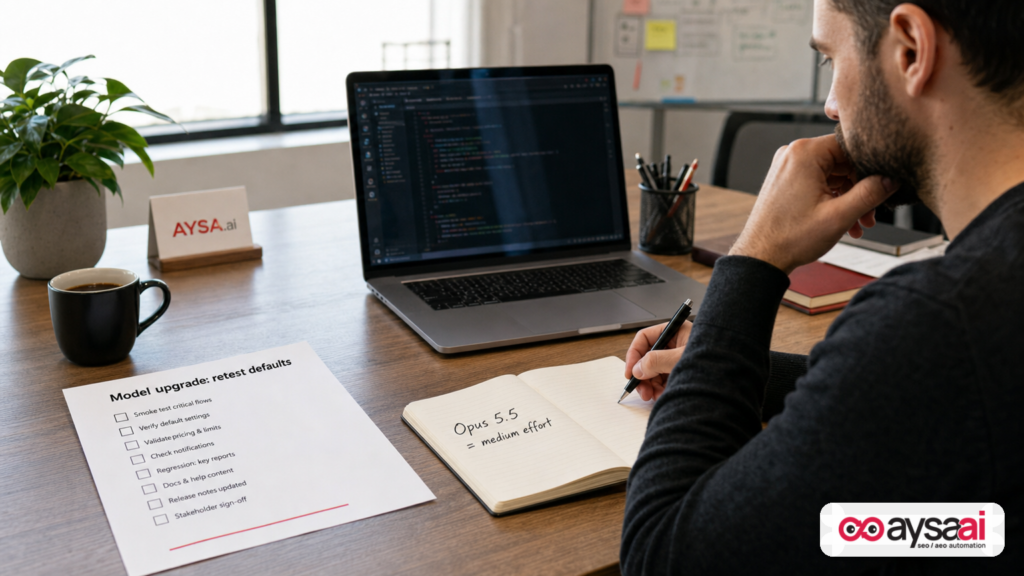
- Claude Opus 5.5 defaults to “medium effort”, which changes performance characteristics if your app never set effort explicitly. Anthropic recommends retesting effort levels rather than reusing Opus 5 settings.
- Anthropic suggests reconsidering “think carefully” lines in chat because Opus 5.5 decides how much to think, and those lines can delay the start of responses without clearly improving quality in their testing.
- Effort is now the primary quality/speed/cost lever. Prompt changes should come after you pick the right effort level for the task.
- Agent workflows need time budgets and input hygiene: time signals can make multi-agent research faster, and tagging pasted text helps reduce prompt-injection risk (but isn’t a complete defense).
- For AI Search/AEO/GEO, stability matters more than clever prompts. Model upgrades can cause “answer drift,” truncation, and inconsistent brand outputs—problems you only notice after customers do unless you monitor and govern execution.
Table of contents

- What changed in Anthropic’s Claude Opus 5.5 prompting guidance
- The quiet breaking change: defaults moved (and your product probably didn’t)
- Effort is the new knob—treat it like an SLO decision, not a prompt flourish
- Why “think carefully” is becoming a liability in chat UX
- Why this matters for AI Search, AEO, and GEO (not just app developers)
- Agents, time budgets, and the new operations layer marketers can’t ignore
- Pasted text, tagging, and prompt injection: the unglamorous work that prevents disasters
- Token caps and truncation: the easiest way to ship broken AI experiences
- Frontend styling guidance: a subtle reminder that “AI output” is also product design
- A concrete SME scenario: an ecommerce brand shipping “AI answers” at scale
- What agencies should rethink: prompt libraries are not strategy
- An action plan: how to operationalize model upgrades without chaos
- Where AYSA fits: monitored, approved execution for AI Search visibility
- What to do next
- Sources and further reading
What changed in Anthropic’s Claude Opus 5.5 prompting guidance

The core message from Anthropic’s Opus 5.5 prompting guide—covered by Search Engine Journal—isn’t “rewrite all your prompts.” It’s: don’t assume your previous model settings and prompt habits still produce the same outcomes.
Specifically, the guidance highlights:
- Retest “effort” settings rather than reusing what you used for Opus 5.
- Reconsider system-prompt lines like “think carefully” in chat apps, because they can delay response starts and may not improve quality in Opus 5.5.
- Use time budgets and time signals for agent teams to keep work predictable.
- Tag pasted text and tell the model how to treat it as one safeguard against prompt injection.
On the surface, this reads like developer ergonomics. In practice, it’s an operations memo: model behavior is increasingly governed by configurable controls (like effort), not by prompt incantations.
The quiet breaking change: defaults moved (and your product probably didn’t)
In software, defaults are destiny. If you don’t explicitly set a parameter, you’re outsourcing product behavior to the vendor’s current opinion of what “normal” should be.
Anthropic’s guidance indicates that Opus 5.5 runs at “medium effort” by default, which is a change from Opus 5’s default behavior (as described in the SEJ coverage). That matters because many teams don’t explicitly set effort—they rely on whatever the model does out of the box.
So here’s the uncomfortable truth:
- If your app didn’t set effort, you may have “upgraded” into a different performance profile without a code change.
- If your prompt library was tuned around Opus 5’s default, you’re now comparing apples to oranges when you evaluate outputs.
- If you budgeted cost and latency based on prior defaults, you may be underestimating the variance users will experience.
This is why Anthropic’s first recommendation—retest effort settings—is bigger than it sounds. It’s an invitation to stop thinking of prompts as static assets and start treating model configuration as product configuration.
From an AI Search perspective, this is especially important because AI-assisted experiences aren’t isolated. Chat outputs become:
- support answers that affect refunds and chargebacks,
- product recommendations that affect Conversion rate,
- publisher summaries that affect trust,
- and marketing content that affects how assistants “learn” your brand voice and policies over time.
Effort is the new knob—treat it like an SLO decision, not a prompt flourish
“Effort” is framed as the first setting to adjust when balancing quality, speed, and cost (per the SEJ summary of Anthropic’s guide). That framing is an operations mindset: pick the right level for the task before you tweak the words in your system prompt.
Here’s the way I’d translate it for business owners and marketing leaders:
- Effort is your quality tier. It’s similar to choosing a senior specialist vs. a junior assistant for the job.
- Effort is also your waiting time. Higher effort can mean more latency, which changes user satisfaction in chat, checkout, or lead capture.
- Effort is your cost envelope. Even if you don’t see the internal “thinking,” you pay for the compute and tokens consumed.
In mature teams, these are not “prompt decisions.” They’re service-level objective decisions. You decide:
- What is the maximum acceptable latency for chat replies?
- Where is higher reasoning worth it (e.g., complex troubleshooting) vs. overkill (e.g., store hours)?
- What happens when the model is under pressure—do we degrade to lower effort, or do we wait longer?
Once you set those standards, prompts become a smaller piece of the system.
A practical “effort mapping” approach for SMEs
If you run a small business, you don’t want a science project. You want a simple mapping that keeps outcomes stable.
Consider a three-tier mapping:
- Low/Medium effort for predictable, low-risk answers: shipping times, return policy summary (with strict sourcing), appointment availability instructions, pricing plans (pulled from your canonical page).
- Medium/High effort for nuanced comparisons and troubleshooting: “Which plan should I buy?”, “Which moisturizer is best for sensitive skin?”, “Why is my integration failing?”
- XHigh/Max effort (selectively) for complex reasoning tasks: audits, multi-step research, long-form synthesis—where the cost is justified and latency is acceptable.
The key is not which label you choose—it’s that you choose deliberately, then measure outcomes.
This is also where monitoring becomes non-negotiable. If you don’t track what the assistant is saying about your policies, products, and brand claims, you’re flying blind.
Why “think carefully” is becoming a liability in chat UX
One of the most interesting takeaways from Anthropic’s guide (as summarized by SEJ) is the suggestion to reconsider prompt lines that tell the model to “think carefully” before responding. Anthropic reportedly found that removing that line made replies start sooner, with no clear decline in quality in their chat-product testing.
This matters because “think carefully” has become a reflex in prompt libraries. Teams add it because:
- they’ve seen it improve reasoning in older models,
- it feels like a harmless quality booster,
- and it’s easy to copy/paste across apps.
But in a modern chat product, time-to-first-token is a feature. Users don’t evaluate “quality” in a vacuum—they evaluate responsiveness and confidence.
The UX risk: delayed start looks like lag, not intelligence
If the model takes longer to start responding, users often interpret that as:
- the site being slow,
- the chat being unreliable,
- or the answer being “made up” because it feels like it’s being crafted.
Even if the eventual answer is slightly better, you can lose the interaction before you get there.
This is also why Anthropic’s advice is more strategic than it appears: let the model decide internal thinking and control it with effort, instead of forcing a “think harder” vibe in every request.
Business translation: stop optimizing for the wrong metric
Many teams optimize prompts for “sounds smart.” In chat, the real metric is often:
- did the user get what they needed,
- did they trust it,
- did it happen fast enough to keep them from bouncing,
- and did it stay within safe and accurate bounds.
Prompt lines that increase verbosity or delay can be a net negative. The “best” prompt is the one that meets your business constraint with minimum variance.
Why this matters for AI Search, AEO, and GEO (not just app developers)
If you’re reading this as a marketer, you might ask: “Okay, but I’m not building a Claude wrapper. I’m trying to get found.”
Here’s why you should care.
AI Search is moving from a world of ranked results to a world of generated answers and recommendations. That shifts the competitive battleground from:
- “Can we rank #1 for this Keyword?”
- to “Will the assistant cite, recommend, and accurately represent us?”
In practice, that means your business is competing on:
- Answerability: do you have clean, structured, unambiguous facts on your site?
- Consistency: do your policies and product claims match across pages?
- Retrievability: can systems extract the right snippet quickly?
- Trust signals: can the assistant cite reputable sources and clear primary pages?
Model configuration changes—like effort defaults—affect how assistants synthesize and prioritize information. They can change:
- how thoroughly the model reads long pages,
- how likely it is to overgeneralize,
- how it handles multi-step comparisons,
- how it balances speed vs. thoroughness.
That’s why “prompting guidance” is not a developer niche topic. It’s part of the AI Search operating environment your brand lives in.
Where AYSA comes in (at a high level)
At AYSA, we treat AI Search visibility as an execution discipline, not a theory. The job isn’t to produce a clever prompt. The job is to:
- monitor where and how your brand appears in AI-driven answers,
- identify gaps (missing FAQs, unclear policies, weak entity signals),
- prepare changes that improve answerability,
- ask for approval, then execute accepted changes on your website.
If you want the overview of that approach, start here: AI Search Visibility.
Agents, time budgets, and the new operations layer marketers can’t ignore
Anthropic’s guidance also touches agent teams: use time budgets, pass elapsed time signals, and consider strict timeouts as helpful (with a tradeoff in thoroughness). SEJ notes Anthropic observed that small agent groups with time signals finished research tasks faster than a solo agent without signals, with comparable quality.
You don’t need to be building a complex agent framework to learn from this. The lesson is: agents are not just “bigger prompts.” They’re operational systems that need:
- constraints (time, scope, sources),
- coordination (who does what),
- quality checks (what must be verified),
- and failure modes (what happens when time runs out).
Marketing ops implication: time budgets create predictable output
Marketing teams adopting AI often complain about unpredictability:
- “Sometimes it writes a great outline, sometimes it rambles.”
- “Sometimes it finishes in 10 seconds, sometimes it takes a minute.”
- “Sometimes it overthinks a simple request.”
Time budgets and effort settings are how you turn “AI vibes” into “AI operations.” They let you say: this task gets 30 seconds of thinking, not 3 minutes.
For AI Search work (AEO/GEO), this matters because you’re often doing repetitive, high-volume tasks:
- refreshing FAQs across dozens of category pages,
- aligning local landing pages with service definitions,
- auditing product pages for missing specs and policy conflicts.
Without budgets and guardrails, those workflows bloat.
Pasted text, tagging, and prompt injection: the unglamorous work that prevents disasters
Another practical note from the guidance: when users paste text from external sources (emails, documents), Anthropic recommends tagging that text with a random ID and adding a system note on how to handle tagged text. SEJ’s summary also points out the important caveat: plain-text tags are only one layer of protection and can be copied, so they’re not a full defense against prompt injection.
This deserves more attention than it gets, especially for SMEs.
Why prompt injection matters for business, not just security nerds
Prompt injection isn’t just someone “hacking the AI.” In business terms, it’s when untrusted text influences the model to:
- ignore your rules,
- reveal internal instructions,
- or take actions it shouldn’t take.
In customer support and sales chat, that can mean:
- offering discounts your team didn’t approve,
- inventing policies,
- sending customers to the wrong process,
- or misrepresenting regulated advice (health, finance, legal).
Tagging pasted content is a lightweight mitigation: it helps the model distinguish between “instructions” and “content.” But the bigger strategy is governance: what sources do you allow, what do you block, and what must be verified against canonical pages?
The AEO/GEO connection: canonical pages as “ground truth”
The safest AI systems anchor critical facts to canonical sources: your policy page, your pricing page, your service definition page. That’s not just a security posture—it’s an AI Search posture.
If your website has:
- three different return windows across three pages,
- inconsistent shipping cutoffs,
- or ambiguous service coverage,
assistants will confidently pick the wrong version. And as models change, which version they pick can change too. This is why AI Search Optimization is ultimately site optimization.
Token caps and truncation: the easiest way to ship broken AI experiences
SEJ’s coverage notes a forward-looking warning: if you used an output cap (max_tokens) for Opus 5 with “thinking off,” you might cut responses off on Opus 5.5 because “thinking” uses some of that cap even when it isn’t shown.
This is one of those details that feels technical until it breaks your business flow.
What truncation looks like in real business outcomes
- A lead asks: “Do you offer installation and what’s the warranty?” The answer gets cut mid-sentence. Trust drops.
- A customer asks for a return process. The steps are incomplete. Refunds get delayed. Support tickets spike.
- A marketer generates a product comparison page. The conclusion is missing. The page ships anyway. Bounce Rate rises.
Truncation isn’t just messy output. It’s a reliability failure.
Operationally, you want:
- token budgets that match your longest expected responses,
- guardrails that force concise formats where possible,
- and monitoring that catches cutoffs in production.
Frontend styling guidance: a subtle reminder that “AI output” is also product design
One more nugget from the SEJ summary: for frontend projects, the Opus 5.5 guide recommends setting clear styles to avoid defaults (like cream backgrounds and pill-shaped buttons). It notes that vague requests like “don’t look like generic AI” often just swap one default for another.
This applies beyond frontend code generation. It applies to how businesses ship AI content in general.
Brand voice is a specification, not a vibe
“Don’t sound like AI” is not a spec. “Use our style guide, keep paragraphs under 3 lines, avoid superlatives, cite policy URLs, and use our product naming conventions” is a spec.
In AI Search, brand voice isn’t just about tone. It’s about precision:
- consistent product names,
- consistent service boundaries,
- consistent claims (no invented guarantees),
- consistent citations to canonical pages.
As model defaults change, vague instructions degrade. Clear specs endure.
A concrete SME scenario: an ecommerce brand shipping “AI answers” at scale
Let’s make this real.
Imagine a 15-person ecommerce brand selling home fitness equipment. They have:
- ~500 SKUs,
- multiple shipping zones,
- returns that vary by product category,
- a seasonal promo calendar,
- and a support team that’s already stretched.
They deploy an AI assistant on the site to answer product questions and reduce ticket volume. They also use AI internally to draft FAQs and comparison content for SEO and AI Search visibility.
The Opus 5.5-style upgrade problem
They upgrade their model endpoint (or the vendor does it under the hood). They don’t change prompts.
But because defaults changed:
- some replies start slower (because of prompt habits like “think carefully”),
- some answers become more concise (because effort or token interactions changed),
- some longer answers get truncated (because hidden thinking consumes output budget),
- the assistant begins paraphrasing policies differently, creating “answer drift.”
No one notices for a week—until customers start asking: “Your chat said I can return this in 60 days, but your policy page says 30.”
What they should fix (without turning it into a research project)
- Set effort explicitly by task type. Policy answers and product specs might run at medium; troubleshooting might be higher.
- Remove blanket “think carefully” lines in chat and replace with targeted instructions only where needed (or rely on effort).
- Increase output caps or shorten formats to avoid truncation.
- Force citations to canonical policy URLs and refuse to answer if the policy can’t be found.
- Monitor production outputs for drift and contradictions.
This is exactly the kind of work that sits between “prompting” and “SEO.” It’s AI Search operations.
What agencies should rethink: prompt libraries are not strategy
Agencies love repeatable assets. In the last two years, “prompt libraries” became the new template pack: a deliverable that looks tangible.
But Anthropic’s Opus 5.5 guidance exposes the fragility of that approach. If a model upgrade changes:
- default effort,
- how “thinking” interacts with token budgets,
- or how it interprets generic instructions,
then your prompt library is not a durable asset. It’s a perishable one.
What agencies should sell instead
Agencies should shift from selling prompts to selling systems:
- Monitoring: where is the brand being cited or misrepresented in AI answers?
- Canonicalization: what are the source-of-truth pages for policies, pricing, and claims?
- Content engineering: what structured content (FAQs, definitions, comparisons) makes answers accurate?
- Governance: what changes can ship automatically, and what requires approval?
- Experimentation: how do we retest after model upgrades without blowing the budget?
This is where tools and platforms matter. Manual workflows don’t scale when models iterate quickly.
An action plan: how to operationalize model upgrades without chaos
If you’re shipping anything that depends on LLM outputs—support chat, content production, internal research—take Anthropic’s guidance as a trigger to formalize your upgrade playbook.
1) Inventory where AI affects customer outcomes
List every surface where AI output impacts:
- revenue (product recommendations, lead qualification),
- cost (support deflection, reduced agent time),
- risk (policies, regulated advice),
- brand (public content, emails, social posts).
You can’t govern what you can’t name.
2) Set effort explicitly (stop inheriting defaults)
Even if you keep the same value you’re using today, make it explicit. Defaults are moving targets.
Then define a small test suite: 20–50 representative queries across your key flows (support, sales, content). Re-run the suite when the model changes.
3) Remove generic “think carefully” lines—replace with scoped constraints
Instead of blanket “think carefully,” use constraints that map to business goals:
- “Answer in 5 bullets max.”
- “If policy is unclear, ask one clarifying question.”
- “Cite the policy URL; if you can’t, say you can’t confirm.”
This tends to reduce variance while preserving quality.
4) Audit max_tokens and response formats to prevent truncation
Run long queries on purpose. Try worst-case scenarios: multi-part questions, policy + product + comparison in one ask. See if you get cut off.
Then choose one of two strategies:
- Increase caps (if cost allows), or
- Shorten formats and split workflows into multiple steps.
5) For agent workflows, add time budgets and a “done definition”
Agents are powerful, but they’re also expensive and unpredictable. Add:
- a time budget,
- a required output format,
- and a definition of done (e.g., “3 sources, 5 bullets, 1 recommendation”).
6) Treat pasted text as untrusted input
If your workflows involve pasting emails, tickets, or documents into prompts:
- tag it,
- instruct the model not to treat it as instructions,
- and anchor critical facts to your canonical sources.
Remember: this is only one layer. Build broader safeguards appropriate to your risk level.
7) Monitor AI Search visibility and “answer drift” over time
This is the step most teams skip. They optimize once, then assume outputs stay stable. They don’t.
At AYSA, we focus on continuous monitoring because AI Search is dynamic: models update, crawlers change, competitors publish, and assistants remix information. Start with monitoring here: AYSA Monitoring.
Where AYSA fits: monitored, approved execution for AI Search visibility
Prompting guidance is useful, but it’s not a business strategy. Businesses win by executing consistently:
- fixing contradictions in policies and product specs,
- publishing clear FAQs and definitions,
- strengthening internal linking and information architecture,
- ensuring assistants can extract “the one true answer,”
- and doing it repeatedly as the landscape evolves.
That’s the gap AYSA is built to fill. We operate as an execution system for SEO/AEO/GEO:
- Monitors what matters (visibility, representation, opportunities).
- Prepares changes (content updates, structural improvements) aligned to your site and goals.
- Asks for approval so you stay in control—especially critical for regulated or reputation-sensitive businesses.
- Executes accepted website changes to keep your site continuously “AI-answerable.”
If you want to see the toolset and how it maps to AI-driven search, start here: AI SEO Tools.
If you want to follow our ongoing thinking and playbooks, our blog is here: AYSA Blog.
And if you’re evaluating how to resource this (SME vs. agency vs. in-house), pricing is transparent: AYSA Pricing.
Why “approved execution” matters more as models get more autonomous
As models become better at deciding “how much to think” (Anthropic’s point about Opus 5.5), they also become better at producing plausible outputs that are wrong in subtle ways. That makes human approval more—not less—important for certain classes of changes.
In other words: the more capable the model, the more you need a governance layer that ensures changes match reality, brand standards, and legal boundaries.
This is where many teams get stuck: they can generate 10x more content ideas, but they can’t safely ship 10x more changes. Approved execution is how you scale safely.
What to do next
- Write down where you rely on LLM output (chat, content, internal workflows). Pick the top 2 customer-impact surfaces.
- Make effort explicit for those surfaces. Stop inheriting defaults.
- Delete blanket “think carefully” prompt lines in chat and run an A/B test focused on time-to-first-response and resolution rate.
- Stress test max_tokens with worst-case queries and confirm you don’t truncate answers.
- Canonicalize critical facts on your website (policies, pricing, eligibility, guarantees). Eliminate contradictions.
- Set up monitoring for AI Search visibility and brand representation so you see drift before customers do.
- Adopt an approved execution workflow so you can implement improvements continuously without losing control.
Sources and further reading
- Search Engine Journal: Anthropic Publishes Prompting Guidance For Claude Opus 5.5 (primary research input for this editorial)
- Search Engine Journal: AI Search coverage (context)
- Search Engine Journal: SEO coverage (context)
- AYSA: AI Search Visibility
- AYSA: Monitoring
- AYSA: AI SEO Tools
- AYSA Blog
- AYSA Pricing
Note on sourcing: The supplied research context references Anthropic documentation but does not include a direct link to the official guide. Where the original guide is not directly provided here, I’ve intentionally framed details based on the SEJ coverage and avoided adding unverified specifics.
Continue the AI search topic inside AYSA.
Use these pages to connect the article with AI SEO tools, AI visibility monitoring, AI Overviews and approved website execution.
Turn this topic into a website action plan.
Use these AYSA hubs to move from reading to technical fixes, AI visibility monitoring, research, glossary context and approval-first SEO execution.