
Google Ads Journey-aware Bidding: the lead-gen setup you need before you touch it
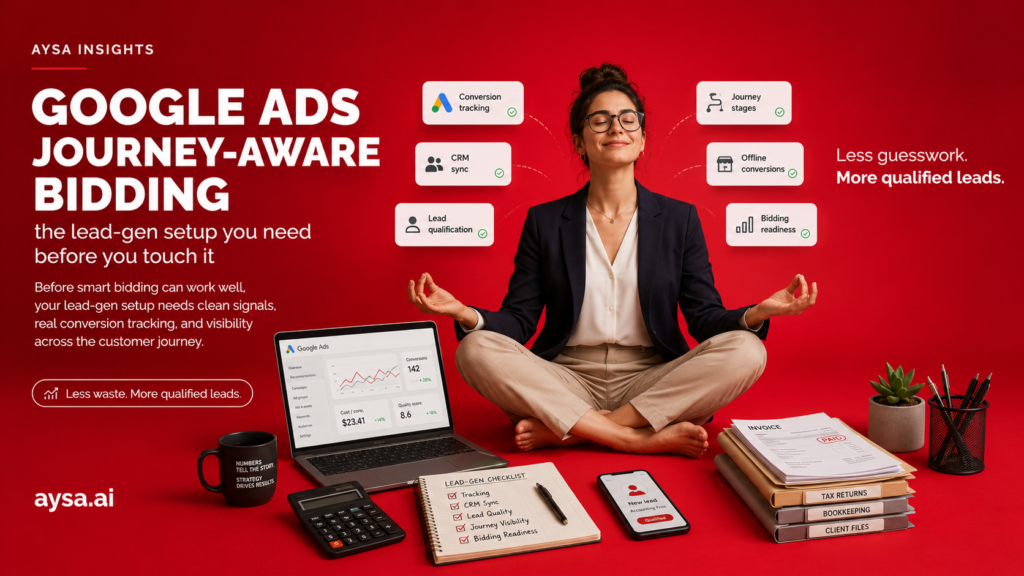
Google Ads Journey-aware Bidding: the lead-gen setup you need before you touch it
Google’s new Journey-aware Bidding is the kind of feature that sounds like magic:
> “Optimize toward the *quality* of the lead, not just the form fill.”
It can be real — but only if your tracking is mature enough to feed Google the truth about downstream outcomes.
If you don’t have that, Journey-aware Bidding doesn’t fix anything. It just automates bad signals faster.
What changed
Google announced (Marketing Live 2026 update) three related moves:
- Journey-aware bidding (beta) for lead-gen quality optimization
- expansion of Smart Bidding Exploration
- “demand-led” budget pacing updates
This is a clear signal: Google is pushing advertisers to optimize beyond shallow conversions and to allocate spend more dynamically.
Why it matters for lead gen businesses
Lead gen has a brutal truth:
The platform can’t optimize what you don’t measure.
If your only conversion is “form submitted,” you will inevitably buy more junk leads over time — especially as competition increases.
Journey-aware bidding is an opportunity to shift optimization toward:
- qualified leads (SQL),
- opportunities created,
- revenue outcomes.
But it requires real-world plumbing.
The “before you enable it” checklist (do this first)
1) Define one primary conversion that represents value
Pick ONE:
- Qualified lead (SQL)
- Opportunity created
- Closed-won
The key is consistency and volume (Google needs enough signal).
2) Fix CRM hygiene (this is where most accounts fail)
Minimum viable requirements:
- lifecycle stages are consistent,
- timestamps are reliable,
- lead source mapping is correct,
- duplicates are handled,
- offline events are deduped.
3) Import offline conversions properly
If you do not import offline conversions (and dedupe them), you are training bidding on proxies.
4) Align landing pages to qualification
Your landing pages must reduce garbage leads. Add:
- pricing bands / minimums,
- Service area constraints,
- who you’re best for,
- disqualifiers (politely).
This improves both lead quality and bidding performance.
5) Add pacing guardrails
If budget pacing becomes more dynamic, you need:
- daily alerts for spend spikes,
- weekly review of cost/lead and cost/SQL,
- controlled experiments (one segment at a time).
What “journey-aware” really means (in normal lead-gen reality)
Most lead-gen accounts optimize on a proxy:
- form submit
- phone click
- a “lead” event that includes a lot of junk
Journey-aware bidding is the direction Google is moving toward:
- learn from the whole path (lead → qualified → opportunity → revenue),
- not just the front-door conversion.
But “journey-aware” is not a switch you flip. It’s a data pipeline you earn.
The offline conversion minimum (how to know you’re ready)
If you want the algorithm to optimize for quality, your pipeline must answer:
- which lead became qualified (and when),
- which lead became revenue (and when),
- which campaign/ad group/Keyword produced it.
Minimum viable ingredients:
- consistent
gclidcapture (or equivalent identifiers), - a stable mapping from CRM stage changes to conversion events,
- deduplication rules (one lead can generate multiple events; avoid double-counting),
- enough conversion volume for learning (otherwise bidding will thrash).
If you can’t do this yet, the better move is to improve Landing page qualification first.
The lead-gen tracking stack (what “good” looks like)
To make “journey-aware” work, three layers must agree:
Layer 1: Website
- captures
gclidon the first visit, - persists it through the form submission (hidden field),
- stores it with the lead record.
Layer 2: CRM
- has clear lifecycle stages (lead → SQL → opportunity → won/lost),
- stores timestamps for stage changes,
- stores
gclidor a click identifier, - has dedupe rules (one person should not become five separate “leads”).
Layer 3: Google Ads
- receives offline conversions,
- maps them back to Clicks,
- learns on the conversion that represents value.
Break any layer and you train the system on noise.
The “gclid capture” checklist (website side)
If your website does not reliably capture click identifiers, offline conversion import will be unreliable.
Minimum checks:
- capture
gclid(and other click IDs if needed) on landing - store it in a first-party cookie or session storage with a reasonable TTL
- pass it into the lead form as a hidden field
- store it in your CRM lead record
If you can’t store it in the CRM, you can’t send it back to Ads later. That’s the bottleneck.
CRM hygiene: the exact fields you need (practical)
This is not about “having a CRM.” It’s about having usable data.
At minimum, you need:
- lead ID (unique)
- created timestamp
- stage (lead / SQL / opp / won / lost)
- stage changed timestamp
- source (ads / organic / referral)
- campaign / ad group (if you store it)
gclid(or equivalent)
Without timestamps, “journey-aware” can’t learn timing patterns.
Offline conversion import: what to import first (and what not to)
If you import everything, you usually pollute the model.
Start with one event that represents real value:
- SQL (qualified lead)
Then add secondary events only if you can keep them clean:
- opportunity created
- closed won
Avoid importing “lead created” as your primary optimization if it includes junk.
A safe timeline for implementation (so you don’t rush it)
Week 1:
- implement gclid capture and storage
- define lifecycle stages in CRM
- align what “qualified” means with sales
Week 2:
- export test leads, confirm gclid is present
- confirm stage change timestamps are correct
- create offline conversion mapping
Week 3–4:
- run the segment pilot with stable tracking
- monitor lead quality scorecard weekly
Then you can scale.
How to reduce junk leads before the algorithm even helps
This is the fastest ROI move for most lead-gen accounts:
- add pricing bands or minimums,
- add constraints (service area, eligibility, prerequisites),
- add “best for / not for” blocks,
- add proof (process, examples, outcomes).
When you do this, two things happen:
- Conversion Rate may drop slightly,
- lead quality improves dramatically.
That is exactly what “journey-aware” bidding is trying to optimize for — you can start improving quality today even before importing offline conversions.
Demand-led budget pacing: what to watch so you don’t get surprised
If pacing becomes more dynamic, you need guardrails:
- alerts on daily spend spikes,
- a weekly “budget vs pipeline” review,
- a plan for seasonality (some days should spend more).
The goal is not to micromanage. The goal is to avoid a 3-day spend surge that created no qualified pipeline.
A practical rollout plan (low-risk)
1. Choose one campaign segment (one service + one GEO).
2. Ensure offline conversion pipeline is stable for 2–4 weeks.
3. Enable Journey-aware bidding as a test.
4. Compare quality outcomes (SQL rate / close rate), not just CPL.
5. Roll out gradually.
How to avoid “learning collapse” (the hidden smart bidding failure mode)
Smart bidding fails when the system loses stable signal. Common causes:
- you changed conversion definitions mid-test,
- you changed landing pages and ads at the same time,
- you imported offline conversions that are delayed or inconsistent,
- you don’t have enough volume in the test segment.
If any of these apply, results will look random.
Fix it by stabilizing:
- one segment,
- one primary conversion,
- one landing page pattern,
- one evaluation window (2–4 weeks).
What to tell your sales team (so the pipeline data stays clean)
Journey-aware bidding depends on sales follow-up data.
Align internally on:
- what “qualified” means,
- when to move a lead to SQL,
- how to handle duplicates,
- how to mark “bad fit” leads consistently.
If sales stages are inconsistent, the algorithm learns garbage patterns.
The landing page factor (where most “smart bidding” wins are made)
Bidding systems amplify what your landing page allows.
If your landing page hides reality, you will buy the wrong users:
- no pricing signal → low-intent leads
- no constraints → out-of-area leads
- no “best for” → mismatched expectations
For lead gen, “SEO-quality landing pages” and “PPC-quality landing pages” are the same thing:
clarity, proof, and qualification.
A simple lead-quality scorecard (use this for weekly review)
Track weekly for the test segment:
- cost per lead
- cost per qualified lead (SQL)
- SQL rate (SQL / leads)
- show-up rate (if you book calls)
- close rate (if you can measure it)
If Journey-aware bidding is working, you should see improved quality metrics even if raw lead volume fluctuates.
The “what to fix first” priority order (so you don’t waste weeks)
If you’re a typical lead-gen business, here is the order that produces the biggest gains fastest:
1. Landing page qualification (pricing, constraints, proof, next step)
2. CRM hygiene (stages, timestamps, dedupe)
3. Offline conversion import (qualified lead / opportunity / won)
4. Experiment design (segment-based rollout)
5. Only then: advanced bidding features
Most teams try to start at step 5. That’s why they get unpredictable results.
A landing page template that improves lead quality (copy/paste)
Use this structure on service pages:
Section: Who this is for
- 2–3 bullets describing your ideal customer.
Section: Who this is not for
- polite disqualifiers (budget, location, scope).
Section: Pricing
- ranges and what affects price.
Section: Timeline
- typical timelines and what changes them.
Section: Proof
- 2–3 outcomes, case studies, or process evidence.
Section: Next step
- one CTA, one form, minimal fields.
This isn’t fluff. It is a lead-quality filter.
The conversion definitions that usually work (examples)
Depending on volume, pick one primary goal:
- SQL (if you have enough volume)
- opportunity created (if you can track reliably)
- closed-won (often too low volume for learning, but great as a secondary)
Then keep “lead submitted” as a secondary conversion (for visibility), not the optimization goal.
Common mistakes (and how to avoid them)
- Importing offline conversions without dedupe (you train the system on duplicates).
- Changing ads, landing pages, and bidding at the same time (you can’t learn what caused the change).
- Judging performance too early (smart bidding needs time).
- Optimizing for CPL instead of CPQL (cost per qualified lead).
How AYSA helps (the website execution side of the puzzle)
Even when bidding is perfect, your site can still waste budget if it is unclear or unconvincing.
AYSA is built to improve the execution layer:
- identify pages that produce low-quality leads,
- propose edits that qualify better (pricing bands, constraints, proof blocks),
- prepare an approval package,
- execute the approved changes in WordPress quickly and consistently.
That is how you turn “journey-aware bidding” from a feature into actual business outcomes.
How AYSA fits into this (yes, even though it’s “Ads”)
Most PPC performance issues are Website Execution issues:
- weak landing page structure,
- unclear offers,
- missing proof,
- poor conversion path.
AYSA is built as an execution agent for websites:
- identify what blocks conversion,
- prepare landing page improvements (copy, structure, trust blocks),
- get approval,
- execute inside WordPress quickly.
When you pair better bidding with better website execution, you get the compounding effect advertisers actually want.
FAQ: Journey-aware bidding for lead gen
Will Journey-aware bidding lower my CPL?
Not necessarily. The goal is usually to improve lead quality. CPL can rise while cost per qualified lead falls — that is a win.
Do I need a CRM to benefit?
If you want true “journey-aware” optimization, you need downstream signals. A CRM (or at least a structured pipeline) makes that possible.
What is the best primary conversion for lead gen?
Usually “qualified lead (SQL)” if you have enough volume and consistent definitions. If volume is too low, start with a stronger proxy and improve tracking over time.
How long should I run the test?
Plan for at least 2–4 weeks after tracking is stable. Smart bidding needs time to learn and you need time to evaluate quality outcomes.
What breaks offline conversion learning?
Missing click IDs, inconsistent sales stages, duplicates, and delayed or dirty conversion imports.
Should I change landing pages during the test?
Avoid major changes mid-test. If you must change, do it in a controlled way and document the change date so you can interpret results.
How do I avoid budget surprises with demand-led pacing?
Use daily alerts, monitor spend vs pipeline weekly, and keep experiments scoped to one segment until you trust the system.
The detailed setup checklist (use this before you scale)
- Confirm
gclidcapture on first landing. - Confirm
gclidpersists through the lead form submit. - Confirm the CRM stores
gclidon the lead record. - Confirm lifecycle stages are defined and used consistently.
- Confirm stage-change timestamps are stored.
- Confirm duplicates are handled (one person → one lead).
- Choose one primary “quality” conversion (SQL or similar).
- Import offline conversions with dedupe.
- Keep “lead submit” as secondary, not primary optimization.
- Add landing page qualification: pricing, constraints, best for/not for.
- Add proof blocks to reduce junk leads.
- Set pacing alerts (daily spend, weekly pipeline).
- Run one segment pilot for 2–4 weeks.
- Evaluate CPQL and SQL rate, not only CPL.
- Scale gradually and document changes.
30-day implementation plan (realistic for small teams)
Week 1:
- Implement
gclidcapture and storage end-to-end (landing → form → CRM). - Define what “qualified lead” means with sales.
- Add pricing/constraints/proof blocks to the main landing page.
Week 2:
- Clean CRM stages and timestamps.
- Verify duplicates are handled consistently.
- Set up offline conversion mapping for the quality event (SQL).
Week 3:
- Run a controlled pilot on one segment (service + geo).
- Keep ads and landing pages stable; let learning occur.
- Monitor CPQL and SQL rate weekly.
Week 4:
- Review results and decide: scale, refine, or pause.
- If scaling, expand to the next segment, not the whole account at once.
- Keep a changelog so you can attribute improvements to real actions.
If you do only one improvement this month, do landing page qualification. It improves lead quality regardless of which bidding beta you use.
Extra checks for the pilot (optional)
- split brand vs non-brand campaigns
- review search terms weekly during the pilot
- tighten negatives to reduce junk queries
- ensure call tracking works (if calls matter)
- monitor response time to leads (speed impacts quality)
- track “bad fit reasons” consistently
- watch for conversion lag changes after imports
- avoid budget changes mid-week unless necessary
- keep one “control” campaign unchanged
- document all changes with dates
This discipline is boring, but it’s how you get repeatable results.
That’s how you scale without chaos.
Common mistakes (avoid these)
- Using “lead submitted” as the primary optimization when quality varies wildly.
- Importing offline conversions without dedupe and polluting the model.
- Not capturing
gclidreliably and guessing attribution later. - Changing bids, ads, and landing pages simultaneously.
- Judging performance too early (before learning stabilizes).
- Optimizing for CPL instead of CPQL (cost per qualified lead).
Key takeaways (save this)
- Journey-aware bidding is a data pipeline, not a magic switch.
- Landing page qualification is the fastest quality lever.
- CRM hygiene and offline conversion imports determine success.
- Run controlled pilots; scale only after stable results.
Extra checks (quick wins)
- Add pricing bands or minimums to reduce junk leads.
- Add service area constraints prominently.
- Reduce form fields to the minimum needed to qualify.
- Track “show-up rate” if you book calls.
- Track “time to first response” (slow response kills quality).
- Build a weekly CPQL report and review it with sales.
- Keep one pilot segment stable for at least 2 weeks before judging.
- Document every major change (ads, landing pages, conversion settings).
- Verify offline conversion imports are deduped.
- Ensure sales uses lifecycle stages consistently.
- Record “reason lost” consistently (bad fit vs competitor vs no budget).
- Add call recording tags (where legal) to improve qualification insights.
- Use one campaign naming convention so reporting stays clean.
- Build a negative keyword hygiene routine (weekly).
- Split brand vs non-brand so you can interpret intent properly.
- Align ad copy with landing page constraints (don’t bait low-fit clicks).
- Review search terms weekly during the pilot.
- Keep a “quality notes” log from sales to detect drift early.
- Don’t expand to new geos until tracking is proven.
Sources
- Google Marketing Live 2026 (primary): https://blog.google/products/ads-commerce/bidding-budgeting-google-marketing-live-2026/
- SEJ (topic signal): https://www.searchenginejournal.com/google-ads-introduces-journey-aware-bidding-and-new-budget-pacing-updates/574141/
Continue the AI search topic inside AYSA.
Use these pages to connect the article with AI SEO tools, AI visibility monitoring, AI Overviews and approved website execution.