Impressions Dropped Overnight? How to Diagnose Deindexing, Ranking Drops and SEO Quality Problems
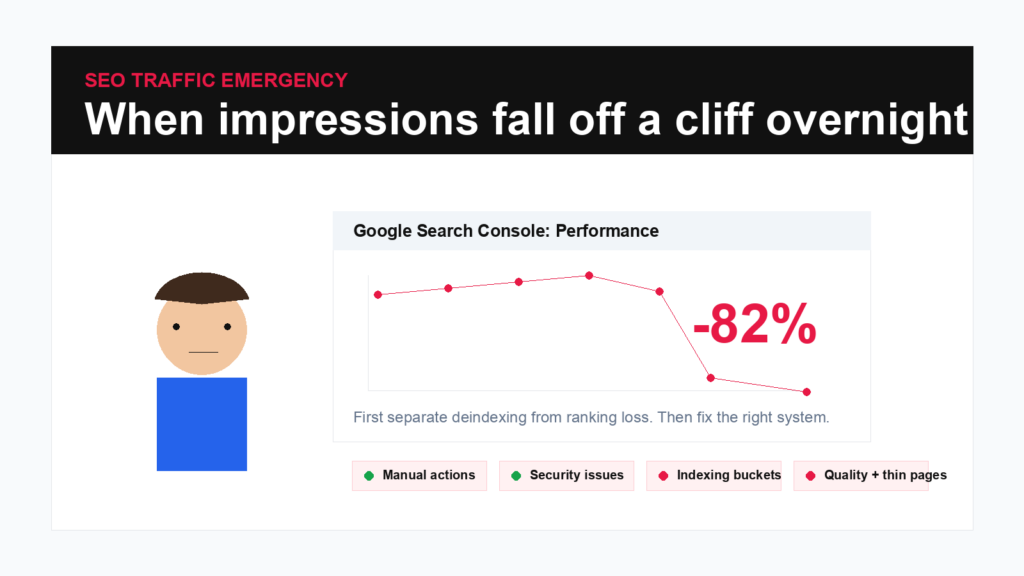
When Search Console impressions fall off a cliff, do not guess. Separate deindexing from ranking loss, check technical signals, inspect quality issues and turn recovery into approved execution.
Executive summary
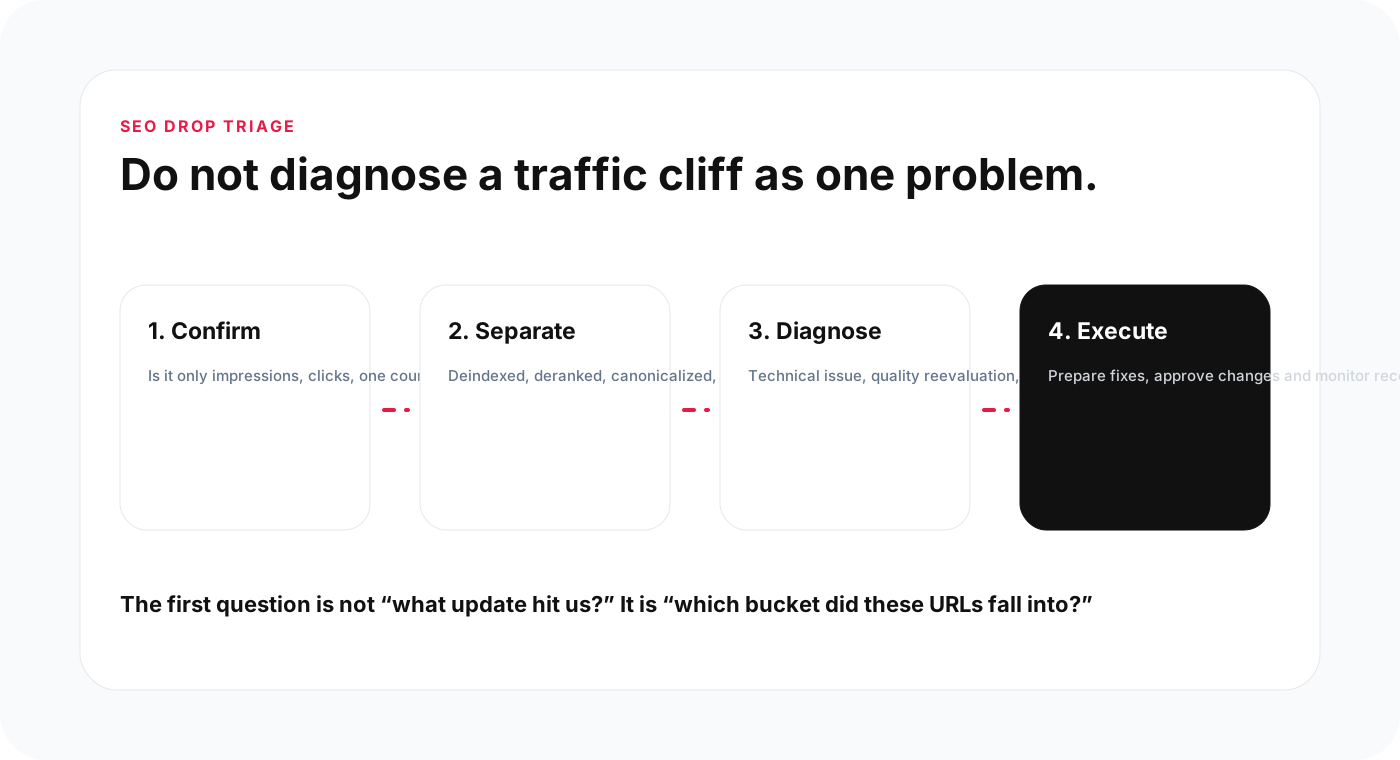
A sudden Search Console Impressions crash is scary, especially for a small business that depends on Organic traffic. But the first job is not to guess which Google update caused it. The first job is to separate the problem: did pages get deindexed, did rankings drop, did impressions disappear for one query group, or did a technical issue make pages unavailable?
- Separate deindexing from ranking loss before deciding what to fix.
- Check Search Console for manual actions, security issues, Indexing buckets, canonical changes and affected page groups.
- Inspect Robots.txt, Noindex tags, canonicals, redirects, 404s, 5xx errors, sitemap changes and server availability.
- If technical issues are clean, investigate quality: thin pages, scaled templated content, stale pages, weak answers, duplicate pages and poor Internal linking.
- AYSA can help turn the panic into a structured workflow: monitor, group affected URLs, prepare fixes, ask for approval and execute accepted changes.
A Reddit thread in r/SEO described a situation many site owners fear: impressions fell off a cliff overnight, pages appeared to be dropping from Google’s index, and Search Console showed no Manual Action or security issue. That kind of drop creates immediate panic because it feels like something invisible changed while the business was sleeping.
For SMEs, ecommerce stores, local businesses and publishers, this is not an abstract SEO debate. A sudden impressions crash can mean fewer calls, fewer orders, fewer leads and a very anxious morning. The wrong reaction is to start changing everything at once. The right reaction is to triage.
SEO drops can look similar on a chart but come from very different causes. A site can lose rankings while pages remain indexed. Pages can be deindexed. Google can choose a different canonical. A noindex tag can appear by accident. A migration can break redirects. A server can return errors. A content quality re-evaluation can reduce visibility for large groups of thin pages. Each problem needs a different recovery plan.
Why overnight SEO drops feel so confusing
Search Console is delayed, aggregated and sometimes hard to interpret under pressure. A drop that appears overnight may represent changes that Google processed earlier. It may affect only one country, device, query type, template, section or page group. It may also coincide with a Google update, but correlation is not diagnosis.
The emotional trap is to assume the biggest possible explanation: “Google penalized us.” Sometimes that is true, but often it is not. Google manual actions are visible in Search Console. Security issues are visible too. Many severe drops happen without either because the cause is technical, canonical, indexing, quality or relevance-related.
Small businesses also tend to make many website changes through themes, plugins, page builders, SEO plugins and hosting settings. A small checkbox can create a large visibility problem. That is why the first hour should be methodical.
Deindexed vs deranked
Do not use “lost rankings” and “deindexed” as if they mean the same thing. They are different problems.
Deranked
A page is deranked when it is still indexed but no longer appears in the same positions. It may move from position 3 to 18, from page one to page five, or lose visibility for some queries while keeping others.
Deindexed
A page is deindexed when it is no longer in Google’s index. If important pages are truly removed from the index, the diagnosis must focus on indexability, canonicalization, quality, duplication, crawl status and technical accessibility.
Canonicalized
Sometimes the page is not “gone” in the way the owner thinks. Google may choose another URL as canonical. That can happen with duplicates, parameters, near-identical location pages, print versions, tag pages or templated content.
Noindexed or blocked
A page can also be excluded because of a noindex directive, robots rule, login requirement, 404, redirect or server problem.
Until you know which bucket applies, recovery work is guesswork.
What to check in the first hour
When impressions collapse, use the first hour to gather evidence, not to rewrite the website.
- Check Manual Actions in Search Console. If there is a manual action, read the exact reason and do not guess.
- Check Security Issues. Hacked content, malware or dangerous downloads can destroy trust and visibility.
- Open the Performance report. Compare the affected date range against the previous period. Segment by page, query, country and device.
- Identify affected pages. Did all pages drop, or only one template, one category, one language, one location group or one content type?
- Use URL Inspection. Test representative URLs. Check indexability, canonical, crawl status and page availability.
- Check the Pages indexing report. Look at excluded buckets and whether they changed recently.
- Check recent deployments. Theme updates, plugin changes, robots changes, sitemap changes, migrations and redirects are common causes.
- Check server status. Look for 5xx spikes, DNS issues, CDN problems or blocked crawlers.
This is also where you should avoid mass submitting URLs for indexing without understanding the exclusion reason. If the underlying problem remains, resubmission is noise.
How to read indexing buckets
Google’s indexing reports can show several statuses that sound similar but mean different things.
Crawled – currently not indexed
Google crawled the page but did not index it. This can happen for quality, duplication, thin content, soft 404 signals, weak uniqueness or because Google does not currently consider the page useful enough.
Discovered – currently not indexed
Google knows about the URL but has not crawled it yet. For large sites, this can indicate crawl priority problems, weak internal linking, low perceived importance or crawl budget constraints.
Duplicate without user-selected canonical
Google sees duplicates and has chosen a canonical. If the wrong URL is selected, the page architecture and canonical signals need review.
Alternate page with proper canonical tag
This is often fine when intentional. It is a problem only if the canonical strategy is wrong.
Excluded by noindex tag
This is usually self-inflicted. If important pages are excluded by noindex, find where the directive comes from: SEO plugin, theme, template, header rule or custom code.
Technical checks that can explain the cliff
Technical issues can create sharp drops because they affect many URLs at once. Check these before assuming a quality update.
- Robots.txt: make sure important sections are not blocked.
- Meta robots: check for accidental noindex or nofollow directives.
- X-Robots-Tag headers: server headers can noindex pages without visible HTML changes.
- Canonicals: confirm pages canonicalize to themselves or to the correct preferred URL.
- Status codes: look for 404, 410, 500, 502, 503 or redirect chains.
- Sitemaps: verify important URLs remain in the sitemap and excluded URLs are intentional.
- Internal links: make sure important pages are still linked from crawlable navigation or related pages.
- JavaScript rendering: confirm important content and links are visible without fragile client-side dependencies.
- Mobile layout: if mobile content differs from desktop, mobile-first indexing can expose problems.
- Hosting/CDN/firewall: verify Googlebot is not blocked, rate-limited or served different content.
A technical issue is often recoverable once fixed, but the timeline depends on crawl frequency, site authority, affected URL count and the nature of the problem.
When the issue is quality, not a bug
If technical checks are clean and the affected URLs are mostly thin, templated or low-value pages, the problem may be quality. This is common on sites that publish many near-identical location pages, AI-generated pages, tag pages, programmatic pages or product pages with little unique information.
Quality problems usually do not have a single switch to flip. They require content and architecture work:
- merge overlapping pages;
- remove or noindex low-value templates;
- improve pages that still deserve to exist;
- add original examples, experience, pricing, process or proof;
- build stronger topic clusters;
- improve internal links to important pages;
- rewrite pages that do not answer the query clearly;
- refresh stale content;
- strengthen author, brand and entity signals.
Google’s helpful content guidance is useful here because it asks whether content is made primarily for people, demonstrates expertise, satisfies the intended audience and provides substantial value. If a large section of a site exists only to capture keyword variations, it may be vulnerable.
A practical recovery plan
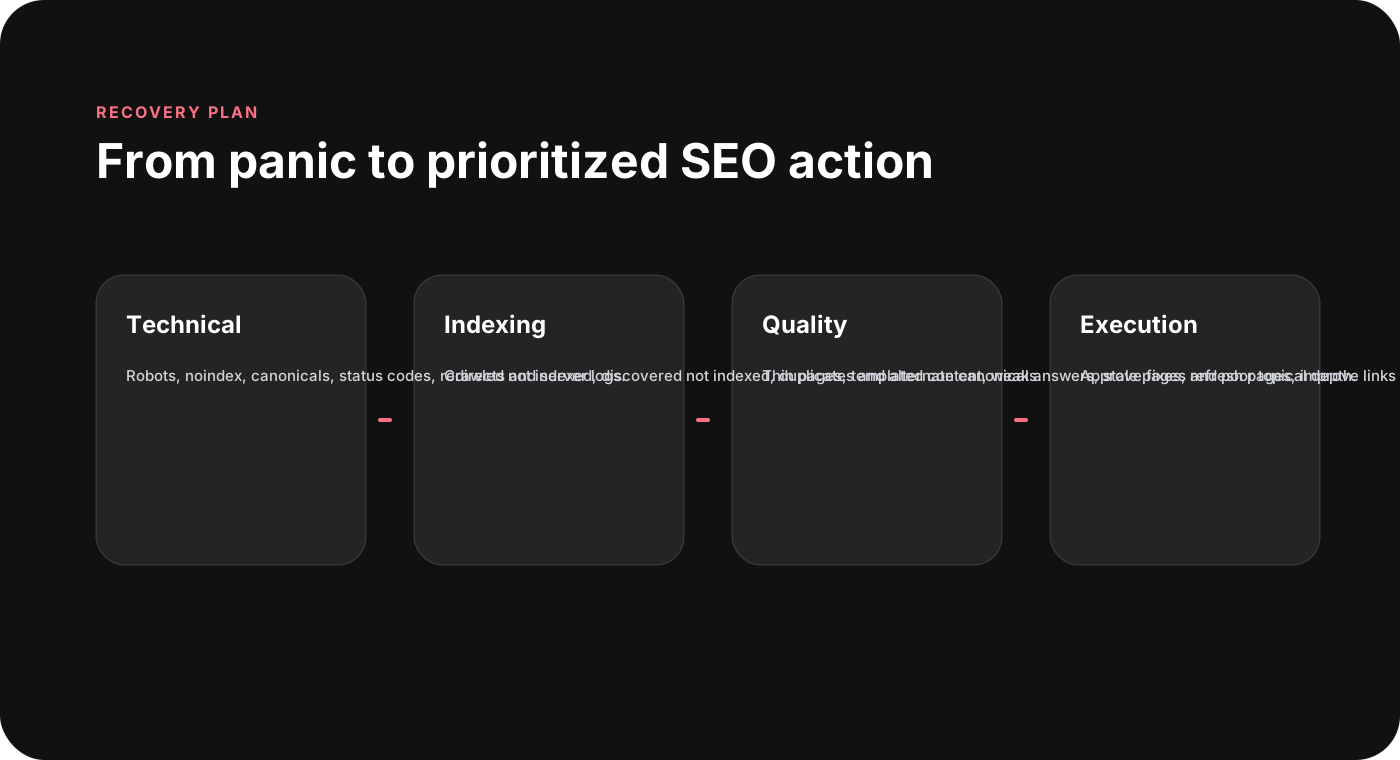
Once the affected bucket is clear, build a plan.
If pages are blocked or noindexed
Remove the incorrect directive, update the sitemap, test representative URLs and request validation where relevant. Monitor crawling and indexing over time.
If pages return errors
Fix server issues, broken templates, CDN rules, redirects or unavailable pages. Prioritize pages with previous traffic and business value.
If Google chose the wrong canonical
Improve canonical tags, internal links, sitemap consistency and duplicate content handling. Make the preferred URL clearly stronger.
If pages are thin or duplicated
Do not simply add words. Improve usefulness. Add original information, answer the intent, include proof, remove duplication and connect pages to a stronger topic structure.
If rankings dropped but pages remain indexed
Compare affected queries, SERP changes, competitor pages, content freshness, internal links and title relevance. Prepare page-level improvements instead of rewriting everything.
Where AYSA fits
AYSA is useful in exactly this type of problem because the business does not need more panic. It needs a structured diagnostic and execution workflow.
AYSA can help:
- monitor Search Console drops and affected page groups;
- separate impressions loss from indexing problems;
- identify URLs that moved into exclusion buckets;
- check technical SEO signals such as canonicals, redirects, noindex and status codes;
- detect thin or duplicated content patterns;
- prepare recovery actions by priority;
- explain which actions need approval;
- execute accepted changes inside the website workflow.
The most important part is not automation alone. It is approved execution. A business owner should not wake up to an SEO cliff and then manually compare hundreds of URLs in spreadsheets. But the business should still approve meaningful public changes before they are applied.
FAQ
Why did impressions drop overnight?
Possible causes include ranking loss, deindexing, technical errors, noindex directives, canonical changes, sitemap problems, server issues, algorithmic reevaluation or content quality problems. The first step is to identify which page and query groups were affected.
Does no manual action mean Google did nothing?
No. A site can lose visibility without a manual action. Manual actions are only one category of problem. Algorithmic changes, technical issues and indexing decisions can also reduce impressions.
How do I know if pages are deindexed?
Use URL Inspection in Search Console and review the Pages indexing report. Check whether the URL is indexed, canonicalized, excluded by noindex, blocked, crawled but not indexed, or discovered but not indexed.
Can thin AI-generated content cause drops?
Low-value content can be a risk whether it is AI-generated or human-written. The issue is usefulness, originality, intent satisfaction and whether the page provides real value beyond capturing keywords.
How can AYSA help with an impressions crash?
AYSA can monitor drops, group affected URLs, diagnose technical and quality patterns, prepare recovery actions, ask for approval and execute accepted changes inside the website workflow.
The AYSA point of view
When impressions fall off a cliff, the business does not need drama. It needs calm diagnostics and approved execution. The first step is evidence. The second step is prioritization. The third step is action.
Less panic SEO. More structured recovery.
Sources and further reading
- Reddit r/SEO discussion: impressions fell off a cliff overnight
- Google Search Console Help: Page indexing report
- Google Search Console Help: URL Inspection Tool
- Google Search Central: Debug Search traffic drops
- Google Search Central: Creating helpful, reliable, people-first content
- Google Search Console Help: Manual actions report
Turn this topic into a website action plan.
Use these AYSA hubs to move from reading to technical fixes, AI visibility monitoring, research, glossary context and approval-first SEO execution.