
Bots That Ignore Robots.txt Are No Longer Invisible: What Microsoft Clarity’s New Violations View Means For Your SEO, Analytics, And Server Costs
Microsoft Clarity can now flag bot requests to URLs you explicitly disallow in robots.txt. That sounds like a small dashboard update—but it’s actually a practical shift in how SMEs and agencies can monitor crawler behavior, protect performance, and separate real customer demand from bot noise.

Bot traffic has always been part of running a website. What’s changed is who is Crawling, why they’re crawling, and how quickly that activity can turn into higher hosting bills, slower pages, and analytics that tell the wrong story.
Microsoft Clarity just made one part of this problem easier to see: its Bot Analytics dashboard can now flag bot requests to URLs that your Robots.txt file explicitly disallows—and show that activity as a trend and as a share of total bot requests. This is not a silver bullet. But it’s a meaningful step toward operational visibility at a time when many businesses feel like they’re being crawled from every angle and have no clean, affordable way to separate “normal” crawl behavior from the stuff that actually hurts.
This editorial breaks down what changed, what it means (and what it doesn’t), how to use the data without overreacting, and what SMEs and agencies should do next. I’ll also cover how AYSA fits: Monitoring, preparing the fixes, asking for approval, and executing the changes that actually reduce risk.
Concise summary
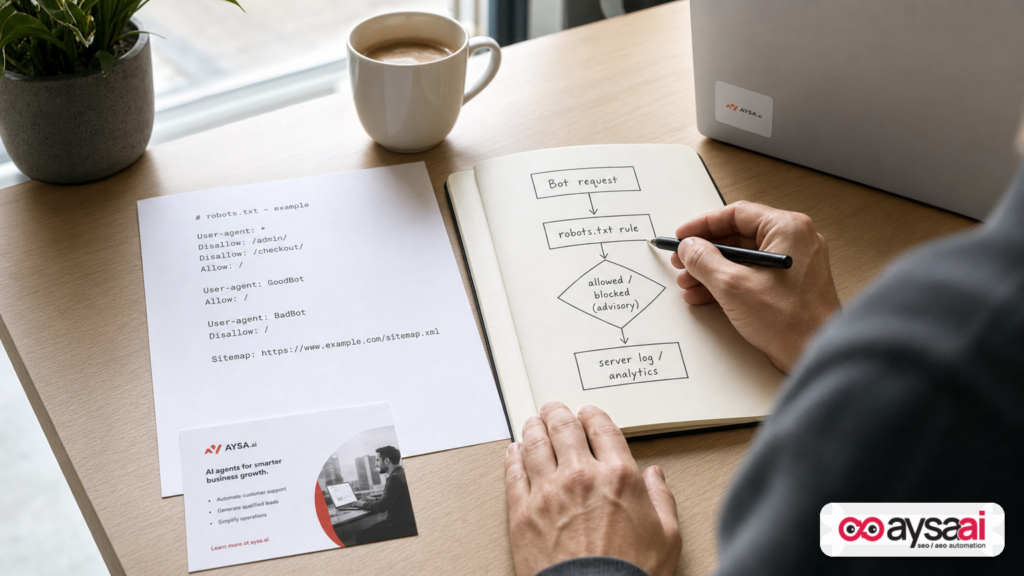
- What changed: Microsoft Clarity can now surface bot requests to paths your
robots.txtdisallows, including trends and filters by bot/operator. - Why it matters: You can more easily detect crawler behavior that wastes resources, distorts analytics, and creates security/compliance questions.
- What it doesn’t do: It doesn’t block bots. Robots.txt is advisory, and Clarity reports that the requests happened—not the crawler’s intent.
- What to do: Audit what you disallow, decide what truly needs protection, reduce crawl traps (parameters/facets), and use your CDN/WAF for enforcement when needed.
- Where AYSA fits: Ongoing monitoring + Approved Execution: we detect issues, propose the exact changes, get sign-off, then implement (or ship a dev-ready plan).
Table of contents
- What Microsoft Clarity changed (and what it didn’t)
- Why this matters now: AI crawlers, cost, and measurement
- Robots.txt is advisory—so what does a “violation” actually mean?
- How to enable it (and what access depends on)
- How to read bot “violations” without panicking
- The business risks: performance, spend, analytics, and data exposure
- SEO implications: crawl budget, duplication, and index control
- A concrete SME scenario: the ecommerce store that thought “traffic is up”
- What agencies should rethink: reporting, ops, and responsibility
- A practical action plan (30/60/90 days)
- Where AYSA.ai fits: monitoring + approved execution
- What to do next
- Sources and further reading
What Microsoft Clarity changed (and what it didn’t)
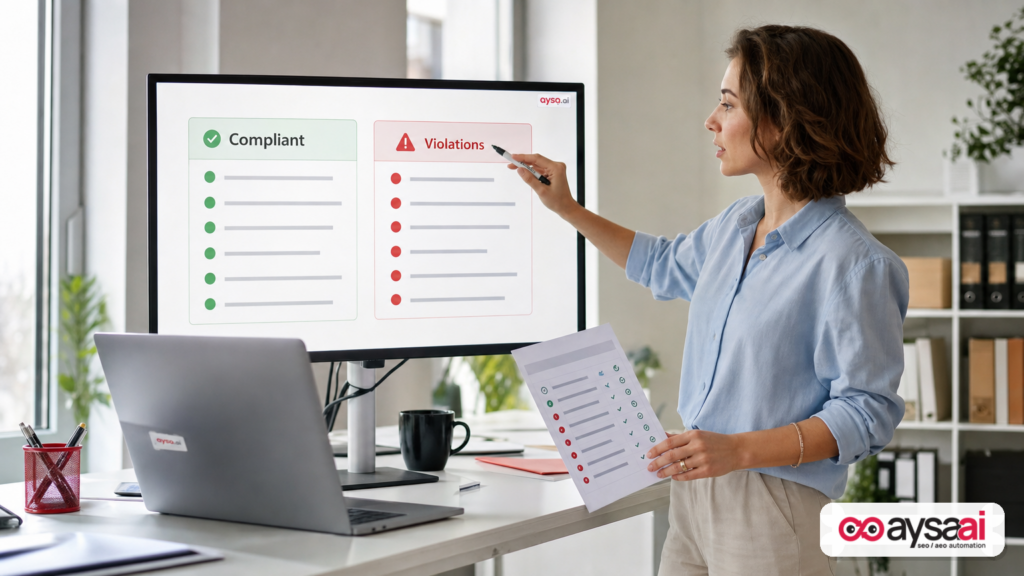
According to reporting by Search Engine Journal, Microsoft Clarity’s Bot Analytics dashboard can now detect when bots request URLs that your site’s robots.txt disallows, then summarize that activity as a percentage of total bot requests over a selected time range. It also provides filters (by bot operator, bot name, activity type, and requested URLs/paths) and a side-by-side comparison view between bots that are generally compliant and those that show violations.
That matters because historically, the only reliable way to audit this was to parse server logs (or CDN logs), map requests to your robots rules, then build your own reporting. Many SMEs can’t justify the time, and many agencies don’t have access to the right logs—even when the client’s site is suffering.
But let’s be precise about what this feature is and isn’t:
- It is: A measurement layer that highlights bot requests hitting URLs you told crawlers not to crawl.
- It is not: A blocking mechanism, a legal enforcement tool, or proof of intent. It reports that requests occurred.
- It is not: A replacement for server/CDN security controls (WAF, rate limiting, firewall rules).
In other words: Clarity is giving you a higher-signal “you should look here” list. You still need a plan.
Why this matters now: AI crawlers, cost, and measurement
Robots.txt conversations used to be mostly about SEO hygiene: keep thin pages out, protect staging, avoid wasting Crawl budget. That’s still true. But the urgency has shifted.
In 2026, many site owners are dealing with a growing volume of automated traffic that is not primarily “search engine Indexing” in the classic sense. Some bots crawl for training, retrieval, competitive analysis, scraping, or monitoring. Some comply with rules. Some don’t. And a frustrating number use generic user agents or rotate identities in ways that muddy the picture.
Here’s the practical business problem: when crawl volume goes up, your costs and your risk go up, too.
- Infrastructure: More requests can mean higher CDN usage, higher origin load, and more caching complexity.
- Performance: Spikes in bot traffic can degrade performance for real users, especially on smaller stacks.
- Analytics: Bot traffic can distort engagement metrics and Conversion rate calculations if it leaks into measurement.
- Operational noise: Customer success, sales, and leadership teams make decisions based on “traffic” trends—often without knowing how much is bot-driven.
Clarity’s new view doesn’t solve all of that. But it gives teams a free way to quantify a specific, high-signal behavior: bots requesting what you explicitly disallowed.
Robots.txt is advisory—so what does a “violation” actually mean?
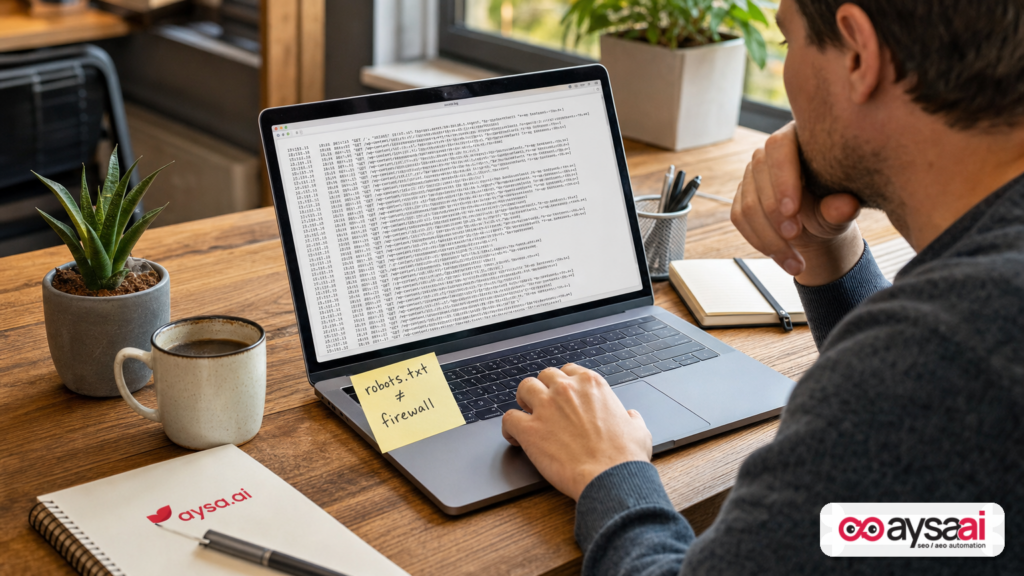
This is where most non-SEO teams get tripped up: robots.txt is not a lock. It’s a sign.
Robots.txt is a public file placed at the root of your site (e.g., example.com/robots.txt) that tells well-behaved crawlers what they should and shouldn’t fetch. The key word is “should.” If a bot ignores robots.txt, it can still request the URL. Your server can still respond. And that request will show up in your logs and can impact performance.
So when Clarity calls these “violations,” it’s not claiming the bot did something illegal. It’s highlighting that the crawler requested a path you’ve marked as disallowed.
In practice, you can interpret a “robots violation” in a few ways:
- Benign curiosity: A crawler probes disallowed paths but doesn’t hammer them.
- Crawl trap behavior: The bot gets stuck in parameters, faceted navigation, calendar pages, internal search URLs, etc.
- Scraping or extraction: Bots deliberately access sensitive-ish areas (pricing endpoints, internal search results, filtered categories).
- Misconfiguration on your side: Your robots rules are too broad, outdated, or mismatched with your URL structure.
The right response depends on which of these is true. Clarity gives you the starting point: “This is happening, and here’s the pattern.”
How to enable it (and what access depends on)
Search Engine Journal notes that this isn’t automatically active for everyone. It must be enabled by a project admin in Clarity’s AI Visibility settings and is available for sites using supported CDNs, including Fastly, Amazon CloudFront, Cloudflare, Azure Front Door, and Akamai. WordPress sites using the latest Microsoft Clarity plugin are also supported.
Two practical implications for SMEs:
- Your stack matters: If you’re on one of the supported CDNs, you’re more likely to get value quickly because the telemetry is there.
- WordPress teams get a path: If your business runs on WordPress (a lot do), keeping the Clarity plugin updated becomes part of your monitoring baseline.
One caution: the tool measures requests, not intent. Treat it as operational intelligence, not a courtroom exhibit.
How to read bot “violations” without panicking
When a new measurement view arrives, teams tend to swing into one of two extremes:
- Overreaction: “Block everything immediately.”
- Dismissal: “Bots will be bots; ignore it.”
Both are expensive mistakes.
Start with three questions
- What paths are being requested? Are these truly areas you don’t want accessed (admin, internal search, cart endpoints), or are you disallowing things mostly for SEO hygiene (filters, parameters)?
- What’s the pattern over time? Is this a steady baseline or a spike? Spikes usually correlate with operational impact (slowdowns, origin load, rate-limit triggers).
- Who is doing it? If the same operator repeatedly hits disallowed paths, you have a candidate for stronger mitigation (WAF/rate limiting) rather than “just adjust robots.”
Know what a healthy baseline can look like
Even “good” crawlers occasionally request a disallowed URL. Why?
- They discovered the URL before the rule changed.
- They cache robots.txt and refresh at intervals.
- They test robots directives differently depending on crawl context.
The signal isn’t “zero violations.” The signal is: Are violations meaningful, recurring, and costly?
Connect violations to outcomes
Violations matter more when they correlate with:
- Server response time increases
- 5xx errors (origin under strain)
- CDN cache churn
- Analytics anomalies (sudden spikes in low-quality traffic)
Clarity alone won’t show all those outcomes. But it can tell you where to look next.
The business risks: performance, spend, analytics, and data exposure
Let’s translate this into business-owner language.
1) Performance risk: real customers feel it
If bots repeatedly request dynamic URLs—especially parameterized ones—they can bypass cache and force expensive origin computation. For ecommerce, that might mean filtered category pages and internal search results. For SaaS, it might be docs with endless query strings. For publishers, it might be tag archives, date archives, and “related” endpoints.
Even if you have a CDN, bot traffic can still hurt when the requests are uncacheable or when they force revalidation.
2) Cost risk: you pay for noise
SMEs often discover bot pressure only after a bill surprises them or their host flags “excessive resources.” Clarity’s value is not that it reduces cost on its own, but that it gives you earlier warning on a specific class of waste: requests to content you already declared as not worth crawling.
3) Analytics risk: your KPIs drift away from reality
If bot traffic contaminates analytics, your conversion rate can look worse than it is, channel attribution becomes less trustworthy, and A/B tests can get noisy.
Clarity is not GA4, but it can function as a “sanity check” layer: if your “traffic is up” narrative coincides with a jump in bot violations, you know to validate before you celebrate.
4) Data exposure risk: robots.txt is not access control
Another common misconception: “We disallowed it in robots.txt, so it’s safe.” It isn’t. If a URL must be protected, it needs authentication, authorization, and/or server-side blocking. Robots.txt can actually advertise sensitive paths to bad actors because it lists what you don’t want crawled.
Clarity highlighting violations can help you identify disallowed paths that are being requested—and that should trigger a security review for any path that shouldn’t be publicly accessible.
SEO implications: crawl budget, duplication, and index control
Now let’s address the SEO-specific angle, because this is where teams often do the wrong fix.
Robots.txt controls crawling, not indexing
If you block a URL via robots.txt, a search engine may still index it if it finds references to it elsewhere (with limited information). If you need index control, you usually look to mechanisms like noindex (where applicable) and proper canonicalization—depending on your platform. (This is general guidance; specifics vary.)
Violations can reveal crawl traps you didn’t know you had
If Clarity shows heavy activity on disallowed parameter paths, it’s often a symptom of:
- Internal links generating infinite combinations (facets, filters)
- On-site search pages discoverable via links
- Calendar pages (especially for events/hospitality)
- Sort parameters and pagination multiplying URLs
In these cases, updating robots.txt alone is rarely enough—because the bot is discovering these URLs through your own internal linking, sitemaps, or predictable patterns.
Bad bots vs bad architecture
Clarity’s new view can tempt teams to label everything “bad bots.” But sometimes the bot is doing exactly what bots do: following links.
If your site generates 5 million crawlable URLs from a catalog that should have 5,000, you don’t have a bot problem. You have an information architecture problem.
A concrete SME scenario: the ecommerce store that thought “traffic is up”
Picture a mid-sized ecommerce brand selling specialty home goods. The founder sees a 25% lift in “sessions” over two weeks and asks the marketing manager to double down on what’s working.
But the team also notices:
- Site speed is worse at peak times
- Search ads are converting slightly lower (same spend)
- Customer support complains that checkout feels “slow” intermittently
They open Microsoft Clarity Bot Analytics and see that bot requests to disallowed paths jumped sharply. Filters show a lot of requests to URLs like:
/category/throw-pillows?color=blue&size=18x18&sort=price_asc/search?q=pillow&page=27/category/throw-pillows?utm_source=...(tracking parameters creating duplicates)
They had disallowed internal search and some parameter patterns in robots.txt months ago—good intention, but not enough. The bot activity still hits those URLs, and because many are dynamic, they’re expensive.
The right response isn’t “rewrite robots.txt again.” It’s a layered plan:
- Reduce URL generation: prevent infinite filter combinations from being linked internally.
- Canonical strategy: consolidate variants to a preferred URL where appropriate.
- CDN/WAF rules: rate-limit or block abusive patterns and suspicious user agents.
- Analytics hygiene: validate which measurement is affected and segment bot noise.
This is exactly the kind of situation where a “violations” dashboard becomes a business tool—not just an SEO curiosity.
What agencies should rethink: reporting, ops, and responsibility
If you run an agency (or you’re an in-house marketer relying on one), this Clarity feature is a quiet warning shot: clients are going to start asking harder questions about bot activity—and expect you to have answers that connect to revenue and performance, not just rankings.
1) Add a bot visibility baseline to technical audits
For years, technical audits focused on crawlability, indexation, Core Web Vitals, and site architecture. Bot behavior is now part of the baseline because it can materially change performance and analytics—especially for SMEs with tight budgets.
2) Stop treating robots.txt as the only line of defense
Agencies sometimes “solve” crawling problems by adding disallow rules without addressing the underlying URL explosion. The new Clarity violations view will expose when that approach is failing (because requests keep coming).
3) Define who owns mitigation (and get it in writing)
Blocking and rate limiting often live with DevOps, hosting providers, or IT—not marketing. But the impact hits marketing first (slower pages, messy analytics). Agencies should define a process and escalation path:
- Who reviews bot violation trends?
- Who can change CDN rules?
- Who approves blocking decisions?
- What’s the rollback plan?
Without this, the agency becomes the default owner of an infrastructure problem they can’t actually fix.
A practical action plan (30/60/90 days)
If you’re an SME, you don’t need a “crawler warfare” program. You need a disciplined plan that reduces waste and protects customer experience.
First 30 days: get visibility and clean up obvious traps
- Enable the Clarity violations view (if available on your CDN or via the WordPress plugin) and establish a baseline trend. See the SEJ report for the feature overview and requirements: Search Engine Journal coverage.
- List your top disallowed paths and confirm they still reflect reality. Many robots.txt files are “haunted” by old site structures.
- Identify dynamic URL patterns that create infinite combinations (filters, sort, internal search). Document them.
- Check for accidental exposure: anything disallowed that should actually be protected via auth should be reviewed with your developer/IT.
Days 31–60: fix the architecture that creates crawl waste
- Reduce internal links to crawl traps (e.g., internal search results, deep filter combinations).
- Decide what should be crawlable vs what should be user-only. For ecommerce, some facets are valuable landing pages; others are not.
- Canonical and sitemap hygiene: ensure you’re not feeding bots URLs you don’t want emphasized.
- Validate measurement: segment analytics and ensure bot traffic is not polluting business KPIs.
Days 61–90: enforce where robots.txt is insufficient
- CDN/WAF controls: implement rate limiting, bot management, or rule-based blocking for abusive patterns (this is where your CDN choice matters).
- Origin protections: cache strategy, request validation, and guardrails on endpoints that are expensive to generate.
- Monitoring and alerting: set thresholds for unusual spikes in bot violations and for performance degradation.
Most importantly: don’t confuse “we wrote a rule” with “we solved the problem.” Measurement is not mitigation.
Where AYSA.ai fits: monitoring + approved execution
This is the operational gap I see constantly: teams can see problems (or they suspect them), but they don’t have a reliable system to turn that into executed fixes without causing collateral damage.
AYSA is built for that reality. We’re not just another reporting layer; we’re an execution system for modern SEO/AEO/GEO that:
- Monitors ongoing technical and search visibility signals (AYSA Monitoring).
- Prepares changes that reduce crawl waste and improve search readiness (robots rules alignment, internal linking cleanup, index control recommendations, and more).
- Asks for approval before anything goes live—so business owners and marketers stay in control (this is the heart of approved execution).
- Executes accepted changes and tracks impact over time.
In the context of Clarity’s new violations reporting, the AYSA workflow looks like this:
- Detect: We monitor bot-related anomalies and technical patterns that often create crawl traps.
- Diagnose: We map the violating URL patterns to your site’s architecture (facets, parameters, internal search, pagination, legacy paths).
- Propose: We generate a prioritized change plan: what to change in templates, linking, canonicals, and (when appropriate) robots directives.
- Approve: You approve changes that could affect visibility or user flows.
- Execute: We implement changes (or provide dev-ready instructions), then keep monitoring.
If your organization is also thinking about AI search visibility—how your brand shows up and gets cited—this same monitoring/execution model applies. AYSA’s focus on AI-era visibility is here: AI Search Visibility, and our broader tooling approach is here: AYSA AI SEO Tools.
If you want to understand how this fits your size and constraints, start with pricing, and browse our latest thinking on the AYSA blog.
What to do next
- Turn on the feature in Microsoft Clarity if your stack supports it, and capture a 14–30 day baseline.
- Pick your top 3 violating URL patterns and classify them: “safe but wasteful,” “SEO trap,” or “shouldn’t be public.”
- Fix the trap, not just the rule: reduce internal links and URL generation where possible.
- Escalate enforcement to your CDN/WAF if violations are high-volume or correlate with performance degradation.
- Build a repeatable process (monthly review) so bot behavior doesn’t quietly undo your SEO and analytics work.
- If execution is the bottleneck, use an approved-execution system like AYSA to move from insight → plan → approval → implementation.
Sources and further reading
- Search Engine Journal: Microsoft Clarity Now Flags Bots That Ignore Robots.txt
- Search Engine Journal: Latest news (research lead)
- Search Engine Journal: SEO section (research lead)
- Search Engine Journal: Technical SEO (research lead)
- Search Engine Journal: WordPress news and updates
Note: The SEJ report references Microsoft’s announcement and Clarity settings/CDN support. This editorial does not assume additional product specifics beyond what is included in the supplied source context.
Continue the AI search topic inside AYSA.
Use these pages to connect the article with AI SEO tools, AI visibility monitoring, AI Overviews and approved website execution.
Turn this topic into a website action plan.
Use these AYSA hubs to move from reading to technical fixes, AI visibility monitoring, research, glossary context and approval-first SEO execution.

