
Rendering Independence Is the New SEO Baseline for AI Search (And Most Teams Still Aren’t Testing It)
AI agents often read only your raw HTML—not what a browser renders after JavaScript runs. If your key pages ship as a JS shell, you can be effectively invisible in AI answers before schema, content, or authority ever matter. Here’s the practical audit, the fix paths that don’t require a rebuild, and how to operationalize monitoring + approved execution with AYSA.

AI Search didn’t just change where people discover brands. It changed how the web gets read.
For years, teams could treat JavaScript rendering as a performance debate, a “nice-to-have” for SEO, or a detail to punt to engineering. That era is ending. In an AI-mediated web, the first question isn’t “Do we have schema?” or “Do we publish enough content?” It’s simpler and more brutal:
Can an AI agent read your page from the raw HTML response?
If the answer is no, then you’re not just ranking lower—you’re often not present in the agent’s candidate set at all. And you can spend months polishing content, adding Structured data, and chasing citations without realizing the agents never saw the material you’re investing in.
This editorial is informed by research discussed in Search Engine Journal, which highlights how frequently major fintech homepages deliver substantially less content in raw HTML than what a browser renders after JavaScript runs. I’m not here to rewrite that article. I’m here to translate the implications into an operating model that works for SMEs and agencies—and to make a clear argument: rendering independence is now the baseline requirement for AI search visibility.
Concise summary

- Many AI crawlers fetch raw HTML and don’t run your JavaScript. If your critical content loads client-side, it may be invisible to the systems that feed AI answers.
- This is upstream of everything else. Schema, authority, and great content can’t help if the agent can’t read the page.
- You can audit this in 30 seconds. Disable JavaScript in Chrome DevTools and reload your homepage and top “money pages.”
- Fixes rarely require a full rebuild. You can add SSR/SSG/prerendering to specific routes (home, pricing, products/services, locations, comparisons).
- Execution is the bottleneck. The winning teams will ship technical fixes quickly, then keep them from regressing with Monitoring and change control.
Key takeaways (the editorial POV)

- Raw HTML is your AI “first impression.” Treat it like your storefront signage—not a behind-the-scenes implementation detail.
- Rendering is a cost center for crawlers. Assuming every bot renders like Chrome is wishful thinking.
- Partial visibility still hurts. If the agent sees your hero headline but misses your service list, locations, pricing ranges, policies, or trust signals, you’ll be miscategorized—or excluded.
- “AI SEO” begins with Technical SEO. Not because technical SEO is trendy, but because machine readability is prerequisite.
- Monitoring is not optional. Rendering independence breaks quietly during redesigns, tag deployments, A/B tests, CMS changes, and “performance” refactors.
Table of contents
- What changed: AI agents are readers, not browsers
- Rendering independence: the new baseline for AI search visibility
- Why most AI visibility advice fails in practice (it assumes the agent saw your page)
- The 30-second audit: what your site looks like with JavaScript turned off
- What to test (not just the homepage): your “money page” route map
- Common failure patterns (and how they show up in real businesses)
- Why fintech is the warning sign—but SMEs are equally exposed
- Concrete SME scenarios: what invisibility looks like in the real world
- Fix paths in plain English: SSR, SSG, hydration, prerendering
- What to render first: a pragmatic priority order
- How to validate fixes without breaking tracking, conversions, or compliance
- How to monitor rendering independence so it doesn’t regress
- What agencies should rethink (deliverables, scopes, and SLAs)
- Where AYSA fits: monitor, prepare, approve, execute
- What to do next (action list)
- Sources and further reading
What changed: AI agents are readers, not browsers
For most business owners, the web works like this: you open a site, it loads, you see the content. So it feels natural to assume that bots and agents see the same thing.
But AI agents—the systems that crawl and ingest pages so models can answer questions—don’t have the same incentives as a user with a browser. Rendering like a browser means:
- running a JavaScript runtime,
- executing scripts,
- waiting for network calls,
- building the DOM and layout,
- and doing this at massive scale across the web.
That’s expensive. So many crawlers take the cheaper path: raw HTTP fetch → parse the HTML → move on. That distinction is central to the SEJ research: when a page’s meaningful content doesn’t exist in the raw HTML response, many AI agents won’t see it at all (Search Engine Journal).
Here’s the business translation:
- Users see your finished store. Lights on, shelves stocked, staff working.
- Some AI agents see the empty storefront before opening procedures. If your “shelves” get stocked only after JavaScript runs, the agent leaves.
This is why I think “AI visibility” is being framed wrong in the market. It’s not primarily a copywriting or schema problem. It’s a readability and access problem.
Rendering independence: the new baseline for AI search visibility
Let’s define the term clearly, without jargon.
Rendering independence means: the critical information a page exists to communicate is present in the initial HTML response—before client-side JavaScript modifies the page.
That doesn’t mean “no JavaScript.” Modern sites can and should use JavaScript. It means JavaScript should enhance the page, not reveal the page.
On a practical level, rendering independence usually requires the page to include (in raw HTML):
- Identity: business name, what you are, where you operate.
- Offer clarity: products/services and who they’re for.
- Trust and proof: reviews, credentials, policies, security/compliance statements (only what you can substantiate), media mentions, case studies, certifications.
- Primary actions: book, buy, request quote, contact, demo—plus clear paths to pricing or key details.
- Key entities: locations, hours, phone, email, primary categories.
In classic SEO, some teams survived with client-side rendered experiences because Google eventually rendered content for Indexing in many cases. But AI search changes the penalty structure. If an agent doesn’t render and your page ships as a shell, your brand may never get ingested into the corpora used for answers, summaries, comparisons, and citations.
Why most AI visibility advice fails in practice (it assumes the agent saw your page)
Most AI search checklists emphasize:
- schema and structured data,
- entity clarity,
- authority building,
- citation strategies,
- content designed for AI answers (AEO/GEO).
Those aren’t wrong. But they are downstream.
If your raw HTML is missing the content you want cited, then:
- Schema becomes decoration. (Also: schema is not a ranking guarantee; it’s a machine-readable format.) Google’s starting point for how structured data works is here: Google Search Central — Intro to structured data.
- Your “brand authority” can’t attach to claims the agent never sees. Trust and credibility signals need to exist in the readable layer.
- Your content budget leaks. You can publish high-quality content that humans see, but agents can’t reliably ingest.
My view: rendering independence is the floor. Everything else stacks on top.
The 30-second audit: what your site looks like with JavaScript turned off
This is the fastest “AI visibility” audit you can run—no tooling, no meetings, no vendor, no waiting.
Step-by-step
- Open your site in Chrome.
- Open DevTools.
- Open the Command Menu: Cmd+Shift+P (Mac) or Ctrl+Shift+P (Windows).
- Type Disable JavaScript and select it.
- Reload the page.
How to interpret what you see
- Pass: your core headline, core offer, key sections, and trust info still appear.
- Partial: you see the header and maybe a hero, but product/service details disappear.
- Fail: you get a blank shell, a spinner, or near-zero readable content.
This audit aligns with the core gap described in the SEJ analysis: the difference between raw-fetch HTML and fully rendered content is the work the agent would have to pay for—and many do not (SEJ).
A second check (for non-devs)
Right-click → View Page Source. Search for your main headline, key product/service names, and your location/service area text. If those phrases don’t exist in the HTML source, you’re likely relying on client-side rendering for critical content.
What to test (not just the homepage): your “money page” route map
Many teams hear “homepage visibility” and stop there. That’s a mistake—especially for SMEs.
AI systems don’t just summarize brands. They answer tasks and comparisons. That often depends on the pages that contain the specifics: services, product categories, pricing, policies, and location coverage.
So build a simple “money page” map and test each route with JavaScript disabled. At minimum:
- Homepage (brand and trust)
- Top product category pages (ecommerce)
- Top product pages (if your catalog is small or hero products matter)
- Services pages (local services, agencies, B2B)
- Pricing page (SaaS, agencies, services)
- Location pages (multi-location, service area pages)
- “About / Trust” page (licenses, credentials, team, compliance language)
- Policy pages (shipping/returns, privacy, refund, warranty, deposits)
- Comparison pages (alternatives, “X vs Y,” best-of guides)
Why so many? Because AI answers are built from “supporting facts.” Your homepage might say “We’re the best,” but your policy page says “30-day returns,” your service page says “emergency service,” and your location page says “serving X neighborhoods.” If those details are missing in raw HTML, you’re harder to recommend.
Common failure patterns (and how they show up in real businesses)
Rendering failures are rarely caused by “bad developers.” They’re caused by defaults: frameworks optimized for app-like experiences, marketing tools layered in, and teams that ship what looks good in a browser.
Here are the failure patterns I see over and over.
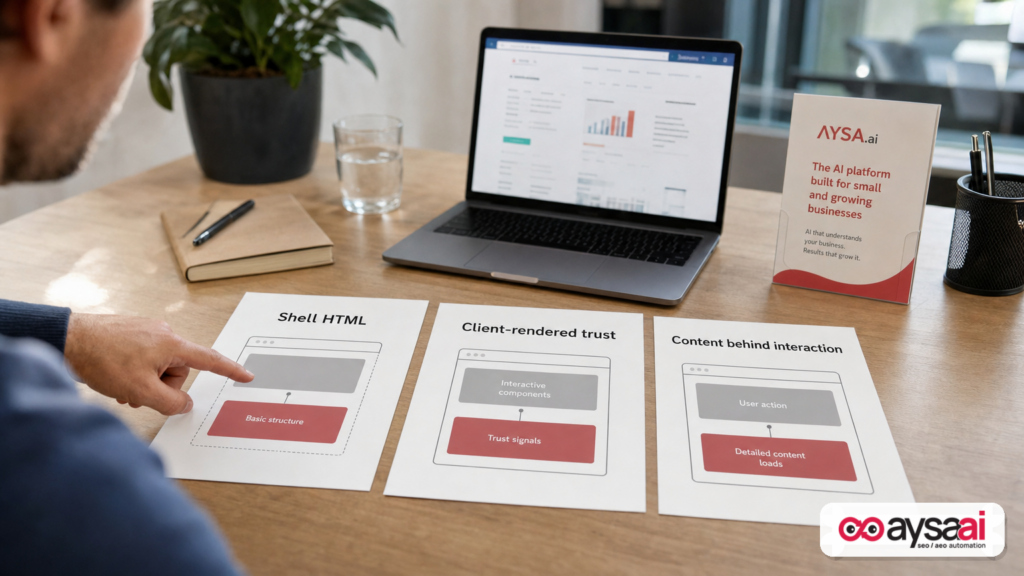
Pattern 1: The JavaScript shell
What you see with JavaScript off: header, footer, maybe a blank body.
What it looks like in HTML: a root div and script tags. The real content is fetched and built after the app boots.
Why it happens: teams pick SPA defaults for speed of development and component reuse, then assume “SEO will be handled later.”
AI impact: the agent reads almost nothing. Your category, offer, and differentiators are absent.
Pattern 2: Trust blocks and proof load client-side
What you see with JavaScript off: the hero headline exists, but the credibility layer disappears—testimonials, certifications, review summaries, partner lists, security statements, regulated disclosures.
Why it happens: these sections are treated like widgets controlled by marketing platforms, personalization engines, or A/B testing tools.
AI impact: the agent may understand what you sell but not why you’re safe to choose. In “trust-first” categories, that’s fatal.
Pattern 3: Content hidden behind interaction
What you see with JavaScript off: tabs/accordions don’t open; “load more” never reveals; pricing sliders show nothing; filters hide the catalog text.
Why it happens: design systems favor clean layouts and hide dense content behind UI patterns.
AI impact: crucial details don’t exist at ingestion time, so the agent can’t extract them reliably.
Pattern 4: Geo/personalization decides the content
What you see with JavaScript off: vague placeholders like “Select your location to see pricing,” or no inventory/service area details.
Why it happens: one URL is expected to behave like many pages, with client-side logic controlling what’s displayed.
AI impact: the model can’t confidently know where you operate, what you offer in which region, or what the baseline terms are.
Pattern 5: Third-party scripts delay meaningful content
What you see with JavaScript on: the page eventually loads, but critical sections appear late after scripts run.
Why it happens: “just one more tag” culture—pixels, personalization, chat widgets, experimentation frameworks, consent layers.
AI impact: if a crawler snapshots early, times out, or only reads initial HTML, you lose. Even for human users, this pattern often correlates with poor experience and web vitals. If your team needs a reputable baseline for user-facing performance concepts, start at web.dev — Core Web Vitals.
Why fintech is the warning sign—but SMEs are equally exposed
The SEJ research focuses on fintech, and that’s a useful stress test because fintech homepages are loaded with trust signals—disclosures, partner attributions, licensing language, security statements, availability, risk warnings. Those aren’t optional. They’re what turns curiosity into action.
But here’s the broader point: every business has a “trust layer.” It just looks different.
- Local services: license numbers, service areas, emergency availability, warranties, reviews.
- Ecommerce: returns policy, shipping times, warranty, customer support, payment options, product authenticity claims (only if substantiated).
- Healthcare/clinics: provider credentials, insurance/payment info, privacy and patient policies, locations, appointment availability.
- Hotels/tours: cancellation policies, amenities, location and parking info, accessibility, seasonal availability notes.
- SaaS: pricing tiers, security posture, compliance claims, integration lists, uptime history (again: only if verified and published).
AI search doesn’t “feel” these details like a human. It extracts them. So if they aren’t readable in raw HTML, the extraction never happens.
Concrete SME scenarios: what invisibility looks like in the real world
Let’s make this tangible with scenarios that don’t require you to be a developer or a fintech brand.
Scenario 1: A specialty ecommerce shop that becomes “uncitable”
Business: a niche ecommerce store selling premium kitchen knives.
Site decision: the product grid, filter text, and even the category description are loaded client-side. Reviews are injected via a third-party widget. Shipping and returns are an accordion that only opens after JS.
What the owner sees: a beautiful, interactive catalog.
What an AI agent may see: a shell with minimal text, no category-level explanation (Japanese steel vs German steel), no shipping promises, no warranty policy, no review snippets.
AI consequence: when a user asks, “What’s a reliable online store for a Japanese santoku with a good return policy?”, your store doesn’t have extractable facts to support the recommendation. You might still get traffic from brand searches, but you’re far less likely to be surfaced as a trusted option in AI comparisons.
Fix focus: render category descriptions, product names, key specs, and policy summaries in raw HTML. Enhance filters and reviews with JS, but don’t hide the meaning behind it.
Scenario 2: A local HVAC company that disappears from “who should I call?” prompts
Business: a local HVAC company with 24/7 emergency service.
Site decision: the service area list and emergency hours are loaded via a client-side location selector. Reviews are client-side. Service descriptions are inside tabs.
Human journey: visitors click around and eventually see everything.
AI journey: an agent fetches the service page and sees a generic headline without the service area coverage. It doesn’t learn the company serves specific suburbs. It doesn’t learn “24/7 emergency.”
Consequence: in AI-driven discovery loops, you get filtered out because the agent can’t match your offer to the user’s constraints (“near me,” “emergency,” “serves X area”).
Fix focus: ensure the service area text and service availability statements are in the raw HTML on each location/service page, not gated behind a selector.
Scenario 3: A B2B SaaS pricing page that can’t be parsed
Business: a B2B scheduling SaaS.
Site decision: pricing is a JS component. Without JS, the pricing page shows a blank module and a “loading” state.
AI consequence: AI tools answering “What does X cost?” can’t extract pricing tiers or even pricing model (per seat, per location, per usage). Your competitors with readable pricing pages become the safe choice to cite.
Fix focus: publish pricing tier names and core inclusions in raw HTML. Keep calculators and toggles as enhancements.
Scenario 4: A clinic that’s visible, but misrepresented
Business: a multi-provider clinic.
Site decision: provider bios and specialties load client-side after a search/filter UI. With JS disabled, the page shows only a search box and no provider list.
AI consequence: even if the clinic brand is known, agents can’t reliably associate provider specialties with the clinic. So answers become generic (“they offer care”) instead of precise (“they have a sports medicine specialist accepting new patients”).
Fix focus: render the provider list and specialties in raw HTML on index pages; enhance with filters in JS.
Fix paths in plain English: SSR, SSG, hydration, prerendering
Here’s the good news: solving rendering dependence is usually not “rebuild the whole site.” It’s more often “ensure a set of routes returns meaningful HTML.”
To make that easier, let’s translate the common fix paths in plain English.
Option A: Server-Side Rendering (SSR)
What it means: when someone (or a bot) requests a page, the server responds with fully formed HTML that already includes the content. JavaScript can still run afterward for interactivity.
Why it works: the raw HTML contains the meaning, so non-rendering agents can read it immediately.
Where it fits: pages that change frequently, pages that need personalization (carefully), and sites that already use modern frameworks with SSR capabilities.
What to watch: ensure the rendered HTML matches what users see. Don’t create mismatched content layers; keep parity and consistency.
Option B: Static Site Generation (SSG)
What it means: pages are generated as static HTML during build/deploy, then served fast via a CDN.
Why it works: the raw HTML is complete and typically extremely fast to fetch.
Where it fits: marketing pages, blogs, documentation, evergreen service pages, many location pages, and policy pages.
Tradeoff: updates require rebuilds (or incremental build systems depending on your stack).
Hydration (what it is and why it matters)
If you use SSR/SSG with a modern JavaScript framework, you’ll often “hydrate” the page—meaning: JS attaches interactivity to the HTML after load.
Key principle: hydration should not be required for the page to communicate its core message. Hydration should be required for interactions (filters, calculators, booking widgets), not for reading the basic offer and trust signals.
Option C: Prerendering (snapshots)
What it means: you generate a snapshot of the rendered page and serve that snapshot to crawlers (and sometimes to all users).
Why it can be useful: it’s a pragmatic bridge when you can’t re-architect quickly, but you need raw HTML readability now.
Risk and discipline: avoid “show one thing to users, another to bots.” Even when policies vary by search engine, the safest business approach is consistency—serve equivalent content, and use prerendering to make the same content readable, not to manipulate rankings.
If you want Google’s best-practice guidance around JavaScript crawling and indexing, start here: Google Search Central — Understand JavaScript SEO.
Option D: Dynamic rendering (legacy workaround, still used carefully)
Some teams historically used dynamic rendering as a workaround: bots get pre-rendered HTML, users get the app. In 2026, I’d frame it less as a “hack” and more as an engineering compromise with clear rules:
- Use it for equivalence and accessibility, not deception.
- Limit it to routes where it’s necessary.
- Monitor for mismatches and regressions.
In other words: if you choose dynamic rendering-like approaches, operational discipline matters more than the label.
What to render first: a pragmatic priority order
One reason teams don’t fix rendering dependence is they imagine a massive rewrite. Don’t do that. Do triage.
Here’s a priority order that works for most SMEs and most agency engagements:
Priority 1: “First impression” and “decision” pages
- Homepage
- Top services pages (or top category pages)
- Pricing page
- Top locations pages
These pages define what you are and whether you’re credible. They also tend to be the pages AI systems cite when answering “Which company should I pick?”
Priority 2: Comparison and alternatives content
AI answer surfaces are comparison-heavy. If you publish “X vs Y,” “best for,” “alternatives,” or “how to choose” content, those pages should be fully readable in raw HTML. This is where you earn citations and mentions when users are evaluating options.
Priority 3: Policies, shipping/returns, guarantees, compliance disclosures
These aren’t glamorous, but they’re frequently the reason an AI system can confidently recommend you. A readable returns policy can be the difference between “safe to recommend” and “uncertain.”
Priority 4: The rest of the catalog / long tail
Once the templates are right, scaling across many pages becomes easier. The goal is template-level rendering independence so you don’t have to fix pages one by one.
How to validate fixes without breaking tracking, conversions, or compliance
Rendering fixes touch architecture, and architecture changes can create real business risk. The solution isn’t to avoid the fix—it’s to validate properly.
Here’s a practical validation playbook.
1) Readability validation (machines and humans)
- Repeat the JavaScript-disabled audit on the updated routes.
- Use “View Source” to confirm key claims and facts exist in HTML.
- Confirm the on-page content is equivalent before and after hydration.
2) Indexing and technical hygiene
- Check status codes (200 vs redirects vs errors).
- Confirm canonicals are correct.
- Ensure you didn’t accidentally introduce
noindexor block crawling with robots rules. - Use Google Search Console to monitor coverage and enhancements after releases. (If you need the entry point: Google Search Central documentation.)
3) Performance validation (because heavy client-side rendering often hurts users too)
Rendering independence and performance aren’t identical, but they often move together. If you’re moving work from the browser to the server, you may improve perceived load and stability—or you might add server overhead if you do it poorly.
Use a consistent testing approach and watch for regressions in core metrics. A reputable conceptual baseline is web.dev Core Web Vitals. You don’t need to chase perfect scores, but you do need to avoid obvious degradation.
4) Analytics and conversion validation
SMEs can’t afford to break booking flows, add-to-cart flows, or lead forms in the name of “AI SEO.”
- Verify conversion events still fire correctly.
- Check form submissions, phone clicks, booking confirmations, checkout steps.
- Confirm consent mode and privacy compliance behavior remains correct (especially in regulated categories).
5) Rollout strategy: ship small, then expand
- Start with one template (e.g., service page template).
- Release behind a feature flag if possible.
- Validate for a short window.
- Then apply to the rest of the routes.
This approach keeps business risk controlled while you fix the foundational issue.
How to monitor rendering independence so it doesn’t regress
Here’s the part most teams miss: even if you fix it once, you can break it next month without noticing.
Rendering regressions happen when:
- marketing installs new tags,
- engineering refactors templates,
- you switch CMS/page builders,
- you add personalization or experimentation layers,
- a redesign moves content into JS components,
- a performance “optimization” defers content.
So you need monitoring that checks machine readability, not just uptime.
What to monitor (minimum viable list)
- Raw HTML content presence on top routes (is there meaningful text or just a shell?)
- Template diffs that change server-rendering behavior
- Indexability changes (robots, canonicals, status codes)
- Structured data health after readability is confirmed
- Script bloat / third-party creep (as a leading indicator for future problems)
How often?
For most SMEs: weekly checks on top routes are enough to catch major regressions early. For fast-moving teams and agencies: daily or per-release checks are more appropriate.
The key is not perfection. The key is not being surprised for six months.
What agencies should rethink (deliverables, scopes, and SLAs)
Agencies will feel this shift first because clients will ask for “AI visibility” while still demanding classic SEO deliverables.
Here’s the reset I believe agencies need to make:
1) Stop treating AI SEO as a separate discipline from technical SEO
If the content isn’t readable in raw HTML, AI strategies become theater. The first deliverable in an AI visibility engagement should often be a rendering independence audit and a prioritized fix plan for key routes.
2) Stop selling audits without an execution plan
A PDF that says “your site is client-rendered” is not a business outcome. Your client doesn’t win when the issue is identified—they win when it ships.
Agencies should either:
- own implementation, or
- own the delivery process (tickets, acceptance criteria, QA, monitoring) with the dev team.
3) Create SLAs around machine readability
Add a measurable standard: “critical content present in raw HTML on these routes.” Make it part of QA and part of ongoing monitoring.
4) Redefine scope around templates, not pages
Fixes that operate at the template level scale. Fixes that operate page-by-page don’t. If you’re scoping work, scope it as: “service page template,” “category template,” “pricing template,” and so on.
Where AYSA fits: monitor, prepare, approve, execute
At AYSA.ai, our view is straightforward: visibility improves when changes ship—and shipping requires guardrails.
Most teams are stuck in a loop of: audit → backlog → nothing ships. Or: ship fast → regress silently → nobody notices until leads drop.
AYSA is built as an execution system for SEO/AEO/GEO work with an approval layer. In practice, the rendering independence workflow fits naturally into four steps:
1) Monitor what machines can actually read
Instead of only tracking rankings, you track whether key routes return readable HTML—especially after releases. This aligns with the idea behind AYSA Monitoring and our broader focus on AI Search Visibility.
2) Prepare fixes as reviewable, scoped changes
“Make it server-rendered” is not an actionable ticket. A good change package includes:
- which routes/templates are in scope,
- what content must exist in raw HTML,
- how parity will be validated,
- how rollout and rollback will work.
That’s the difference between an idea and implementation.
3) Ask for approval (because businesses need control)
SMEs and brands can’t accept black-box changes to production templates—especially when compliance language, pricing, and policies are involved. AYSA’s model is “prepare the change, ask for approval, then execute.” Explore the tooling approach at AYSA AI SEO Tools.
4) Execute accepted changes and keep them from regressing
This is where most AI search strategies fail: they stop at recommendations. AYSA is designed to close the loop so fixes actually go live, and monitoring keeps them from silently breaking later.
If you want to see how we package this for teams, start with Pricing, and browse practical execution perspectives on the AYSA blog.
What to do next (action list)
- Run the JS-disabled audit today on your homepage and top 10 money pages.
- Write a “critical content must exist in raw HTML” checklist for each page type (home, service, product/category, location, pricing).
- Classify pages into Pass / Partial / Fail and note which missing sections are trust-critical (policies, credentials, service areas, pricing model).
- Pick a fix path (SSR/SSG/prerendering) based on your stack and release capacity—focus on templates, not individual pages.
- Ship one template first (pilot), validate parity + conversions + indexing, then expand.
- Set monitoring to catch regressions weekly or per release—especially after redesigns and new tag deployments.
- Only then scale AI visibility work like schema expansion, content programs, and citation campaigns—because now agents can actually read the pages.
Sources and further reading
- Search Engine Journal — A Third Of Fintech Is Invisible To AI Agents
- Google Search Central — Understand JavaScript SEO
- Google Search Central — Intro to structured data
- Google Search Central documentation hub
- web.dev — Core Web Vitals
AYSA resources
Editorial note on claims: This article intentionally avoids adding new vendor-specific crawler statistics beyond the cited SEJ research and reputable documentation links. Where behaviors differ by system, the recommendation remains the same: design for raw HTML readability so you’re visible even when rendering is not guaranteed.
Continue the AI search topic inside AYSA.
Use these pages to connect the article with AI SEO tools, AI visibility monitoring, AI Overviews and approved website execution.
Turn this topic into a website action plan.
Use these AYSA hubs to move from reading to technical fixes, AI visibility monitoring, research, glossary context and approval-first SEO execution.

