
WordPress Wants AI Knowledge In Core. Businesses Want Performance, Stability, And Control.
A proposed “Knowledge” Custom Post Type in WordPress core is sparking developer pushback—and it reveals a bigger issue: most businesses don’t need more AI inside their CMS; they need safer governance, clearer standards, and a system that ships improvements without breaking things.

WordPress is flirting with a new kind of “AI readiness” inside the CMS: a structured, centralized place to store site-wide guidelines—brand voice, copy standards, image rules, block-level constraints, accessibility requirements, linking conventions—so that both people and AI-powered tools can reference them.
That idea sounds harmless until you ask the question that matters to any business leader responsible for a website: Where does “guidance” stop being documentation and start being executable instructions? Because once instructions exist in a default, core layer, they don’t just help humans write better—they can shape (or even drive) automated changes at scale.
Search Engine Journal reports that WordPress developers are pushing back on a proposal to merge a new “Knowledge” Custom Post Type (CPT) into WordPress core, arguing it belongs in a plugin, adds bloat, blurs who the feature is for, and distracts from longstanding needs like native multilingual support (SEJ coverage). I agree with the underlying concern, but I want to translate this debate into business terms and practical actions—because whether WordPress merges this into core or not, AI-assisted publishing is already changing expectations for speed, consistency, and governance.
My perspective (Marius Dosinescu, AYSA.ai): most companies do not lose organic visibility because they lack an AI instruction repository. They lose because execution is chaotic—slow templates, inconsistent Internal linking, messy indexation, outdated pages, and changes that never ship. That’s why we built AYSA as an SEO/AEO/GEO execution system that monitors, prepares, asks for approval, and executes accepted changes with guardrails—so improvements don’t die in a spreadsheet or get pushed live without accountability.
Concise summary

A proposal to add a “Knowledge” CPT to WordPress core is meeting developer resistance, largely because it appears agent-driven and not obviously necessary for most site owners. Businesses should read this as a governance signal: if your CMS becomes the default place for machine-readable instructions, you need stronger permissions, audit trails, exportability, and approval workflows. The best near-term path for most SMEs: focus on performance, indexation, content structure, and controlled execution; test AI workflows via plugins and staged rollouts; and adopt a propose → approve → execute operating model (which is exactly where AYSA fits).
Key takeaways (for SMEs and agencies)
- Core changes are sticky. Once something lands in core, it becomes a baseline assumption for themes, plugins, and workflows—raising the governance bar for everyone.
- Human guidelines ≠ agent instructions. Blurring these increases brand, security, and compliance risk, especially when automation scales mistakes.
- Plugin-first is often the safer business architecture. Optionality enables iteration and avoids forcing complexity on sites that don’t need it.
- Most SEO/AEO/GEO wins are execution wins. Search visibility improves when the right changes ship consistently and safely—not when you add another settings panel.
- AI should propose; humans should approve; systems should execute. This is the durable operating model for SMEs and most agencies.
Table of contents

- What changed: the WordPress “Knowledge” CPT proposal
- Why this matters beyond WordPress: CMS as “control plane” for AI
- Quick context: Custom Post Types and why they’re the battle line
- What WordPress is proposing (and where the confusion starts)
- Core vs. plugin isn’t a religious debate—it’s a business decision
- The real problem: WordPress is blurring “human documentation” with “machine instructions”
- Risk map: what can go wrong when “knowledge” becomes executable
- Who benefits—and who pays the cost?
- The “bigger priorities” argument (and why multilingual keeps coming up)
- WordPress SEO implications: indexation, IA, and how AI tools amplify small issues
- A concrete SME scenario: the local clinic that wants “AI help” without losing control
- Agency playbook: how to sell AI workflows without inheriting the risk
- A decision framework: should you centralize guidelines inside WordPress?
- 30–90 day action plan (practical, not theoretical)
- Where AYSA fits: monitored, approved, executed improvements
- What to do next
- Sources and further reading
What changed: the WordPress “Knowledge” CPT proposal
Per Search Engine Journal’s reporting, the WordPress ecosystem is discussing integrating a new “Knowledge” Custom Post Type into WordPress core. The feature already exists in the Gutenberg plugin as an experimental capability and is framed as a centralized repository for site-level knowledge and editorial standards.
In the SEJ source, examples of knowledge categories include:
- Site: goals, personality, target audience, industry context
- Copy: tone, voice, vocabulary preferences
- Images: preferred styles and what to avoid
- Blocks: per-block rules (e.g., paragraph style, image alt text expectations)
- Additional: accessibility, linking, formatting conventions, anything else
On its face, that’s not a bad idea. Many businesses need consistency. Many businesses struggle with contributor sprawl. And yes, the moment you introduce AI-assisted writing, you feel the pain of inconsistent standards even more.
But the controversy isn’t “guidelines are bad.” It’s that moving agent-oriented infrastructure into core changes the default contract of WordPress. When a feature becomes core, it becomes “everybody’s problem,” including the millions of site owners who will never use it, never configure it correctly, or won’t understand the implications when another plugin starts reading it.
Why this matters beyond WordPress: CMS as “control plane” for AI
This debate is bigger than WordPress. It’s the same decision every major platform will face: does the CMS become the “control plane” for AI behavior?
In the pre-AI era, “brand voice guidelines” were a PDF, a Notion page, or a Google Doc. If someone ignored them, the damage was limited to that person’s output. The feedback loop was human: editor reviews, team meetings, “please fix this,” repeat.
In an AI-assisted era, those guidelines become:
- Inputs into generation (how drafts are produced)
- Constraints on rewriting (what agents will change and what they won’t)
- Rules for structured output (FAQs, alt text, summaries, headings)
- Triggers for automation (e.g., “if page is missing X, generate X”)
In other words, guidelines turn into operational policy. And operational policy needs the same seriousness you apply to permissions, security, and governance.
That’s why I’m less interested in whether WordPress “should do AI,” and more interested in the question: Is WordPress ready to host agent-facing policy in a way that’s safe for everyday businesses?
Quick context: Custom Post Types and why they’re the battle line
WordPress has default post types (Posts and Pages), and can be extended with Custom Post Types through themes or plugins. SEJ’s source uses a common analogy: WooCommerce uses a product post type, which enables structured management of products.
From a business perspective, CPTs are more than a developer detail—they’re how WordPress lets you add complexity only when you need it. A restaurant site doesn’t need a “Products” CPT. An ecommerce site does. That’s the plugin economy doing its job.
So when developers say “this should be a plugin,” don’t hear “we hate new ideas.” Hear: this should be optional until the use cases and governance are proven.
That’s a rational business stance. Optional features can be adopted by teams with the maturity to operate them. Core features are inherited by everyone, including teams without process.
What WordPress is proposing (and where the confusion starts)
SEJ highlights a key issue: WordPress’s public proposal frames the Knowledge CPT as both “author-facing and agent-facing,” while the feature’s technical repository description (as quoted in SEJ’s extracted text) emphasizes AI-powered tools integrating with WordPress and storing structured knowledge “that shapes how agents interact with the site.”
That mismatch matters. If a feature is primarily for humans, the design priorities are:
- Usability
- Discoverability
- Training/onboarding value
- Workflow integration (editorial checks, roles, review states)
If a feature is primarily for AI agents, the design priorities change:
- Schema stability and versioning
- Permissions that prevent indirect escalation
- Clear audit trails
- Exportability/portability (avoid vendor lock-in)
- Consistent interpretation across tools (or at least clear boundaries)
You can attempt to serve both audiences, but then you must be explicit about what is human-readable guidance and what is machine-actionable policy. Otherwise, you end up with a “knowledge base” that is too rigid for humans and too ambiguous for machines.
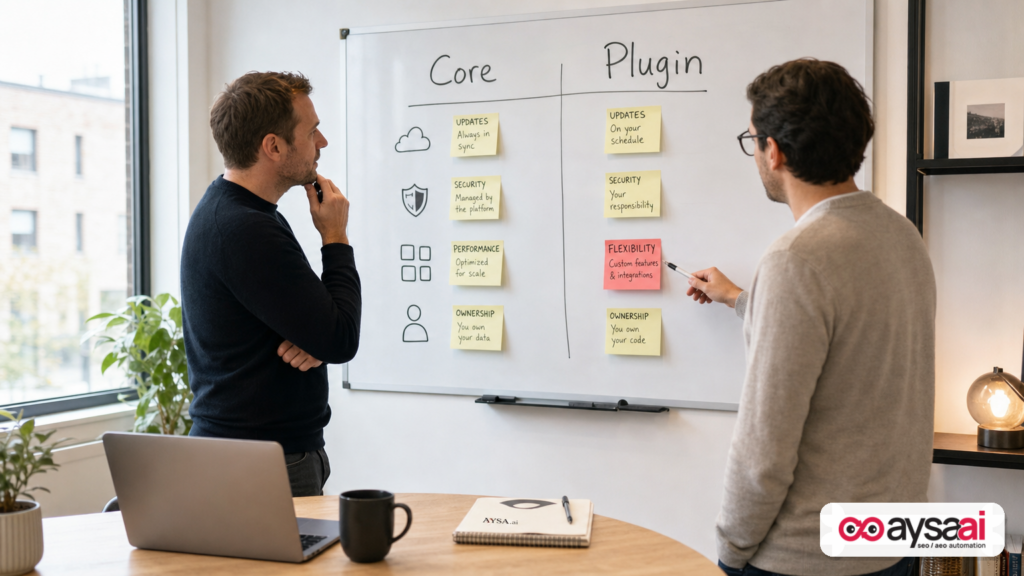
Core vs. plugin isn’t a religious debate—it’s a business decision
If you’re an SME owner or marketing lead, you might not care about core philosophy. You care about what breaks on update day, what slows the site down, what adds complexity, and who is accountable when something goes wrong.
Core means: default footprint, default liability
When functionality is merged into core, it becomes part of the baseline WordPress installation. That has practical consequences:
- Broader attack surface. More code paths, more data models, more endpoints and admin screens (even if hidden behind permissions).
- Compatibility expectations. Themes, plugins, and hosting stacks will assume this exists—and may start depending on it.
- Long-term maintenance obligation. Even if the feature is underused, it must be maintained because it’s core.
- More complexity for non-technical teams. “What is this ‘Knowledge’ thing?” becomes another support burden for agencies and IT.
Plugin means: optionality, iteration, clearer ownership
When the same concept exists as a plugin:
- Only sites with the need (and the maturity) opt in.
- It can evolve quickly without tying its roadmap to core release schedules.
- Multiple approaches can compete, improving faster through real usage.
- Businesses can remove or replace it if it doesn’t deliver value.
The “bloat” complaint is often a proxy for operational cost
Developers often use “bloat” as shorthand, but the business translation is “operational cost.” Every new core feature creates additional:
- training cost
- support cost
- risk cost
- maintenance cost
- decision fatigue
When WordPress adds something that is primarily beneficial to a subset of advanced users, everyone else still pays the operational tax.
The real problem: WordPress is blurring “human documentation” with “machine instructions”
This is the most important conceptual issue in the entire debate.
Human documentation is narrative and contextual
A human style guide explains:
- why certain choices matter
- examples of good and bad
- exceptions (“do this unless…”)
- trade-offs (“we prefer short paragraphs, but use longer ones for clinical detail”)
Humans can infer meaning even when the guidelines are incomplete.
Machine instructions must be explicit and enforceable
Agent-facing policy needs:
- structure (fields, constraints, expected formats)
- version control (what changed, when, and why)
- permissions (who can change the rules that govern automation)
- interpretation guarantees (or at least a defined contract so tools don’t treat rules inconsistently)
If you put a vague sentence into a knowledge repository—“use a friendly tone”—a human editor can do something reasonable. An agent might over-index on “friendly” and weaken credibility, remove necessary specificity, or oversimplify regulated language. Multiply that across 200 pages and you’ve now created an operational incident.
Why this matters for AI search visibility (AEO/GEO)
As AI-driven discovery grows, the consistency of your content—entities, claims, definitions, and formatting—matters more. But that’s precisely why you can’t treat agent instructions casually. In AEO/GEO, small inconsistencies become larger because the systems summarizing your content make decisions based on patterns and signals. If the pattern becomes noisy, your “sourceability” can degrade.
If you want the practical breakdown of what we mean by AI Search visibility, start here: AYSA: AI Search Visibility.
Risk map: what can go wrong when “knowledge” becomes executable
Even if WordPress intends the Knowledge CPT to be a passive repository, reality is that plugins and AI tools will treat it as an instruction layer. That’s where risk emerges.
1) Brand drift at scale
In classic workflows, brand drift is incremental—one post feels “off.” In AI-assisted workflows, drift is systemic—templates and automation can push the same “off” tone everywhere.
Example: a boutique hotel has a brand voice that’s calm, premium, and specific. An AI agent reading minimal guidelines might produce generic travel copy, repetitive adjectives, and vague claims. The hotel doesn’t just lose “tone.” It loses differentiation—exactly what customers are buying.
2) Compliance and claims risk
If you operate in healthcare, finance, legal, supplements, or any regulated space, you already know the pain: disclaimers, scope limitations, and careful language are non-negotiable.
Now imagine a well-meaning agent that rewrites a page “to improve clarity” and accidentally removes a required disclaimer block, or changes “may help” to “will help.” A knowledge repository that doesn’t enforce constraints (and a workflow that doesn’t require approvals) becomes a liability.
3) Permissions become a security problem, not just a workflow problem
Here’s an under-discussed risk: if low-privilege users can edit the “Knowledge” entries, they might indirectly influence sitewide output by changing what agents follow. Even if they can’t publish posts directly, they can potentially steer automated content or rewrites if tools trust the knowledge repository.
This is why agent-facing policy needs a stronger permission model than a typical editorial note.
4) Tool conflicts and interpretation mismatch
Different plugins might interpret the same knowledge field differently.
- One tool treats “avoid these image subjects” as a hard exclusion list.
- Another treats it as a soft preference.
- Another ignores it completely.
If WordPress core defines the data structure but not the behavioral contract, you may end up with a “standard” that fragments the ecosystem. Businesses then carry the cost of unpredictable results and cross-tool debugging.
5) Performance and admin complexity creep
Even without inventing numbers, it’s safe to say: more features mean more UI, more screens, more queries, more “what is this?” moments. SMEs typically want fewer admin concepts, not more. They want the publishing workflow to be simpler and more reliable.
6) False confidence: “We have a knowledge base, so we’re governed”
Documentation is not governance. Governance is a system:
- Monitoring changes and outcomes
- reviewing proposals
- approving or rejecting
- shipping safely
- rolling back quickly if needed
A knowledge CPT may help define standards, but it does not create the workflow that ensures standards are followed.
Who benefits—and who pays the cost?
SEJ notes that some developers suspect this kind of feature may benefit enterprise WordPress.com environments more than the average WordPress user. Whether or not that’s the intent, the pattern is plausible:
- Enterprises have many contributors, frequent publishing, and formal governance.
- They are more likely to deploy internal tools or agents and need a “single source of truth.”
- They can invest in training, permissions modeling, and QA.
Most SMEs are different:
- One person is “marketing.” Another is “ops.” IT is a contractor.
- Guidelines are informal (“just make it sound like us”).
- Publishing is intermittent, not industrial.
- Risk tolerance is low: one bad change can tank leads for a month.
So when WordPress considers adding agent-oriented primitives to core, the business question isn’t “is it cool?” It’s: does the median WordPress site become more successful as a result, without increasing the risk surface?
The “bigger priorities” argument (and why multilingual keeps coming up)
SEJ reports that developers cited native multilingual support as a higher priority. This matters because it signals what many users still consider “foundational publishing infrastructure.”
Multilingual isn’t just a translation nicety. It impacts:
- market expansion
- location-driven discovery
- Duplicate content management
- editorial workflows and approvals
- user experience across regions
Even if your business is single-language today, the developer chorus around multilingual is a proxy for a broader argument: solve the basics people are already asking for before shipping agent infrastructure into the default install.
WordPress SEO implications: indexation, IA, and how AI tools amplify small issues
Let’s ground this in what actually drives organic performance for WordPress sites.
AI doesn’t fix weak information architecture
Many WordPress sites struggle with:
- duplicated pages created by templates or tags
- thin location pages spun up without real differentiation
- unclear hierarchy (category archives competing with landing pages)
- internal linking that’s inconsistent or random
If you layer AI generation on top of messy architecture, you scale the mess faster. A “knowledge CPT” won’t change that. Execution discipline does.
AI doesn’t fix technical debt—sometimes it worsens it
Teams often assume “AI will speed up content.” It can. But it can also:
- increase publishing volume without improving quality
- create more URLs that need to be crawled and indexed
- introduce inconsistencies in headings, schema, and internal links
- make it harder to maintain Content Freshness
The best WordPress SEO outcomes come from disciplined templates, clean page types, consistent structured data, and reliable publishing operations.
AI search visibility rewards clarity, not just quantity
As AI-driven experiences summarize and cite sources, they tend to prefer content that is:
- clear and structured
- consistent in terminology
- explicit about entities (services, products, locations)
- easy to extract into answers
This is where operational standards matter. But again: standards without execution are just documents.
A concrete SME scenario: the local clinic that wants “AI help” without losing control
Imagine a multi-location dental clinic group on WordPress. They want AI to help:
- create a consistent FAQ section across service pages
- update appointment prep instructions seasonally
- improve readability and accessibility (alt text, headings)
- maintain consistent disclaimers and scope language
A knowledge repository sounds perfect: store voice, disclaimers, and rules in one place so tools follow them.
But here’s what the clinic actually needs to protect the business:
Non-negotiable governance requirements
- Permissions: only authorized people can change medical claims language and disclaimers.
- Approvals: every AI-proposed change needs a review step (marketing + compliance owner).
- Audit trail: who changed what, when, and why.
- Staging & QA: changes should be tested before they go live.
- Rollback: if leads drop or a disclaimer disappears, revert quickly.
Notice what’s missing: “put it in WordPress core.” The clinic doesn’t care where the rules live. They care about control, outcomes, and accountability.
This is why I’m skeptical of AI features in core that don’t come bundled with serious governance primitives. If a Knowledge CPT is primarily meant to serve agents, it must be designed like policy infrastructure—not like another editorial notes panel.
Agency playbook: how to sell AI workflows without inheriting the risk
If you run an agency, this WordPress controversy is a preview of your next two years.
Clients will increasingly ask for:
- “AI content”
- “AI SEO”
- “AI citations”
- “AI answers”
If you respond with tooling but not governance, you’ll inherit the downside: brand mistakes, compliance incidents, ranking volatility, and support tickets every time an update changes behavior.
Shift the offer: from “AI content” to “controlled execution”
AI is not the product. The product is a safer, faster pipeline that produces measurable outcomes.
A stronger agency pitch looks like this:
- We monitor the site for issues and opportunities.
- We generate proposals (not blind changes).
- You approve what ships.
- We execute consistently and safely.
- We measure the results and iterate.
This aligns directly with AYSA’s operating model (and why we position it as execution, not “another AI writer”). If you want to see how we think about tooling in this new era, start here: AYSA: AI SEO Tools.
Create an “agent access policy” for every client
Even before WordPress decides anything, agencies should standardize a policy that answers:
- What can an AI tool read? (public content only? drafts? customer data?)
- What can it propose? (meta titles? FAQs? internal links? schema?)
- What can it execute? (ideally: nothing without approval)
- What approvals are required for regulated pages?
- What is the rollback plan?
Stop promising speed without specifying safety
“We can publish 50 pages a week” is not a business promise if those pages:
- aren’t indexable
- aren’t differentiated
- conflict with existing landing pages
- introduce compliance risk
- create internal cannibalization
Agencies that win will be the ones that can ship improvements fast while proving they can ship them safely.
A decision framework: should you centralize guidelines inside WordPress?
Let’s make this actionable. Whether or not WordPress merges the Knowledge CPT into core, you can decide whether to centralize guidelines in WordPress now.
Step 1: Identify your real problem
Which of these is actually hurting you?
- Inconsistency: different writers produce different quality and tone.
- Compliance: required language is missed or misused.
- Scale: you can’t publish fast enough.
- Execution debt: you know what to fix, but changes don’t ship.
- Discovery debt: your pages exist, but aren’t being surfaced in search/AI answers.
A knowledge repository helps primarily with the first two—and only if it’s enforced through process.
Step 2: Decide what must be human-readable vs. machine-actionable
Create two layers:
- Human guide: principles, examples, tone, exceptions.
- Machine checklist: required elements that can be validated (disclaimer block present, headings exist, internal link rules followed, alt text required).
Trying to store everything as “knowledge” usually fails. Humans need nuance; machines need constraints.
Step 3: Demand exportability
If your guidelines become operational policy, you need to be able to export them. Otherwise, you risk locking your process into a single platform or plugin interpretation.
I’m not claiming WordPress’s proposed CPT lacks exportability; I’m saying you should treat it as a requirement for any implementation.
Step 4: Require an approvals workflow
The moment a guideline influences automation, you need approvals for guideline changes—especially for regulated language, claims, and anything that affects customer trust.
This is why we focus so heavily on “approved execution” at AYSA: insights are not improvements until they ship, and shipping must be governed. See how we approach monitoring and change readiness here: AYSA: Monitoring.
30–90 day action plan (practical, not theoretical)
If you’re an SME, you don’t need to wait for WordPress core decisions to improve outcomes. Here’s a practical plan that pays off either way.
Days 1–7: Create a minimum viable standard
Start with a one-page “minimum standard” that every page must meet:
- tone (2–3 bullets)
- claim rules (what you can/can’t say)
- internal linking conventions (when to link, how many, to what)
- accessibility basics (headings, alt text expectations)
- SEO basics (title format, primary topic in H1, FAQ block rules where appropriate)
Keep it short. The point is adoption, not perfection.
Days 8–21: Convert your standard into a checklist that can be approved
This is where “documentation” becomes “governance.” Create a checklist your team can use to approve content changes. Example checklist items:
- Page has one primary intent (no mixed goals)
- H1 matches the page purpose
- At least 2 contextual internal links added
- All images have descriptive alt text
- Required disclaimers present
- FAQs (if used) are accurate and non-duplicative
Days 22–45: Pick one AI-assisted workflow and constrain it
Don’t start with “rewrite the whole site.” Start with one workflow that’s easy to audit:
- Generate FAQ drafts for top service pages
- Propose internal links from new posts to key pages
- Suggest meta title improvements (proposals only)
- Generate alt text proposals for new images
Make AI output proposals, not live changes.
Days 46–90: Build an execution loop (monitor → propose → approve → ship → measure)
This is the part most teams skip. They generate ideas, but the backlog grows and nothing ships consistently.
Make execution the system:
- Monitor for issues and opportunities
- Prepare proposals with clear before/after impact
- Approve changes with accountable owners
- Execute changes reliably
- Measure and iterate
This is exactly what AYSA is designed to do across SEO/AEO/GEO workflows. If you want a starting point on how we frame these capabilities, see: AI Search Visibility and Monitoring.
Where AYSA fits: monitored, approved, executed improvements
Whether WordPress merges a Knowledge CPT into core or keeps it in plugin land, businesses still face the same reality: search visibility is the byproduct of consistently shipping the right improvements.
AYSA fits where most teams struggle:
- Monitoring: know what changed, what broke, and where opportunities exist (Monitoring).
- Preparation: turn “ideas” into concrete, reviewable proposals.
- Approval: keep humans accountable for what ships.
- Execution: implement accepted changes so you get outcomes, not just recommendations.
This matters even more in an AI-driven content environment, because the temptation is to move fast and publish more. The winners will be the teams that move fast with controls—and that’s why we emphasize approved execution as the core operating model.
If you want to evaluate fit and see how we think about packaging execution for SMEs and agencies, start with: AYSA Pricing. For more editorials and playbooks, visit: AYSA Blog.
What to do next
- Decide where your “truth” lives: Is your style guide in Docs/Notion, in WordPress, or split? Pick one owner and one canonical source.
- Separate guidance from enforcement: keep a human guide and a machine/checklist layer.
- Lock permissions: restrict who can change claims language, disclaimers, and linking rules.
- Adopt propose → approve → execute: don’t let tools publish directly to production.
- Start with one constrained workflow: FAQs, internal link suggestions, titles—then expand.
- Build an execution loop: monitoring and shipping matter more than new features.
Sources and further reading
- Search Engine Journal: WordPress Developers Say New AI Feature Does Not Belong In Core
- Search Engine Journal: Latest News
- Search Engine Journal: SEO coverage
- AYSA: AI Search Visibility
- AYSA: Monitoring
- AYSA: AI SEO Tools
- AYSA Blog
- AYSA Pricing
Continue the AI search topic inside AYSA.
Use these pages to connect the article with AI SEO tools, AI visibility monitoring, AI Overviews and approved website execution.
Turn this topic into a website action plan.
Use these AYSA hubs to move from reading to technical fixes, AI visibility monitoring, research, glossary context and approval-first SEO execution.

