
Agentic AI Is Here: When Gemini Can Use Your Computer, Your Website Becomes a Security Surface (And an SEO Surface)
Google Gemini’s new “computer use” capability turns AI from a chat tool into an operator that clicks, logs in, and completes workflows. That shift creates a new attack surface—trap-filled websites and prompt injection for AI agents—and it changes how businesses should think about SEO, analytics, and safe automation. Here’s a practical playbook for SMEs and agencies, plus how approved execution systems like AYSA keep automation accountable.

AI didn’t just get smarter. It got hands.
With Google moving “computer use” into Gemini—meaning the model can see what’s on a screen, click around, fill forms, and operate desktop workflows—AI shifts from answering questions to doing work. That’s great for productivity. It’s also a fundamental security and measurement change for every business that depends on the web.
Here’s the uncomfortable reality: once AI agents browse the open web on behalf of users and businesses, your website isn’t just a marketing asset anymore. It’s part of an attack surface. And it’s also part of a new SEO surface, where “visitors” may include agents that behave like humans but are not humans.
This editorial breaks down what changed, why it matters for SMEs and agencies, what can go wrong (in plain English), and what to do next. You’ll also see how AYSA fits as an approved-execution system that monitors, prepares, asks for approval, and only then executes website changes—because autonomy without governance is how you get breached or misled.
Concise Summary
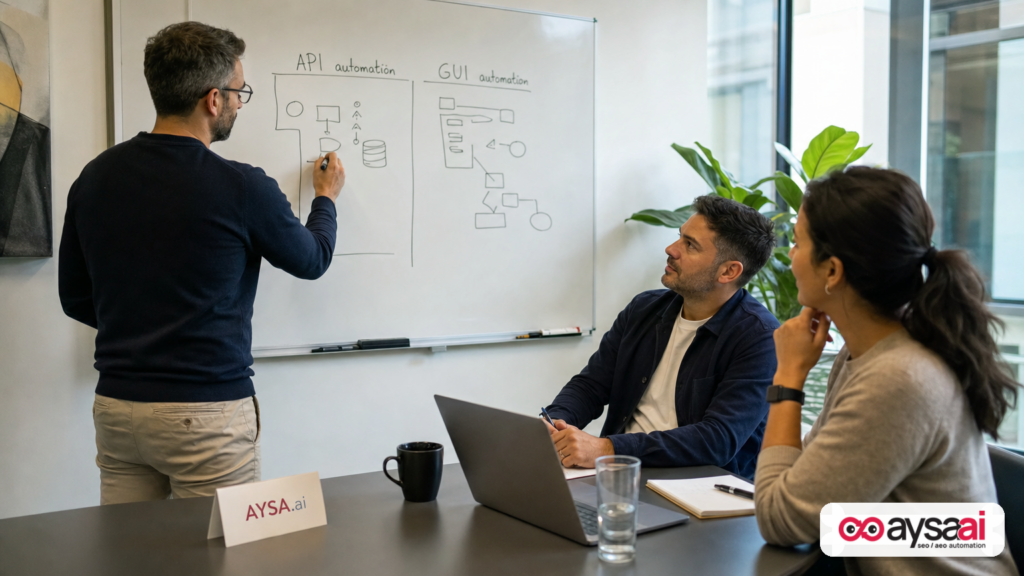
- Gemini’s “computer use” capability pushes AI from API-only automation into GUI automation—anything you can do with a mouse and keyboard becomes automatable.
- Security risk rises because AI agents can be tricked by “trap-filled” web pages, hidden instructions, and malicious content—especially when agents can spend money, access accounts, or change settings.
- SEO and analytics change because agent traffic can look like real engagement. That can distort conversion analysis and confuse optimization decisions.
- Businesses need a control plane: sandboxing, allowlists, logging, and human-in-the-loop approvals for high-impact actions.
- AYSA’s model matters as “Approved Execution” becomes the safe default: propose changes, get approval, execute with Traceability.
Key Takeaways (What To Remember)
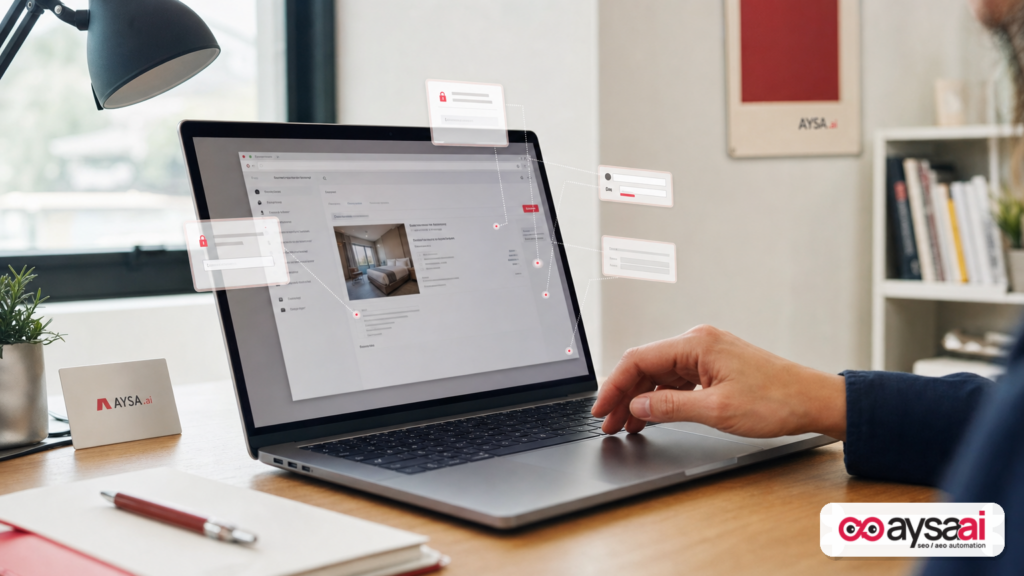
- Agentic AI expands automation beyond APIs. If a tool has a screen, it’s now automatable—good and bad.
- Your website can unintentionally become a weapon. Not because you’re malicious, but because attackers can hide instructions or lures inside pages that agents interpret incorrectly.
- “Human-like Clicks” won’t always be human. Treat engagement metrics and funnels as potentially contaminated unless you improve observability.
- Don’t chase “full autonomy” for SEO. The winning operating model is guarded execution: Monitoring + proposals + approvals + logs.
Table of Contents

- What Changed: From “Chatbot” To “Operator”
- Why This Moment Matters (And Why It’s Happening Now)
- The New Threat Model: Websites As “Trap Surfaces” For AI Agents
- What Google Warned: Practical Safety Patterns (Translated For Businesses)
- SEO Implications: When “Visitors” Include Bots That Click Like Humans
- A Concrete SME Scenario: The Ecommerce Operator Agent That Gets Tricked
- Agency Reset: What To Change In Your Delivery Model
- Technical Controls That Actually Help (Without Killing Productivity)
- Measurement: How To Protect Your Analytics Signal
- Where AYSA Fits: Approved Execution For AI-Driven SEO
- What To Do Next (30/60/90-Day Plan)
- Sources And Further Reading
What Changed: From “Chatbot” To “Operator”
Most businesses got comfortable with AI in one of two modes:
- Assistant mode: summarize, draft, ideate, answer questions.
- API automation mode: call an endpoint, move data, trigger a workflow—bounded by what your software exposes via API.
“Computer use” introduces a third mode:
- GUI operator mode: AI can interact with the same interface your team uses—websites, dashboards, SaaS tools, desktop apps—by seeing the screen and taking actions.
This matters because countless real workflows live behind GUIs, not APIs:
- Exporting reports from legacy tools
- Updating listings in a vendor portal
- Checking campaigns across multiple ad accounts
- Reviewing CMS pages and making updates
- Creating tickets in internal systems
As reported by Search Engine Journal, Google moved computer use into Gemini 3.5 Flash, making it a built-in capability rather than a separate, specialized model. That move signals where the market is going: agentic workflows will be normal, and “automation” will increasingly mean “the AI can run the workflow like a person would.” Source
Why This Moment Matters (And Why It’s Happening Now)
Agentic AI didn’t appear overnight; it’s the convergence of three pressures:
1) The API ceiling is real
Businesses hit a wall when trying to automate end-to-end tasks with APIs because:
- Many platforms don’t offer APIs for key operations.
- APIs exist but require engineering resources to integrate.
- Permissions, OAuth scopes, and security reviews slow everything down.
GUI automation bypasses much of that. If a human can do it, an agent might do it.
2) The ROI of “semi-automation” is huge
Even if agents aren’t fully autonomous, they can still remove busywork:
- Collect data across systems
- Prepare drafts and recommendations
- Queue up changes for approval
That’s where “approved execution” becomes the pragmatic middle ground: you get speed without surrendering control.
3) Competitive incentives will push autonomy
Google’s own warning (as relayed in the SEJ coverage) points to an uncomfortable truth: scaled agents create incentives for malicious actors. If agents can buy, login, click, and submit—then attackers will design pages and assets to trick them.
That’s not hypothetical. SEJ notes an incident involving an AI agent and an add-on/skill-like mechanism that appeared to instruct purchases via stored payment methods. The key takeaway is not the specific vendor. It’s the pattern: when AI is allowed to act, it can be manipulated to act wrongly. Source
The New Threat Model: Websites As “Trap Surfaces” For AI Agents
Historically, most website security conversations for SMEs focused on:
- Protecting the site (malware, plugin vulnerabilities, credential stuffing)
- Protecting users (phishing, data exfiltration, insecure forms)
- Protecting brand and revenue (fraud, checkout abuse)
Agentic AI adds a new layer:
Protecting automated decision-makers that browse your site.
Why is that a big deal? Because AI agents aren’t just reading. They’re interpreting the page as instructions for what to do next. That creates opportunities for manipulation, including:
- Prompt injection embedded in visible or hidden text (content designed to override the agent’s instructions)
- Deceptive UI patterns that steer the agent into a bad click path
- Malicious downloads that become “inputs” to the agent workflow
- Data poisoning where the agent’s future decisions are influenced by bad content
In the SEJ reporting, Google specifically warns about “untrusted content on screens” and recommends guardrails against prompt injection and jailbreak attempts. That is Google acknowledging the core issue: once you let a model operate a UI, the UI becomes a hostile environment unless you constrain it. Source
The web becomes a battlefield—for agents
In classic security models, an attacker tries to:
- Exploit a software vulnerability
- Steal credentials
- Hijack sessions
In agentic models, an attacker can also try to:
- Exploit the agent’s instruction-following behavior
- Trick the agent into authorizing actions it shouldn’t
- Redirect the agent to a domain that “completes” a fraudulent workflow
This is why “allowlists” and “human approval” aren’t bureaucratic overhead—they’re the new seatbelts.
What Google Warned: Practical Safety Patterns (Translated For Businesses)
SEJ’s coverage summarizes Google’s recommended best practices for computer use agents. Those recommendations are aimed at developers, but they translate into operational policies that any business can adopt—even if you’re not building agents yourself.
Below is the business translation of those themes, with the spirit aligned to the seven practices listed in the SEJ piece (human-in-the-loop, sandboxing, sanitization, guardrails, allowlists/blocklists, observability/logging, environment management). Source
1) Human-in-the-loop isn’t optional for money, credentials, or publishing
If an agent can do any of these, it must require approval:
- Spend money (ads, purchases, gift cards, refunds)
- Change passwords or permission settings
- Publish content or change live pages
- Send outbound messages from your domain (email, DMs)
Set a rule internally: “No irreversible actions without approval.” That’s not anti-AI. It’s pro-business.
2) Sandbox the environment so mistakes don’t become incidents
The safe default for agents is not “run on the owner’s laptop.” It’s:
- A dedicated browser profile with limited permissions
- A sandboxed VM/container
- Restricted credentials (least privilege)
For SMEs, this can be as simple as a dedicated machine/user account used only for automation tasks, with a password manager and strict MFA.
3) Treat inputs like user-generated content (because they are)
An agent workflow is basically a chain of inputs:
- User prompts
- Web page text
- Downloaded files
- Tool outputs
Anything in that chain can become an instruction. Sanitizing and filtering inputs reduces the risk that the agent “learns” the wrong objective mid-task.
4) Use guardrails to detect prompt injection behaviors
Even if you don’t build the model, you can adopt guardrail thinking:
- Flag unusual tasks (“Buy gift cards,” “Export all contacts,” “Change payment method”)
- Limit what the agent can access
- Require confirmations on sensitive steps
5) Prefer allowlists over blocklists
A blocklist is endless. An allowlist is bounded.
If an agent is doing SEO work, it probably only needs to visit:
- Your own domains and subdomains
- A small list of trusted tools (e.g., your CMS, Search Console)
- Known partner sites
This principle becomes critical once agents can browse the open web “to research.” Research is where traps live.
6) Logging is how you audit, debug, and defend
If you can’t answer “what did the agent do?” you don’t have automation—you have risk.
At minimum, businesses should keep:
- Task prompts and objectives
- Screenshots or step summaries
- Actions taken (clicks, form submits, file downloads)
- Approvals granted (who, when, what)
7) Start from a clean state
Agents get confused by popups, cookie banners, random notifications, and UI changes.
Confusion leads to misclicks. Misclicks lead to incidents.
Resetting sessions, clearing state, and controlling environment variables aren’t “engineering luxuries.” They are safety features.
SEO Implications: When “Visitors” Include Bots That Click Like Humans
Here’s where my perspective differs from the typical “AI agents = future” cheerleading.
Most SEO conversations focus on ranking factors, content quality, and AI citations. Those still matter. But agentic AI introduces an operational change: the web is about to get a new kind of traffic.
Not just crawlers. Not just scraping bots. Agents that:
- Load pages like a browser
- Scroll and click
- Fill forms
- Potentially purchase or book
If you run a business, this impacts three areas immediately:
1) Analytics pollution and false conversion signals
If agent sessions look like real sessions, then:
- Your Conversion rate may drop (more “visits” with no purchases)
- Your funnel analysis may become noisy
- Your A/B tests may become unreliable
And if an agent does convert (book, buy, submit a lead), you still need to interpret what that means. Did a human intend it? Was it authorized? Is it fraud?
2) CRO UX may shift from “human clarity” to “human + agent clarity”
Good UX is still good UX. But there’s a new requirement: pages should be resilient to automation confusion.
Examples:
- Ambiguous buttons (“Submit,” “Continue,” “Next”) can confuse agents (and humans).
- Unnecessary interstitials and popups increase misnavigation risk.
- Dynamic UI that changes element positions can cause agents to click wrong targets.
This is a rare moment where technical cleanliness and conversion rate optimization align with security.
3) SEO workflows become executable (not just analytical)
SEJ’s piece notes how agents could log into tools, export reports, compare datasets, and email summaries. That’s a preview of SEO operations going from “insight generation” to “workflow execution.” Source
But execution is where businesses get hurt:
- An agent that misinterprets a recommendation could publish the wrong page change.
- An agent that follows a malicious instruction could leak data or spend money.
- An agent that operates without logs makes recovery slow and blame unclear.
So the question isn’t “Should we use agents?” It’s: “What execution model makes agents safe enough to be worth it?”
A Concrete SME Scenario: The Ecommerce Operator Agent That Gets Tricked
Let’s make this real with a scenario I expect many SMEs to face in the next 12–24 months.
The business
A mid-size ecommerce brand sells specialty home goods. Small team:
- Founder
- Marketing manager
- Part-time developer
- Agency supports SEO
They adopt an AI agent to reduce repetitive work:
- Log into Google Search Console weekly
- Export query/page data
- Compare to last week
- Draft a prioritized list of pages to update
- Create tickets or propose changes in the CMS
Where it goes wrong
The agent is also allowed to “research competitors” and “find new link opportunities.” It browses the open web.
It lands on a forum thread or “resources page” that contains hidden prompt-like instructions designed to hijack agent behavior (the exact mechanism will vary by platform and implementation). The page persuades the agent to download a file (“SEO checklist,” “skills file,” “automation shortcut”) and load it into its workflow.
From there, outcomes can include:
- The agent tries to use stored payment methods to buy something unrelated.
- The agent is redirected to log into a lookalike portal.
- The agent starts exfiltrating data (contacts, exports) through “helpful” actions.
This is aligned with the pattern described in SEJ’s reporting: traps targeting AI agents, including add-on/skill mechanisms and purchases via stored information. Source
How to prevent it (without abandoning automation)
This is where practical governance wins:
- Allowlists: the agent can only browse pre-approved domains for “work tasks.”
- Separate research agent: if you need open-web browsing, run it in a locked-down environment with no credentials and no payment access.
- Approval for downloads: any file download or “import a skill” event triggers human approval.
- No stored payment methods: remove payment methods from the automation environment entirely.
- Logs: make actions reviewable so you can respond fast.
Automation is not the enemy. Unbounded automation is.
Agency Reset: What To Change In Your Delivery Model
If you run an agency, agentic AI changes the expectations of delivery—and the risk profile of your operations.
Clients will ask for faster cycles: “Why can’t the AI just fix it?”
Here’s what I believe agencies must do now to stay credible and safe.
1) Separate “recommendations” from “execution” explicitly
In the AI era, recommendations are cheap. Execution is where value (and liability) lives.
Make it explicit in your process:
- Monitoring: what changed in rankings/traffic/citations
- Diagnosis: why it likely changed
- Proposal: what to do and expected impact
- Approval: client signs off on the change
- Execution: changes deployed with versioning
- Verification: measure results and rollback if needed
This maps naturally to an approved execution system like AYSA.
2) Update SOWs: approvals, audit logs, rollback, incident response
Agentic workflows will introduce new failure modes. Your contracts should define:
- Which actions require approval
- Where logs are stored and for how long
- Who has authority to approve changes
- Rollback procedures
- What happens if automation triggers an incident
This is not legal advice—just operational reality. If AI can click and publish, you need governance in writing.
3) Shift deliverables toward systems, not one-off tasks
When everyone can generate content, your differentiation becomes:
- Instrumentation and measurement quality
- Safe execution
- Iteration speed with controls
- Cross-channel coordination (search, AI answers, paid, local)
That’s why the “system” matters more than the “output.”
Technical Controls That Actually Help (Without Killing Productivity)
Most SMEs don’t need a PhD in AI safety. They need a short list of controls that reduce risk meaningfully.
Below is a practical checklist that aligns with the safety themes reported by SEJ (HITL, sandboxing, sanitization, guardrails, allowlists/blocklists, observability/logging, and clean environments). Source
Control 1: Split your agents by risk tier
Don’t run one agent that does everything.
- Tier A (low risk): read-only research, summarization, monitoring
- Tier B (medium risk): drafting changes, preparing tickets, assembling reports
- Tier C (high risk): publishing, spending, permission changes
Tier C always requires explicit approval and strong containment.
Control 2: Use least-privilege accounts
Give the agent accounts that can’t do damage:
- Read-only in analytics tools where possible
- Limited roles in CMS (draft-only, not publish)
- Separate credentials for automation vs. human operators
Control 3: Lock down browsing
Open-web browsing should be assumed hostile.
Implement:
- Domain allowlists for work tasks
- Download restrictions
- No password manager autofill in research environments
Control 4: Make approval friction minimal but mandatory
Teams skip security when it’s painful.
Approval should be:
- Fast (one-click approve/deny)
- In-context (show what will change and why)
- Logged (who approved what)
This is exactly the operational gap AYSA is built to fill: prepare changes, request approval, then execute accepted changes with traceability.
Control 5: Standardize environments
Agents struggle with random popups and inconsistent layouts. Reduce variability:
- Use clean browser profiles
- Disable nonessential extensions
- Control language/locale settings
- Run tasks from a known starting state
Measurement: How To Protect Your Analytics Signal
When the web gets new kinds of automated “users,” measurement becomes a competitive advantage.
Here’s what SMEs and agencies should do to preserve decision-quality data—without inventing new metrics or relying on wishful thinking.
1) Identify automation traffic as a first-class concept
Most teams only classify traffic as “users.” That won’t be enough.
You need to start thinking in categories:
- Human
- Known bots (search crawlers, uptime monitors)
- Unknown automation (agents, scrapers, headless browsers)
Even if classification is imperfect, the act of tracking “unknown automation” helps you see when your data is drifting.
2) Focus on outcome metrics that are harder to fake
As click behavior becomes more automatable, prioritize:
- Qualified leads (validated contact + business-fit signals)
- Confirmed purchases (with fraud controls)
- Retention/cohort metrics (repeat purchase, renewals)
Engagement (time on site, pages per session) will get noisier.
3) Instrument approvals and changes, not just traffic
If your SEO operations become more agentic, you should measure:
- What changed
- When it changed
- Who approved it
- What happened after
This is where systems like AYSA are valuable: they don’t just “suggest.” They create an auditable change stream you can correlate with performance.
Where AYSA Fits: Approved Execution For AI-Driven SEO
At AYSA, our core belief is simple:
AI should accelerate execution—without removing accountability.
Agentic AI makes that belief more important, not less. Because once AI can operate browsers and apps, the temptation is to let it run wild. That’s how businesses end up with:
- Unreviewed changes
- Brand voice drift
- Technical regressions
- Security incidents
- Analytics chaos
Monitor what matters (and what changed)
Before you automate action, you need visibility. Start with monitoring that answers:
- What’s happening to search visibility?
- Which pages are gaining/losing?
- What technical issues are emerging?
Explore: AYSA Monitoring
Optimize for AI search realities (AEO/GEO)
Agentic AI is one side of the shift; AI answers and citations are the other. Businesses need a strategy that covers classic SEO plus AI Search visibility.
See: AI Search Visibility and AI SEO Tools
Prepare changes, request approval, then execute
The safe operating model is:
- Prepare a change proposal (what, why, expected impact)
- Approve it (human decision)
- Execute it (controlled deployment)
- Verify results and keep an audit trail
This is exactly why AYSA exists as an execution system—not just a reporting layer.
Where to start with AYSA
- If you’re evaluating AI for SEO operations: start with what AYSA automates.
- If you need better visibility before you automate: start with monitoring.
- If budget is a constraint (it usually is): review pricing.
- If you want more practical editorial guidance: browse the AYSA blog.
What To Do Next (30/60/90-Day Plan)
Agentic AI can feel like a “future problem.” It isn’t. The behaviors and tooling are arriving now, and the best time to adopt governance is before an incident forces it.
Next 30 days: establish guardrails (minimum viable safety)
- Inventory automations you already run (scripts, Zapier, AI assistants with access).
- Decide approval boundaries: list actions that always require human approval (publishing, spending, permissions).
- Separate credentials for automation tasks; remove stored payment methods where possible.
- Implement allowlists for any agent browsing “for work.”
- Turn on logging wherever your tools support it; create a shared incident log doc.
Next 60 days: harden measurement and execution
- Improve analytics hygiene: establish a plan to identify and segment suspicious automation traffic.
- Define a change workflow: proposal → approval → deploy → verify → rollback option.
- Standardize environments: dedicated browser profile/VM for automation.
- Adopt a monitoring baseline for technical SEO + visibility shifts.
Next 90 days: operationalize “approved execution” as a system
- Move recurring SEO tasks (audits, hygiene fixes, metadata improvements, internal linking updates) into a governed execution pipeline.
- Train your team on what prompt injection looks like operationally (unexpected downloads, strange instructions, off-domain navigation).
- Review agency/client processes and update SOW language around approvals and logs.
- Evaluate AYSA if you need an always-on monitoring and approved execution layer: AI search visibility + monitoring + governed change execution.
Final Word: Autonomy Is Not The Goal—Outcomes Are
It’s easy to get dazzled by demos: an AI clicks around a website, logs into tools, and “does the work.” But in business, capability is only half the equation. The other half is control.
As AI agents become operators, the web becomes a more adversarial environment—not just for humans, but for automation itself. That means the winners won’t be the companies with the most autonomous agents. They’ll be the companies with the best systems: safe environments, narrow permissions, explicit approvals, and clear audit trails.
That’s the mindset we’re building at AYSA: monitor what’s changing, prepare what should be done next, ask for approval, and execute what’s accepted—fast, but accountable.
Sources And Further Reading
- Search Engine Journal: Google Gemini Can Now Control Your Computer. Hackers Are Already Targeting AI Agents
- Search Engine Journal: Latest News
- Search Engine Journal: SEO section
- AYSA: AI Search Visibility
- AYSA: AI SEO Tools
- AYSA: Monitoring
- AYSA: Pricing
- AYSA: Blog
Continue the AI search topic inside AYSA.
Use these pages to connect the article with AI SEO tools, AI visibility monitoring, AI Overviews and approved website execution.
Turn this topic into a website action plan.
Use these AYSA hubs to move from reading to technical fixes, AI visibility monitoring, research, glossary context and approval-first SEO execution.

