
When AI Joins Your Slack Channel: What Anthropic’s @Claude “Coworker” Means For SEO, Marketing, And Execution
Anthropic’s Claude Tag brings an AI teammate into Slack channels—with memory, scheduled tasks, and controlled tool access. That changes how marketing and SEO work gets scoped, approved, executed, and audited. Here’s what businesses should do next (and how AYSA fits).

AI didn’t just get smarter—it moved closer to where work actually happens.
Anthropic announced a new capability called Claude Tag, which lets teams tag @Claude inside Slack channels and assign ongoing work. The key idea isn’t a better chatbot window. It’s that the AI becomes a participant in the team’s day-to-day workflow, with memory of channel context, scheduled tasks, and administrator-controlled tool access.
This is a meaningful shift for marketing and SEO teams because most business impact doesn’t come from “having an idea.” It comes from turning messy, cross-functional conversations into approved changes that ship—then measuring what moved.
Below is the practical playbook: what changed, why it matters for SEO/AEO/GEO, what can go wrong, and how to build an operating model where AI accelerates output without breaking governance. I’ll also cover where AYSA fits: monitored, prepared, approved, executed—so you get speed and accountability.
Concise summary
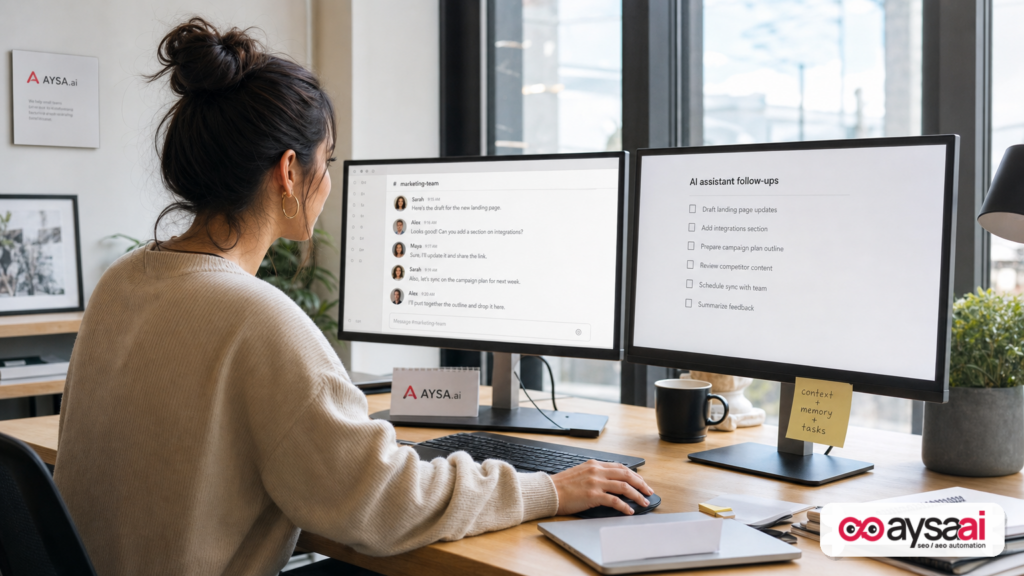
- Claude Tag in Slack signals a move from one-off prompting to persistent AI teammates embedded in workflow. (Source: Search Engine Journal coverage)
- The strategic impact for SEO and marketing is execution: AI can now follow threads, remember context, and keep tasks moving across channels—if you set permissions, QA, and measurement correctly.
- The risk is also execution: permission sprawl, brand mistakes at scale, unreviewed changes, “AI consensus,” and an overload of low-quality output that teams can’t ship or validate.
- Businesses should treat AI coworkers like new hires: define role, boundaries, inputs, outputs, escalation, and performance metrics.
- AYSA is built for the part most companies struggle with: Monitoring what’s changing in search, turning findings into specific recommended actions, getting human approval, then executing accepted website changes and tracking results.
Table of contents
- What changed: from “prompting” to “presence” (and why Slack is the battlefield)
- Why it matters for SEO, AEO, and GEO (AI search visibility is a workflow problem)
- The new operating model: “AI coworker” = workflow + memory + permissions
- Where it breaks: the failure modes nobody budgets for
- A concrete SME scenario: a multi-location dental clinic using channel-based AI
- What agencies should rethink (deliverables, margins, and accountability)
- Governance that works: channels, tools, data, and spend limits
- Measurement: proving what moved (and avoiding AI-driven false confidence)
- Content and SEO in the AI-coworker era: less “more pages,” more “more certainty”
- Technical SEO and site operations: where AI teammates are genuinely useful
- Where AYSA fits: monitored, approved, executed (no AI freelancing on your site)
- What to do next: a 30–60 day action plan
- Sources and further reading
What changed: from “prompting” to “presence” (and why Slack is the battlefield)
For the last two years, most businesses “used AI” in the same way:
- Someone opens a chat tool.
- They paste context (often incomplete).
- They get output (often plausible, sometimes wrong).
- Then the work dies in a document—or becomes a ticket someone forgets to implement.
Claude Tag is a bet that the future isn’t a better prompt box. The future is an AI that lives inside the shared collaboration layer where work actually gets negotiated: priorities, approvals, dependencies, “who owns this,” and “did it ship.” Anthropic’s announcement (as reported by Search Engine Journal) positions @Claude in Slack channels with memory of what happened in the channels it has access to, plus the ability to take on tasks that persist beyond a single prompt, supported by scheduled tasks and tool access (again, as described in the coverage).
That matters because Slack isn’t just chat; it’s the transaction layer for decisions. When you embed AI there, you’re embedding AI into:
- scope definition (“what exactly are we doing?”)
- prioritization (“what’s urgent vs important?”)
- accountability (“who is responsible?”)
- approval (“who signs off?”)
- execution handoffs (“engineering will do it later”)
In other words: you’re embedding AI into the parts of SEO and marketing that determine whether effort produces outcomes.
Why it matters for SEO, AEO, and GEO (AI search visibility is a workflow problem)
Let’s get specific about what “search” looks like in 2026 for most businesses:
- Classic organic search still exists, but click-through is under pressure in many categories because answers are increasingly summarized.
- AI answers are shaping discovery and brand preference even when they don’t send a click.
- Local intent is heavily influenced by maps, reviews, and entity-level consistency.
This is where AEO (Answer Engine Optimization) and GEO (Generative Engine Optimization) become less “new tactics” and more “new accountability.” If an AI system summarizes your brand incorrectly, or attributes your category to a competitor, the fix isn’t a clever prompt. The fix is operational:
- detect the problem (monitoring)
- diagnose the cause (content, entity signals, technical Indexing, citations, reviews)
- make the right change (website, listings, schema, internal linking, content structure)
- ship it (execution)
- verify outcomes (measurement)
AI coworkers in Slack are relevant because they can help with the “in-between” stages where most businesses stall: routing tasks, following up, collecting context, and turning ambiguous requests into implementable work.
But—important—an AI coworker doesn’t magically become your SEO strategy. It becomes a multiplier on your existing process. If your process is chaotic, the AI will scale the chaos.
The new operating model: “AI coworker” = workflow + memory + permissions
In practical terms, “AI coworker” is not one capability. It’s three capabilities bundled together:
1) Workflow presence: AI inside the conversation
When AI is in-channel, it can be looped into decisions as they happen: clarify requirements, propose next steps, summarize conclusions, and create a clean handoff to the person who will execute. This is dramatically better than retroactively pasting fragments into a chatbot window.
2) Memory: persistent context (the real productivity unlock)
Memory is what makes the AI feel like a teammate instead of a vending machine. If @Claude can retain the key constraints discussed in-channel—brand voice rules, pricing policies, which CMS you use, which locations are priority—then you reduce repetitive re-explaining. That lowers friction and increases the odds that the AI’s output is usable.
But memory is also the biggest risk surface. The more context an AI has, the more careful you must be about access control and data hygiene.
3) Permissions and tools: the difference between “assistant” and “actor”
Tool access is where AI goes from “help me write this” to “help me do this.” Search Engine Journal’s write-up notes administrators can control what tools @Claude can access and set spend limits. That’s a governance clue: the vendor expects this to connect to real work systems (data sources, repos, etc.).
For marketing and SEO, tool access typically means:
- analytics (GA4, Search Console exports, BI dashboards)
- rank/visibility monitoring systems
- content repositories (docs, knowledge bases)
- CMS access (drafts, metadata updates)
- ticketing systems (Jira/Asana-style flows)
And that’s where you must be intentional: you want an AI that can propose and coordinate, but you probably don’t want an AI that can publish to production without review.
Where it breaks: the failure modes nobody budgets for
Most teams will adopt AI coworkers because they want speed. The paradox is that speed only helps if you can maintain quality, consistency, and accountability. Here are the failure modes I expect to see—and what to do about them.
Failure mode #1: Permission sprawl
It starts innocently: “Let @Claude see this channel so it understands the project.” Soon it can see five channels, then ten. Then someone gives it access to a drive folder with sensitive docs. Then it’s referenced in a different workspace. Nobody can answer: What exactly can the AI see, and why?
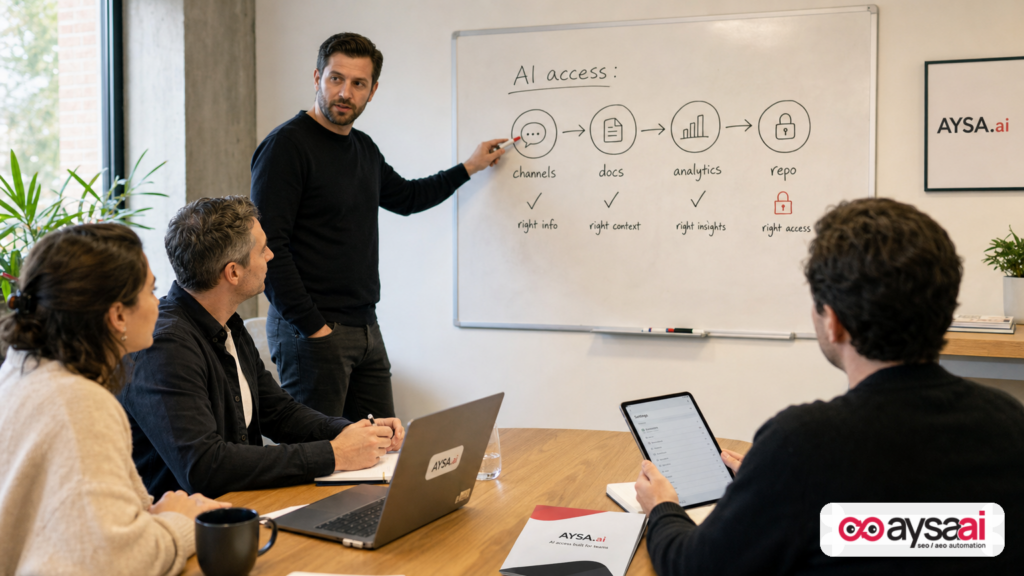
Fix: Create an AI access map. Treat the AI like a contractor who needs least-privilege access. Define channels by sensitivity (public/internal/restricted) and allow AI only where it has a clear role.
Failure mode #2: “AI consensus” replaces thinking
When AI is always present, teams can drift into a pattern where they ask the AI to break ties or validate decisions. That’s dangerous because AI can be persuasive even when it’s wrong—and wrong in subtle ways (e.g., “this keyword has high intent,” “this schema is required,” “this claim is compliant”).
Fix: Establish escalation rules: what the AI can decide vs what requires a human decision. For SEO, that typically means the AI can draft, analyze, and propose—but final decisions on positioning, medical/legal claims, pricing, brand promises, and publish-to-site changes need explicit owner approval.
Failure mode #3: Output overload (more content, fewer results)
When AI makes drafting easy, teams produce more pages, more briefs, more ideas. But “more” doesn’t win in modern search. Precision wins: the right page structure, the right entity signals, the right internal links, the right proof.
Fix: Shift the KPI from “how much did we publish” to “how many changes shipped and improved measurable outcomes.” Output volume is not a business outcome.
Failure mode #4: No audit trail
AI coworkers generate a lot of micro-decisions inside chat. Six weeks later, when performance changes, you need to know: what changed, who approved it, and when? If your workflow is “it was in Slack somewhere,” you won’t be able to debug.
Fix: Convert chat decisions into a system of record: change requests, approvals, deployments, and monitoring annotations. This is exactly why “approved execution” matters.
Failure mode #5: Brand and compliance risk at scale
SEO and content teams are now asked to move faster than ever. AI can help—but it can also amplify small mistakes across hundreds of pages: wrong claims, outdated policies, inaccurate service areas, or tone that damages trust.
Fix: Define a “no-fly list” (topics, claims, regulated language) and a “must cite internal source” rule for sensitive statements. If the AI can’t point to an internal approved source, it doesn’t publish.
A concrete SME scenario: a multi-location dental clinic using channel-based AI
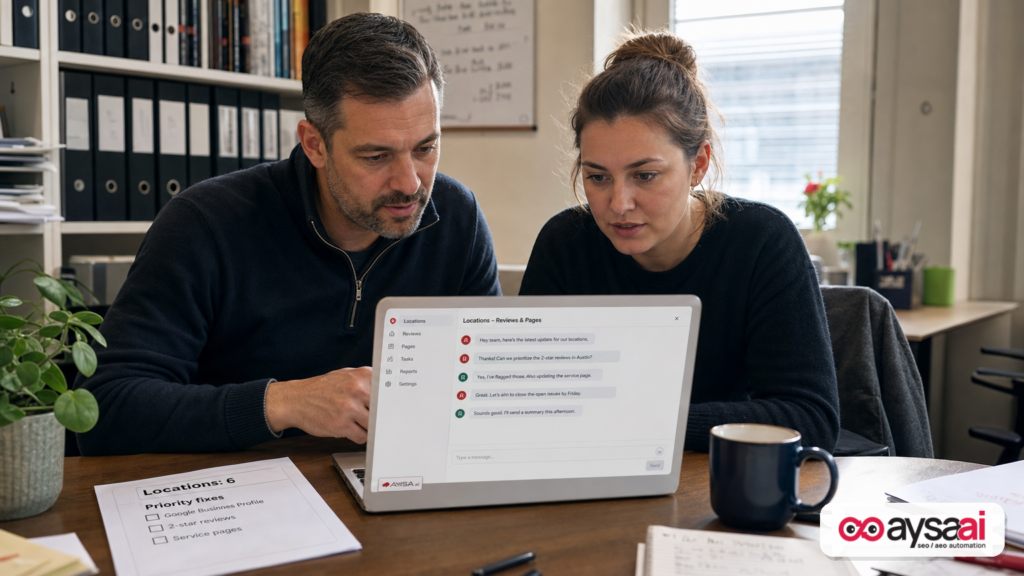
Let’s make this real with a scenario that mirrors what many SMEs deal with: a dental clinic group with 6 locations.
The situation:
- Each location has a service page, dentist bios, and a Google Business Profile.
- Reviews are coming in daily across locations.
- The clinic wants to show up for “emergency dentist,” “Invisalign,” and “teeth whitening,” but competition is intense.
- Marketing is one person. Operations is another. The owner approves big changes. A freelancer updates the site “when they get to it.”
Where AI coworker helps inside chat:
- In a #locations channel, AI summarizes weekly review themes per location and flags urgent negative patterns.
- In a #website channel, AI proposes metadata updates and internal linking improvements based on priority services.
- In #content, AI drafts FAQs and page sections—but must follow clinic-approved language rules.
- In #analytics, AI compiles a simple weekly performance memo from agreed exports (not “magic numbers”).
Where it can go wrong: the AI might draft medically sensitive claims, or suggest aggressive “before/after” statements that the clinic wouldn’t want. Or it might create pages that look different per location and damage brand consistency.
The right model: AI proposes; humans approve; a controlled system executes; monitoring verifies. That’s how you get speed without chaos.
What agencies should rethink (deliverables, margins, and accountability)
If you run an agency, Slack-based AI coworkers will change client expectations fast. Clients will see AI producing drafts and assume agencies should be cheaper or faster. That’s the wrong conclusion.
Agencies should use this moment to reposition around what clients actually struggle to buy:
1) Strategy and prioritization are now the premium product
AI can generate options. It cannot own tradeoffs. The agency value is deciding what to do first, based on business goals, constraints, and real SERP dynamics.
2) QA and governance become billable (and essential)
In an AI-heavy workflow, QA is not “nice to have.” It’s the difference between compounding gains and compounding mistakes. Agencies that can provide governance—review checklists, compliance alignment, structured approvals—will win.
3) Implementation is the moat
Clients don’t pay for recommendations; they pay for results. Results require changes that ship: technical fixes, content structure improvements, schema, internal links, page templates, and site-wide consistency.
That’s why systems like AYSA matter: closing the loop between insight and deployment in an auditable way.
4) Reporting must evolve from “rankings” to “causality”
AI in workflow creates more moving parts. You can’t rely on a single KPI. Agencies need to tie changes to outcomes with change logs and measurement discipline.
Governance that works: channels, tools, data, and spend limits
Anthropic’s coverage mentions admin controls and spend limits. That’s not a footnote; it’s the blueprint. If you add AI into Slack, treat it like a system that needs policy.
Here’s a governance framework that works for SMEs and agencies.
1) Design channels around function, not convenience
- #seo-tech (site issues, indexing, templates)
- #content (briefs, drafts, updates)
- #reviews-local (location pages, reputation, listings)
- #analytics (weekly snapshots, anomalies, experiments)
- #approvals (final sign-off summaries)
Invite AI only where it has a defined job. Avoid adding it to leadership channels where strategy and sensitive finance/HR data live—unless you have a strict policy and strong reasons.
2) Control tool access with least privilege
Start read-only wherever possible. For SEO, the safest early wins come from analysis and drafting—not publishing.
Example tool access ladder:
- Read-only data exports (CSV snapshots, scheduled reports)
- Read-only dashboards (if supported with strong access control)
- Draft-only CMS access (create drafts, not publish)
- Change request creation (tickets, tasks, checklists)
- Publish permissions (only after mature governance—often never)
3) Spend limits and scope limits are operational hygiene
AI coworkers can become a hidden cost center if they run large tasks repeatedly (“re-audit the whole site daily”). Set spend limits, task quotas, and clear triggers for heavy operations.
4) Create a brand and claims policy the AI must follow
Make a short “constitution” for marketing:
- tone and voice rules
- forbidden claims
- required disclaimers (if applicable)
- pricing language rules
- how to cite sources internally
This is unsexy—but it’s what prevents AI from generating brand debt.
Measurement: proving what moved (and avoiding AI-driven false confidence)
AI coworkers will produce more activity. Activity is not impact. You need a measurement model that answers one question: Which changes improved visibility and revenue—and which didn’t?
At minimum, build these measurement habits:
1) Maintain a change log tied to deployment
Every significant SEO/content change should have:
- date shipped
- what changed (page(s), template(s), schema, internal links, metadata)
- who approved
- expected outcome
- how success will be measured
2) Separate leading indicators from lagging outcomes
- Leading: indexation health, crawl anomalies, impressions for target topics, query coverage
- Lagging: qualified traffic, conversions, calls/leads, revenue
Without this, teams panic early or celebrate too soon.
3) Use simple control groups when possible
You don’t need a PhD experiment design, but you do need discipline. For example:
- Update 10 pages with a new template section; leave 10 similar pages untouched for 3–4 weeks.
- Compare impression growth, CTR, and conversion rate.
AI can help draft the plan and compile results, but humans should define the test question and decide what to roll out.
4) Track AI search visibility explicitly
AI answers change quickly, and visibility isn’t always reflected as clicks. You need monitoring that checks how your brand appears across AI-driven experiences and whether the citations/mentions align with your most valuable pages.
AYSA is built for exactly this category of work: AI search visibility monitoring plus execution support, so you can respond when AI answers drift away from your truth.
Content and SEO in the AI-coworker era: less “more pages,” more “more certainty”
Here’s the hard truth: many businesses used AI to create content faster—and then wondered why nothing moved. The reason is usually one of these:
- They published content that wasn’t differentiated (same ideas as everyone else).
- They didn’t build entity credibility (clear authorship, policies, about pages, proof).
- They didn’t improve site structure (internal links, templates, navigation).
- They didn’t measure and iterate; they just kept publishing.
AI coworkers in Slack can help, but only if you stop treating content as “documents” and start treating content as product:
- clear purpose
- clear audience intent
- clear structure and design
- clear maintenance cadence
Build a content ops loop that AI can actually accelerate
Instead of “write 20 blog posts,” use a loop:
- Identify the pages that drive money (services, categories, product families).
- Find gaps: missing FAQs, missing comparisons, missing proof, missing internal links.
- Draft improvements with AI (inside a governed channel).
- Run editorial QA.
- Ship changes via an approved execution workflow.
- Monitor outcomes and iterate.
That’s how AI becomes a growth lever, not a content factory.
Technical SEO and site operations: where AI teammates are genuinely useful
Many technical SEO tasks are perfect for an AI coworker because they involve:
- log review and anomaly detection (with proper data access and human oversight)
- ticket triage (“is this a real SEO issue or noise?”)
- documentation (“what did we change in the template?”)
- pattern spotting across pages (“these 200 pages share the same missing H1 pattern”)
But again: the win comes when analysis turns into shipped fixes.
In AYSA’s model, the goal is to make the execution loop safe and fast: the system monitors, prepares recommended fixes, asks for approval, then executes accepted website changes. That’s the missing layer for many teams using AI tools that stop at “here’s a suggestion.”
If you want to explore this approach, start here:
Where AYSA fits: monitored, approved, executed (no AI freelancing on your site)
Let’s connect the dots.
Claude Tag (as described in the source coverage) is about embedding an AI assistant into Slack so it can remember channel context and help with ongoing tasks—potentially across tools and data sources with administrator control. That’s a workflow layer.
AYSA is an execution layer for SEO/AEO/GEO. The practical business problem we see constantly is that teams can’t turn insights into production changes reliably. They have:
- SEO audits that don’t get implemented
- content drafts that never ship
- technical recommendations stuck behind dev backlogs
- no clear measurement linking changes to outcomes
AYSA is designed to reduce that gap by:
- Monitoring visibility and issues (so you don’t find out 60 days late)
- Preparing specific recommended website changes
- Requesting approval before anything goes live
- Executing accepted changes (so the plan becomes reality)
That is the operational complement to “AI coworker in chat.” Chat helps coordination; AYSA helps controlled execution.
Learn more in these resources:
What to do next: a 30–60 day action plan
If you’re a founder, marketing lead, or agency owner, here’s a practical rollout plan that balances speed and safety.
Days 1–7: Define the AI coworker’s job
- Pick one area: SEO technical backlog, content updates, local visibility, or analytics reporting.
- Write a one-page role definition: what the AI is allowed to do, and what it is not allowed to do.
- Create a short style/claims policy and pin it in the channel.
Days 8–21: Build governance and a system of record
- Create a dedicated channel (or channels) for AI collaboration.
- Set access boundaries (least privilege).
- Decide how tasks become tickets or change requests (don’t rely on chat scrollback).
- Define who approves what.
Days 22–45: Run 2–3 measurable “shipping” cycles
- Pick a small batch of pages or a single template improvement.
- Ship changes with approval and a change log.
- Measure leading indicators and outcomes.
Days 46–60: Scale only what proved impact
- Standardize the workflow into a repeatable playbook.
- Expand to new channels only with clear purpose.
- Invest in monitoring so you catch regressions early.
What to do next (checklist)
- Decide your AI coworker’s domain: content, tech SEO, local, analytics—or one slice of one domain.
- Create an approval gate for anything that touches production.
- Implement a change log so you can debug outcomes.
- Reduce permissions (start read-only) and expand carefully.
- Focus on shipping improvements to money pages before publishing net-new content.
- Monitor AI search visibility and treat drift as an operational issue to fix, not a mystery to accept.
- Consider an execution system like AYSA to turn monitoring into approved site changes that get implemented.
Sources and further reading
- Search Engine Journal: Anthropic’s @Claude Enters Workplace As A Slack Channel Coworker
- Search Engine Journal: Latest News
- Search Engine Journal: SEO section
- AYSA: AI Search Visibility
- AYSA: Monitoring
- AYSA: AI SEO Tools
- AYSA: Pricing
- AYSA: Blog
Note on sourcing: This editorial is based on the provided Search Engine Journal coverage and general operational patterns seen in SEO and marketing execution. The SEJ item references Anthropic’s announcement but the original Anthropic source link was not included in the supplied research context; where details could not be independently verified from primary documentation here, they are discussed as implications and operating guidance rather than hard product claims.
Continue the AI search topic inside AYSA.
Use these pages to connect the article with AI SEO tools, AI visibility monitoring, AI Overviews and approved website execution.
Turn this topic into a website action plan.
Use these AYSA hubs to move from reading to technical fixes, AI visibility monitoring, research, glossary context and approval-first SEO execution.

