
A WordPress Plugin Bug Can Hand Over Your Site: What Ultimate Member’s Reset-Link Leak Teaches Every Business About SEO, Trust, And Execution
A high-severity flaw in the Ultimate Member plugin shows how a single WordPress vulnerability can become a revenue, reputation, and search visibility crisis. Here’s how to reduce exposure, respond fast, and operationalize security as part of your SEO execution system.

WordPress is still the default website engine for a huge portion of small and mid-sized businesses. Not because it’s trendy—because it’s practical: it’s affordable, flexible, and it has a plugin for almost anything you want to do.
That last part is also the risk. A WordPress website is not “a website” anymore. It’s a living software stack assembled from third-party modules, updated on different schedules, touching identity, payments, content, and analytics. When one of those modules has a critical flaw, your growth engine can turn into a liability overnight.
In June 2026, Search Engine Journal reported on a high-severity vulnerability in the popular Ultimate Member WordPress plugin. The vulnerability was rated 8.8/10 and, as described, can allow an authenticated attacker (with contributor-level access or higher) to obtain password reset URLs for user accounts—including administrators—leading to full site takeover. The report notes affected versions up to and including 2.11.4 and a patch in 2.12.0.
I’m writing this as Marius Dosinescu from AYSA.ai, and I’m going to be blunt: if you operate a WordPress site that drives leads, bookings, ecommerce revenue, or brand trust, you can’t treat security as “IT’s problem.” It’s now inseparable from SEO, from AI Search visibility, and from conversion. Security is part of your execution system.
Concise summary
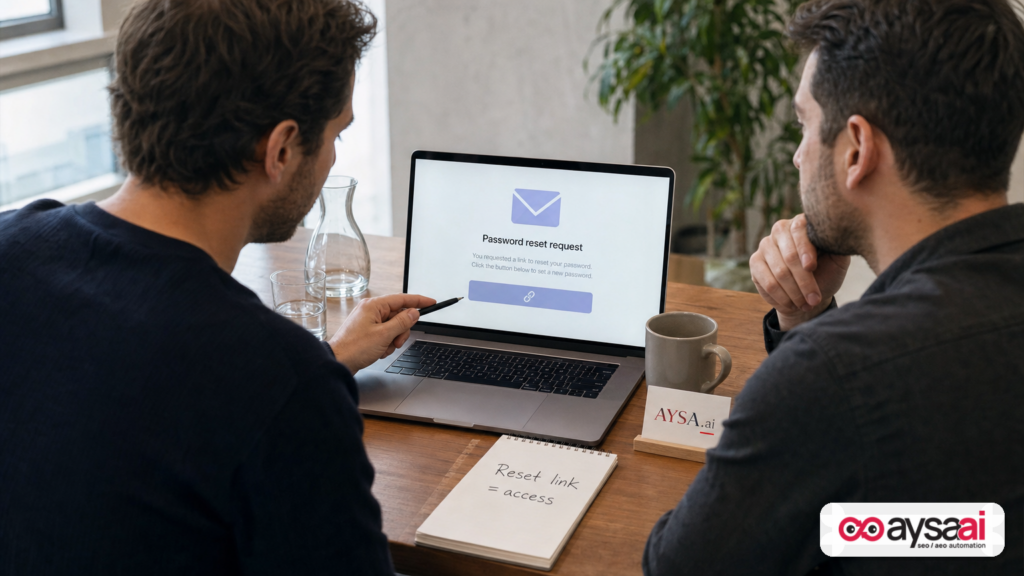
- What happened: A reported chain of logic flaws in Ultimate Member can expose password reset links to authenticated users with contributor-level access or higher. Those links can enable account takeover, including admin accounts.
- Why it matters: Site takeover becomes a marketing incident fast: spam pages, redirects, downtime, analytics pollution, and reputational damage—followed by SEO cleanup.
- What businesses should do: Patch quickly, tighten roles, reduce plugin surface area, monitor for identity/content anomalies, and define an incident playbook with clear ownership.
- Where AYSA fits: AYSA turns “we should fix this” into “we shipped it safely” by combining Monitoring with prepared changes that require approval before execution. Start with Monitoring and explore our AI SEO tools.
Table of contents
- What happened (and what makes this particular bug so dangerous)
- Why this matters beyond security: revenue, trust, and operational drag
- The SEO angle most teams miss: security incidents become visibility incidents
- “Authenticated attacker” doesn’t mean “safe” in real businesses
- Why membership/profile plugins are high-impact components
- A simple permission-and-exposure model any SME can run
- A concrete SME scenario: the ecommerce brand with a community feature
- Agency reality: what breaks first during vulnerability events
- A practical action plan (SMEs): 30 minutes, 48 hours, 30 days
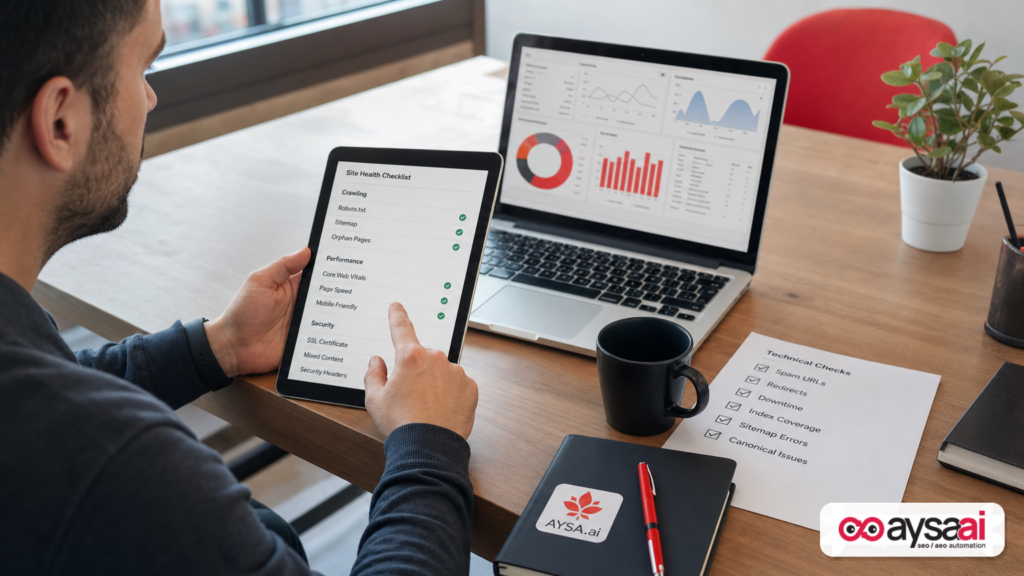
- After patching: what to monitor so you’re not surprised later
- Plugin governance as a growth function (not maintenance)
- AI search visibility and trust: why compromised sites lose the future, not just today
- Where AYSA fits: monitoring + “approved execution” for WordPress SEO and risk reduction
- What to do next
- Sources and further reading
What happened (and what makes this particular bug so dangerous)
The SEJ report describes a vulnerability in Ultimate Member that enables account takeover by exposing password reset links. That isn’t a minor privacy leak—it’s often equivalent to handing someone a temporary login credential.
Based on the description, the issue is a chain of logic flaws that become dangerous when combined:
- Directory validation can be tricked so arbitrary posts may be treated like legitimate member directories.
- Protected metadata restrictions can be bypassed, allowing access to internal fields that plugins assume aren’t available to normal users.
- Field name validation is insufficient when generating user “card” data, enabling requests for internal fields—including the password reset link.
Important nuance: the report states this is an authenticated vulnerability. That means an attacker needs contributor-level access or higher before exploiting it. If you’re an SME owner reading this, don’t let the word “authenticated” calm you down. It’s not a theoretical barrier. It’s a real-world scenario (we’ll cover why in a later section).
The patch guidance in the source is straightforward: the vulnerability affects versions up to and including 2.11.4, and the fix is in 2.12.0. If Ultimate Member is in your stack, your goal should be “patch fast, validate key flows, then monitor.”
Why this matters beyond security: revenue, trust, and operational drag
Security vulnerabilities get discussed like they live in a separate universe from marketing. But in a typical SMB, the “website” is where marketing, sales, and operations intersect:
- Marketing uses it to publish, rank, and convert.
- Sales uses it to capture leads and qualify intent.
- Operations uses it to communicate policies, hours, pricing, and support.
- Leadership uses it as proof the business is legitimate.
When a site is compromised, the business impact tends to show up in predictable—and painful—ways:
1) Lead leakage and conversion sabotage
Attackers don’t need to “steal data” to hurt you. Sometimes they just need to reroute value:
- Contact forms redirect to an attacker-controlled email address.
- Phone numbers on high-traffic landing pages are swapped.
- Checkout or booking flows are interrupted.
2) Brand trust damage that lingers
A security incident becomes a trust incident instantly. Customers don’t distinguish between “the plugin had a bug” and “this brand is unsafe.” They just leave.
3) Unplanned work that destroys your roadmap
Even a “small” compromise can take a team weeks to clean up, because the real work isn’t patching. It’s:
- Finding what changed
- Rolling back safely (without losing legitimate work)
- Auditing access and credentials
- Validating every critical funnel
- Cleaning indexation and reputation effects
This is why I push a strong operational stance: if your website is a growth asset, you need a repeatable execution system—not heroics.
The SEO angle most teams miss: security incidents become visibility incidents
Most SMEs treat SEO like a content contest: publish more, build links, update pages. That’s part of it. But the invisible layer—site integrity—often determines whether those efforts compound or evaporate.
Here’s how security problems routinely turn into SEO problems:
Spam pages get indexed (and your domain’s “meaning” shifts)
Compromised sites often sprout thousands of low-quality URLs. Even if Google eventually ignores them, you still pay the cost in:
- Crawl waste: bots spend time on junk instead of your important pages.
- Index bloat: more URLs competing for attention in search systems.
- Brand confusion: your domain appears for queries you never wanted.
Redirects and cloaking poison performance data
When attackers introduce conditional redirects or Cloaking, you can’t trust your analytics. Conversion rate drops and Attribution gets noisy. Paid campaigns get paused “because performance,” when the real issue is site integrity.
Downtime and performance regressions have long tails
Google is resilient to short outages, but repeated instability creates a reliability problem. Users bounce. Crawlers slow. AI systems looking for sources prefer stable, trustworthy pages. Even if you recover, momentum is lost—and momentum is expensive.
Security warnings destroy CTR and conversions
If browsers, hosting, or third-party services flag your site, your click-through rate and conversions drop before rankings do. That’s a brutal mismatch: you look like you “still rank,” but business results collapse.
My editorial opinion: The market will keep teaching this lesson until businesses change their operating model. SEO isn’t just optimization—it’s reliability and trust at scale.
“Authenticated attacker” doesn’t mean “safe” in real businesses
When people hear “authenticated vulnerability,” the usual reaction is: “So we’re okay as long as nobody gets in.” But for many WordPress sites, “getting in” isn’t that hard because access is distributed across people, vendors, and time.
Contributor-level access is common because it’s convenient. It’s also risky. Here are the most realistic pathways:
- Contractors and agencies get accounts for content, landing pages, or site edits.
- Guest contributors get access for thought leadership or PR.
- Community members get posting privileges in forums, directories, or membership areas.
- Compromised credentials happen via password reuse or phishing (no exotic hacking required).
- Legacy accounts remain active long after someone left the company.
If an attacker only needs a contributor account to escalate into admin takeover, then contributor accounts become part of your critical security perimeter. That’s not paranoia. That’s just how these vulnerability chains are exploited in practice.
Why membership/profile plugins are high-impact components
Ultimate Member is described in the source as a plugin that helps create online communities, membership portals, user directories, front-end registration/login, and searchable member directories.
In other words: it touches the exact systems you can’t afford to be sloppy with—identity and permissions.
From a business lens, membership/profile plugins tend to increase risk for three reasons:
1) They handle sensitive flows
Registration, login, password resets, profile changes, role handling—these aren’t “content.” These are identity flows.
2) They expose data in structured formats
Member directories and user “cards” are, by design, a way to display user data. If field validation is flawed, you risk exposing internal fields unintentionally.
3) They expand the “authenticated population”
A typical brochure site has very few logged-in users. A community or membership site can have hundreds or thousands. If any of those accounts gain elevated privileges (intentionally or by mistake), the attack surface grows fast.
None of this is a reason to avoid membership plugins categorically. It’s a reason to treat them like critical infrastructure.
A simple permission-and-exposure model any SME can run
SMEs don’t need a 40-page security framework to make better decisions. You need a practical model that maps to what can actually go wrong.
Here’s a simple model I recommend to business owners and agencies. It’s designed to prevent the “contributor can become admin” outcome.
Step 1: Count who can do what (roles inventory)
- How many Administrators do you have? Name them.
- How many Editors do you have? Name them.
- How many Contributors do you have? Name them.
- How many accounts are “unknown,” “shared,” or “legacy”?
Step 2: Identify your “identity plugins”
List plugins that affect:
- Login/registration
- Password reset
- User directories/profiles
- Role management
Step 3: Identify your “money flows”
List the flows that generate revenue or leads:
- Checkout
- Booking/appointments
- Contact/quote forms
- Phone calls (click-to-call)
Step 4: Define what must never change without approval
In most SMEs, the approval boundaries should include:
- Role changes (especially anything that creates/expands admin access)
- Plugin install/uninstall
- Theme edits and template file changes
- Redirect rules (including server-level redirects)
- Login, reset-password, and membership directory settings
This is where “Approved Execution” becomes more than an SEO term—it’s risk control. Someone needs to be accountable for the changes that can end the business day.
A concrete SME scenario: the ecommerce brand with a community feature
Let’s bring this out of the abstract with a scenario I see constantly in the market.
The setup
An ecommerce brand sells specialty products (think: fitness supplements, home goods, or cosmetics). WordPress + WooCommerce runs the store. The team adds a community feature for UGC:
- Members can register, build profiles, and comment.
- Select community users get contributor permissions to post product tips and reviews.
- The marketing team uses the community to generate content that ranks.
The “small” operational decision that becomes a big problem
To move fast, the brand leaves contributor access wide open and doesn’t routinely prune accounts. Contractors come and go. Old contributor accounts remain active. Password rules are inconsistent.
The incident
If an attacker gets contributor-level access (by compromising an old account, buying leaked credentials, or exploiting weak passwords) and then uses a vulnerability like the one described, they can potentially:
- Extract reset links for higher-privilege users
- Reset an administrator password
- Gain admin access and install malicious code
The marketing symptoms
The founder doesn’t see “a security bug.” They see:
- Conversion rate drops
- Paid campaigns suddenly underperform
- Customer support tickets spike (“Your site sent me somewhere weird”)
- Search Console (or SEO tools) show a surge of strange URLs
The cost is not just cleanup. It’s the opportunity cost of a month where the team stops doing growth work and starts doing emergency work.
Lesson: Plugin-driven growth features require plugin-driven governance. If you don’t operationalize it, you’ll eventually pay for it during a crisis.
Agency reality: what breaks first during vulnerability events
If you’re an agency, you’re often the glue between marketing and the website. That also means you’re the default escalation point when something goes wrong—even if the contract never said “security.”
In vulnerability events, the first things that typically break are not technical—they’re operational:
1) No one knows who owns patching
The client thinks the agency patches. The agency thinks the hosting provider patches. The hosting provider thinks the client patches. Meanwhile, the exposure window stays open.
2) Update fear delays action
Clients fear plugin updates because updates can break the site. That fear is rational. The solution is not “don’t update.” The solution is a defined lane for security patches, with a short validation checklist and clear rollback options.
3) Access sprawl makes containment difficult
Agencies create accounts for staff, freelancers, and tools. If access management isn’t disciplined, you can’t quickly answer basic questions like:
- Who has admin?
- Which accounts are active?
- When did the last role change happen?
4) Communication becomes the real crisis
The client wants certainty: “Are we hacked?” “Did we lose data?” In many cases, you can’t answer immediately without investigation. You need a communication plan that is calm, honest, and decisive—without overpromising.
Agency editorial stance: Your service quality isn’t measured in calm weeks. It’s measured in how you respond in chaotic ones. A vulnerability playbook is not optional if you manage WordPress sites.
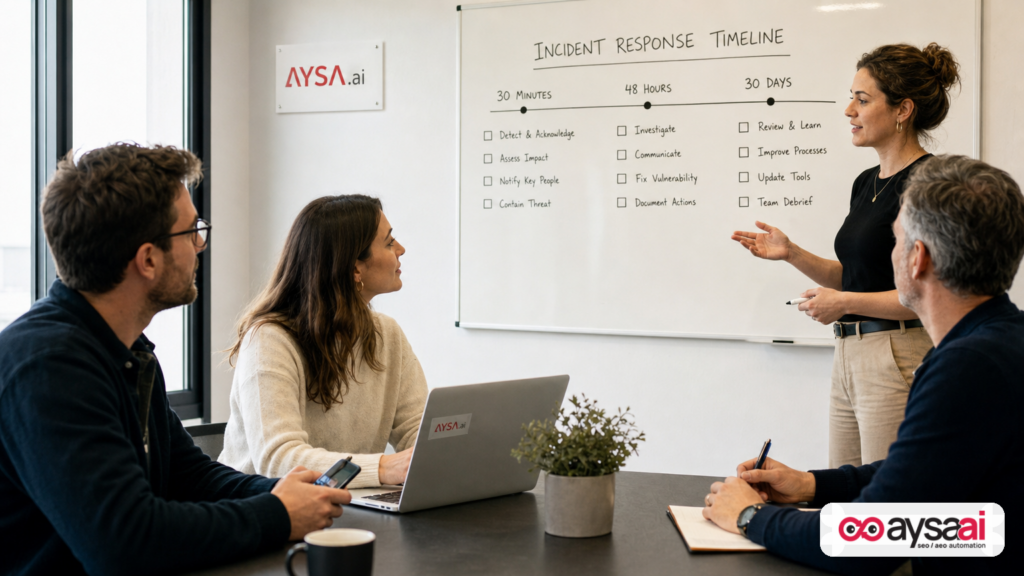
A practical action plan (SMEs): what to do in the next 30 minutes, 48 hours, and 30 days
This section is designed to be executable for a non-technical business owner. Adapt it to your environment and contracts. If you have a developer or agency, forward this and ask them to confirm completion in writing.
In the next 30 minutes: reduce exposure
- Identify whether Ultimate Member is installed and confirm the version number.
- Update to a patched version (SEJ reports 2.12.0 includes the fix). If you can’t patch immediately, schedule a maintenance window within days, not weeks.
- Disable or remove unused contributor accounts (especially old contractors). If in doubt, disable first; you can re-enable later.
- Limit administrator accounts to only the people who need it.
- Change passwords for admin and editor accounts. Ensure no shared logins.
In the next 48 hours: validate and investigate
- Audit roles and recent changes: look for new admins/editors, unexpected role escalations, and unknown user accounts.
- Check for content anomalies: sudden new pages/posts, especially with spam keywords or weird titles.
- Test your money flows: forms, checkout, booking, login, and password reset flows.
- Review redirects: confirm important pages aren’t redirecting unexpectedly.
- Confirm you have backups and that you can restore them. A backup that hasn’t been tested is a hope, not a plan.
In the next 30 days: harden the system so you’re not here again
- Create a plugin update policy: define how quickly you apply critical security updates, who approves them, and who validates after deployment.
- Reduce plugin sprawl: remove inactive plugins and consolidate redundant functionality.
- Implement role hygiene: contributor access expires; contractors get named accounts; admin access is rare and justified.
- Establish monitoring: identity changes, plugin changes, content anomalies, indexation spikes, and performance cliffs.
- Write an incident playbook: who gets called, what gets checked, what gets communicated, and what gets paused (like paid campaigns) until integrity is confirmed.
If you want to operationalize this without adding a full-time technical role, that’s exactly where an execution system matters. AYSA starts with monitoring (aysa.ai/monitoring) and expands into prepared, approved execution work across SEO and site changes (aysa.ai/ai-seo-tools).
After patching: what to monitor so you’re not surprised later
Many teams treat patching like the finish line. It’s not. It’s the start of verification.
Here’s what to monitor after you update (whether this vulnerability affected you or not):
Identity and access signals
- New administrator accounts
- Role changes (especially anything escalating privileges)
- Login anomalies (multiple failed attempts, unusual times)
Website integrity signals
- Unexpected plugin/theme changes
- New files or modified templates
- Unknown outbound links injected into pages
SEO and indexation signals
- Sudden spikes in indexed URLs
- Unrecognized URL patterns (e.g., random folders or parameters)
- Title/meta changes on important pages
Performance and uptime signals
- Time-to-first-byte regressions
- Server errors (5xx spikes)
- Unexpected downtime
This is where monitoring becomes more than “rank tracking.” Monitoring is how you detect that your system changed in a way you didn’t authorize.
To understand how AYSA approaches ongoing monitoring and change control, start here: AYSA Monitoring.
Plugin governance as a growth function (not maintenance)
Here’s the cultural shift I want SMEs and agencies to make: plugin governance isn’t “maintenance.” It’s a growth function. The purpose of governance is to keep compounding assets compounding.
A minimal governance program for an SME WordPress site looks like this:
1) A shortlist of approved plugins
You don’t need 47 plugins. You need the right ones, with a bias toward fewer moving parts. Every plugin should have an “owner” and a reason to exist.
2) A patch cadence with urgency tiers
Not all updates are equal. But security patches should have a fast lane. If you don’t have a fast lane, you will eventually freeze updates and become increasingly vulnerable.
3) A post-update validation checklist
Keep it simple and repeatable. For most SMEs, the checklist is:
- Homepage loads
- Navigation works
- Login + reset-password works
- Primary conversion flow works (form/checkout/booking)
- Key SEO pages are indexable and canonicalized correctly
4) Role hygiene and access expiration
Contributor and contractor accounts should expire by default. If someone needs access again later, you re-enable it intentionally.
5) Change logs and accountability
When something breaks, you need to know what changed. This isn’t about blame. It’s about time-to-recovery. The faster you can answer “what changed,” the faster you can fix it.
If that sounds like “process,” good. Process is how you avoid expensive chaos.
AI search visibility and trust: why compromised sites lose the future, not just today
Most conversations about WordPress vulnerabilities still focus on one outcome: “Will we get hacked?” That’s the wrong ceiling.
The more strategic question in 2026 is: “If something goes wrong, will the business lose trust across search and AI answers?” Because search behavior is changing:
- Users increasingly rely on AI-generated answers and summaries.
- Those systems prefer sources that are stable, consistent, and trustworthy.
- A compromised site can publish false or spammy content that gets picked up and echoed—then you have a reputational cleanup problem, not just a technical one.
AYSA’s focus on AI search visibility is grounded in this reality. Visibility isn’t just “ranking blue links.” It’s being the brand that search engines and AI systems are comfortable referencing. Learn more about that direction here: AI Search Visibility.
Where AYSA fits: monitoring + “approved execution” for WordPress SEO and risk reduction
In most businesses, the problem isn’t knowledge. Everyone knows “you should update plugins.” The problem is execution:
- Who notices the issue?
- Who decides it’s urgent?
- Who prepares the change safely?
- Who approves it?
- Who executes and validates it?
This is why we built AYSA as an execution system—not a reporting tool. AYSA’s operational loop is:
- Monitor: Detect changes and risks early (Monitoring).
- Prepare: Turn insights into specific, actionable changes (technical SEO fixes, content improvements, site updates) (AI SEO tools).
- Approve: Keep business control by requiring explicit approval for meaningful site changes.
- Execute: Ship accepted changes and validate impact—without relying on “we’ll do it next week.”
For WordPress teams, this matters because WordPress failures often come from unowned execution. A site grows, plugins accumulate, access spreads, and updates get delayed because nobody wants to break the site. Approved execution is how you keep speed without gambling production.
If you’re evaluating whether this fits your team size and risk tolerance, start with AYSA pricing, and explore implementation ideas on our blog.
What to do next
- If you use Ultimate Member: confirm your version and update to the patched release referenced by SEJ (2.12.0+). Validate login and password reset flows after updating.
- Audit WordPress roles: reduce contributor access, remove stale accounts, and minimize admins.
- Run a post-patch integrity check: look for unknown admin users, suspicious new content, and strange redirects.
- Create a plugin governance policy: approved plugin list, patch cadence, and a short validation checklist.
- Operationalize monitoring: monitor identity changes, plugin/theme changes, and SEO/indexation anomalies (AYSA Monitoring).
- Build an execution pipeline: a system that prepares changes, routes them for approval, and executes reliably (AYSA AI SEO tools).
- Protect your future visibility: stabilize trust signals that affect AI citations and search visibility (AI search visibility).
Sources and further reading
- Search Engine Journal — Ultimate Member WordPress Plugin Vulnerability Affects Up To 200k Sites
- Search Engine Journal — Latest (News)
- Search Engine Journal — SEO coverage
- Search Engine Journal — SEO News
- Search Engine Journal — Webinars (ongoing industry context)
Note on primary advisories: The SEJ report references a third-party security vendor (“According to Wordfence…”). The advisory URL was not included in the provided research context for this assignment. If you have the primary advisory link and/or an official plugin changelog entry, add them here—primary sources are the best way to validate technical details and timelines.
AYSA internal resources:
Security incidents will keep happening because the plugin ecosystem is massive and attackers are persistent. The differentiator isn’t whether your site will ever face a vulnerability. The differentiator is whether your business has the operational discipline to patch quickly, validate confidently, monitor continuously, and execute changes with accountability.
That’s not “technical work.” That’s modern marketing operations.
Continue the AI search topic inside AYSA.
Use these pages to connect the article with AI SEO tools, AI visibility monitoring, AI Overviews and approved website execution.
Turn this topic into a website action plan.
Use these AYSA hubs to move from reading to technical fixes, AI visibility monitoring, research, glossary context and approval-first SEO execution.

