
Back-to-School Shopping Is an AI Search Stress Test: What Google’s New Shopping Behaviors Mean for SEO (and What SMEs Should Do Now)
Google’s latest back-to-school shopping guidance is really a blueprint for how AI Search will influence product discovery: longer conversational queries, personalized recommendations, visual search, local availability, price intelligence, and virtual try-on. Here’s what changed, why it matters for SMEs, and the exact execution plan to win visibility in AI-powered shopping journeys.

Author: Marius Dosinescu / AYSA.ai
Back-to-school shopping looks like a seasonal retail moment. In reality, it’s a stress test for where AI Search is heading: people describe what they want in natural language, ask for recommendations, compare prices across merchants, check local availability, use a camera to identify products, and increasingly expect results to reflect their personal constraints (size, dorm rules, timing, budget).
Google’s own back-to-school shopping guidance—centered on AI Mode, connected apps for personalization, Lens for visual discovery, price history and tracking, nearby stock, and virtual try-on—reads like a consumer article. But for businesses, it’s a roadmap for the next era of search demand. If your site and product data aren’t structured to be “understood” by AI systems, you won’t just rank lower—you’ll be absent from the shortlists AI produces.
This editorial is a practical playbook for SMEs and agencies: what changed, why it matters, what can go wrong, what to monitor, and exactly what to do next. I’ll also show where AYSA fits: we monitor, prepare changes, ask for approval, and execute accepted updates so you can move fast without losing control.
Concise summary
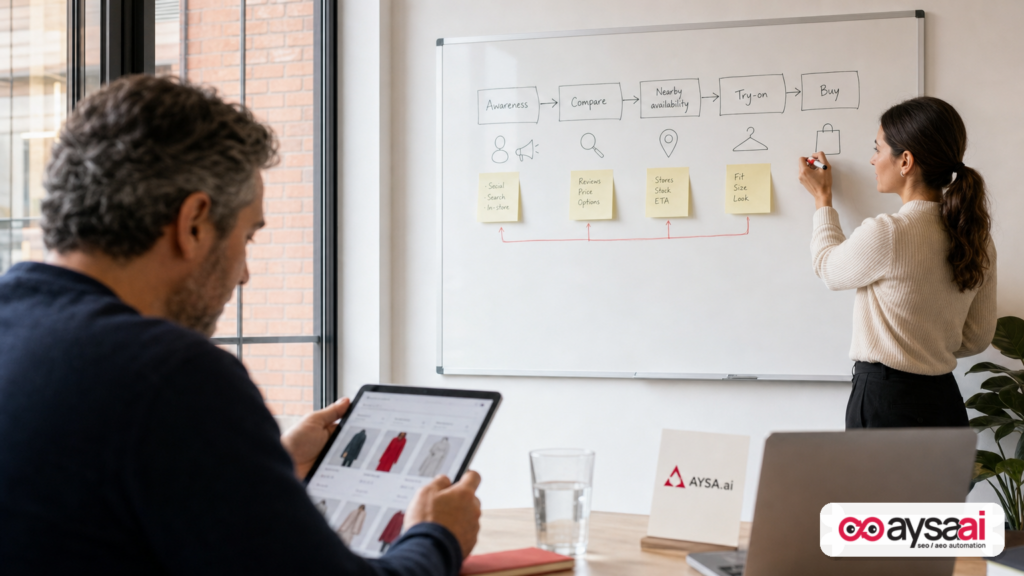
- AI Search is reshaping shopping behavior from Keyword matching to multi-step, conversational decision support (recommendations, tradeoffs, budget, availability, try-on).
- “Personalized” discovery raises the bar for product data, site structure, and trust signals—because generic pages don’t satisfy specific needs.
- Visual and local discovery are becoming default (Lens + “near me”), which forces better imagery, product attributes, and local inventory clarity.
- Price intelligence changes conversion paths: shoppers track prices and wait—your merchandising and content need to anticipate that.
- Execution speed becomes a competitive advantage. Winning isn’t just strategy; it’s shipping improvements weekly. AYSA’s Approved Execution model is built for that.
Table of contents
- What changed: AI shopping behaviors are now mainstream search behaviors
- The hidden story: back-to-school is where AI Search becomes shopping infrastructure
- What Google is signaling: six behaviors that reshape product discovery
- 1) “Do homework before you buy”: conversational queries and decision support
- 2) Personalization via connected apps: why relevance becomes individualized
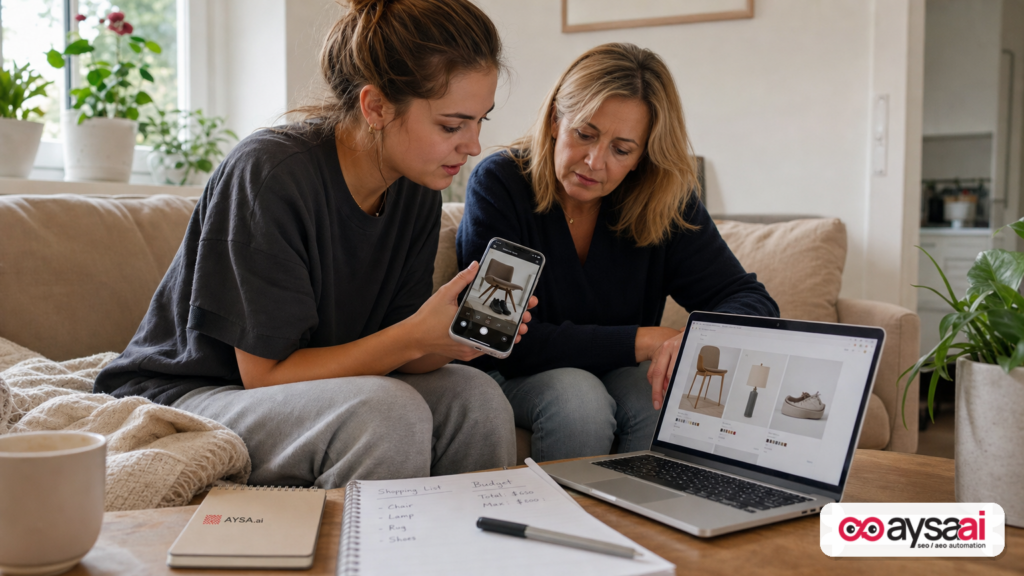
- 3) Visual search with Lens: image-first commerce and the end of “I don’t know what it’s called”
- 4) Budget tools: price history, tracking, and the new waiting game
- 5) Local stock: “near me” becomes a conversion filter, not an afterthought
- 6) Virtual try-on: reducing return risk and increasing confidence
- What can go wrong (and usually does): AI Search failure modes for SMEs
- A concrete SME scenario: a dorm-decor microbrand trying to win AI-driven discovery
- What SMEs should monitor weekly (not quarterly) in an AI Search world
- A practical action plan: what to ship in 30 days
- Where AYSA fits: approved execution for SEO/AEO/GEO
- What to do next
- Sources and further reading
What changed: AI shopping behaviors are now mainstream search behaviors
For years, Ecommerce SEO was a game of categories, filters, and a handful of head terms: “tote bag,” “desk lamp,” “dorm bedding.” That still matters, but the center of gravity is shifting.
Google is openly encouraging shoppers to:
- Ask longer, more descriptive queries in AI Mode (essentially: “help me decide”).
- Connect apps (Gmail/Calendar/Photos) to make recommendations more personal—if the user opts in.
- Use Google Lens to identify and find similar items from real-world objects.
- Compare prices, review price history, and track price drops.
- Filter by what’s available nearby.
- Try on items virtually before buying.
That guidance comes from Google’s Search Blog article “6 back-to-school shopping tricks every student should know.” It’s worth reading as a business owner not for the tips, but for the behavioral shift it implies: Google wants to be the shopping assistant, and it will choose which businesses to surface as it answers.
Source: Google Search Blog — 6 back-to-school shopping tricks every student should know.
The hidden story: back-to-school is where AI Search becomes shopping infrastructure
Back-to-school is a perfect test case because it compresses multiple product categories and decisions into a short window: apparel, dorm decor, tech, essentials, storage, desk setups, and often budget constraints. Shoppers are not browsing casually—they’re completing missions.
And missions are exactly what AI systems are good at supporting:
- Constraint handling: “under $80,” “fits a twin XL,” “quiet blender for dorm rules,” “small apartment vacuum for pet hair.”
- Tradeoff navigation: pros/cons, best value, best durability, best for allergies, easiest to clean.
- Cross-store comparison: prices, availability, delivery speed.
- Multi-modal discovery: text + image + Local intent.
If you run an ecommerce store, a local business with products, or an agency supporting those businesses, you should treat this as a preview of how all seasonal shopping will behave—holiday, Mother’s Day, summer travel, home refresh, you name it.
The takeaway: SEO becomes less about ranking for a keyword and more about being a reliable candidate in AI-generated shortlists. That’s AEO (Answer Engine Optimization) and GEO (Generative Engine Optimization) in practice: your products and pages must be legible to AI systems, persuasive to humans, and structured to match constraints.
If you want the framework we use to operationalize this, start here: AI Search Visibility.
What Google is signaling (without saying it outright): six behaviors that reshape product discovery
Google’s six “tricks” are really six consumer behaviors. Each behavior changes what it takes to earn visibility.
1) “Do homework before you buy”: conversational queries and decision support
When Google encourages people to ask AI Mode questions like a friend—pros and cons, vibe + budget, “what do I need to make matcha in a dorm room”—it’s moving discovery from “find me a product” to “help me decide.”
For businesses, this matters because:
- Generic product pages won’t answer the question. If your page is just specs and a buy button, AI has less to work with.
- Category pages need narrative. “Cozy sweaters under $80” isn’t only a filter; it’s a promise. The page should explain fit, materials, warmth, care, and styling—plus obvious sorting/filtering.
- Comparison content becomes commercial infrastructure. “Best for dorm rooms,” “quiet,” “easy to clean,” “fits in small spaces,” “under-bed storage that doesn’t look cheap.”
What to do on your site:
- Build constraint-based collections (budget, dorm size, materials, noise level, weight, portability).
- Create decision guides that map to real questions: “What size duvet cover fits Twin XL?”, “How to choose a desk lamp for small rooms,” “What to look for in a dorm-safe kettle.”
- Use structured internal linking between guides → collections → product pages.
Where AYSA fits: AYSA can monitor which queries and pages are gaining/losing visibility, prepare content and internal linking upgrades, and execute approved changes without your team living in spreadsheets. See: AI SEO Tools and AYSA Monitoring.
2) Personalization via connected apps: why relevance becomes individualized
Google describes “Personal Intelligence” as letting users connect apps like Gmail, Calendar, and Photos to tailor AI Mode responses—securely and by user choice. The business implication is straightforward: the same query can produce different recommendations depending on user context.
Google’s consumer argument is personalization: e.g., if a user has a campus housing email with mattress size, Search could recommend duvet covers that fit. Whether or not that exact example applies to every user, the macro trend is clear: AI search results are less uniform.
How businesses should respond (without violating privacy or chasing gimmicks):
- Make your products easy to match to constraints. Sizes, dimensions, compatibility, materials, care instructions, and use-cases should be explicit and consistent.
- Strengthen on-page clarity. If your duvet cover fits Twin XL, say it plainly in the title/description, and include measurements.
- Improve feed quality. Google can only recommend what it can confidently interpret. Messy attributes and missing details reduce selection chances.
One note of caution: personalization can be a black box. You can’t “optimize for someone’s Gmail.” You can optimize for interpretability and relevance so your product is a good candidate when constraints are present.
For related context from the same ecosystem, Google also published “Connect more of your apps to Search” (listed as a related story on the source page). If you’re tracking where Search is going, keep an eye on these kinds of announcements: Google Search on the Google Blog (category hub).
3) Visual search with Lens: image-first commerce and the end of “I don’t know what it’s called”
Google Lens solves a classic commerce problem: shoppers see something in real life (a chair, shoes, a lamp) but don’t know the product name. Lens turns the camera into a query.
For merchants and local retailers, that changes the competitive set. You’re no longer only competing on keywords; you’re competing on visual similarity and product understanding.
Practical implications:
- Your images become entry points. Invest in consistent angles, clean backgrounds (when appropriate), and multiple views. Show texture and scale.
- Your product naming matters more than you think. If your product is “The Aspen,” that’s branding—but shoppers search “white boucle chair with wood legs.” Your pages need both: brand naming and descriptive language.
- Unique items need context. Vintage-inspired decor, handmade items, or niche styles need educational copy: style category, materials, era references, and use-case.
Google Lens is explicitly mentioned in the source article, and it’s a product area Google frequently highlights under Search innovation. Related broader context appears on Google’s blog navigation referencing visual search innovation stories and Search updates; for ongoing official context you can use the broader hub: blog.google: Search.
4) Budget tools: price history, tracking, and the new waiting game
Google’s shopping experience increasingly includes price comparison, price history over time, and price tracking alerts. This affects conversion patterns: people may discover you today, but buy later when price drops—or when they feel confident that the price is fair.
For SMEs, this is both opportunity and risk:
- Opportunity: If your value proposition is strong, price transparency can build trust.
- Risk: If your pricing looks volatile or you run constant “sales,” customers may learn to wait.
What to do:
- Align merchandising with trust. Use fewer, clearer promotions rather than constant noise.
- Explain value. Better materials, warranty, local availability, bundle inclusions—make it visible so “same-looking product cheaper” doesn’t win by default.
- Create price-stable bundles. Bundles (e.g., “Dorm Desk Setup Kit”) reduce pure price comparison and increase perceived utility.
AYSA angle: if your strategy involves bundles, guide pages, or new collection pages, the difference between “good idea” and “revenue” is execution. AYSA prepares the on-site changes and ships them after approval—so you’re not stuck in a backlog. See pricing and how teams typically roll this out: AYSA Pricing.
5) Local stock: “near me” becomes a conversion filter, not an afterthought
Google explicitly advises shoppers to use “near me” and “Nearby” filters to find what’s in stock locally. That’s a reminder: local intent isn’t only for restaurants and plumbers. It’s increasingly a product discovery path.
If you’re a local retailer, or you have showrooms, pop-ups, or local inventory, you need to treat local availability as a first-class SEO asset.
What to do (SME-friendly, no magic required):
- Make store-level inventory clear where possible (“available for pickup,” “in stock at [city]”).
- Build local landing pages that don’t feel like duplicates—include pickup policies, typical pickup times, parking info, and local FAQs.
- Unify product + local info. The worst experience is: user finds product, then can’t tell if it’s available nearby.
This is where Local SEO meets Ecommerce SEO. It’s also where agencies often fail clients: they separate “local” and “ecom” into different silos. AI Search won’t do that; it will choose the best answer for the mission.
6) Virtual try-on: reducing return risk and increasing confidence
Virtual try-on is one more step toward “Search as a shopping assistant.” For businesses, it signals a broader change: conversion is increasingly influenced by confidence signals (fit, look, compatibility), not just price.
You may not have Google’s virtual try-on for your products (and you shouldn’t promise capabilities you don’t control), but you can still optimize for the underlying need:
- Fit and sizing clarity: measurement tables, model sizing notes, and comparison guidance.
- High-fidelity imagery: multiple lighting conditions, close-ups, and “in-room” photos for decor.
- Returns transparency: clear policies and frictionless steps reduce anxiety during purchase.
What can go wrong (and usually does): AI Search failure modes for SMEs
In AI-powered discovery, many SMEs don’t lose because competitors are “better at SEO.” They lose because their information is incomplete, inconsistent, or hard for machines to interpret at scale.
Common failure modes to watch for:
- Attribute gaps: missing sizes, materials, dimensions, care, compatibility, or color variants.
- Thin category pages: collections that are just grids with no guidance or differentiation.
- Duplicate near-me pages: local pages that change only the city name and offer no real local utility.
- Unclear inventory reality: “in stock” language that doesn’t match actual fulfillment timelines or pickup options.
- Image mismatch: inconsistent photography that makes visual discovery harder and reduces trust.
- Slow execution loops: insights exist, but nothing ships for weeks.
The last one is the quiet killer. AI Search changes faster than traditional SEO playbooks. If you only update your site quarterly, you’ll always be reacting.
A concrete SME scenario: a dorm-decor microbrand trying to win AI-driven discovery
Let’s make this real with a scenario that mirrors back-to-school demand, but applies broadly.
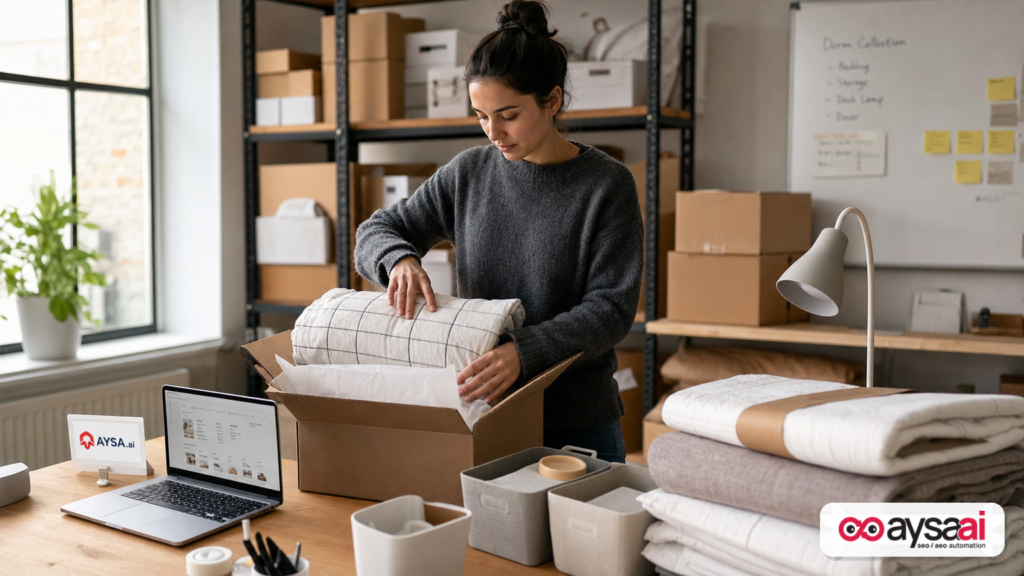
Business: a small ecommerce brand selling dorm-friendly decor—bedding, storage, desk lamps, wall art. Average order value is $85. They compete with marketplaces and large retailers.
The new shopper journey looks like this:
- A student asks AI Mode: “minimalist dorm decor that feels cozy but not childish under $100.”
- They compare a few recommendations and click into two sites.
- They take a Lens photo of a chair in a thrift store to find a similar vibe for their room.
- They check what’s available nearby for last-minute items and track prices on a lamp.
Where the microbrand wins:
- They’ve built “vibe + budget” collections: “warm minimal,” “cozy neutral,” “small-space storage under $30.”
- Each collection explains the style in plain language and links to a guide: “How to set up a dorm desk that feels like home.”
- Product pages include clear measurements, materials, and “best for” notes (e.g., “fits twin XL,” “cord length,” “bulb type”).
- They publish a practical comparison: “Desk lamp vs. floor lamp for dorm rooms” with space constraints and dorm rules in mind.
Where they lose (typical):
- They call a lamp “The Halo” and never mention “warm light,” “soft glow,” “small desk lamp,” or “dorm-friendly.”
- They have one product photo on a white background, so Lens-style discovery has less context.
- They don’t ship new content because the team is busy and SEO feels optional.
This is the business case for operational SEO/AEO/GEO: the winners translate real shopper missions into structured pages and keep improving them continuously.
What SMEs should monitor weekly (not quarterly) in an AI Search world
You don’t need a massive analytics stack to be disciplined. But you do need a cadence.
1) Query patterns are getting longer—track the “mission” language
Even if you don’t have direct access to AI Mode prompts, you can monitor longer-tail patterns in your existing search data and onsite search logs: budget constraints, dorm constraints, “best for,” “near me,” “quiet,” “small,” “lightweight,” “easy to clean.”
2) Collection performance vs. product performance
AI-driven shopping journeys often start with recommendations and shortlists. That pushes more value into collection pages and guides. Track which page types assist conversions, not just last-click product pages.
3) Image and variant completeness
Audit whether each product has multiple images, variant-specific images, and obvious “what you get” clarity. Visual search and try-on trends reward clarity.
4) Local intent signals (if you have local inventory)
Monitor traffic and conversions from “near me” style pages and your store pages. Make sure local pages provide real utility, not boilerplate.
5) Execution velocity
How many improvements did you ship this month? Not “how many did you plan.” How many went live.
If you want a system that turns monitoring into prepared changes and then into approved execution, this is literally AYSA’s workflow: AYSA Monitoring.
A practical action plan: what to ship in 30 days
This is the part most articles skip: a realistic plan that a small team can execute without a replatform.
Week 1: Fix product interpretability
- Create a product attribute checklist per category (dimensions, materials, compatibility, care, warranty, shipping/pickup).
- Standardize naming: keep your branded name, add descriptive language in key page sections.
- Make variants explicit and easy to navigate.
Week 2: Build two “mission” collections + one decision guide
- Pick two high-intent missions (e.g., “under $80,” “small dorm desk setup,” “quiet appliances for dorm”).
- Write collection intros that actually help: what to choose, what to avoid, what matters.
- Publish one guide that answers a real question and links into your collections and top products.
Week 3: Strengthen visual discovery readiness
- Add 3–6 images per top product where possible (detail, in-room, scale reference).
- Improve image file naming and alt text for clarity (describe, don’t keyword-stuff).
- Add a short “style notes” section for decor/apparel that matches how people describe items.
Week 4: Local availability and budget confidence
- If you have stores/showrooms: improve local pages with pickup details and FAQs.
- Add transparent shipping timelines and returns clarity on product pages.
- Create one bundle that reduces price comparison pressure (e.g., “Dorm Starter Kit”).
For many SMEs, the hard part isn’t knowing what to do—it’s shipping consistently. That’s why AYSA is built as an execution system, not a report generator. Learn more: AI SEO Tools.
The execution layer: how AYSA turns monitoring into approved changes (and why that matters now)
AI Search makes SEO feel volatile because it tightens feedback loops: shoppers ask more specific questions; engines produce more opinionated shortlists; conversion paths change; and competitors iterate faster.
In that environment, there are three ways teams typically operate:
- Manual mode: audits, tickets, long backlogs. Strategy exists; execution lags.
- Auto mode: tools that push changes without strong controls. Execution is fast; risk increases.
- Approved execution (AYSA’s model): monitor → prepare → ask for approval → execute accepted changes. Fast, but controlled.
That last model is what most SMEs actually need. You want velocity, but you also want the final say before your website changes.
How AYSA applies to the behaviors Google is pushing:
- Conversational “homework” queries: AYSA helps identify gaps in collection and guide content, prepares updates and internal links, then executes after approval.
- Personalization signals: you can’t control user data, but you can control your product clarity. AYSA helps roll out attribute and content improvements at scale.
- Lens/visual discovery: AYSA can help coordinate the on-page pieces—image metadata, descriptive copy, structured linking—so your products are easier to interpret.
- Budget/price behavior: AYSA supports the creation and optimization of bundles, seasonal pages, and messaging improvements that increase conversion confidence.
- Nearby availability: AYSA helps keep local landing pages accurate and useful, not templated.
If you want to see how we frame visibility in AI Search, start with: AI Search Visibility. If you want the operational view, see: AYSA Monitoring.
What to do next
- Translate “shopping tricks” into site requirements: conversational needs → decision pages; personalization → clean attributes; Lens → strong imagery and descriptive naming; budget → value clarity; nearby → local inventory messaging; try-on trend → fit/confidence content.
- Pick one category and win it: don’t try to optimize your entire catalog at once. Start with your top revenue segment or your most seasonal segment.
- Ship weekly: treat SEO/AEO/GEO like product development. Improvements compound.
- Set up monitoring with an execution path: insights without shipping are just entertainment.
- Use AYSA to operationalize: monitor → prepare → approve → execute. Explore: AI SEO Tools, AYSA Pricing, and our ongoing editorial library: AYSA Blog.
Sources and further reading
- Google Search Blog — “6 back-to-school shopping tricks every student should know”
- Google Blog — Search product updates and stories (hub)
- Google Blog — Products & platforms (hub)
- Google DeepMind blog (AI research context)
- Google Research blog (AI research context)
- Google Ads & Commerce blog (commerce ecosystem context)
- Google Blog — Shopping (if available via navigation; hub context)
Continue the AI search topic inside AYSA.
Use these pages to connect the article with AI SEO tools, AI visibility monitoring, AI Overviews and approved website execution.
Turn this topic into a website action plan.
Use these AYSA hubs to move from reading to technical fixes, AI visibility monitoring, research, glossary context and approval-first SEO execution.

