
Back-to-School Search Trends Are a Blueprint for AI Search Visibility (If You Execute Fast Enough)
Google Search data shows college shoppers aren’t just buying mini fridges—they’re designing dorm experiences. For SMEs and ecommerce brands, the real opportunity is operational: translate short-lived trend demand into AI-ready pages, product feeds, and local inventory signals fast enough to win in AI-powered results.
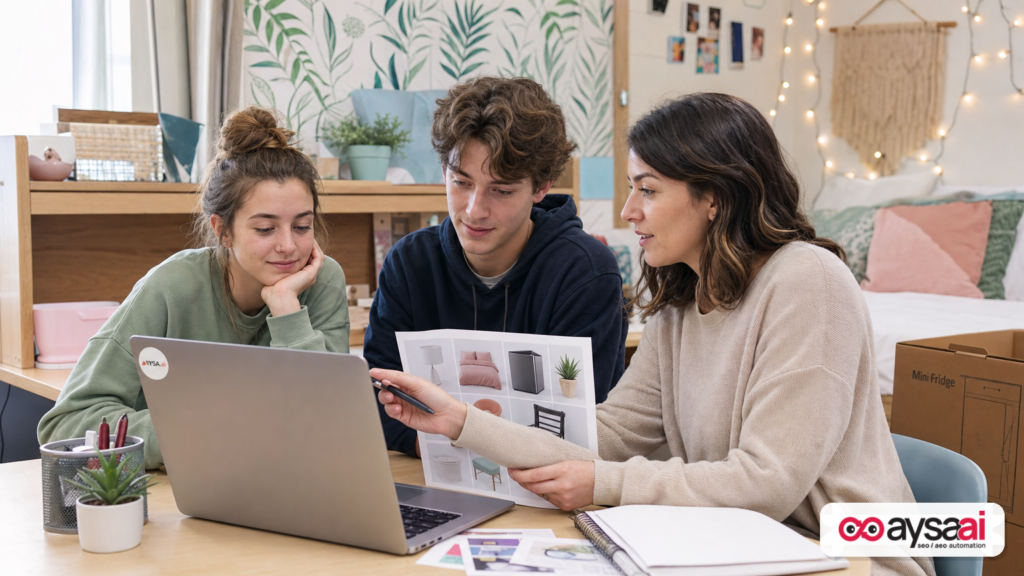
Every year, back-to-school season creates a predictable surge in demand for a familiar set of items. What’s different now is how people shop: students (and parents) increasingly search for an experience—a vibe, a style, a “make this tiny room feel like home” plan—rather than a generic list of supplies.
That shift matters because Google Search is simultaneously moving toward more AI-mediated discovery (answers, summaries, visual exploration, and “best options” guidance). If you’re an SME, ecommerce brand, or agency, the opportunity isn’t just content. It’s operational: you need a system that turns trend signals into shippable site changes quickly—without breaking brand standards or waiting weeks for approvals.
This editorial is based on Google’s own Search trend observations for back-to-school, including rising interest in dorm design terms and decor styles like coastal/boho/beach, plus renter-friendly personalization like temporary wallpaper and lighting upgrades. Source: Google Search Blog.
Concise summary

- Search intent is getting more “compositional”: style + constraints + room type + budget + install time.
- AI Search (AEO/GEO) rewards complete answers, not just “Keyword match.” Your pages must be easy to summarize.
- Back-to-school is a speed game: trend windows compress into weeks; if publishing takes a month, you miss the spike.
- Execution is the new moat: Monitoring + prepared changes + approval workflow + deployment is what wins.
- AYSA fits as an execution engine: it monitors visibility, prepares site changes, asks for approval, and executes accepted updates across content and technical work.
Key takeaways (for busy operators)
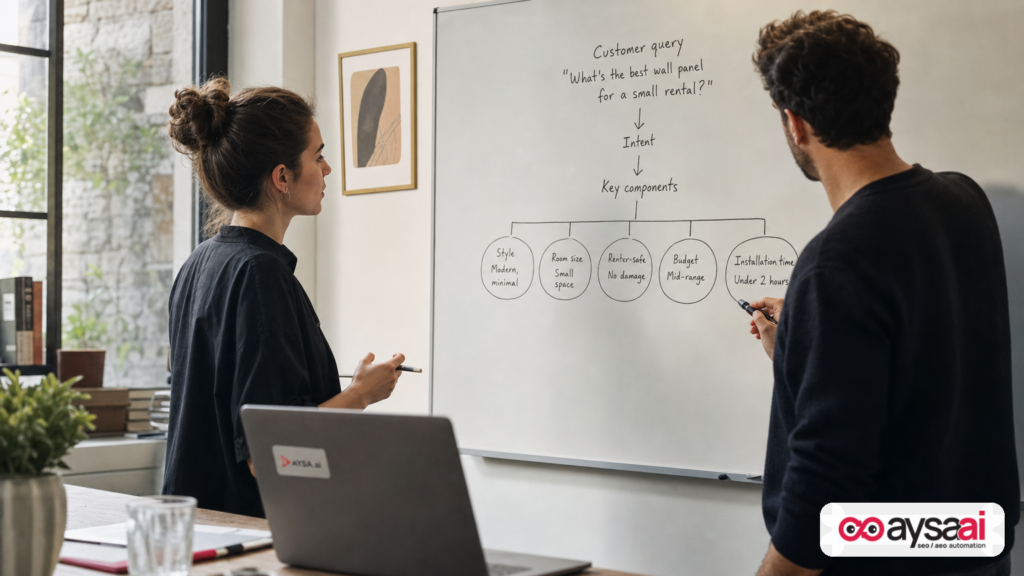
- Stop treating seasonal SEO as one “mega blog post.” Build a small cluster: collections, FAQs, how-tos, and comparison modules.
- Write for constraints. “Dorm-safe,” “renter-friendly,” “no drill,” “small space,” “budget,” “easy removal” are the real decision drivers.
- Make your site AI-readable. Clear structure, scannable sections, and schema where appropriate.
- Merchandising is SEO. If your products/variants don’t map to how people search (color, style, pattern), you’ll lose to marketplaces.
- Speed requires a workflow. Monitoring alone is not a strategy; publishing alone is not a system.
Table of contents
- The big shift: “shopping for dorm stuff” became “designing a dorm experience”
- What’s new in the trend signals (and what’s evergreen)
- Why this matters in AI Search (AEO/GEO): trend intent is compositional
- What changed behind the scenes: from blue links to assisted decisions
- What can go wrong: seasonal SEO failure modes I see constantly
- How to translate trend language into pages that convert
- For ecommerce operators: product data and collections that win
- For local and service businesses: yes, you’re in this too
- SME scenario: the ecommerce brand that wins back-to-school without “going viral”
- What to monitor (and when): a simple seasonal dashboard for humans
- The execution gap: why most brands notice trends too late
- Where AYSA fits: approved execution for AI Search visibility
- What to do next: a practical 14-day action plan
- Sources and further reading
The big shift: “shopping for dorm stuff” became “designing a dorm experience”
Google’s own back-to-school Search commentary makes the shift explicit: students aren’t just searching for items, they’re searching for design outcomes. One of the standout signals is the rise in searches related to dorm visualization and planning—students acting like their own interior designers. They’re looking for aesthetic direction (styles), then narrowing based on practical constraints (space, rules, and budget).
That’s not a trivial change in wording. It’s a change in how intent is expressed:
- Old intent: “best dorm essentials” → list format wins.
- New intent: “coastal dorm inspo pink blue green renter friendly” → the searcher wants a curated plan that satisfies multiple constraints at once.
When intent becomes multi-dimensional, AI-powered results have an advantage: they can summarize, compare, and recommend across options. That means brands can’t rely on ranking for one head term and calling it a day. You need coverage (the full set of related needs) and clarity (information that can be extracted and summarized reliably).
What’s new in the trend signals (and what’s evergreen)
From Google’s reported Search trends, a few themes stand out:
- Dorm design-as-a-project is rising (e.g., students exploring “dorm designer” and 3D planning concepts).
- Coastal / boho / beach vibes are popular dorm inspiration styles.
- Sunset-like palettes show up in interest: pink, blue, and green.
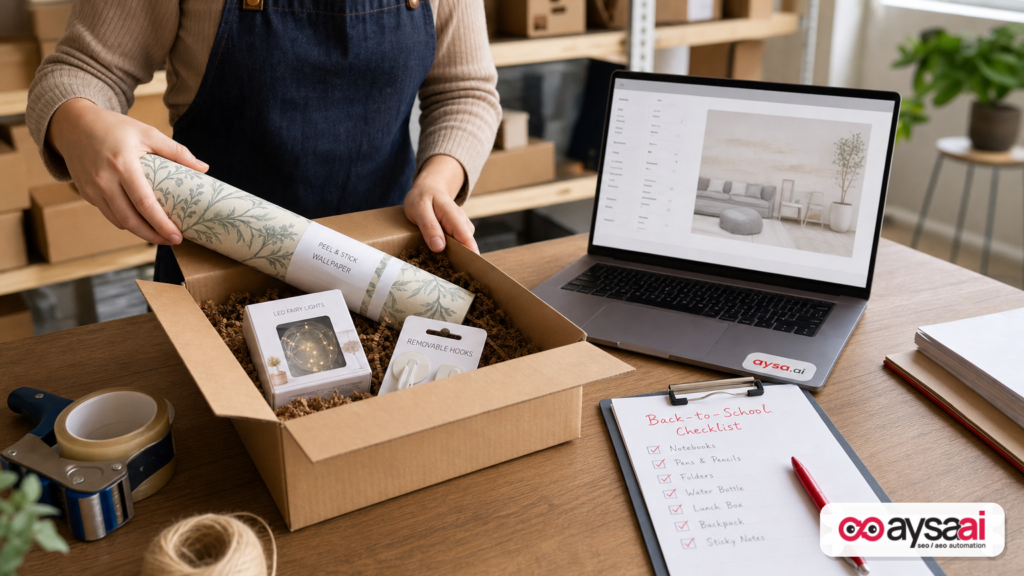
- Temporary wallpaper interest spikes because it adds personality without permanent changes—critical for rentals and dorm rules.
- Lighting and space-saving furniture get attention (e.g., fairy lights; compact organizers like desk hutch solutions).
Some of those are seasonal and fickle (aesthetic trends), but two are evergreen business opportunities:
- Constraint-led merchandising (small room, removable, no tools, easy storage) tends to persist year after year.
- Planning-led discovery (checklists, room layouts, “how to set it up”) grows as people lean on Search to reduce uncertainty.
If you sell products in any adjacent category—home goods, decor, storage, lighting, bedding, small appliances—or you’re a service provider near campuses, you can tie into this demand without chasing every micro-trend.
Why this matters in AI Search (AEO/GEO): trend intent is compositional
When people search “coastal dorm room” they’re often not asking for a single product. They’re asking for a composition:
- Style (coastal/boho/beach)
- Colors (pink/blue/green or variations)
- Room constraints (tiny, shared, limited outlets)
- Rules (no paint, no nails, removable only)
- Budget and durability (cheap now vs. reusable later)
- Install constraints (30 minutes, minimal tools)
- Maintenance (easy to clean)
This is exactly the type of query where AI systems can synthesize an answer: “Here’s what to buy, why, and how to set it up.” If your site provides structured, credible modules (checklists, steps, comparison tables, FAQs), you increase the odds of being referenced, summarized, or selected as a recommended option.
In practical terms, this is where AEO (Answer Engine Optimization) and GEO (Generative Engine Optimization) stop being buzzwords. They become an editorial discipline:
- Write content that can be summarized without losing meaning.
- Provide explicit constraints and outcomes (“removes cleanly,” “works in 80 sq ft,” “no drill”).
- Make the page scannable and logically segmented.
- Ensure product data supports the claims (materials, dimensions, installation method).
For more on how we think about visibility across AI-mediated search experiences, see AYSA’s AI Search Visibility overview.
What changed behind the scenes: from blue links to assisted decisions
Even if you don’t follow SEO closely, you’ve felt the shift: Search is less about ten blue links and more about guided outcomes—product carousels, visual discovery, and answer-style experiences. Google’s back-to-school trend post itself points shoppers toward using Search’s AI tools for shopping (via their Shopping content). That’s not just marketing; it signals a real user behavior shift: people expect Search to help them decide, not just help them click.
So what should SMEs take from that?
- Your site needs to “explain itself.” If your product page only has a title, one photo, and a vague description, it’s not competitive in an assisted decision environment.
- Your information architecture becomes a product. Collections and guides aren’t “content marketing.” They’re navigation for uncertain shoppers.
- Your content must be operationally maintainable. Seasonal pages shouldn’t be rebuilt from scratch every year; they should be refreshed.
If you’re building an SEO system for that reality (especially with limited staff), start with an execution-first toolset. This is the lens behind AYSA’s AI SEO tools.
What can go wrong: seasonal SEO failure modes I see constantly
Seasonal moments like back-to-school are brutal because they reveal operational weaknesses. Here are the most common failure modes I see with SMEs and even mid-market brands:
1) Publishing too late (the silent killer)
Interest spikes around early August (as Google’s post notes for common back-to-school items). If you publish in mid-August, you’re playing catch-up against pages that were indexed, linked internally, and refined weeks earlier.
Fix: publish or refresh the core seasonal hub in July, then iterate weekly. If you’re reading this in August, publish anyway—but accept that you’re building for next year, and optimize for late movers.
2) One generic page trying to rank for everything
The “ultimate dorm essentials checklist” is overdone. It’s not that it can’t work—it’s that it rarely maps to actual intent clusters like style, constraints, or room type.
Fix: build a hub with 6–12 supporting pages that answer specific combinations (examples below).
3) Beautiful content that can’t be bought
Brands publish “inspo” but fail to connect it to shoppable collections, variants, and in-stock items. Shoppers bounce; Search sees low satisfaction; you lose.
Fix: every aesthetic guide should map to a collection page and to in-stock products with the right attributes (color/style/pattern).
4) Ignoring dorm/renter constraints (and getting refunded)
If you sell wallpaper, hooks, lighting, or furniture and you don’t explicitly address “removable,” “no damage,” “no drill,” you create returns and negative sentiment.
Fix: add constraint-led FAQs and installation/removal steps directly on product pages.
5) No internal workflow for approvals and deployment
This is the execution gap: the team sees the trend, agrees it matters, then… nothing ships because no one owns the last mile. Seasonal search rewards shipping.
Fix: implement a monitor → prepare → approve → execute loop (more on this in the AYSA section).
How to translate trend language into pages that convert
Let’s turn “coastal dorm vibes + temporary wallpaper + fairy lights” into a practical site plan. This is where SMEs can outperform bigger brands: not by having more budget, but by being more specific and faster.
Step 1: Build a seasonal hub that doesn’t rot
Create one durable page that will be updated annually:
- /back-to-school-dorm-setup/ (or similar)
- Include: checklist, timeline, budget ranges, and links to subpages by style and constraints
The hub should be useful even if someone never buys from you. Why? Because AI-mediated search tends to reward content that feels complete and trustworthy.
Step 2: Create 3 style pages (mapped to real trends)
Google mentions coastal, boho, and beach as trending dorm inspo styles. You can create pages like:
- Coastal dorm decor: what to buy + how to combine
- Boho dorm decor: textures, lighting, storage
- Beach dorm decor: color palette + renter-safe wall ideas
Each page should include:
- A short “what defines this style” section (2–4 bullets)
- Product modules (bedding, wall, lighting, storage)
- Constraints callouts (no drill, removable, small room)
- “If you have only $X” starter kit
- FAQs (installation, rules, sharing space)
Step 3: Create constraint-led pages that match dorm reality
This is where you win against generic inspiration posts:
- “Renter-friendly dorm wallpaper: removable options and how to remove cleanly”
- “Dorm lighting ideas with limited outlets: safe setups and planning”
- “Small dorm desk organization: desk hutch alternatives and layouts”
These pages don’t need to be long. They need to be specific, structured, and honest.
Step 4: Build Q&A modules that AI systems can summarize
Don’t bury the answers in prose. Make them extractable:
- What wallpaper is safe for dorms? (Answer with criteria + warnings.)
- How do I hang lights without nails? (Methods + do/don’t.)
- How do I make a dorm feel cozy? (Lighting layers, textures, scent policies, sound.)
For many SMEs, this is the easiest AEO/GEO win: you already know the customer questions. Put them on the page in a clean format.
For ecommerce operators: product data and collections that win
If you run ecommerce, you can’t “content” your way out of weak merchandising. Trend-led search is often filter-led: color, style, pattern, size, install method. If your catalog can’t express those attributes, marketplaces will.
Collections: build the pages shoppers actually want
Examples of high-leverage collections for back-to-school/dorm season:
- Removable wall decor (no damage)
- Pink dorm decor / blue dorm decor / green dorm decor
- Coastal / boho / beach collections
- Dorm lighting (safe, low-heat options; include guidance)
- Small-space desk organization
These collections should have:
- Clear intro copy that states the constraints and use case
- Filterable attributes (where possible)
- Links to guides and FAQs
- Prominent shipping/returns clarity (especially for big seasonal moments)
Product pages: don’t make AI (or humans) guess
For temporary wallpaper, for example, your product page should explicitly cover:
- Surface compatibility (paint type warnings if applicable)
- Removal steps
- Room suitability (humidity, heat, shared walls)
- Dimensions and coverage math
- Tools required (if any)
For lighting (like fairy lights), include safety and planning info: power source, heat, recommended usage, and any relevant cautions. If you can’t verify something, don’t claim it—write it as guidance and encourage users to follow manufacturer instructions.
A note on structured data
I’m intentionally not listing a “magic schema recipe” here, because the right approach depends on your site type (publisher vs ecommerce) and what you can implement cleanly. The principle is simple: make key facts explicit and consistent. If you already use product structured data, keep it accurate and up to date. If you add FAQs, ensure they reflect real user questions and don’t contradict policies.
If you want AYSA’s approach to technical + content execution, start here: AI SEO Tools.
For local and service businesses: yes, you’re in this too
Back-to-school season isn’t only retail. It’s an attention shift. Students and parents are searching for solutions near campuses—often with urgent timelines.
Examples of non-ecommerce businesses that can benefit from these trend patterns:
- Local storage companies: “summer storage,” “dorm move-in storage,” “short term storage near campus”
- Cleaning services: move-in/move-out cleaning, shared apartment turnover
- Campus-area clinics: immunizations, physicals, routine care; publish clear appointment and insurance info
- Hotels: move-in weekend demand; create campus move-in landing pages and FAQs
- Local print shops: posters, photo prints, room decor prints (if applicable)
The lesson from the dorm decor trend is broader: people search in “projects.” Your local landing pages should address the project timeline, constraints, and what to expect.
For ongoing visibility monitoring, see AYSA Monitoring.
SME scenario: the ecommerce brand that wins back-to-school without “going viral”
Let’s make this concrete with a realistic SME example.
Business: a 12-person ecommerce brand selling renter-friendly decor: removable wallpaper, wall hooks, compact lighting, and small-space organizers.
Challenge: They don’t have the budget to outbid marketplaces in ads, and their content team is one person. Historically, they published one “Dorm Essentials” blog post in late August and hoped it ranked.
What changes this year: They treat Google’s trend signals as a merchandising and execution prompt, not an inspiration prompt.
Week 1: Build the minimum viable trend cluster
- Create a durable back-to-school hub page with a dorm setup checklist.
- Launch three style collection pages: coastal, boho, beach.
- Launch three color collection pages: pink, blue, green.
- Add a “Temporary wallpaper for dorms” guide with removal steps and FAQs.
Week 2: Improve conversion and AI readability
- Add scannable “good for dorms if…” sections on top products.
- Include quick coverage calculators for wallpaper (simple guidance, no unverifiable claims).
- Add internal links from every guide to every relevant collection (and vice versa).
- Update on-page FAQs based on customer support tickets.
What they get (without promising numbers)
I’m not going to invent performance stats. But strategically, they’ve done what marketplaces often don’t do well: they’ve built trustable guidance tied directly to purchasable sets. That increases the chances of:
- Ranking for long-tail, constraint-led searches
- Being referenced in AI-style summaries (because the pages answer “how/why” clearly)
- Converting visitors who are uncertain and need a plan
What to monitor (and when): a simple seasonal dashboard for humans
Most SMEs either monitor nothing, or monitor everything and drown in noise. For back-to-school (and similar seasonal spikes), monitor a small set of signals weekly from mid-July through early September:
1) Visibility by intent cluster
- Style terms (coastal/boho/beach dorm decor)
- Constraint terms (removable wallpaper dorm, no drill dorm lights)
- Color/style modifiers (pink dorm decor, green dorm room)
2) Site health that affects indexing and shopping experiences
- Indexation of the seasonal hub and collections
- Duplicate/near-duplicate collection pages (common in ecommerce)
- Out-of-stock handling (do you keep the page useful or does it dead-end?)
3) Conversion friction on seasonal pages
- Do people reach product pages from guides?
- Do they bounce because the guide isn’t shoppable?
- Are shipping timelines and returns policies clear?
4) Feedback from support tickets and reviews
Seasonal windows create recurring questions. Those questions belong on your pages. This is one of the simplest ways to align AEO with real customer needs.
AYSA’s core value here is not “more reports.” It’s a tighter loop between what you monitor and what you ship. Learn more: AYSA Monitoring.
The execution gap: why most brands notice trends too late
Reading trend posts is easy. Acting on them is where companies fail. The gap usually looks like this:
- Marketing sees trend signals → proposes content
- Merch team has different priorities → delays collections
- Dev team is busy → can’t ship templates/filters
- Legal/brand approvals take 2–3 weeks
- By the time it’s live, the spike is peaking or over
In other words, the constraint isn’t knowledge. It’s execution latency.
This is why I believe the next wave of SEO advantage isn’t “who has the best ideas.” It’s “who can execute accepted changes safely, consistently, and quickly.” That’s where automation with approval becomes a legitimate competitive edge.
Where AYSA fits: approved execution for AI Search visibility
At AYSA.ai, we think about SEO/AEO/GEO as an operational system:
- Monitor: spot rising demand patterns and visibility gaps early.
- Prepare: generate recommended updates—new pages, edits, internal links, technical fixes—based on the site’s structure and constraints.
- Ask for approval: humans stay in control; nothing ships blindly.
- Execute: once approved, changes are deployed so the site actually improves (not just the strategy doc).
That workflow is specifically valuable for seasonal trend windows like back-to-school because:
- There are many small edits that matter (FAQs, intro copy, internal links, collection intros).
- The “right” pages often already exist but need restructuring for AI readability.
- Timing is tight; you need a repeatable cadence, not heroics.
If you want the short version of how we position this, start with:
How AYSA helps this exact back-to-school use case (without magical claims)
Here’s what an “approved execution” approach looks like in practice for a dorm decor ecommerce site:
- Detect rising interest in “dorm room wallpaper” and style modifiers.
- Prepare new collection page drafts (coastal/boho/beach; pink/blue/green) with clean intros and internal links.
- Prepare product page enhancements: dimensions clarity, installation/removal FAQs, scannable “best for” sections.
- Prepare internal link updates from seasonal hub to collections to top products.
- Queue everything for human approval.
- Execute approved changes so the site is ready while interest spikes.
Nothing here depends on secret ranking tricks. It depends on aligning your site to how people actually search now—especially as AI-driven experiences compress decision cycles.
What to do next: a practical 14-day action plan
If you want traction this season, you need a plan that fits real calendars. Here’s a realistic two-week sprint that doesn’t require a huge team.
Days 1–2: Pick your intent clusters and assets
- Choose 3 styles you’ll support (e.g., coastal/boho/beach if relevant).
- Choose 3 constraint angles (removable, small space, limited outlets).
- List your top 20 products that truly fit dorm rules.
Days 3–6: Ship the seasonal hub + 3 supporting pages
- Publish/refresh the back-to-school hub.
- Publish 3 pages: one style page + one constraint page + one shoppable collection.
- Add internal links both ways (hub ↔ pages ↔ products).
Days 7–10: Fix the top product pages
- Add “Dorm-safe if…” and “Not recommended if…” sections (be honest).
- Add installation/removal steps where relevant.
- Improve image alt text and captions so visuals reinforce the use case (no keyword stuffing).
Days 11–14: Add FAQs and reduce friction
- Turn customer support questions into on-page FAQs.
- Make shipping/returns and delivery cutoffs clear.
- Check indexing and navigation: can a human find everything in 2 clicks?
What to skip (unless you have extra capacity)
- Overproduced “inspo” content with no shoppable path.
- Chasing every micro-aesthetic trend that doesn’t map to inventory.
- Large site redesigns during the seasonal spike window.
What to do next (action list)
- Audit your existing back-to-school content: does it answer constraints and link to purchasable sets?
- Create one seasonal hub and commit to refreshing it annually.
- Build 6–12 supporting pages that match style + constraint clusters.
- Upgrade top product pages with dorm-safe specifics and removal/installation guidance.
- Implement a monitoring + execution workflow so trend response is measured in days, not weeks.
- If you need an execution system, review AI Search Visibility and Monitoring, then align on a two-week sprint.
Sources and further reading
- Google Search Blog: Beach vibes and temporary wallpaper are trending for back-to-school season
- Google Shopping: back-to-school shopping tips using AI Search tools (linked from the Google post)
- Google Blog: Shopping section
- Google Blog: Search section (navigation context from the source page)
- The Keyword (Google Blog home)
AYSA internal resources:
Continue the AI search topic inside AYSA.
Use these pages to connect the article with AI SEO tools, AI visibility monitoring, AI Overviews and approved website execution.
Turn this topic into a website action plan.
Use these AYSA hubs to move from reading to technical fixes, AI visibility monitoring, research, glossary context and approval-first SEO execution.

