
Performance Max Reporting Just Changed: How to Read the “Spike,” Protect Your Budget, and Turn PMax Data Into Real Business Decisions
Google expanded Performance Max product reporting across all eligible networks. That means a one-time jump in reported metrics for many advertisers—without any real performance change. Here’s how to interpret the new data, rebuild your baselines, and make smarter decisions across paid + organic using an execution-first workflow.

Google just fixed a long-standing visibility gap in Performance Max (PMax) reporting—but the fix comes with a catch: your metrics may “jump” even if your business didn’t.
As reported by Search Engine Land, Google expanded PMax product reporting to include all eligible networks (not just Search). It’s a better picture of reality going forward—but it breaks clean historical comparisons and creates an easy trap for marketers, founders, and agencies: mistaking a measurement change for a performance improvement.
This editorial is a practical field guide for business owners and marketing teams—especially ecommerce—on how to interpret the new PMax product reporting, how to protect budget decisions from “reporting inflation,” and how to set up an execution workflow that keeps paid + organic aligned.
Concise summary
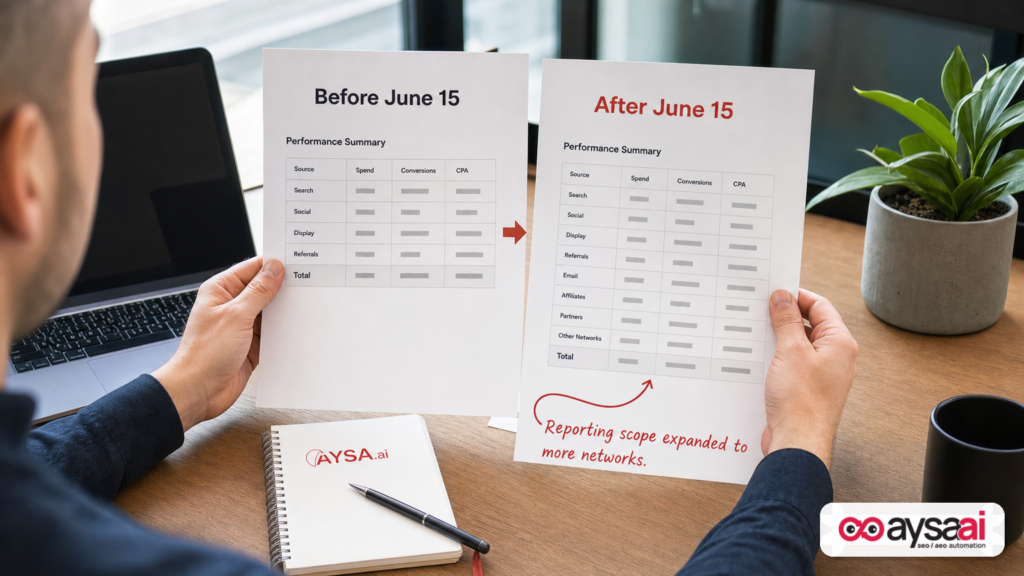
- What changed: PMax product reporting now includes product-level metrics across all eligible networks (not only Search). Many accounts will see a one-time increase in reported Impressions/Clicks/conversions/cost because more inventory is now counted.
- What didn’t change: Your actual auction performance may be identical; only the reporting scope expanded.
- Business risk: Month-over-month dashboards can mislead you into scaling budgets, changing targets, or crediting the wrong levers.
- What to do: Annotate the date, segment by network, rebuild baselines, and tie “product performance” back to profitability and inventory strategy.
- How AYSA fits: Measurement shifts require governance. AYSA monitors your visibility and site health, proposes changes, asks for approval, and executes accepted updates—so your SEO/AEO/GEO work stays synchronized with paid media signals and reporting reality. See AYSA Monitoring and AI Search Visibility.
Table of contents

- What changed in Performance Max product reporting (and what didn’t)
- Which networks are now included—and why that matters
- Why this matters: measurement changes create business risk
- Who will feel it most (SMEs vs. enterprises, ecommerce vs. lead gen)
- How to interpret the “one-time spike” without making expensive decisions
- How to rebuild your baseline (without losing momentum)
- Product reporting is now closer to reality—use it for merchandising, not just media
- What can go wrong: the new failure modes you should expect
- A concrete SME scenario: the apparel store that thought ROAS improved overnight
- Agency playbook: how to explain the change to clients and protect trust
- The AYSA approach: approved execution for SEO + paid data integrity
- What to do next (action list)
- Sources and further reading
What changed in Performance Max product reporting (and what didn’t)

Here’s the heart of the update: as of mid-June (Google’s notice referenced June 15), product reporting for Performance Max campaigns is no longer limited to Search network activity. Product-level metrics now reflect activity across the broader set of eligible networks where your products can be shown, instead of a narrower slice of inventory.
That has two immediate consequences:
- You get a more complete view of product performance. That’s the good part. For years, many advertisers felt like PMax was a “black box,” especially when product-level reporting didn’t reconcile with top-line campaign metrics.
- You lose clean comparability with the past. If June 10 product reporting counted only Search-like activity and June 20 counts more networks, then June 20 will often show more impressions/clicks/conversions/cost—even if nothing operational changed.
What did not necessarily change is how your campaign is actually performing in market. Your bids didn’t magically become smarter; your feed didn’t become cleaner; your creative didn’t suddenly convert better. It’s a measurement scope change.
This is why the update creates reporting turbulence: leadership teams and clients often respond to charts, not methodology. If a line goes up, people want to “do more of that.” But if the line goes up because of counting, not earning, “do more” can become “waste more.”
Which networks are now included—and why that matters
Search Engine Land notes that the expanded scope includes data across multiple campaign/network contexts, including:
- All Performance Max networks
- Video
- Apps
- Demand Gen (where applicable through Google Merchant Center)
This matters because each network behaves differently:
- Search-like inventory tends to capture existing demand (“I want to buy X right now”).
- Video and Demand Gen can create or shape demand (“I didn’t know I wanted this until I saw it”).
- App inventory can have very different click behavior, user intent, and conversion reliability.
When you blend these together at the product level, you can easily misread what’s happening:
- A product might look like it’s “getting more clicks” when in reality those clicks shifted from Search to upper-funnel placements.
- A product might show more “conversions” depending on how conversion actions are configured and how those networks interact with Attribution.
This is not an argument against the change. It’s an argument for segmentation and governance. Google is giving you a bigger map; you still have to learn how to read it.
Why this matters: measurement changes create business risk
If you run a small or mid-sized company, marketing isn’t just “a channel.” It’s a cash-flow instrument.
So a reporting change that creates a one-time jump isn’t a minor UI update—it can trigger real operational consequences:
1) Budget decisions get distorted
If reported conversions rise, teams often increase budgets or loosen ROAS/CPA guardrails. But if those conversions are simply newly included from previously excluded networks (or reattributed under a broader scope), you can end up scaling spend into inventory you didn’t intend to prioritize.
2) Merchandising and inventory planning can drift
Product reporting influences what you reorder, what you discount, what you feature on the homepage, and what you bundle. If product “winners” appear due to reporting scope, you can stock the wrong items and starve real winners.
3) Creative and landing page testing can chase ghosts
Teams might attribute the spike to a new asset group, a new product image set, or a landing page tweak. That can lead to false learnings (“Lifestyle images work better!”) when the real driver was measurement scope.
4) Trust breaks between stakeholders
One of the most expensive problems in marketing is not a bad campaign—it’s losing trust between the business owner, the marketing team, and any agency support. Reporting surprises create suspicion: “What else am I not being told?”
This is why we treat reporting changes like operational incidents: annotate them, isolate them, and build systems that prevent overreaction.
Who will feel it most (SMEs vs. enterprises, ecommerce vs. lead gen)
This change affects many advertisers running PMax with products via Merchant Center, but the pain profile is different depending on how you operate.
SMEs (small and mid-sized businesses)
- Higher risk of overreaction: fewer analysts, tighter cash, and more pressure to act quickly.
- Less historical rigor: fewer annotations, fewer baselines, fewer segmented dashboards.
- More reliance on a single report: many SMEs use the default Google Ads UI as “source of truth.”
Enterprises
- More tooling, but more complexity: they may have data warehouses and BI—yet still struggle with definitional changes.
- More stakeholders: finance, merchandising, growth, and brand teams all consume these metrics differently.
Ecommerce
Ecommerce will feel this most because product reporting is not a side metric—it’s central to profitability. A product-level view that suddenly broadens across networks can change what looks like a “hero SKU.”
Lead generation (where Merchant Center applies)
If you’re using product feeds for services (common in some verticals) the change can still matter, but the biggest impact is usually on ecommerce teams with many SKUs and frequent price/inventory changes.
How to interpret the “one-time spike” without making expensive decisions
Search Engine Land warns advertisers to expect sudden increases in impressions, clicks, and other metrics due to the broader scope—not necessarily improved results. That’s the right mental model.
Here’s the operator’s approach:
Step 1: Annotate the date in every reporting view
Add a visible note: “PMax product reporting scope expanded across networks (mid-June 2026).” Do it in:
- Weekly performance email summaries
- Monthly reporting decks
- Dashboards
- Internal documentation
It sounds basic, but it prevents half the future confusion.
Step 2: Segment by network wherever possible
Search Engine Land recommends using a Network filter (e.g., “Network (with search partners)”) to break down where activity comes from. The core idea: don’t accept blended numbers when you’re trying to learn.
What you’re looking for:
- Is incremental volume coming from non-Search placements?
- Did Conversion rate change, or only conversion count?
- Did average order value change (if you track revenue)?
Step 3: Translate metrics into business outcomes
Even when product reporting is accurate, reported conversions are not the same thing as profit. Especially in ecommerce, you need at least a lightweight profitability lens:
- Gross margin by SKU/category
- Shipping cost sensitivity
- Return rate sensitivity (if applicable)
- Inventory constraints
If product reporting suddenly “likes” a low-margin item, you don’t celebrate—you investigate.
Step 4: Pause snap judgments
For at least one reporting cycle after the change, avoid making decisions based solely on:
- Month-over-month product-level conversion growth
- Product-level CPA/ROAS deltas that don’t reconcile with top-line outcomes
- “Winning products” lists that newly include upper-funnel activity
Instead, demand supporting evidence: segmented performance, time-series stability, and business-side validation (orders, margin, returns).
How to rebuild your baseline (without losing momentum)
When measurement changes, you have two jobs:
- Protect decision-making in the short term (don’t overreact).
- Restore trend analysis in the long term (rebuild baselines).
1) Create a “new era” baseline
Treat the change like a new tracking version. Start a “post-change baseline” window and commit to using it for forward-looking decisions.
Practically, that means:
- Define a baseline period after the change (e.g., several weeks).
- Compare performance within that new scope moving forward.
- Avoid using pre-change product reporting as a benchmark unless you normalize it (which is often hard).
2) Run dual reporting for a month: business outcomes vs. platform metrics
During transition windows, prioritize business-source KPIs alongside Google Ads numbers:
- Orders (from ecommerce platform/backend)
- Revenue (validated)
- Gross profit (estimated is okay if consistent)
- Refunds/returns (if relevant)
The goal is to ensure “the platform says” doesn’t outvote “the business sees.”
3) Compare like-for-like segments, not blended totals
If you want a meaningful trend line, isolate segments that are least impacted by scope change. For example:
- Search-only performance (where possible)
- Branded vs. non-branded (if you have a way to approximate and you’re consistent)
- Top categories with stable inventory and pricing
Then build forward from there.
4) Document the definition of each metric you report
Most reporting fights come down to one issue: people think they’re looking at the same thing, but they aren’t.
So write down (in plain English):
- What a “conversion” means in your account
- Which networks are included in which reports
- Whether you’re using click-through vs. view-through considerations in analysis
Even a one-page “metric definitions” doc can save months of confusion.
Product reporting is now closer to reality—use it for merchandising, not just media
Here’s the opportunity hidden inside the disruption: broader product reporting can make PMax product insights more usable for operational decisions, as long as you interpret them correctly.
Instead of only asking “Which products got the most conversions?” ask:
Which products are becoming discovery-driven?
If a product starts showing more activity in non-Search contexts, it may be a good candidate for:
- Better lifestyle imagery
- Short-form video assets
- Bundles or starter kits
- Category page improvements that support exploration
Which products are “high intent” vs. “high curiosity”?
High-intent products often convert with clean specs, shipping clarity, reviews, and price competitiveness. High-curiosity products often need reassurance, storytelling, and differentiation.
A blended product report can’t tell you intent directly—but it can cue you to ask the right question: where is this activity coming from?
Which products should be protected from inefficient expansion?
Some SKUs are profitable only under tight CPA. If the new reporting reveals they’re getting distributed more broadly, your job is to ensure you aren’t paying discovery CPMs for products that need pure intent.
This is where governance matters: you don’t want “broader visibility” to become “broader waste.”
What can go wrong: the new failure modes you should expect
When reporting expands, your first instinct may be relief—finally, more transparency. But broader reporting introduces new ways to misread what’s happening.
Failure mode 1: You reward the wrong products
If “top products” now include more networks, your product winners list may shift. If you then overstock, discount, or feature those products based on misinterpreted data, you can harm margin and cash flow.
Failure mode 2: You ‘prove’ a creative hypothesis that didn’t happen
Example: You launched new images, then the next week product conversions jumped. Without segmenting by network and annotating the change, you’ll credit the creative. That contaminates future testing strategy.
Failure mode 3: You break client relationships with a “victory lap”
Agencies and internal teams sometimes celebrate a spike too quickly. If a CFO later learns it was a reporting scope expansion, you lose credibility. The fix is simple: call it out proactively and frame it as an accounting change, not a growth win.
Failure mode 4: Your automation systems ingest the wrong baselines
If you have scripts, rules, or BI alerts that trigger on threshold changes (e.g., “if conversions up 30% then raise budget”), those systems can create auto-chaos after a reporting change.
Audit any automated decision rules and pause them if they rely on product-level metrics that just changed definition.
Failure mode 5: SEO and paid teams diverge because they’re reading different realities
In many companies, paid media teams talk in platform metrics while SEO/content teams talk in Search Console/GA4 and revenue. When the paid side’s product report shifts, cross-channel planning can break:
- Paid says: “This product is exploding.”
- SEO says: “Organic demand is flat.”
- Merch says: “Inventory doesn’t support a push.”
This is where a unified visibility and execution system matters.
A concrete SME scenario: the apparel store that thought ROAS improved overnight
Let’s make this real with a scenario that mirrors what I see constantly in the SME market.
Business: a mid-sized direct-to-consumer apparel brand with 500 SKUs and a lean marketing team.
Setup:
- They run Performance Max with a Merchant Center feed.
- They report weekly “Top products by conversions” to decide what to restock and what to discount.
- They also run seasonal creative refreshes.
What happens after the reporting change:
- Product-level impressions and clicks jump.
- Several “new” top products appear in the list.
- The team assumes a creative refresh caused the lift.
The risk: they start scaling spend and place reorders on the “new winners.” But the demand wasn’t truly higher; the products were just measured across more placements, some of which are upper-funnel.
The fix (what they should do instead):
- Annotate the change in their reporting so nobody frames it as a creative win without evidence.
- Segment product performance by network (or the closest available breakdown) to see where incremental activity originates.
- Validate with backend reality: did units sold increase? Did revenue per session change? Did returns shift?
- Rebuild the baseline: create a post-change product leaderboard and use that moving forward.
How AYSA helps in this scenario: PMax outcomes depend heavily on the website’s ability to convert and on the consistency of product information. AYSA can continuously monitor the site and visibility signals, propose improvements to category pages, structured content, and internal linking, and then ask for approval before deploying changes. That prevents “panic edits” made under reporting pressure. Start with Monitoring and explore AYSA AI SEO tools.
Agency playbook: how to explain the change to clients and protect trust
If you’re an agency or consultant, this is one of those moments where communication is part of performance. You can protect relationships by being early, specific, and business-focused.
1) Lead with the plain-English truth
Say it clearly:
- “Google expanded the scope of product reporting for PMax across more networks.”
- “You may see a one-time jump in metrics that reflects measurement, not a sudden performance improvement.”
Then explain what you’ll do to keep reporting honest.
2) Add a “methodology change” slide to monthly decks
Include:
- What changed
- When it changed
- Which comparisons are no longer apples-to-apples
- How you’ll report going forward
This is the simplest trust-building device you can deploy.
3) Re-anchor to business KPIs
When platform reporting changes, the most stable truth is business truth:
- Revenue
- Profit (or margin proxy)
- New customer rate (if you have it)
- Repeat purchase rate
Even if your client isn’t perfect at tracking, you can keep them grounded in outcomes that matter.
4) Introduce governance: who approves what, and when
Reporting changes often lead to rushed account changes (“Let’s raise budget,” “Let’s kill these products,” “Let’s change targets”). Define a lightweight approval workflow so changes are intentional.
This is directly aligned with AYSA’s approved execution model for website changes: monitor, propose, approve, execute. It’s how you reduce whiplash in both paid and organic programs. See AYSA Monitoring.
The AYSA approach: approved execution for SEO + paid data integrity
At AYSA.ai, we care about one thing more than “insights”: execution you can trust.
When platforms change measurement definitions, the teams that win are the teams with:
- Strong monitoring
- Clear baselines
- Controlled change management
- A single operational view of visibility across search environments
That’s exactly where AYSA fits—especially as search itself evolves with AI-driven interfaces.
1) Monitoring that keeps you calm when dashboards get loud
When product reporting changes in Google Ads, many teams start “fixing” things that aren’t broken. AYSA helps you keep a steady hand by continuously monitoring site and visibility signals so you can separate:
- Measurement noise
- Real demand changes
- Real conversion issues caused by site changes, inventory, or pricing
Explore AYSA Monitoring.
2) Visibility across AI search environments (AEO/GEO), not just classic SEO
The same core problem shows up in organic: the interface changes, and businesses misread what’s happening. Search Engine Land has been covering how AI features are reshaping traffic patterns, including AI search experiences and ad expansion topics (see their related coverage such as AI Search features sending clicks and AI-mode ad reach discussions like AI Mode ads reach study). The point isn’t to chase headlines—it’s to build resilience across discovery surfaces.
AYSA is built for this: AI Search Visibility.
3) Approved execution: the missing layer between “recommendation” and “revenue”
Most SEO tools stop at audits and suggestions. Most paid media tools stop at bidding and reporting. The hardest part is the middle: making safe, consistent changes to your website that improve conversion and visibility—without breaking things.
AYSA’s model is simple:
- Monitor your site and visibility
- Prepare recommended changes
- Ask for approval (you stay in control)
- Execute the accepted changes
That process matters more when paid reporting changes, because you need to avoid reactive website edits based on misleading short-term charts.
Get oriented through AYSA AI SEO tools, browse practical guidance on the AYSA blog, and see packaging at pricing.
What to do next (action list)
Use this checklist to turn the reporting change into a controlled update—not a fire drill.
- Annotate the reporting change date in every dashboard and monthly report.
- Segment performance by network wherever possible; avoid drawing conclusions from blended product metrics.
- Rebuild baselines: create a “post-change” product performance baseline and use it going forward.
- Audit automation rules that might react to the spike (budget rules, alerts, scripts, BI triggers).
- Re-anchor to business truth: validate with orders, revenue, and (ideally) margin proxies.
- Review product feed health and on-site product page quality so the expanded visibility translates into real conversion—not just broader distribution.
- Implement governance for website changes: monitor, propose, approve, execute. If you want that systemized, start with AYSA Monitoring.
- Brief stakeholders (or clients) proactively with plain-English framing: “measurement change, not performance jump.”
Sources and further reading
- Search Engine Land: Google expands Performance Max product reporting across all networks
- Search Engine Land: How ad platforms count and report conversions differently
- Search Engine Land: Google brings business data feeds to Demand Gen campaigns
- Search Engine Land: Google AI Mode ads reach nearly 30% of queries: Study
- Search Engine Land: Google says AI Search features send billions of clicks to websites each week
Where AYSA fits (internal links)
Note: This editorial is based on the reporting change described by Search Engine Land and the broader context from their related coverage. Where platform-specific implementation details depend on account configuration, conversion settings, and reporting views, treat guidance as a framework and validate within your own Google Ads and analytics setup.
Continue the AI search topic inside AYSA.
Use these pages to connect the article with AI SEO tools, AI visibility monitoring, AI Overviews and approved website execution.
Turn this topic into a website action plan.
Use these AYSA hubs to move from reading to technical fixes, AI visibility monitoring, research, glossary context and approval-first SEO execution.

