
Google Gemini Meets Google Business Profile in Workspace: What Changed, What Breaks, and How to Operationalize Local SEO With Approved Execution
Google is rolling Gemini-powered Business Profile tools into Google Workspace accounts, elevating the Maps “Message” button next to “Call,” and quietly loosening region/language limits on the Gemini connection help page. Here’s what that means for real-world local SEO operations, where mistakes happen, and how to build a repeatable, approval-first execution system with AYSA.

Local SEO is getting a new kind of pressure: not just “rank higher,” but “respond faster” and “stay accurate everywhere” as Google pushes AI-driven workflows and more prominent customer contact options directly into the places people actually convert—Maps and Business Profiles.
Google says Gemini’s Business Profile tools are rolling out to Google Workspace accounts, and it has also moved the Google Maps “Message” button to sit right next to “Call” for profiles that have chat enabled. In parallel, Google’s help documentation for the Gemini-to-Business-Profile connection no longer lists prior region limitations (it now says the feature is available wherever the Gemini web app is supported). All of that changes the operational reality for small businesses and agencies.
This editorial is my take—practical, not theoretical—on what changed, why it matters, what can break, and how to operationalize these shifts with an Approval-First Execution system like AYSA.
Table of contents
- The Short Version (Concise Summary)
- Key takeaways
- Context: Why Business Profile is becoming an AI workflow surface
- What Google Announced (And What Quietly Changed)
- Gemini + Business Profile + Workspace: why this is bigger than it sounds
- The Maps “Message” Button Just Became a Top-Funnel Lever (and a Risk)
- “Generate hours” from plain language: convenience vs. correctness
- Restaurant and appeals changes: what to learn even if you’re not a restaurant
- How this changes search behavior in 2026–2027 (AI Search, AEO, GEO)
- Where this goes wrong: failure modes and reputational debt
- A Practical Operating Model: From “AI Suggestions” to Approved Execution
- Concrete SME scenario: a multi-location clinic heading into holiday season
- Agency implications: scale, permissions, and accountability
- Where AYSA fits: monitor → prepare → approve → execute
- What to do next (action list)
- Sources and further reading
The Short Version (Concise Summary)

Google is bringing Gemini-powered Business Profile tooling into Google Workspace accounts (rolling out), moving the “Message” button in Maps next to “Call,” and simplifying the Gemini connection availability language in its help page. These are not just interface tweaks; they shift:
- Who can work on local presence (moving from “one owner’s Gmail” to work identities and governance).
- How leads enter the business (messaging becomes a primary conversion action, not a buried feature).
- How fast errors happen (AI-assisted edits make it easier to publish changes quickly—good and bad).
The winners will be businesses that treat Business Profile like a product: monitored continuously, updated with process discipline, and backed by an execution system that requires explicit approval before changes go live.
Key takeaways
- Workspace access matters because it suggests Business Profile updates can become a team sport with permissions, not a password-sharing mess. Google says this is “rolling out now” for Gemini’s Business Profile tools to Workspace accounts, though documentation may lag rollout.
- Messaging is now front-and-center in Maps. If you enable chat, you’re effectively putting “support” on your storefront. An unmonitored inbox becomes a conversion leak and a brand problem.
- AI-generated hours are helpful—but risky. A small hours mistake can create customer churn, negative reviews, and staff stress, especially during holiday periods.
- Region/language limits appear less explicit on Google’s help page (it now says availability aligns with the Gemini web app). Treat that as a signal of broader rollout, but verify in your account.
- Operational excellence is the moat. The competitive edge isn’t “having AI”; it’s having an approval-first system that converts AI suggestions into safe, accountable execution.
Context: Why Business Profile is becoming an AI workflow surface
For years, local SEO has been a mix of:
- Accuracy (NAP consistency, hours, categories, attributes)
- Reputation (reviews, responses, trust signals)
- Content signals (posts, photos, services)
- Engagement (calls, direction requests, messages)
Historically, most businesses updated these sporadically—often when something broke. That worked when interfaces were slow, expectations were low, and messaging wasn’t a primary action.
Now Google is reshaping Business Profile and Maps into a conversion environment where customers expect immediate answers, and where AI tools make it easy for teams to generate updates quickly.
When AI tools enter operational systems, two things happen at once:
- Velocity increases (good updates ship faster).
- Blast radius increases (bad updates ship faster too).
This is why the “Approved Execution” concept matters. If your workflow can’t distinguish between a safe update and a risky one, you’ll eventually ship the wrong thing at the worst time (holiday hours, a key promotion, a high season weekend).
What Google Announced (And What Quietly Changed)
Based on the report from Search Engine Journal, Google’s Small Business Bulletin says:
- Gemini’s Business Profile tools are rolling out to Workspace accounts, enabling businesses to connect a verified Business Profile using a corporate Workspace email rather than a personal Gmail. This may require Workspace admins to enable Gemini app access in the Admin console.
- Google Maps now shows a prominent “Message” button next to “Call” for listings that have chat enabled, on both Android and iOS.
- Google’s Gemini Business Profile help page no longer lists region limitations previously shown (e.g., EEA/U.K. exclusions), and instead states availability where the Gemini web app is supported.
Source: Search Engine Journal coverage.
There are also notable details and potential inconsistencies (common with rollouts): the bulletin suggests Workspace support is arriving, while the help page language may still include personal-account requirements at the time of reporting. The right stance for operators is: assume staged rollout + documentation lag, and validate inside your own accounts before you change process.
Gemini + Business Profile + Workspace: why this is bigger than it sounds
On the surface, “Gemini tools coming to Workspace” sounds like an admin detail. It isn’t. It’s a governance shift.
1) It reduces the “single-owner bottleneck”
Many SMEs operate local presence through one person’s personal Gmail because it was “quick.” That setup breaks the moment that person leaves, goes on vacation, or simply doesn’t reply fast enough.
Moving toward Workspace identities is a move toward:
- Role-based access
- Onboarding/offboarding hygiene
- Clear accountability trails
This is the boring kind of change that compounds into real revenue protection over time.
2) It forces a decision: who owns “local” inside the organization?
When tooling becomes available to “anyone with access,” local SEO can turn into a free-for-all:
- Marketing changes a description
- Ops changes hours
- A front desk employee turns messaging on
- An agency adds photos
Individually, those are reasonable actions. Collectively, unmanaged, they create inconsistency and risk.
The solution isn’t to block access; it’s to implement an approval workflow: draft changes, review, then publish.
3) It signals Google is making AI a default layer—not an experiment
When AI tools are moved into the “work account” environment, they stop being a novelty and become infrastructure. That means:
- More teams will use them.
- More businesses will compete on speed and responsiveness.
- More mistakes will happen in public.
If you’re an operator, your job is to benefit from the speed without accepting the chaos.
The Maps “Message” Button Just Became a Top-Funnel Lever (and a Risk)
This UI shift is easy to underestimate. Historically, customers had to dig to find messaging inside a listing. If Google is now placing “Message” beside “Call,” it’s effectively telling users: don’t just call—chat.
Why this changes lead flow
- Messaging lowers friction. People who won’t call (at work, anxious, busy, hearing impaired) will message.
- Messaging creates a written record. Customers can paste addresses, photos, order details, symptoms (clinics), requirements (contractors), etc.
- Messaging changes expectations. If you offer it, users expect a reply—often fast.
Google’s bulletin (via SEJ) notes that tapping the button sends customers to the business’s configured chat option, including WhatsApp and text. This is powerful—until it isn’t.
The hidden downside: you just promoted your weakest operational link
Many businesses enable messaging and then:
- Forget who receives messages
- Route them to a phone that’s no longer used
- Leave WhatsApp unmonitored
- Use an inbox no one checks on weekends
Now that button is one of the first things a customer sees. If it fails, you’ve created a new kind of brand damage: the appearance of being reachable while being absent.
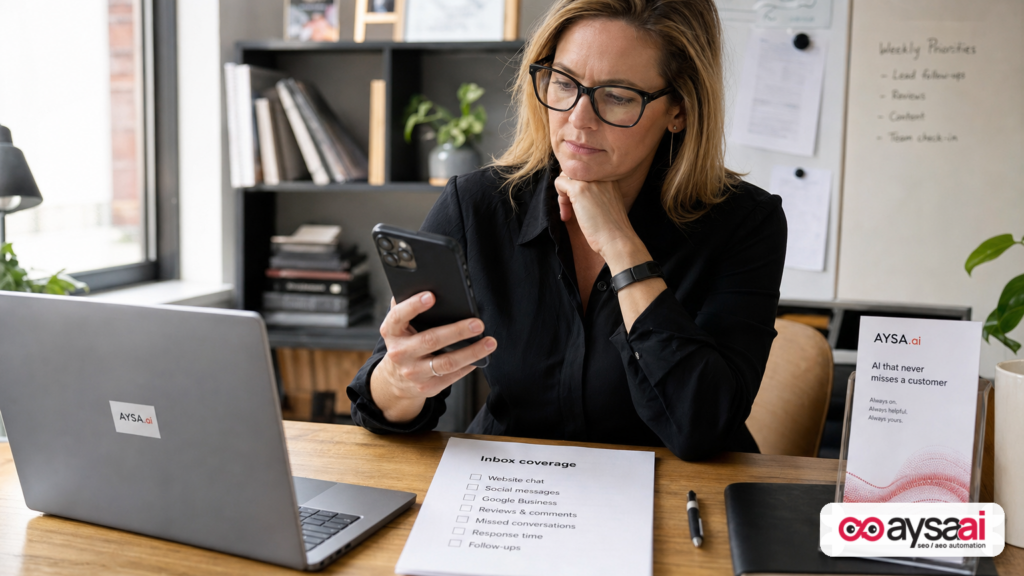
Operational recommendation: treat messaging like a store phone line
If you wouldn’t publish a phone number that nobody answers, don’t publish a message route that nobody monitors.
Minimum standard for SMEs:
- Define owner for messaging (role + backup)
- Define coverage hours
- Set response-time expectations internally
- Write templates (but keep them human)
- Run a weekly “message path test”
If you manage multiple locations, you need a per-location coverage plan. Otherwise, the best locations answer and the rest silently bleed leads.
“Generate hours” from plain language: convenience vs. correctness
Google’s Business Profile hours editor reportedly now includes a “Generate hours” feature where owners can type their schedule in plain language and Google fills in the hours fields. This is a classic AI win: it saves time and reduces form fatigue.
But hours are a high-stakes field. When hours are wrong, the customer experience breaks immediately and publicly.
Where AI-generated hours can fail
- Ambiguity: “Open late” means nothing to software.
- Edge cases: lunch closures, appointment-only windows, seasonal changes.
- Holiday exceptions: the most important time to be accurate is when routines change.
- Multi-department nuance: “store hours” vs. “support hours” vs. “pickup hours.”
How to use it safely
Use AI to draft—but require review before saving. The “review and edit” step isn’t optional; it’s the entire point.
Practical rule: if a customer could drive to you based on that field, it must be human-verified.
Restaurant and appeals changes: what to learn even if you’re not a restaurant
The SEJ report also mentions other Business Profile improvements already live, including restaurant ordering controls and expanded dietary labels, and it notes a change to appeals where you can upload supporting documentation before submitting (evidence optional, single appeal submission).
Even if you’re not a restaurant, there’s an operational lesson here: Google is adding more “settings surfaces” that can affect customer experience and conversions. Every added option creates:
- More opportunities to optimize
- More ways to misconfigure
- More need for change control
If appeals are “one shot,” you want your documentation ready. If ordering visibility depends on multiple toggles, you need a checklist. If labels require certification, you need policy.
In other words: Business Profile is no longer “set and forget.” It’s a living operational system.
How this changes search behavior in 2026–2027 (AI Search, AEO, GEO)
Local search is shifting from “ten blue links” to a blended environment: Maps, AI summaries, direct actions (call/message), and increasingly conversational interfaces.
When Gemini connects to Business Profile workflows, it’s not just helping you edit fields. It’s part of a broader movement: customers expect the answer and the action in one place.
What AEO and GEO look like for local businesses
- AEO (Answer Engine Optimization) for local means: your listing and website must contain clear, structured answers to common questions (hours, services, pricing approach, appointment rules).
- GEO (Generative Engine Optimization) means: your brand and entity information must be consistent and complete so AI systems can confidently summarize you without guessing.
If your hours are inconsistent, your services are vague, and your messaging channel is unresponsive, the AI layer won’t save you—because the problem is operational truth, not copywriting.
What this does to the competitive set
Historically, your local competitors were “the businesses near you.” Now, your competitors include any business that can respond faster and more reliably, because friction is being removed from customer contact.
In practice: a slightly farther business that responds instantly to messages may win more bookings than a closer business that forces calls or misses chats.
Where this goes wrong: failure modes and reputational debt
If you want to play offense with AI tools, you need to understand the defense: what breaks, how it breaks, and what it costs.
Failure mode 1: The “dead button” problem
You enable messaging (or WhatsApp), the Message button becomes prominent, and:
- the link is wrong, or
- nobody monitors the inbox, or
- the device is owned by someone who left.
Outcome: silent lead loss plus frustrated customers.
Failure mode 2: Hours drift
AI-generated hours (or a rushed edit) introduces a small error. Customers show up to a closed door. Reviews mention “hours are wrong.” Your staff has to handle conflict. Over time, you accumulate reputational debt.
Failure mode 3: Inconsistent answers across surfaces
You update Business Profile but not your website, or vice versa. AI systems and humans see conflicting information. Confusion rises; conversions drop.
Failure mode 4: “Template voice” erodes trust
AI makes it easy to post and respond at scale. But templated language can sound generic or evasive. In local, trust is personal. If you lose the human tone, you lose the brand.
Failure mode 5: Governance gaps in Workspace
Workspace access is good—until it enables accidental changes from well-meaning teammates. Without defined roles and approvals, the very governance layer becomes a source of risk.
A Practical Operating Model: From “AI Suggestions” to Approved Execution
Here’s the core idea I want SMEs and agencies to adopt:
AI should draft. Humans should approve. Systems should execute.
This is where most teams get stuck. They either:
- Use AI and publish too fast (risk), or
- Don’t use AI because they fear mistakes (missed opportunity), or
- Use AI outputs but can’t operationalize them (stuck in docs and tickets).
An approved execution model fixes that. The workflow looks like this:
- Monitor key surfaces (website pages, local landing pages, Business Profile fields, review trends, messaging readiness signals).
- Prepare recommended changes (draft copy, propose structured data, create checklists, suggest hours updates).
- Ask for approval from the accountable owner (marketing lead, ops, compliance).
- Execute the accepted changes quickly and consistently.
- Verify results and watch for regressions.
This is exactly the kind of system AYSA is built to support: it monitors, prepares changes, requests approval, and executes accepted website changes in a controlled way. See:
Even when Google’s AI tooling is working perfectly, your operational edge is the same: turning “possible improvements” into “approved, shipped improvements” without drama.
Concrete SME scenario: a multi-location clinic heading into holiday season
Let’s make this real.
Business: a three-location physical therapy clinic. The clinics run different hours, and one location does Saturday appointments twice a month. The owner uses Workspace email. They get most new bookings from Maps.
What changes when Message becomes prominent
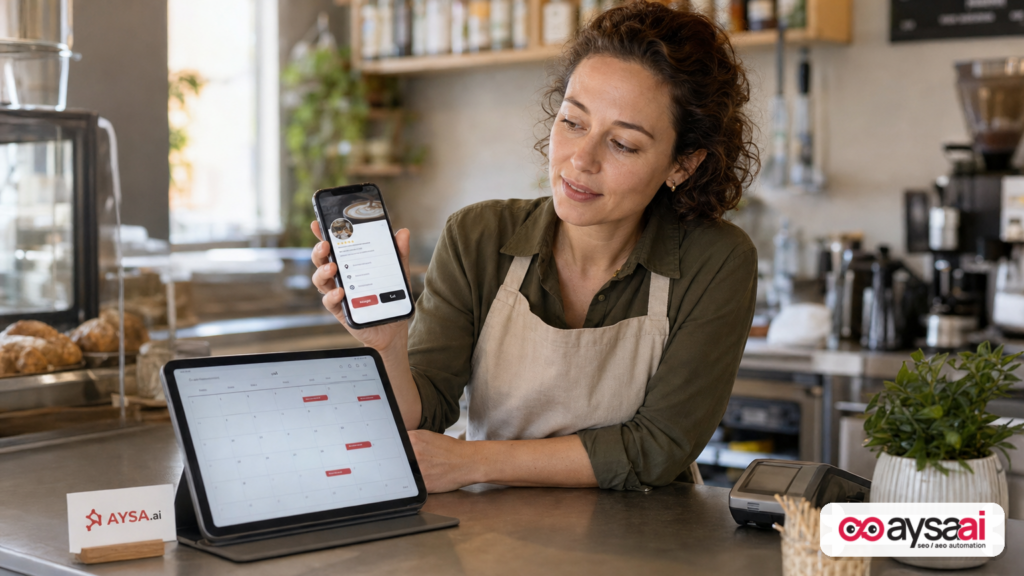
- Patients who can’t call at work start messaging.
- They ask: “Do you take my insurance?”, “Can I book next week?”, “Do you have parking?”
- If messages go unanswered for hours (or days), they book elsewhere.
What changes when “generate hours” exists
The manager types: “Mon-Fri 8-6, Saturdays 9-1 twice per month, closed for lunch 12-1.”
AI tries to translate that into fixed fields. But “twice per month” is not a stable weekly schedule. A small misinterpretation can publish wrong Saturday hours every weekend.
The right operational move
- Use AI to draft standard hours only.
- Handle variable Saturdays via posts, appointments messaging, and special hours exceptions when appropriate—after review.
- Assign messaging coverage: front desk during business hours, owner backup, and a clear “we reply within X hours” expectation (set internally, not necessarily published).
- Align website and Business Profile: a dedicated “Hours & Appointment Rules” section on location pages so AI and humans see the same truth.
AYSA’s role in this scenario is not to “be creative.” It’s to operationalize consistency by monitoring pages and preparing approved updates across the website—especially location pages that support your Business Profile presence. Start here:
- AI Search Visibility (what AI surfaces are showing about you)
- AI SEO Tools (what to fix and improve)
- Pricing (how to adopt this as a process)
Agency implications: scale, permissions, and accountability
If you’re an agency, this update is both promising and frustrating.
The promise
- Workspace support implies more secure collaboration with clients.
- AI tooling can reduce time spent on repetitive updates (posts, media additions, special hours drafting).
The friction
Per the SEJ report, Gemini’s Business Profile connection may still be limited—such as linking to one verified Business Profile at a time and working only through the Gemini web app. If that remains true during rollout, agencies managing many clients won’t be able to centralize everything through one Gemini workflow.
So what should agencies do now?
- Do not build a dependency on a workflow that doesn’t scale yet. Test with one profile, document the process, and keep your standard operating method intact.
- Shift your differentiation to execution quality: messaging readiness checks, hours accuracy audits, website-local alignment, and review response playbooks.
- Use AI where it’s safe: drafting, summarizing, generating variations—then review. Avoid automating publication without control.
If you’re building an “agentic” future, do it with change control. That’s how you avoid being the agency that published the wrong holiday hours for 40 locations.
Where AYSA fits: monitor → prepare → approve → execute
Google’s Gemini tooling is increasingly embedded in the Google ecosystem. That’s fine. But most of your business reality still lives on your site—your service pages, location pages, FAQs, schema, internal links, and conversion copy.
That’s the layer AYSA is designed to improve with discipline:
- Monitoring: keep watch on the pages and signals that support local discovery and AI summaries (AYSA Monitoring).
- Preparation: generate concrete recommended changes (copy improvements, entity clarity, structured content, internal links) (AYSA AI SEO Tools).
- Approval-first governance: changes shouldn’t ship because an AI said so; they should ship because a responsible human approved them.
- Execution: once accepted, execute updates fast and consistently—no ticket ping-pong. This is the “approved execution” advantage.
In local SEO, your Business Profile is the storefront sign. Your website is the building. You need both. Gemini makes it easier to tweak the sign; AYSA helps you keep the building accurate, helpful, and aligned with how AI systems summarize your brand.
If you want a deeper library of tactical approaches, start at AYSA’s blog and build a repeatable playbook.
What to do next (action list)
- Check whether Workspace access is live for you. If you manage Business Profile via Workspace, test if Gemini’s Business Profile tools can connect using your work identity. Expect staged rollout and potential mismatch with documentation.
- Run a “Message button readiness” test on every profile you manage. Click Message on Android and iOS if possible. Confirm it routes correctly and is monitored.
- Decide: messaging on or off—no half measures. If you can’t staff it, don’t advertise it. If you can staff it, create ownership and coverage.
- Audit hours (standard + holiday + special). If you use “generate hours,” treat it as a draft. Review every field.
- Align your website location pages with your Business Profile reality. Ensure each location page clearly states hours, services, appointment rules, and contact methods.
- Implement an approval workflow. No changes to hours, primary categories, or core attributes without explicit approval.
- Set up continuous monitoring and execution. Use a system like AYSA to monitor, prepare updates, request approval, and execute accepted changes across your site: AYSA Monitoring.
Sources and further reading
- Search Engine Journal: Google Gemini Business Profile Tools Are Coming To Workspace (primary research input for this editorial)
- Search Engine Journal: Local SEO section (context and continuing coverage)
- Search Engine Journal: AI Search coverage (broader AI-in-search context)
- AYSA: AI Search Visibility
- AYSA: AI SEO Tools
- AYSA: Monitoring
- AYSA: Pricing
- AYSA: Blog
Note: This editorial intentionally avoids claiming specifics that require direct validation from Google help center pages or Workspace admin documentation beyond what’s described in the provided research context. Where rollout details may differ by account, treat recommendations as operational best practice and verify availability in your own environment.
Continue the AI search topic inside AYSA.
Use these pages to connect the article with AI SEO tools, AI visibility monitoring, AI Overviews and approved website execution.
Turn this topic into a website action plan.
Use these AYSA hubs to move from reading to technical fixes, AI visibility monitoring, research, glossary context and approval-first SEO execution.