
Google Ads Editor 2.13: AI Max for Shopping Is Here—What It Changes for Ecommerce (and How to Operationalize It)
Google Ads Editor 2.13 adds AI Max support for Shopping campaigns, deeper Performance Max retention goal controls, expanded Demand Gen placements, and new AI disclosure tooling. Here’s what changed, why it matters for ecommerce and SMEs, what can go wrong, and how to turn these capabilities into a repeatable execution system with AYSA.

Google Ads is moving faster than most teams can operationalize—and Google Ads Editor 2.13 is a signal that the “offline bulk editor” era is officially becoming an “AI control panel at scale” era. The headline change is support for AI Max in Shopping campaigns, but the deeper story is about process: more automation, more guardrails, more disclosure requirements, and more pressure on your product data and landing pages to be correct.
This editorial is a practical guide for ecommerce operators, SMEs, and agencies: what changed, why it matters, how it affects your search visibility (paid and organic), what can go wrong, and how to build a repeatable execution system—with AYSA as the layer that monitors your site, prepares fixes, asks for approval, and executes the changes you accept.
Primary source referenced: Search Engine Land coverage of Google Ads Editor 2.13.
Table of contents
- Concise summary
- Key takeaways (for busy operators)
- Context: why this Editor update matters more than it looks
- What changed in Google Ads Editor 2.13 (and what it signals)
- AI Max for Shopping: what it is (in plain English) and why Google is pushing it
- The controls that matter: URL expansion, exclusions, and brand lists
- Performance Max retention goals: when “re-engage customers” is smart—and when it’s expensive
- Demand Gen expansions (including Maps placement): why creatives and landing pages must catch up
- AI-generated content disclosure: the compliance shift most teams will underestimate
- Reporting upgrades in Editor: channel performance and what you should look for
- What can go wrong: the new failure modes of AI-assisted Shopping
- A concrete SME scenario: the niche ecommerce brand that wins (or loses) with AI Max
- Agency and in-house implications: what you should rethink in your operating model
- Where AYSA fits: bridging the ads-to-website execution gap
- What to do next (practical action list)
- Sources and further reading
Concise summary
Google Ads Editor 2.13 adds offline, bulk-manageable support for AI Max in Shopping campaigns, plus retention goal controls in Performance Max, stronger Demand Gen support, improved reporting, and new AI disclosure tooling. For most businesses, the biggest impact won’t be the new buttons—it will be the operational expectation that your team can safely scale automation while maintaining brand and landing-page quality. If you treat AI Max as “set and forget,” you’ll pay for traffic you can’t convert. If you treat it as a system—with guardrails, measurement discipline, and fast Website Execution—you can turn it into an advantage.
Key takeaways (for busy operators)

- AI Max in Shopping is now manageable in Google Ads Editor, meaning bulk rollout is easier—but so is bulk misconfiguration. Your guardrails matter.
- Automation shifts the bottleneck to your website and product data: feeds, landing page relevance, merchandising, pricing clarity, shipping and returns, and Page speed are no longer “nice to have.”
- Retention goals in PMax are powerful when you have repeat purchase behavior and clean first-party audience signals; they can be wasteful when you don’t.
- Demand Gen expansions increase the need for creative variety and landing pages that match intent (not just product pages that “technically work”).
- AI disclosure and compliance is becoming operational: you need a workflow, not a policy doc.
- AYSA’s role is to close the loop between ad platform automation and the site changes that make automation profitable: monitor → prepare → approve → execute.
Context: why this Editor update matters more than it looks
Google Ads Editor has historically been the workhorse for teams that need to make lots of changes quickly: bulk upload keywords, restructure campaigns, build ad groups, update extensions, fix policy issues, and manage large accounts without relying on the web UI.
But the direction of Google Ads over the last few years has been clear: fewer manual levers, more AI-driven optimization, and more campaign types that blend channels and placements. You can debate whether that’s good for advertisers, but you can’t debate the trend: the platform is steadily moving toward systems where inputs (data, assets, signals, constraints) matter more than micro-optimizations.
So when Editor 2.13 adds AI Max support for Shopping, it isn’t just “feature parity.” It’s confirmation that Google expects sophisticated advertisers to adopt AI-driven Shopping at scale—and that the offline tool must support it.
That expectation changes what winning looks like. Your competitive advantage becomes:
- How quickly you can identify what the machine is doing.
- How well your product and website data guides it.
- How fast you can execute improvements once you find a problem.
In other words: strategy matters, but execution speed matters more than ever.
What changed in Google Ads Editor 2.13 (and what it signals)
Based on Search Engine Land’s reporting, Google Ads Editor 2.13 introduces a set of updates aimed at bringing offline management closer to what’s already possible in the Google Ads web interface. The notable additions include:
- AI Max support for Shopping campaigns, including automated text generation and URL expansion controls, plus brand lists and URL exclusions.
- Customer Retention Goals for Performance Max, enabling optimization toward re-engaging existing customers.
- New Business Name and Business Logo fields for responsive and non-skippable video ads.
- Demand Gen enhancements, including Maps placement support.
- Native Channel Performance reporting (bringing Editor closer to web UI reporting).
- AI-generated content disclosure controls via a User Attestation field for image and video assets.
- Workflow improvements (column management, download resume support, warnings/best practices) and retiring creation of new Video Action campaigns as the ecosystem shifts to Demand Gen.
The signal: Editor is no longer just “bulk edits.” It’s part of the core operating environment for AI-first ads. If your team relies on Editor, you now have fewer excuses to postpone adopting new campaign capabilities—because the tool you actually use for scale is getting the controls.
One more important signal: the removal of the ability to create new Video Action campaigns. Even if you weren’t using them, it’s a reminder that Google will continue to consolidate legacy formats into newer, AI-aligned products (in this case, Demand Gen).
AI Max for Shopping: what it is (in plain English) and why Google is pushing it
“AI Max” can sound like marketing fluff, so here’s the plain-English version for an SME:
AI Max for Shopping is Google increasing the amount of automated decision-making around what shows, to whom, and with what messaging—using your product feed, your landing pages, and your provided assets as raw material.
What changes operationally is less about “AI writes ad copy” and more about:
- Scale: The system can test many combinations faster than humans can.
- Coverage: It can expand into more queries/contexts if you allow it (often via URL expansion or similar controls).
- Asset dependence: Your feed fields, product titles, descriptions, and landing page content become the training data for what the system can credibly say.
- Constraint dependence: Your exclusions and brand rules determine whether that scale is safe.
Why Google is pushing it is simple: Google’s incentives favor systems that maximize auction efficiency across millions of advertisers with less manual work. AI-driven campaign behavior is easier to evolve and monetize than a platform that relies on every advertiser hand-tuning settings. That doesn’t make it “bad,” but it means you should treat AI Max as a strategic dependency, not a tactical experiment.
For ecommerce, the clearest implication is this: your product data and your landing page content are now performance levers in paid search. That blurs the line between PPC and SEO—and it’s why AYSA’s execution model matters.
The controls that matter: URL expansion, exclusions, and brand lists
Automation without constraints is just volatility. Editor 2.13’s AI Max support includes controls like URL expansion settings, brand lists, and URL exclusions (as described in the source coverage). These are not “advanced options.” They’re your safety rails.
1) URL expansion: growth lever or relevance trap
URL expansion (in any AI-assisted campaign context) can be great when:
- You have a clean Site architecture.
- You have high-quality category pages and collection pages.
- Your merchandising strategy is consistent (e.g., filters don’t create junk pages).
- Your Conversion tracking is reliable enough that the system can learn quickly.
It can be a trap when:
- You have thin pages (short descriptions, unclear pricing, missing shipping/returns).
- Your site generates lots of near-duplicate URLs or parameterized pages.
- Your “best” pages for conversion aren’t the pages that explain the product well.
- Your blog content is informational and not meant for paid traffic, but gets pulled in anyway.
Practical rule: If you don’t know which URLs you’d be comfortable buying traffic to at scale, don’t enable expansion broadly. Start constrained, then widen.
2) URL exclusions: your brand and margin protection layer
URL exclusions are where you keep automation from doing expensive, dumb things—like sending Shopping traffic to out-of-stock pages, customer service pages, warranty fine print pages, or low-margin products you can’t afford to scale.
SMEs often skip this because it feels technical. But in an AI-max world, exclusions are business strategy in list form.
3) Brand lists: protecting the meaning of your brand name
Brand lists help keep your campaigns aligned with how you want your brand to appear. For retailers carrying multiple brands, this can also prevent the system from drifting toward the easiest-to-sell brand at the expense of your strategic inventory.
Operator mindset: Treat guardrails like you treat finance controls. You wouldn’t let every employee wire money without approval; don’t let the system send traffic everywhere without constraints.
Performance Max retention goals: when “re-engage customers” is smart—and when it’s expensive
Editor 2.13 adds support for Customer Retention Goals in Performance Max, enabling optimization toward re-engaging existing customers (per the source coverage).
On paper, retention goals sound universally good. In practice, they’re only good when they align with your business economics and your data quality.
Retention goals can be a great fit when:
- You have repeat purchase behavior (consumables, skincare, supplements, specialty foods, printer ink—anything replenishable).
- Your margins support paid reactivation, and you can measure incremental lift.
- You have strong first-party customer lists and you maintain them (CRM hygiene, consent, suppression logic).
- You can segment (recent purchasers vs lapsed customers, VIPs vs discount-only buyers).
Retention goals can be a bad fit when:
- Your product isn’t naturally repeatable (e.g., a mattress brand trying to “retain” buyers every 60 days).
- You rely on heavy promotions and retention campaigns train customers to wait for discounts.
- Your measurement can’t separate incremental revenue from what would have happened anyway (brand loyalists you’d get for free through email).
What to monitor: If you adopt retention goals, you should watch whether CAC rises while overall profit stays flat—because you’re paying to reacquire customers who would have returned organically.
This is where your analytics discipline matters. You don’t need perfect Attribution, but you do need consistent conversion definitions and a clear view of what “incremental” means for your business.
Demand Gen expansions (including Maps placement): why creatives and landing pages must catch up
Search Engine Land notes expanded Demand Gen capabilities in Editor 2.13, including Maps placement support. The practical takeaway: Demand Gen is continuing to evolve as Google’s consolidated environment for certain discovery and video-adjacent behaviors.
For SMEs and ecommerce brands, the biggest mistake with Demand Gen is treating it like Search. Search traffic often arrives with explicit intent (“buy X now”). Demand Gen traffic often arrives with emerging intent (“I might want this”). That changes what your creative and landing pages need to do:
- Creative must educate quickly (use-cases, benefits, credibility cues).
- Landing pages must reduce friction (clear shipping, returns, reviews, sizing guides, FAQs).
- Category pages often outperform product pages for discovery traffic, because they let users self-select.
Maps placements also raise a simple question: is your business model and fulfillment experience aligned with the expectation created by a location-oriented context? For local businesses, it can be a win; for ecommerce, it depends on how Google frames the experience.
If you’re a local service business using Demand Gen, the relationship between ads and local visibility matters too. Search Engine Land has related coverage about Local Services Ads appearing via Performance Max, which underscores that formats and placements are blending. See: Local Services Ads via Performance Max.
AI-generated content disclosure: the compliance shift most teams will underestimate
Editor 2.13 introduces AI-generated content disclosure controls through a User Attestation field for image and video assets (per Search Engine Land’s summary).
This matters for one reason: AI in marketing is becoming governed through systems, not intentions. When disclosure is embedded in the tooling, it becomes part of your normal workflow—like UTM parameters or naming conventions.
For SMEs, the risk is not only “policy violation.” It’s operational drift:
- One team member uses AI-generated assets.
- No one records it consistently.
- Approvals get messy (legal, brand, compliance).
- Campaign troubleshooting becomes harder because you can’t tell what changed.
Recommendation: Build a lightweight, auditable approval process for AI-generated assets: what is allowed, who approves, where attestations live, and how you version creative.
If your business is also thinking about AI visibility in organic search (AI Overviews / AI Mode / LLM answers), you should treat “truthfulness and provenance” as a shared discipline across paid and organic. AYSA’s focus on monitoring and Approved Execution supports that discipline, especially when you need to keep pages accurate as promotions, inventory, or policies change.
Reporting upgrades in Editor: channel performance and what you should look for
Editor 2.13 adds Native Channel Performance reporting, bringing Editor closer to web UI capabilities (as reported by Search Engine Land). That’s a welcome improvement for teams managing campaigns at scale.
But reporting features alone don’t solve the key measurement problem in AI-driven campaigns: understanding why performance changed and what action to take.
Here’s what operators should look for when channel performance reporting becomes easier to access:
1) Identify “performance concentration”
AI systems can find one pocket of performance and lean into it. That can be good—until it’s fragile. If one channel or placement becomes dominant, your risk increases. Ask:
- Is the concentration aligned with our strategy (new customers vs retention)?
- Is it aligned with margin (not just ROAS)?
- Is it aligned with brand positioning (not spammy placements)?
2) Compare landing page cohorts, not just campaigns
When AI Max and URL expansion are in play, campaigns can become less interpretable. A more stable analysis unit is: which landing pages are receiving spend and how they convert.
This is where most teams struggle—because the fix usually isn’t in Google Ads. The fix is on the website: page content, UX, merchandising, speed, schema, internal linking, inventory messaging. That’s the execution gap AYSA is built to close.
3) Watch for “creative fatigue” disguised as algorithm volatility
In Demand Gen and video-adjacent environments, performance can drop because users have seen your assets too many times. The algorithm looks volatile, but the real problem is you need a fresh creative set. Build a creative refresh cadence.
What can go wrong: the new failure modes of AI-assisted Shopping
When advertisers adopt AI Max and expand automation, the failure modes change. You’ll see fewer “obvious” mistakes (like misspelled keywords) and more systemic ones.
Failure mode #1: The system optimizes into your operational constraints
If your best-selling products are also the ones with the thinnest margins, automation will happily scale them. Without constraints (product segmentation, exclusions, budget controls), you can win the auction and lose the business.
Failure mode #2: “Relevance drift” from URL expansion
If URL expansion is too permissive, traffic can start landing on pages that technically match a query but don’t match the user’s expectations. Your CPC stays fine; your conversion rate falls; you assume “the market got worse.” In reality, you bought the wrong session.
Failure mode #3: Feed quality becomes your bottleneck
Shopping performance is downstream of feed correctness. When AI Max relies more on automated text and expansion, the feed has more influence, not less. If your titles, attributes, and variants are inconsistent, you’ll get inconsistent outcomes.
Failure mode #4: You confuse “more coverage” with “more intent”
AI systems can expand reach faster than your business can interpret it. You’ll see more impressions, more clicks, maybe even more conversions—but not necessarily more profit. Tie expansion to incremental goals and watch new vs returning customer behavior.
Failure mode #5: Compliance and brand safety become accidental
With AI-generated assets and disclosure tooling, mistakes become procedural, not creative. Someone forgets attestation; assets get reused; governance breaks. Set a system.
A concrete SME scenario: the niche ecommerce brand that wins (or loses) with AI Max
Let’s make this real.
Scenario: A niche ecommerce brand sells premium pet supplements. Average order value is healthy, but repeat purchase is the real profit driver. The team is small: a founder, a part-time marketer, and a freelancer running Google Ads.
What the team wants
- Scale Shopping revenue without doubling management time.
- Bring back customers every 45–60 days.
- Avoid discounting that erodes long-term value.
How AI Max + Editor 2.13 could help
- Bulk enable AI Max for Shopping in Editor and manage guardrails at scale.
- Use URL exclusions to prevent traffic to thin pages (policy pages, out-of-stock items, and low-margin bundles).
- Test retention goals in PMax for lapsed purchasers (not recent ones), aligned to a replenishment cycle.
- Use Demand Gen for education-focused creative that addresses skepticism (ingredients, vet guidance, reviews).
Where it goes wrong (common SME path)
- They enable expansion broadly.
- The system starts sending traffic to blog posts (“What vitamins do dogs need?”) because those pages get engagement.
- Blog posts have weak product CTAs and slow load times; conversion rate drops.
- The team reacts by cutting budgets instead of fixing pages.
What a winning path looks like
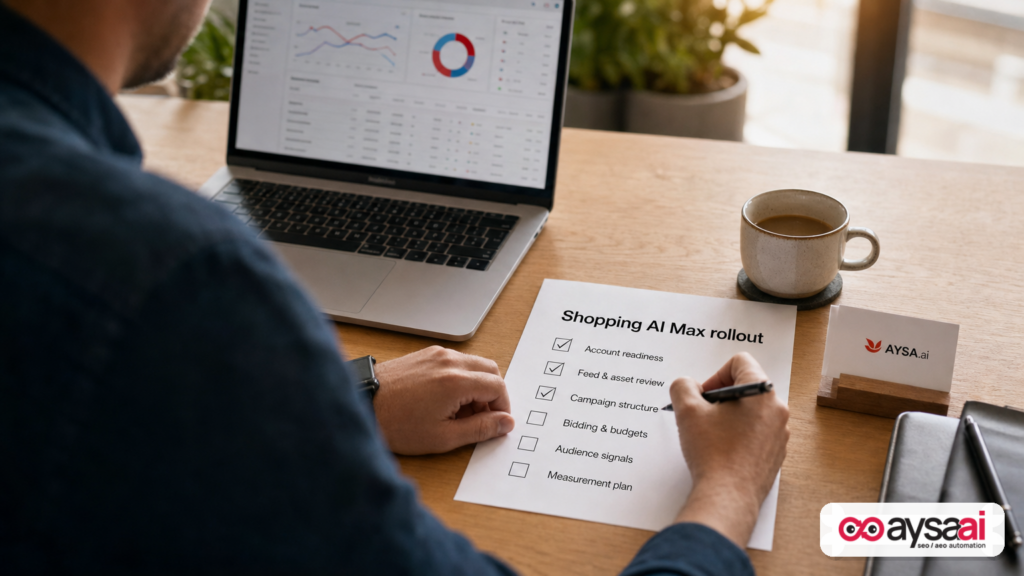
The team treats AI Max as a rollout:
- They audit landing pages that could receive traffic and exclude low-intent URLs.
- They strengthen category pages and best-seller product pages with shipping, returns, reviews, FAQs, and clearer claims language.
- They implement a creative refresh cadence for Demand Gen assets.
- They measure not just ROAS, but incremental repeat orders and contribution margin.
This is exactly where most SMEs need help: not in clicking the AI Max toggle, but in executing the site improvements that make the toggle profitable.
Agency and in-house implications: what you should rethink in your operating model
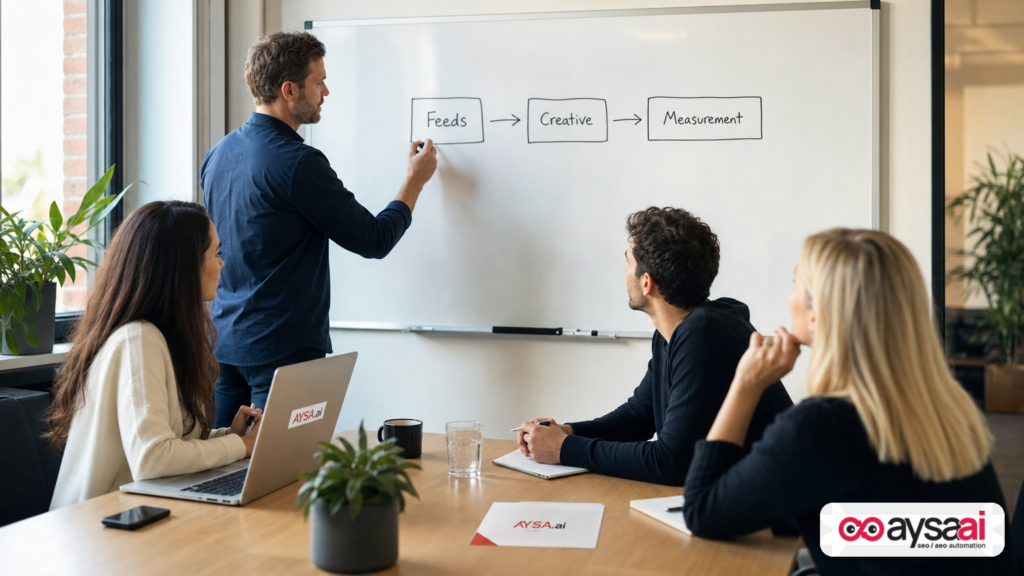
If you run PPC in-house or for clients, Editor 2.13 pushes a broader operating model change: AI-assisted ads require tighter collaboration between PPC, SEO, creative, and web operations.
1) Your differentiator is shifting from “campaign tinkering” to “input engineering”
Winning accounts will obsess over inputs:
- Feed accuracy and enrichment.
- Landing page quality and relevance.
- Audience segmentation and first-party data hygiene.
- Creative volume, variation, and governance.
2) The fastest teams will win (because learning loops are shorter)
When automation changes performance quickly, the team that can ship landing page fixes and feed improvements quickly will outlearn everyone else. That’s not a “Google Ads” skill. It’s an execution capability.
3) Your reporting must become action-oriented
Channel performance reporting is helpful, but you need to connect performance changes to actions. If a certain class of landing pages underperforms, you need a system to:
- detect it,
- prioritize it,
- prepare fixes,
- and ship them safely.
This is where “approved execution” becomes a competitive advantage.
Where AYSA fits: bridging the ads-to-website execution gap
At AYSA.ai, we see the same pattern repeatedly: teams can identify what’s wrong, but they can’t ship fixes fast enough. That gap gets more expensive as ad automation gets stronger.
AYSA is built as an execution system for SEO/AEO/GEO (and the website foundations that support paid traffic too):
- Monitors your site for issues and opportunities that affect search visibility and conversion readiness.
- Prepares recommended changes (content updates, technical fixes, on-page improvements) with context.
- Asks for approval before anything changes—so you keep control and brand governance.
- Executes accepted website changes to reduce bottlenecks.
If you’re adopting AI Max for Shopping, the most valuable use of AYSA is not “SEO in isolation.” It’s the ads-to-website feedback loop:
- AI expands traffic to more URLs → AYSA helps ensure those URLs are conversion-ready and accurate.
- You discover certain categories have poor performance → AYSA prepares improvements for those pages (clarity, structure, internal linking, FAQs).
- You need new landing pages for Demand Gen angles → AYSA helps you build and maintain structured, consistent content.
- You need ongoing monitoring as inventory and promotions change → AYSA flags drift and prepares updates.
Explore how AYSA supports this workflow:
In 2026, the teams that win won’t be the ones with the most toggles turned on. They’ll be the ones that can confidently turn automation into profit by improving the underlying site experience fast.
What to do next (practical action list)
Use this as a rollout plan if you’re adopting AI Max for Shopping or expanding PMax/Demand Gen.
1) Build your “allowed landing pages” map
- List which page types are safe for paid traffic (collections, best sellers, core product pages).
- List which page types are not (policy pages, login pages, thin blog posts, out-of-stock pages).
- Translate that into URL exclusions and expansion rules.
2) Audit feed quality like it’s creative
- Titles: do they include the attributes humans actually search for?
- Variants: are size/color/material mapped consistently?
- Availability/pricing: are they accurate and stable?
3) Refresh your top landing pages for conversion readiness
- Make shipping/returns visible.
- Add FAQs that address objections.
- Improve product descriptions for clarity (not fluff).
4) Decide if retention goals are economically rational
- If your repeat purchase cycle exists, test retention goals against a holdout mindset.
- If it doesn’t, prioritize acquisition with clear new-customer measurement.
5) Create an AI asset governance workflow
- Define what is allowed, who approves, and how attestations are recorded.
- Version creative so you can debug performance shifts.
6) Establish a weekly “AI campaign reality check”
- Which URLs got spend?
- Which URLs converted?
- Which segments got cheaper or more expensive?
- What’s the one website change that would make next week better?
7) Operationalize execution with AYSA
- Use AYSA monitoring to catch drift and missed opportunities.
- Use prepared recommendations to reduce internal research time.
- Use approvals to keep governance tight.
- Execute accepted changes to keep pace with AI-driven campaign learning.
Sources and further reading
- Search Engine Land: Google Ads Editor 2.13 brings AI Max support to Shopping campaigns
- Search Engine Land: Local Services Ads come to Google Ads via Performance Max
- Search Engine Land: ChatGPT Ads adds conversion bidding, geo exclusions and bulk campaign tools
- Search Engine Land: Household income exclusions spotted in Performance Max campaigns
- Search Engine Land: How to revive overlooked ecommerce SKUs with Performance Max
Note: This editorial relies on the supplied research context and the linked Search Engine Land reporting above. Where official Google documentation would typically be cited for feature definitions, it is not included in the provided research set; if you want, we can add official Google Ads Help Center links once they’re supplied or approved for inclusion.
Continue the AI search topic inside AYSA.
Use these pages to connect the article with AI SEO tools, AI visibility monitoring, AI Overviews and approved website execution.
Turn this topic into a website action plan.
Use these AYSA hubs to move from reading to technical fixes, AI visibility monitoring, research, glossary context and approval-first SEO execution.

