AI Mode, AI Overviews, and the New Link Economy: What Google’s 5 “Explore the Web” Updates Mean for SMEs (and What to Do Next)
Google is upgrading how links, sources, and “next steps” appear inside AI Mode and AI Overviews. That shifts how people discover websites—and how businesses earn clicks. Here’s what changed, why it matters, and a practical action plan SMEs can execute with AYSA’s approved SEO/AEO/GEO workflow.
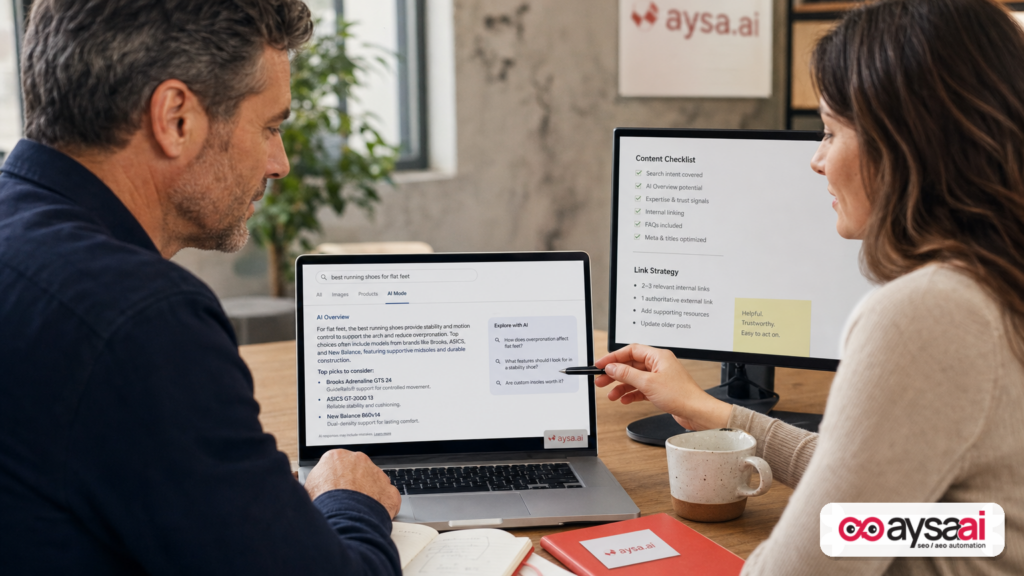
By Marius Dosinescu / AYSA.ai
Google is signaling—again—that AI in Search is not meant to be a walled garden. It’s meant to be a guided doorway into the open web. But the doorway is changing shape.
In May 2026, Google outlined five updates to AI Mode and AI Overviews designed to help people explore deeper: suggestions for “where to go next,” easier access to subscription sources, previews of community perspectives, more inline links, and link hover previews on desktop. The common theme is simple: links are becoming more contextual, more selective, and more integrated into the AI response itself.
That changes how discovery works for every business that depends on organic search—especially SMEs. The “ten blue links” era trained everyone to fight for a position. The AI era is training users to follow routes: the next angle, the best guide, the community thread, the trusted subscription, the cited source.
This editorial breaks down what changed, why it matters, what can go wrong, and what to do next—using a practical playbook you can execute with AYSA’s approval-based SEO/AEO/GEO system.
Concise summary
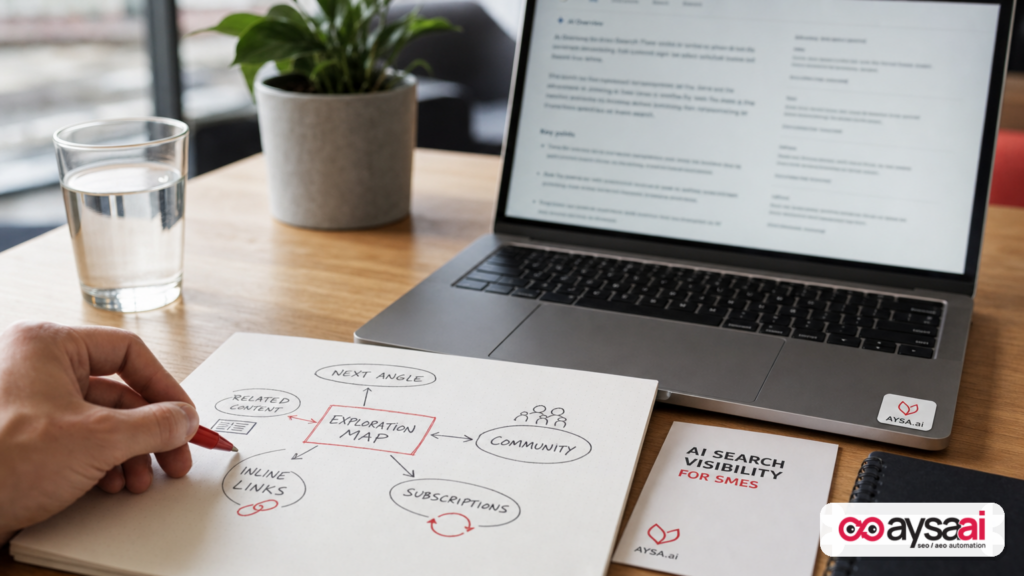
- Google is improving how AI Mode and AI Overviews surface links and sources, including inline links and link previews. Source: Google Search Blog.
- Discovery is shifting from ranking to being selected as a source in multiple link placements (next steps, citations, community perspectives, subscription labels).
- SMEs should update content to be more citeable, strengthen Internal linking and “topic clusters,” and intentionally earn visibility in firsthand/community and trusted publisher contexts.
- The operational challenge isn’t just strategy—it’s execution: Monitoring changes, preparing safe updates, getting approvals, and deploying improvements quickly. That’s where AYSA fits.
Table of contents
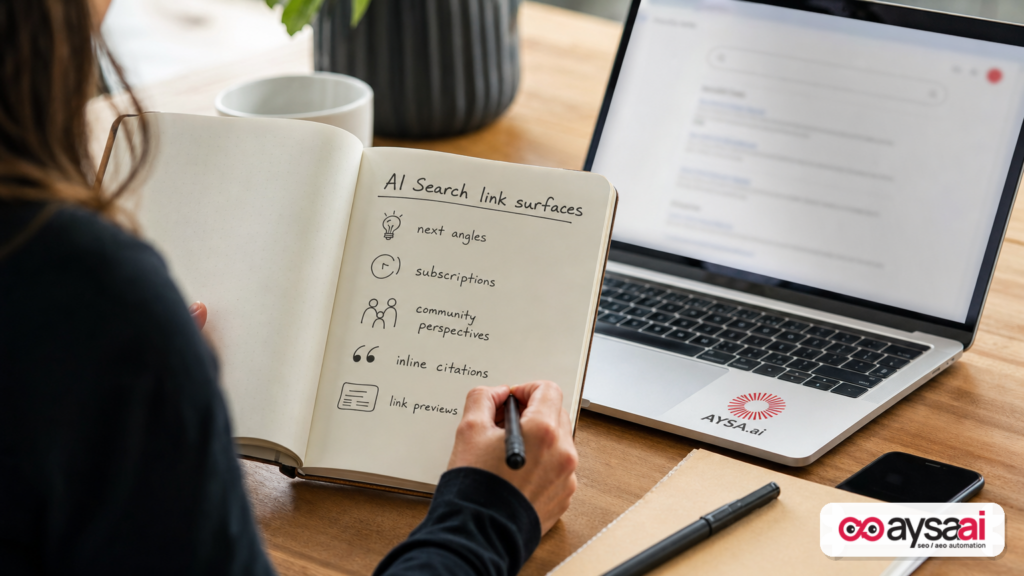
- 1) Context: why Google is emphasizing “explore the web”
- 2) What Google changed: the 5 “explore the web” updates (in plain English)
- 3) Why this matters: search behavior is shifting from “ranking” to “routes”
- 4) Practical implications for SMEs: what will actually change in your analytics
- 5) If you’re a publisher: subscription links and trust signals
- 6) Community perspectives: the rise of firsthand advice (and the risk)
- 7) Inline links and hover previews: the new UX of citations
- 8) Content strategy for AI Mode & AI Overviews: how to become “citeable”
- 9) Technical and on-site fundamentals that matter more in AI search
- 10) A concrete SME scenario: a local clinic competing in AI search
- 11) What agencies should rethink: deliverables, reporting, and responsibility
- 12) Where AYSA fits: monitoring → prepare → approve → execute
- 13) What to do next (action list)
- Sources and further reading
Context: why Google is emphasizing “explore the web”
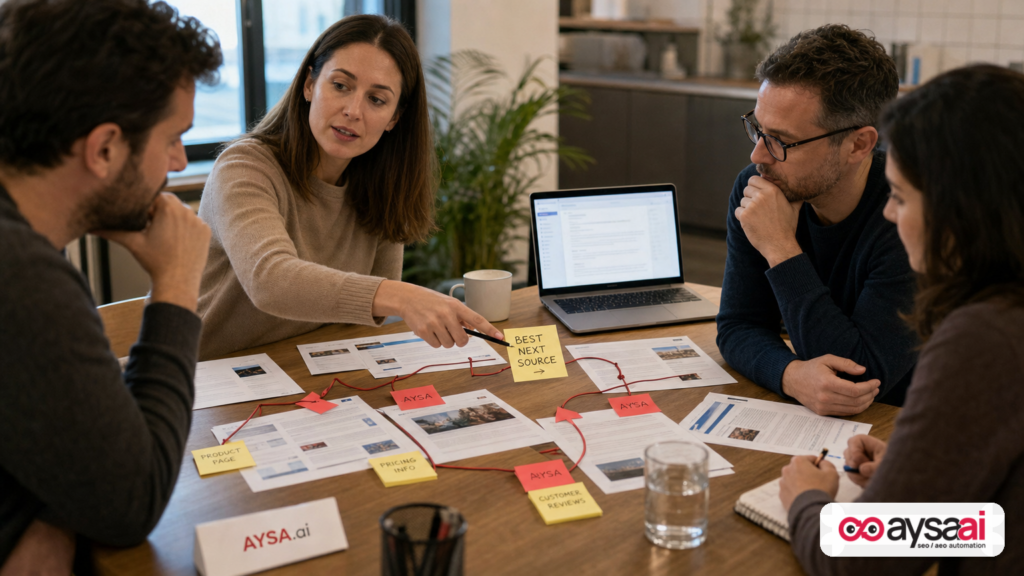
Google’s messaging around AI search has been consistent on one big point: AI answers should help users reach the broader web, not replace it. The May 2026 update post positions AI Mode and AI Overviews as “most helpful” when they connect people with “authentic voices” and “useful information across the web.” (Source)
From a business editorial standpoint, this is less philosophical than it sounds. Google is trying to solve three tensions at once:
- User speed vs. user confidence: AI can summarize quickly, but users hesitate if they don’t trust where information comes from.
- Answer completeness vs. web diversity: A single AI response can feel “final,” which reduces exploration unless the interface nudges you toward deeper sources.
- Utility vs. ecosystem health: Google needs the open web to remain economically viable—publishers, creators, experts, and SMEs have to get traffic and outcomes, or the web gets thinner.
So Google is pushing UI and ranking changes that do something very specific: make clicking feel safer and more intentional. That means more visible links, more context around links, and more entry points into different types of sources (subscriptions, discussions, deep dives).
For marketers, the takeaway is not “AI is sending traffic again.” The takeaway is: AI is creating new surfaces where your site can be selected—and new reasons it can be skipped.
What Google changed: the 5 “explore the web” updates (in plain English)
Google’s post lists five changes. Here’s what they mean for operators who don’t live inside SEO jargon.
1) “Explore new angles” (AI responses now suggest next steps)
AI answers increasingly function like the first page of a research session. Google is now adding “where to go next” suggestions at the end of many AI responses, linking to distinct articles or analyses on facets of the topic. (Source)
Editorial interpretation: This is a formalized “secondary SERP” embedded inside the answer. If you’re not included, you may lose the second click—the one that often produces the best leads because it comes from a user who is now informed and motivated.
2) Subscription access (links from your news subscriptions get highlighted)
Google is rolling out a way to highlight links from a user’s news subscriptions inside AI Mode and AI Overviews. In testing, Google says people clicked more when links were labeled as subscriptions. Publishers can fill out a form to help subscribers link subscriptions with Google. (Source)
Editorial interpretation: This is a trust shortcut. It tells us Google expects personalization and “known source preference” to play a bigger role in AI-assisted discovery.
3) Community / firsthand perspectives (previews of public discussions)
AI responses can now include previews of perspectives from public online discussions and other firsthand sources, with more context such as creator name/handle/community name, so users can decide what to open. Google notes this may be labeled differently depending on the query (e.g., “Community Perspectives”). (Source)
Editorial interpretation: Google is acknowledging that “best answer” often means “best experienced answer.” This elevates community content—useful for users, complicated for brands.
4) More inline links (links appear right next to the relevant text)
Google will show more links directly within AI responses—adjacent to the bullet or sentence they support. (Source)
Editorial interpretation: Citations become more “point-of-need.” Users don’t have to scroll to a references block. That increases the value of being cited for a specific sub-claim (not just the overall topic).
5) Link hover previews (desktop users can preview a linked website)
On desktop, hovering over an inline link in AI experiences will show a quick preview: site name or page title, giving users more confidence about clicking. (Source)
Editorial interpretation: Title tags and page naming conventions matter even more. If your page title looks spammy, unclear, or overly clever, users may never click—even if you’re cited.
Google also mentions it’s continuing to enhance how it shows and ranks links in these experiences and references techniques like query fan-out (expanding queries to explore the web more deeply). (Source)
Why this matters: search behavior is shifting from “ranking” to “routes”
Traditional SEO taught a simple mental model:
- User searches
- Google ranks pages
- User clicks a result
AI Mode and AI Overviews encourage a different model:
- User searches
- AI synthesizes an answer
- User chooses a route to explore: next angle → community thread → deep guide → subscription source → official reference
That route-based behavior matters because it changes the competitive set. In classic SERPs you competed with “similar pages.” In AI routes you compete with:
- A deep explainer from a publisher
- A niche blog post that nails one subtopic
- A community thread with firsthand tips
- A government or institutional page that serves as a canonical reference
- A brand page that provides the cleanest checklist or tool
In other words: you’re no longer competing for a single slot; you’re competing to be the best supporting source for one step in the journey.
This is the new link economy: being cited for the right reason, at the right moment, with the right context.
Practical implications for SMEs: what will actually change in your analytics
Let’s get specific about what an SME may notice as these experiences roll out more broadly.
1) Fewer “casual clicks,” more “qualified clicks” (but only if you’re selected)
AI summaries can satisfy early curiosity. That may reduce low-intent clicks. But when users do click, it’s often because they’ve been nudged to a deeper angle or need evidence for a specific claim. If your content is designed to be that evidence, you can earn higher-quality visits.
Risk: if your site only offers generic content that’s easy to summarize, you get the worst of both worlds—no differentiation and fewer clicks.
2) Your page titles become your “AI citation packaging”
Hover previews mean users see the site/page title before committing. If your page title is:
- Over-optimized (“Best Top #1 Ultimate Guide…”)
- Vague (“Everything You Need to Know”)
- Outdated (“2023 Guide”)
…your click-through rate can suffer even if you earned the link.
3) You’ll see more traffic concentration on “source-worthy” pages
AI citations tend to prefer pages that cleanly support a specific sub-answer: a checklist, a definition, a comparison, a policy, a step-by-step, a troubleshooting flow, a data-backed explainer.
Operationally, that means you should expect “winners” and “losers” inside your own site. Your job is to identify which pages are becoming source-worthy—and then expand them into clusters.
4) Brand trust signals become intertwined with discovery
Google’s subscription highlighting is a clue: personal trust and familiarity will influence what gets clicked. This favors businesses that invest in brand—email lists, returning users, direct traffic, and content people seek out intentionally.
Even if you don’t run a publication, the concept applies: make your brand the “known quantity” users recognize when AI presents a choice of sources.
If you’re a publisher: subscription links and trust signals
The subscription highlight feature is framed for news subscriptions, and Google even provides a publisher pathway (“fill out this form”) to help readers link subscriptions with Google. (Source)
Why this matters beyond publishers:
- Google is building a preference layer. Users want “my sources,” not “some sources.”
- Labels drive behavior. Google reports higher click likelihood when links are labeled as a subscription in tests. (No numbers provided.)
- The UI is nudging loyalty. A subscription label is a “permission slip” to click.
If you are a publisher or creator with paid/free subscriptions, treat this as a strategic distribution channel, not a minor feature. Make sure:
- Your subscription value proposition is obvious on-site
- Your best “reference” content is accessible enough to be cited and previewed
- Your titles and metadata are clear, credible, and current
If you’re an SME (not a publisher), the analogous move is simpler: build owned audiences. Email, returning visitors, and branded searches are not “nice to have” in AI search—they’re insurance.
Community perspectives: the rise of firsthand advice (and the risk)
Google is making room for community quotes and previews inside AI responses. This is good product design because humans often trust people who’ve “been there.” (Source)
For businesses, it creates a two-sided reality:
The opportunity
- Firsthand credibility is defensible. A small business can outrank a giant brand in perceived usefulness if it shares detailed, practical experience.
- Niche communities can drive high-intent traffic. When a user clicks into a thread, they’re often in decision mode.
- Authentic creator identity matters. Google explicitly calls out showing creator handle/community name.
The risk
- Brands can’t “control” the narrative. Community threads can surface criticism, outdated advice, or conflicting experiences.
- Attribution can be messy. A quote preview might not capture nuance, and users may treat it as authoritative.
- Low-quality communities exist. If an AI response surfaces poor advice, it can harm users—and increase skepticism overall.
The sane business posture here isn’t panic. It’s participation + documentation:
- Participate in the communities that matter to your buyers (as a real person, not as “brand voice”)
- Turn recurring community questions into your own on-site FAQ and guides
- Publish “field notes” content—what you’ve learned, what works, what fails—so you become the primary source, not just a commenter
Inline links and hover previews: the new UX of citations
The most underappreciated part of Google’s update is purely UX: citations are moving closer to the claims they support, and links get previews. (Source)
This changes how you should design pages intended to earn citations.
Design pages to support sub-claims
If AI responses cite specific bullet points, you want pages that map cleanly to those points. That means:
- Clear subheadings (the kind a user can scan)
- Short, direct definitions followed by deeper explanation
- Explicit steps, prerequisites, and exceptions
- “If X, then Y” troubleshooting structures
Make titles “preview-proof”
Hover previews are a pre-click audition. Your title should be:
- Specific (what the page covers)
- Accurate (no bait-and-switch)
- Timeless where possible (avoid fragile year-based titles unless it’s truly annual)
- Credible (no hype language)
Assume the user is comparing you to three other sources
In AI Mode, users are often choosing between multiple “next clicks.” Your page has to win on clarity and trust in seconds.
That is not a copywriting trick. It’s a content operations problem.
Content strategy for AI Mode & AI Overviews: how to become “citeable”
In the AI era, a lot of businesses overreact by trying to “write for AI.” That usually produces bland content that neither humans nor machines value.
A better goal is to write so that a system can confidently cite you—because your page is unambiguous, well-structured, and genuinely helpful.
1) Build “answer modules” inside your pages
An answer module is a small, self-contained section that could stand alone as a citation. Examples:
- Definition box: “What is X?” with a one-paragraph definition, then details.
- Checklist: “Before you do X, confirm these 7 things.”
- Comparison table: “Option A vs Option B” with crisp criteria.
- Step-by-step: “How to do X safely” with numbered steps and caveats.
Don’t hide these inside long narratives. Make them easy to extract and verify.
2) Create “next angle” content on purpose
Google is explicitly adding “new angles” suggestions after AI responses. That means you should map the natural angles in your niche and publish for them.
Example (non-SEO business owner friendly): if you sell ergonomic office chairs, your “angles” aren’t just “best office chair.” They’re:
- “Chair setup for lower back pain”
- “How seat depth affects knee pressure”
- “Standing desk vs chair: when to switch”
- “How to choose a chair for petite/tall bodies”
Each angle can become a page designed to be cited for a specific point.
3) Prioritize originality where it actually matters
Google’s post emphasizes “original content” and “authentic voices.” (Source)
Originality doesn’t require surveys or big budgets. For SMEs, originality can be:
- A documented process (“how we do it”)
- Photos from real jobs (with consent)
- Common mistakes you see weekly
- Edge cases and exceptions (the stuff generic content skips)
4) Make your “expertise surface area” obvious
AI systems and users both look for cues of credibility. Practical steps:
- Add clear author or “reviewed by” information where appropriate
- Include references to official sources when relevant (regulations, policies, standards)
- Keep pages updated and show update dates honestly
Important constraint: I’m not claiming specific ranking factors here. Google’s post is about UI and link presentation. The editorial point is: credibility cues affect clicks and selection.
Technical and on-site fundamentals that matter more in AI search
AI search discussions often get abstract. But the practical reality is: the sites that win tend to have strong fundamentals because fundamentals make content easier to interpret, cite, and trust.
1) Internal linking becomes route engineering
If users land on your page from an AI citation, you need to keep them moving. That means:
- Related guides linked near the top (not buried)
- Clear “next step” CTAs based on intent (learn vs compare vs buy vs contact)
- Consistent taxonomy (categories, tags, service lines) that makes sense to humans
This is where many SMEs lose money. They earn the click and then strand the visitor.
2) Titles, headings, and page structure must be boring (in the best way)
Clarity beats cleverness. With hover previews and inline citations, ambiguity costs clicks.
3) Keep your site fast and stable
Google didn’t mention performance in this specific post, so I won’t invent new requirements. But in business terms: if you finally earn a coveted citation and your page loads slowly or jumps around, you waste that opportunity.
4) Monitor what’s changing—because AI features evolve quickly
Google explicitly frames these experiences as continuously tested and improved. (Source) That means your content operations can’t be quarterly anymore. You need a monitoring loop.
AYSA’s monitoring capabilities are built for this reality: AYSA Monitoring
A concrete SME scenario: a local clinic competing in AI search
Let’s take a realistic example: a local physical therapy clinic in a mid-sized American city.
Historically, their SEO playbook looked like this:
- Create service pages (“sports injury rehab,” “post-surgery rehab”)
- Publish a few blog posts (“stretches for lower back pain”)
- Try to rank for “physical therapy near me” and a handful of informational terms
Now imagine a user searches in AI Mode for: “How do I know if my knee pain is tendonitis or something else?” The AI response might:
- Explain common symptoms
- Suggest “next angles” like “when to see a clinician” or “exercises to avoid”
- Include community perspectives (“what helped me”)
- Cite a few inline sources for red flags and self-care steps
Where can the clinic win?
Win #1: a citeable “red flags” module
Create a page (or section) that clearly lists “when knee pain needs professional evaluation,” written in plain language, with structured headings and careful disclaimers. The goal isn’t to diagnose—it’s to be the most responsible, clear source for “when to seek care.”
Win #2: “next angle” pages that match the user’s path
Publish pages like:
- “What to do in the first 72 hours after knee pain starts”
- “Questions to ask at a PT evaluation”
- “Tendonitis vs ligament strain: what feels different (and what doesn’t)”
Win #3: internal routes to conversion
If the user lands on a guide, give them a clear next step:
- “Book an evaluation”
- “Check if we accept your insurance”
- “See our knee rehab approach”
Win #4: community participation without brand cringe
Clinic staff can participate in local community groups and reputable forums with general advice and safety-first guidance, then point to their detailed on-site resources when appropriate (and permitted). The point is to earn trust and awareness—because Google is explicitly surfacing these discussion sources.
This is not about gaming AI. It’s about building the most useful content assets for real patient journeys.
What agencies should rethink: deliverables, reporting, and responsibility
If you run an agency, these updates change how you should explain value.
Stop over-indexing on “rankings” as the primary KPI
Rank tracking still matters, but AI experiences can redirect attention to different link placements and routes. Your clients will care about outcomes: leads, revenue, pipeline quality, booked appointments.
Start reporting on “presence across surfaces”
In a world of AI Mode and AI Overviews, organic visibility is not one thing. It includes:
- Traditional organic listings
- Being cited inline inside AI responses
- Being suggested as a “next angle”
- Being referenced via community perspectives (brand or staff)
Not all of these are easily measurable with classic tools, and I’m not going to pretend there’s a perfect dashboard for it from the provided sources. But as an operator, you can still build directional monitoring and content review routines.
Execution speed becomes a competitive advantage
AI search changes are iterative. Agencies that rely on manual audits and slow ticket queues will lag. The winners will be teams that can:
- Monitor
- Generate prioritized recommendations
- Get client approval efficiently
- Deploy changes safely
This is exactly the operational gap AYSA is designed to close.
Where AYSA fits: monitoring → prepare → approve → execute
Most businesses don’t fail at SEO because they lack ideas. They fail because the work doesn’t ship—or ships inconsistently.
AYSA is built as an approved SEO/AEO/GEO execution system:
- Monitors your site and search visibility signals (so you detect shifts early): AYSA Monitoring
- Prepares improvements across content and technical areas (prioritized, practical)
- Asks for approval before making changes (so nothing risky happens silently)
- Executes accepted website changes (so progress is real, not a PDF)
These Google updates make that workflow more valuable because the window to adapt is shorter. When AI experiences change how links appear, the businesses that win are the ones that can quickly:
- Improve titles and on-page clarity for better hover-preview appeal
- Refactor content into citeable modules
- Strengthen internal linking routes so AI-driven visitors convert
- Publish “next angle” pages that match how users explore
If you’re new to this space, start here:
- AI SEO tools and workflows: AI SEO Tools
- AI search visibility overview: AI Search Visibility
- Pricing (for SMEs and agencies evaluating operational fit): AYSA Pricing
- More editorials and playbooks: AYSA Blog
What to do next (action list)
This is the practical checklist I’d want a founder or marketing manager to run over the next 30 days.
Step 1: Identify your “AI citation candidates”
- List your top 20 pages that already get organic traffic.
- Highlight pages that answer questions (guides, FAQs, comparisons), not just sales pages.
- Pick 5 pages to upgrade first.
Step 2: Make those pages preview-proof
- Rewrite title tags to be specific and credible.
- Ensure H2/H3 headings match real questions.
- Add a short “quick answer” section near the top.
Step 3: Add 2–3 “answer modules” per page
- A checklist, steps, comparison criteria, or a definition box.
- Add caveats and edge cases—this is where SMEs can outperform generic content.
Step 4: Build “next angle” companions
- For each upgraded page, draft 2 new supporting pages that explore adjacent angles.
- Link them together clearly (top and bottom of page, not just in nav).
Step 5: Audit internal linking for conversion routes
- From every informational page, add a clean path to the next step (contact, demo, quote, booking).
- Also add a path to deeper learning (so you don’t force a sales CTA too early).
Step 6: Choose one community channel to participate in consistently
- Pick where your buyers already ask questions (local groups, niche forums, professional communities).
- Show up weekly with helpful, safety-first input.
- Document recurring questions and publish them on your site.
Step 7: Operationalize with AYSA
- Set up monitoring so you can see visibility shifts early: AYSA Monitoring
- Use AYSA to prepare prioritized improvements and push them through an approval queue.
- Execute accepted changes quickly, then iterate.
What can go wrong (and how to avoid it)
AI search creates new temptations. Here are the common missteps I’d avoid.
1) Chasing “AI keywords” instead of user intent
If you publish content that’s just a rearrangement of existing web summaries, you won’t be selected as a source. You’ll be replaced by someone with clearer structure and more firsthand insight.
2) Over-optimizing titles and losing trust
Hover previews make spammy titles more visible. Don’t sabotage your own click-through.
3) Publishing community bait
Trying to manufacture community “perspectives” can backfire. The long-term play is legitimate participation and publishing real on-site resources.
4) Updating content without a governance process
Fast execution matters, but so does safety. This is why approval-based change management is a competitive advantage—especially for SMEs where one bad change can break conversions.
Sources and further reading
- Google Search Blog (The Keyword): 5 new ways to explore the web with generative AI in Search
- Google Research blog (research context lead): Google Research Blog
- Google DeepMind blog (research context lead): Google DeepMind Blog
- Google Developers Blog (implementation context lead): Google Developers Blog
- Google Cloud Blog (infrastructure context lead): Google Cloud Blog
AYSA resources mentioned
Note: This editorial is based on the supplied Google Search Blog source and its discovered context links. Where the source does not specify measurable outcomes or technical implementation details, I’ve avoided inventing specifics and focused on operational, user-behavior, and content-structure implications.
Continue the AI search topic inside AYSA.
Use these pages to connect the article with AI SEO tools, AI visibility monitoring, AI Overviews and approved website execution.
Turn this topic into a website action plan.
Use these AYSA hubs to move from reading to technical fixes, AI visibility monitoring, research, glossary context and approval-first SEO execution.