Google’s New “Back Button Hijacking” Spam Policy: What Changed, Why It Matters, and How to Fix It Without Tanking Conversions
Google is making “back button hijacking” an explicit spam violation under malicious practices. If your site traps users, loops history states, or swaps destinations when they hit Back, you’re creating a trust failure—and now a policy risk. Here’s what it is, how it happens (often unintentionally), how to audit and fix it, and how AYSA can monitor and execute approved remediation safely at scale.

By Marius Dosinescu / AYSA.ai
Google just tightened the rules around a specific kind of deceptive user experience: back button hijacking. If your website manipulates the browser’s Back button so users can’t easily return to the previous page—or so “Back” unexpectedly sends them somewhere else—Google now treats that as an explicit spam violation under its malicious practices framework.
This is not a small-policy footnote. It’s a line in the sand about user autonomy. And for small and mid-sized businesses (SMEs) that depend on search traffic, it creates a new operational reality: you need to ensure your marketing stack (popups, tag managers, redirect scripts, affiliate widgets, SPA routing, consent tooling) doesn’t accidentally cross into “trap the user” territory.
Google’s announcement is published on the Search Central Blog: Introducing a new spam policy for “back button hijacking”. I’ll use that as the policy anchor and build a practical, business-first playbook you can act on—without sacrificing legitimate conversion optimization.
Concise summary
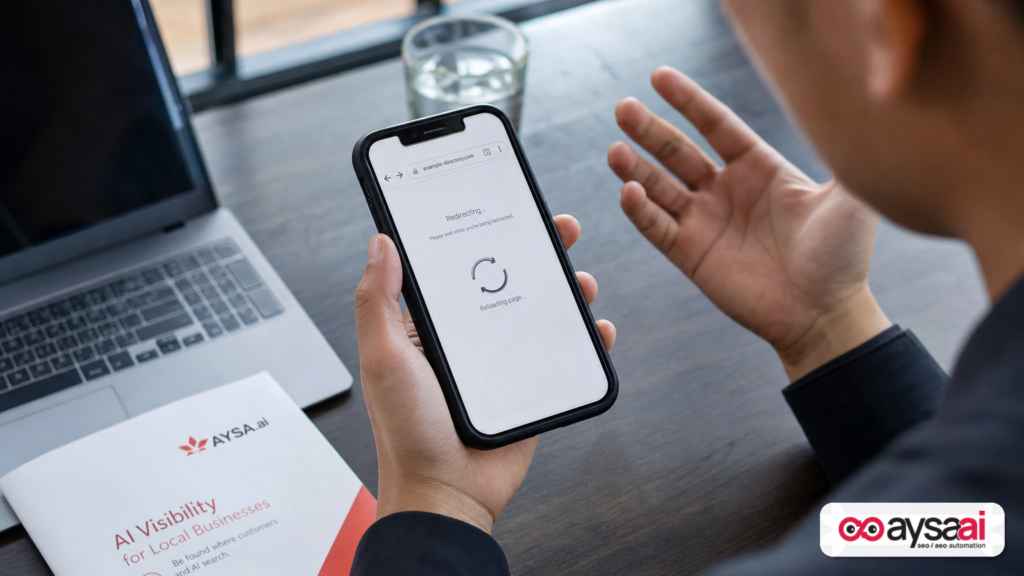
- What changed: Google expanded its spam policies to explicitly classify “back button hijacking” as a violation under malicious practices, potentially leading to spam actions.
- Why it matters: It’s a trust-and-safety issue that can become a visibility issue. If Search (or users via feedback) flags your pages, you may face enforcement that harms rankings and traffic.
- Who’s at risk: Not only obvious spammers. Many legitimate businesses can trigger this accidentally through scripts, popups, aggressive interstitial flows, or poorly implemented SPA history handling.
- What to do: Audit real-device Back behavior across key landing pages, remove/replace trapping patterns, document fixes, and monitor continuously.
- Where AYSA fits: AYSA can monitor site changes and issues, prepare remediation, request approval, then execute accepted fixes—so you avoid slow, risky, ad-hoc changes and keep governance tight.
Table of contents

- What “back button hijacking” is (in plain English)
- How it happens: common technical patterns (including accidental ones)
- Why Google is taking action now (and why it’s bigger than “SEO”)
- The risk landscape: how this turns into a ranking problem
- UX optimization vs. manipulation: where the line is
- A concrete SME scenario: the local clinic that “couldn’t leave”
- A practical audit: how to detect back button hijacking on your site
- How to fix it safely (without breaking funnels)
- Implementation checklist for developers and marketers
- What agencies should rethink (contracts, QA, and accountability)
- The AYSA perspective: approved execution beats panic fixes
- What to do next (action list)
- Sources and further reading
What “back button hijacking” is (in plain English)

Back button hijacking is when a website interferes with the normal behavior of the browser’s Back button in order to keep a user trapped, redirected, or forced through extra steps they didn’t choose.
For a non-SEO business owner, here’s the simplest mental model:
- Normal: I click a result, land on a page, decide it’s not for me, press Back, and return to where I came from.
- Hijacked: I press Back and… I don’t go back. I get bounced to another page. Or a popup blocks me. Or the site reloads a new “offer” page. Or I get stuck in a loop where Back keeps me on the same site.
This matters because the Back button is a universal escape hatch. Users rely on it to control their browsing. When you remove that control, you’re not “optimizing”—you’re coercing.
Google’s policy update makes that coercion an explicit spam violation. See the official policy announcement on the Google Search Central Blog: developers.google.com: Back Button Hijacking.
What it looks like in the real world
Back button hijacking can be subtle. Examples you may have experienced:
- You try to leave a coupon page, but Back takes you to another coupon page.
- You click a landing page from Search, and when you press Back you hit a “wait—don’t go!” interstitial that replaces the previous page instead of being a normal dialog.
- You hit Back and the same page reloads repeatedly, as if your browser can’t escape.
Even if a business didn’t intend to trap users, the effect is the same: users feel manipulated, and Google is now explicitly targeting that behavior as spam.
How it happens: common technical patterns (including accidental ones)
Back button hijacking is often implemented by manipulating the browser history stack. Not every use of history APIs is malicious—modern web apps use them all the time—but certain patterns are designed to interfere with navigation.
Common mechanisms (described at a high level):
1) History stack stuffing (pushState/replaceState abuse)
Sites can add artificial entries to the browser history. When a user presses Back, they don’t leave; they move to another history entry that still belongs to the same site, or triggers another redirect. In the worst cases, it creates a “Back loop.”
Accidental version: Single-page applications (SPAs) or routing frameworks can mis-handle history transitions, especially when combined with marketing scripts that also manipulate URL Parameters.
2) Redirect chains that react to Back navigation
Some pages detect the referrer or navigation type and force a redirect if the user is attempting to exit. This can create a scenario where “Back” triggers a server-side redirect to a different page than the user expects.
For legitimate businesses, redirect mistakes happen during:
- campaign landing page rollouts
- A/B testing that changes destination logic
- GEO-routing or language routing
- affiliate link wrappers
If your redirect logic creates a forced detour specifically when the user tries to leave, you’re in dangerous territory.
3) Interstitials and overlays that behave like navigation
Exit-intent overlays are common. The problem is not “a popup exists.” The problem is when the site hijacks navigation so that Back doesn’t go where it should, or it triggers an overlay as a replacement for leaving.
Accidental version: Third-party scripts can be configured incorrectly and attach to navigation events in ways you didn’t intend.
4) Third-party ad/affiliate widgets with aggressive behavior
Some monetization widgets are notorious for overreaching. If you’re a publisher, coupon site, or a content site with heavy affiliate components, you’re more exposed to back hijacking behavior introduced by partners.
That’s not an excuse. It’s a reality: you own the user experience on your domain.
5) Tag manager chaos
Most SMEs don’t have “one script.” They have a stack: analytics, pixels, consent, heatmaps, chat widgets, A/B testing tools, popup tools, booking scripts, and CRM forms. Any one of these can hook into navigation events.
If you don’t have governance—who can publish to GTM, how scripts are reviewed, how rollbacks work—you’re one plugin update away from a policy violation.
Why Google is taking action now (and why it’s bigger than “SEO”)
Google’s stated direction (in its announcement) is clear: it’s expanding spam policies to address a deceptive practice, classifying it as a malicious practice and making it eligible for spam actions. This isn’t framed as “a ranking signal tweak.” It’s framed as anti-deception enforcement.
Here’s my read on the bigger picture, based on how Google has been evolving Search quality policy in recent years (and without inventing claims beyond what Google published):
1) Trust is a product feature in Search
Search isn’t just a list of links anymore. It’s an experience that Google is accountable for. If users click a result and feel trapped, the blame lands on Search—even if the site is at fault. So Google has to police patterns that reliably produce “I can’t leave” experiences.
2) Dark patterns moved from “annoying” to “enforceable”
Back button hijacking is essentially a web dark pattern. The shift is that it’s now explicitly actionable under spam policy. That makes it a compliance issue for any brand that cares about long-term search visibility.
3) The ecosystem changed: more scripts, more automation, more accidental abuse
SMEs run modern stacks. Agencies deploy templates. Affiliate ecosystems distribute scripts. AI-assisted site building accelerates shipping. The net effect: more sites can accidentally end up with manipulative navigation behavior, especially if they’re copying “what converts” without a UX integrity review.
Google doesn’t need to assume intent; it can enforce outcomes.
4) This will spill beyond Google
Even if you didn’t care about Google (you should), back button hijacking kills brand trust. It increases refund rates, complaint volume, and negative word-of-mouth. In many industries—healthcare, legal, finance—it’s reputationally radioactive.
The risk landscape: how this turns into a ranking problem
Google’s announcement explicitly notes that this behavior can lead to “potential spam actions.” In Google’s language, spam actions typically mean enforcement that can reduce visibility, devalue pages, or otherwise restrict performance in Search.
What’s important is not guessing exactly how enforcement will show up (that would be speculation). What’s important is understanding the practical risk pathways:
1) Manual and algorithmic enforcement are both possible
Google’s spam policies can be enforced in multiple ways. You may see consequences without a neat “here’s the exact line of code” explanation. That’s why prevention and auditing matter.
2) Impact is rarely isolated to one URL
Many hijacking implementations are site-wide scripts. That means:
- a single tag manager container can affect hundreds or thousands of pages
- a shared template can spread the behavior across an entire section
- a plugin update can introduce the pattern broadly
So the risk is structural, not just page-level.
3) The search journey makes “Back” especially sensitive
Back behavior is part of the core Search workflow: click, evaluate, go back, click another result. If a result breaks that workflow, Google has a direct incentive to demote or action that experience.
4) SMEs have fewer safeguards
Big companies have QA, release management, and security reviews. SMEs often have:
- a founder who can publish scripts
- an agency with admin access to everything
- multiple plugins installed “to try something”
- no staging environment
That’s not a moral judgment; it’s the operational reality. This policy change makes governance non-optional.
UX optimization vs. manipulation: where the line is
Most businesses run conversion tactics that are legitimate: newsletter offers, first-time buyer discounts, appointment prompts, retargeting pixels, and so on. You don’t need to rip out your funnel because Google updated a policy.
You do need to understand the line:
Legitimate optimization (usually fine)
- Clear calls to action users can ignore
- Popups that can be closed and don’t interfere with navigation
- Logical, transparent redirects (HTTP to HTTPS, Canonicalization, language selection) that don’t change intent
If you’re unsure about redirects and canonicalization basics, Google’s documentation is a solid starting point: Redirects and Canonicalization.
Manipulative patterns (high risk)
- Back takes users to a different page than expected (especially another monetized or lead-capture page)
- Back triggers a Redirect loop or traps the user on-site
- Exit intent implemented by rewriting navigation history instead of offering a normal overlay
A good standard is simple: if a reasonable user presses Back, do they end up where they intended? If not, you’re breaking autonomy.
A concrete SME scenario: the local clinic that “couldn’t leave”
Let’s make this real with a scenario I’ve seen variations of across SMEs (details generalized).
Business: A local clinic running paid ads and SEO for high-intent services. They publish educational pages (“symptoms,” “treatments,” “what to expect”) and run a booking widget.
What they added: A third-party “lead recovery” script marketed as reducing abandonment. It’s installed through tag manager on all landing pages. It shows an exit overlay—fine in theory.
What went wrong: The script doesn’t just show an overlay. It manipulates browser history so that when users hit Back to return to Search, they first land on a clinic “special offer” page. If they hit Back again, it lands them back on the original page. Users feel stuck and complain.
Why it’s dangerous now: Under Google’s updated policy, this is exactly the kind of deceptive Back behavior that’s explicitly in scope. Even if the clinic had no malicious intent, the outcome is a hijacked Back journey.
The business impact beyond Google:
- Patients lose trust (“If they manipulate my browser, what else do they manipulate?”)
- Staff deal with more calls and complaints
- Conversion rate might rise short-term, but brand quality drops long-term
The fix: Remove the history manipulation, keep a compliant overlay if needed, and ensure Back returns users to the prior page without detours.
A practical audit: how to detect back button hijacking on your site
You don’t need a massive enterprise audit to catch most issues. You need a disciplined, repeatable test plan across the pages that matter.
Step 1: Pick the right pages (start with money pages)
Audit these first:
- Top organic landing pages (from Search Console)
- Top paid landing pages
- Any pages with aggressive lead capture or monetization
- Pages with third-party widgets (booking, chat, calculators, coupon modules)
If you’re unsure how to structure technical SEO priorities, Google’s Search Essentials is a reputable baseline for what Google expects from sites.
Step 2: Test on real devices and browsers
Back behavior varies by browser and device. Minimum coverage:
- Chrome on Android
- Safari on iOS
- Chrome on desktop
Use clean sessions:
- incognito/private windows
- logged-out states
- different entry sources (Search, social link, email)
Step 3: Simulate the real Search flow
Don’t just type your URL directly. The behavior is often different when coming from Search or ads.
- Search a relevant query.
- Click your result.
- Let the page fully load.
- Scroll a bit (some scripts trigger after engagement).
- Press Back once, then twice.
- Observe: Do you return to Search immediately? Or do you get detoured?
Step 4: Screen record and document
If you find anything suspicious, record it. Why?
- Developers fix faster with reproduction steps
- Agencies can’t argue with video evidence
- You can verify the fix later
Step 5: Isolate the culprit
Most hijacking issues come from:
- recently added scripts in tag manager
- popup/offer tools
- affiliate widgets
- routing/history handling in SPAs
In a disciplined workflow, you disable one suspect at a time (in a staging environment if possible) and re-test.
How to fix it safely (without breaking funnels)
When teams hear “spam policy,” they often overreact and rip out everything. That’s not the move. The move is: remove coercion, keep clarity.
Fix category A: Remove history manipulation
If a script uses history APIs to insert extra states purely to intercept Back, remove that behavior. Often you can:
- change the tool configuration
- remove a specific tag or trigger
- replace the tool entirely if it’s inherently aggressive
Fix category B: Make “exit intent” actually optional
Exit overlays can be legitimate if they don’t trap. Good practice:
- overlay can be closed clearly
- overlay doesn’t rewrite the URL or history
- Back still goes back
- no forced redirects on attempted exit
Fix category C: Clean up redirects and canonicalization
Redirect logic should be predictable and intent-preserving. Use Google’s guidance as a reference point:
If your business uses heavy URL parameters for campaigns, be especially careful that parameter handling doesn’t accidentally create different “Back destinations.”
Fix category D: Review JavaScript SEO and SPA routing practices
Modern sites use JavaScript frameworks. That’s fine. But history state handling must respect user expectations.
Google’s JavaScript SEO basics can help your team align with how Google processes JS-heavy sites: JavaScript SEO basics.
Even if your issue isn’t “indexing,” this doc is a useful reference point for building predictable client-side navigation.
Fix category E: Implement change management so it doesn’t come back
The biggest failure mode is “we fixed it once, then it reappeared.” That happens when:
- tag manager publishing is uncontrolled
- plugins auto-update
- multiple vendors add scripts independently
If you run a serious business on search traffic, you need a governance layer. That’s not bureaucracy; it’s resilience.
Implementation checklist for developers and marketers
Use this as a cross-functional checklist. It’s not legal advice; it’s operational hygiene.
For marketers (non-technical)
- Inventory: list every third-party script and plugin that touches popups, redirects, routing, or “exit intent.”
- Ownership: assign an owner for each tool (who can change it, who approves changes).
- Governance: restrict who can publish to tag manager and CMS.
- QA: add “Back button test” to every campaign launch checklist.
- Vendor pressure test: if a tool’s sales pitch includes “keep users from leaving,” treat it as a red flag.
For developers
- Review history usage: check for unnecessary
pushState/replaceStatecalls tied to overlays or exit events. - Handle popstate cleanly: don’t override back navigation to force content changes unrelated to user intent.
- Audit redirect logic: especially conditional redirects triggered by referrer, navigation type, or “back” events.
- Test SPA routing: ensure Back returns to the previous route/page and doesn’t introduce loops.
- Document: write down why history manipulation exists. If the reason is “prevent leaving,” delete it.
For SEO / web ops
- Monitor landing pages: prioritize high-traffic entry points from Search.
- Keep technical baselines: align with Search Essentials.
- Use Search Console: maintain ownership and review issues regularly (see Google’s Search Console docs entry point: Documentation).
What agencies should rethink (contracts, QA, and accountability)
If you’re an agency, this policy update should change your default operating procedure. Not because you’re doing spam—but because your clients’ tool stacks can create spam-like outcomes.
1) Update scopes to include “navigation integrity” QA
Agencies often own landing pages, GTM, CRO experiments, and third-party tools. That’s the danger zone for back button hijacking. Add explicit QA requirements:
- Back/Forward navigation checks on new pages
- real-device testing (not only desktop)
- post-deploy verification
2) Stop installing “black box” conversion tools without controls
If a vendor won’t clearly explain how they intercept exit behavior, don’t ship it on a search-facing landing page. Or isolate it to contexts where it can’t impact Search entry sessions.
3) Align access and publishing rights
Many client environments are “everyone is admin.” That’s where these issues breed. Create a publishing model:
- one publishing path
- approval workflow
- rollback capability
This is exactly where execution systems matter more than strategy decks.
The AYSA perspective: approved execution beats panic fixes
When Google updates a spam policy, most teams do one of two things:
- ignore it (until traffic drops)
- panic and ship risky changes fast (until something breaks)
Neither is a professional operating model.
At AYSA, our view is simple: Search visibility is an operations problem. You need a system that continuously monitors, prepares changes, asks for approval, then executes what’s accepted—cleanly and trackably.
Here’s how AYSA fits into this specific policy shift:
1) Monitor the right things continuously
Back button hijacking can be introduced by a plugin update, a new tag manager publish, or a vendor script change. That’s why you need always-on monitoring. See: AYSA Monitoring.
2) Prepare remediation tasks that are safe and reviewable
Instead of random Slack messages like “Something’s broken,” you need a prepared, reviewable set of recommendations:
- which pages are affected
- what scripts likely cause the behavior
- what changes are proposed
- what the fallback/rollback plan is
AYSA’s approach is built for this: execution that is approved, not automatic chaos. Learn more about our broader AI SEO tooling approach here: AI SEO Tools.
3) Tie fixes to visibility outcomes (SEO + AI Search)
Even though this update is a spam policy, the practical goal is the same: protect visibility and trust. Our editorial stance is that technical integrity fuels performance across classic SEO and emerging AI search experiences. Related: AI Search Visibility.
4) Make it operationally feasible for SMEs
Many SMEs don’t have a dedicated technical SEO person. They still need compliance and QA. AYSA is designed to make that feasible without creating a full internal department. Pricing context: AYSA Pricing.
5) Keep your team educated without drowning in noise
Policy changes keep coming. The teams that win are the ones that operationalize learning. More articles and playbooks: AYSA Blog.
What to do next (action list)
If you want a practical, low-drama plan, do this in order:
- Run the Back Button Audit on your top 20 landing pages (organic + paid). Record any anomalies.
- Inventory third-party scripts (GTM tags, plugins, widgets). Flag anything related to exit intent, offers, redirects, or affiliate monetization.
- Reproduce issues on real devices (Chrome Android, Safari iOS, desktop Chrome). Confirm it’s not a one-off.
- Isolate the cause by disabling one script/tool at a time (ideally in staging) until Back behavior normalizes.
- Fix without coercion: remove history stuffing, stop exit-based redirects, keep overlays optional and closeable.
- Add governance: restrict publishing rights, implement a QA checklist, document who owns what scripts.
- Monitor continuously so the problem doesn’t return with the next plugin update or vendor change.
If you want AYSA to support this operationally—monitoring + prepared fixes + approval + execution—start with our monitoring overview: AYSA Monitoring.
Sources and further reading
- Google Search Central Blog: Introducing a new spam policy for “back button hijacking”
- Google Search Central Documentation hub: Documentation
- Google Search Essentials: Search Essentials
- Redirects guidance: Redirects
- Canonicalization guidance: Canonicalization
- JavaScript SEO basics: JavaScript SEO basics
- How Search Works (background context): How Google Search Works
- SEO Starter Guide (baseline principles): SEO Starter Guide
Continue the AI search topic inside AYSA.
Use these pages to connect the article with AI SEO tools, AI visibility monitoring, AI Overviews and approved website execution.
Turn this topic into a website action plan.
Use these AYSA hubs to move from reading to technical fixes, AI visibility monitoring, research, glossary context and approval-first SEO execution.