
Google Demand Gen Adds Gemini Creative Guidance and Better Measurement: What It Means for SMEs (and What to Do Next)
Google is upgrading Demand Gen with Gemini-powered creative recommendations, expanded video resizing, and new web-to-app measurement. Here’s what changed, why it matters for small and mid-sized businesses, and the practical workflow to protect performance across ads, landing pages, and AI-driven discovery.

Google is upgrading Demand Gen with three capabilities that sound small on paper but change day-to-day execution: Gemini-powered creative recommendations during setup, expanded video resizing across more aspect ratios, and new web-to-app acquisition measurement. The headline is “more AI.” The real story is “less friction to ship, and more pressure to measure correctly.”
This matters for small and mid-sized businesses because Demand Gen sits in the uncomfortable middle: it’s not pure intent like Search, and it’s not pure social either. It’s visual, placement-heavy, and creative-sensitive. When Google makes it easier to push assets into more formats and placements, you can win faster—or waste faster.
Below is my practical breakdown of what changed, why it matters, what can go wrong, and how to turn the updates into a repeatable system. I’ll also explain where AYSA fits in the workflow: Monitoring performance signals, preparing site improvements, asking for your approval, and executing accepted changes so ad learnings translate into revenue—not just reports.
Concise summary
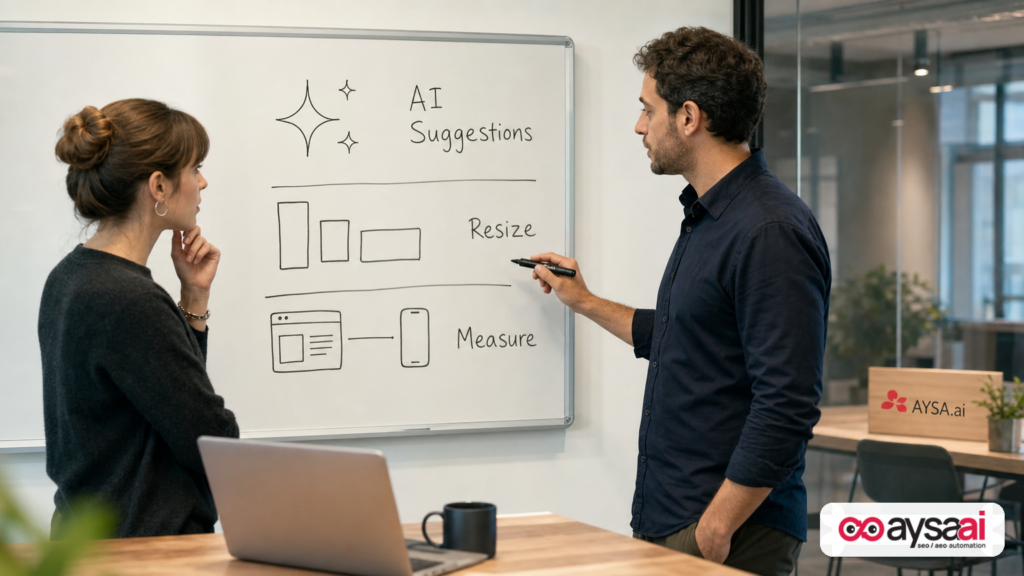
- Gemini is moving “upstream” into creative selection for Demand Gen, offering recommendations while you choose image/video assets (not just after performance data rolls in).
- Expanded video resizing means you can adapt creative across more YouTube placements without producing every aspect ratio manually—useful, but risky if your creative isn’t built for safe zones.
- Web-to-app acquisition measurement aims to connect web ad interactions to downstream app installs, improving how you evaluate ROI when customers switch devices or complete the journey later.
- The winners will be operators: teams that combine creative iteration + landing page execution + measurement hygiene.
Key takeaways (executive bullets)

- Don’t treat AI creative recommendations as a strategy. Treat them as a checklist to reduce avoidable mistakes before launch.
- Auto-resizing increases reach, not relevance. Your framing, hooks, captions, and product focus still decide performance.
- Measurement improvements are only as good as your foundations. If your app install events, landing page tracking, and conversion definitions are messy, “more measurement” can create more confusion.
- Ads will surface website problems faster. Fast creative iteration is wasted if the landing page can’t convert (mobile UX, speed, offer clarity, trust).
- AYSA’s role: use monitoring to catch performance shifts early, propose prioritized on-site improvements, request approval, and execute accepted fixes so paid insights become compounding improvements.
Table of contents

- What Google just changed in Demand Gen (and what it replaces in your workflow)
- Context: Demand Gen’s job in 2026 media mixes
- Gemini in the creative workflow: helpful, but not a substitute for taste
- Expanded video resizing: the opportunity and the hidden tax
- The creative reality: why “more placements” can hurt performance if you don’t control formats
- Measurement is the upgrade most advertisers will underestimate
- A concrete SME scenario: local clinic + YouTube Demand Gen + app installs
- What agencies and lean teams should rethink
- Common pitfalls (and how to avoid them)
- A 30-day action plan for SMEs
- How AYSA fits: turn creative and measurement insights into approved execution
- What to do next
- Sources and further reading
What Google just changed in Demand Gen (and what it replaces in your workflow)
According to Search Engine Land, Google is rolling out three Demand Gen improvements:
- Gemini-powered creative recommendations during campaign creation: as you select images and videos, Gemini suggests improvements to optimize for YouTube placements.
- Expanded video resizing: the platform can automatically transform video creative across additional aspect ratios (e.g., vertical to square, vertical to landscape, square to landscape).
- Web-to-app acquisition measurement: reporting that connects web campaigns to app installs, creating a more complete view of ROI when your conversion happens inside the app.
Here’s what those updates replace in a typical SME workflow:
- Creative feedback that used to happen late (after you spend) now arrives earlier (before you spend).
- Manual resizing and versioning (or simply skipping placements) gets automated, reducing production bottlenecks.
- App growth Attribution gap (web first, app install later) gets addressed more directly inside Demand Gen reporting.
That’s the positive framing. The operational framing is more important:
- It will be easier for average teams to launch campaigns quickly.
- It will be easier to distribute creative widely.
- It will be easier to justify spend with better measurement narratives.
Those three “easier” statements can create growth—or enable waste—depending on how disciplined your creative and measurement practices are.
Context: Demand Gen’s job in 2026 media mixes
Demand Gen is built to drive discovery and conversions across Google’s visual surfaces, including YouTube. That positioning is important: it’s not only about capturing existing intent (Search), but about shaping and harvesting intent when people are in a visual, content-first mindset.
Search Engine Land’s summary notes Google’s view that YouTube continues to prove its value for acquisition and cites third-party research indicating a large share of incremental conversions come from new customers. I can’t validate the specific number beyond what’s stated in the source article, so treat it as directional context rather than a planning assumption.
For SMEs and agencies, the strategic question isn’t “is YouTube good?” It’s:
- Can we consistently produce creative that earns attention?
- Can our landing pages close the loop?
- Can we measure incrementality without lying to ourselves?
These updates don’t eliminate those challenges. They shift where the work happens and how fast you can iterate.
Gemini in the creative workflow: helpful, but not a substitute for taste
Gemini-powered recommendations inside campaign setup is the kind of “small UI change” that alters behavior. When advice is embedded in the moment you choose assets, teams are more likely to accept it by default.
Here’s how to think about Gemini’s role:
- Gemini is likely to be strongest at basics: ensuring you have the right mix of asset types, reducing obvious mismatches for placements, nudging you toward more effective formats.
- Gemini is not your brand strategist: it can’t know your category nuance, your customer objections, your differentiation, or the claims you’re allowed to make.
- Gemini can push you toward “platform-safe sameness”: optimization guidance that increases average performance but decreases distinctiveness if you follow it blindly.
If you’re an SME, your advantage is not volume. It’s clarity. Your creative has to communicate one clear thing fast: what problem you solve, for whom, and why you’re credible.
The questions to ask before you accept any AI recommendation
- Does this make the hook clearer in the first 2 seconds? If not, it’s probably cosmetic.
- Does this protect comprehension with sound-off viewing? Many placements are consumed without audio.
- Does this preserve our differentiator? If the suggestion makes you look like everyone else, skip it.
- Does this keep us compliant? Especially in healthcare, finance, and regulated categories—don’t outsource judgment.
A good operating model is: use Gemini to catch avoidable errors, then rely on human judgment (yours) for positioning and brand tone.
Expanded video resizing: the opportunity and the hidden tax
Google’s expanded resizing is designed to remove the friction of creating multiple versions of the same concept for different placements. For busy teams, that’s real leverage.
But resizing is not the same as adaptation.
Resizing changes framing. Framing changes meaning.
Example: A product demo shot framed wide might show the full context (hands, product, environment). When resized to vertical, the hands may get cropped and the “proof” disappears. In one format, it’s a credible demo. In another, it’s a confusing close-up.
What to do to benefit from auto-resizing without paying the performance tax
- Design with safe zones: keep key visuals and text away from edges so cropping doesn’t remove the message.
- Use modular compositions: central subject + simple background + one primary on-screen message.
- Keep on-screen text minimal: resizing can make small text unreadable; your message should still work without reading.
- Build “format-aware” hooks: vertical hooks often need bigger subject presence and simpler framing than landscape.
- Preview like a customer: don’t approve assets based on how they look on your desktop monitor.
The best teams will treat resizing as distribution, not creative development. The creative still needs to be intentionally designed to survive distribution.
The creative reality: why “more placements” can hurt performance if you don’t control formats
When a platform expands your ability to show up across placements, it also expands the set of contexts where your creative can fail.
Two common failure modes:
- Attention mismatch: your creative assumes high intent, but the placement is low intent. Result: skipped views and weak engagement signals.
- Message loss through cropping: your “why buy” message is partly off-screen or too small in a new aspect ratio. Result: the ad technically serves, but the customer never understands the offer.
When these happen, advertisers often misdiagnose the issue as “targeting” or “bidding.” Then they “fix” the wrong lever and chase their tails.
A simple creative checklist for SMEs using Demand Gen
- One idea per asset. If your video has three messages, it will land none of them.
- Show the product/service early. Don’t hide it behind cinematic intros.
- Make proof visual. Testimonials, before/after, demo footage—whatever is legitimate in your category.
- Match the landing page exactly. Same promise, same offer, same terms. If the landing page “walks it back,” you’ll pay for the mismatch.
This is where SMEs can win: less bureaucracy, faster iteration, and sharper positioning—if you run the process like an operator.
Measurement is the upgrade most advertisers will underestimate
The creative tools will get the attention, but the measurement update may be the most consequential change for businesses that have both a website and an app.
Search Engine Land reports that Demand Gen now includes Web to App Acquisition Measurement, allowing advertisers to measure when web campaigns lead to an app install, improving attribution and ROI understanding.
Why this matters:
- Many customer journeys are not single-session. A person watches a video, visits your site, then installs the app later when they have time.
- Device switching is normal. Discovery happens on one device; conversion happens on another.
- Apps can be the real “conversion environment.” Especially for loyalty, bookings, reorders, subscriptions.
If you’ve been undercounting app installs influenced by web campaigns, you may have been undervaluing Demand Gen. Conversely, if measurement over-attributes, you may overvalue it. The point is not blind trust—it’s getting closer to reality.
Measurement hygiene: what to confirm before you trust the new reporting
- Define what “success” is: install, first open, signup, purchase, subscription. Installs can be vanity.
- Align conversion windows: if your buying cycle is longer, short windows distort results.
- Keep conversion definitions consistent: don’t compare campaigns where one optimizes to installs and another to purchases without adjusting expectations.
- Use measurement as decision support, not as a story: if the report “looks good” but cash flow doesn’t, cash flow wins.
I’m intentionally not prescribing specific platform settings because the source context doesn’t include Google’s technical documentation for the feature. If you need implementation details, use the official Google Ads help documentation directly (and treat anything else as secondary commentary).
A concrete SME scenario: local clinic + YouTube Demand Gen + app installs
Let’s make this practical with a realistic scenario that doesn’t require a massive brand budget.
Business: A multi-location physical therapy clinic with a simple website and a patient app used for intake forms, appointment reminders, and exercise plans.
Goal: Acquire new patients and increase show-up rate through app adoption.
Before these Demand Gen updates:
- The clinic runs video ads that drive to a web landing page with a “Book Now” form.
- Some patients prefer to install the app for reminders and forms, but the marketing team can’t clearly connect video/web touchpoints to app installs.
- The clinic has one horizontal video; vertical placements underperform because the creative wasn’t built for vertical.
After the updates (how this can improve):
- Expanded resizing allows the clinic to distribute the same core video into more formats without re-editing every version.
- Gemini recommendations help the team pick stronger thumbnails, ensure a mix of assets, and reduce basic creative mistakes.
- Web-to-app measurement helps the clinic understand if people who first visit the website later install the app—so the campaign isn’t judged only by web form fills.
The catch: The clinic can still lose money if the landing page is slow on mobile, the offer is vague (“Get treated”), or the ad promises “same-day appointments” while the scheduler is booked out. The ad platform can’t fix operational reality.
This is exactly why execution matters: Demand Gen can accelerate learning, but you must turn learning into on-site and operational changes fast.
What agencies and lean teams should rethink
These updates nudge teams toward a new operating model:
- Less time spent on mechanical tasks (resizing, early-stage asset QA).
- More time required on judgment calls (what message, what proof, what offer, what landing experience).
- More pressure to connect channels: Demand Gen performance will increasingly be evaluated alongside Search, organic visibility, and app lifecycle metrics.
Agencies, in particular, should reassess how they price and staff creative iteration. If resizing and “recommended asset mix” become table stakes, clients will expect more strategic output: testing plans, insight synthesis, landing page improvement loops, and measurement governance.
Agency deliverables that will matter more (and look better in a QBR)
- A repeatable creative testing roadmap (hooks, offers, proof types, formats).
- A landing page change log tied to paid insights.
- Measurement definitions that the business agrees are “real” (not just platform conversions).
- Cross-surface learnings: how YouTube creative affects Branded Search, direct traffic, and assisted conversions.
Common pitfalls (and how to avoid them)
1) “AI recommended it, so we shipped it”
Risk: You optimize for what the platform can evaluate, not for what your customer values.
Fix: Use AI recommendations as a pre-flight checklist. Keep a human-owned “brand and claims” checklist as the final gate.
2) Auto-resizing turns into auto-dilution
Risk: The video technically fits, but the story doesn’t. Performance drops, and you blame targeting.
Fix: Build format-resilient creative: central subject, clear hook, minimal text, safe zones. Preview each format before scaling spend.
3) Better measurement creates false certainty
Risk: Web-to-app attribution makes results look stronger than business reality, leading to budget misallocation.
Fix: Compare platform results with business outcomes (revenue, bookings, retention). Treat early measurement shifts as hypotheses to validate, not truth.
4) Creative iteration outruns landing page iteration
Risk: You keep swapping assets, but Conversion rate is capped by a slow or unclear landing page.
Fix: Treat landing page work as part of paid media, not as a separate project. Tie page changes to ad learnings on a weekly cadence.
5) SMEs chase “new customer” narratives without segmenting reality
Risk: You assume Demand Gen is for net-new, but your strongest response comes from warm audiences. Or vice versa.
Fix: Keep audience segmentation and creative mapping explicit. Measure by cohort where possible (new vs returning).
A 30-day action plan for SMEs
If you’re an owner/operator, you want a plan that doesn’t require a 20-person growth team. Here’s a simple 30-day approach designed for small teams.
Week 1: Audit your creative and placements
- List your existing video assets and their native formats (vertical, square, landscape).
- Pick 2–3 core messages you want to test (not 10).
- Identify where cropping could destroy meaning (logos don’t matter; product and proof do).
Week 2: Build a “format-resilient” creative kit
- Create one concept that works in vertical first (it’s usually hardest).
- Ensure the first 2 seconds show the problem or outcome.
- Create simple captioning for sound-off clarity.
Week 3: Fix the landing page bottlenecks
- On mobile, can a customer understand the offer in 5 seconds?
- Is the primary CTA obvious and aligned with the ad promise?
- Do you have trust elements: reviews, guarantees, policies, credentials (if applicable)?
Week 4: Tighten measurement and decision rules
- Define your primary conversion (revenue/booking) and secondary conversion (lead, install).
- Set a rule for budget scaling (e.g., only scale when both CPA and lead quality pass thresholds).
- Establish a weekly review cadence with one page: creative learnings + landing page learnings + next tests.
The big idea: you’re building a loop. Demand Gen improvements reduce the friction to start the loop, but you still need the loop.
How AYSA fits: turn creative and measurement insights into approved execution
Most teams don’t fail because they lack ideas. They fail because they can’t execute consistently.
Demand Gen’s upgrades will generate more insights and more “recommended next steps.” But someone still has to:
- monitor performance shifts,
- identify what’s actually broken (creative vs page vs measurement),
- prepare changes safely,
- get stakeholder approval,
- and push updates live without breaking the site.
This is where AYSA is designed to fit: as an SEO/AEO/GEO execution system that monitors, prepares, asks for approval, and executes accepted website changes.
Practical ways this connects to Demand Gen:
- Landing page alignment: when a new ad concept wins, your page must match the promise. AYSA can help monitor page performance and support structured updates once you approve them.
- Speed and technical hygiene: paid traffic punishes slow pages. Monitoring helps catch issues early before spend is wasted.
- AEO/GEO readiness: as discovery shifts toward AI-driven answers, your brand needs consistent on-site signals. Explore AYSA’s AI search visibility approach and the broader toolset at AYSA AI SEO tools.
If you want to see how monitoring becomes execution, start with AYSA Monitoring. For teams deciding whether to build this internally or operationalize it with a system, review pricing. And if you want more operator-focused editorials, browse the AYSA blog.
A simple “paid + AYSA” operating loop
- Launch Demand Gen tests (new hook + offer + proof type).
- Monitor outcomes: not just CTR, but conversion rate by landing page, engagement quality, and (if relevant) app adoption.
- Diagnose bottleneck: creative mismatch vs landing page clarity vs mobile UX vs tracking gaps.
- Prepare site fixes (copy alignment, content structure, speed, trust blocks).
- Approve and execute quickly so you don’t spend weeks paying for known problems.
That’s how Demand Gen improvements become compounding growth rather than a cycle of “new feature, same chaos.”
What to do next
- If you run Demand Gen today: audit your top 3 videos for format resilience and build one vertical-first variant you’re proud of.
- If you have an app: make web-to-app impact a first-class KPI, but validate it against real business outcomes.
- If performance is inconsistent: stop changing five variables at once—separate creative testing from landing page testing.
- If your team is stretched: systematize monitoring and execution so learnings turn into improvements. Start with monitoring and align your AI discovery strategy with AI search visibility.
- If you need a roadmap: use this article as your 30-day plan and commit to weekly iteration.
Sources and further reading
- Search Engine Land – Google gives Demand Gen new AI creative and reporting tools
- Search Engine Land – Google adds Channel Diagnostics to Performance Max
- Search Engine Land – Google tests AI-generated summaries in Search ads
- Search Engine Land – How campaign structure shapes Google Ads performance
- AYSA – AI SEO tools
- AYSA – AI search visibility
- AYSA – Monitoring
- AYSA – Pricing
- AYSA – Blog
Note: For technical implementation specifics of web-to-app measurement and Demand Gen asset requirements, consult official Google Ads documentation directly. This editorial is intentionally focused on strategy, operational risks, and practical execution rather than undocumented setup steps.
Continue the AI search topic inside AYSA.
Use these pages to connect the article with AI SEO tools, AI visibility monitoring, AI Overviews and approved website execution.
Turn this topic into a website action plan.
Use these AYSA hubs to move from reading to technical fixes, AI visibility monitoring, research, glossary context and approval-first SEO execution.

