Google’s New Indexing Advice For Shareable Pages: The Noindex vs. Robots.txt Trap (And How To Operationalize It)
Google updated its spam guidance with a deceptively simple recommendation: pages made for sharing or utility should be noindexed or blocked by robots.txt by default. In practice, the wrong choice can still leave those URLs indexed. Here’s what changed, why it matters for SMEs and platforms, and a practical execution plan—plus how AYSA helps monitor, prepare, approve, and ship the fixes safely.

Google just made something explicit that many platforms and small businesses learn the hard way: not every URL your site can generate should be in Google.
In late October 2026, Google updated its spam documentation to add a new section: “Only index content meant for Search.” It’s aimed at platforms and services that let users create shareable pages, generated outputs, or web apps—but the implications hit far beyond “platforms.” If your site creates share links, previews, internal tools, or collaboration pages, you’re in the blast radius.
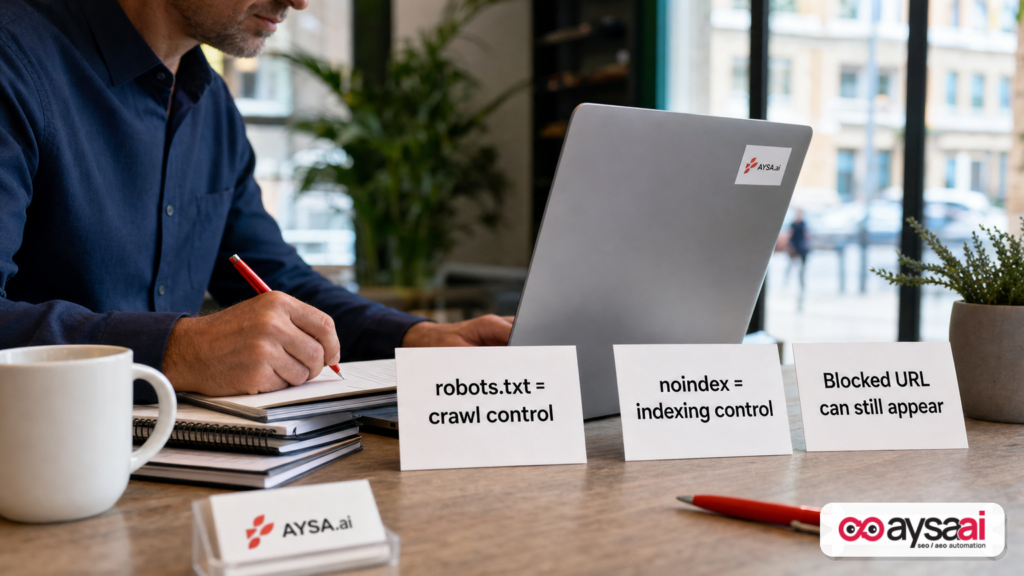
This is one of those updates that sounds simple (“use Noindex or block Crawling”) but can backfire if you don’t understand a key nuance: a URL blocked in Robots.txt can still be indexed if other sites link to it, and a noindex tag can fail if you block the crawler from seeing it.
As I see it, Google isn’t just offering a tip—it’s drawing a clear line between search surfaces and sharing surfaces. Businesses that operationalize that separation will be safer from spam, cleaner in Search Console, and more efficient with Crawl budget and quality signals. Businesses that don’t will spend 2027 fighting “mystery URLs,” Indexing spikes, and brand-risk pages appearing in search results.
Concise summary

- Google added guidance to its spam docs encouraging sites to noindex or block crawling for pages created primarily for sharing, collaboration, utility, generated output, or interactive tools.
- Using robots.txt alone can be a trap: blocked URLs may still appear in Google if linked elsewhere, often without a snippet.
- Using noindex requires crawl access: if you block the page in robots.txt, Googlebot may never see the noindex instruction.
- Google also nudged sites to monitor indexing spikes and suspicious patterns in Google Search Console, including “Indexed, though blocked by robots.txt.”
- The business move: build a policy for what should be searchable vs share-only, then implement it consistently across templates, headers, and Monitoring.
Table of contents
- What changed in Google’s spam guidance (and why it’s not just “SEO news”)
- The real update: “Only index content meant for Search”
- Why Google is pushing this now: share links, apps, and generated outputs
- Noindex vs. robots.txt: the subtle but costly difference
- Common “shareable pages” that leak into Google (even on normal SME sites)
- What this means for SMEs: the “accidental index” problem
- If you run a platform or UGC feature: the anti-spam side of indexing control
- The monitoring shift: Google is telling platforms to watch for spikes
- A practical action plan: decide, implement, validate, monitor
- Implementation patterns: meta tags, headers, robots rules, and safe defaults
- What can go wrong (and how to recover)
- What agencies should rethink: deliverables, governance, and proof
- Where AYSA fits: monitoring + approved execution for indexing governance
- What to do next
- Sources and further reading
What changed in Google’s spam guidance (and why it’s not just “SEO news”)

The update that matters is not a new ranking factor, a new core update, or a new penalty. It’s an operational expectation: if your service produces URLs that are not meant to be publicly discoverable via search—especially share links, generated outputs, and interactive tools—Google wants you to proactively keep those out of the index.
Search Engine Journal covered the update and summarized the core guidance: Google added advice to its spam guide to apply noindex or block crawling by default for shareable/utility pages, and to monitor indexing spikes in Search Console (Search Engine Journal).
This is one of those subtle documentation changes that signals a broader enforcement direction. When Google elevates something into spam guidance—not just a best-practice blog post—it’s framing it as part of platform hygiene and abuse prevention.
And here’s the part I think business owners should take seriously: Google is effectively saying that indexing management is a spam-control tool. If you allow uncontrolled, easy-to-create, low-value pages to be indexable, you create a surface area that spammers can exploit and that Google can interpret as a quality problem.
The Real Update: “Only Index Content Meant For Search”
Google’s new section asks a simple question that most teams never formally answer:
Is this content meant to be found through search engines—or only accessed directly by people with a link?
If it’s the second category, Google recommends you either:
- Apply a
noindexrule via robots meta tag orX-Robots-TagHTTP header, or - Block crawling using
robots.txt
At a strategic level, this is an indexing governance model:
- Search surface: marketing pages, product/category pages, evergreen guides, location pages, docs that are intended to rank.
- Sharing surface: collaboration links, previews, generated outputs, tool states, export pages, user drafts, confirmation pages, short-lived or private utility URLs.
The companies that win over the next few years will treat those surfaces differently—technically and editorially.
Why Google is pushing this now: share links, apps, and generated outputs
Google’s update explicitly calls out three patterns that have exploded in the last few years:
- Shareable pages (think “here’s a link to view this”)
- Generated outputs (AI outputs, exports, transformations, summaries, presentations)
- Interactive tools / web apps (calculators, configurators, embedded workflows, dashboards)
These are powerful product features—and they’re also extremely easy to abuse. If creating a new share page costs a spammer almost nothing, they can generate thousands of URLs quickly, hoping some get indexed and become a distribution channel.
Even without malicious intent, share pages tend to be:
- Thin or repetitive (same template, minimal unique content)
- Duplicative (many URLs represent the same underlying state)
- Not designed for public consumption (private names, internal notes, partial data)
- Volatile (content changes often, expires, or is deleted)
Google doesn’t want these pages polluting the index. Neither do you—because they distort reporting, waste crawl resources, and can create brand and compliance risk.
Noindex vs. Robots.txt: The Subtle But Costly Difference
This is the heart of the update, and it’s where most teams get burned.
Robots.txt is crawl control, not indexing control
Google’s own robots.txt documentation states a point that surprises non-technical teams: a URL disallowed in robots.txt can still be indexed if it’s linked from other sites. Google may index the URL without crawling its content, and it may show the URL in results without a normal snippet.
Search Engine Journal’s coverage highlights this contradiction/tension by noting that Google’s robots.txt intro says robots.txt “is not a mechanism for keeping a web page out of Google” (SEJ).
Business translation: if you only block crawling, you may still end up with “ghost listings” in Google—especially if share links get posted publicly, scraped, or embedded.
Noindex requires crawl access to work
Google’s noindex guidance (as referenced in the source coverage) includes a key operational constraint: if you block a page in robots.txt, Googlebot may never see the noindex tag—so it can’t follow the instruction.
This leads to a common failure mode:
- You disallow crawling of
/share/in robots.txt. - Some share URLs get linked publicly.
- Google discovers the URLs but can’t crawl them.
- Google may still index the URLs (without content), and Search Console can show “Indexed, though blocked by robots.txt.”
So which should you use?
In practice, the “right” answer depends on what you’re trying to accomplish:
- If you want to keep a URL out of the index: prioritize
noindex(meta tag or HTTP header) and allow crawling so Google can see it. - If you want to reduce crawl load (and you’re OK with possible URL-only indexing if the URL leaks): robots.txt can help, but it’s not a guaranteed “stay out of Google” method.
- If you want both: often you’ll temporarily allow crawling + noindex until deindexing stabilizes, then consider tightening crawl rules carefully. The order matters.
If that sounds like a hassle, that’s the point: indexing governance is not a one-line fix; it’s a system.
Common “shareable pages” that leak into Google (even on normal SME sites)
You don’t need to be a major UGC platform to have shareable pages. Many everyday websites generate URLs that were never intended to be search results.
Here are common patterns I see across SMEs and mid-market sites:
1) “Share this quote / cart / wishlist” links
Ecommerce platforms and custom stores often create URLs representing a cart state, a saved list, or a draft quote. These links are meant for:
- Sales reps sharing with customers
- Customers sharing internally for approvals
- Returning to a saved configuration
They are rarely meant to rank—and can expose pricing logic, internal notes, or private product bundles.
2) Booking, scheduling, and appointment utilities
Clinics, salons, and local services often use scheduling tools that create intermediate steps, confirmation pages, reschedule links, or shareable booking URLs.
Some of those pages can contain personal data, or at least create an unprofessional public footprint (“Book with Dr. X — internal code 48291”).
3) Document previews and export URLs
PDF preview endpoints, export links, slide previews, and “generated report” URLs are notorious for getting indexed if they’re linked publicly and not governed.
4) On-site search results and filtered tool states
A tool state might generate a URL like:
/calculator?input=.../builder/step/3?option=.../search?q=...
Indexing these can create thousands of thin pages and dilute quality signals—especially if the content is mostly template with minimal unique value.
5) User profile pages, drafts, and “unlisted” pages
If users can create content, you need a policy for which user pages are indexable, when, and under what reputation thresholds—Google’s spam docs have long discussed reputation-based approaches for new users, and this update reinforces the direction (see SEJ coverage: SEJ).
What this means for SMEs: the “accidental index” problem
Let’s make this real with a scenario most non-SEO owners can relate to.
Scenario: a local clinic with a scheduling tool
A multi-location clinic uses an embedded scheduling system. Patients can get a “share link” to confirm details or share with a family member. The clinic assumes these links are “private enough” because they’re not in the navigation.
What happens next:
- A patient posts the link in a forum asking for advice.
- A scraper picks it up.
- Google discovers the URL from external links.
- The clinic’s dev team had blocked
/share/in robots.txt but did not addnoindex(or added it but also blocked crawling).
Now the clinic sees:
- Strange URLs appearing in Search Console.
- Impressions for queries that don’t align with business intent.
- Potential brand risk (odd titles, incomplete pages, or unexpected snippets).
- Internal confusion: “Are we hacked?” “Did Google index private pages?”
The root cause may be simple: the clinic never defined “meant for Search vs meant for sharing,” and never enforced it with the right technical controls.
Why this is a business problem, not just an SEO problem
- Brand control: customers judge you by what appears in search.
- Compliance and privacy: some utility URLs can accidentally expose sensitive context.
- Efficiency: crawling and indexing junk URLs is wasted effort for both Google and your site.
- Measurement: your reporting gets noisier, making it harder to prove ROI.
If you run a platform or UGC feature: the anti-spam side of indexing control
If your business has any form of UGC (community posts, user pages, generated “outputs,” public profiles, hosted mini-sites), Google’s update reads like a warning label:
Hosting platforms may be open to abuse.
Indexability becomes part of your abuse-prevention stack. Consider the economics:
- If a spammer can generate 10,000 pages cheaply and get even a fraction indexed, they gain distribution.
- If you noindex or prevent indexing by default, that distribution channel collapses.
But be careful: “block crawling” is not the same as “prevent indexing.” The safest policy for many UGC systems is:
- Default to noindex for newly created pages and share links.
- Require a deliberate promotion to “public indexable” based on reputation signals, moderation, or explicit publishing choices.
- Build monitoring for spikes in published pages and indexable URL creation.
This aligns with Google’s long-running stance about new user content potentially being noindexed until trust is established (noted as unchanged in the SEJ coverage: SEJ).
The Monitoring Shift: Google Is Telling Platforms To Watch For Spikes
Another underappreciated part of the update is operational: Google is telling site owners to verify in Search Console and monitor reports for unexpected spikes in indexed pages, impressions, or queries that don’t align with the platform’s intent.
SEJ’s summary notes Google recommends monitoring the Page Indexing report and Search performance report, and tracking platform-level creation/indexing patterns—like a small number of users generating a large share of indexable URLs (SEJ).
Why Google cares about spikes
Indexing spikes are an early-warning signal for:
- Spam campaigns
- Misconfigured templates (accidentally making parameter URLs indexable)
- UGC abuse
- App-generated URLs getting crawled
- Infinite space issues (faceted navigation, filter combinations)
The “Indexed, though blocked by robots.txt” status is a tell
Google Search Console includes a status called “Indexed, though blocked by robots.txt,” referenced in the SEJ piece. When you see it, it’s often a sign you tried to solve an indexing problem using crawl blocking.
In other words: your intention was “keep out of Google,” but your implementation was “don’t crawl,” and those aren’t equivalent.
A practical action plan: decide, implement, validate, monitor
If you want a straightforward way to apply Google’s updated guidance without breaking your site, use this four-stage approach.
1) Decide: classify URLs by intent
Create a simple policy table for your site. You can do this in a spreadsheet in an hour if you’re disciplined.
Columns to include:
- URL pattern (e.g.,
/share/,?preview=1,/app/) - Purpose (sharing, utility, login, confirmation, public article, product)
- Meant for Search? (Yes/No)
- Preferred control (
index,noindex,robotsblock, both with sequencing) - Owner (marketing, product, engineering)
- Risk notes (privacy, duplication, thin content)
This is the boring part—and it’s the most valuable. Most indexing chaos comes from never making these decisions explicitly.
2) Implement: enforce intent in templates and headers
Implementation should be systematic, not manual:
- Template-level
<meta name="robots" content="noindex">for share-only sections - HTTP header
X-Robots-Tag: noindexfor non-HTML outputs (like some generated files) - Robots.txt rules primarily for crawl efficiency (not as your only indexing gate)
The key is consistency. If you rely on ad-hoc rules, you’ll miss edge cases.
3) Validate: prove Googlebot can actually see the instruction
The best policy in the world is worthless if Google can’t fetch the page and read the directive.
Validation checklist:
- Is the page accessible to Googlebot (not blocked by robots.txt) if you’re using noindex?
- Does the response contain the expected meta tag or header?
- If you use
X-Robots-Tag, is it applied at the correct layer (origin/CDN) and not stripped?
If you can’t confidently answer these, treat it as a technical SEO issue—not a content issue.
4) Monitor: alerts for spikes and “leakage” patterns
You want to know about accidental indexability before it becomes a months-long cleanup.
Monitoring signals to track:
- Spikes in indexed pages
- Spikes in impressions/clicks for weird queries
- New URL patterns appearing in indexing reports
- “Indexed, though blocked by robots.txt” occurrences
- Sudden growth in crawl requests to utility endpoints
Implementation patterns: meta tags, headers, robots rules, and safe defaults
Let’s get more specific without turning this into a developer manual.
Pattern A: Share pages (HTML) that should never be searchable
- Use:
noindexvia meta robots tag - Ensure: not blocked by robots.txt (at least until deindexed reliably)
- Also consider: adding authentication or tokenization to reduce leakage
Why: you want Googlebot to fetch the page and receive an explicit “do not index” instruction.
Pattern B: Generated outputs that aren’t HTML (or are served from many endpoints)
- Use:
X-Robots-Tag: noindexheader - Ensure: caching/CDN rules do not remove or vary incorrectly
Why: headers can be more reliable for non-HTML or templated output systems.
Pattern C: Infinite URL spaces (filters, tool states, parameters)
- Use: a combination of canonicalization, parameter handling strategy, and selective noindex
- Optionally use: robots.txt to reduce crawl of obvious junk parameters—but do not rely on it as the only indexing mechanism
Why: infinite spaces can’t be solved with one directive; you need a governance model.
Pattern D: UGC publishing model (public vs unlisted vs private)
- Default: noindex for “unlisted” and early-stage content
- Promote to indexable: only when a user explicitly publishes for discovery, or when the system’s trust threshold is met
- Monitor: who creates indexable pages and at what rate
Why: this turns indexing into a control surface for abuse.
What can go wrong (and how to recover)
Most indexing problems aren’t caused by one mistake—they’re caused by two correct ideas combined incorrectly.
Mistake 1: Blocking a directory in robots.txt and assuming it won’t be indexed
Symptom: “Indexed, though blocked by robots.txt” and URL-only listings.
Recovery approach (often):
- Remove or loosen the robots.txt block for affected URLs (at least temporarily).
- Add
noindexat the page or header level. - Allow Google to crawl and process the noindex.
- Watch Search Console for index count declines and status changes.
Note: The exact sequence and timing can vary. The point is to ensure Google can see the directive.
Mistake 2: Adding noindex but also blocking crawl
Symptom: pages stay indexed longer than expected, or indexing status is confusing.
Fix: ensure the crawler can fetch the page containing the noindex instruction.
Mistake 3: Forgetting non-HTML endpoints
Teams focus on HTML pages but forget PDFs, exports, and generated files. If those are linkable and publicly accessible, they can be discovered and indexed.
Mistake 4: Treating this as a “one-time cleanup”
Share features and app surfaces evolve. New URL patterns appear. Vendors change behavior. Teams ship new widgets. If you don’t monitor, the problem returns quietly.
What agencies should rethink: deliverables, governance, and proof
Agencies often get pulled into indexing governance late—after a client notices a mess in Search Console. This update is a reason to make indexing policy a front-of-house deliverable.
Three shifts I’d recommend:
1) Add “Indexing Policy” to onboarding
Include a workshop or audit step that identifies:
- Share URLs
- Tool states
- UGC endpoints
- Parameter explosions
- Non-HTML outputs
2) Move from “recommendations” to “governed execution”
The problem isn’t that teams don’t know what to do. The problem is that implementing robots rules, headers, and templating changes touches production systems—and many orgs avoid shipping changes without confidence.
This is where “approved execution” becomes a competitive advantage: prepare changes, get explicit approval, ship, validate, and monitor.
3) Prove outcomes with monitoring artifacts
Don’t just say “we noindexed share pages.” Prove:
- Index coverage trend improved
- “Indexed, though blocked” counts decreased
- Unexpected query patterns reduced
- URL creation spikes are now alerted and investigated
Where AYSA fits: monitoring + approved execution for indexing governance
This is exactly the class of problem that benefits from an execution system, not another spreadsheet.
AYSA is built to operationalize SEO/AEO/GEO work the way a business actually runs: monitor continuously, prepare changes safely, ask for approval, and execute accepted changes—then verify outcomes.
Here’s how that maps to Google’s indexing guidance:
1) Monitor for index leakage and anomalies
If Google is telling you to watch for unexpected spikes, you need monitoring that doesn’t rely on someone “remembering to check.” AYSA helps teams set up ongoing monitoring and visibility workflows (AYSA Monitoring).
2) Turn observations into a controlled change plan
When you find a leak—say, a new /share/ pattern getting indexed—you need to convert that into a precise set of actions:
- Which templates need
noindex? - Which endpoints need
X-Robots-Tag? - Do we need to adjust robots.txt temporarily to let Google see directives?
- What’s the validation step?
AYSA’s positioning as an execution system matters here: the goal is not “ideas,” it’s “changes shipped safely.” Learn more about AYSA’s AI SEO tooling approach (AYSA AI SEO Tools).
3) Keep search visibility aligned with business intent
Indexing governance is part of broader AI search visibility: you want the right pages to be visible in traditional search and AI-driven surfaces, and the wrong pages to stay out. That’s the difference between “more pages” and “more demand.” See how we frame this in our AI search visibility work (AI Search Visibility).
4) Approved execution: reduce risk for production sites
Robots and indexing changes are high leverage. One mistake can tank a category or block critical crawling. AYSA’s workflow—prepare, approve, execute—is designed for that reality.
5) Make it sustainable for SMEs and agencies
SMEs don’t want an ongoing fire drill. Agencies don’t want endless back-and-forth with dev teams. An execution system reduces cycle time and makes outcomes measurable. If you’re evaluating whether this model fits your operation, start with AYSA pricing and browse tactical playbooks on our AYSA blog.
What to do next
Use this as a practical checklist you can run this week.
Step 1: Inventory your “share and utility” URL patterns
- List directories like
/share/,/preview/,/app/,/export/,/print/ - List parameter patterns like
?share=,?preview=,?token= - List file outputs: PDFs, generated reports, embedded viewers
Step 2: Decide what is meant for Search
- If a page exists for collaboration, utility, or private sharing: default to not meant for Search.
- If a page exists to educate, sell, or capture demand: it’s meant for Search (and must meet quality expectations).
Step 3: Implement “noindex” where you truly want exclusion
- Use meta robots or
X-Robots-Tagas appropriate - Ensure the page is crawlable long enough for Google to see the directive
Step 4: Use robots.txt for crawl efficiency, not as your only gate
- Block obvious crawl traps
- But don’t assume “blocked” equals “won’t show in Google”
Step 5: Add monitoring for spikes and “indexed though blocked” statuses
- Track index coverage changes over time
- Investigate new URL patterns early
- Alert on unusual bursts of created public/indexable pages
Step 6: Operationalize it (don’t let it be a one-time fix)
- Make indexing intent part of feature launches
- Review URL generation in product and engineering QA
- Keep a living “indexing policy” doc
Sources and further reading
- Search Engine Journal — Google Adds Indexing Advice For Shareable Pages To Spam Guide
- Search Engine Journal — Technical SEO section (context and ongoing coverage)
- Search Engine Journal — SEO section
- Search Engine Journal — Google Updates archive (broader context)
Related AYSA resources
Continue the AI search topic inside AYSA.
Use these pages to connect the article with AI SEO tools, AI visibility monitoring, AI Overviews and approved website execution.
Turn this topic into a website action plan.
Use these AYSA hubs to move from reading to technical fixes, AI visibility monitoring, research, glossary context and approval-first SEO execution.