Google Discover’s “Unclickable Sources” Bug: What It Reveals About AI Summaries, Attribution, And The New SEO Playbook
Google says disabled source taps in Discover AI summaries were a bug in an experiment and the test was turned off. The bigger story is what this incident signals: fragile attribution, shifting click paths, and why SMEs must build monitoring + fast, approved execution to protect traffic in an AI-first Discover and Search landscape.
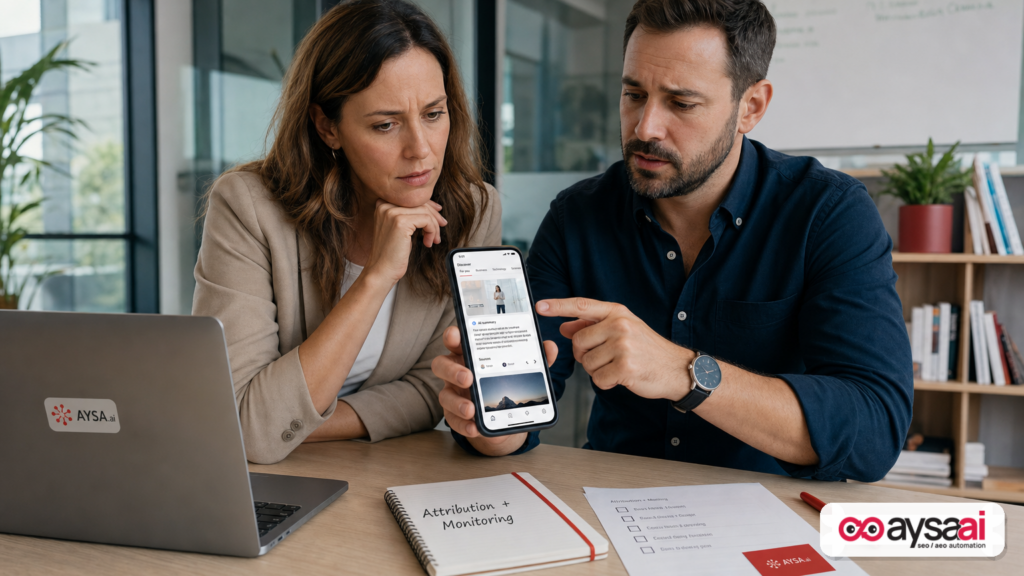
Google confirmed that a Discover test temporarily disabled taps on “Sources” inside some AI summary cards—and that it was a bug in an experiment that has now been turned off. On the surface, this is a simple product issue. In practice, it’s a warning shot for every business that depends on organic discovery: the click paths that connect AI-generated summaries to publishers and brands are still fluid, experimental, and sometimes fragile.
I’m writing this from the operator’s seat: if your pipeline depends on content, local visibility, ecommerce discovery, or “top of funnel” education, you don’t need to panic—you need instrumentation, fast feedback loops, and a clean execution system that can adapt when the platform moves.
Concise summary
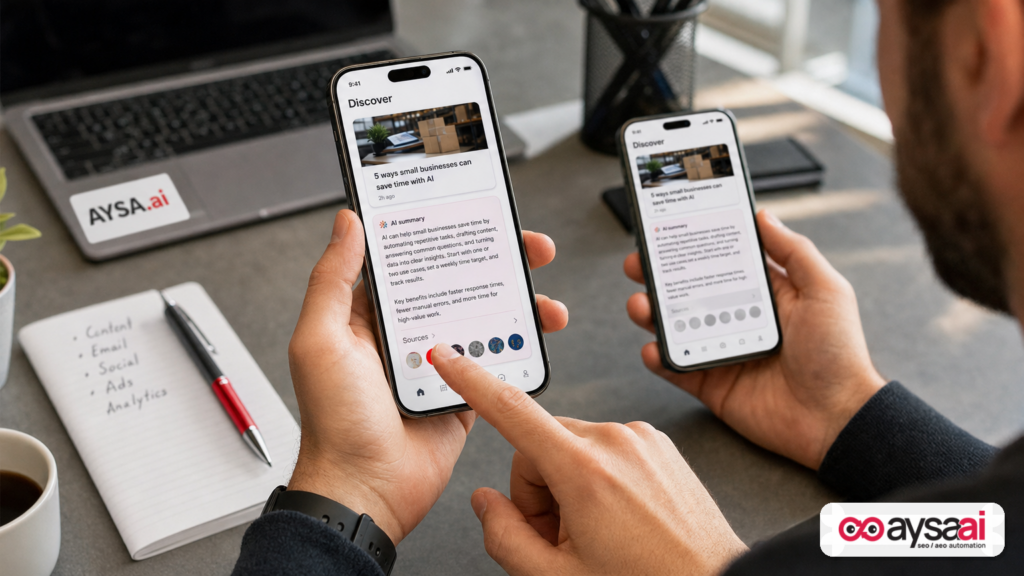
- What changed: Some users saw Discover AI summaries where tapping “Sources” didn’t open the source feed. Google says it was a bug in an experiment and the experiment was turned off.
- Why it matters: Even a temporary break in source taps highlights a bigger reality: AI surfaces can change how (or if) users reach websites—and attribution can be disrupted by design changes or experiments.
- What to do: Track AI/Discover visibility separately, focus on “citation readiness” (AEO/GEO) and conversion paths, and build a governance process so fixes ship quickly and safely.
- Where AYSA fits: AI-era SEO is an execution problem. AYSA is an Approved Execution system that monitors changes, prepares website updates, asks for approval, and executes accepted changes—so you’re not stuck debating while traffic shifts.
Key takeaways (print this)
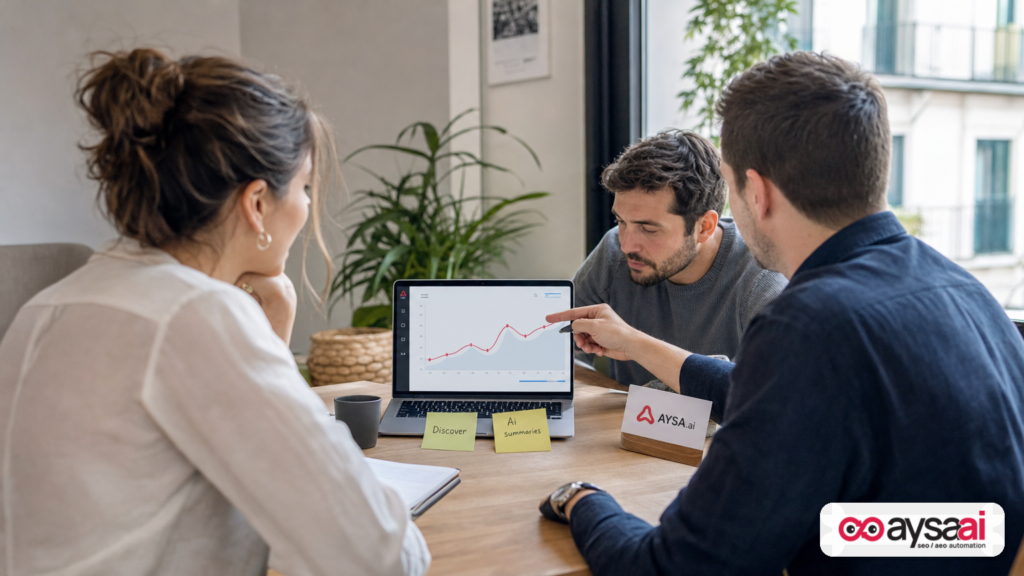
- Citations are not Clicks. A Discover AI “impression” can happen without any meaningful site visit.
- Experiments can change economics overnight. If one tap pathway disappears, your ROI assumptions change—fast.
- Don’t wait for clarity. Build Monitoring and response playbooks now; AI surfaces will keep iterating.
- SMEs need leverage. You can’t outspend platforms, but you can out-execute competitors with tight operations.
Table of contents
- What Actually Happened In Discover (And What Google Confirmed)
- Discover + AI Summaries: The Context Most Businesses Miss
- Why This Matters More Than A One-Off Bug
- The Real Battle: Click Paths, Not Rankings
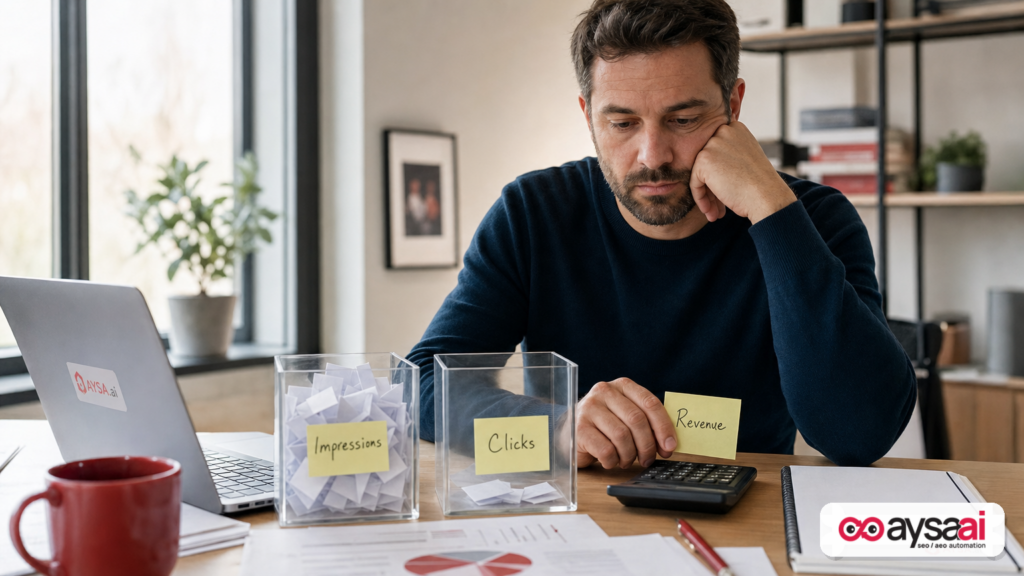
- The Measurement Gap: Impressions Are Not Traffic (And Not Revenue)
- What Can Go Wrong (Even When Nobody Calls It A “Bug”)
- A Concrete SME Scenario: Ecommerce Brand Cited In Discover, Sales Don’t Move
- What SMEs Should Monitor Weekly (No Enterprise Budget Required)
- What Agencies Should Rethink: Reporting, Contracts, And Expectation Management
- A Practical Action Plan: Build For AI Discovery Without Losing The Business
- How AYSA Helps: Monitor, Prepare, Approve, Execute (Without Panic)
- What to do next
- Sources and further reading
What Actually Happened In Discover (And What Google Confirmed)
Search Engine Journal reported that Google acknowledged an issue where taps on “Sources” inside some Discover AI summary cards were disabled. According to the report, Rajan Patel (VP of Engineering for Search at Google) replied on X that this behavior was a bug in a Discover experiment, and Google turned off the experiment so the experience works as intended again.
The reporting also referenced research by Damien Andell, who observed a flag described as disabling the source button tap. In Andell’s description, source taps previously opened a feed of articles from those sources—one of the clearer bridges from an AI summary to publisher pages. After Google’s response, Andell noted the original experiment appeared removed and replaced with another experiment.
This is the right way to interpret the event:
- Google is actively experimenting with Discover’s AI summary UX.
- Experiments can impact publisher traffic pathways, intentionally or unintentionally.
- Even when reverted, a replacement experiment may change behavior again.
External coverage (research input): Search Engine Journal: Google: Disabled Discover Clicks Were A Bug In An Experiment.
Discover + AI Summaries: The Context Most Businesses Miss
Most business owners think of Google as “search results.” But Discover is different: it’s a personalized feed—often on mobile—where users scroll content recommendations rather than typing queries. Discover has been a meaningful traffic driver for certain types of sites (publishers, recipes, lifestyle, entertainment, shopping inspiration), but it has also increasingly mattered for:
- Ecommerce brands with strong editorial content (buying guides, trend pieces, seasonal features)
- Local businesses that publish community-focused updates and helpful content
- SaaS companies creating category education and comparisons
Now layer in generative AI. AI summary cards can compress content into a small space, offer “sources,” and change what a “visit” even means. The UX becomes the product, and websites become inputs—unless the system still reliably routes users out to creators.
Google has also introduced dedicated reporting for generative AI within Discover in Search Console (as referenced in the source article). But the crucial detail is that reporting can emphasize visibility (impressions) without guaranteeing interaction (clicks).
If you’re a business, this forces a strategic question:
Are you optimizing for exposure inside Google’s AI interfaces—or for measurable customer actions on your site?
The answer should be both, but weighted by your business model.
Why This Matters More Than A One-Off Bug
It’s tempting to shrug and say, “Okay, it was a bug. Move on.” That’s not the operator’s mindset. The operator’s mindset asks: what did this incident reveal about the system?
1) Attribution pathways are still being negotiated in product design
In classic SEO, the pathway is stable: a result → a click → your page. In AI surfaces, the pathway can look like: impression → AI answer consumed → no click → maybe a follow-up action later. Or, if sources are clickable, there might be a click path—but its prominence can be dialed up or down by experiments.
Even when an “unclickable sources” state is unintended, it demonstrates that a small UX change can delete an entire class of traffic for a slice of users.
2) The SEO industry is being asked to trust opaque testing
Google’s response (as reported) didn’t specify how long the experiment ran, how widespread it was, or what it tested. That’s normal for product experimentation. But it creates real planning challenges for businesses—especially SMEs that can’t absorb volatility as easily as large publishers.
This is why modern SEO/AEO/GEO must include resilience planning: your strategy can’t assume stable click mechanics.
3) Discover is a frontline AI distribution channel
Discover is increasingly where Google can test new consumption models—because it’s feed-based, mobile-first, and naturally suited to summaries. If you rely on Discover, you’re living closer to the experimentation edge than traditional blue-link search.
The Real Battle: Click Paths, Not Rankings
For 20 years, “SEO” was shorthand for ranking. In the AI era, ranking still matters, but the bigger constraint is: does the interface still send people to your site?
This is why I push teams to reframe SEO conversations around click paths:
- Where is the user journey happening? In search results, in AI summaries, in Discover cards, in video modules?
- What are the exits? Are there visible source links? Are they tappable? Do they open a list, a browser, an in-app view?
- What is the “default action”? Scroll, watch, consume, click, save, share?
If your marketing model assumes “content → Google → click → conversion,” you need a backup plan for “content → Google AI → no click.” That backup plan might be brand demand, email capture, product-led loops, or stronger conversion performance on the visits you do get.
In other words: the job is shifting from “win more clicks” to “win outcomes despite fewer clicks.”
The Measurement Gap: Impressions Are Not Traffic (And Not Revenue)
The source report referenced that Discover’s generative AI reporting in Search Console lists source pages by URL and emphasizes impressions—defined as when someone sees one of your site’s links via generative AI capabilities in Discover.
That’s visibility, not visitation.
Here’s why this matters for real businesses:
- A CFO doesn’t fund impressions. They fund predictable revenue or lead flow.
- A founder can’t hire on impressions. They hire based on pipelines.
- An agency can’t defend a retainer with impressions alone. Not long-term.
So what should you do with impressions?
Use them as an early signal that your content is being selected and cited by AI surfaces. That’s valuable for:
- Brand awareness (especially if your name is visible near the citation)
- Top-of-funnel authority building
- Competitive research: which pages are being chosen as sources
But don’t confuse it with performance marketing.
A practical rule I use
Visibility metrics are “diagnostics.” Outcome metrics are “direction.”
Diagnostics tell you where the system is paying attention. Direction tells you what to invest in.
What Can Go Wrong (Even When Nobody Calls It A “Bug”)
The SEJ story focuses on a bug. But in day-to-day operations, businesses get hurt just as often by changes that are not bugs—just product decisions, tests, or UX iterations.
Failure mode #1: The citation exists, but the link is effectively buried
You might still be “a source,” but the user has to take extra steps to reach you—steps most won’t take. If the sources row is collapsed, hidden behind a tap, or routed to a feed that keeps users inside Google, your traffic impact drops even if your “impressions” look fine.
Failure mode #2: The click goes somewhere else in the module
AI summary cards often coexist with videos, images, or “hero” elements. If the primary tap target routes to a video or an internal Google destination, source links may become secondary. The user still consumes the content, but your site isn’t the beneficiary.
Failure mode #3: Measurement becomes ambiguous
When the interface changes, your analytics can misclassify traffic: “direct,” “referral,” “unknown,” or blended sources. If you can’t reliably segment Discover/AI-driven sessions, it’s hard to decide whether to invest.
Failure mode #4: Content is used, but your brand isn’t remembered
This is the hardest one. If the AI summary answers the question completely, the user may not need to click. If your brand is not prominent in that context, you might be doing unpaid R&D for the market without getting demand.
A Concrete SME Scenario: Ecommerce Brand Cited In Discover, Sales Don’t Move
Let’s make this real.
Scenario: You run a mid-sized ecommerce brand selling specialty kitchen tools. You publish seasonal content like “Best knives for holiday cooking” and “How to choose a chef’s knife.” Discover starts showing your content in AI summary cards.
In Search Console, you see an uptick in Discover generative AI impressions for a handful of URLs. Everyone’s excited. But after two weeks, revenue doesn’t budge.
What might be happening?
- The AI summary answers the question well enough that users don’t click.
- The “Sources” row is present but not compelling, or it opens a feed that keeps users scrolling instead of visiting your page.
- Users who do click land on an article that’s slow, cluttered, or weakly connected to products—so conversion is low.
What should you do (practically)?
- Upgrade the cited pages so a click has a higher chance of becoming a subscriber, a buyer, or a retargetable visitor.
- Make the page “citation-ready” and “conversion-ready” at the same time: clear headings, concrete answers, unique expertise, product pathways, and trust signals.
- Monitor whether your Discover AI impressions correlate with any measurable lift in branded search, email signups, or assisted conversions (not just last-click sales).
This is where SEO becomes operations, not just content production.
What SMEs Should Monitor Weekly (No Enterprise Budget Required)
If you’re a small or mid-sized business, you don’t need 12 dashboards. You need a tight monitoring routine that catches meaningful shifts early.
1) Discover and AI visibility signals (Search Console)
Check Google Search Console routinely for changes in Discover visibility and any AI-related reporting available to you. The key is consistency: same day/time each week, same lens, so anomalies stand out.
Primary reference (tool): Google Search Console.
2) Landing page performance on cited URLs
For the URLs that appear as “sources,” track:
- Engagement quality (time, scroll depth if you measure it, internal clicks)
- Conversion assists (email signups, add-to-cart events, lead submissions)
- Site speed and mobile usability (Discover is mobile-first in practice)
3) Branded demand proxy
If AI summaries reduce direct clicks, one of the few durable benefits is increased brand awareness. You can proxy that with:
- Branded queries trend (inside Search Console performance reports, where available)
- Direct traffic trend (careful: it’s noisy)
- Email list growth trend
4) SERP/Discover UX spot checks (manual)
Once a week, do a human spot check:
- Open Discover on two devices (if possible) and look at AI cards.
- Tap “Sources” when you see them. Confirm the behavior you’re assuming exists.
- Note whether your brand is clearly visible when you’re cited.
It sounds simple. It is. And it’s the difference between operating and guessing.
What Agencies Should Rethink: Reporting, Contracts, And Expectation Management
If you’re an agency, the AI-era shift is not just tactical—it’s commercial. Your client expects outcomes. But the platform is experimenting with click mechanics in ways you can’t control.
1) Reporting must separate “AI visibility” from “site outcomes”
Put them in different sections. Different KPIs. Different narratives. Don’t let a client conclude “we’re winning” because an AI impression chart goes up.
2) Scope needs to include monitoring + response, not just deliverables
The old scope was: audits, content, links, technical fixes. The new scope must include: monitoring AI surfaces, identifying changes in attribution/click paths, and quickly updating pages that are being cited.
3) Execution speed becomes a competitive advantage
The agencies that win will:
- Detect changes early
- Decide fast
- Ship safe updates quickly
This is why “approved execution” matters. You can’t have a two-week internal debate over a title tag update or internal linking improvements while the interface iterates weekly.
A Practical Action Plan: Build For AI Discovery Without Losing The Business
Here’s the playbook I recommend for SMEs and lean marketing teams. It’s built for reality: limited time, limited budget, high accountability.
Step 1: Identify pages most likely to be cited
AI summaries tend to cite pages that are:
- Clear and structured (good headings, direct answers)
- Topically focused (not “everything pages”)
- Trustworthy (signals of real expertise and responsibility)
If your site is ecommerce, these are often guides and category explainers. If you’re local (clinic/hotel/home services), these are often service pages and FAQs. If you’re SaaS, these are comparisons, implementation guides, and problem/solution explainers.
Step 2: Make “citation-ready” upgrades (AEO/GEO fundamentals)
Without inventing new rules, the durable improvements are boring—and that’s good:
- Answer-first intros (don’t bury the lead)
- Clear subheadings that mirror user questions
- Definitions and constraints (“works best if…”, “avoid when…”, “price ranges vary by…”) without fake precision
- Unique experience: examples, process steps, checklists, and real-world caveats
This supports AEO (Answer Engine Optimization) and GEO (Generative Engine Optimization) because you’re easier to extract and cite—while still being useful to humans when they land.
Related AYSA resource: AI Search Visibility.
Step 3: Make “click-ready” upgrades (conversion and continuity)
If you get fewer clicks, each click must matter more. For cited pages:
- Improve above-the-fold clarity
- Add next-step CTAs that fit intent (email, quote, product bundle, booking)
- Strengthen internal linking to money pages (without spam)
- Ensure mobile performance is acceptable (Discover is largely mobile consumption)
Step 4: Build an attribution and measurement routine
Even without perfect tooling, you can build a routine that reduces blind spots:
- Track which URLs appear as sources (when available in your reporting)
- Annotate known platform changes and experiments when you hear about them
- Compare week-over-week patterns rather than fixating on daily noise
Step 5: Decide where you’ll invest—and where you won’t
Not every business should chase Discover. If your product has low repeat value, long sales cycles, or minimal differentiation, “being cited” may not justify ongoing content costs. In those cases, invest in:
- Conversion rate optimization
- Paid search for bottom-funnel queries
- Local SEO fundamentals (if relevant)
- Retention channels (email/SMS)
This is not anti-SEO. It’s pro-ROI.
How AYSA Helps: Monitor, Prepare, Approve, Execute (Without Panic)
Here’s my perspective: the AI search era punishes teams that are slow to execute and rewards teams that can move fast without breaking things.
AYSA is designed as an execution system for SEO/AEO/GEO—especially for SMEs and agencies that need leverage:
- Monitor: Stay on top of visibility shifts and site signals with a consistent operational rhythm. Start here: AYSA Monitoring
- Prepare: Turn observations into specific website changes (content improvements, internal linking, technical cleanups) that are aligned with business goals.
- Approve: Changes should not be a chaotic “ship it” moment. SMEs need governance. Agencies need client sign-off. AYSA’s model is built around approved execution.
- Execute: Once accepted, ship updates consistently—because consistency beats heroics.
If you’re evaluating systems, start with how you want to operate:
- Do you want to “audit and hope,” or monitor and iterate?
- Do you want execution trapped in tickets, or flowing through approval gates?
Explore: AYSA AI SEO tools and pricing. For ongoing guidance, see the AYSA blog.
What to do next
- Do a manual Discover spot-check today: Open Discover, find an AI summary card, and try tapping sources. Document what happens on your devices.
- List your “most citable” URLs: The pages that answer questions in your category. These are your AI-era assets.
- Upgrade 3 pages this month: One structural clarity upgrade (headings/answer-first), one trust upgrade (author/experience/detail), one conversion upgrade (next-step CTA + internal links).
- Separate reporting: Create two buckets: AI visibility (impressions/citations) and business outcomes (leads/sales/assists). Don’t mix them.
- Implement an execution workflow: Monitoring → prepared changes → approval → shipping. If you want this operationalized, evaluate AYSA’s model at aysa.ai/monitoring.
Sources and further reading
- Search Engine Journal (research input): Google: Disabled Discover Clicks Were A Bug In An Experiment
- SEJ category: AI Search
- SEJ category: SEO
- Google Search Console
Note: The underlying experiment details (duration, coverage, mechanics of replacement experiments) were not fully described in the supplied research context. Where specifics aren’t verified, I’ve treated them as operational risk factors rather than facts.
Continue the AI search topic inside AYSA.
Use these pages to connect the article with AI SEO tools, AI visibility monitoring, AI Overviews and approved website execution.
Turn this topic into a website action plan.
Use these AYSA hubs to move from reading to technical fixes, AI visibility monitoring, research, glossary context and approval-first SEO execution.