Google’s New Generative AI Performance Reports in Search Console: What They Mean for Real Businesses (and What to Do Next)
Google just added Search Generative AI performance reporting to Search Console—separate views for Search and Discover—so you can finally measure how your brand shows up inside generative AI features. Here’s what changed, why it matters, and a practical action plan for SMEs and agencies to turn AI visibility into revenue without guessing.

Google just gave site owners something we’ve needed since generative AI features started reshaping results: clearer measurement.
In June 2026, Google announced new Search Generative AI performance reports inside Search Console—dedicated reporting for Search and Discover—designed to help you understand your site’s visibility within generative AI features on Google Search. Source: Google Search Central.
This is not a small UI tweak. It’s Google acknowledging (in the most Google way possible) that the unit of value is changing: from “Clicks from 10 blue links” to “visibility and influence inside AI-generated answers and experiences.”
As the founder of AYSA.ai, I’ll be direct: the winners over the next 12–24 months won’t be the teams with the most opinions about AI Search. They’ll be the teams that can measure what’s happening, translate that into an execution backlog, and ship approved changes fast—without breaking their site or their brand.
Concise summary
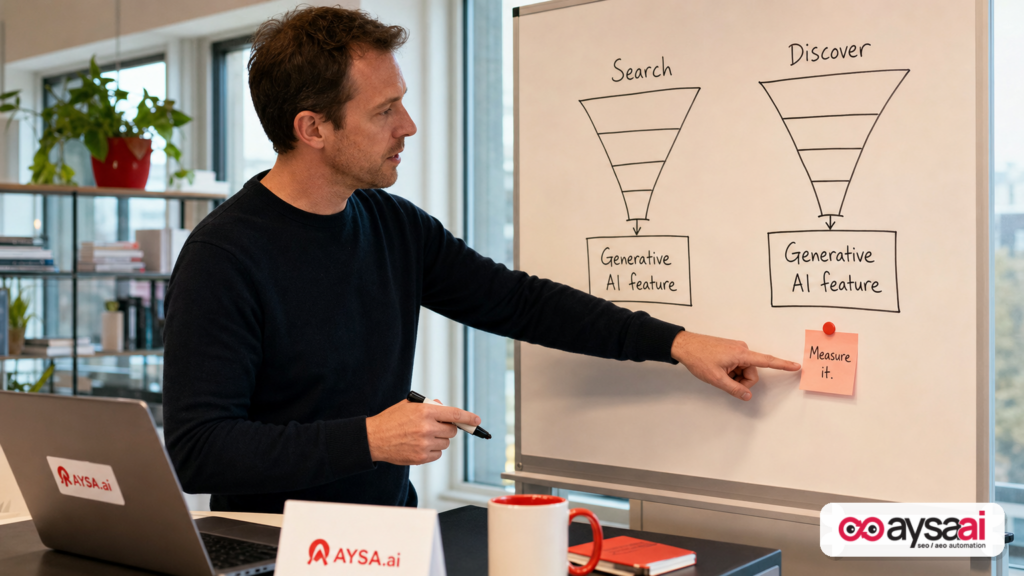
Google’s new generative AI performance reports in Search Console introduce dedicated reporting that helps you evaluate your site’s presence in generative AI features across Search and Discover. That matters because AI features can change click behavior, brand visibility, and how users make decisions—often without visiting your site. Businesses should respond by building an “AI visibility” measurement layer, upgrading content to be more extractable and verifiable, tightening technical foundations, and creating a consistent execution loop. AYSA fits as an Approved Execution system that monitors performance, prepares website changes, requests approval, and executes accepted improvements.
Key takeaways (read this if you’re busy)

- Measurement is catching up to reality. You can’t manage AI search visibility if your tooling only measures classic results.
- Expect more “visibility without clicks.” AI features can answer users directly, shifting traffic patterns. That doesn’t mean AI is “bad,” but it forces new KPIs.
- Search and Discover behave differently. Treat them as separate channels with different intent, formats, and content strategy.
- Technical SEO is still the floor. If Google can’t crawl, understand, or trust your pages, AI features won’t reliably use them.
- Execution speed is now a competitive advantage. Teams that can iterate content, structure, and Internal linking quickly will compound gains.
- Use AI reports as a trigger for action, not a dashboard to admire. Build a monthly operating rhythm: monitor → diagnose → plan → execute → validate.
Table of contents

- What Google Actually Launched (and Why It’s a Big Deal)
- Why Google Did This Now
- The New Measurement Mindset: From “Rankings” to “Visibility in Answers”
- Search vs. Discover: Same Brand, Different Game
- What Could Go Wrong: Misreads, Misattribution, and Metric Traps
- The Non-Negotiables: Foundations That Make AI Visibility Possible
- A Practical Content Playbook for Generative AI Features
- A Technical Playbook: Crawling, Indexing, and “AI Readiness” Basics
- A Practical SME Scenario: Ecommerce Brand Seeing AI Mentions—but Fewer Clicks
- What Agencies Should Rethink: Reporting, KPIs, and Retainers
- How AYSA Helps: Monitoring + Approved Execution for AI Search
- What to Do Next (30/60/90-Day Action List)
- Sources and Further Reading
What Google Actually Launched (and Why It’s a Big Deal)
Google announced new Search Generative AI performance reports in Google Search Console, including dedicated reports for Search and Discover, aimed at helping site owners understand their site’s visibility within generative AI features in Search.
That language matters. Google didn’t frame this as “AI is sending you more traffic.” They framed it as visibility. That’s a subtle but important shift: AI features can influence user decisions even when the user doesn’t click through.
For years, Search Console has been the “ground truth” product for organic search reporting: impressions, clicks, CTR, average position. If generative AI is going to be a major layer of the search experience, then not having reporting for it would create a blind spot for every brand, publisher, ecommerce store, local business, and agency.
Now Google is making that layer measurable inside the tool most teams already trust.
Why this is bigger than a report
- It legitimizes AI visibility as a real SEO concern. It’s no longer “experimental chatter”; it’s in Search Console.
- It opens the door to new workflows. Measurement drives priorities, budgets, and headcount.
- It creates a new negotiation with stakeholders. The CMO asking “why did traffic drop?” may need a new answer: “Because users got answers in the AI feature.”
Where to start (official Google entry points)
If you’re new to Search Console or need to re-ground your team in the fundamentals, Google maintains a full documentation hub at Google Search Central Documentation and an introduction guide at SEO Starter Guide.
And because this launch is specifically tied to generative AI search, Google also maintains a dedicated resource: Optimizing for generative AI search. (If your team is arguing about what “AI optimization” even means, start there.)
Why Google Did This Now
Google’s product behavior often tells you what the company believes is becoming standard. Search Console reporting expansions typically show up when:
- a feature reaches meaningful scale,
- site owners need clarity (or are complaining loudly), and
- the ecosystem needs a shared definition of success.
Generative AI features create new search behaviors:
- Users ask longer questions.
- Users expect synthesized answers.
- Users may “finish” their research without visiting multiple sites.
- Users may still click—but more selectively and later in the journey.
When behavior changes, analytics must change, or businesses are flying blind.
Google is also signaling that generative AI is not a side project; it’s part of the core product surface area that Search Console is expected to measure, similar to how Search Console introduced performance reporting for Discover and later expanded APIs and report types over time.
The New Measurement Mindset: From “Rankings” to “Visibility in Answers”
Classic SEO taught businesses to obsess over:
- Keyword rankings
- Blue-link clicks
- Traffic volume
Those metrics still matter. But generative AI features create a second layer:
- Whether your content is used to build an answer
- Whether your brand is cited or referenced (in whatever form that appears)
- Whether you’re the “default recommendation” for a comparison, category, or solution
In other words: ranking is no longer the only way to “win.” You can lose a click and still win influence. Or you can gain visibility and lose revenue if you’re not set up to capture demand later.
What SMEs should internalize
If you run a business, this is the mental model shift:
- SEO is becoming brand distribution inside answers.
- Traffic is becoming a downstream outcome, not the only outcome.
- Measurement needs segmentation by intent and surface.
Google’s new reporting is a step toward that segmentation.
Search vs. Discover: Same Brand, Different Game
Google explicitly called out dedicated reports for Search and Discover.
Even without getting lost in definitions, most businesses can understand the practical difference:
- Search is usually demand-driven: a user asks, Google answers.
- Discover is more feed-driven: Google suggests content based on user interests and context.
If generative AI features are showing up across both surfaces, your strategy can’t be “one set of pages for everything.”
Implication #1: Content format needs to match the surface
On Search, users often want:
- direct answers
- comparisons
- steps and checklists
- definitions and clarifications
On Discover, users often respond to:
- fresh angles
- strong visuals and story
- topic authority signals
- clear relevance to an interest profile
The reporting split is a reminder: treat these like distinct distribution channels.
Implication #2: Your “AI visibility” can rise while classic CTR drops
If a generative AI feature answers a question directly, CTR may decline even if impressions rise. This is not a failure by default. It becomes a failure when:
- you can’t measure the shift,
- you don’t adapt pages to capture later-stage intent, or
- your brand isn’t memorable or clickable when it is shown.
Search Console’s AI reporting helps you diagnose those patterns instead of guessing.
What Could Go Wrong: Misreads, Misattribution, and Metric Traps
Any new report creates new opportunities to misinterpret data. Here are the traps I expect to see immediately.
Trap 1: Treating “AI impressions” like “SEO impressions”
In classic Search Console reporting, impressions often correlate with “you appeared somewhere on the results page.” In AI experiences, impressions might correlate with “you were part of an AI feature” or “your presence was within a generative surface.” Those are different user experiences with different click dynamics.
Action: define internal terms like “AI impression,” “AI click,” and “assist value” (influence without click) for your stakeholders.
Trap 2: Panic when clicks drop
Some clicks will drop for some query types if AI features satisfy intent earlier. But panic is the wrong response. The right response is segmentation:
- Which topics lost clicks?
- Which topics gained AI visibility?
- Which pages still convert when they do get clicks?
If you can’t answer those questions, you’re not ready for the new era of search reporting.
Trap 3: Optimizing for “being mentioned” without optimizing for “being chosen”
Many teams will chase citations or mentions as the end goal. But what matters commercially is being chosen.
That usually depends on:
- clear positioning (who you’re for, what you do, why you’re different),
- proof (reviews, case studies, credentials),
- specificity (real specs, pricing, policies, availability), and
- trust signals (about pages, editorial standards, support access).
Most sites underinvest in those basics—and then wonder why AI answers feel like “someone else gets recommended.”
Trap 4: Confusing reporting with strategy
Google giving you a report doesn’t mean Google is giving you a playbook. Your playbook still has to be built from fundamentals: helpful content, accessibility, technical clarity, and consistent publishing.
Google’s “Search Essentials” is still the baseline: Search Essentials.
The Non-Negotiables: Foundations That Make AI Visibility Possible
If your team hears “generative AI” and immediately jumps to rewriting everything with AI tools, stop. AI visibility is built on the same foundation as classic search—just with higher stakes for clarity and trust.
Foundation 1: Google needs to understand your pages
This sounds obvious, but it’s where many sites fail:
- thin pages that don’t answer anything clearly
- duplicate pages competing with each other
- inconsistent canonicalization
- JavaScript-heavy pages that render poorly for crawlers
Google’s fundamentals are worth re-reading: How Google Search Works.
Foundation 2: You must control crawlability and indexing responsibly
AI features can’t use what Google can’t access. The basics still apply:
- Sitemaps help discovery and diagnostics: Sitemaps.
- robots.txt controls crawling patterns: robots.txt.
- Meta tags influence indexing/snippets behavior: Meta tags.
Teams often “accidentally” block important sections or canonicalize incorrectly during redesigns, migrations, or plugin updates. AI visibility reporting will likely make those mistakes more obvious—because your presence in AI features can drop sharply when Google’s understanding breaks.
Foundation 3: Your search appearance still matters (titles, snippets, visuals)
Even if a generative feature summarizes content, your brand often still appears as a reference, a link, or a source. That means your presentation layer is part of conversion.
Google provides guidance on:
If your titles are vague, your snippets are unhelpful, and your visuals are low quality, you’re asking AI features to do your job for you. That rarely ends well.
A Practical Content Playbook for Generative AI Features
Let’s turn this into something a business owner can execute. If you want to improve your likelihood of being represented well in AI features, your content should be:
- Explicit (clear answers, clear definitions)
- Verifiable (specific claims with support)
- Structured (headings, lists, tables where appropriate)
- Current (updated dates when material changes occur)
- Consistent (the same facts across pages, product listings, policies)
1) Create “answer-first” sections on key pages
Most pages bury the answer under fluff. AI systems prefer clarity. For your top commercial pages (services, categories, product hubs), add a tight section near the top:
- What it is (one paragraph)
- Who it’s for (bullets)
- How it works (steps)
- Key specs / constraints (table)
- Common questions (short FAQ)
This is not “writing for robots.” It’s writing for humans who skim—and for systems that summarize.
2) Upgrade comparison content into decision content
AI search thrives on comparisons: “best,” “vs,” “alternatives,” “top options.” Many businesses publish comparison pages that are:
- thin,
- biased without disclosure,
- missing decision criteria.
Instead, build comparison content that includes:
- decision criteria (what matters and why),
- who each option is best for,
- limitations and tradeoffs,
- a clear “how to choose” framework.
This is how you influence the recommendation, not just appear in the list.
3) Build “trust packets” for YMYL-ish categories (health, finance, safety)
If you operate in categories where trust is critical, invest in content that makes expertise obvious:
- author bios with real credentials
- editorial policy pages
- citations to primary sources where relevant
- clear update logs for critical pages
Even if generative AI features don’t display every signal, they benefit from clear provenance and consistent site quality.
4) Refresh content strategically, not randomly
Most teams refresh content like this: “We updated 30 blog posts last month.” That’s activity, not strategy.
Instead:
- Start with pages tied to revenue (services, product categories, lead magnets).
- Identify queries where AI features likely satisfy early intent.
- Upgrade pages to capture mid/late intent (pricing, policies, next steps, calculators, templates).
This is where “AI visibility” becomes business value: not just being seen, but being the step users take next.
A Technical Playbook: Crawling, Indexing, and “AI Readiness” Basics
If your technical foundation is messy, no amount of content polish will save you. Here’s a practical technical checklist grounded in Google’s own documentation (and the reality of what breaks on real sites).
1) Confirm your crawl and index controls are intentional
- Review robots.txt rules: robots.txt
- Verify meta robots and other directives: Meta tags
- Ensure sitemaps are current and accurate: Sitemaps
SME reality: a plugin update or staging-to-production push can change this overnight. Monitor it like you monitor revenue.
2) Fix duplication and canonical confusion
AI systems (and search systems) struggle when your site can’t decide what the “main” page is. If you have multiple URLs for the same content, implement proper canonicalization:
Google’s guidance: Canonicalization.
3) Handle redirects cleanly
Messy redirects cause indexing delays, crawl waste, and broken user flows. Use redirects intentionally, especially during migrations or content consolidation:
Google’s guidance: Redirects.
4) Don’t ignore JavaScript SEO basics
Modern sites rely on JavaScript, but many still ship content in ways that are hard for crawlers to process consistently. If your content is rendered client-side only, you may create an unnecessary barrier.
Google’s resource: JavaScript SEO basics.
5) Build a recrawl / update workflow
When you improve critical pages, you want changes reflected promptly. Google provides guidance on crawler management and asking for recrawls: Crawler management.
Operational note: SMEs rarely have a dependable “content shipped → Google updated → performance validated” loop. They publish and hope. AI reporting increases the cost of that hope.
A Practical SME Scenario: Ecommerce Brand Seeing AI Mentions—but Fewer Clicks
Here’s a realistic scenario that will become common as AI reporting becomes mainstream.
The business
A mid-sized ecommerce brand sells specialty home coffee equipment. They publish buying guides and run category pages for grinders, espresso machines, and accessories.
The surprise
After the new generative AI performance reports roll out, they notice:
- AI visibility/impressions are rising for “best grinder for espresso” and “how to dial in espresso.”
- Classic organic clicks to their top buying guide are flat or declining.
- Revenue from branded searches is slightly up, but overall organic sessions are down.
What’s happening (in plain English)
Users are getting good-enough answers directly in AI features. Fewer users need to click a long buying guide just to understand basic criteria. But some users still click when they are ready to buy—or when they need confidence.
What the business should do
- Convert the buying guide into a decision hub: add comparison tables, clear “best for” recommendations, and direct paths into category pages.
- Strengthen product and category pages: include specs, compatibility, shipping/returns, warranty, and real FAQs.
- Build internal linking that matches intent: informational → comparison → category → product.
- Upgrade titles/snippets: make the page obviously useful and credible in one glance (see Google guidance on title links and snippets).
How to measure success
Not just with raw clicks. Also track:
- branded search growth,
- conversion rate from organic sessions,
- assisted conversions (via analytics),
- lead capture or email signups from informational pages,
- and the trend lines in the AI performance reports vs. classic performance reports.
This is where the new AI reporting becomes a strategic asset: it helps you separate “we lost because we got worse” from “we lost clicks because the product changed.” Those are different problems with different solutions.
What Agencies Should Rethink: Reporting, KPIs, and Retainers
Agencies are about to be forced into a new reporting conversation.
Historically, many retainers have been justified with:
- traffic growth
- rankings improvements
- content output volume
AI features complicate that story. A client may experience:
- more visibility in AI features,
- stable revenue,
- but lower sessions.
Or the reverse: stable traffic, but declining influence because AI features recommend competitors.
Agency KPI modernization (practical)
Agencies should evolve monthly reporting to include:
- Classic Search Console performance (baseline)
- AI performance report trends (new baseline)
- Topic cluster health (coverage, freshness, internal links)
- Conversion outcomes tied to organic (leads, sales, signups)
- Execution velocity (how many approved changes shipped)
Execution velocity sounds unsexy, but it’s where campaigns actually die. AI-era SEO is iterative. If your agency can’t ship, you can’t learn.
Why “approved execution” becomes central
As AI visibility becomes a KPI, teams will be tempted to push aggressive changes (titles, rewrites, mass internal linking, schema tweaks). That’s risky without governance. The agency-client relationship needs a controlled system for proposing, approving, and implementing changes.
This is a big reason why AYSA exists.
How AYSA Helps: Monitoring + Approved Execution for AI Search
At AYSA.ai, we built around a simple reality: insight without execution is just a report.
Google’s new AI performance reporting makes insight better. But it doesn’t fix the operational bottleneck most SMEs and agencies face:
- Someone sees a problem.
- Someone writes a doc.
- It sits in a backlog.
- No one ships changes.
AYSA is designed to close that gap with an approved execution loop:
- Monitor performance and technical signals continuously: AYSA Monitoring
- Prepare recommended updates (content, internal links, metadata, technical tasks) based on what’s happening in search.
- Ask for approval before changes go live (so brands keep control and reduce risk).
- Execute the accepted changes consistently—so you can validate impact and iterate.
If you’re specifically focused on AI search visibility as a business outcome, these AYSA resources are relevant:
- AI search visibility (what to measure and improve)
- AI SEO tools (how we operationalize improvements)
- Pricing (for SMEs and agencies planning adoption)
- AYSA blog (ongoing playbooks and updates)
How AYSA maps to the new Search Console AI reports
Think of the workflow like this:
- Search Console AI reports tell you what’s happening (visibility in AI features).
- AYSA monitoring + execution turns “what’s happening” into “what we changed” and “what improved.”
In practice, that means when AI visibility changes, you can quickly:
- identify which pages/topics are affected,
- create a prioritized improvement plan,
- ship controlled updates (with approval),
- and validate against Search Console reporting.
What to Do Next (30/60/90-Day Action List)
Here’s a pragmatic operating plan that works for SMEs and agencies. No theory. Just execution.
In the next 30 days: Establish measurement and a baseline
- Read the announcement and confirm where the new AI reports appear in your Search Console property: Google Search Central post.
- Segment your top 20–50 pages by intent: informational, comparison, commercial, support.
- Document baseline metrics: classic Search performance + Discover performance + AI report trends (where available).
- Audit crawl/index basics quickly: sitemaps, robots, canonical patterns, redirect hygiene.
- Set up a monthly AI visibility review with a single owner who can turn findings into tasks.
In the next 60 days: Upgrade your most important content for AI-era behavior
- Rewrite/structure top pages into answer-first sections (definitions, criteria, steps, FAQs).
- Strengthen conversion paths from informational pages to money pages (internal linking, CTAs, product/service modules).
- Improve titles/snippets to increase qualified clicks where clicks still happen (see title links and snippets).
- Create 3–5 comparison assets that are genuinely helpful and decision-oriented (tables, checklists, “best for” guidance).
In the next 90 days: Build an execution flywheel (this is where most teams fail)
- Adopt an approved execution loop: monitor → propose → approve → ship → validate.
- Set a shipping target (example: 10 approved improvements/month across content + technical + internal linking).
- Use AI visibility data to prioritize: focus on topics where you’re close to being recommended, not topics where you’re invisible.
- Standardize templates for product/category/service pages so your site stays consistent as it scales.
- Consider an execution system like AYSA if you need monitoring + prepared changes + approval + implementation in one workflow: AI Search Visibility.
What to do next (simple checklist)
- Open Search Console and locate the new generative AI performance reports (Search and Discover).
- Identify the top queries/pages where AI visibility is changing.
- Choose 5 priority pages and add answer-first sections, comparison criteria, and stronger next steps.
- Verify crawl/index basics: sitemaps, robots, canonicals, redirects.
- Put a weekly cadence on shipping improvements—with approvals—so you can learn fast without brand risk.
Sources and Further Reading
- Google Search Central: Introducing Search Generative AI performance reports in Search Console
- Google Search Central: Optimizing for generative AI search
- Google Search Essentials
- How Google Search Works
- Sitemaps
- robots.txt
- Meta tags
- Canonicalization
- Redirects
- JavaScript SEO basics
- Title links
- Snippets
- Images
AYSA reading:
Continue the AI search topic inside AYSA.
Use these pages to connect the article with AI SEO tools, AI visibility monitoring, AI Overviews and approved website execution.
Turn this topic into a website action plan.
Use these AYSA hubs to move from reading to technical fixes, AI visibility monitoring, research, glossary context and approval-first SEO execution.