Google’s Invalid Click Credits: What the New Report Really Means for Your Ads Budget (and How to Audit It Like a Pro)
Google is highlighting a more detailed Invalid Activity Credit Report in Google Ads. Here’s what changed, why it matters for SMEs and agencies, how to interpret credits vs. performance, and how to build an operational audit loop that protects budget without chasing ghosts.

Paid search has always had a trust problem. Not because marketers are cynical by default, but because the system is complex, automated, and—at the click level—often opaque. When budgets are tight, every line item becomes a question: “Did we actually pay for real prospects, or did we pay for junk?”
Google recently drew attention to a reporting feature designed to answer part of that question more clearly: the Invalid Activity Credit Report. It’s not a flashy product launch, but it’s the kind of “small reporting change” that can have outsized impact on how you explain spend, reconcile invoices, and defend (or challenge) automated campaigns like Search and Performance Max.
This editorial breaks down what Google highlighted, what it means for businesses and agencies, how to use the report without overreacting, and how to build an operational audit loop that protects budget. I’ll also explain how we think about this at AYSA.ai—because the real win isn’t simply “seeing credits,” it’s using the insight to improve conversion systems, measurement, and the website experience that turns paid Clicks into revenue.
Concise summary
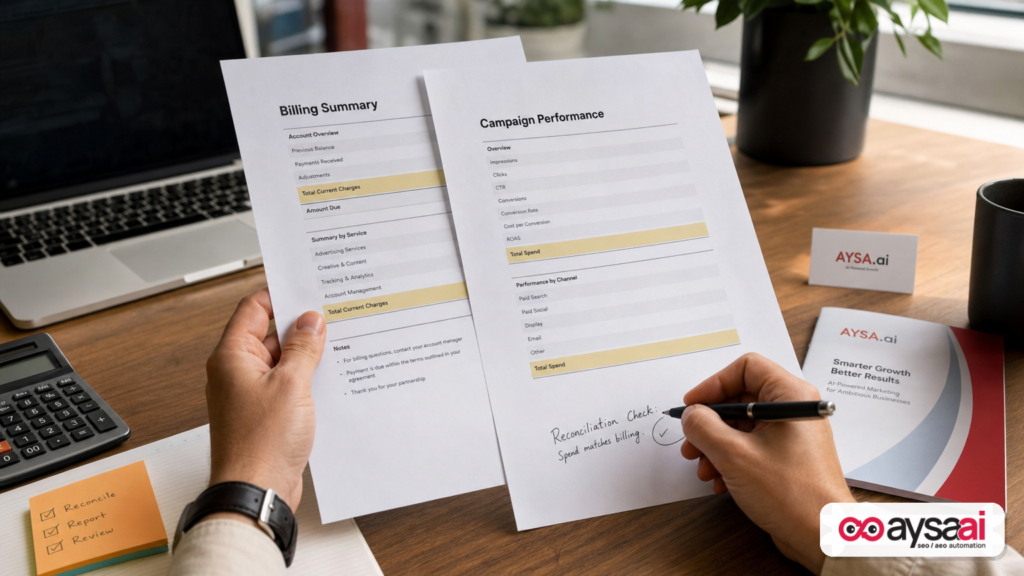
- Google is spotlighting documentation for its Invalid Activity Credit Report in Google Ads, which helps advertisers see credited clicks/interactions/spend and adjusted metrics after invalid traffic is detected.
- Credits already existed in billing for many accounts, but this report aims to reduce manual reconciliation and improve campaign-level visibility across Search and Performance Max.
- Invalid traffic detection is partly retrospective: some invalid activity is blocked before you’re charged, but some is identified after billing and then credited back.
- Smart teams treat this as an audit input, not a scandal: use it to establish baselines, spot anomalies, and pressure-test tracking and lead quality.
- Where AYSA fits: Monitoring plus Approved Execution—turning traffic-quality findings into prioritized website fixes, measurement improvements, and content/landing-page alignment that increases efficiency across paid and organic.
Table of contents

- What Google just highlighted (and what likely didn’t change)
- Why Google is emphasizing invalid-activity credits right now
- Credits are not “profit”: the accounting reality every SME should understand
- How invalid traffic detection works (what you can infer, and what you can’t)
- What the Invalid Activity Credit Report shows—column by column thinking
- A practical audit workflow: how to use the report without overreacting
- Performance Max: why this report matters more in automated campaigns
- Measurement pitfalls: when “invalid clicks” are not your biggest problem
- Concrete SME scenario: a local service business that thinks it has click fraud
- Agency operations: how to package this into client reporting without drama
- Where AYSA fits: bridging paid insights into organic, local, and AI search execution
- What to do next (action list)
- Sources and further reading
What Google just highlighted (and what likely didn’t change)

Google published new help documentation that shines a brighter light on its Invalid Activity Credit Report—a report intended to show advertisers how much spend was credited back after Google later determined some clicks or interactions were invalid.
The most important nuance is that this appears to be a documentation spotlight more than a dramatic feature release. Many advertisers have seen related metrics before (for example, versions of invalid-click rate). But the way Google frames this report matters because it sets expectations: Google is saying, in effect, “Here’s a standard place to see credits and understand adjusted performance after those credits.”
According to the documentation spotlighted by Search Engine Land, this report provides a more detailed breakdown than what you’d normally infer from billing transactions alone, including:
- Credited clicks
- Credited interactions
- Credited spend
- Campaign-level impact
- Adjusted performance metrics after credits are applied
From a business standpoint, the “change” isn’t merely the existence of credits. Credits for invalid activity have been part of Google Ads for a long time in one form or another. The change is visibility and workflow: a report designed to help you reconcile spend and performance with less manual effort—and potentially fewer arguments.
Why Google is emphasizing invalid-activity credits right now
Whenever a platform publishes documentation about refunds, credits, or “invalid activity,” it’s worth asking: why highlight this now?
We can’t claim insider intent, but we can analyze the incentives and the market context:
1) Automation is expanding, and advertisers want controllability
Performance Max, broad match, smart bidding, auto-applied recommendations, and creative automation have pushed Google Ads toward “system-managed outcomes.” That improves scale, but it reduces the feeling of control. In that environment, transparency features become trust features. Even if the underlying fraud protections didn’t change, showing your work helps.
Search Engine Land’s broader coverage reflects that PPC is evolving from manual management to system optimization (for related perspective, see its discussion of the evolving skill set in PPC teams: The new PPC skill set: From keyword manager to system optimizer).
2) “Invalid traffic” concerns rise when the economy gets tighter
When budgets are constrained, the CFO questions get sharper. Even a small percentage of questionable traffic becomes a narrative problem: “Are we wasting money?” A dedicated report helps answer the question with platform-provided data rather than speculation.
3) AI-driven ad experiences create new ambiguity
As advertising becomes more AI-mediated—through targeting, placements, and automated optimizations—advertisers increasingly experience outcomes as probabilistic rather than deterministic. That makes auditing tools more important, even if they don’t reveal every mechanism.
4) Documentation changes often precede broader product expectations
When a platform formalizes a report in a help doc and positions it as a standard tool, it’s a signal that the company expects more advertisers to use it—and potentially expects agencies to incorporate it into reporting and governance.
Credits are not “profit”: the accounting reality every SME should understand
If you’re a founder or operator—not a PPC specialist—this is the section that prevents 80% of misunderstandings.
A credit is not revenue. A credit is not even “savings” in the operational sense. It’s a correction to a prior charge. That means it can distort performance reporting if your reporting and your billing reconciliation run on different clocks.
The timing mismatch problem
- Performance reporting (clicks, conversions, ROAS) is often reviewed daily or weekly.
- Billing corrections (credits for invalid activity) may be applied later—sometimes after you already made decisions based on the earlier numbers.
If you do month-end close and compare “Google Ads spend in accounting” to “Google Ads cost in campaign reports,” you can land in one of the most common traps: you assume something is wrong with tracking or you assume you were “overcharged” in a malicious way—when the reality is you’re seeing a timing difference plus a classification difference.
Why this matters for CAC, ROAS, and forecasting
If you calculate CAC daily but credits show up later, you can mistakenly label a campaign as underperforming and cut it—only to learn later that part of the cost was refunded. Conversely, you can misinterpret a credited month as “better efficiency” when it’s partly a correction for earlier invalid activity.
Practical takeaway: decide whether your core KPI reporting is based on (a) platform performance cost, (b) invoiced cost, or (c) an adjusted cost model that incorporates credits. Then keep it consistent.
How invalid traffic detection works (what you can infer, and what you can’t)
Google’s public stance, as summarized in the Search Engine Land coverage, is straightforward:
- Google uses automated systems to detect and block invalid traffic before advertisers are charged.
- Some invalid activity is identified after billing.
- When that happens, Google may issue credits.
That tells you three important things:
1) You’ll never “see” the invalid traffic that was filtered out pre-charge
If Google blocks an invalid click before it becomes billable, it generally won’t show up in the same way as a credited click. That means the report is more like “what we had to correct later,” not “everything we prevented.”
2) The report is a lagging indicator
Credits represent invalid activity identified after the fact. So the report is useful for audit and baseline monitoring, but it’s not a real-time fraud alarm.
3) You won’t get full forensic transparency
This is the part that frustrates sophisticated advertisers: the platform isn’t likely to provide detailed user-level or IP-level evidence for every invalid click determination. So your job is to use the report as an operational signal, not as a courtroom exhibit.
What you can do is ask better business questions: Are credits spiking? Are they concentrated in one campaign? Did lead quality change? Are there new geographies or new query patterns? Did we change match types or budgets? Did we expand into Display-like inventory (even indirectly)?
What the Invalid Activity Credit Report shows—column by column thinking
Per Search Engine Land’s summary of Google’s documentation, the report includes standard campaign metrics alongside new credited columns and the ability to add adjusted metrics. You access it via the Report Editor in Google Ads and select the template: “Invalid Activity Credit Report: Search & PMax”.
Let’s translate the key elements into how you should think about them.
Credited clicks
This is the count of clicks deemed invalid after billing, for which credits were applied. It’s tempting to interpret this as “click fraud volume,” but be careful: invalid activity can include a range of behaviors (accidental clicks, automated behavior, policy-violating patterns) and Google’s classification criteria are not fully transparent.
How to use it: monitor trends and campaign concentration. If one campaign accounts for a disproportionate share of credited clicks relative to its spend, that’s an audit flag.
Credited interactions
Interactions are broader than clicks (especially relevant for certain campaign types). The presence of this metric is a reminder that “invalid activity” isn’t always a simple click on a text ad—it can relate to other engagement forms.
How to use it: treat it as a complement to clicks when comparing Search to more automated/expanded inventories.
Credited spend
This is the money component—what was refunded back (credited) due to invalid activity identified after billing.
How to use it: reconcile with your billing/transactions and incorporate into your financial reporting rules. Decide whether you’re reporting marketing efficiency on a “gross” basis (pre-credit) or “net” basis (post-credit). For many SMEs, net is more intuitive—if you can consistently calculate it.
Campaign-level impact
This is where the report becomes operationally useful. Instead of seeing credits as a single billing line item, you can tie them to campaign-level performance and ask: what’s the impact on my decision-making?
Adjusted performance metrics
Adjusted metrics are the bridge between “billing reality” and “performance reality.” The strategic value here is reducing the spreadsheet work of manual reconciliation—which is exactly where many teams introduce errors.
How to use it: build a consistent internal reporting view (monthly is typical) that uses adjusted metrics for decision-making, while still tracking raw metrics for debugging.
A practical audit workflow: how to use the report without overreacting
Many businesses either ignore invalid traffic entirely or obsess over it to the point of paralysis. The correct posture is neither. You want a repeatable audit workflow that:
- Detects anomalies
- Separates traffic quality issues from conversion system issues
- Creates escalation steps when patterns look materially risky
- Documents decisions for finance and leadership
Step 1: Establish a baseline
Pull the report for a meaningful historical window (e.g., 60–90 days) and record:
- Total credited spend
- Credited spend as a share of total spend (internally; you don’t need to publish this)
- Which campaigns contribute most to credits
You’re not hunting a magic “acceptable” number—because we can’t responsibly invent universal benchmarks. You’re building your baseline so you can detect changes.
Step 2: Add a “credit lens” to your regular reporting cadence
For SMEs, a monthly review is usually appropriate. For high spend or highly seasonal accounts, add a light weekly glance that focuses on changes, not absolute values.
In your reporting, include two rows:
- Gross cost (platform cost pre-credit)
- Net cost (after credited spend is applied)
Step 3: Correlate credits with lead quality, not just conversion counts
One of the biggest mistakes is to focus solely on clicks and costs while ignoring downstream quality. If you have a CRM, call tracking, or offline conversion imports, compare:
- Credit spikes vs. spikes in low-quality leads
- Credit spikes vs. spikes in “form spam”
- Credit spikes vs. changes in GEO/device/time-of-day distribution
If you don’t have these systems, don’t panic—but do note the limitation. The absence of quality measurement often matters more than the presence of invalid clicks.
Step 4: Identify “campaign architecture” risk factors
Credits are an outcome. Architecture is often a driver. When you see an increase, look for recent changes:
- Budget expansions
- Match type shifts (e.g., broadening)
- New geo targets
- New creatives or final URLs
- Switching to more automation-heavy campaign types
Step 5: Document and decide
Every month, you should be able to answer in one paragraph:
- Did credited activity materially change?
- If yes, where is it concentrated?
- What did we change that might explain it?
- What will we do next month (if anything)?
That’s how you keep this from becoming an emotional debate.
Performance Max: why this report matters more in automated campaigns
Search Engine Land notes that the Invalid Activity Credit Report covers Search and Performance Max in its template (“Search & PMax”). That pairing is telling.
Performance Max is designed to expand reach across inventories and optimize toward conversion goals. The upside is incremental conversions. The downside is that it can be harder to understand where performance is coming from and what traffic quality looks like in detail.
In that environment, any additional reporting that ties credits back to campaign performance is useful, because it helps you:
- Validate that spend is being corrected when invalid activity is later detected
- Reduce the gap between “what finance sees” and “what marketing sees”
- Focus optimization effort where the risk is concentrated
But here’s the contrarian point: the presence of credits doesn’t prove the system is “bad,” and the absence of credits doesn’t prove the system is “clean.” It only proves that some activity was classified and corrected after billing.
This is why operational monitoring matters more than one-time conclusions.
Measurement pitfalls: when “invalid clicks” are not your biggest problem
If you’re worried about invalid activity, you’re usually worried about waste. But in many SME accounts, the biggest waste is not invalid clicks—it’s measurement and conversion-system leakage.
Common leakage points that look like “traffic quality issues”
- Slow landing pages that cause bounces (then teams assume “the traffic is junk”)
- Weak intent match between Keyword/query and landing page (then teams assume “bots are clicking”)
- Broken forms or confusing scheduling flows
- Missing offline Conversion tracking (so low-quality leads and high-quality leads look identical)
- Duplicate conversion actions (inflating conversions and misleading automated bidding)
The Invalid Activity Credit Report helps answer one specific question—“Did Google credit us for invalid activity after billing?”—but it doesn’t solve the broader operational problem: turning paid attention into qualified demand.
This is where good teams widen the lens: treat credit reporting as one input in a larger measurement and UX improvement cycle.
Concrete SME scenario: a local service business that thinks it has click fraud
Let’s make this real.
Scenario: A local HVAC company spends consistently on Google Search and occasionally runs Performance Max during peak seasons. In one month, they see:
- More clicks than usual
- More form submissions—but many are low quality
- Spend is up, and the owner is convinced competitors are clicking ads
What should they do with the Invalid Activity Credit Report?
Step A: Pull the report and see if credited activity increased
If credits increased materially relative to their baseline, that supports the idea that something abnormal happened. It still doesn’t prove “competitor fraud,” but it indicates Google detected and corrected some invalid activity after billing.
Step B: Compare credited activity by campaign
If credits are concentrated in one campaign, the next question is: what’s unique about that campaign?
- Did it target broader terms?
- Did it expand locations?
- Did it switch to broad match?
- Did it use a generic landing page that attracts mismatched intent?
Step C: Investigate lead quality as a system problem
Low-quality leads are often a symptom of intent mismatch and weak filtering—not necessarily invalid clicks. For example:
- Service area pages that don’t clarify coverage boundaries
- Forms that don’t include qualifying fields
- Landing pages that are too generic (no pricing cues, no service constraints)
Step D: Improve the funnel before declaring fraud
If the company tightens Keyword Intent, adds negative keywords, improves landing page clarity, and adds basic qualification to forms, they often reduce waste dramatically—regardless of invalid activity.
The point: the report is a diagnostic tool. It should lead to better decisions, not just better suspicions.
Agency operations: how to package this into client reporting without drama
If you run paid search for clients, you’ve probably seen this movie:
- Client sees “invalid clicks” in some report or hears about click fraud on social media.
- They assume the platform is unreliable.
- They ask for guarantees you can’t ethically provide (“Can you ensure 0% fraud?”).
The Invalid Activity Credit Report is helpful for agencies because it creates a more standardized artifact for governance. But you still need the right communication approach.
1) Make it a normal appendix, not a headline
Include a small “Traffic Quality & Credits” section in monthly reporting:
- Credited spend this period
- Top impacted campaigns
- Notable changes vs baseline
- Actions taken (if any)
This keeps it factual and reduces emotional escalation.
2) Tie credits to operational decisions
Clients care about outcomes. So connect the reporting to decisions:
- “We tightened Geo Targeting because credits spiked in these regions.”
- “We adjusted intent controls and landing pages because lead quality dropped.”
3) Avoid overpromising forensic certainty
It’s okay to say: “Google detected and credited invalid activity, but they don’t provide full user-level details. We use the credited activity signal plus lead quality and conversion diagnostics to guide decisions.”
4) Update contracts and SOPs for automation-era PPC
As Search Engine Land has covered, PPC is becoming system optimization. That means agencies should update SOPs to include:
- Reporting reconciliation steps
- Traffic quality review cadence
- Measurement QA
- Landing page governance
This is also where agencies can differentiate: not by “hacking Google,” but by building reliable operational discipline around it.
Where AYSA fits: bridging paid insights into organic, local, and AI search execution
At AYSA.ai, we’re opinionated about one thing: insight without execution is just anxiety.
Most teams don’t struggle to find “things to investigate.” They struggle to:
- Monitor consistently
- Prioritize what matters
- Turn decisions into approved changes
- Ship those changes safely
That’s why AYSA is built as an execution system: we monitor, we prepare recommended changes, we ask for approval, and we execute accepted website changes. This matters because invalid traffic and credits are rarely “just an ads issue.” They often intersect with:
- Landing page relevance and conversion rates
- On-site UX and speed
- Tracking and measurement consistency
- Content clarity that reduces mismatched clicks
How to connect the dots using AYSA
- Monitoring cadence: Use a disciplined monitoring approach for performance shifts and site issues (AYSA Monitoring).
- AI search visibility mindset: Even paid campaigns increasingly interact with AI-driven discovery and “reading session” behaviors; visibility is multi-channel (AI Search Visibility).
- Execution system: When you detect mismatched intent, weak landing pages, or missing trust elements, you need changes shipped—without endless tickets (AYSA AI SEO Tools).
And if you’re evaluating whether this execution model fits your stage, you can review how we package it (AYSA Pricing).
Why this matters beyond PPC
Paid and organic are converging operationally:
- Paid campaigns reveal fast feedback on intent and messaging.
- Organic content and site structure determine how well you convert that intent long-term.
- AI-driven search experiences reward clarity, proof, and helpfulness—not just bids.
If you treat invalid-click credits as a narrow billing footnote, you miss the bigger opportunity: using every signal to improve your acquisition system.
For more on how we think about operational SEO/AEO execution, you can also browse our ongoing editorial work on the AYSA blog.
What to do next (action list)
- Find the report template in Google Ads (Report Editor → Template Gallery → “Invalid Activity Credit Report: Search & PMax”).
- Pull 60–90 days of data and create your baseline: credited spend and which campaigns drive it.
- Decide reporting rules: Will your executive KPI view use gross cost or net (post-credit) cost? Document it.
- Add a monthly reconciliation step between billing credits and campaign performance—so finance and marketing see the same story.
- Correlate credits with lead quality using whatever you have (CRM notes, call outcomes, offline conversions). If you have nothing, make that the priority.
- When anomalies appear, review architecture changes: match types, geo expansion, automation shifts, budget spikes, new landing pages.
- Improve conversion systems (landing pages, forms, trust content, speed) so you reduce waste that masquerades as “bad traffic.”
- Operationalize execution: use a monitoring + approved execution workflow so fixes actually ship (see AYSA Monitoring and AYSA tools).
Sources and further reading
- Search Engine Land: Google spotlights invalid click credits with new Ads help documentation
- Search Engine Land: The new PPC skill set: From keyword manager to system optimizer
- Search Engine Land: Google Ads launches built-in lead management dashboard
- Search Engine Land: How Google Display exclusions guide AI-driven optimization
- AYSA.ai: AI Search Visibility
- AYSA.ai: Monitoring
- AYSA.ai: AI SEO Tools
- AYSA.ai: Pricing
- AYSA.ai: Blog
Note on sourcing: The primary research input for this editorial is Search Engine Land’s coverage of Google’s newly highlighted help documentation. The underlying Google Ads help document is referenced in that coverage, but the full primary text was not provided in the supplied research context here; where additional platform details would normally be cited directly, I’ve kept claims at the level supported by the provided summary and framed interpretation as analysis.
Continue the AI search topic inside AYSA.
Use these pages to connect the article with AI SEO tools, AI visibility monitoring, AI Overviews and approved website execution.
Turn this topic into a website action plan.
Use these AYSA hubs to move from reading to technical fixes, AI visibility monitoring, research, glossary context and approval-first SEO execution.