
Performance Max Channel Diagnostics: What Changed, Why It Matters, and How to Turn “Missing Assets” Into Measurable Growth
Google added Channel Diagnostics to Performance Max, giving advertisers a centralized way to spot missing or disapproved assets that quietly limit delivery across Search, YouTube, Display, Discover, Gmail, and Maps. Here’s what changed, why it matters for SMEs and agencies, and how to build an execution-first workflow (with AYSA) that keeps creative eligibility from becoming a growth bottleneck.

By Marius Dosinescu (AYSA.ai)
Performance Max (PMax) has always promised something every business wants: one campaign that can find customers across Google’s full inventory. The tradeoff has been familiar to anyone who manages ads for a living—less transparency when things don’t work.
Google is now addressing one of the most common “why is this not delivering?” problems with a new feature: Channel Diagnostics for Performance Max. The update gives advertisers a centralized way to identify missing or disapproved assets that can quietly block or limit eligibility in specific channels.
This editorial isn’t a news rewrite. It’s a practical guide for SMEs and agencies on what changed, why it matters operationally, what can still go wrong, and how to build an execution system that turns diagnostics into actual growth.
Concise summary
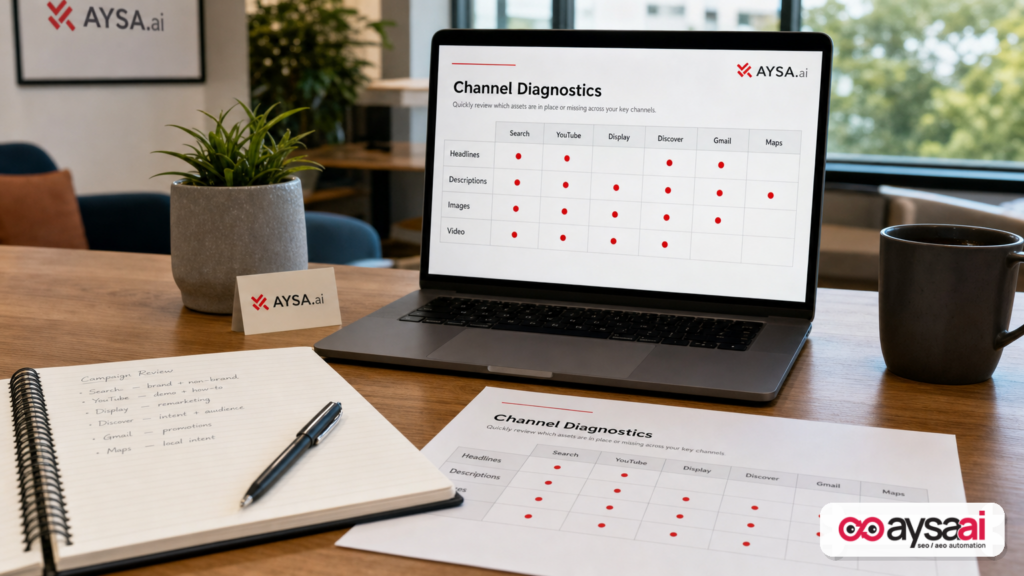
- What changed: Google added Channel Diagnostics inside PMax so you can see asset issues by channel and by asset type (e.g., headlines, descriptions, images).
- Why it matters: Many PMax performance problems are actually eligibility problems. If the campaign can’t serve in a channel because assets are missing or disapproved, the algorithm can’t “optimize” its way out.
- What to do: Treat creative assets like inventory. Build a weekly workflow: diagnose → fix → confirm → measure. Make asset production and landing page readiness part of your operating cadence.
- Where AYSA fits: AYSA helps you monitor what’s changing, prepare fixes, request approval, and execute accepted website changes so campaigns don’t stall waiting on “someone to update the site.”
Key takeaways

- PMax is only as strong as its inputs. Missing images, weak headlines, or disapproved creative can reduce reach long before bidding or budget becomes the issue.
- Channel-level visibility changes how you troubleshoot. Instead of guessing whether Search, YouTube, or Display is under-serving, you can triage the actual constraints.
- Diagnostics are the easy part. The hard part is shipping fixes fast: producing compliant assets, updating landing pages, and closing the loop with measurement.
- SMEs need a “minimum viable asset library.” You don’t need a Hollywood production team, but you do need enough safe, accurate, diverse creative to be eligible across channels.
- Agencies should productize the workflow. If you sell PMax management, you’re also selling creative operations—whether you admit it or not.
Table of contents

- What Google added: Channel Diagnostics inside Performance Max
- Why this matters: “Performance” is often limited by eligibility, not strategy
- Quick context: what PMax is optimizing (and what it can’t fix)
- How to use Channel Diagnostics without falling into the “busywork” trap
- What still goes wrong: common asset failure modes
- A concrete SME scenario: local clinic vs. ecommerce vs. SaaS
- A practical workflow: diagnose → fix assets → confirm eligibility → measure impact
- Measurement that matters: what to watch when you fix asset gaps
- What agencies should rethink: your deliverable isn’t “a campaign,” it’s an operating system
- Where AYSA fits: execution that doesn’t stall after insights
- What to do next (action list)
- Sources and further reading
What Google added: Channel Diagnostics inside Performance Max
Google introduced a new Channel Diagnostics area for Performance Max that surfaces asset-related issues which can restrict serving across channels. According to Search Engine Land, advertisers can access it within PMax under Insights & Reports > Channel Performance and:
- See diagnostics across all PMax channels or drill into specific channels.
- Identify missing or disapproved assets that affect eligibility.
- See which asset types (headlines, descriptions, images, etc.) need attention.
That sounds simple—and it is. But the implication is big: Google is essentially acknowledging that a large portion of PMax “underperformance” is not mysterious. It’s operational. The campaign can’t show where it could show because the inputs are incomplete or failing policy checks.
For years, PMax criticism has centered on limited visibility. Channel Diagnostics doesn’t make PMax fully transparent, but it reduces the most painful ambiguity: Are we even eligible to serve?
Why this matters: “Performance” is often limited by eligibility, not strategy
In most businesses I’ve worked with—especially SMEs—advertising doesn’t fail because the marketer didn’t pick the perfect audience setting. It fails because the organization can’t supply the basics consistently:
- Enough high-quality, compliant images
- Video (even short, simple video)
- Accurate, non-misleading ad copy
- Landing pages that match the promise
- Tracking that can prove what worked
PMax is designed to automate targeting and placements. It’s not designed to manufacture missing creative or fix a broken site experience. When you don’t meet the “inputs required” threshold, the campaign can’t explore and learn. It gets stuck in a narrow slice of inventory—or doesn’t serve at all—and then everyone argues about budget and bids when the real issue is eligibility.
Channel Diagnostics matters because it moves part of the conversation from opinion to evidence. Instead of:
- “PMax is bad.”
- “Google is hiding something.”
- “The algorithm hates our business.”
You can now more quickly reach the most useful question:
What, specifically, is preventing this campaign from serving across the channels it’s supposed to reach?
Quick context: what PMax is optimizing (and what it can’t fix)
Performance Max is a goal-based campaign type that can distribute ads across Google’s channels—typically discussed as Search, Display, YouTube, Discover, Gmail, and Maps. The system uses your assets (text, images, video) plus signals you provide and the conversion goal you optimize toward.
The fundamental PMax bargain is:
- You provide a robust set of assets and a clean conversion signal.
- Google automates bidding and placement across inventory.
But PMax has always been sensitive to “asset readiness.” If you don’t supply enough variety—or if what you supply is disapproved—you’re not just leaving performance on the table. You’re narrowing the system’s ability to even test.
Channel Diagnostics doesn’t change the nature of PMax. It changes your ability to spot the most common mechanical failure: asset gaps that limit serving.
This is also why channel-level reporting and troubleshooting has become such a recurring request from advertisers. PMax can be powerful, but it can also feel like you’re steering with a blindfold. Diagnostics removes part of that blindfold.
How to use Channel Diagnostics without falling into the “busywork” trap
When Google releases a new view, teams often do one of two unproductive things:
- Ignore it (“We don’t have time for another report.”)
- Over-index on it (“We must fix every warning immediately.”)
The right approach is closer to how you manage inventory or QA in any operationally mature company: you want a fast way to detect blockers, prioritize fixes, and verify closure.
Step 1: Triage—identify blockers vs. optimizations
Not every issue is equal. Your first job is to separate:
- Hard blockers: missing required asset types, disapprovals that prevent serving or significantly limit eligibility.
- Soft optimizations: low variety, weak creative mix, assets that could be improved but aren’t preventing delivery.
Channel Diagnostics should make the hard blockers more obvious. Treat those like “broken checkout” issues. Fix them first.
Step 2: Assign ownership—who fixes what?
Most PMax issues aren’t fixed by the person who discovered them.
- Design fixes images.
- Marketing writes and approves copy.
- Legal/compliance signs off for regulated categories.
- Web team updates landing pages.
Diagnostics only saves time if you can route tasks to owners quickly. If your process is “send a Slack message and hope,” the feature won’t deliver value. You need a repeatable workflow (we’ll cover one later).
Step 3: Close the loop—verify the campaign is eligible again
One of the worst operational patterns is “we fixed it” without verifying eligibility changed. Every fix should end with a validation step:
- Confirm the asset is approved.
- Confirm the channel is eligible.
- Confirm delivery resumes (or expands) in that channel.
If you don’t confirm, you accumulate “false progress”—lots of activity, no improvement.
What still goes wrong: common asset failure modes
Channel Diagnostics highlights missing or disapproved assets, but it doesn’t automatically teach you why they happen. Here are the most common operational causes I see (and how to think about them) without pretending to know your exact account or policy reasons.
1) Missing asset types because “we never built them”
SMEs often run lean. They have:
- A logo
- A few product photos
- Some copy from the website
That’s rarely enough for PMax to fully explore placements. The fix is not “do more marketing.” The fix is to create a minimum viable asset library that supports the channels you want to be eligible for.
Think of it like a restaurant menu: you can’t sell what you don’t prep.
2) Disapproved assets because copy and landing pages don’t match
Disapprovals can happen for many reasons, and you should always follow Google’s policy feedback in-platform. But operationally, the most frequent reason I see is a mismatch between:
- The claim in the ad (“Fast approval,” “Best price,” “Cures X,” “Guaranteed results”)
- What the landing page substantiates
If your landing page can’t support the promise, your best “creative fix” might actually be a website fix: add clarity, disclosures, or accurate positioning.
3) Low variety because teams recycle the same creative everywhere
PMax needs variety—not because Google wants to make your life hard, but because different channels are different contexts.
- Search: intent-heavy, text-forward
- YouTube: attention + story + proof
- Display/Discover: visual clarity, strong hook, brand trust
If you reuse one banner, one image, and two generic headlines, you’re not giving the system meaningful options. Diagnostics may not label this as “missing,” but it can behave like missing—because you’re effectively forcing PMax into a narrow set of possibilities.
4) Policy risk because businesses push marketing claims too far
Many SMEs are used to aggressive marketing language on social media. Google is stricter and more systemic. When you push claims too far, the risk isn’t just disapproval—it’s operational drag:
- Creative cycles slow down due to compliance review.
- Teams argue over wording instead of shipping work.
- Campaigns lose eligibility while you “figure it out.”
The mature approach is to create a “safe claims library” approved by whoever needs to approve it, and then build variants inside those boundaries.
5) Website readiness issues that masquerade as ad issues
Channel Diagnostics is about assets, but many “asset” issues are downstream of the website:
- Outdated product photos on pages
- Missing shipping/returns information
- Thin service pages that don’t explain what’s included
- No clear CTA for the conversion goal you’re optimizing
If your site is not aligned, your ads become fragile. You’re always one policy check away from disapproval, and one bad landing experience away from wasted spend.
A concrete SME scenario: what this looks like in the real world
Let’s make this tangible. Here are three realistic scenarios (not performance claims—just operational patterns) that show how Channel Diagnostics could change day-to-day decision-making.
Scenario A: Ecommerce brand with great products but inconsistent creative
Business: A small ecommerce company selling specialty home goods.
What happens today:
- The brand has 10 strong product photos for bestsellers.
- New products get added weekly, but photos and short videos lag.
- PMax runs, but leadership complains it “doesn’t scale.”
What Channel Diagnostics changes: It can quickly reveal that certain channels are limited by missing image/video coverage—or that certain asset types are repeatedly disapproved.
What the business should do:
- Operationalize creative production (even simple: phone video + lightbox photos).
- Maintain an asset library per product category.
- Ensure landing pages match ad promises (shipping, returns, pricing clarity).
Scenario B: Local clinic that can’t risk compliance issues
Business: A local clinic offering elective services.
What happens today:
- Marketing wants strong claims to win Clicks.
- Compliance wants conservative language to avoid risk.
- Campaigns get paused or limited when assets are flagged.
What Channel Diagnostics changes: Faster identification of which assets (and which channels) are affected so you can swap in pre-approved alternatives instead of scrambling.
What the business should do:
- Create a pre-approved “safe creative set” for continuous delivery.
- Use testing sets in parallel with guardrails.
- Treat landing page updates as part of the ad program, not separate work.
Scenario C: B2B SaaS with strong copy but weak visuals
Business: A small B2B SaaS team.
What happens today:
- Great messaging in Search-style text.
- Very little visual creative that’s channel-ready.
- PMax struggles to expand beyond the obvious placements.
What Channel Diagnostics changes: It can highlight missing image formats or other creative gaps that restrict eligibility across visual channels.
What the business should do:
- Build a library of simple, clean product visuals (UI mockups, customer outcomes, short explainer videos).
- Align ads to landing pages with clear demo/lead flow.
- Validate tracking so the system can learn from qualified leads.
The takeaway: regardless of industry, the pattern is the same. When PMax under-delivers, the culprit is often not “the algorithm.” It’s the business’s ability to supply eligible, compliant, channel-ready assets—and keep them current.
A practical workflow: diagnose → fix assets → confirm eligibility → measure impact
If you want Channel Diagnostics to matter, you need a cadence. Here’s a workflow I recommend for SMEs and agencies managing them. It’s designed to be realistic, not idealistic.
1) Weekly 30-minute diagnostic review (owner + marketer)
- Open Channel Diagnostics for each priority PMax campaign.
- List hard blockers first (missing/disapproved).
- Assign an owner and a due date per fix.
Keep the meeting short. The point is to create a reliable “intake” step for problems before they become expensive.
2) Maintain an asset inventory like you manage SKUs
Create a simple table (spreadsheet is fine):
- Asset type (headline, description, image, video)
- Theme (price, quality, speed, social proof)
- Status (approved/disapproved/pending)
- Last updated date
- Landing page mapping
This prevents “we thought we had enough creative” from becoming a recurring crisis.
3) Create a minimum viable production system
You don’t need a studio. You need repeatability:
- A consistent photo setup (even a phone + lightbox)
- A template for short videos (15–30 seconds, clear value prop)
- A copy framework with approved claims
Most teams fail here because they treat creative as a project. It has to be a process.
4) Build approval into the workflow (especially for regulated categories)
If your business requires approvals—brand, legal, compliance—don’t fight it. Design for it:
- Pre-approve a set of claims and disclaimers.
- Use those building blocks to generate variants.
- Keep an audit trail of what was approved and when.
This reduces the cost of iteration and the risk of sudden disapprovals.
5) Confirm closure inside the account
After publishing fixes:
- Re-check Channel Diagnostics.
- Confirm assets are approved and channels are eligible.
- Watch for lingering issues (sometimes one fix reveals the next constraint).
Measurement that matters: what to watch when you fix asset gaps
One reason PMax debates get emotional is that teams change multiple things at once and then argue about what caused what. If Channel Diagnostics triggers a burst of fixes, measurement discipline matters.
Without inventing metrics or promising outcomes, here are measurement principles you can apply:
1) Delivery/coverage signals (first-order)
Your first question after fixing missing assets is not “did ROAS improve?” It’s:
- Did delivery expand (or resume) in the affected channel?
- Did Impressions/clicks shift in expected ways?
If delivery didn’t change, your fix may not have addressed the real constraint.
2) Conversion quality (second-order)
Once eligibility expands, the next question is:
- Are the conversions meaningful (qualified leads, real purchases)?
- Is tracking configured so the system learns from the right outcomes?
Fixing assets can increase reach. If the landing page is misaligned, you’ll simply reach more unqualified users. This is why ad and Website Execution must be connected.
3) Creative learning (third-order)
Over time, you want to identify:
- Which messages perform by channel context?
- Which visuals build trust fast?
- Which claims create policy risk or poor downstream quality?
This is where good teams build defensibility: not by “finding the hack,” but by building a library of proven, compliant creative patterns that can be refreshed continuously.
What agencies should rethink: your deliverable isn’t “a campaign,” it’s an operating system
If you’re an agency, Channel Diagnostics is both helpful and inconvenient.
Helpful, because it makes it easier to show a client why delivery is constrained. Inconvenient, because it exposes a truth: many agencies aren’t set up to fix the root cause quickly.
PMax management increasingly requires:
- Creative ops (asset production, versioning, approvals)
- Website ops (landing page iteration, messaging alignment)
- Measurement ops (conversion hygiene and feedback loops)
When agencies only sell “campaign setup + optimization,” they end up in a constant loop of explaining why results are limited while waiting for the client to deliver creative and website changes.
The agencies that win will productize the operational layer:
- Standard asset intake forms
- Recurring creative sprints
- Pre-approved copy frameworks
- Clear SLAs for publishing changes
Channel Diagnostics is the feature that will make those differences visible faster.
Where AYSA fits: execution that doesn’t stall after insights
One of my strongest beliefs about marketing is this: insight without execution is theater.
Diagnostics tools—whether inside Google Ads, analytics platforms, or SEO suites—tend to generate a lot of “to-dos.” But SMEs and lean agencies don’t fail because they lack to-dos. They fail because they can’t reliably ship the changes.
That’s where AYSA is designed to help: it operates as an SEO/AEO/GEO execution system that monitors, prepares, asks for approval, and executes accepted website changes. When PMax asset issues point back to the site (and they often do), you need a way to fix pages without endless back-and-forth.
Here’s how I recommend thinking about the connection:
Monitor what breaks before it becomes expensive
Use AYSA Monitoring to stay on top of site changes, content drift, and the kinds of website readiness gaps that can turn ad traffic into wasted spend. (If you change messaging in ads but not on-site—or vice versa—misalignment grows.)
Align paid and organic around the same business promises
Paid search is immediate; organic and AI Search visibility compound over time. Businesses that align the messaging and proof on their pages win on both fronts. AYSA’s focus on AI-era visibility helps you build pages that are clear to humans and machines, supporting both ad quality and broader discovery. See: AI Search Visibility.
Use tools that turn strategy into publishable changes
When you discover a gap—missing FAQs, unclear pricing, weak service explanation—your team needs to ship improvements. AYSA’s approach is execution-first. Explore: AYSA AI SEO Tools.
Approved execution reduces risk
For regulated businesses, brand-sensitive sites, and any org where “random changes” aren’t acceptable, the approval step is the difference between speed and chaos. You can move fast and maintain control.
Make it a system, not a scramble
If you’re trying to operationalize website iteration alongside paid campaigns, you need a predictable model. See AYSA Pricing to evaluate fit.
And if you want more practical frameworks like this one, the AYSA blog is where we publish how we think about execution in modern search.
What to do next (action list)
If you run Performance Max—whether as a business owner, an in-house marketer, or an agency—here’s the next, practical sequence.
- Open Channel Diagnostics in each priority PMax campaign and list all missing/disapproved items.
- Classify each issue: hard blocker vs. soft optimization.
- Create a “minimum viable asset library” by channel: enough headlines, descriptions, images, and (where relevant) simple short video to remain eligible.
- Map assets to landing pages and remove message mismatches that create disapprovals or poor user experience.
- Set a weekly cadence: 30-minute diagnostics review + a creative/website sprint to ship fixes.
- Build an approval workflow if you have compliance/brand constraints—don’t rely on informal Slack sign-offs.
- Connect ad fixes to site execution so you can update pages fast when diagnostics reveal gaps. If execution is the bottleneck, consider an approval-based system like AYSA.
Sources and further reading
- Search Engine Land: Google adds Channel Diagnostics to Performance Max
- Search Engine Land: Performance Max (PMax) Google Ads campaigns explained (context resource listed on the source page)
- Search Engine Land: Google tests AI-generated summaries in Search ads (broader context on ads evolving)
- Search Engine Land: How competitors target your branded traffic with Google Ads (competitive context)
- Search Engine Land: A Google Ads targeting tactic that cut invalid clicks by 50% (measurement/quality context)
- AYSA: Monitoring
- AYSA: AI Search Visibility
- AYSA: AI SEO Tools
- AYSA: Pricing
- AYSA: Blog
Note on sources: The supplied research context primarily included Search Engine Land coverage and related links. Where official Google documentation would normally be cited (e.g., detailed policy reasons for disapprovals), it was not included in the provided context, so I avoided making policy-specific claims beyond what the source reported.
Continue the AI search topic inside AYSA.
Use these pages to connect the article with AI SEO tools, AI visibility monitoring, AI Overviews and approved website execution.
Turn this topic into a website action plan.
Use these AYSA hubs to move from reading to technical fixes, AI visibility monitoring, research, glossary context and approval-first SEO execution.

