
WordPress 7.0.1: The “Quiet” Maintenance Release That Still Deserves Your Attention (Especially If SEO Matters)
WordPress 7.0.1 is a small maintenance release with 31 bug fixes—no performance claims, no new APIs, no big feature changes. But two fixes (PHP 8.5 compatibility and a wp_kses() edge-case) are exactly the kind that can quietly break plugins, rendering, and SEO-critical workflows if you ignore updates. This is the business-grade playbook for updating safely, monitoring what matters, and turning maintenance into a controlled “approved execution” process.

WordPress 7.0.1 is the kind of release most business owners want: small, quiet, and “drama-free.” It’s a maintenance update with 31 bug fixes, and according to the release coverage it introduces no new developer-facing APIs, makes no performance promises, and doesn’t try to change how WordPress works at a product level.
That sounds like something you can safely ignore. That assumption is exactly why “boring” maintenance updates become expensive.
After years of scaling and operating sites where search traffic pays the bills, I’ve learned a simple rule: SEO is downstream of operations. If your update process is loose, your SEO outcomes are fragile. Not because every maintenance release is risky—but because a small change can collide with a theme, a plugin, a hosting tweak, or a PHP version change and show up as a conversion drop, a crawl issue, or a ranking wobble.
This is a full editorial playbook for SMEs and agencies: what changed in WordPress 7.0.1, why it matters, what can go wrong in the real world, what to monitor, and how to turn updates into a controlled “Approved Execution” workflow.
At AYSA.ai, that’s the model we’re building toward: monitor the signals that matter, prepare the change set, request approval, and then execute accepted website changes—so maintenance stops being a recurring surprise and becomes a repeatable system. (If you’re new to that concept, start here: AYSA Monitoring.)
Key takeaways (for busy operators)
- WordPress 7.0.1 is a minor maintenance release with 31 bug fixes. It’s not positioned as a security, performance, or feature release.
- Two fixes are particularly important operationally: PHP 8.5 compatibility for a core image attachment function, and a wp_kses() bug fix related to HTML/CSS sanitization that could generate an invalid
styleattribute. - “No security fixes” is not the same thing as “nothing security-related.” Correctness fixes in sanitization functions can still alter output in ways that break templates, blocks, or plugins.
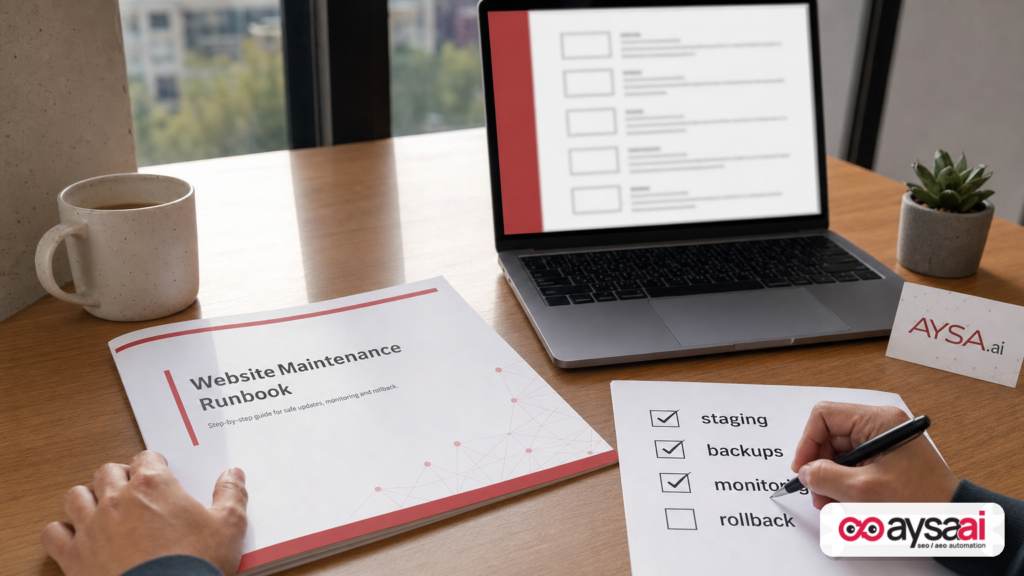
- The biggest risk isn’t the update itself—it’s updating without staging, tests, Monitoring, and rollback.
- SMEs should run a “money-page” QA checklist and watch GA4 + Search Console trends for 72 hours after deployment.
- Agencies should productize maintenance into an approval workflow to protect margins and reduce firefighting.
Concise summary
WordPress 7.0.1 is a standard maintenance release. The headline isn’t “new features”—it’s operational reliability. The release coverage highlights two fixes: PHP 8.5 compatibility in a core image attachment function and a bug fix in wp_kses(), a WordPress sanitization function. Neither is flashy, but both touch critical surfaces: image rendering and content output sanitation. The practical move for businesses is to update with a staging-first workflow, run regression checks on revenue-driving pages, deploy during low-risk windows, and monitor conversion + crawl signals. AYSA helps by turning that routine maintenance into a controlled system: monitoring, preparing changes, requesting approval, and executing what you accept.
Table of contents
- Why a “boring” WordPress update still matters for SEO
- What actually changed in WordPress 7.0.1 (and what didn’t)
- The two fixes that matter most: PHP 8.5 compatibility + wp_kses() behavior
- PHP compatibility explained for non-developers
- Why image URL/dimension bugs become SEO and revenue bugs
- wp_kses(): content sanitization, correctness, and unexpected breakage
- How maintenance releases impact SEO without ever mentioning SEO
- A concrete SME scenario: when “nothing changed” breaks revenue anyway
- Agency reality: why maintenance becomes unbillable chaos
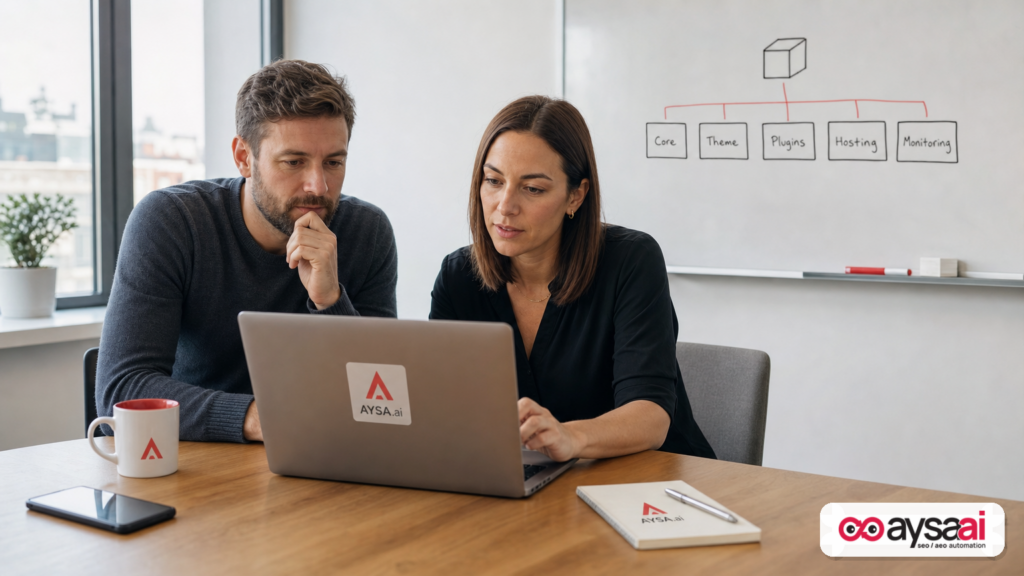
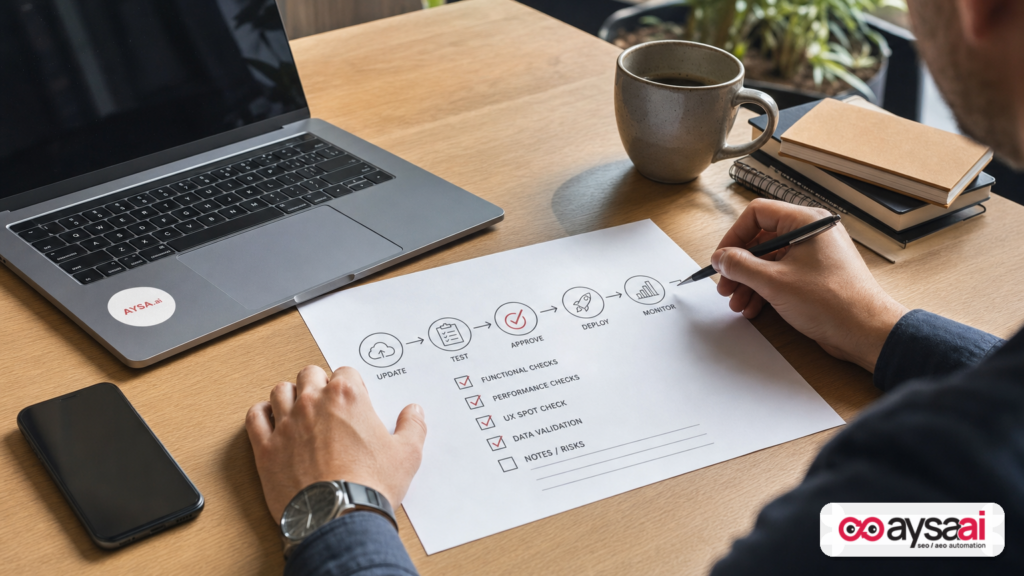
- The business-grade WordPress update runbook (staging → test → approve → deploy → monitor)
- Post-update monitoring: what to watch in GA4 and Search Console
- The AI search angle: why site stability matters more in 2026
- Where AYSA fits: monitoring + approved execution for WordPress SEO
- What to do next (action list)
- Sources and further reading
Why a “boring” WordPress update still matters for SEO
Most teams react to big releases and ignore small ones. In practice, small releases are where process breaks—because nobody schedules time for them.
Here’s the operational problem:
- Big releases trigger planning: staging, testing, meetings, change logs, maybe an agency ticket.
- Maintenance releases often happen via auto-update, hosting tools, or a quick click by an admin—with no QA.
From a business standpoint, that’s backwards. Not because maintenance releases are more dangerous, but because unmanaged change is dangerous. And SEO, in particular, is sensitive to unmanaged change for three reasons:
- Search engines see what users see. Broken layouts, missing content blocks, or malformed HTML can change what Google renders and indexes.
- Plugins are dependencies. Your “SEO plugin” isn’t an island. It depends on core functions, theme output, PHP behavior, and caching.
- SEO is a compounding system. Small conversion hits—worse UX, slightly slower pages, subtle content formatting issues—compound over months into weaker performance.
So when WordPress ships a quiet maintenance release, I see an opportunity: use it as a forcing function to improve your workflow and reduce the risk profile of every future change.
What actually changed in WordPress 7.0.1 (and what didn’t)
The best primary reference in the supplied research context is Search Engine Journal’s coverage of WordPress 7.0.1: WordPress 7.0.1 Maintenance Release Contains 31 Bug Fixes.
According to that coverage, WordPress 7.0.1:
- addresses 31 bugs
- includes a fix that improves PHP 8.5 compatibility
- includes a fix to a bug in a security-related function (
wp_kses())
And it specifically notes what is not part of the release:
- No security fixes announced
- No new developer-facing APIs
- No performance improvements advertised
- No changes to how WordPress works (product behavior)
That’s an important expectation set. You should not treat 7.0.1 as a strategic platform upgrade. Treat it as what it is: maintenance that closes edge cases.
But “maintenance” doesn’t mean “irrelevant.” It means the fixes are most likely to show up in the corners—where your stack is already most complex.
The two fixes that matter most: PHP 8.5 compatibility + wp_kses() behavior
Search Engine Journal called out “two interesting fixes,” and those are the two that should be on the radar of anyone who operates WordPress as a revenue channel.
Fix #1: PHP 8.5 compatibility for a core image attachment function
The coverage describes a fix for a PHP 8.5 compatibility issue involving a core WordPress function that returns the URL and dimensions of an image attachment.
That sounds technical. It’s also incredibly practical. Image URLs and dimensions are foundational to:
- product images and galleries
- responsive image behavior
- featured images on category and blog templates
- any plugin that manipulates media output (Compression, Lazy loading, CDN rewrites)
When that foundation behaves differently across PHP versions, it becomes a template or plugin problem—and those are the problems that show up as “our SEO dropped.”
Fix #2: wp_kses() bug fix that could generate an invalid style attribute
The release coverage also notes a bug fix in wp_kses(), which WordPress uses to filter HTML and CSS to help prevent malicious code from being stored or displayed. It cites the WordPress developer resource describing it as filtering text content and stripping disallowed HTML so only allowed elements, attributes, and entities appear.
The bug, introduced during the 7.0 development cycle, could generate an invalid attribute like style=")".
Again: not flashy. But malformed attributes can break rendering in specific contexts, disrupt inline styling, and create unpredictable output that themes and plugins were not designed to handle.
PHP compatibility explained for non-developers
If you’re a founder, practice manager, or ecommerce operator, “PHP version compatibility” is the kind of phrase you hear only when something breaks.
Here’s the simplest way to think about it:
- WordPress is the car.
- Plugins and your theme are modifications and accessories.
- PHP is part of the engine environment the car runs in.
If the engine environment changes—even slightly—some parts that “worked fine” can start behaving differently. That doesn’t mean PHP is bad, or WordPress is unstable. It means you’re operating a modern software stack with dependencies.
In the real world, PHP changes enter your business in several ways:
- Hosting providers update defaults for new servers or new plans.
- Security and compliance pressures push you toward newer versions.
- Site migrations (new host, new environment) unintentionally change PHP versions.
- Staging vs production drift means you test in one PHP version and deploy in another.
That last point is the silent killer. A staging environment that doesn’t match production gives you false confidence.
So when a WordPress maintenance release includes a PHP compatibility fix, I don’t treat it as trivia. I treat it as a reminder to tighten environment consistency and testing discipline.
Why image URL/dimension bugs become SEO and revenue bugs
SMEs often frame image problems as cosmetic: “Our pictures look off.” In modern SEO and conversion optimization, images are infrastructure.
Here’s why a bug involving image URL and dimensions matters for SEO and growth—even without performance claims.
1) Images are embedded in your most valuable templates
For many businesses, the highest-value pages are image-heavy:
- ecommerce product pages and category grids
- restaurants and hospitality (menus, rooms, galleries)
- home services (before/after galleries)
- medical and dental clinics (staff photos, service pages)
If thumbnails break, aspect ratios change, or URLs resolve differently, your layout can degrade. Degraded layout is not just “ugly”—it reduces trust and Conversion rate.
2) Dimensions influence layout stability
When width/height attributes are missing or inconsistent, the browser can’t reserve space before the image loads. That can cause layout shifts. And layout shifts are a user experience issue first, an SEO issue second.
I’m intentionally not making numeric claims here. The point is directional: layout instability frustrates users, and frustrated users don’t buy, don’t book, and don’t fill out forms.
3) Image output is often processed by multiple layers
A typical WordPress media request might pass through:
- WordPress core media functions
- theme template logic
- an image optimization plugin
- a CDN rewrite layer
- a caching plugin
Any change to “what core returns” can ripple. This is why PHP compatibility fixes can matter even for businesses that never touch code.
4) The SEO symptom may show up far from the root cause
In practice, an image function regression can show up as:
- lower conversion rate (users distrust broken visuals)
- lower engagement (users bounce faster)
- lower internal linking effectiveness (if grid modules fail to render)
- indexing/rendering anomalies (if key page sections are missing)
And when revenue drops, teams often blame “Google” instead of investigating whether the site output changed.
wp_kses(): content sanitization, correctness, and unexpected breakage
wp_kses() is one of those WordPress core functions you might never hear about—unless you run into a content formatting issue that won’t go away.
According to the Search Engine Journal coverage, the function filters text content and strips disallowed HTML, ensuring only allowed element names, attributes, values, and entities occur in a text string. It also notes a bug that could generate an invalid attribute like style=")".
Why should a business operator care?
Because your content pipeline is a production system
When you publish a page in WordPress, you’re not “saving a document.” You’re pushing content through a pipeline that includes:
- editor blocks or page builder output
- shortcodes or custom blocks
- sanitization and filtering
- theme rendering
- caching and minification
If sanitization changes output—even slightly—it can break a page builder module, a styled banner, or a reusable block in a way that’s not immediately visible on every page.
Where this typically bites SMEs
- Inline “callout” sections like delivery cutoff notices, promotions, or appointment policies.
- FAQ blocks that use formatting or inline styles from a plugin.
- Embedded widgets (booking, chat, reviews) where snippets contain HTML attributes.
- Copied content from docs that brings hidden formatting into the editor.
Even if the bug is rare, it lives in the exact zone where WordPress ecosystems are complex: mixed content and mixed tooling.
“Security-related” isn’t the same as “security fix”—but it still matters
The coverage clearly states: no security fixes in 7.0.1. At the same time, it calls out a fix in a security-related function.
That distinction matters operationally:
- A bug fix can be about correctness and HTML validity without being a disclosed vulnerability.
- Correctness changes can still alter HTML output in ways that impact templates, plugins, and formatting.
In other words: don’t panic, but also don’t ignore it. The right approach is controlled deployment plus regression checks.
How maintenance releases impact SEO without ever mentioning SEO
WordPress releases don’t ship “SEO updates.” They ship code changes. Search engines rank the result: what gets rendered, how reliably, and how users respond.
Here are the most common ways a “minor” change becomes a meaningful SEO event.
1) Rendering inconsistencies that change what Google sees
If key components fail to render (navigation modules, content blocks, product grids), Google may see:
- less content on the page
- different internal linking
- missing structured data scripts
- different canonical tags (if the SEO plugin fails)
These issues can start small—only on certain templates, only on mobile, only for logged-out users—but search engines primarily crawl as logged-out users. So the “public” experience is what matters.
2) HTML validity issues that cascade
Malformed attributes can do more than “fail validation.” Depending on where they occur, they can:
- truncate a tag unexpectedly
- break CSS application
- alter the DOM structure in ways scripts don’t expect
The reason to care is not ideology (“valid HTML is good”). It’s pragmatic: unstable output means unstable measurement and unstable performance.
3) Plugin conflicts that look like SEO regressions
Many SEO incidents are actually plugin incidents. A maintenance update can trigger a compatibility edge case between:
- caching/minification and structured data scripts
- security sanitization and page builder markup
- image optimization and theme responsive image logic
Search Engine Journal links to a separate explainer on plugin conflicts, which is a useful reference point for teams that don’t have a standardized debugging flow: How Do You Resolve A WordPress Plugin Conflict?
4) Auto-updates without observability create “silent failures”
Auto-updates can be a good idea. The failure mode is when you combine auto-updates with:
- no staging
- no regression checks
- no monitoring alerts
- unclear ownership (“Who is responsible?”)
That’s how you end up discovering an issue through a revenue drop rather than through a signal.
5) The SEO myth: “If it’s not a security release, it’s optional”
From a pure risk standpoint, you might think: “No security fixes, so we can delay.” But operationally, delaying maintenance updates increases stack drift. The longer you wait, the more changes pile up, and the harder it is to isolate cause when something breaks.
The better model is: small changes frequently, with a tight workflow.
A concrete SME scenario: when “nothing changed” breaks revenue anyway
Let’s put this into a scenario a non-SEO operator will recognize.
Scenario: a regional florist with ecommerce + local SEO
Business model: A florist with online ordering (bouquets, same-day delivery) and local landing pages for several nearby towns. Organic search drives a meaningful share of last-minute orders, especially around holidays.
Stack: WordPress, ecommerce plugin, SEO plugin, page builder, image optimization plugin, caching plugin. The host suggests upgrading PHP for compatibility and stability.
The “quiet update” moment:
- WordPress auto-applies a maintenance release at night.
- A few days later, someone changes PHP version in the host panel (or the host updates server defaults during maintenance).
- On a subset of product pages, thumbnail dimensions output changes in a way the theme grid wasn’t built for.
- Mobile layout becomes “jumpy” as images load; key CTAs slide below the fold.
- A styled “delivery cutoff” banner on category pages looks slightly broken because a sanitization edge case changes an attribute in saved content.
What the owner sees: fewer orders, more customer support questions (“I can’t see the bouquet photos”), higher paid media costs (ads convert worse).
What the marketing manager assumes: “Google changed something” or “Meta ads got expensive again.”
What’s actually happening: a site reliability and presentation issue triggered by normal maintenance, amplified by dependency drift.
Why this matters even if rankings don’t immediately drop
Revenue can drop before rankings do. Rankings are often lagging indicators. Conversion problems are leading indicators.
This is why I treat WordPress maintenance as part of the growth system—not as a tech chore.
Agency reality: why maintenance becomes unbillable chaos
If you run an agency, WordPress maintenance is one of the fastest ways to leak margin. Clients want the benefits of updates (stability, compatibility) without paying for the process (staging, QA, monitoring). Agencies either:
- do it quickly and hope (risking incidents), or
- do it thoroughly and eat hours (killing profitability).
Maintenance becomes chaos when you don’t have:
- a standard staging process
- a standardized regression checklist per business type
- a documented approval step
- clear monitoring tied to business KPIs
- a rollback plan with a time promise
In other words: you need a productized workflow, not a ticket.
This is the gap AYSA is designed to close operationally. We’re not just “reporting SEO.” We’re supporting an execution model where changes are prepared, reviewed, approved, and executed—then monitored for impact. If you want to see how we think about that, start at AI SEO Tools.
The business-grade WordPress update runbook (staging → test → approve → deploy → monitor)
This is the practical section. If you do nothing else after reading this editorial, implement the runbook below for every core update—including “boring” ones like 7.0.1.
0) Establish ownership and a cadence
Every WordPress site needs an owner for updates. That can be:
- internal: a marketer + a developer
- external: an agency
- hybrid: internal approval + external execution
The key is clarity. “Someone will click update” is not ownership.
1) Record baseline: versions and critical dependencies
Before updating, record:
- WordPress version
- PHP version (production and staging)
- theme version
- critical plugin versions (ecommerce, SEO, cache, security, forms, page builder)
- any recent changes (new scripts, tag manager updates, CDN config changes)
This baseline turns troubleshooting from “guessing” into “isolating.”
2) Backups and rollback readiness (non-negotiable)
“We have backups” is not enough. You need three things:
- Restore speed: how fast can you get back to a known good state?
- Restore scope: does it include both database and files?
- Restore confidence: have you tested restoring at least occasionally?
My opinionated stance: if you can’t roll back quickly, you shouldn’t update during revenue hours. That’s not fear—it’s operational maturity.
3) Update staging first (and keep staging honest)
Staging is only useful if it mirrors production. If staging runs different PHP versions, different caching, or different plugin configs, it will produce false negatives (“it worked in staging”).
For this specific release, staging matters because one highlighted fix is PHP compatibility. That’s exactly the kind of issue that can vary by environment.
4) Run a “money-page” regression checklist (15–45 minutes)
You do not need an enterprise QA lab to reduce risk. You need a focused checklist on the pages that pay the bills.
Minimum viable checklist for most SMEs:
- Homepage: loads correctly, hero images display, primary CTA works
- Top landing pages: 3–10 pages that drive the most revenue/leads
- Conversion flows: lead form submit, booking request, add-to-cart, checkout step
- Navigation: header/footer links work; no broken menus
- Images: product/service images load; no weird cropping; no missing thumbnails
- SEO essentials: canonical present; meta robots correct; sitemap accessible (if plugin-generated)
Add-on checks for content-heavy sites:
- blog post template renders correctly
- category pages show excerpts and featured images
- author pages and pagination behave
Add-on checks for local businesses:
- location pages render maps/widgets correctly
- phone number click-to-call works on mobile
- hours and appointment links display correctly
5) Require approval before production deployment
This step is the difference between “we clicked update” and “we run a controlled operation.” Approval can be simple:
- someone confirms staging checks passed
- someone confirms rollback is ready
- deployment window is agreed
AYSA’s worldview is that execution should follow approval. That’s why we emphasize approved execution as a system design, not a slogan. (More on that below.)
6) Deploy during a low-risk window
Choose a time when:
- your support team is available
- orders/leads are lowest
- you can roll back without panic
For ecommerce, that often means early morning on a weekday, not Friday evening. For clinics, it may mean after-hours with staff on standby to verify booking flows.
7) Monitor for 72 hours (and set alerts)
Most “update problems” aren’t obvious instantly. They show up as:
- a gradual conversion drop
- a rise in 404s
- form submissions failing
- checkout friction
Monitoring is not optional if your website is a revenue channel. If you want a dedicated place to start, see AYSA Monitoring.
Post-update monitoring: what to watch in GA4 and Search Console
When something breaks, speed matters. The faster you detect and isolate the issue, the smaller the revenue and SEO impact. Here’s a practical monitoring stack using tools most SMEs already have.
GA4 checks (fast business signals)
- Conversions: Did form submissions, purchases, or booking completions drop suddenly?
- Revenue/transactions: Any cliff-like change compared to baseline days?
- Device split: Mobile-only drops often indicate layout or JS issues.
- Landing pages: Are top landing pages showing reduced engagement?
Even if you don’t have perfect event tracking, you can still look for directional changes in sessions to key pages and engagement. The goal is early detection.
Search Console checks (SEO and crawl signals)
- Indexing: Look for unusual spikes in excluded pages patterns.
- Enhancements: Watch for structured data warnings/errors (where applicable).
- Performance: Don’t overreact to daily noise, but watch for sudden query/page drops on your most valuable URLs.
- Manual actions/security issues: Rare, but check routinely—especially after changes.
Monitoring isn’t about panic. It’s about having enough visibility to make rational decisions quickly.
Operational signals (often overlooked)
Beyond GA4 and Search Console, many issues are caught first through:
- uptime monitoring alerts
- error logs and PHP warnings
- customer support messages (“the form doesn’t work”)
- heatmaps/session recordings (if you use them) showing rage clicks or abandoned flows
The lesson: SEO monitoring is broader than SEO tools. It’s business observability.
The AI search angle: why site stability matters more in 2026
This editorial is about WordPress 7.0.1, but it’s also about how search discovery is evolving.
In 2026, businesses increasingly care about:
- classic organic rankings
- how they appear in AI-driven answers and summaries
- brand consistency across search and AI surfaces
Here’s my point of view: as discovery becomes more AI-mediated, the penalty for unreliable websites increases.
Why? Because AI experiences still depend on the web as input. If your site output is inconsistent—broken rendering, missing content blocks, malformed markup—you increase the risk that:
- your content is extracted incorrectly
- your brand information is misrepresented
- important details (pricing, hours, policies) don’t get picked up reliably
That’s not a claim about any one model. It’s a practical operational stance: clean, stable, consistently rendered pages are easier for machines and humans to trust.
AYSA approaches this as a visibility + execution problem. You need to see how you show up, and you need to execute improvements safely. If you’re building toward AI-era search readiness, start with AI Search Visibility.
Where AYSA fits: monitoring + approved execution for WordPress SEO
Most SEO tools stop at recommendations. Most maintenance workflows stop at “update applied.” Neither is enough for operators who want reliable growth.
AYSA’s thesis is simple: execution is the moat. The teams that win are the teams that can ship changes safely, repeatedly, and measurably.
That’s why we focus on an approved execution model:
- Monitor your site and visibility signals (start here: Monitoring)
- Prepare change sets (technical fixes, content updates, template improvements)
- Ask for approval so stakeholders stay in control and changes are auditable
- Execute accepted changes so recommendations become reality
This is directly relevant to WordPress maintenance because the hardest part isn’t the button click—it’s building a system where you can update without fear.
If you want to explore how this fits your team:
- AYSA tools overview: AI SEO Tools
- AI search visibility: AI Search Visibility
- Monitoring: AYSA Monitoring
- Pricing: AYSA Pricing
- More editorials: AYSA Blog
What to do next (action list)
- Confirm your environment: Record WordPress, theme, and plugin versions, plus PHP version (production and staging).
- Verify rollback: Identify where backups live, how fast you can restore, and whether you’ve tested it.
- Update staging first: Apply WordPress core updates in staging and validate the money-page checklist.
- Run a focused regression checklist: Homepage, top landing pages, conversion flows, images, navigation, and basic SEO outputs (canonicals/robots/sitemap accessibility).
- Require approval: Make one person accountable for approving production deployment based on checks.
- Deploy in a low-risk window: Don’t ship during your peak revenue hours unless rollback is instant and support is on standby.
- Monitor for 72 hours: Watch GA4 conversions and Search Console indexing/performance for anomalies. Treat conversion drops as leading indicators.
- Productize the workflow: If you’re an agency, make maintenance a standardized product with defined checks, SLAs, and reporting.
- Systematize execution: If you want maintenance and SEO changes to move through “prepare → approve → execute → monitor,” evaluate AYSA starting with Monitoring and AI SEO Tools.
Sources and further reading
- Search Engine Journal: WordPress 7.0.1 Maintenance Release Contains 31 Bug Fixes
- Search Engine Journal: How Do You Resolve A WordPress Plugin Conflict?
- Search Engine Journal: Latest News
- Search Engine Journal: SEO
Editorial note (source integrity): The supplied research context references WordPress functions like wp_kses() and mentions PHP 8.5 compatibility. The official WordPress release notes and developer documentation would be ideal primary citations, but those URLs were not included in the provided research context, and I’m not going to guess at specific endpoints. During final editing in WordPress, you can optionally add links to official WordPress developer resources and release notes consistent with your team’s source policy.
Continue the AI search topic inside AYSA.
Use these pages to connect the article with AI SEO tools, AI visibility monitoring, AI Overviews and approved website execution.
Turn this topic into a website action plan.
Use these AYSA hubs to move from reading to technical fixes, AI visibility monitoring, research, glossary context and approval-first SEO execution.

