
Google’s Canonical Re-Evaluation Timeline: What the New “Up to Two Weeks” Guidance Really Means for Rankings, Migrations, and AI Search
Google now says canonical re-evaluation after a content fix can take up to two weeks. Here’s what that actually means for SMEs, ecommerce teams, and agencies—plus a practical plan to reduce duplicate clustering, speed up recovery, and operationalize canonical hygiene with approved execution.

Google just did something that sounds small but changes how Technical SEO teams (and busy business owners) should behave: it put a concrete waiting window on canonical re-evaluation after a content fix.
In an update to its Canonicalization troubleshooting documentation, Google says that even after you correct the content issue that caused pages to be grouped together, those URLs may remain in a duplicate cluster for up to two weeks before Search reflects the change. That single sentence is a reality check for everyone who treats canonical issues like instant, switch-flip fixes—and it’s especially relevant now, when many businesses are making faster, more frequent content updates to “feed” AI Search experiences.
This editorial explains what changed, why it matters, what can go wrong if you react too quickly, and what to do instead. I’ll also show where AYSA Monitoring and AYSA’s Approved Execution model fit: monitor, prepare changes, ask for approval, and execute accepted fixes—without the chaos of manual, one-off technical SEO work.
Concise Summary
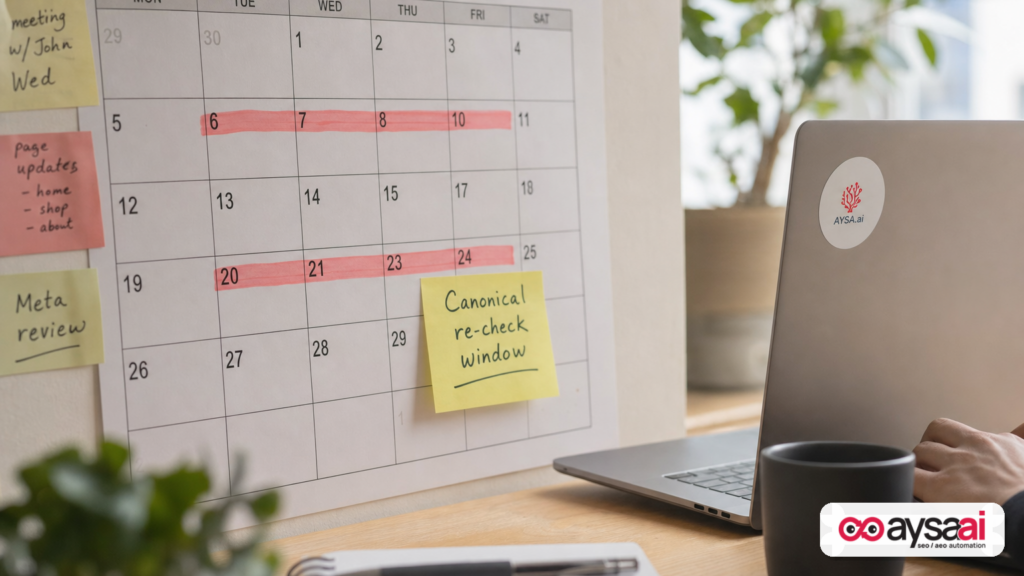
- What changed: Google’s canonicalization troubleshooting guide now states canonical re-evaluation after a content fix can take up to two weeks.
- Why it matters: You can’t judge success (or failure) the next day. Premature “fixes” often create bigger problems—extra duplicates, wrong redirects, and diluted internal signals.
- What you should do: Reduce similarity between pages, strengthen canonical signals, monitor the chosen canonical in Search Console, and use Request Indexing selectively for your most important URLs.
- Where AYSA fits: AYSA helps you continuously monitor canonical-related issues, propose content/technical changes, route them for approval, and execute cleanly across the site.
Table of Contents
- What Changed: Google Put a Real Timeline on Canonical Re-Evaluation
- Canonicalization, Explained for Non-SEOs (Without Dumbing It Down)
- The Two-Week Window: What It Covers—and What It Doesn’t
- Why Google Added This Now (My Take)
- What Usually Goes Wrong: The Duplicate Cluster Traps
- How to Make Pages “Clearly Different” (The Fastest Path Out of Clusters)
- How to Check Canonicals in Google Search Console (The Non-Panic Workflow)
- Request Indexing: When It Helps, When It Hurts
- SME Scenario: A Local Services Company That Accidentally Duplicated Its Money Pages
- A Practical, Two-Week Action Plan (SME-Friendly) to Get Pages Out of Duplicate Clusters
- Agency & In-House Implications: Stop Selling “Instant Canonical Fixes”
- The AYSA Perspective: Canonical Hygiene Needs Monitoring + Approved Execution
- What to Do Next
- Sources and Further Reading
What Changed: Google Put a Real Timeline on Canonical Re-Evaluation

Google updated its canonicalization troubleshooting guide to add a clear expectation: after you fix the content issue that caused pages to be grouped as duplicates, Google may keep those pages in the duplicate cluster for up to two weeks before re-evaluating and updating what it shows in Search.
This update was reported by Search Engine Journal in Google Says Canonical Re-Evaluation Can Take Up to Two Weeks (July 2026).
In the real world, that timeline matters because canonicalization is one of those SEO topics where teams frequently overreact: they change canonical tags, add redirects, rewrite Internal linking, and adjust sitemap logic—all within a few days—because a status message in Search Console didn’t clear immediately.
Now Google is essentially saying: if you fixed the content similarity issue, give us time to reassess.
Canonicalization, Explained for Non-SEOs (Without Dumbing It Down)
Canonicalization is Google’s way of solving a problem that businesses create constantly: multiple URLs that look like the same “main page” to a search engine.
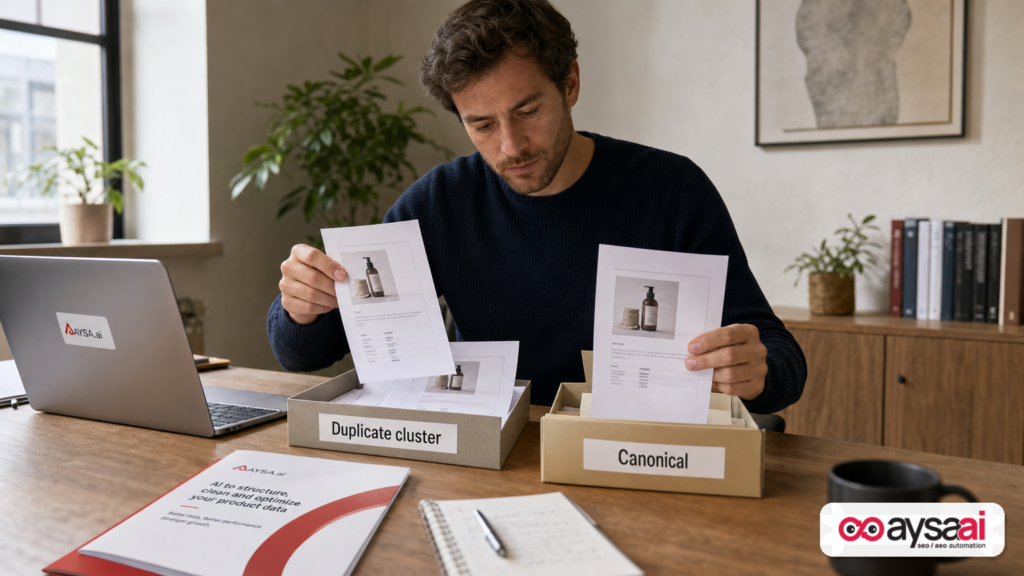
If Google finds several pages with the same (or extremely similar) main content, it may group them into a duplicate cluster and choose one URL as the canonical—the version Google prefers to index and show in search results.
That selection might align with what you want… or it might not.
The plain-English version
- You created multiple doors into the same room (similar pages).
- Google chooses the door it thinks is best for searchers (canonical).
- The other doors might still exist, but they’re less likely to show up in search.
Why SMEs run into this constantly
Most duplicates aren’t “spam.” They’re side effects of normal business operations:
- Ecommerce filters and sorting parameters
- Printer-friendly pages
- HTTP vs HTTPS legacy URLs
- Trailing slash and non-trailing slash variations
- Duplicate service-area pages generated from templates
- CMS taxonomy pages (tags, categories) that replicate content
- International versions that aren’t sufficiently differentiated
And because many modern sites publish faster (often with AI-assisted content), duplicates can appear faster than your team can notice—unless you’re monitoring systematically.
The Two-Week Window: What It Covers—and What It Doesn’t
Here’s the nuance that gets missed: the “up to two weeks” guidance is specifically about content fixes that address content similarity—the root cause of clustering when pages are effectively the same.
According to the Search Engine Journal summary of Google’s update, Google treats other canonical-related problems separately—like incorrect canonical tags, server issues, or redirect problems.
What the two-week window likely covers (based on Google’s phrasing)
- You changed content so pages are no longer near-duplicates.
- Google needs time to crawl, process, and reassess clustering.
- During that time, Search Console may continue to report a duplicate canonical status.
What it doesn’t cover (don’t confuse these)
- Redirect errors: If the wrong URL redirects, you can fix that immediately—and it should behave immediately (once crawled).
- Rel=canonical tag mistakes: If you pointed canonicals incorrectly, that’s not the same as content similarity. Fixing the tag is a separate action.
- Server misconfiguration: If pages are inaccessible or serving wrong status codes, waiting two weeks won’t help.
Business takeaway: The two-week window is not an excuse to ignore technical errors. It’s guidance to prevent thrashing when the underlying issue is “these pages look the same.”
Why Google Added This Now (My Take)
Google documentation rarely adds timelines unless a problem is widespread enough to justify setting expectations. So why now?
My read is that the web is producing more same-y pages than ever, for three reasons:
- Template-driven publishing at scale: CMS platforms and page builders make it easy to spin up dozens (or thousands) of near-identical pages.
- Operational duplication: Multi-location, multi-service, multi-category businesses replicate the same page with minor edits.
- AI-assisted content velocity: Content production has accelerated, but differentiation often hasn’t. “New page” doesn’t automatically mean “new value.”
In other words: canonicalization isn’t just a technical SEO detail anymore—it’s part of the core operational discipline of how you manage your website as an asset.
That’s also why we built AYSA around continuous monitoring and approved execution. Canonical problems aren’t “one-time projects.” They’re recurring hygiene.
What Usually Goes Wrong: The Duplicate Cluster Traps
When businesses discover canonical problems, they often do the wrong thing for the right reason: they want Google to index the “right” URL. But they pick tactics that don’t match the actual cause.
Trap #1: Assuming the canonical tag is a command
Many teams treat rel="canonical" like a hard directive. In practice, it’s a strong signal, but Google can choose a different canonical if it believes another URL is better for users (or if signals conflict).
That’s why Google recommends checking the Google-selected canonical in Search Console’s URL Inspection tool and asking whether it may actually be better for searchers than your preferred version (as noted in the SEJ summary of Google’s updated guidance).
Trap #2: “Fixing” duplicates with redirects too early
Redirects are powerful. They also permanently change the site’s behavior. If you redirect too aggressively before you understand the cluster, you can:
- break internal linking paths
- confuse users who bookmarked URLs
- collapse pages that should remain distinct (e.g., two services that sound similar but have different intent)
Trap #3: Launching “unique content” that isn’t meaningfully unique
Google’s updated guidance (as reported) notes that pages can split out of a cluster faster when the difference is clearer. This is important: swapping a few adjectives, changing the hero image, or reordering sections might not create meaningful distinction.
Trap #4: Taxonomy and filters quietly creating duplicates
For ecommerce and content-heavy sites, the biggest duplicate generator is the URL ecosystem you didn’t intentionally design:
- filter parameters
- sort orders
- tag archives
- pagination variations
- session IDs or tracking parameters
If you only focus on canonical tags while ignoring the architecture that keeps producing duplicates, the issue returns—like weeds.
How to Make Pages “Clearly Different” (The Fastest Path Out of Clusters)
If the problem is that Google believes pages have the same main content, the solution isn’t “more SEO tricks.” It’s to make pages meaningfully distinct in a way that maps to different search intent.
Here’s what “clear difference” looks like in practice.
1) Different intent, different page
A page should exist because it serves a different purpose. Examples:
- Service A vs Service B: Not just a different name—different use cases, processes, timelines, pricing ranges, before/after examples.
- Product category vs product collection: A category explains the buying decision; a collection is curated (e.g., “best for small kitchens”).
- Location pages: Each location should have specific staff, photos, policies, parking info, local testimonials, and unique FAQs.
2) Unique main content (not just unique modules)
Google’s clustering is about “main content.” If 80% of your page is identical and only a small module changes, you’re still at risk. Consider making unique:
- the core explanation of the offering
- the evidence (case studies, reviews, examples)
- the local relevance (if local)
- the comparative guidance (when to choose this vs alternatives)
3) Internal linking that matches your preferred canonical
Canonical tags can’t carry the entire load. Your internal links, nav structure, and sitemaps should consistently reference the URL you want indexed.
If your blog links to /service but your nav links to /service/, you’re creating competing signals. This is common—and fixable.
4) Consistent signals across the site
- One version in sitemap
- One version in internal links
- One version referenced in structured data where relevant
- One version used in marketing campaigns
This is the unglamorous part of SEO, but it’s what reduces cluster confusion.
How to Check Canonicals in Google Search Console (The Non-Panic Workflow)
Google’s documentation (as summarized in the SEJ article) suggests you check the Google-selected canonical in URL Inspection—and then decide whether Google’s choice may actually be better for users than the one you prefer.
Here’s a practical workflow that doesn’t lead to rash changes:
Step 1: Inspect both URLs
- Inspect the URL you want indexed (your preferred canonical).
- Inspect the URL Google chose (if different).
Step 2: Compare “main content” and intent
Ask:
- Are these actually different pages for different users?
- Or did we accidentally publish two versions of the same page?
- Which URL is cleaner and more stable long-term?
Step 3: Identify the cause category
Classify the issue before acting:
- Content similarity cluster: Pages are too similar.
- Signal conflict: Canonical tag says A, internal links and sitemap say B.
- Technical duplication: Protocol, trailing slashes, parameters, or printer pages.
Step 4: Fix, then wait (if it’s content similarity)
If you corrected the underlying content similarity, now Google says a re-evaluation can take up to two weeks.
This is where operational discipline matters: measure and monitor, don’t flail.
Request Indexing: When It Helps, When It Hurts
Google notes you can ask Google to re-check via “Request Indexing,” but advises reserving it for your most critical URLs (per the SEJ coverage of the updated guidance).
That advice aligns with how SMEs should think about it: treat Request Indexing like an escalation path, not your default.
Good times to use Request Indexing
- You fixed a canonical/content problem on a high-revenue page (top product, top service, top location).
- You’re in a time-sensitive period (seasonal offer, holiday peak, urgent business change).
- You’ve verified the page now has unique main content and consistent signals.
Bad times to use Request Indexing
- You changed five small things and aren’t sure what solved it.
- You’re trying to brute-force indexing across hundreds of low-value duplicates.
- Your site still sends mixed signals (internal links, sitemap, canonicals disagree).
Operational tip: Build a shortlist of “Request Indexing eligible URLs” tied to business value. If you don’t have that list, you’re going to waste time during a crisis.
SME Scenario: A Local Services Company That Accidentally Duplicated Its Money Pages
Let’s make this concrete with a realistic scenario I see constantly.
Business: A regional home services company (HVAC + plumbing) serving 25 cities.
What they did: They launched city pages using a template:
/hvac-city-a//hvac-city-b//hvac-city-c/
But the “unique” parts were minimal: a city name swap and a stock photo. Everything else—service descriptions, FAQs, testimonials, pricing language—was identical.
What happened: Google clustered them and began selecting a single city page as canonical for multiple cities. In Search Console, many pages showed variations of duplicate/canonical selection issues.
The panic response (common):
- They added canonical tags pointing each city page to itself (already there).
- They requested indexing for dozens of pages.
- They considered redirecting city pages to a statewide page (which would have killed local relevance).
The correct response: Make each city page meaningfully different:
- Add city-specific proof: reviews, completed jobs, service coverage notes
- Add unique FAQs that reflect local conditions (older housing stock, common problems)
- Add location-specific staff details or dispatch info
- Improve internal linking so each city page is referenced from relevant hub pages
Where the two-week guidance matters: Once those content updates go live, it’s normal that canonical clustering doesn’t resolve overnight. Google is now explicitly warning you that the re-evaluation can take up to two weeks—so you don’t “fix” the fix.
A Practical, Two-Week Action Plan (SME-Friendly) to Get Pages Out of Duplicate Clusters
Here’s a structured plan that respects Google’s timeline while still moving quickly.
Day 0–1: Triage and classify (don’t change everything)
- List affected URLs and group them by template/type (products, locations, blog, filters).
- For each group, inspect 2–5 representative URLs.
- Classify: content similarity vs signal conflict vs technical duplication.
Day 2–4: Fix the cause, not the symptom
If content similarity:
- Rewrite main sections to match unique intent.
- Add unique proof and FAQs.
- Reduce boilerplate above-the-fold duplication across pages.
If signal conflict:
- Standardize internal links to the preferred URL.
- Ensure sitemap includes only canonical URLs.
- Confirm canonicals are consistent (self-referential where appropriate).
If technical duplication:
- Choose a single preferred URL pattern (e.g., HTTPS, trailing slash policy).
- Implement redirects where truly needed.
- Reduce parameter crawl paths where appropriate (site architecture decision).
Day 5: Validate internally before asking Google to do anything
- Spot-check internal links and nav.
- Confirm sitemap entries.
- Confirm canonical tags render correctly on-page (including if JS is involved).
Day 6–7: Request Indexing for only top URLs (optional)
- Pick the highest business value URLs.
- Request indexing selectively.
Week 2: Monitor re-evaluation, don’t keep “tweaking”
- Track which URLs exit duplicate clusters first (it’s diagnostic: what changed worked).
- If some don’t resolve by the end of the window, reassess whether the “unique” content is truly distinct.
Key discipline: Don’t create a moving target. If you update the pages every 48 hours, you’ll never know what caused improvement—and you can extend the time it takes to stabilize.
Agency & In-House Implications: Stop Selling “Instant Canonical Fixes”
If you’re an agency or an in-house marketer working with developers, Google’s update should change your client communication and project planning.
1) Set the expectation upfront: “Two weeks is normal”
When a client sees “Duplicate, Google chose a different canonical,” they often hear “Google is ignoring us.” Now you can point to Google’s documented expectation: content-driven canonical re-evaluation can take up to two weeks.
That reduces the pressure to ship risky redirects or radical structural changes prematurely.
2) Treat duplicate clusters as a template/architecture issue
If 60 pages are clustered, the problem isn’t 60 pages—it’s the template logic and content operations. Fix the machine, not the outputs.
3) Measure with leading indicators, not just indexing outcomes
During the waiting window, measure signals you control:
- Internal linking consistency
- Canonical tag consistency
- Sitemap canonical-only hygiene
- Content differentiation depth (unique sections, unique FAQs, unique proof)
Those are operational levers. Rankings are downstream outcomes—and they don’t move on your schedule.
The AYSA Perspective: Canonical Hygiene Needs Monitoring + Approved Execution
Canonical issues are rarely solved by one clever fix. They’re solved by operational consistency—and consistency is hard when:
- multiple people publish content
- templates change
- agencies rotate staff
- developers ship releases that affect URLs
This is exactly why AYSA is built as an execution system, not just a reporting tool.
1) Monitor what matters continuously
With AYSA Monitoring, the goal is to detect canonical-related risk early—before it becomes hundreds of clustered URLs and a stressful month.
Monitoring isn’t about alert fatigue. It’s about catching patterns:
- new parameterized URLs being crawled
- template pages becoming too similar
- internal link drift toward non-preferred versions
2) Align canonical decisions with AI Search visibility
Canonicalization isn’t just about “blue links.” It affects which pages become the stable, trusted references for search systems over time.
AYSA’s focus on AI Search Visibility helps teams think beyond “is it indexed?” to “is the right page becoming the reference for our brand, services, and locations?”
3) Approved execution: changes prepared, reviewed, then shipped
Most canonical chaos comes from rushed changes: someone edits templates, someone else changes internal links, and nobody owns the final consistency.
AYSA’s model is simple:
- Monitor what’s happening
- Prepare recommended changes (content + technical)
- Ask for approval (so nothing breaks silently)
- Execute accepted changes cleanly
That’s the operational antidote to the “we fixed it yesterday, why isn’t it gone today?” loop.
Where to start with AYSA
- Explore the toolkit: AI SEO Tools
- See how monitoring fits your workflow: AYSA Monitoring
- Understand packages and operational fit: AYSA Pricing
- More implementation thinking in the AYSA blog: AYSA Blog
What to Do Next
If you want a practical next step list you can hand to a marketer, a developer, or an agency partner, use this:
- Pick 10 representative URLs from the affected group (not all of them) and inspect them in Search Console.
- Classify the issue: content similarity vs signal conflict vs technical duplication.
- If it’s similarity, make pages clearly different at the main-content level (not just cosmetics).
- Standardize signals: internal links, sitemaps, and canonical tags should all point to the same preferred URLs.
- After a content fix, plan for up to two weeks before concluding it “didn’t work.”
- Use Request Indexing sparingly for your highest-value URLs only.
- Operationalize it: set monitoring so you catch duplication patterns early, and adopt an approved execution workflow so fixes don’t create new conflicts.
Sources and Further Reading
- Search Engine Journal: Google Says Canonical Re-Evaluation Can Take Up to Two Weeks
- Search Engine Journal: SEO News (context and ongoing updates)
- Search Engine Journal: On-Page SEO (related canonical and content topics)
- Search Engine Journal: SEO (broader coverage)
Note: The SEJ article references Google’s canonicalization troubleshooting guide and URL Inspection workflow in Search Console. If you need the exact official Google documentation URL, verify it from Google Search Central directly within your internal documentation library. I’m intentionally not inventing or guessing the precise URL here.
Continue the AI search topic inside AYSA.
Use these pages to connect the article with AI SEO tools, AI visibility monitoring, AI Overviews and approved website execution.
Turn this topic into a website action plan.
Use these AYSA hubs to move from reading to technical fixes, AI visibility monitoring, research, glossary context and approval-first SEO execution.

