AI Agents Get Stuck on Pricing Pages: How to Make Your Website “Agent-Readable” (Without Giving Up Control)
AI agents can retrieve most of your B2B site—until they hit pricing. Then they route around you to directories, aggregators, and editorials. Here’s how to fix opacity, machine-readability, and access friction so agents cite your site first.

AI agents are already visiting your website and answering buyer questions on your behalf. The uncomfortable part: they’re not reading like humans do. They fetch pages, extract facts, and cite sources—and when they can’t reliably extract or cite your pricing, they route around you to third-party directories and articles.
This is not a futuristic “someday” problem. It’s an operational problem: your marketing site has become a data source, and the wrong pages (especially pricing) are where you lose control of the narrative.
In this editorial, I’ll break down where AI agents commonly get stuck, why pricing is the first big failure point, and what to change—practically—to make your site “agent-readable.” I’ll also show how AYSA fits: Monitoring what agents are seeing, preparing fixes, getting your approval, and executing changes safely.
Concise summary

AI agents can retrieve most B2B site content, but pricing pages routinely push them to third-party sources. The main causes are (1) opacity (no real price or unclear packaging), (2) machine-readability (prices exist but are hard to extract because of JavaScript, toggles, calculators, PDFs, or ambiguous tables), and (3) access friction (blocking, rate limits, slow pages, or fetch failures). The fix is not “write better copy.” The fix is to publish clear, canonical pricing facts in crawlable HTML, add appropriate Structured data, reduce friction, and monitor whether agents cite you or someone else.
Key takeaways

- Pricing is where agents abandon first-party sources more than integrations or security content.
- Publishing pricing is necessary but not sufficient; the price must also be extractable and citable.
- JavaScript-heavy pricing pages are a silent failure mode because many agent fetches don’t execute JS reliably.
- Blocking AI crawlers can backfire: agents still answer—they just cite someone else.
- You need an “agent-readiness” workflow: monitor → identify failures → implement fixes → validate citations and answers.
Table of contents
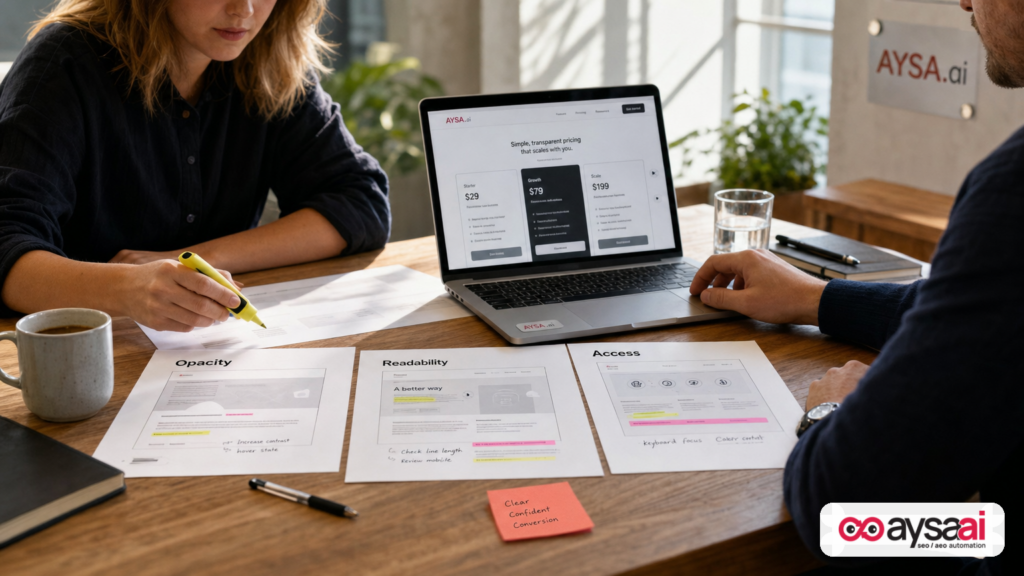
- What changed: from SEO pages to agent answers
- The new failure point: pricing is where agents leave your site
- Why AI agents behave differently than human buyers
- The three reasons agents fail (and how to diagnose each one)
- The messy fallback web: who defines your pricing when you don’t
- The “agent-proof pricing page” blueprint
- Schema and entities: making pricing machine-legible
- Robots.txt, AI crawlers, and access friction
- SME scenario: when agents quote the wrong price
- What to monitor: how to know agents are getting stuck
- What agencies should rethink in the agent era
- Where AYSA fits: monitoring + approved execution
- What to do next (action list)
- Sources and further reading
What changed: from SEO pages to agent answers
For 20+ years, most businesses treated a website as a showroom: design, persuasion, navigation, calls-to-action. SEO was the discipline of helping search engines understand the showroom well enough to rank it.
Now we’re entering a different interaction pattern: agentic retrieval. A user (or another system acting for them) assigns a task—“Find pricing for X,” “Compare plan features,” “Is this SOC 2 compliant?”—and an agent searches, fetches pages, extracts facts, and returns an answer with citations.
Kevin Indig and David Kaufman tested this agent behavior across B2B websites and documented a consistent pattern: agents retrieve most content successfully, but pricing is the critical breaking point. Their analysis is worth reading in full, especially if you operate a SaaS or any service with tiered pricing: Where AI agents get stuck on your site (Search Engine Land).
My take: this is not simply “new SEO.” It’s a new operational requirement for revenue teams. When an agent answers pricing questions, it’s doing what your best SDR used to do—except it does it instantly, at scale, and with whatever sources it can reliably cite. If your website isn’t the easiest, cleanest source, you’re outsourcing your bottom-of-funnel story to whoever happened to publish a comparison table in 2023.
The new failure point: pricing is where agents leave your site
Why pricing? Because pricing is where intent changes.
- At the top of the funnel, buyers want education and reassurance.
- In the middle, they want differentiation and proof.
- At the bottom, they want numbers, packaging, constraints, and comparisons.
Agents behave the same way. When the task becomes “pricing and features,” they stop being a “reader” and become an extractor. If the extractor fails, it doesn’t keep politely browsing your navigation. It goes to the broader web.
The Search Engine Land piece reports that pricing/features drove the majority of third-party citations compared to integrations and security/compliance tasks, and that access errors (while less common) dramatically increased third-party fallback when they occurred. I won’t restate every number here; the strategic implication is the important part: pricing is the first place your site needs to behave like an API—clear, reliable, and easily cited.
And there’s a tension triangle you can’t avoid:
- Companies want control over pricing disclosure.
- Buyers want fast comparison.
- Agents need clear, fetchable, citable facts.
If you don’t satisfy all three, the market will route around you.
Why AI agents behave differently than human buyers
A human can succeed on a mediocre pricing page because humans do all kinds of “extra work”:
- They click the monthly/annual toggle.
- They expand accordions.
- They interpret vague plan names.
- They infer that “Contact sales” means “expensive.”
- They tolerate a PDF or screenshot if it looks official.
An agent is closer to a cautious researcher with a strict sourcing requirement. It tends to follow a pipeline like:
- Search for the official domain and relevant page.
- Fetch the page (often server-side).
- Extract structured facts (plan names, prices, included features, limits).
- Verify consistency across sources and across runs.
- Cite URLs that contain the extracted facts.
If any step fails, it shifts strategy: more searches, new sources, and eventually third-party citations.
This is why “it looks fine to me” is no longer an acceptable QA standard for a pricing page. A page can be persuasive to humans and still fail an agent if the key facts are:
- hard to find (opacity)
- hard to fetch or parse (machine-readability)
- hard to access consistently (access friction)
The three reasons agents fail (and how to diagnose each one)
Indig’s analysis is useful because it doesn’t blame everything on bots being “dumb.” It points to three practical failure modes you can actually fix. Here’s how I’d diagnose them in plain business terms.
1) Opacity: “The price isn’t really there”
Opacity means the agent cannot extract a specific price (or a sufficiently specific pricing rule) from your site.
Common opacity patterns:
- Every plan is “Contact sales.”
- Plans exist, but pricing is missing or hidden behind a form.
- “Starting at…” appears with no explanation of what increases the price.
- Pricing exists only in a demo deck or proposal template.
Diagnosis test: Open your canonical pricing URL in an incognito browser and ask: “Could a stranger confidently quote a monthly number and say what it includes, using only this page?” If the answer is no, agents will go looking elsewhere.
2) Machine-readability: “The price is there, but not extractable”
This is the sneaky one. Many companies do publish prices—but in ways that are fragile for agents:
- Prices rendered only via client-side JavaScript.
- Prices locked behind an interactive calculator with no text fallback.
- Accordion content not present in initial HTML.
- Pricing in images, screenshots, or PDFs.
- Ambiguous comparison tables where “included” vs “available” is unclear.
Humans can click. Agents often fetch what’s in server HTML and try to extract. If the facts aren’t in the HTML response—or are scattered in a way that’s hard to cite cleanly—the agent may “see” the page but still fail to answer reliably.
Diagnosis test: View your page source (not the rendered DOM) and search for your prices. If you can’t find “$” (or your currency symbol) and plan names in the HTML, you’ve created a machine-readability problem.
3) Access friction: “The agent can’t fetch the page reliably”
Access friction is what most teams assume is the big issue: bot blocks, rate limiting, WAF rules, strict Robots.txt policies, or heavy pages that time out on server-side fetches.
Even if access errors happen less frequently, they can be devastating because they force the agent to abandon your site entirely for that run.
Diagnosis test: Check whether server-side fetches are blocked for common agent user agents, and test page availability from different locations. Also verify that your pricing page doesn’t require cookies, geolocation exceptions, or client-side rendering to show the core facts.
The messy fallback web: who defines your pricing when you don’t
When agents fall back, they don’t fall back to one clean “official alternative.” They reconstruct answers from whatever is available and seems consistent enough to cite.
According to the Search Engine Land analysis, third-party pricing citations clustered into buckets like editorial articles/explainers and directories/review sites (plus a smaller slice from ecosystem pages). The risk isn’t just “someone else gets traffic.” The risk is:
- Stale pricing (last updated years ago)
- Wrong plan names (legacy tiers that no longer exist)
- Missing constraints (seat minimums, usage limits, add-ons)
- Misleading discounts (annual vs monthly confusion)
- Shadow packaging (third parties describe your product in their taxonomy)
This is how you lose deals quietly: not because your product is worse, but because the “answer layer” of the internet is citing an inaccurate version of your offer.
One more hard truth: you can try to hide pricing, but once your pricing is “out there” on procurement sites, partner decks, old blog posts, or leaked proposals, agents will find it. At that point, “we don’t publish pricing” doesn’t prevent price discovery—it just guarantees that discovery happens without your context.
The “agent-proof pricing page” blueprint (what to publish, where to put it, how to mark it up)
An agent-proof pricing page is not about revealing everything. It’s about making the parts you choose to reveal reliable, extractable, and citable—so agents prefer your page over third-party reconstructions.
Here’s the blueprint I recommend for most B2B and service businesses.
1) Create one canonical pricing URL (and make it the single source of truth)
Pick a Canonical URL like /pricing/. Every other mention of pricing across your site should point back to this page.
- Product pages: link to the canonical pricing page.
- Feature pages: link to the canonical pricing page.
- Blog posts: reference pricing with a link back.
- Footer: include pricing link (yes, still useful).
Why? Because agents need stable targets. If your pricing facts are scattered across multiple URLs—or if you have region-specific pages with subtle variations—you increase extraction ambiguity and citation fragmentation.
2) Put plan names, prices, limits, and key inclusions in plain text HTML
This is the non-negotiable: the key facts must appear in crawlable HTML in the server response.
Minimum “agent-readable” elements per plan:
- Plan name
- Price (monthly and/or annual)
- Currency
- Unit (per seat, per location, per account, per booking, etc.)
- Core limits (users, projects, usage, appointments, SKUs, etc.)
- Top included features (the few that matter to buyers)
You can still have beautiful UI, toggles, and calculators—but they should enhance the presentation, not replace the presence of facts in HTML.
3) Explain “custom” pricing as a rule, not a dead end
If a tier is truly custom, don’t stop at “Contact sales.” Give a short, concrete pricing methodology:
- What variables drive cost? (users, volume, data, locations, compliance needs)
- Are there minimums? (seat minimum, contract length)
- Do you have a starting price or typical range? (if you’re comfortable)
Agents can cite a rule. They struggle to cite a void.
4) Clearly mark legacy plans and old pricing
One of the fastest ways to reduce misinformation is to explicitly label what’s old.
- “Legacy plan (no longer available)”
- “Archived pricing (pre-2026)”
That way, when agents (and humans) encounter older content, there is an on-site citation that invalidates it.
5) Keep pricing high in the DOM and keep the page light
Agents often extract from the initial portion of content. If your page starts with a giant hero, a video, and three animations before it gets to the actual numbers, you’re adding friction.
Also: page weight matters. A heavy pricing page costs more to fetch and parse, and it increases the odds that agents will choose an easier source.
Schema and entities: making pricing machine-legible
If pricing pages are the new “API endpoints,” then structured data is your schema contract.
The Search Engine Land analysis highlighted that adding Schema.org markup—specifically product/offer style markup—can materially improve extraction reliability. This aligns with what we see across AI Search: when facts are explicitly tagged, more systems can consume them with less guesswork.
At a practical level, structured data helps you:
- Disambiguate plan names and prices
- Specify currency consistently
- Make offers and availability clearer
- Reduce “table parsing” errors
Two important cautions:
- Structured data should reflect visible content. Don’t add schema for prices you don’t show on the page. That’s risky from a trust standpoint and may violate guidelines depending on the context.
- Schema is not a substitute for readable HTML. It’s a reinforcement layer. Agents may use both.
If you want to go deeper on entity gaps and schema strategy, the Search Engine Land ecosystem includes a related piece worth reviewing: Schema for AI search: How to identify and prioritize entity gaps. Even if you’re not an SEO specialist, the concept is simple: identify the facts machines need, then publish them in a structured, consistent way.
Robots.txt, AI crawlers, and access friction
Many teams are currently reacting to AI by blocking crawlers. Sometimes that’s for legal or policy reasons. Often it’s just fear.
But here’s the operational reality: blocking doesn’t stop the market from getting answers. It stops your site from being cited as the source of truth.
The Search Engine Land analysis specifically recommends allowing AI crawlers in robots.txt (examples mentioned include GPTBot, ClaudeBot, PerplexityBot, and Google-Extended) and double-checking that you’re not allowing Googlebot while blocking everyone else. That’s a practical reminder: your current robots policy may be an accident, not a strategy.
Important note: I’m not telling you to blindly allow every crawler. You should align with your business’s legal, privacy, and competitive posture. But you should decide intentionally. If you block, do it with eyes open: you may be choosing third-party citations over first-party control.
Related reading from Search Engine Land on AI visibility and verification is also useful context: AI search can’t verify your business — here’s how to fix it. Verification, entity clarity, and access are connected. If systems can’t fetch or trust your site, they will verify you elsewhere.
SME scenario: when agents quote the wrong price
Let’s make this real with a scenario that’s common for SMEs and growing SaaS companies.
Scenario: A 12-person B2B SaaS company sells scheduling software for clinics. They revamped pricing six months ago:
- Old tiers: Starter / Pro / Enterprise
- New tiers: Essentials / Growth / Scale
- They removed the $49 plan and introduced a $79 minimum due to support costs.
On the website, the pricing page is visually clean—but the numbers are rendered via JavaScript after a toggle loads. There’s also a calculator that changes totals based on provider count. Humans can use it.
Now a buyer asks an AI assistant: “What does this product cost? What’s included?” The agent fetches the page server-side, fails to see stable numeric pricing in the initial HTML, and then finds:
- an old comparison post from a directory listing the $49 tier
- a blog article describing “Starter” and “Pro”
- a partner page with outdated screenshots
The agent returns a confident answer with citations—none of which are the vendor’s site. The clinic CFO sees “$49/month” and expects that price. The sales call starts with mistrust: “Your website says one thing, but AI says another.”
The fix is not arguing with the buyer. The fix is making the canonical pricing page the easiest machine-readable source:
- Server-render the plan names and base prices in HTML
- Add text describing how the calculator works
- Mark legacy plan names as discontinued
- Add structured data for offers where appropriate
- Ensure bots and agent fetches can access the page reliably
Then you monitor whether agent answers start citing your canonical URL again.
What to monitor: how to know agents are getting stuck
If you’re used to traditional SEO, you’re used to monitoring rankings, clicks, and impressions. In AI search, you need different operational signals.
Here’s what SMEs and marketing teams should monitor monthly (and high-growth teams weekly):
1) AI citation share for bottom-of-funnel questions
Ask the same set of buyer-intent questions repeatedly (pricing, integrations, security). Track:
- Do AI systems cite your domain?
- Which URLs do they cite?
- Which third-party domains appear?
Even without perfect tooling, you can create a consistent prompt set and record outcomes. But doing this manually doesn’t scale.
AYSA’s approach is to combine monitoring and execution: see AYSA Monitoring and AI Search Visibility.
2) Pricing page fetchability and render mode
Track whether key facts are present in server HTML. Changes in your frontend stack (new components, A/B tests, personalization) can quietly remove text from the server response.
3) Page weight and performance regressions
If your pricing page balloons to 1MB+ with scripts and media, you increase the cost and failure odds for every agent run. Humans may still load it. Agents may decide it’s not worth it.
4) Third-party misinformation risk
If you see recurring third-party citations for pricing, treat it like a brand risk issue. It’s not just an SEO issue. It’s a revenue issue.
Your options include:
- Fixing first-party clarity and extractability so agents prefer you
- Updating partner pages where you have control
- Publishing an “official pricing updates” note (when appropriate)
What agencies should rethink in the agent era
Agencies and consultants are about to get pulled in two directions:
- Traditional deliverables: content calendars, link building, rank tracking
- New deliverables: agent readiness, structured facts, citation control, technical extraction reliability
The mistake is treating agent optimization as a “content” project only. Pricing failures often come from engineering and ops decisions:
- client-side rendering choices
- design systems that hide key text
- WAF rules set by security teams
- regionalization/personalization that breaks canonical facts
That means agencies need a tighter relationship with web ops, not just marketing. If your org chart keeps SEO separate from implementation, you will move too slowly.
This matches a broader theme in modern search operations: alignment. Search Engine Land has discussed alignment topics in other contexts (for example, how organizational structure impacts SEO/PPC coordination). If you’re leading growth, you’ll recognize the pattern: strategy is cheap; execution speed is the differentiator.
Where AYSA fits: monitoring + approved execution (the only model that works at scale)
At AYSA.ai, we’re building for the reality that most businesses don’t fail because they lack ideas. They fail because implementation is slow, risky, or stuck behind approvals.
Agent-readiness is a perfect example. You can know exactly what to do—publish canonical pricing facts, fix rendering, add schema, adjust robots rules—but still not ship it for months because nobody owns the end-to-end workflow.
AYSA is designed as an execution system:
- Monitors AI search visibility and agent-facing signals (who cites you, where you’re missing, where third parties dominate): AI Search Visibility
- Prepares recommended fixes (technical + content + structured data) based on what’s actually happening, not generic checklists
- Asks for approval before changes go live (critical for pricing and legal-sensitive pages)
- Executes accepted website changes safely, so improvements don’t die in a backlog
If you want to explore the toolset that supports these workflows, start here: AYSA AI SEO Tools. And if you’re evaluating whether this is worth it, review AYSA Pricing.
We also publish practical guidance in our AYSA Blog—with the bias that matters: shipping changes beats debating them.
What to do next (action list)
If you do nothing else after reading this, do these steps in order.
Step 1: Audit your pricing page like an agent
- Is there one canonical pricing URL?
- Are plan names and prices visible in server HTML?
- Is the pricing methodology explained for custom tiers?
- Are legacy plans clearly labeled as legacy?
Step 2: Reduce machine-readability risk
- Server-render key pricing facts
- Add a text fallback for toggles/calculators
- Avoid putting pricing in PDFs/images/screenshots
Step 3: Add structured data deliberately
- Use Schema.org concepts (e.g., Product/Offer patterns) where they match visible content
- Validate that markup is consistent and not misleading
Step 4: Remove access friction
- Review robots.txt intentionally (don’t let policy be accidental)
- Ensure your WAF/CDN isn’t blocking legitimate agent fetches
- Keep the pricing page fast and light
Step 5: Monitor citations and iterate
- Track whether agents cite your pricing page for “pricing + features” tasks
- Identify recurring third-party sources and address the underlying on-site gaps
Sources and further reading
- Search Engine Land: Where AI agents get stuck on your site
- Schema.org (official)
- Search Engine Land: Schema for AI search: How to identify and prioritize entity gaps
- Search Engine Land: How to audit your AI entity footprint
- Search Engine Land: AI search can’t verify your business — here’s how to fix it
- Search Engine Land: The new SEO rules for bloggers in 2026: Why clarity matters in AI search
AYSA internal resources:
Continue the AI search topic inside AYSA.
Use these pages to connect the article with AI SEO tools, AI visibility monitoring, AI Overviews and approved website execution.
Turn this topic into a website action plan.
Use these AYSA hubs to move from reading to technical fixes, AI visibility monitoring, research, glossary context and approval-first SEO execution.