AI Overviews Are Linking More—But Some Clicks Never Leave Google: What SMEs Should Measure (And How To Respond)
Google is increasing links inside AI Overviews, but some “links” can open AI Mode instead of sending traffic to your site—and Search Console counts these paths differently. Here’s what changed, why it matters for SMEs and agencies, and a practical measurement + execution plan built for the AI search era.
By Marius Dosinescu (AYSA.ai)
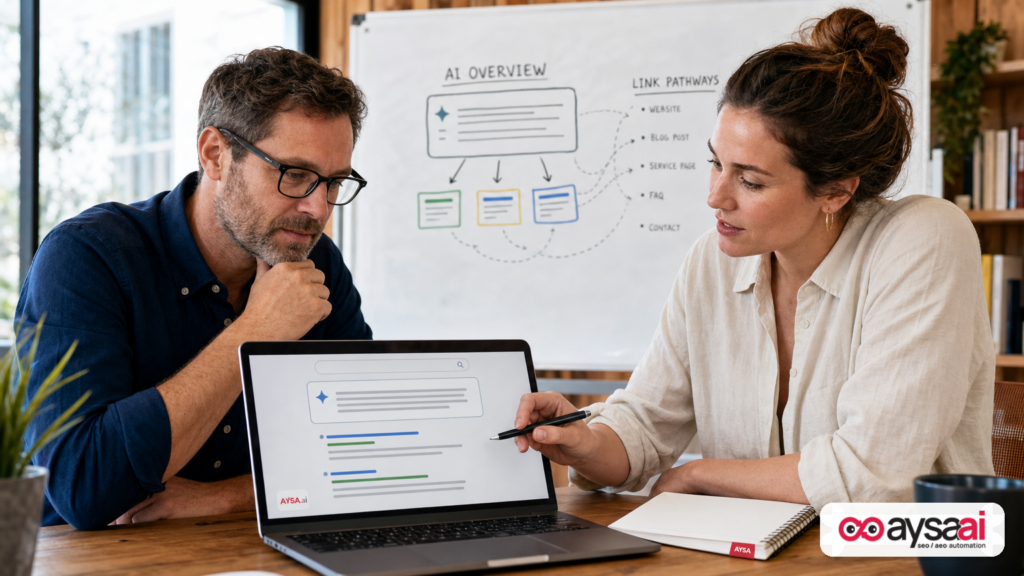
Google is adding more links inside AI Overviews. That sounds like good news—until you realize some of those “links” may not take a user to your website at all. Instead, they can open a Google-internal experience like AI Mode (a conversational follow-up), which can change what traffic you receive and how (or whether) those interactions appear in reporting.
This is not a minor UX tweak. It’s a measurement and strategy shift: AI Overviews can surface your brand while simultaneously reducing the number of traditional outbound Clicks—and Search Console can treat different AI interactions in different ways. If you’re an SME or an agency, you can’t manage what you can’t measure. And right now, the default dashboards create blind spots.
We’ll break down what changed, what Google has publicly said about AI Overview links, what Search Console counts (and doesn’t), and what to do next—operationally—so you can compete in AI Search without guessing.
Concise Summary

- AI Overviews now show more link formats (inline links, end-of-response suggestions, discussion previews, subscription-labeled links, and mobile follow-ups that open AI Mode).
- Not all “links” are outbound. Some interactions can start a new Google query or open AI Mode—meaning the user never reaches the web.
- Search Console counts outbound AI Overview links as clicks, but query refinement links (links that run a new query) don’t count as clicks or Impressions for that interaction, per Google’s documentation.
- The Generative AI report emphasizes impressions, not clicks. That’s useful for visibility—but it won’t tell you how much traffic AI features drove.
- Winning now requires two systems: (1) Monitoring where AI citations and AI “links” appear and where they lead, and (2) fast, Approved Execution to improve eligibility, clarity, and brand authority.
Table of Contents
- What Changed: More Links In AI Overviews, Different Destinations
- The Two Types Of “Links” In AI Overviews: Web Clicks vs. Google-Internal Paths
- What Google Has Publicly Said About AI Overview Linking
- What The Industry Is Observing (And What We Still Can’t Prove)
- What Search Console Measures (And What It Doesn’t)
- Why This Matters For SMEs: Visibility Can Rise While Leads Don’t
- A Concrete SME Scenario: Local Clinic vs. AI Mode
- What Can Go Wrong: Misattribution, Content Decay, And “Phantom Wins”
- A Practical Measurement Framework: How To Stop Flying Blind
- How To Respond: Content, Technical, And Authority Moves That Still Work
- Agency Implications: Reporting, Scope, And Contracts Need Updating
- Where AYSA Fits: Monitoring, Recommendations, Approval, Execution
- What To Do Next (Action List)
- Sources And Further Reading
What Changed: More Links In AI Overviews, Different Destinations
Historically, SEO was built on a stable idea: Google shows results; users click out to the web; analytics software measures sessions and conversions; Search Console bridges query demand with page performance.
AI Overviews and AI Mode complicate that model. There are now multiple interaction types inside the AI layer:
- Inline links next to relevant text (sometimes underlined terms, sometimes hover previews on desktop, depending on Google’s current design tests).
- Link carousels or grouped links (a UI meant to make “exploring” easier without leaving the AI flow).
- End-of-response suggestions (the “where to go next” style of links).
- Discussion/social previews that link to threads or communities.
- Mobile follow-up prompts that open a conversational experience in AI Mode.
What’s new—and operationally important—is that some “links” can act like query refinements or direct transitions into AI Mode. That means a user can “click” something that feels like a website link, but it behaves like a new Google search or an internal AI conversation instead.
Our research input for this editorial is the Search Engine Journal coverage of Google’s AI Overview linking behavior and Search Console measurement rules: Search Engine Journal (SEJ): “Google AI Overviews Have More Links, But Not All Reach The Web”.
The Two Types Of “Links” In AI Overviews: Web Clicks vs. Google-Internal Paths
If you’re a business owner, you can think of AI Overview interactions in two buckets:
Bucket A: Outbound links (the web still wins)
These are links in an AI Overview that take the user to an external web page—yours or someone else’s. Google’s Search Console documentation states that clicking a link to an external page in an AI Overview counts as a click (within the normal Search Console click rules).
For SEO and growth teams, this is the “classic” value path: brand exposure + qualified visit + conversion opportunity.
Bucket B: Google-internal paths (the web might not see the user)
Some AI Overview elements can trigger:
- A new query (a refinement) that loads a new results page.
- AI Mode (a conversational follow-up flow) that can keep the user inside Google longer.
Per Google Search Console documentation, query refinement links do not count as clicks or impressions for that link interaction. The user is “essentially performing the new query,” and the new results page is counted under that query context.
The practical implication: your team may see AI impressions rising while not seeing a proportional rise in measurable clicks. And worse—you might misinterpret what “more links” means if you assume all those links send people to websites.
What Google Has Publicly Said About AI Overview Linking
Google has described multiple updates to link displays in AI experiences over time—especially around inline links, desktop previews, and follow-up prompts that transition into AI Mode. SEJ’s reporting summarizes several public Google statements from product leadership about these changes, including references to experiments with link presentation and engagement.
From an operator standpoint, here’s the most useful way to interpret what Google is communicating:
- Google wants AI answers to feel “explorable.” That requires more link surfaces, more inline anchors, and more “next step” actions.
- Google wants to keep the experience “fluid.” That often means users can continue inside Google (AI Mode) instead of bouncing out to multiple sites.
- Google also wants to claim it supports the web. Public messaging emphasizes sending users to a “greater diversity of websites,” but the underlying numbers aren’t always provided in the materials referenced in the SEJ piece.
If you’re running a business, you don’t need to litigate Google’s intent—you need to manage the consequences. The consequences are (1) measurement complexity and (2) a higher premium on being the selected citation when an outbound link is offered.
Related SEJ topical hubs in the research context include:
What The Industry Is Observing (And What We Still Can’t Prove)
SEJ highlighted two industry observations that matter—mainly because they reveal how quickly the AI Overview layer is evolving:
Observation 1: A tracker saw a rise in AI Overviews containing external links in the answer text
According to SEJ’s write-up, an AI search analytics company shared a chart showing an increase in the percentage of AI Overviews that include external links within the answer text (as opposed to only being listed as citations or “cards”).
Important caveats (and this is where business leaders should stay disciplined):
- The chart reflects a specific sample and specific definitions of “external link” and “within the text.”
- Without query set size, geography, device mix, and methodology, you can’t generalize it to “all searches.”
- A rise in link presence is not the same as a rise in outbound traffic.
Observation 2: An underlined AI Overview element opened AI Mode instead of a website
SEJ also referenced a recording showing a user clicking underlined text inside an AI Overview and being taken into an AI Mode conversation rather than to an external page.
What we can responsibly conclude:
- AI Overview UI elements can look like links yet behave like internal navigation.
- This interaction may resemble what Google’s documentation calls a query refinement or a follow-up that triggers a new query context.
- We do not have enough official detail (from the supplied research context) to state exactly how often this occurs or precisely how it is classified in Search Console in every case.
That uncertainty is exactly the point: your measurement and execution systems must be robust to ambiguity and rapid interface changes.
What Search Console Measures (And What It Doesn’t)
Search Console is still the closest thing we have to an “official truth layer” for Google search performance. But in the AI era, you need to be careful about what each report actually answers.
Click rules depend on destination
Based on the Google Search Console help content referenced by SEJ:
- Outbound link from AI Overview → counts as a click.
- Query refinement link → clicks and impressions are not counted for that link.
- Follow-ups in AI Mode are treated as a new query context.
The subtle but critical operator takeaway: you can have a user interaction inside AI that feels valuable, but it won’t necessarily produce a click to your site—or a measurable “click” event in Search Console tied to your page.
The Generative AI report is impression-focused
SEJ notes (based on Google documentation) that the Search Console generative AI performance report shows AI impressions, segmented by dimensions like page, country, date, or device—but it does not provide clicks or CTR inside that report view.
Additionally, the generative AI report is not “extra” traffic; it’s a different view of data that is already part of web search performance. So if you attempt to derive AI CTR by dividing overall web clicks by AI-only impressions, you’ll create a misleading metric because the numerator includes clicks from many other surfaces.
How impressions are summed can mislead non-analysts
One nuance in Google’s documentation (summarized by SEJ) matters for enterprise teams and agencies: chart totals can count impressions at the property level in a way that doesn’t map 1:1 to page-level rows when multiple pages from one site appear in an AI feature.
If you’re an SME, translate that to: don’t obsess over a single number without understanding how it’s aggregated. If you’re an agency, translate it to: you need to explain aggregation rules in reporting or you’ll create confusion and churn.
Why This Matters For SMEs: Visibility Can Rise While Leads Don’t
Most small and mid-sized businesses don’t want “impressions.” They want outcomes:
- calls
- form fills
- bookings
- ecommerce orders
- demos
AI Overviews complicate the conversion path in three ways:
1) AI features capture attention earlier
Users can get a synthesized answer without scrolling. If your brand is not cited, you may lose mindshare even if you rank “#2” in traditional blue links.
2) Some interactions do not create outbound sessions
Even when your content influences the answer, the user might continue inside AI Mode. In that case, you can “win” visibility without receiving a session.
3) Attribution becomes messy
Your total organic sessions might flatten or fall while your brand mentions rise. If you react by cutting SEO investment, you can accidentally underfund the only channel that keeps you eligible for AI citations.
This is where AI search visibility becomes a strategic KPI, not just an SEO nerd metric.
A Concrete SME Scenario: Local Clinic vs. AI Mode
Let’s make this real.
Scenario: A dermatology clinic in Austin wants to grow bookings for acne consultations. Historically, they relied on “acne treatment Austin” and related informational searches to drive traffic into blog posts, then convert via appointment CTAs.
Now, Google shows an AI Overview for “What’s the best acne treatment?” The AI answer includes:
- a few inline “links” inside the answer text
- an end-of-response “learn more” suggestion
- a mobile follow-up prompt: “Ask a follow-up” that opens AI Mode
Two possible futures:
Future A: The clinic earns outbound links
The clinic’s content is cited with a link that takes users to a detailed guide. They get measurable clicks in Search Console, sessions in analytics, and bookings.
Future B: The clinic “wins” visibility but loses the visit
The AI Overview references concepts from the clinic’s guide, but the user clicks an underlined term that opens AI Mode. The user keeps asking questions, sees different sources, and never reaches the clinic’s site. The clinic’s Search Console AI impressions may rise, but bookings don’t.
In Future B, the clinic must adapt. The new objective isn’t only “rank.” It’s:
- become the most cite-worthy source
- create conversion-ready endpoints (service pages, appointment flows) that AI users will click when they do leave Google
- monitor which queries are turning into AI Mode journeys—and build content that captures the final decision stage
What Can Go Wrong: Misattribution, Content Decay, And “Phantom Wins”
AI Overviews introduce a new class of operational risk. Here are the biggest ones I see for SMEs and agencies.
Risk 1: Phantom wins
You celebrate “AI impressions are up 60%” (or whatever the trend is) and assume pipeline will follow. When it doesn’t, your team blames the website, the offer, or the sales team—when the real issue is that the AI feature kept the user in Google.
Risk 2: Fixing the wrong thing
If you assume AI Overviews are “stealing clicks,” you may overreact by removing informational content or gating it. That can reduce eligibility for citations and harm brand authority signals.
Risk 3: Content decay becomes more expensive
AI answers tend to favor content that is clear, structured, and up to date. Stale pages that previously ranked can become non-competitive for AI citations even if they still rank in traditional results.
Risk 4: Reporting doesn’t match business reality
Executives want a simple chart: “AI → clicks → revenue.” Search Console doesn’t give that directly (in the supplied context). If you can’t reconcile reporting, you’ll see budget cuts and channel skepticism—especially in smaller companies.
A Practical Measurement Framework: How To Stop Flying Blind
You don’t need perfect measurement to make good decisions. You need consistent, comparable signals and a way to validate assumptions.
Here’s a practical framework we recommend teams adopt. It’s designed for SMEs but scales to agencies.
Step 1: Segment your queries into “AI-likely” vs. “classic”
Start with query themes that tend to trigger AI answers:
- “what is” and “how to” questions
- comparisons (“X vs Y”)
- multi-step decisions (“best… for…”, “how much does… cost”)
- diagnosis/triage style searches (health, home services, troubleshooting)
This segmentation matters because your KPIs may differ by query class. For AI-likely queries, visibility and citation become leading indicators; for classic queries, clicks are still the primary indicator.
Step 2: Use Search Console’s AI impressions as a visibility baseline
Even if click attribution is incomplete, AI impressions answer a key question: Is Google showing my pages inside AI features at all?
Track AI impressions by:
- page (which assets are being used)
- country and device (mobile behavior may differ)
- time (trend line changes around Google UI tests)
If you want to operationalize this monitoring beyond manual exports, this is exactly the kind of workflow that belongs inside a system like AYSA Monitoring, where the goal is not just to observe but to turn changes into tasks.
Step 3: Validate “where the link goes” manually on priority queries
Choose 20–50 high-value queries (by revenue relevance, not just volume). On desktop and mobile:
- Record whether an AI Overview appears.
- Identify the link surfaces: inline, carousel, end suggestions, discussion previews.
- Click-test whether the element goes outbound to a website or opens a Google internal path (AI Mode / new query).
This is not about building a massive dataset. It’s about protecting your business from wrong assumptions.
Step 4: Compare total web clicks trends against AI impression trends (carefully)
You can’t compute AI CTR cleanly from the reports described in the research context, but you can observe directional patterns:
- AI impressions up + total web clicks flat/down might indicate more “in-Google” behavior or weaker outbound link placement.
- AI impressions up + total web clicks up suggests you’re earning outbound links or benefiting from halo effects (brand recall, later navigational searches).
Don’t oversell causality. Use these patterns to decide what to test next.
Step 5: Add outcome-level tracking that doesn’t depend on Google labeling
For SMEs, the most reliable “truth” is still outcomes:
- lead form conversions
- phone calls
- checkout completions
- booking events
Even when attribution is imperfect, you can watch whether the business is growing while you increase AI visibility. If visibility rises but outcomes don’t, you need to adjust the endpoints (service pages, product pages, conversion flows) that users see when they finally exit AI Mode.
How To Respond: Content, Technical, And Authority Moves That Still Work
AI Overviews feel new, but the fundamentals of eligibility are not magic: clarity, structure, credibility, and strong site architecture still matter. The difference is speed and precision—because UI tests can change incentives overnight.
1) Build “citation-ready” content blocks, not just long articles
AI answers tend to pull concise, well-scoped explanations. That doesn’t mean “thin content.” It means your pages should contain extractable blocks:
- tight definitions
- step-by-step processes
- pros/cons lists
- when-to-choose guidance
- clear boundaries (“this does not apply if…”)—this is often missing and signals expertise
Then connect those blocks to decision pages (services/products) with internal links that make sense to humans, not just bots.
To systematize this, teams often need an execution loop. That’s where an AI-powered but approval-based approach matters: AYSA AI SEO tools are designed to help monitor and prepare improvements, then ask for approval before publishing.
2) Make your content easy to interpret (technical hygiene)
We can’t claim from the provided sources exactly which technical factors map to AI Overviews, but the safest bet remains: remove ambiguity and friction.
- Clean indexation (no accidental noindex, canonical chaos, or broken internal links)
- Fast, stable UX on mobile
- Structured headings (real H2/H3 logic)
- Schema where appropriate (organization, product, FAQ where it’s truly applicable)
3) Strengthen authority signals that survive interface changes
When Google changes link UI, weak brands get hurt first. Strong brands keep earning citations because they’re credible.
Authority building doesn’t have to be “expensive PR.” For SMEs, it can be:
- named experts with bios and credentials
- clear editorial ownership (who wrote, who reviewed, last updated)
- case studies, policies, transparent pricing where relevant
- earned mentions in relevant industry sites (quality over quantity)
4) Optimize the “exit ramps” from AI to your site
If users leave AI Mode late in the journey, the page they land on must convert. That means:
- clear above-the-fold value proposition
- trust indicators
- direct next steps (call, book, buy, demo)
- avoid burying the CTA under a 2,000-word intro
The AI layer can reduce total sessions; you may need higher conversion rates per session to keep revenue stable.
Agency Implications: Reporting, Scope, And Contracts Need Updating
If you run or hire an agency, AI Overviews should change your agreements and reporting.
Reporting must separate visibility from traffic
Agencies need to present:
- AI visibility (impressions in AI features)
- traditional organic clicks/sessions
- outcome metrics (leads/orders)
And they need to explicitly explain what is and isn’t measurable inside Google’s AI surfaces based on current documentation.
Scope must include faster iteration
AI search changes quickly. The agencies that win will be the ones who can:
- detect changes (monitoring)
- produce prioritized recommendations
- ship improvements quickly—without breaking the site
That’s less about “one-time audits” and more about an execution system.
Trust and governance matter more than ever
When every change could affect AI citation eligibility, you need governance: approved execution, QA, and rollback discipline. This is exactly why we built AYSA around a monitor → prepare → approve → execute workflow rather than autonomous changes.
If you’re an agency, you can position this as a premium service model: you’re not just “doing SEO,” you’re running a controlled, measurable AI search optimization program.
Where AYSA Fits: Monitoring, Recommendations, Approval, Execution
AI search introduces two core problems: (1) volatile surfaces and (2) incomplete click visibility in standard tooling. You can’t solve that with a one-off audit or a monthly “rankings report.” You solve it with a loop.
AYSA is designed to be that execution system:
- Monitor your search visibility changes and site signals over time: AYSA Monitoring
- Prepare prioritized improvements (content structure, internal linking opportunities, clarity upgrades) based on what’s changing in search behavior and site performance.
- Ask for approval so changes are controlled—critical for SMEs who can’t afford site-breaking experiments.
- Execute accepted changes to keep pace with fast-moving AI surfaces.
If you want to explore how we think about AI-era visibility and operations, start here:
The goal isn’t to “chase every Google experiment.” It’s to build an operating model where experiments don’t break you—and where you can compound improvements as the AI interface evolves.
What To Do Next (Action List)
- Pick 20–50 revenue-driving queries and manually check: do AI Overviews appear, and where do the visible link elements actually send the user?
- In Search Console, track AI impressions by page and device to identify which assets are being pulled into AI features.
- Audit your top cited/visible pages for “extractable clarity”: concise definitions, steps, comparisons, and clear boundaries.
- Strengthen internal linking from informational pages to conversion pages (services/products), using human language anchors—not keyword stuffing.
- Upgrade conversion endpoints so that if users finally exit AI Mode to your site, the landing page converts.
- Update reporting (if you’re an agency or you hire one): separate AI visibility metrics from traditional click metrics; avoid fake “AI CTR” calculations.
- Adopt an execution loop: monitoring → recommendations → approval → publishing, so you can move quickly without reckless changes.
Sources And Further Reading
- Search Engine Journal: Google AI Overviews Have More Links, But Not All Reach The Web
- SEJ: AI Search
- SEJ: SEO
- SEJ: Technical SEO
- SEJ: Local SEO
Note: SEJ’s coverage references Google Search Console help documentation regarding AI Overviews, AI Mode, and query refinement click rules. If you want to cite those primary sources directly in your internal documentation, use the corresponding official Google Search Console Help pages referenced in SEJ’s article (not included as direct URLs in the supplied research context), and verify the language matches the current help text in your market.
If your AI impressions are rising and your pipeline isn’t, don’t panic—and don’t guess. Build a measurement habit that distinguishes outbound clicks from Google-internal paths, then build content and conversion endpoints that earn the limited outbound attention that still exists. That’s how SMEs stay competitive as AI answers become the default layer of search.
Continue the AI search topic inside AYSA.
Use these pages to connect the article with AI SEO tools, AI visibility monitoring, AI Overviews and approved website execution.
Turn this topic into a website action plan.
Use these AYSA hubs to move from reading to technical fixes, AI visibility monitoring, research, glossary context and approval-first SEO execution.