AIOSEO Vulnerabilities Are a Wake-Up Call: Secure Your WordPress SEO Stack Without Killing Growth
Two medium-severity vulnerabilities in the All in One SEO (AIOSEO) WordPress plugin show how SEO tooling can become an attack path—especially when execution touches templates, shortcodes, and admin previews. Here’s what changed, why it matters for SMEs and agencies, and a practical security-and-growth playbook (with an AYSA-approved execution workflow).

WordPress powers a huge share of small and mid-sized business websites, and SEO plugins sit right in the middle of the growth engine: titles and meta, sitemaps, schema, redirects, breadcrumbs, internal links, audits, even AI-assisted content. That also makes them a high-value target. When an SEO plugin has a security flaw, the blast radius isn’t “just SEO”—it’s your website, your revenue, and your brand trust.
In October 2026, Search Engine Journal reported on two medium-severity vulnerabilities disclosed in the popular All in One SEO (AIOSEO) WordPress plugin, affecting versions up to 5.0.2 (for one issue) and up to 5.0.1.1 (for the other). The headline matters because AIOSEO has over two million active installations, and both issues involve unauthenticated attackers under certain conditions. Even “medium” vulnerabilities can be high impact in the real world when they’re widespread, easy to scan for, and chained with other weaknesses.
This article is not a rewrite of the news. It’s a practical editorial resource for business owners, marketers, and agencies: what changed, why it matters, what can go wrong, and exactly what to do next—without turning your site into a fragile science project.
Concise summary
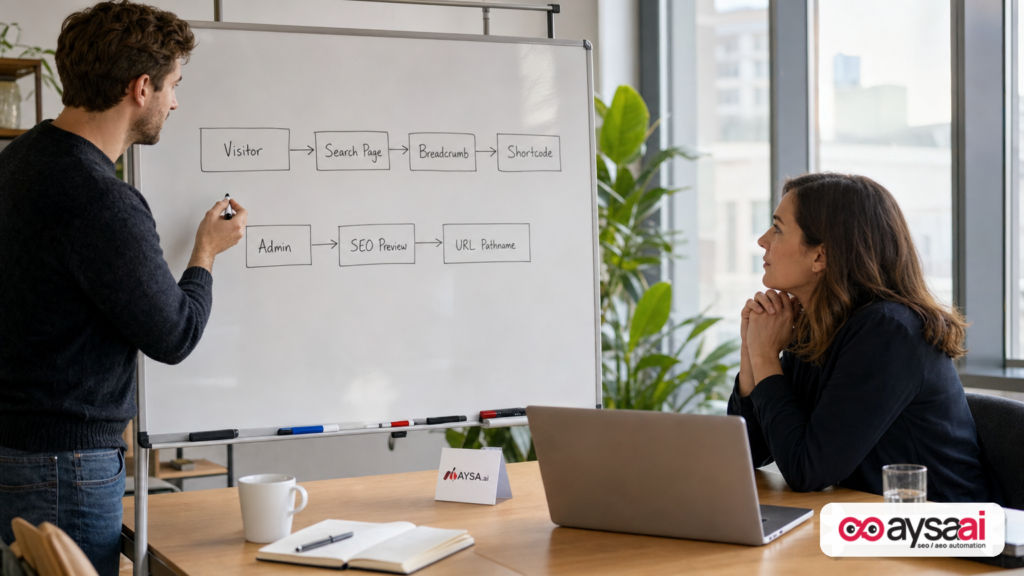
- Two AIOSEO vulnerabilities were disclosed: one involving unauthenticated arbitrary shortcode execution in specific breadcrumb/search-page setups; another involving unauthenticated DOM-based XSS that requires a privileged WordPress user to trigger it via the SEO Preview panel.
- Both issues were patched in AIOSEO updates (per the source report, 5.0.2 and 5.0.2.1 addressed the respective issues). If you run AIOSEO, update to a patched version and verify critical SEO outputs (schema, sitemaps, redirects, breadcrumbs, canonical tags).
- For SMEs, the business risk is downtime, spam injection, reputation damage, lost leads, and a long SEO recovery tail—even if the vulnerability isn’t “critical.”
- For agencies, this is an operations problem: you need a patch-and-verify workflow, staging discipline, and an approval model for changes.
- AYSA fits as an execution system that monitors sites, prepares recommended fixes and SEO changes, asks for approval, and executes accepted changes—reducing “rush update” chaos and preventing silent regressions. Learn more at AYSA Monitoring and AYSA AI SEO tools.
Key takeaways (business-first)
- Security is now part of SEO execution. The more your SEO stack manipulates templates, URLs, Structured data, and admin previews, the more it intersects with security-sensitive surfaces.
- “Unauthenticated” doesn’t always mean “no user involvement.” It can mean the attacker doesn’t need an account, but might still require a condition like a specific feature enabled or a privileged user to click something.
- The cost isn’t just fixing the bug. The cost is the second-order damage: spam pages indexed, brand warnings, lost trust, and months of cleanup.
- Patch velocity must be paired with verification. Updating plugins without validating SEO-critical outputs is how teams introduce invisible ranking and revenue losses.
Table of contents
- What happened: the AIOSEO vulnerability disclosure (context)
- The vulnerabilities in plain English (and why SEO plugins are a special target)
- Shortcodes, breadcrumbs, and search pages: why this combination matters
- DOM-based XSS in admin workflows: why “requires a user action” still matters
- What could go wrong: realistic business impacts (beyond “getting hacked”)
- A concrete SME scenario: the local clinic that loses leads and trust
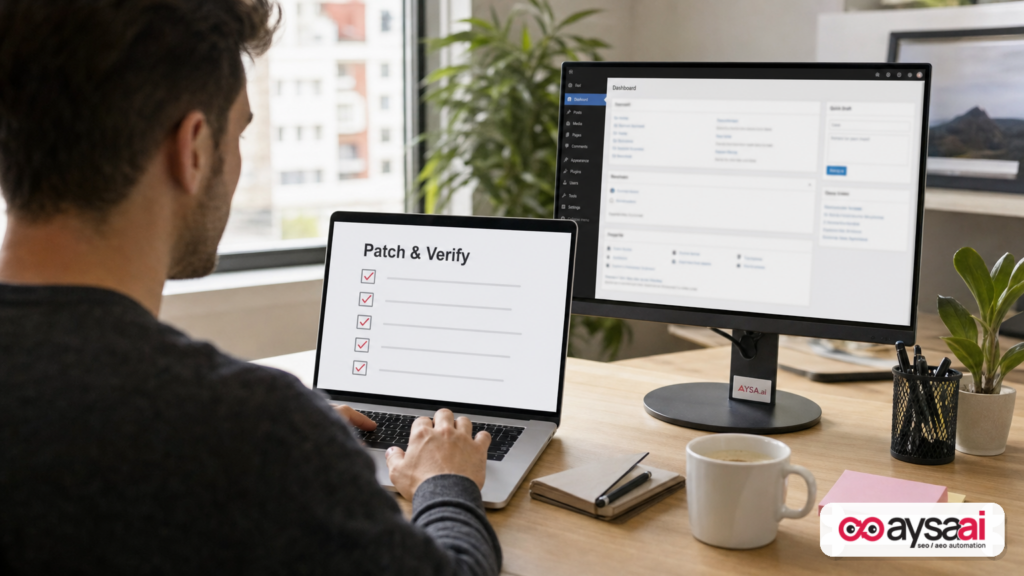
- A practical patch-and-verify workflow (the part most teams skip)
- How to prevent SEO regressions after security updates
- Agency operations: turning plugin risk into a maintenance system
- What to monitor continuously (not just when the news breaks)
- Where AYSA fits: secure, approved execution for SEO changes
- What to do next
- Sources and further reading
What happened: the AIOSEO vulnerability disclosure (context)
According to Search Engine Journal, a security advisory highlighted two medium-severity vulnerabilities in the All in One SEO (AIOSEO) WordPress plugin. The report described:
- CVE-2026-100152: an unauthenticated arbitrary shortcode execution vulnerability affecting versions up to and including 5.0.2, requiring AIOSEO breadcrumbs to be rendered on the search results page via a block, widget, shortcode, or template tag.
- CVE-2026-85492: an unauthenticated DOM-based XSS vulnerability affecting versions up to and including 5.0.1.1, requiring a user with the
aioseo_manage_seocapability to open the SEO Preview panel while visiting a crafted URL.
The important detail for business operators: both vulnerabilities were described as patched in subsequent releases, and users were recommended to update to a patched version (the source report mentioned 5.0.2.1 or newer to cover both).
But here’s the bigger editorial point: the specific plugin is not the only story. The story is how modern SEO tooling is increasingly intertwined with execution surfaces that attackers love: Dynamic Rendering, URL parsing, template output, admin panels, and content injection points. We’ve been treating “SEO plugins” as marketing utilities. They’re also code running on your production website.
The vulnerabilities in plain English (and why SEO plugins are a special target)
If you’re not a developer, here’s the non-jargon translation of why these classes of issues matter.
SEO plugins are privileged by design
An SEO plugin isn’t like a social sharing button. It’s typically allowed to:
- Read and modify page output (titles, meta descriptions, canonical tags).
- Generate machine-readable data (structured data / Schema markup).
- Influence Crawling and Indexing (robots directives, sitemaps).
- Inject UI into WordPress admin (previews, analysis, audits).
- Handle redirects (which can become an attack surface if misused).
- Render dynamic elements like breadcrumbs.
That means bugs in SEO plugins can have two kinds of impact at once:
- Security impact: code injection, XSS, privilege misuse, content manipulation.
- Visibility impact: spam pages, cloaked output, broken schema, wrong canonicals, index bloat.
“Medium severity” can still be catastrophic
Severity scores are helpful, but they don’t map perfectly to business risk. A medium vulnerability in a plugin installed on millions of sites can be “high business impact” because:
- Attackers can automate scanning at scale.
- Exploitation might be opportunistic (no targeted motive needed).
- Sites with weak maintenance practices stay vulnerable longer.
- SEO damage compounds over time (indexing and trust recovery is slow).
In other words: don’t confuse CVE severity with how much you should care.
Shortcodes, breadcrumbs, and search pages: why this combination matters
The first vulnerability described by the source involved unauthenticated shortcode execution under specific conditions involving breadcrumbs on search results pages.
What is a WordPress shortcode (in business terms)?
A shortcode is a small snippet like 



[contact-form] that tells WordPress to run a function and render the result. It’s a convenience feature—and a powerful one.
In safe hands, shortcodes are a productivity multiplier. In unsafe contexts, they can become a mechanism to trigger functionality that was never intended to be accessible to anonymous visitors.
Why search results pages are a special surface
Many WordPress sites have a built-in search function. Search pages also tend to:
- Accept user input (the Search query).
- Render dynamic results and sometimes dynamic navigation elements.
- Be less “curated” than normal landing pages (themes handle them differently).
If an SEO plugin renders breadcrumbs on a search page, you’ve got a path where user-driven contexts and dynamic rendering meet plugin logic. That doesn’t automatically create a vulnerability—but if a validation check is missing before executing a function like do_shortcode, it increases risk.
Your actionable lesson (even if you don’t use AIOSEO)
Audit any SEO or theme functionality that:
- Executes shortcodes based on variables that can be influenced by requests (URLs, query parameters, search queries).
- Renders dynamic navigation components (breadcrumbs, related links) on pages generated from user input.
- Adds “helpful” template tags that developers may place in multiple contexts without realizing the security implications.
This is exactly why “SEO” and “security” have merged at the execution layer. Most teams don’t have a clean boundary anymore.
DOM-based XSS in admin workflows: why “requires a user action” still matters
The second vulnerability described by the source was a DOM-based cross-site scripting (XSS) issue that required a user with specific permissions to open an SEO Preview panel while visiting a crafted URL.
XSS in plain English
XSS is a class of vulnerability where untrusted input ends up being treated as executable code in a browser. DOM-based XSS specifically means the dangerous behavior occurs in the browser via JavaScript and the Document Object Model, rather than being fully generated server-side.
Even if you’re not technical, here’s what matters: XSS often targets the humans operating your site—admins, marketers, SEO managers—because their sessions and permissions are valuable.
Why “requires a privileged user action” is still serious
Some teams downplay XSS because “someone has to click a link.” That’s the wrong mental model for modern operations.
Here’s the real model:
- Attackers send convincing links to SEO managers, agencies, or site owners.
- The link looks like a normal page URL (maybe with tracking parameters).
- The user is doing their job—checking previews, audits, and page performance.
- One action in an admin toolbar triggers a vulnerable preview feature.
This is why security best practices emphasize sanitizing input and escaping output—two concepts the source report referenced via the WordPress developer guidance. If you want the official baseline definitions, see the WordPress Developer Handbook’s security guidance (sanitizing/escaping are foundational concepts): WordPress Developer Resources: Security.
Note: The source article quotes WordPress documentation on sanitization and escaping; the link above is provided as the primary reference point for those concepts.
What could go wrong: realistic business impacts (beyond “getting hacked”)
Most SMEs think of security incidents as an IT problem. In reality, website compromise becomes a revenue and brand problem fast—and SEO tends to be one of the longest-lasting cost centers after the immediate fire is out.
1) Spam injection and brand damage
When attackers can inject scripts or trigger unintended rendering behaviors, a common outcome is spam content appearing on the site:
- Spam pages indexed in Google.
- Injected links that siphon authority (and trust).
- Brand reputation damage when customers see suspicious content.
2) Lead loss from downtime or degraded performance
Even a short outage can cause:
- Paid campaigns to burn budget into broken landing pages.
- Organic traffic to bounce (behavioral signals aside, you just lose the lead).
- Call volume drops that don’t show up cleanly in analytics.
3) Long-tail SEO recovery costs
After cleanup, you may still need to:
- Request reindexing and remove spam URLs from indexes where possible.
- Fix internal links and sitemaps that included spam URLs.
- Restore clean structured data and canonicalization.
- Explain anomalies to leadership (“Why did traffic drop for 8 weeks?”).
4) Compounded risk from “plugin pile-ups”
Most WordPress sites don’t have one plugin. They have 25–80. The risk compounds when:
- Multiple plugins overlap in functionality (SEO, schema, redirects, caching).
- Teams don’t know what is responsible for what output.
- Updates happen without documentation or change management.
This is why I’m opinionated about operational discipline: plugin management is SEO management when the plugin touches rendering, indexing, or content output.
A concrete SME scenario: the local clinic that loses leads and trust
Let’s make this real with a scenario I’ve seen variations of across local services, clinics, and multi-location businesses.
The setup
- A local clinic runs WordPress.
- They use an SEO plugin (could be AIOSEO or another) for titles, schema, and breadcrumbs.
- An agency manages content and on-page SEO, but updates are “as-needed.”
- The clinic director occasionally logs into WordPress to review pages.
The incident path
- A vulnerability is disclosed publicly.
- Automated scanning finds the clinic’s site running a vulnerable version.
- An attacker uses the weakness to inject something malicious or to set up follow-on exploitation.
- A staff member notices the site acting oddly—or worse, patients report it.
The business impact (what the owner feels)
- Appointment forms slow down or break.
- Calls drop, but GA4 doesn’t scream—because calls are messy to attribute.
- Brand trust takes a hit (healthcare and home services are trust-sensitive).
- The agency scrambles to fix it, but now the owner is questioning everything: “Is SEO even safe?”
The real lesson
The lesson isn’t “don’t use plugins.” The lesson is: your growth stack needs a security-and-execution system—a way to patch quickly, verify outputs, and keep shipping improvements without rolling the dice every time WordPress updates.
A practical patch-and-verify workflow (the part most teams skip)
Most WordPress sites fail in one of two ways:
- They don’t update fast enough, because they’re afraid of breaking things.
- They update without verification, and break things without noticing.
You need a workflow that handles both speed and safety.
Step 0: Identify whether you’re exposed
- Confirm whether AIOSEO is installed and what version is running.
- Confirm whether breadcrumbs are rendered on search pages (relevant to the first issue described by the source).
- Confirm who has SEO-management capabilities in WordPress (relevant to the second issue described by the source).
If you’re an agency, document this per client. If you’re an SME, put it in a shared ops doc. “We think it’s updated” is not a state you can operate a business on.
Step 1: Backup before you patch
At minimum, you want:
- A database backup.
- A file backup (themes/plugins/uploads).
- A rollback plan (who does what, how long it should take).
If you already have managed hosting with snapshots, confirm you can actually restore quickly. Many businesses assume they can—until the day they can’t.
Step 2: Patch in staging first (when feasible)
If your site is mission-critical (ecommerce, lead gen, bookings), staging is the default. Patch staging, run verification checks, then patch production.
If you don’t have staging, treat that as technical debt. Make it a Q4 priority. A one-time staging setup pays for itself the first time you avoid an outage during peak season.
Step 3: Patch production quickly once validated
For issues described as actively exploitable or widely installed, time matters. The goal is not perfection; it’s a controlled rollout.
Per the source report, users were recommended to update to a patched version (5.0.2.1 or newer) to address both disclosed vulnerabilities. Validate the current version and follow the plugin’s official update guidance inside WordPress.
Step 4: Verify SEO-critical outputs (not just “site loads”)
Most teams stop at “the homepage loads.” That’s not enough for an SEO plugin update. Verify:
- Titles & meta: no missing titles, no duplicated templates.
- Canonical tags: correct per page type (blog posts, products, categories).
- XML sitemaps: accessible, updated, not excluding critical sections.
- Structured data: schema still present and valid where it matters.
- Breadcrumbs: render correctly across templates (including search pages if you use them).
- Redirects: key redirects still functioning (especially migrations and campaign landing pages).
Even when a patch is “security-only,” it can still touch shared components.
Step 5: Monitor for anomalies for 7–14 days
After patching, watch for:
- Traffic drops isolated to templates (category pages, product pages, blog).
- Index coverage changes (sudden deindexing or spikes in indexed URLs).
- Sudden increases in 404s (broken internal links).
- Performance regressions (core web vitals, server response time).
This isn’t paranoia. It’s operational maturity.
How to prevent SEO regressions after security updates
When an SEO plugin updates, there are two failure modes: it breaks something obvious (you notice), or it breaks something subtle (you don’t). Subtle is more expensive.
High-risk areas to check after an SEO plugin update
- Schema output: even small changes can affect rich result eligibility and how AI systems interpret your pages.
- Robots directives: a single misconfiguration can noindex important sections.
- Canonical logic: wrong canonicals can consolidate signals away from pages that convert.
- Sitemaps: missing or bloated sitemaps create crawl waste (and can cause indexing confusion).
- Breadcrumb markup: broken breadcrumbs affect navigation, internal linking signals, and structured data.
Why this matters more now (AI search and visibility)
Even though this story is about WordPress security, there’s an AI-search angle that business leaders should understand:
- Structured data and clean site architecture help machines understand your content.
- If a plugin update silently changes schema output, you can lose visibility in both traditional search features and emerging AI-driven discovery surfaces.
If AI search visibility is part of your growth plan, treat schema and technical outputs as assets. AYSA’s perspective on this is straightforward: monitor the signals, propose changes, get approval, execute carefully. (More on that below.)
Related AYSA resource: AYSA AI Search Visibility.
Agency operations: turning plugin risk into a maintenance system
If you run an agency (or you’re the internal marketing lead managing agencies), this is the part to take seriously: plugin vulnerabilities are not rare anomalies. They’re an ongoing condition of using an extensible CMS.
Maintenance is a product, not a favor
Agencies often treat updates as “support” rather than a defined service. That leads to:
- Unclear SLAs (“we’ll get to it”).
- Unclear approvals (“just update it”).
- Unclear accountability when something breaks.
Instead, define a maintenance product with:
- Update cadence (and an exception process for urgent advisories).
- Verification checklist.
- Rollback plan.
- Client approval rules (what you can do automatically vs. what needs sign-off).
Why “approved execution” is the missing layer
Most tools do one of two things:
- They alert (you still have to execute manually, often under time pressure).
- They auto-apply (fast, but risky when it touches revenue-driving pages).
The third model is what I believe modern SEO operations require: prepare changes, request approval, then execute with auditability. That’s the model we build around at AYSA.
For agencies, it means you can move quickly without making unilateral changes that break client trust. For SMEs, it means you can be decisive without being reckless.
What to monitor continuously (not just when the news breaks)
Most businesses respond to security advisories like weather events: panic, then forget. The durable advantage is consistency: monitoring that makes issues visible before customers do.
Minimum monitoring for WordPress SEO stacks
- Plugin/theme inventory: know what’s installed, who owns it, and whether it’s maintained.
- Version tracking: know what changed and when.
- Critical page checks: homepage, top landing pages, top product/service pages, conversion pages.
- Indexing signals: watch for spikes in indexed URLs, unexpected parameter indexing, or missing key pages.
- SEO output snapshots: titles, canonicals, schema presence, robots directives.
This is exactly the operational layer SMEs usually lack because it’s “not marketing” and “not IT”—so it falls through the cracks.
AYSA’s monitoring approach is designed for this reality: AYSA Monitoring.
Don’t ignore the analytics attribution angle
One subtle consequence of incidents is attribution chaos: when pages break, redirects change, or scripts get injected, analytics can become misleading. You might see drops in “organic” that are actually tracking breakage—or “direct/other” spikes that hide real sources.
Even though the source page included broader SEJ navigation links (like AI search and measurement resources), the core lesson stands: if your measurement layer is fragile, you’ll misdiagnose the business impact of technical incidents. Make analytics resilience part of the same operational discipline as plugin updates.
Where AYSA fits: secure, approved execution for SEO changes
AYSA is built around a simple operational truth: monitoring without execution is just anxiety, and execution without approvals is how you break production websites (or client relationships).
The AYSA model: monitor → prepare → approve → execute
In practical terms:
- Monitor: track the technical and content signals that influence search visibility and site health.
- Prepare: generate specific, reviewable change plans (not vague recommendations).
- Ask for approval: stakeholders decide what ships and when.
- Execute accepted changes: implement and document what changed, so you can verify and roll back if needed.
This model is especially useful when security intersects with SEO, because updates and mitigations often impact templates and outputs that determine revenue.
What AYSA can help with in situations like AIOSEO vulnerabilities
- Operational readiness: maintain clarity on what’s live, what changed, and what needs attention.
- SEO verification: ensure that “security patches” don’t quietly break SEO-critical outputs (schema, canonicals, sitemaps, breadcrumbs).
- Approved execution: reduce risky, rushed changes by packaging fixes into an approval workflow.
If you want the product-level view of the execution system, start here: AI SEO Tools. If you’re evaluating fit and budget, see: AYSA Pricing. And for more editorials like this, browse: AYSA Blog.
A note on responsibility
AYSA doesn’t replace your need for secure hosting, least-privilege access, and good development practices. But it does address the part most growth teams struggle with: consistent, safe execution across SEO, content, and technical changes—especially when the site can’t afford downtime.
What to do next
Use this as your immediate action list.
If you’re a business owner / operator
- Confirm whether you use AIOSEO and identify your version.
- Update to a patched version (the source report recommended 5.0.2.1 or newer to address both vulnerabilities).
- Ask your team or agency for a verification report: schema present, sitemaps valid, redirects intact, breadcrumbs correct, noindex rules unchanged.
- Reduce admin exposure: ensure only the right people have SEO management capabilities; remove unused accounts.
- Schedule monthly maintenance as a recurring operational task, not a “when we remember” task.
If you’re the marketer responsible for growth
- Inventory your SEO outputs: what plugin controls what? Where do breadcrumbs come from? Who owns redirects?
- Build a “top pages” verification set: 20–50 URLs you always check after changes.
- Document a patch workflow: staging, backups, update, verification, monitoring.
- Align with security basics: sanitization/escaping principles are developer territory, but you can ask whether your stack follows WordPress security guidance (see WordPress Developer Resources: security).
If you run an agency
- Turn plugin updates into a defined service with SLAs and verification.
- Create an exception path for urgent security advisories.
- Adopt an approval model for changes that can break revenue pages.
- Standardize reporting: what changed, when, what was tested, what to watch.
And if you want to operationalize this with an execution layer built for SEO teams, start with AYSA monitoring: AYSA Monitoring.
Sources and further reading
- Search Engine Journal – All In One SEO WordPress Plugin Vulnerable To Two Exploits (primary research input for this editorial)
- WordPress Developer Resources – Security (sanitization, escaping, and general security practices)
- AYSA – AI SEO tools
- AYSA – AI search visibility
- AYSA – Monitoring
- AYSA – Pricing
- AYSA – Blog
Continue the AI search topic inside AYSA.
Use these pages to connect the article with AI SEO tools, AI visibility monitoring, AI Overviews and approved website execution.
Turn this topic into a website action plan.
Use these AYSA hubs to move from reading to technical fixes, AI visibility monitoring, research, glossary context and approval-first SEO execution.