
The New SEO Reality: Defaults, Data, and Decisions You Don’t Control (Until You Do)
WordPress is adding a default /random/ redirect, Google is expanding Search Console API reporting with branded query classification, referrer data remains ambiguous, CDN migrations can accidentally throttle Googlebot, and AI agents are forcing new access rules. Here’s what changed, why it matters, and how to operationalize fast, approved SEO execution across teams.

Search has entered an operational era. The biggest risks and opportunities for your Organic traffic are no longer limited to “content quality” or “Keyword research.” They’re increasingly driven by defaults you didn’t choose, data you haven’t integrated, and decisions that sit outside the SEO team—inside engineering, IT/security, legal, and even whoever answers the phone.
This matters because modern search visibility isn’t just about ranking links. It’s about being included, trusted, and selectable across surfaces: classic Search, Discover, image-driven search experiences, and AI-mediated experiences where agents and assistants interpret your site and your business details. When a CMS ships a new redirect, when your CDN blocks verified crawlers, or when analytics Attribution blurs sources, you don’t just “lose some traffic.” You lose the ability to measure, diagnose, and improve.
This editorial is inspired by reporting in Search Engine Journal’s SEO Pulse (source) and expands it into a practical playbook for SMEs and agencies: what changed, why it matters, what can go wrong, and how to build an execution system that keeps you ahead of the next default.
Concise summary

Here’s the pattern across this week’s changes:
- WordPress is planning a default /random/ redirect (on by default) that can expose unintended content types and create SEO/compliance edge cases if you don’t proactively exclude them.
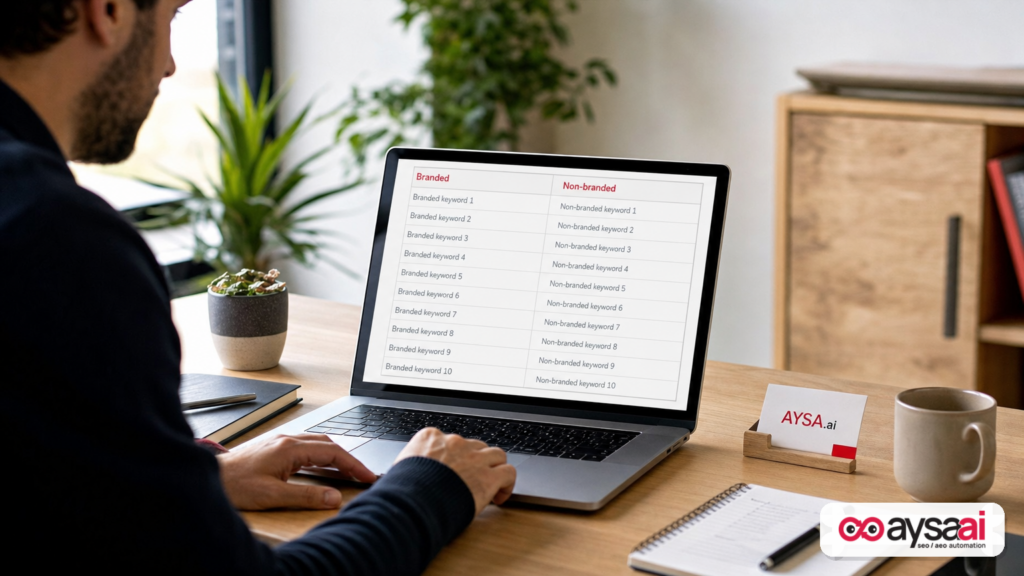
- Google added branded vs non-branded segmentation to the Search Console API, enabling cleaner reporting—but it starts in 2026 data and may misclassify some queries.
- Referrer values don’t reliably tell you whether traffic came from Search, Discover, or Images, pushing teams back to Search Console for surface-level attribution.
- CDN migrations can accidentally overwhelm origin servers or block Googlebot if caches aren’t warmed and bot protections/CAPTCHAs aren’t configured to allow verified crawlers.
- AI agents are driving new access-control and policy questions (Robots.txt vs WAF vs legal terms), and the “owner” of the answer often isn’t SEO.
Key takeaways (print this for your next cross-team standup)

- SEO ownership is shifting. Identify who controls CMS defaults, API reporting, analytics rules, CDN/WAF settings, Business Profile settings, and site terms.
- Defaults are a new ranking factor. If it ships “on,” it’s part of your search system whether you like it or not.
- Measure what you can, and know what you can’t. Referrers won’t answer every question; Search Console and logs still matter.
- Protect crawl access during infrastructure changes. A “security hardening” can become an indexing outage.
- Execution beats intention. Monitoring plus approved, auditable changes is now the competitive advantage.
Table of contents
- Context: why these updates are really one story
- WordPress 7.2’s /random/ redirect: the hidden SEO and compliance risk
- What to do before you update WordPress (SME checklist)
- Branded classification in the Search Console API: finally useful, still not perfect
- Referrers, Search, Discover, Images: why your analytics can’t tell the full story
- CDN migrations: when “faster” becomes “not indexed”
- Ask Maps calling businesses: local SEO meets operations
- Bots, AI agents, and access control: robots.txt isn’t the whole policy
- The real theme: decisions that sit with other teams
- Where AYSA fits: monitoring + approved execution across teams
- What to do next (30/60/90 day plan)
- Sources and further reading
Context: why these updates are really one story
On the surface, this week’s updates look unrelated:
- A new WordPress behavior.
- A new Google Search Console API dimension.
- Referrer documentation and analytics quirks.
- CDN guidance about crawl capacity and cache warm-ups.
- Local business calls and appointment discovery.
- Terms of service language about AI agents.
But the unifying story is operational control.
SEO used to be a domain where marketing could change titles, write content, and earn links. Today, your ability to show up (and understand why you show up) depends on systems that are governed elsewhere:
- CMS defaults determine what URLs exist and what they do.
- APIs determine what you can measure at scale.
- Analytics configuration determines whether you can trust the story your dashboards tell.
- CDNs/WAFs determine whether crawlers can reach your content.
- Local ops determines whether customers actually book after discovery.
- Legal policy increasingly intersects with how agents and crawlers interact with your site.
If you’re an SME, the danger is silent failure: something changes, traffic slips, and you don’t know where to look. If you’re an agency, the danger is blame without leverage: your client’s dev team changed the CDN, and now you’re explaining a crawl drop you didn’t cause.
The solution is not “be more technical” in the abstract. The solution is a repeatable operating model: monitor, detect change, prepare fixes, route approvals to the right owner, and execute safely—fast.
WordPress 7.2’s /random/ redirect: the hidden SEO and compliance risk
According to Search Engine Journal’s coverage of the developer note, WordPress 7.2 is scheduled to introduce a new /random/ endpoint that redirects a visitor to a randomly selected published post—and it’s turned on by default (SEJ source).
There are three reasons this matters more than it sounds.
1) Random discovery can surface content you never intended to promote
WordPress isn’t only “blog posts.” Many SMEs and agencies use custom post types for:
- Testimonials
- Case studies
- Staff bios
- Locations
- Events
- Knowledge base articles
- Portfolio items
SEJ reports that the /random/ mechanism can include publicly queryable custom post types that have archives, unless explicitly registered as not eligible (SEJ source).
That’s a big deal: a “testimonials” post type that was never linked in navigation could become reachable by anyone who guesses or follows /random/. Accessibility changes aren’t only SEO changes—they can become brand, legal, or privacy problems if the content wasn’t meant to be surfaced broadly.
2) “Noindex” isn’t a forcefield if the UX routes around it
Even if an SEO plugin marks certain content as noindex, the human experience still matters. A customer can land on a page you consider “low priority,” get confused, and bounce. If that page is thin, outdated, or not brand-safe, it can become the “first impression” moment you never curated.
SEJ highlights a particularly sharp edge: content types might be eligible for /random/ even if you’ve noindexed them with an SEO plugin (SEJ source).
3) Defaults create governance problems: who owns the “off switch”?
SEJ notes there’s no dashboard setting to disable it; turning it off requires developer work via a filter (SEJ source).
That’s the operational punchline. A marketing team will discover the issue, but a developer must fix it. Meanwhile, the site ships the default.
My take: CMS defaults are now an SEO surface. Treat them like you treat schema markup, canonical tags, or site speed. They require review, ownership, and change management.
What to do before you update WordPress (SME checklist)
If you run WordPress (directly or via an agency), don’t wait for the update to hit production to ask “what is /random/ doing?” Use this as a pre-flight checklist.
Step 1: Inventory your content types and decide what should ever be randomly discoverable
Make a simple list:
- Posts
- Pages
- Custom post types (CPTs)
- Any public archive views
Then classify each as one of the following:
- Safe for random: evergreen blog posts, evergreen guides.
- Not safe for random: testimonials, gated content shells, compliance-limited pages, time-sensitive promo pages, thin location pages, internal “template” entries.
Step 2: Confirm how your noindex rules behave—and don’t assume
Noindex is a crawler directive. It doesn’t prevent access. If your brand has content that’s meant to be “not in search” but also “not broadly accessible,” you likely need an access control strategy beyond noindex.
Step 3: Decide your position: disable, constrain, or embrace
Not every site must disable /random/. For a publisher with deep evergreen content, a “random article” feature can increase engagement.
But most SMEs have mixed content types, and random routing can create brand unpredictability.
Options:
- Disable it entirely (if it doesn’t align with your UX).
- Constrain eligibility to only specific post types.
- Embrace it intentionally with a curated “random from evergreen library” approach, paired with strong internal linking and content QA.
Step 4: Test like a user and like a crawler
Before rollout:
- Hit
/random/multiple times and see what you get. - Confirm the redirect status code and headers in your environment (SEJ reports a 302 and
X-Robots-Tag: noindex, followon the redirect response) (SEJ source). - Confirm the landing page’s indexing directives.
Operational note: If you’re an agency, add this to your WordPress update SOP. If you’re an SME, ask your dev partner to document the decision and the implementation so it’s not tribal knowledge.
Branded classification in the Search Console API: finally useful, still not perfect
Google added branded query data to the Search Console API. Teams can segment branded vs non-branded performance without maintaining fragile regex lists of brand variations (SEJ source).
This is deceptively important. Branded vs non-branded split is one of the few reporting views that both executives and operators understand:
- Branded growth often signals demand generation, PR, word-of-mouth, and retention strength.
- Non-branded growth often signals category visibility, SEO coverage, and net-new acquisition potential.
What changed (as reported)
SEJ notes three additions:
- A brandedClassification dimension (for eligible properties) with data starting Feb. 21, 2026.
- A webMultimodal type, which returns results tied to image-based behaviors like Lens/Circle to Search/image uploads.
- A filterLists field to filter by multiple countries or devices in one request.
(All per SEJ’s summary of the API updates: SEJ source.)
Why it matters in practice
Two reasons: reporting credibility and strategy alignment.
Reporting credibility: Regex-based branded classification breaks constantly. New product names launch. Abbreviations evolve. Misspellings happen. Your branded/non-branded chart becomes a story you “maintain,” not a story you “measure.” A Google-provided classification helps standardize this—especially for multi-location brands or complex naming systems.
Strategy alignment: Many teams argue about whether SEO “worked” because overall clicks went up, but branded demand (often driven by other channels) also went up. With a clean split, you can answer:
- Did SEO expand category reach (non-brand)?
- Did brand marketing lift demand (brand)?
- Did both happen, and is the site converting both segments?
What can go wrong
SEJ notes Google warns that some queries may be misidentified and that data begins in 2026, meaning older reporting still needs regex for long time ranges (SEJ source).
In other words: this is not “set it and forget it.” It’s “use it, validate it, and understand the edges.”
A practical way to adopt brandedClassification without breaking your reporting
- Run parallel reporting for 4–8 weeks: Google’s brandedClassification vs your existing regex model.
- Identify deltas (queries that switch buckets). Don’t assume Google is right or wrong—treat it as a classification model with false positives/negatives.
- Decide which model becomes your executive KPI. Consistency matters more than perfection.
- Document the change. When stakeholders ask why last year’s chart doesn’t match, you’ll have the answer.
If you’re building an AI search visibility strategy, this branded segmentation is also a proxy for something deeper: whether you are becoming a destination brand that assistants will recommend, or merely a commodity answer in a list.
To track that evolution, you need monitoring and repeatable execution—this is where tools and systems matter more than one-off audits. AYSA’s approach is to monitor performance changes, prepare recommendations, request approval, and execute accepted changes safely across the site.
Referrers, Search, Discover, Images: why your analytics can’t tell the full story
Google documentation now clarifies something many teams learn the hard way: a google.com referrer does not necessarily tell you whether the click came from Search, Discover, or Google Images. SEJ reports this update and notes that Search uses an origin referrer policy, limiting referrer detail (SEJ source).
For SMEs, this shows up as confusion in meetings:
- “Discover traffic is down.”
- “No, Search traffic is down.”
- “GA4 shows it as referral.”
- “Why is it direct?”
And then someone changes channel groupings or referral exclusions, and the historical view shifts again.
Why this matters now
Because surfaces are fragmenting. Your visibility isn’t only “ranking position” anymore. It’s inclusion in:
- Search results
- Discover feeds
- Images-driven discovery
- Multimodal experiences (like Lens-style inputs, which SEJ notes are now represented via a
webMultimodalAPI type) (SEJ source)
If you can’t segment surfaces, you can’t connect tactics to outcomes. Image optimization, for example, looks “invisible” if your analytics lumps it into generic google.com traffic.
What you should do instead (practical and boring, which is good)
- Use Search Console for Discover analysis, as SEJ notes Google recommends rather than relying on referrer strings (SEJ source).
- Audit your GA4 configuration: custom channel rules, referral exclusions, and filters can reclassify Google traffic into referral or direct (also noted in SEJ’s summary of Google guidance) (SEJ source).
- Decide what becomes your source of truth per question. Examples:
- “How many clicks from Discover?” → Search Console Discover report.
- “What landing pages are trending overall?” → GA4 + server logs.
- “Which queries drove outcomes?” → Search Console (UI or API).
In an operational SEO system, this becomes a monitoring rule: if GA4’s Google channel mix changes unexpectedly, treat it like an incident. It might be configuration drift, not market behavior.
AYSA’s role here isn’t to replace analytics tools—it’s to help teams act on what’s detected: create tasks, propose changes, route for approval, and execute site updates that improve crawlability, content clarity, and AI search eligibility. Learn more about our AI SEO tools and AI search visibility workflows.
CDN migrations: when “faster” becomes “not indexed”
CDNs are often sold as a free win: faster performance, lower origin load, better reliability. But Google’s guidance (summarized by SEJ) highlights a counterintuitive risk during migrations: a brand-new CDN cache starts empty, so crawlers can create a wave of cache misses that hit your origin server hard (SEJ source).
Most human visitors hit a small subset of pages. Crawlers do not. They fan out across:
- Old URLs still linked internally
- Parameter variations
- Paginated archives
- Faceted navigation (ecommerce)
- Sitemaps and discovered links
So, right when you’re changing infrastructure, you may be unintentionally inviting the most “expensive” visitor your site has: a crawler that requests thousands of unique URLs quickly.
The bigger risk: bot protection that blocks verified crawlers
SEJ reports Google warned that blanket bot protection can cause Googlebot to fail CAPTCHA challenges, and if left in place pages can drop out of search results (SEJ source).
Translate that into business language: your security settings can accidentally tell Google, “You’re not allowed to see the site.” And Google responds by de-indexing what it can’t reliably fetch.
SME scenario: the ecommerce brand that “upgraded performance” and lost Q4 revenue
Imagine a 30-person ecommerce brand moving to a new CDN two weeks before a sale. The IT team enables aggressive bot protection to reduce fraud. Meanwhile, Googlebot starts recrawling URLs at a higher rate (because the new CDN is fast and reliable, which SEJ notes can increase crawl capacity over time) (SEJ source).
But the cache is cold, so the origin server gets hammered. The WAF sees unusual traffic and escalates challenges. Googlebot can’t pass the CAPTCHA. Crawl errors spike. Pages begin falling out of the index, and revenue dips—not because the products got worse, but because the infrastructure change broke crawl access.
That is not a theoretical story. It’s the shape of many real incidents, and it’s why SEO must have a seat in migration planning.
What to do during a CDN migration (high-leverage controls)
Based on SEJ’s summary of Google’s guidance, the core actions are:
- Allow verified bots in CDN and firewall settings.
- Pre-warm caches by fetching popular and frequently crawled URLs before switching traffic.
- Be cautious with bot protection during migration; ensure verified-bot allowances are enabled before turning on stricter rules.
(All per the SEJ report referencing Google’s CDN guidance: SEJ source.)
My additional operational guidance: treat crawl access like uptime. Have an owner, a runbook, and thresholds that trigger rollback. If your devops team has incident response, SEO should be a stakeholder in the same workflow.
Ask Maps calling businesses: local SEO meets operations
SEJ reports that Google’s Ask Maps has begun calling certain local businesses to identify open appointment times, with rollouts in select categories and geographies (SEJ source).
Local SEO has always been partly operational: hours, availability, services, staff schedules, and customer service quality. What’s new is the interface layer: AI-like experiences that act on behalf of the customer.
Why this matters to SMEs (especially service businesses)
If you run a:
- clinic
- salon
- pet grooming business
- auto shop
- home services company
…then discovery is increasingly “bookability.” Visibility is not only ranking—it’s whether Google can confirm an open slot and present it frictionlessly.
Where businesses can get hurt
- Front-desk confusion: someone receives a call “from Google” and thinks it’s spam.
- Inconsistent availability: online booking shows one thing, staff says another.
- Wrong settings: toggles in the Business Profile may control certain automated calls; SEJ notes it’s not fully clear how Ask Maps calls map to existing settings (SEJ source).
What to do (simple, operationally realistic)
- Check your Business Profile advanced settings and understand what’s enabled for bookings and inquiries (SEJ references this setting) (SEJ source).
- Train whoever answers the phone: create a 2-sentence script for “calls on behalf of customers.”
- Reconcile your booking system: ensure your online booking availability matches reality, or you’ll generate frustration at scale.
- Measure operational conversion: track not just “calls,” but booked appointments and show rates.
This is a place where “SEO” ends and “business execution” begins. That’s why cross-team alignment is the story of 2027 search.
Bots, AI agents, and access control: robots.txt isn’t the whole policy
SEJ also covered a larger trend: organizations updating their terms regarding AI agents that can search, book, or buy—while still allowing classic search indexing (SEJ source).
Regardless of the specific company example, the strategic question for SMEs is the same:
Who do you want to allow to crawl, summarize, train on, or transact with your content—and how do you enforce it?
Three layers of control you need to understand
Even without going beyond the SEJ coverage, you can see the three layers at play:
- Technical directives (robots.txt / meta robots / headers): guidance for compliant crawlers.
- Infrastructure enforcement (CDN/WAF/bot protection): what actually gets in.
- Legal terms: what’s permitted contractually, even if technically accessible.
Most SMEs have only thought about the first layer. But as agentic traffic grows, the second and third layers increasingly determine outcomes.
What’s the practical takeaway for SMEs?
You don’t need to become a legal expert overnight. But you do need a policy decision and an escalation path.
Start with these questions:
- Are you comfortable with AI systems using your public content for answers that compete with clicks?
- Are there parts of your site you consider proprietary (pricing logic, inventory, schedules, research)?
- Do you rely on being indexed by classic search engines for demand capture?
Then translate the answers into:
- robots directives where appropriate,
- WAF/CDN bot rules that allow verified search crawlers but manage abusive automation,
- terms language (with counsel) if agent-based interactions create business risk.
SEJ’s reporting also underscores a practical problem: some agents may not provide consistent user agents, making robots.txt less actionable and shifting enforcement to bot protection and terms (SEJ source).
My view: this is less about “blocking AI” and more about defining your business boundary. If your site is a marketing asset, you want maximum reach. If your site is a transactional system, you need explicit rules for automation. The right answer differs by industry.
The real theme: decisions that sit with other teams
SEJ explicitly calls out the theme: many of the week’s SEO-critical decisions sit outside SEO (SEJ source).
Let’s make that concrete. Here’s a simple ownership map you can adapt.
Ownership map: who controls what (and what SEO should ask for)
- WordPress / CMS (Engineering, Web team, Agency dev):
- Ask for: documented decisions on new defaults, filters used, and regression tests.
- Search Console API / Reporting (Marketing ops, Data team):
- Ask for: branded/non-branded reporting parity plan and documentation of method changes.
- Analytics attribution (Marketing ops, Analytics lead):
- Ask for: audit of channel groupings/referral exclusions and a change log for GA4 settings.
- CDN/WAF (IT/Security/DevOps):
- Ask for: verified bot allowlist confirmation, cache warm-up plan, rollback plan, monitoring thresholds.
- Local business profile (Local ops, Front desk manager):
- Ask for: confirmation of automated call settings, phone script, booking system reconciliation.
- Terms of use / agent policy (Legal):
- Ask for: clarity on what is permitted (indexing vs agents vs training), and how enforcement is expected to work technically.
The meta-lesson: SEO outcomes are now governed by organizational design. If you don’t know who owns the lever, you can’t pull it.
Where AYSA fits: monitoring + approved execution across teams
At AYSA, we built for this reality: SEO isn’t a checklist. It’s an operating system.
Here’s the model we believe wins in 2027:
- Monitor continuously for changes in visibility, indexing, templates, redirects, and technical signals (see AYSA Monitoring).
- Detect and explain what changed in business language: “This WordPress update introduced a new publicly accessible endpoint that can surface CPT content.”
- Prepare fixes as concrete, reviewable changes (not vague advice).
- Route approvals to the right owner (marketing, dev, IT, legal) with context and risk level.
- Execute accepted changes safely, with audit trails and rollback-aware workflows.
This is what we mean by approved execution: the system proposes, humans approve, and the platform executes consistently.
Practical examples tied to the updates discussed:
- WordPress /random/: AYSA can monitor URL behaviors, flag unexpected redirect patterns, and prepare a recommended change request for dev to constrain or disable where needed.
- Branded classification reporting: AYSA can help you operationalize the split—monitor branded vs non-branded trends and alert when non-brand visibility declines even as brand demand rises.
- Analytics ambiguity: AYSA can pair Search Console signals with on-site behavior to reduce misinterpretation when referrer data is insufficient.
- CDN migration risk: AYSA can act as a technical SEO checklist engine—monitor crawl/indexing signals during the migration window and escalate quickly when pages begin dropping.
If you want to see how this fits your team size and workflow, start with AI Search Visibility, explore tools, or review pricing. For more operational editorials like this, browse the AYSA blog.
What to do next (30/60/90 day plan)
You don’t need a massive transformation to benefit. You need a plan that creates ownership, reduces surprises, and shortens time-to-fix.
In the next 30 days: reduce default risk
- WordPress: ask your dev/agency to confirm whether
/random/will be enabled in your update path and which post types are eligible. - Analytics: create a one-page “Google traffic attribution” note: which reports to use for Search vs Discover; document any channel grouping customization.
- CDN/WAF: confirm you have a verified crawler allowance approach and a named owner for bot protection rules.
In the next 60 days: improve measurement credibility
- Adopt brandedClassification carefully: run parallel branded segmentation (API dimension vs regex) for a defined evaluation window.
- Build a migration runbook: add cache warm-up and verified bot allowances to your standard playbook.
- Define your agent policy: even a simple internal statement like “indexing yes, transactional agents require review” is better than ambiguity.
In the next 90 days: operationalize execution
- Create an SEO change log across teams: CMS updates, CDN changes, analytics config changes, and legal policy updates should be captured.
- Set alert thresholds: drops in indexed pages, crawl errors, organic landing page traffic anomalies, Discover volatility.
- Implement monitoring + approved execution: use a system approach (like AYSA) so recommendations become shipped improvements, not forgotten tickets.
What to do next (quick action list)
- Assign owners: CMS, analytics, Search Console reporting, CDN/WAF, local profile, legal terms.
- Before updating WordPress, audit eligible post types for random discovery risk.
- Validate branded query segmentation by running Google’s classification alongside your regex for a short period.
- Stop using referrer strings to “prove” Discover; use Search Console Discover reporting instead.
- Before (and during) any CDN change, ensure verified bots are allowed and pre-warm key URLs.
- Train frontline staff for Google-facilitated calls if you’re appointment-based.
- Decide your AI agent posture: allow, limit, or require permission—and align technical enforcement with policy.
Sources and further reading
- Search Engine Journal – SEO Pulse: WordPress Random Redirects, Branded API Data & CDN Advice
- Search Engine Journal – Technical SEO coverage (research lead)
- Search Engine Journal – Local SEO coverage (research lead)
- Search Engine Journal – AI Search coverage (research lead)
Note on citations: The supplied research context summarizes Google documentation and product behavior but does not include direct links to the underlying Google/WordPress primary documents. Where the source references those documents, this editorial attributes the claims to Search Engine Journal’s reporting. If you want a stricter primary-source citation layer, add the official Google Search Central and WordPress developer note URLs directly in a follow-up revision.
Continue the AI search topic inside AYSA.
Use these pages to connect the article with AI SEO tools, AI visibility monitoring, AI Overviews and approved website execution.
Turn this topic into a website action plan.
Use these AYSA hubs to move from reading to technical fixes, AI visibility monitoring, research, glossary context and approval-first SEO execution.