
Crawled, Not Indexed: The Real Fix Isn’t a Button in Search Console—It’s Your Value (and Your Execution)
When Google crawls a page but won’t index it, the problem is rarely “technical SEO.” Most of the time, it’s a value problem: content that looks replaceable, pages that feel heavy or ad-choked, or site-wide trust signals that don’t justify indexing at scale. Here’s a practical playbook to diagnose the cause, prioritize what matters, and make improvements that actually stick—plus how AYSA helps you monitor, prepare, approve, and execute changes safely.

“Crawled – currently not indexed” is one of the most misunderstood lines in Google Search Console. People treat it like a bug. Or worse, like a button problem—“Where do I click to force Google to index this?”
But most of the time, it’s neither a bug nor a button problem. It’s a value problem. Google saw the page, understood enough to decide it didn’t belong in the index right now, and moved on.
That shift matters more in 2026 than it did even a couple of years ago. AI systems have made it dramatically cheaper to publish “good enough” content at scale. Google’s bar for what’s worth Indexing is rising, not falling. And as AI Overviews and other AI-driven results answer more queries directly, the incentive for Google to index another “me too” article becomes even smaller.
This editorial is a practical, operator-focused playbook: how to diagnose whether you have a technical visibility issue or a site-wide value issue, how to prioritize URLs, what to fix first, and how to run indexing improvements as a repeatable execution system (not a panic project). The research inspiration is Marie Haynes’ analysis on Search Engine Journal; it’s required reading if you want Google’s current framing of the problem.
Concise summary (for busy founders)

- If Google crawled the page, it can usually access it. The most common causes are still quality/value and site-wide trust, not a single technical tag.
- “Crawled, not indexed” is often a symptom of a bigger pattern. When many pages sit there, Google may be signaling: “We’re not convinced this site deserves more index investment.”
- Don’t try to fix everything. Triage URLs into keep/improve, merge, Noindex, and ignore (parameter/Pagination duplicates).
- Modern indexing is inseparable from AI Search Behavior. If AI Overviews already answer the query well, commodity content has a hard time earning indexing—let alone rankings.
- Execution is the bottleneck. The gap is rarely “knowing what to do.” It’s safely implementing changes across templates, Internal linking, canonicals, and content operations.
Table of contents

- What changed: why “crawled, not indexed” is more common now
- Discovered vs. crawled vs. indexed: the mental model that prevents bad decisions
- The two buckets: “Google can’t see it” vs. “Google doesn’t need it”
- A practical triage method: which URLs deserve attention first?
- Technical causes (rare, but real): what to check in 30 minutes
- Quality causes (common): how Google frames the problem now
- Commodity content in the AI era: why “good” isn’t good enough
- User experience counts as quality: ads, interstitials, and “heavy pages”
- Indexing is an information architecture problem (not just page quality)
- SME scenario: an ecommerce brand with 8,000 “indexable” pages—and 5,000 not indexed
- What agencies must rethink: scaled production vs. scalable value
- Where AYSA fits: monitor → prepare → approve → execute (without breaking your site)
- What to do next: the 13-step action plan
- Sources and further reading
What changed: why “crawled, not indexed” is more common now
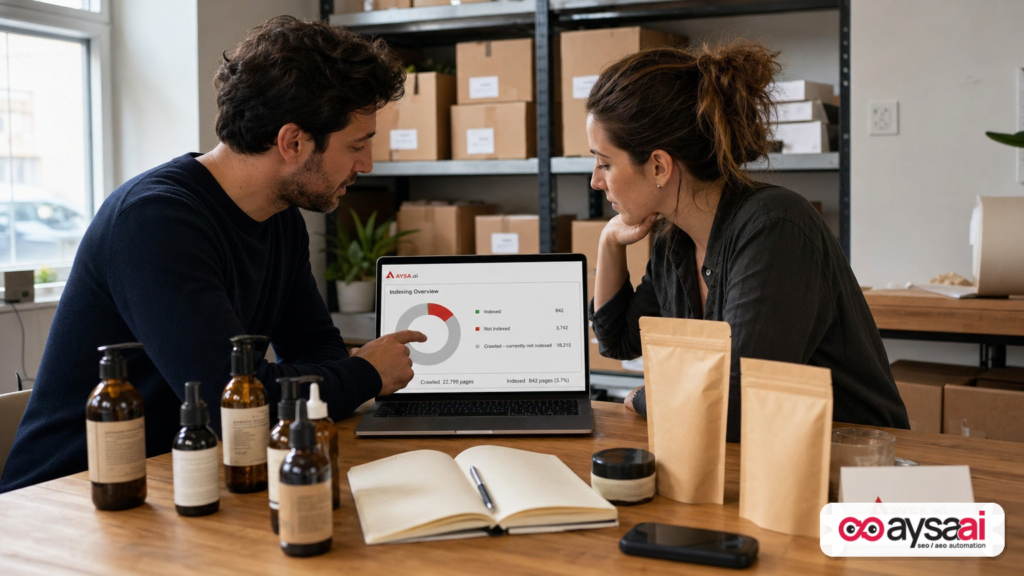
Search is still built on Crawling and indexing, but the economics changed.
In the past, a site owner could publish a “complete guide” that summarized what’s already out there and still get indexed—and sometimes rank—because the web wasn’t saturated with near-identical content. Today, any competitor can generate 50 lookalike pages in an afternoon. Google has to defend its index from becoming a duplicate-content landfill, especially when AI-generated text makes replication trivial.
Marie Haynes reported from a Google Search Central event that Google’s threshold for indexing is rising because “the threshold for creating things is lower,” and that Google wants content with personal experience and knowledge no one else has. Whether you agree with that framing or not, it matches what businesses are experiencing: lots of content gets crawled, but only a fraction is deemed worth indexing.
Layer on AI-driven results—like AI Overviews—that often answer the query before a user clicks. If AI Overviews provide a high-confidence summary, Google needs fewer redundant pages in the index to satisfy users. That doesn’t mean websites are “dead.” It means replaceable pages are fragile.
So if your team’s plan is “publish more pages,” the indexing report is going to become your reality check.
Discovered vs. crawled vs. indexed: the mental model that prevents bad decisions
Most indexing panic comes from misunderstanding the pipeline:
- Discovered – currently not indexed: Google knows the URL exists but hasn’t crawled it yet (could be crawl budget, internal linking, site health, or prioritization).
- Crawled – currently not indexed: Google crawled the URL and chose not to put it in the index (yet).
- Indexed: The URL is eligible to appear in search results (not a guarantee it will rank well, but it’s in the database).
That middle state is what we’re addressing: Google visited and still opted out.
The instinct is to treat that as an error. But “crawled, not indexed” is often a decision, not a failure.
Google itself reinforces this in its communications about the indexing report (via the Search Off the Record discussion Marie referenced): if there’s no technical issue, you often need to “take a step back and think about the quality overall,” including the full page experience—not just the text.
The two buckets: “Google can’t see it” vs. “Google doesn’t need it”
When I’m advising SMEs and agencies, I push a simple split that keeps everyone honest:
- Visibility failures: Google can’t reliably see or render your main content, or you’re signaling “don’t index this” through canonicals/robots/noindex, or you’ve unintentionally blocked CSS/JS needed to load content.
- Value failures: Google can see it. It’s just not convinced it’s worth storing and serving—because it’s duplicative, thin, untrusted, or buried inside a poor user experience.
This split matters because the remedies are completely different. If it’s visibility, you fix rules and templates. If it’s value, you fix strategy, content operations, internal linking, and page experience—and you likely prune or consolidate.
A practical triage method: which URLs deserve attention first?
When a site has hundreds or thousands of “crawled – currently not indexed” URLs, the worst thing you can do is treat them all equally. That’s how teams burn quarters of effort and end up with no measurable outcome.
Instead, triage into four buckets:
Bucket A: “We truly want this indexed” (high business value)
These are pages that represent revenue, leads, or brand authority:
- Core service pages (dentistry, legal, home services, B2B offerings)
- High-margin product categories
- Key comparison pages in SaaS
- Original research or truly differentiating guides
These are your priority for improvement.
Bucket B: “This should exist, but not as its own page” (merge/consolidate)
Common examples:
- Five separate blog posts answering the same question with slight wording changes
- Location pages that are near-identical except the city name
- Ecommerce variant pages with no unique content
Plan a merge: pick a canonical winner, redirect others, and combine unique elements.
Bucket C: “This is a helper URL” (noindex or canonicalize)
Examples:
- Faceted/filter parameter URLs that create near-duplicates
- Internal search result pages
- Pagination and feed URLs (often normal to see in reports)
These aren’t “bad.” They’re just not meant to be indexed. You want them to support discovery and user navigation without bloating the index.
Bucket D: “We shouldn’t have published this” (remove or rewrite from scratch)
This is where commodity content lives: content written because “we needed blogs,” “we needed long-tail,” or “our competitor has this page.” If it doesn’t provide distinct value, it’s often better to remove it than to carry the site-wide drag.
Once triaged, you can build a worklist that matches real impact instead of vanity metrics like “number of URLs indexed.”
Technical causes (rare, but real): what to check in 30 minutes
In the Search Engine Journal piece, a concrete example stood out: a migration plus a robots.txt rule that blocked parameterized URLs—Disallow: /*?*—and accidentally prevented Google from loading CSS/JS required by the theme. The live test revealed Google could only see a heading and boilerplate, not the real content.
That’s the perfect illustration of a technical failure: Google did crawl the URL, but what it crawled was essentially an empty shell. If that’s your situation, quality improvements won’t matter until you fix rendering.
Here’s a fast technical checklist for “crawled, not indexed” investigations:
1) Use Search Console’s URL Inspection + “Test Live URL”
If you can’t see main content in the rendered output (or if key resources fail), treat it like a technical incident.
Primary reference: Google Search Console: URL Inspection tool (official documentation).
2) Check robots.txt for overbroad rules
Robots mistakes are common after migrations, theme changes, CDN changes, or “quick fixes” to block tracking parameters.
Primary reference: Google Search Central: robots.txt specifications.
3) Ensure critical CSS/JS isn’t blocked
If your site relies on client-side rendering or heavy JS, blocking resources can make pages look thin or broken to Google. If Google can’t load the components that inject content, it may crawl but decide not to index.
4) Confirm you’re not self-sabotaging with noindex or canonicals
Common pitfalls:
- Template accidentally adding
noindexto product/category pages - Canonical pointing to a different URL (sometimes intentional, sometimes not)
- Parameter pages canonically pointing to a generic page, leaving the parameter pages in reports
Primary reference: Google Search Central: canonicalization and duplicate URL consolidation.
5) Validate server responses and edge behavior
Intermittent 5xx errors, soft 404s, or geo/CDN issues can cause Google to see inconsistent content. If the page is occasionally empty or blocked, it may linger in “crawled, not indexed.”
If you clear these checks and Google can see full content reliably, it’s time to stop blaming technical SEO and confront the harder truth: value.
Quality causes (common): how Google frames the problem now
The key takeaway from the source article (and the Search Off the Record excerpts it referenced) is this: when Google systems have concerns about the overall quality of a website, they may index fewer pages.
That’s a site-level signal, not a page-level bug.
In practice, I see “crawled, not indexed” behave like a throttle:
- You publish 100 pages; only 20 index.
- You improve, consolidate, prune; later Google tries more pages.
- You scale commodity content again; indexation slows and volatility increases.
And importantly: this is not always fixable with a single “better article.” If the site’s content footprint is largely replaceable, Google has little incentive to invest resources indexing everything.
Commodity content in the AI era: why “good” isn’t good enough
Here’s the uncomfortable reality for modern businesses: being “correct” is cheap now. Being “original” is expensive.
Commodity content isn’t necessarily wrong. It can be well-written, grammatically clean, and factually accurate. But it’s also:
- Predictable: the same headings and the same examples as everyone else
- Uncommitted: doesn’t take a position or show real-world tradeoffs
- Unproven: no firsthand evidence, workflows, or examples
- Unowned: could be published under any brand name and nothing would change
That’s exactly the kind of page Google can afford to skip indexing—especially when AI answers reduce the need for ten similar pages.
If you want indexing (and visibility) to improve, you need to build pages that answer: “Why should Google store your version?”
What non-commodity content looks like for SMEs
You don’t need to be a global publisher. SMEs can create non-commodity value in very practical ways:
- Original experience: “What we do in our shop/clinic/warehouse and why”
- Real constraints: budgets, timelines, sourcing issues, staffing realities
- Decision frameworks: how to choose between options (with pros/cons that reflect reality)
- Specific policies: shipping rules, warranties, care instructions, eligibility criteria
- Original media: photos, short videos, annotated screenshots (not stock filler)
- Unique data: internal benchmarks, anonymized trends, FAQs from customers
And yes—AI can help draft. But the differentiator is what you add that AI can’t honestly invent.
User experience counts as quality: ads, interstitials, and “heavy pages”
One of the most important points in the Search Off the Record excerpts is that quality is not just text. Pages can have great writing and still be poor experiences—slow, cluttered, ad-choked, or dominated by interstitials. Even if Google can extract the words, users experience the full page.
For SMEs, the most common “experience” problems that correlate with indexing/ranking friction are:
- Aggressive popups that appear immediately, especially on mobile
- Ads or affiliate modules that push the actual answer below the fold
- Endless intro filler that delays the core information
- Heavy scripts that make the page feel slow or unstable
These aren’t only conversion issues—they’re quality signals. If users bounce quickly or struggle to access the main content, indexing and ranking become harder to earn and easier to lose.
Indexing is an information architecture problem (not just page quality)
Many teams approach “crawled, not indexed” one URL at a time. That’s understandable—and often a trap.
At scale, indexation is driven by information architecture:
- Internal linking: are important pages clearly linked, or buried?
- Duplication patterns: are you producing 100 near-identical pages that compete with each other?
- Canonical strategy: are you consolidating signals to winners?
- Template quality: do pages share the same thin patterns site-wide?
- Content inventory discipline: are you pruning, merging, and maintaining?
This is where many agencies and content teams struggle: publishing is easy, but consolidation and maintenance are operationally hard. Yet consolidation is often the fastest path to restoring trust and indexation.
A note on “fan-out content” and scaled production risk
The source article mentions a trend: not only covering a topic thoroughly, but also anticipating every related “fan-out” query and publishing many pages around it. That strategy used to work as an SEO growth lever. It still can—if the pages are distinct and valuable.
But if fan-out becomes mass-produced commodity content, it can create an index footprint that looks like it was built for algorithms rather than people. Even if you never receive a manual action, the outcome can be similar: reduced indexation, reduced visibility, and a site that feels like it’s “stuck.”
I’m careful not to claim any specific update caused your issue unless we can verify it with your data. But I am comfortable saying this: scaled sameness is a liability in modern search.
SME scenario: an ecommerce brand with 8,000 “indexable” pages—and 5,000 not indexed
Let’s make this real with a scenario I see constantly in ecommerce:
Business: a direct-to-consumer ecommerce brand selling skincare.
What they did:
- Launched with ~200 products
- Enabled faceted navigation (skin type, concerns, ingredient, price range)
- Published a large number of “ingredient” and “routine” blog posts, many AI-assisted
- Added “collection” pages for every combination of filters
What happened:
- Google crawled a lot of URLs because internal links and sitemaps exposed them.
- Thousands landed in “crawled – currently not indexed.”
- Teams assumed “crawl budget” or “GSC bug,” and kept publishing more.
What’s really going on (usually):
- Many filter/collection pages are near-duplicates with minimal unique value.
- Ingredient/routine posts repeat what’s already in AI answers and top results.
- Product pages may be light on unique media, usage guidance, or trust signals.
- Google has no reason to index 8,000 pages when only a few hundred are truly distinct.
The fix isn’t “force index.” It’s to reduce duplication and increase uniqueness where it matters:
- Decide which facets deserve indexation; noindex or canonicalize the rest.
- Consolidate routine content into fewer, stronger pages with real demonstrations, photos, and brand-specific guidance.
- Upgrade product/category pages with unique value: comparisons, real FAQs, care instructions, and original photography.
- Strengthen internal linking so Google understands the winners.
In this scenario, “more pages” is not growth. It’s noise. The growth move is fewer, better, more owned pages—and a cleaner index footprint.
What agencies must rethink: scaled production vs. scalable value
Agencies are in a tricky position. For years, content production was the scalable deliverable: publish X posts/month, build topical authority, grow traffic. AI made production easier—and that’s precisely why the strategy is now risky when executed as volume.
The new agency advantage isn’t “we can publish faster.” It’s:
- We can publish with differentiated value (real expertise, real positioning, real assets).
- We can prune and consolidate without losing business intent coverage.
- We can improve templates and UX (because quality is page experience too).
- We can run execution safely (because the riskiest part is changing revenue templates).
Indexing issues expose operational weakness. Most teams can diagnose. Few teams can implement across CMS templates, sitemaps, internal linking, canonicals, and content workflows without breaking something or stalling in approval cycles.
That’s why the future agency stack looks less like “content calendar + writers” and more like “content strategy + technical governance + execution system.”
Where AYSA fits: monitor → prepare → approve → execute (without breaking your site)
Indexing recovery is not a one-time checklist—it’s an operating model. That’s exactly where AYSA is designed to help.
AYSA isn’t “an SEO audit PDF.” It’s an approved execution system:
- Monitor: Track visibility and indexing-related signals as ongoing health, not a quarterly surprise. See AYSA Monitoring.
- Prepare: Generate a structured plan of changes (technical fixes, consolidation plans, internal linking updates, content upgrades) with clear reasoning and risk notes.
- Ask for approval: You (or your client) approve what changes go live—critical when touching templates, product/category pages, or high-revenue content.
- Execute accepted website changes: Implementation is where most SEO projects die. AYSA is built to close that gap responsibly.
Practically, this matters in “crawled, not indexed” projects because you often need a blended set of changes:
- Robots/canonical/noindex rules for duplicate URL patterns
- Internal linking adjustments to prioritize the right pages
- Content consolidation (redirects, merges, content updates)
- Template changes that improve UX quality signals (not just words)
If you want a deeper view into how we think about AI search visibility (AEO/GEO) and what to measure, start here: AYSA AI Search Visibility. If you want to see the tooling angle: AYSA AI SEO Tools. And if you’re evaluating whether this model fits your team’s resourcing reality: AYSA Pricing.
Indexing is a symptom. Execution is the cure.
What to do next: the 13-step action plan
Here’s the playbook I recommend for SMEs and agencies dealing with “crawled – currently not indexed.” It’s deliberately operational—because that’s what drives outcomes.
1) Quantify the scope and pattern
In Google Search Console, open the Page indexing report and note:
- How many URLs are “crawled, not indexed”?
- Is it mostly one directory (e.g., /blog/, /collections/, /locations/)?
- Did it spike after a migration, theme change, or content scale-up?
Pattern beats anecdotes.
2) Sample intelligently (don’t inspect 500 URLs)
Pick 10–20 URLs from different types:
- High-value pages you care about
- Low-value/duplicative pages
- New vs. old pages
The goal is to detect whether this is isolated or systemic.
3) Run URL Inspection “Test Live” on the sample
If Google can’t render main content, you have a technical visibility issue. Fix that first before touching content.
Official reference: URL Inspection tool documentation.
4) Audit robots.txt and blocked resources
Look for broad disallows, especially parameter rules. Confirm CSS/JS assets required to display content aren’t blocked.
Official reference: robots.txt guidance.
5) Audit canonicalization for common misconfiguration
If your pages canonicalize to other URLs, “crawled, not indexed” can be a normal side effect. Confirm it’s intentional.
Official reference: Canonicalization and duplicate URL consolidation.
6) Triage URLs into the four buckets
Keep & improve, merge, noindex/canonicalize, remove/rewrite. This is where you stop treating indexing as a vanity goal.
7) Reduce index noise (noindex/canonicalize duplicates)
For many sites, the fastest win is reducing duplicate URL patterns that create low-value inventory. This can improve Google’s perception of site quality and focus crawling/indexing on what matters.
8) Consolidate overlapping content into a smaller set of winners
If five pages answer the same intent, you’re splitting relevance signals and creating redundancy. Merge content into one strong page and redirect the rest (when appropriate).
9) Upgrade “must-index” pages with owned value
For Bucket A pages, add what competitors and AI summaries can’t easily replicate:
- Firsthand process and decision criteria
- Original media and examples
- Real FAQs from customers
- Clear positioning and tradeoffs
10) Improve internal linking to reinforce your winners
Make sure your most important pages are:
- linked from navigation or strong hubs where relevant
- linked contextually from related content
- not buried behind infinite pagination or thin tag pages
11) Clean up user experience issues that suppress perceived quality
Reduce intrusive interstitials, improve page load stability, and ensure the main content is accessible quickly—especially on mobile.
12) Use indexing requests surgically (not emotionally)
After meaningful improvements, you can request indexing for a limited set of pages. But repeated requests without changes are usually wasted effort. Your goal is to make pages that Google chooses to index without being begged.
13) Monitor the trend line, not the daily fluctuations
Indexing changes can take time. Watch:
- the count of “crawled, not indexed” over weeks/months
- whether newly published pages index faster than before
- whether organic impressions expand for the improved page set
Then iterate. Indexing is a system.
What to do next (action list)
- Pick 20 URLs from “crawled, not indexed” across page types and run a live test in GSC.
- Decide your index footprint policy: what page types should be indexable vs. noindexed/canonicalized.
- Consolidate 5–10 clusters of overlapping content into clear winners.
- Upgrade 10 revenue pages with owned value (real examples, media, FAQs, comparison logic).
- Fix one UX friction point that makes your pages feel “low quality” (intrusive popups, ad density, heavy scripts).
- Set a monitoring cadence so indexing doesn’t become a quarterly emergency. Start with AYSA Monitoring.
If you want AYSA to help
If your team is stuck at “we know what to do, but implementation keeps slipping,” that’s the exact gap AYSA is built to close: monitor, prepare changes, get approval, and execute what’s accepted—safely.
- Explore tooling: AI SEO Tools
- Visibility framework for AI search: AI Search Visibility
- Ongoing monitoring: AYSA Monitoring
- Plans: AYSA Pricing
- More editorials: AYSA Blog
Sources and further reading
- Search Engine Journal (research inspiration): Why Your Pages Are Stuck In Crawled-Currently Not Indexed & What To Do About It
- Google Search Console Help: URL Inspection tool
- Google Search Central: robots.txt specifications
- Google Search Central: Canonicalization / consolidate duplicate URLs
Continue the AI search topic inside AYSA.
Use these pages to connect the article with AI SEO tools, AI visibility monitoring, AI Overviews and approved website execution.
Turn this topic into a website action plan.
Use these AYSA hubs to move from reading to technical fixes, AI visibility monitoring, research, glossary context and approval-first SEO execution.

