Google Ads API passkeys are becoming mandatory: what changes, what breaks, and how to operationalize it without slowing growth
Google is requiring passkeys to generate new OAuth refresh tokens in the Google Ads API user-auth flow. Existing refresh tokens keep working, but onboarding, agency workflows, and SaaS platforms that create tokens will feel the change—especially with a possible seven-day trust delay. Here’s how to prepare your people, processes, and monitoring so security upgrades don’t become revenue bottlenecks.
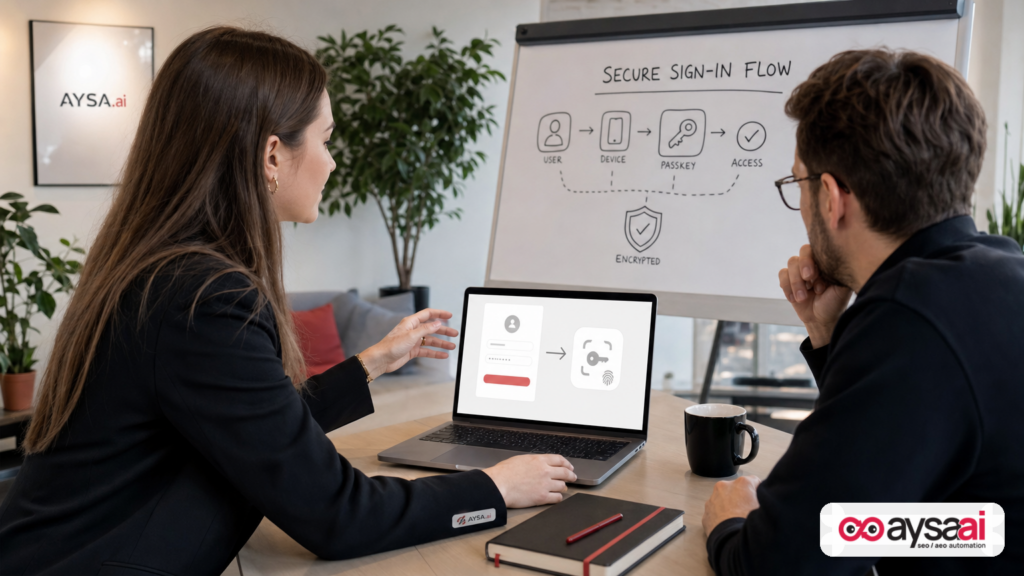
Google is forcing a security upgrade in a place most advertisers never think about: the moment a developer, agency, or SaaS platform generates a new OAuth 2.0 refresh token for the Google Ads API.
That’s not a headline that will trend with small business owners. But it will show up as an onboarding delay, a frantic Slack message, or a “why can’t we connect your Ads account?” support ticket—right when you’re trying to launch campaigns, migrate reporting, or switch agencies.
Starting in August, Google will require passkeys for users following the Google Ads API user authentication workflow to generate new OAuth refresh tokens. Existing refresh tokens keep working, and service accounts used for automated workflows aren’t affected. The policy was reported by Search Engine Land and is part of Google’s broader push away from passwords and legacy 2FA patterns.
This editorial is not a news rewrite. It’s an operational playbook: what actually changed, why it matters commercially, what can break in real organizations, and what you should implement so “security improvement” doesn’t become “growth slowdown.” I’ll also show where AYSA fits—because platform changes only hurt when teams fail to execute consistently.
Concise summary (for busy operators)

- What changed: When generating new Google Ads API OAuth 2.0 refresh tokens via the user authentication workflow, Google will require passkeys (not password-only, not SMS/TOTP for that workflow).
- What didn’t change: Existing refresh tokens keep working. Service accounts used for automated workflows are not affected (per the source).
- Operational risk: A newly created passkey may have a seven-day security delay before it becomes fully trusted (per the source). That can block onboarding timelines.
- Who should care: Agencies, developers, SaaS platforms, analytics/reporting integrators, and any business that frequently creates new API connections for clients or new Google Ads users.
- What to do: Update onboarding checklists, pre-create passkeys, adjust client instructions, add Monitoring/alerting for auth workflows, and build a runbook for token creation failures.
Table of contents

- What changed: passkeys are required for new Google Ads API refresh tokens (user auth flow)
- Why Google is doing this (and why it won’t be the last time)
- Who’s impacted: agencies, SaaS, in-house teams, and SMEs
- The hidden operational risk: onboarding delays and the seven-day trust window
- Failure modes you should anticipate (before your client texts you “Ads is down”)
- Practical prep: process checklists for agencies, SaaS platforms, and SMEs
- Governance: who owns authentication, security, and continuity?
- What to monitor: the difference between “it works today” and “we’re safe”
- A concrete SME scenario: a local clinic switching agencies mid-quarter
- Why this belongs in a search-growth conversation (not just a developer chat)
- Where AYSA fits: execution discipline when platform rules change
- What to do next (action list)
- Sources and further reading
What changed: passkeys are required for new Google Ads API refresh tokens (user auth flow)

Let’s get precise, because the nuance matters.
Google is making passkeys mandatory for users who generate new OAuth 2.0 refresh tokens through the Google Ads API user authentication workflow. According to Search Engine Land, the rollout begins August 5 and expands to all users over the following weeks.
When the change is active for your account/workflow:
- Passkeys replace password-only and traditional 2FA (SMS codes and TOTP) for generating new refresh tokens via this workflow (as described in the source).
- If a user doesn’t have a passkey, they’ll be prompted to create one during authentication (as described in the source).
- Existing refresh tokens remain valid and don’t require reauthorization (as described in the source).
- A newly created passkey may face a seven-day security delay before being fully trusted (as described in the source). Google recommends creating a passkey ahead of time to avoid delays.
Also, this requirement extends beyond “the API” in the abstract. The source notes it will apply to other Google Ads products that rely on the Google Ads API, including:
- Google Ads Editor
- Google Ads Scripts
- BigQuery Data Transfer Service
- Looker Studio
That list is important because it signals that this is not an edge-case for one developer workflow. It is an ecosystem shift across tools that marketers use to edit, automate, move data, and report.
Quick definitions (plain English)
Passkey: A modern login method designed to replace passwords. Typically tied to a device (phone, laptop) and unlocked by biometrics (Face ID / fingerprint) or a device PIN. (This article won’t speculate on implementation details beyond what’s in the source.)
OAuth refresh token: A long-lived credential that lets an app keep accessing an account (via access tokens) without asking the user to sign in every time. If you’ve ever connected Google Ads to a reporting tool, a bid management system, or an agency dashboard, refresh tokens are likely involved.
User authentication workflow: A flow where a human signs in and grants access to an application. In contrast, some back-end workflows use service accounts (not affected, per the source) to automate access under controlled conditions.
Why Google is doing this (and why it won’t be the last time)
There are two ways to read this change:
- As a narrow policy: “Google Ads API token generation needs passkeys now.”
- As a directional signal: “Google is continuing to remove passwords and legacy 2FA from high-value access paths—especially those that can be programmatically exploited.”
The directional signal is the one operators should care about, because it changes how you build durable marketing operations.
APIs are leverage. They let you automate bidding, pull cost data, build dashboards, and run large-scale account management. The same leverage makes them attractive for attackers. Tightening authentication around the creation of refresh tokens is consistent with reducing the chance that a compromised password or intercepted SMS code becomes a persistent programmatic access path.
Even if you’re not thinking about attackers daily, you’re already feeling the downstream reality: every platform is becoming stricter about identity, consent, and security. When the platform tightens rules, your workflow either absorbs it cleanly—or it breaks at the worst time.
So the real “why” for you is not philosophical security. It’s operational continuity.
Who’s impacted: agencies, SaaS, in-house teams, and SMEs
Search Engine Land notes “most advertisers won’t notice.” That’s true in the narrow sense: if you never generate new refresh tokens, nothing changes tomorrow.
But in practice, many businesses generate new tokens more often than they think. Here’s who will feel it first:
1) Agencies onboarding new clients (or new users at existing clients)
If you’re an agency, token creation happens at the exact moment when expectations are highest:
- “We just signed. Launch next week.”
- “Our previous agency is locked out. Can you take over today?”
- “We need reporting live before the board meeting.”
Passkeys add a new requirement: someone at the client must have a passkey set up (and potentially trusted) to complete token generation. That’s not hard, but it is a dependency. Dependencies are what blow up timelines.
2) SaaS platforms connecting to Google Ads on behalf of users
If your product asks a user to “Connect Google Ads,” you’re in the authentication business—even if you don’t want to be. A passkey requirement changes the UX, support docs, and the “time-to-first-value” of your integration.
It also changes support patterns: expect more tickets like “I can’t connect,” “It’s asking for something new,” and “My device doesn’t have that.”
3) In-house marketing teams with developer support
If you run in-house pipelines (BigQuery transfers, Looker Studio dashboards, scripts), the change may surface when:
- a key employee leaves and access must be reestablished
- a token is revoked during a security review
- a new market or account is added and needs fresh connectivity
The “it still works today” comfort is real—but it can become a trap if you don’t plan for reauthorization events.
4) SMEs that rely on partners (even if they don’t know it)
Small and mid-sized businesses usually don’t manage tokens directly. But they are the ones who suffer if:
- reporting goes dark
- conversion optimization stalls
- campaign launches slip
- the agency relationship becomes tense (“we’re waiting on you”) without clarity
That’s why this is a business topic, not just a developer topic.
The hidden operational risk: onboarding delays and the seven-day trust window
The single most operationally meaningful detail in the source is the seven-day security delay that may apply before a newly created passkey becomes fully trusted.
I’m going to translate that into business language:
- You can do everything “right” and still not be unblocked immediately.
- Your onboarding timeline can silently gain a week if you wait until token generation day to create the passkey.
That’s a real risk for any business where:
- cash flow depends on launching campaigns fast
- a seasonal window matters (holidays, events, promotions)
- you’re mid-migration between tools or agencies
Why delays hurt more than you think
Marketing ops delays don’t just “push a task.” They cascade:
- Campaign build starts late → fewer learning cycles → weaker performance in the first month.
- Reporting starts late → fewer insights → slower budget reallocation.
- Attribution gaps widen → internal trust drops → leadership questions the channel.
Security teams call this “risk reduction.” Growth teams feel it as “friction.” Mature operators handle it as “process design.”
Failure modes you should anticipate (before your client texts you “Ads is down”)
Let’s talk about what can actually go wrong—not in theory, but in the messy way organizations behave.
Failure mode #1: The wrong person is asked to authenticate
Agencies often send “Please connect Google Ads” to whoever signed the contract. That might be the owner, office manager, finance lead, or someone who doesn’t manage Google accounts daily.
Now add passkeys:
- They may not have a compatible device ready.
- They may be hesitant to set up biometrics for a work account.
- They may be traveling or unavailable.
Fix: Assign the right “authentication owner” up front (more on governance below).
Failure mode #2: The passkey exists, but trust delay blocks progress
The source warns a newly created passkey may be subject to a seven-day security delay. If your onboarding checklist doesn’t account for this, you can hit a wall on day one.
Fix: “Pre-create passkey” becomes a prerequisite step for new clients/users, not a just-in-time task.
Failure mode #3: Token generation becomes a support bottleneck
If you are a SaaS platform, the more friction there is in “Connect Google Ads,” the more support volume you’ll get. If your support team doesn’t understand passkeys, tickets will bounce between support, engineering, and the customer.
Fix: Update help docs and train support with a simple decision tree (passkey ready? trust delay? device?) rather than technical jargon.
Failure mode #4: Shadow IT workarounds increase
When teams get blocked, they improvise:
- They share login access insecurely.
- They use a personal device “just to get it done.”
- They create a shared account with weak governance.
Ironically, poor operational handling of a security change can decrease security.
Fix: Provide an approved, documented path that is fast enough that teams don’t need workarounds.
Failure mode #5: Reporting tools quietly lose the ability to reconnect
Existing refresh tokens keep working. That can lull teams into thinking “we’re fine.” But the moment a token is revoked or a connector needs to be reauthorized, the passkey requirement will appear—possibly during an incident.
Fix: Proactively test the reauthorization path in a controlled window (not during a live outage).
Practical prep: process checklists for agencies, SaaS platforms, and SMEs
If you want this change to be a non-event, you need to treat authentication like a product feature: design the user journey, own the documentation, and monitor the outcomes.
Agency checklist: onboarding and client enablement
- Update your onboarding email/template: explicitly state that a passkey is required to generate new Google Ads API refresh tokens (for the user auth workflow) and that a trust delay may apply.
- Identify the client’s authentication owner: name + backup person. Don’t leave it ambiguous.
- Schedule a 15-minute “connectivity call” early: do not attempt token creation five minutes before a campaign launch.
- Pre-create passkeys: ask clients to set up passkeys ahead of time, not during the call, to reduce surprises (and to avoid the seven-day delay risk).
- Create an internal runbook: step-by-step for token generation, troubleshooting, and what to do if blocked by a trust window.
- Maintain a “critical integrations inventory”: list all systems that depend on Google Ads API access (reporting, bid tools, scripts, data pipelines), plus owners.
SaaS checklist: product, support, and UX
- Audit every place you initiate OAuth: onboarding flows, settings pages, reconnect prompts, and support macros.
- Update in-app copy: explain passkeys in simple language and link to your help doc (not to generic “contact support”).
- Add a preflight check: confirm the user can complete the authentication journey without losing their place (avoid multi-device confusion if applicable).
- Train support: provide a short decision tree for the top failure modes (no passkey, passkey trust delay, wrong user account).
- Instrument the funnel: measure drop-off at “Connect Google Ads” so you can quantify impact and fix friction.
SME checklist: if you’re the advertiser, here’s how to stay in control
You shouldn’t need to understand OAuth to protect your business from onboarding delays. Do these instead:
- Ask your agency/SaaS: “Do we need to create a passkey to connect Google Ads API? Who should do it?”
- Assign an internal owner: one person responsible for access and identity tasks (with a backup).
- Don’t wait for emergencies: if you anticipate switching agencies, changing reporting tools, or adding markets, set up passkeys now.
- Keep a simple integration map: What tools pull data from Google Ads? What breaks if they disconnect?
Governance: who owns authentication, security, and continuity?
In most small and mid-sized companies, the answer is “nobody.” That’s why changes like this hurt.
Here’s a practical ownership model that works without bureaucracy:
Recommended owners (simple RACI)
- Responsible: Marketing Ops / Growth Ops (or the most operational marketer) owns the checklist and timeline.
- Accountable: Head of Marketing (or founder) ensures the business prioritizes access hygiene.
- Consulted: IT/Security (if you have it) validates device/passkey policies and offboarding processes.
- Informed: Agency partners, analytics/reporting owners, finance stakeholders who need reporting continuity.
If you’re an agency, mirror this structure internally. Someone must own “auth continuity” the same way someone owns “billing continuity.”
Don’t ignore offboarding (it’s where tokens and access die)
This passkey requirement is about creating new refresh tokens. Offboarding is often the moment refresh tokens get revoked or accounts get locked down. If you routinely lose connectivity after staff turnover, treat that as a signal to formalize your access management.
What to monitor: the difference between “it works today” and “we’re safe”
Most teams monitor campaign performance. Fewer monitor access health. But once you rely on APIs, access health is a production dependency.
Monitor these signals (conceptually)
- Connector health: Is your reporting pipeline pulling fresh Google Ads data?
- Auth error rates: Are API calls failing due to auth issues (401/403 patterns in your logs)?
- Token age and reauth events: When was the last time you generated a refresh token? Who owns it?
- Onboarding throughput: How long does “connect Google Ads” take from start to finish?
I’m intentionally not prescribing exact dashboards or numeric thresholds because those are organization-specific and the source does not provide official implementation details. The point is to operationalize auth health as a monitored system.
Build a runbook before you need it
A good runbook is boring. It answers:
- Who is allowed to initiate token creation?
- What devices/accounts are required?
- What do we do if prompted to create a passkey?
- What do we do if a passkey isn’t trusted yet (seven-day delay)?
- What is the fallback plan if we can’t reconnect today?
Agencies: this should be a templated asset you reuse. SaaS teams: this should be internal + a simplified customer-facing version.
A concrete SME scenario: a local clinic switching agencies mid-quarter
Let’s make this real.
Business: A multi-location dental clinic spending meaningfully on Google Ads for new patient leads.
Situation: The clinic decides to switch agencies mid-quarter because lead quality has dropped. The new agency promises to launch improved campaigns within 10 business days, including new landing pages, call tracking, and updated reporting.
What goes wrong under the new passkey requirement:
- The clinic’s owner (who signed the contract) is asked to connect Google Ads to the agency’s reporting system.
- They don’t have a passkey set up for the Google account used to manage Ads.
- They create a passkey during the flow, but the system applies a trust delay (the source notes this may happen).
- The agency can’t generate the refresh token needed to power reporting and automation.
- Launch slips. The relationship starts with friction. The owner blames the agency, even though the issue is a platform security change.
What “good” looks like:
- During kickoff, the agency identifies the clinic’s operations manager as the authentication owner and schedules a connectivity call within 48 hours.
- They send a simple preflight checklist: create passkey now; confirm access to the right Google Ads manager account; pick a backup approver.
- They explain the potential trust delay up front and plan the timeline accordingly.
- Reporting and pipelines are connected early, while creative and landing pages are being built—parallelizing work instead of serializing it.
This is the difference between a security change being a footnote and it becoming a business disruption.
Why this belongs in a search-growth conversation (not just a developer chat)
At AYSA, we think about search growth as a system: visibility → Clicks → conversions → learning loops → compounding improvements. Paid search is part of that system for many SMEs, especially when organic is volatile or slow to ramp.
When an API auth change slows your ability to:
- launch campaigns
- measure conversions
- move budget based on performance
- diagnose lead quality by channel
…it directly impacts growth. Not because passkeys change bidding algorithms, but because they change your operational throughput.
This is also a preview of the broader reality: in 2026 and beyond, search teams are operating across:
- traditional SERPs and paid placements
- AI-driven discovery and “answer engines”
- multiple identity and consent layers
That means execution discipline matters more than strategy decks.
Where AYSA fits: execution discipline when platform rules change
AYSA is built as an SEO/AEO/GEO execution system: we monitor, prepare changes, ask for approval, and then execute accepted website changes. You can explore the product starting points here:
So how does an Ads API passkey requirement relate to AYSA?
1) Platform changes are constant; execution is the differentiator
Whether the platform change is authentication, Structured data policy, indexing behavior, or AI Search presentation, the pattern is the same:
- Rules change.
- Workflows break at the edges.
- Teams scramble if they don’t have a disciplined execution system.
AYSA’s “approved execution” model is designed to prevent silent drift: you see what’s changing, you approve what matters, and changes actually get deployed. In the broader marketing ops stack, you need the same philosophy for integrations and authentication: visibility, approval, execution, and auditability.
2) Monitoring is not just for rankings—it’s for business continuity
AYSA’s orientation toward monitoring and action is the mindset agencies and SMEs need right now. Not because AYSA manages passkeys, but because your growth stack needs fewer single points of failure.
If you treat search visibility and website execution as a monitored system (with approvals and controlled deployment), you’re more likely to treat ads integrations the same way: as production infrastructure, not “that thing we set up once.”
3) Paid + organic alignment gets easier when execution is centralized
In the real world, when ads tracking breaks or reporting delays occur, teams often pause website improvements too—because they can’t measure impact. AYSA helps keep the website execution pipeline moving with clarity and approvals, so you don’t lose momentum while other parts of the stack adapt.
That matters for SMEs: you can’t afford to stall both paid and organic progress because an integration step got harder.
What to do next (action list)
Use this as a practical next-step checklist. If you do nothing else, do the first three.
- Inventory your Google Ads API dependencies: Which tools, dashboards, scripts, or services depend on Google Ads API access (including Ads Editor, Scripts, BigQuery transfers, Looker Studio as noted in the source)?
- Assign an authentication owner + backup: Name the person who will complete passkey/auth steps for the business (and who can do it when they’re on vacation).
- Pre-create passkeys before you need them: Don’t wait for a reconnect event. The source notes a possible seven-day trust delay, so plan ahead.
- Update onboarding timelines: Agencies and SaaS providers should adjust timelines and customer communications to account for passkey creation and potential delays.
- Write a token-generation runbook: Keep it simple and operational. Include escalation paths and a “what if we can’t reconnect today?” plan.
- Instrument and monitor the connection funnel: Measure drop-off and auth-related support tickets so you can quantify friction and improve the process.
- Keep website execution moving: While your paid stack adapts, continue improving your site’s content, technical health, and AI search visibility using an approved execution approach (see AYSA Monitoring and AI search visibility).
Sources and further reading
- Search Engine Land — Google makes passkeys mandatory for Google Ads API users (primary source for the change described here)
- Search Engine Land — SEO and PPC alignment starts with your org chart (organizational context and alignment implications)
- Search Engine Land — Google begins rolling out in-account certification applications (example of operational shifts inside ad platforms)
- Search Engine Land — Microsoft Ads adds Ad Preview Hub to Performance Max (platform changes across paid ecosystems)
- AYSA — AI SEO tools
- AYSA — AI search visibility
- AYSA — Monitoring
- AYSA — Pricing
- AYSA — Blog
Note: This editorial intentionally avoids claiming implementation specifics beyond what’s in the provided source. For official documentation on passkeys and Google Ads API authentication flows, consult Google’s official developer documentation directly (not included in the supplied research context).
Continue the AI search topic inside AYSA.
Use these pages to connect the article with AI SEO tools, AI visibility monitoring, AI Overviews and approved website execution.
Turn this topic into a website action plan.
Use these AYSA hubs to move from reading to technical fixes, AI visibility monitoring, research, glossary context and approval-first SEO execution.