Google Crawlers’ IP Ranges Moved: What Changed, Why It Matters, and How to Future‑Proof Your Allowlisting
Google quietly changed where it publishes the IP range files for its crawlers. That sounds minor—until it breaks allowlists, bot verification routines, log analysis, WAF rules, and agency monitoring setups. Here’s what changed, what can go wrong, and a practical action plan SMEs and agencies can execute (and keep executing) with AYSA’s approved-change workflow.

By Marius Dosinescu, AYSA.ai
Every SEO team learns this the hard way: the changes that look “tiny” on paper are often the ones that break the most systems in the real world. Google’s note about a new location for its crawlers’ IP range files is one of those changes. The announcement itself is short. The operational impact can be anything but.
Why? Because IP range files—when organizations use them—tend to become an upstream dependency for security allowlists, CDN/WAF rules, log classification, bot verification scripts, and internal dashboards. Move the file, and a surprising number of automated workflows stop updating silently. A month later someone notices: product pages aren’t getting discovered, new blog posts aren’t Indexing, or Search Console shows crawl anomalies. And then everyone scrambles.
This editorial explains what changed, why it matters, what can go wrong, and what SMEs, agencies, and technical teams should do next. I’m also going to make a broader argument: this is exactly the type of “small-but-recurring” Technical SEO maintenance where Approved Execution matters—monitor continuously, propose changes, get approval, and execute safely. That is what we build at AYSA.
Concise summary
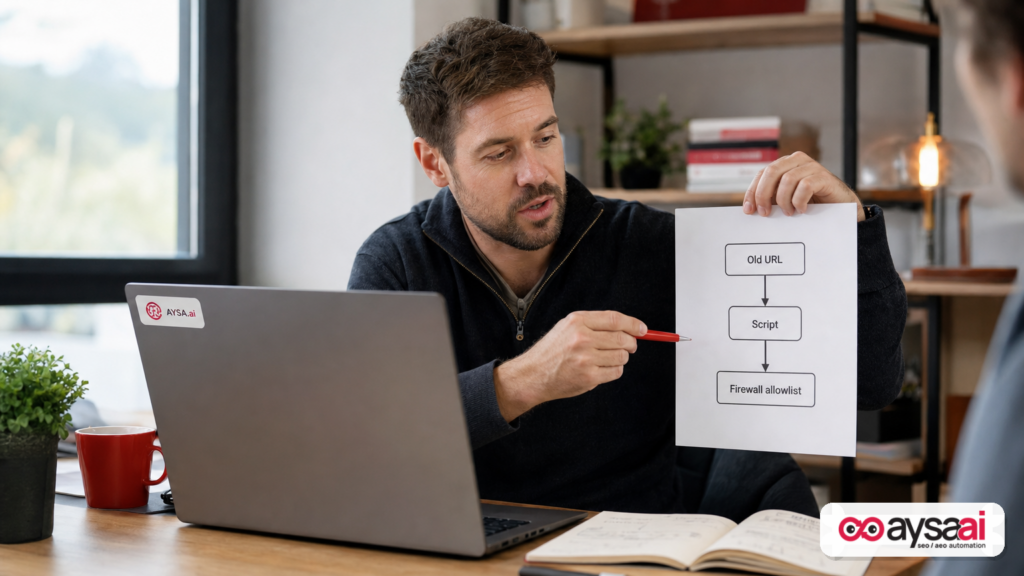
- Google published an update: the IP range files for Google crawlers have moved to a new location. Source: Google Search Central: “New Location for the Google Crawlers’ IP Range Files”.
- If your systems fetch those files automatically (for allowlisting, WAF rules, bot detection, logging, or monitoring), a location change can cause stale allowlists and unintended Googlebot blocking.
- Many businesses rely too heavily on IP allowlisting. Verification and access policy should be multi-signal and managed like a production change: owned, monitored, auditable, and repeatable.
- AYSA’s role: monitor for crawler access and crawl anomalies, prepare recommended changes (e.g., allowlist updates, robots checks), ask for approval, and execute accepted website/configuration updates—without living in a constant fire drill.
Key takeaways (read this if you’re busy)
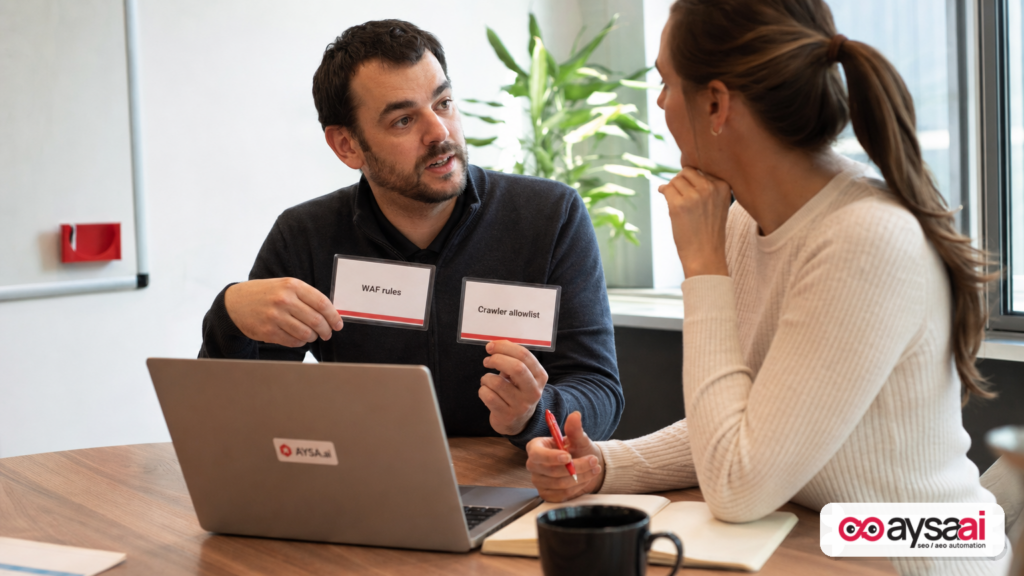
- If you have any IP allowlisting in place for “Google” (WAF/CDN/firewall/app-level), confirm it’s fed by the new file location and still updating.
- Stale allowlists don’t always block everything. They often block “some” Googlebot traffic—creating inconsistent crawling and slow indexing that’s hard to diagnose.
- Don’t treat IP ranges as identity. IPs are one signal. Real verification requires layered checks and a policy that security and marketing agree on.
- Make this a process, not a project. The right system is one that keeps working when people forget about it.
Table of contents
- What changed: Google moved the crawler IP range files (and why that’s a bigger deal than it sounds)
- Why Google publishes crawler IP ranges at all (and who should care)
- The operational risk: what breaks when your Googlebot allowlist goes stale
- Real-world SME scenario: a store that “secured” itself into an indexing slowdown
- Do you even need to allowlist Googlebot IPs?
- How to verify Google crawlers safely (without relying on IPs alone)
- Security vs SEO is a false tradeoff—if you manage changes like a business
- What to monitor so you catch crawler-blocking early
- Action plan: update, validate, and future-proof your crawler access
- What agencies should rethink: “set it and forget it” technical SEO is dead
- The AYSA angle: approved execution for technical SEO changes that security teams can live with
- FAQ: common questions about Google crawler IP ranges and allowlisting
- What to do next
- Sources and further reading
What changed: Google moved the crawler IP range files (and why that’s a bigger deal than it sounds)
Google published a short note in the Search Central Blog: the files containing IP ranges for Google crawlers are now hosted in a new location. The key point is not the prose—it’s the dependency graph that exists behind the scenes.
Most businesses don’t “manually read” an IP range file. They do one of these:
- A security engineer builds an allowlist rule once and points a script at Google’s published IP range file.
- An ops team uses an internal tool that periodically fetches the file and updates firewall objects.
- A CDN/WAF bot-management configuration imports IP ranges into a rule set.
- A data team classifies traffic in logs (Googlebot vs not) by matching against IP ranges.
In every case, the URL where the file lives becomes an assumption baked into automation. When the location changes, those automations can fail quietly. The system might:
- Stop updating but keep using the last known list.
- Throw errors that nobody alerts on.
- Fallback to a partial configuration.
And because IP changes don’t necessarily produce an immediate outage, you can go weeks without noticing. Googlebot will still crawl from many IPs, just not all the relevant ones. That’s what makes this category of problem so expensive: it creates soft failures—partial crawling, inconsistent rendering/fetching, and slow discovery.
Primary source: Google Search Central Blog.
Why Google publishes crawler IP ranges at all (and who should care)
Let’s take a step back. Google’s crawler ecosystem is not a single bot. “Googlebot” is often used as a catch-all term, but in practice organizations see a mix of user agents and crawling behaviors across products and purposes (web crawling, image crawling, ads-related fetches, etc.).
So why would Google publish IP ranges for crawlers?
- Operational clarity: Some site owners want a way to identify traffic as likely coming from Google’s infrastructure.
- Security posture: Some organizations run strict allowlists/denylists at the edge and need authoritative ranges.
- Network policy compliance: Enterprises sometimes must document what external entities are allowed to access production systems.
- Debugging: When crawling issues happen, being able to segment “known crawler IPs” can speed up root-cause analysis.
But here’s who should actually care about the location change:
- SMEs with an aggressive WAF/CDN configuration (often installed by a hosting provider or IT vendor) that includes bot rules or allowlists.
- Ecommerce brands that rely on rapid discovery of new product URLs, category reshuffles, and inventory changes.
- Publishers whose revenue depends on fresh indexing (and who may rate-limit or block aggressively to manage costs).
- Agencies who maintain “standard security hardening” templates that include allowlisting patterns.
If you’re a simple brochure site with no WAF rules beyond defaults, you might not be affected. If you run any form of strict allowlisting—this matters immediately.
Related Google documentation that’s often relevant during crawler-access audits includes Google Search Central’s Documentation, especially sections on robots.txt and Sitemaps. These aren’t about IP allowlisting specifically, but they’re core when you’re troubleshooting crawling and indexing.
The operational risk: what breaks when your Googlebot allowlist goes stale
When allowlists go stale, the failure modes aren’t always obvious. You rarely see a single, dramatic “Googlebot is blocked” alarm. Instead, you see symptoms that can be misdiagnosed as content quality, algorithm updates, or “Google being weird.”
1) Indexing slows down (especially for new or updated URLs)
Google’s crawl and recrawl patterns depend on many signals, and your site’s ability to serve consistent responses matters. If some crawler IPs get blocked or challenged (CAPTCHAs, JS challenges, 403/429 responses), Google may back off.
Practical symptom: you publish a new page and it takes days or weeks to show up, even when the site historically indexed quickly.
2) Rendering and fetching gets inconsistent
Modern sites increasingly rely on JavaScript, personalization, edge middleware, and bot-detection layers. If certain IP ranges are treated differently (challenged, rate-limited, served alternate content), Google’s fetch may differ from what you expect.
Practical symptom: sometimes Google caches the correct version, sometimes it indexes a thin or incomplete version, or certain templates index but others don’t.
If your site is JS-heavy, Google’s guidance on JavaScript and SEO is relevant as background: JavaScript SEO basics.
3) WAF/CDN “bot protection” starts blocking legitimate crawlers
Security products are designed to stop scraping, credential stuffing, and abuse. They’re not designed to optimize for Google crawling. When you add custom rules—especially allowlisting rules that aren’t maintained—you create a brittle system:
- If you allowlist only some crawler ranges, you may block the rest.
- If you tie allowlisting to a script that fails, you may block all future changes.
- If you use “verify by user agent,” you may allow imposters and still block real crawlers under certain challenge flows.
4) Log analysis and reporting becomes misleading
Many teams segment traffic as “Googlebot” by matching IPs. If your list is stale, your report will show fewer Googlebot requests than reality—or misclassify Google traffic as “unknown.” That can lead to bad decisions:
- Overreacting to what appears to be a crawl drop.
- Missing real crawl issues because the classification broke.
- Blaming content or SEO strategy when the problem is network policy.
5) Cost spikes and performance degradation (yes, really)
This is counterintuitive. Some organizations add allowlisting to reduce bot load. But partial allowlisting can increase load if it triggers repeated retries, incomplete caching behavior, or forces crawlers into slower code paths (e.g., challenge pages, redirects, edge compute).
Bottom line: stale allowlists are a technical SEO risk, a security risk, and a data quality risk.
Real-world SME scenario: a store that “secured” itself into an indexing slowdown
Here’s a scenario that will feel familiar if you run an ecommerce business—without needing to be an SEO expert.
The business: A mid-sized ecommerce store selling home fitness equipment. They refresh categories frequently (new product drops, seasonal bundles, price updates).
The change: They roll out a new WAF configuration recommended by a vendor: “Block unknown bots, allow known good bots.” The vendor imports an allowlist based on Google crawler IP ranges, pulled automatically from Google’s published file location.
The hidden failure: The import job breaks after the IP file moves. Nobody notices because the WAF still works—sites load for users. Orders still come in. Support tickets are normal.
The SEO symptom:
- New products stop appearing on Google Shopping results (not necessarily a “penalty”—just slow discovery).
- New category pages take much longer to index.
- Search Console starts showing odd crawl patterns: fewer crawled pages, or increased “blocked” responses for certain fetches.
The business outcome: The store’s “new arrivals” pages stop pulling their weight. Demand is there, but visibility lags behind the merch calendar.
The fix: Update the allowlist source to the new file location, validate that the WAF rules are not challenging Google crawling, and set monitoring alerts so this can’t silently break again.
This is not hypothetical theater. This category of issue happens constantly in different disguises: CDN migrations, WAF upgrades, rate-limiting changes, hosting provider “security hardening,” even simple refactors that inadvertently treat crawlers as suspicious traffic.
Do you even need to allowlist Googlebot IPs?
Here’s my opinionated take: most SMEs don’t need to allowlist Googlebot by IP—and if they do, they need to treat it as a living system, not a one-time setting.
Why you might consider IP allowlisting:
- You run a locked-down environment with strict edge rules and want deterministic access for crawlers.
- You’re mitigating abuse and need to treat “known infrastructure” differently from unknown traffic.
- You have compliance requirements and documented network policies.
Why IP allowlisting can be a trap:
- It’s brittle. IP ranges change, and your policies must keep up.
- It’s incomplete identity. IPs alone do not prove intent or legitimacy if you’re trying to prevent spoofing.
- It shifts responsibility. SEO becomes dependent on security operations, which can be great—if you have process. It’s a disaster if you don’t.
A more sustainable posture for many SMEs is:
- Keep WAF rules sane (don’t challenge or block common crawlers unless you must).
- Use robots.txt, meta tags, canonicals, and sitemaps to guide crawling and indexing. Google’s guidance: robots.txt, meta tags, canonicalization.
- Monitor crawl behavior and errors as a first-class operational metric.
In other words: allowlisting is not “SEO.” It’s infrastructure policy. If you choose it, own it like infrastructure.
How to verify Google crawlers safely (without relying on IPs alone)
When teams talk about “verifying Googlebot,” they’re usually trying to solve one of two problems:
- Security: “We want to block fake bots pretending to be Google.”
- Operations: “We want to ensure Google can crawl us, and we can identify its traffic accurately.”
IP ranges help with operations. For security, relying solely on IP allowlisting is a partial solution at best—and sometimes it creates new risks (like over-permitting, or locking yourself into brittle configuration).
What a safer, business-grade approach looks like (conceptually):
- Layered identification: combine multiple signals (request patterns, reverse DNS verification where appropriate, consistent user-agent behavior, and known IP ranges when explicitly published).
- Explicit exception paths: if your WAF uses challenges, create well-defined exception rules for verified crawlers rather than broad “allow all” rules.
- Observability: ensure you can detect when crawlers are being challenged or blocked (status codes, response sizes, challenge pages).
I’m deliberately not prescribing a single “one true method” here because implementation depends on your stack (CDN, WAF vendor, hosting, app framework). The business-level point is: don’t treat IPs as identity. Treat them as one input in a controlled system.
If you need background on how crawling works overall, Google’s documentation hub is the right starting point: How Google Search Works.
Security vs SEO is a false tradeoff—if you manage changes like a business
I’ve seen two unhelpful extremes:
- Marketing says: “Don’t block anything; it hurts SEO.”
- Security says: “Block everything; SEO will adapt.”
Both positions are naïve.
The real business objective is: protect the site while preserving predictable discovery and indexing. That requires collaboration and operational maturity. Here’s what that looks like in practice:
Shared ownership with clear boundaries
- Security owns policy (what is allowed, what is challenged, what is blocked).
- SEO owns outcomes (indexing health, crawl accessibility, template-level discoverability).
- Engineering/ops owns implementation (rules, scripts, deployments, monitoring).
Change management, not heroics
Anything that can block crawlers is production-critical for growth. Treat it like production:
- Document the current state.
- Make changes with approvals.
- Validate immediately after deployment.
- Monitor continuously for regression.
This is where SMEs and agencies often struggle: nobody owns the ongoing maintenance of these rules. And that’s precisely why “file location changes” become incidents.
What to monitor so you catch crawler-blocking early
If you take nothing else from this article, take this: you cannot manage crawler access by policy alone. You manage it by policy plus monitoring.
1) Server logs (or edge logs) for crawler behavior
You don’t need perfect bot identification to see problems. You need to track patterns:
- Status code distribution for likely crawler traffic (200/301/302 vs 403/429/5xx).
- Spikes in response size that indicate challenge pages or interstitials.
- Sudden changes in crawl frequency on key templates (product pages, categories, blog posts).
2) Google Search Console signals
Search Console is not just a reporting tool; it’s often your first “something changed” indicator.
While this editorial can’t assume a specific Search Console report view for every case, you should generally be reviewing:
- Crawl-related anomalies (where available).
- Indexing coverage patterns (are new URLs getting picked up?).
- Template-level changes after deployments.
If you’re still getting started, Google’s broader “essentials” guidance is helpful: Search Essentials.
3) Sitemap ingestion and recrawl behavior
Sitemaps won’t solve a blocking problem, but they’re a good early indicator when discovery slows down. Google’s documentation: Sitemaps.
4) Business KPIs that correlate with discovery
For SMEs, the most useful monitoring is often brutally simple:
- Are newly launched products getting organic impressions within your typical timeframe?
- Are new blog posts showing up for brand queries quickly?
- Did a release coincide with an organic “flatline” in specific sections?
These are the smoke alarms. Logs and rules are the fire investigation.
Action plan: update, validate, and future-proof your crawler access
This section is intentionally practical. If you’re an owner/operator or an agency lead, you should be able to hand this to your team and ask for a status update within a week.
Step 1: Inventory every place crawler IP ranges are used
Ask a simple question: “Where do we reference Google crawler IP ranges?” You’re looking for:
- Firewall allowlists
- CDN allowlists
- WAF custom rules
- Bot manager configurations
- Log parsing scripts / ETL jobs
- Internal dashboards that label “Googlebot” traffic
Most organizations find at least one “forgotten” script.
Step 2: Update the file location reference to Google’s current source
Use Google’s announcement as your primary reference and update whatever job/config depends on the old location. Source: New Location for the Google Crawlers’ IP Range Files.
Important: Don’t just update the URL. Validate the parsing and update logic. Location changes often coincide with format changes over time (even if not stated). If your script assumes a specific structure, make sure it still works.
Step 3: Validate from the outside (not just “the config saved”)
After updating, validate real outcomes:
- Are suspected Google crawler requests receiving 200/301 responses, not 403/429?
- Are you seeing fewer challenge/interstitial responses on crawler traffic?
- Do key pages fetch normally and consistently?
If you have environments (staging vs production), validate in the same environment crawlers hit—usually production.
Step 4: Add monitoring that alerts when updates stop
The hidden failure is “stale forever.” Add at least one monitoring check that detects:
- The IP range import job hasn’t run successfully in X days.
- The allowlist object hasn’t changed in X days (if it should change).
- Crawler-related 403/429 responses exceeded a threshold.
This is how you avoid replaying the same incident the next time something changes.
Step 5: Create an explicit policy: what happens when you can’t verify?
Security teams hate ambiguity. SEO teams hate blanket blocks. Your policy should answer:
- If verification fails, do we challenge, rate-limit, or allow?
- What is the rollback plan?
- Who gets paged or alerted?
Step 6: Audit the basics (robots, sitemaps, canonicals) while you’re here
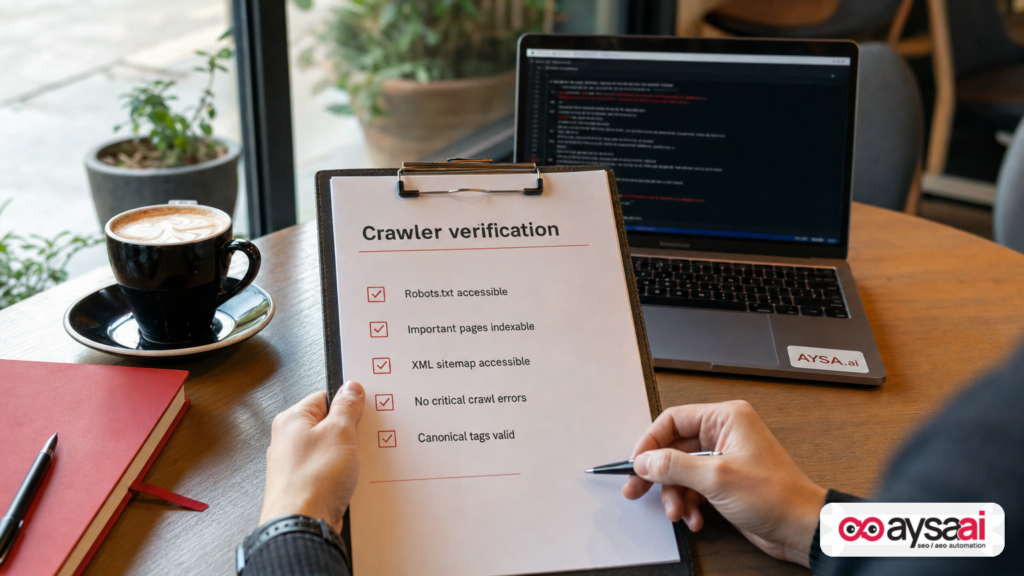
Crawler access issues often coexist with other crawl inefficiencies. While you’re already focused on crawling, it’s smart to run a short audit of:
- robots.txt rules (especially after platform changes)
- Sitemaps health and freshness
- Redirect patterns (chains waste crawl)
- Canonicalization consistency
These are “evergreen” technical SEO controls. If you’re going to touch infrastructure, it’s worth confirming you didn’t accidentally create crawl waste elsewhere.
What agencies should rethink: “set it and forget it” technical SEO is dead
Agencies are often the ones who inherit the mess. But agencies also sometimes create it—unintentionally—by delivering “best practice” setups that aren’t maintained.
If you run an agency or manage clients, here’s what I’d change after this Google update:
Stop delivering IP allowlisting as a one-time deliverable
If you recommend allowlisting, it must include:
- Ownership (who maintains it?)
- Monitoring (how do we know it’s working?)
- Change management (how do updates get approved and deployed?)
Make crawl accessibility a recurring KPI
Most SEO reports focus on rankings, traffic, and content. Add a section that tracks crawl health signals and known blocking risks. It reduces the time-to-diagnosis when traffic shifts.
Build playbooks for WAF/CDN ecosystems
Different stacks behave differently. Your “standard hardening” for one provider can be harmful on another. Build a playbook that includes:
- How to ensure crawlers aren’t challenged
- How to test after deployments
- Where to look when indexing slows down
None of this is glamorous. It’s also the difference between predictable growth and constant surprises.
The AYSA angle: approved execution for technical SEO changes that security teams can live with
This Google update is a perfect example of why we built AYSA around approved execution.
Most SEO tools can tell you something might be wrong. That’s not enough. The real-world bottleneck is:
- Someone has to interpret the issue,
- someone has to propose the right fix,
- someone has to get it approved (especially when security is involved),
- and someone has to deploy it safely.
AYSA’s model is built to close that loop: monitor → prepare → ask for approval → execute accepted changes.
Here’s how that maps to crawler-access and IP allowlisting realities:
1) Monitor what matters
Technical SEO isn’t a quarterly checklist anymore. You need ongoing monitoring because the web stack changes constantly (WAF rules, CDN updates, CMS deployments, plugin changes). AYSA’s monitoring philosophy is central to preventing “silent failures.” Learn more: AYSA Monitoring.
2) Prepare changes with context (not generic recommendations)
When crawl issues appear, generic advice like “check robots.txt” isn’t enough. You need a prioritized plan that’s realistic for your stack and team.
This connects directly to how we approach AI-era visibility too—because if your pages aren’t consistently accessible and indexable, you’re not just losing classic rankings; you’re undermining your presence in AI-driven discovery surfaces. See: AI Search Visibility.
3) Ask for approval (because security and IT have to sign off)
Many SMEs can’t just “change the firewall.” They need an approval step. That’s healthy. The problem is when the approval workflow is disconnected from SEO outcomes. AYSA makes approvals part of the operating model rather than a blocker.
4) Execute accepted website changes reliably
Execution is where SEO value is won or lost. This is especially true for technical SEO: small config changes can produce big outcomes. AYSA is positioned as an execution system, not just a reporting layer.
If you want the broader toolkit view, start here: AI SEO Tools.
Where AYSA fits for different teams
- SMEs: You get a system that helps you keep technical SEO healthy without becoming an infrastructure expert.
- Agencies: You reduce the “recurring fire drill” load and build a repeatable operations layer across clients.
- In-house teams: You create an auditable pipeline of technical SEO changes that security and engineering can trust.
If you want to understand how this is packaged, pricing and structure are here: AYSA Pricing.
And if you want more editorials like this—focused on execution, not theory—browse: AYSA Blog.
FAQ: common questions about Google crawler IP ranges and allowlisting
Is this an SEO issue or a security issue?
It’s both. If crawler access becomes inconsistent, SEO outcomes (discovery, indexing, rendering) degrade. The controls that cause it typically live in security infrastructure (WAF/CDN/firewall). The winning approach treats it as a shared operational responsibility.
What if we don’t use allowlisting at all?
Then the file-location change probably won’t affect you directly. But it’s still a useful moment to audit whether any vendor-managed security layer has “known bot” rules that depend on external lists.
Do WAF vendors automatically handle this?
Some do, some don’t, and some customers override defaults. The point of this editorial is not to blame vendors—it’s to remind operators that “automatic” systems often depend on URLs and imports that can break. Verify your configuration and monitoring.
Can’t we just use robots.txt instead?
robots.txt is essential for crawl management, but it doesn’t solve the problem of a WAF blocking requests before robots.txt is even reached. They work at different layers. Google’s robots.txt intro: robots.txt.
Will sitemaps fix slow indexing if crawlers are blocked?
No. Sitemaps help discovery, but they don’t override access problems. If fetches are blocked (403/429/challenges), sitemaps won’t rescue you. Google’s sitemaps overview: Sitemaps.
Does this matter for AI search visibility too?
Yes, indirectly. AI-driven discovery surfaces still depend on the underlying web corpus being crawlable and indexable. If your technical foundation is unstable, your ability to appear consistently in any search experience suffers. AYSA’s perspective on this is here: AI search visibility.
What to do next
- Confirm whether you use Google crawler IP ranges anywhere. Search your infrastructure repos, scripts, and WAF/CDN configs for references.
- Update the reference to the new location per Google’s announcement and validate the import/parsing logic.
- Run a crawl-access validation on critical templates: homepage, top categories, product pages, and recent blog posts.
- Set monitoring/alerts for stale imports and crawler-blocking status codes (403/429/5xx spikes).
- Write down ownership. Decide who is responsible for crawler access policy and who is responsible for outcomes.
- If you want a system for ongoing monitoring and approved execution, evaluate AYSA starting with Monitoring and AI SEO tools.
Sources and further reading
- Google Search Central Blog: New Location for the Google Crawlers’ IP Range Files
- Google Search Central Documentation
- Google Search Essentials
- How Google Search Works
- robots.txt (Google Search Central)
- Sitemaps (Google Search Central)
- JavaScript SEO basics (Google Search Central)
- Canonicalization (Google Search Central)
- Redirects (Google Search Central)
Continue the AI search topic inside AYSA.
Use these pages to connect the article with AI SEO tools, AI visibility monitoring, AI Overviews and approved website execution.
Turn this topic into a website action plan.
Use these AYSA hubs to move from reading to technical fixes, AI visibility monitoring, research, glossary context and approval-first SEO execution.