Google’s New Merchant Listing Schema: Category + Sale Duration Are Small Markup Changes With Big Ecommerce SEO Consequences
Google quietly expanded Merchant Listing structured data with a new Category property and clearer Sale Duration markup (validFrom/validThrough/priceValidUntil). For ecommerce teams, this is more than “nice-to-have” schema: it’s a pathway to cleaner product understanding, fewer mismatches between pages and feeds, and more accurate sale pricing in Search and Shopping surfaces—if you implement it correctly and keep it synced.

Google’s latest Structured data update for merchants looks small on paper: a new Category property for Product markup and clearer guidance for Sale Duration using date fields like validFrom, validThrough, and priceValidUntil. But the impact is not small.
If you run ecommerce, you already live in the messy reality of product data: feeds, variants, custom collections, seasonal promotions, and pricing that changes faster than your pages do. Structured data is how you reduce ambiguity for Google—especially across Shopping surfaces where precision matters.
This editorial explains what changed, why it matters, what can go wrong, and exactly what to do next. I’ll also show where AYSA fits: monitor your product signals, propose updates, get approval, and execute accepted changes so your markup doesn’t drift over time.
Concise Summary
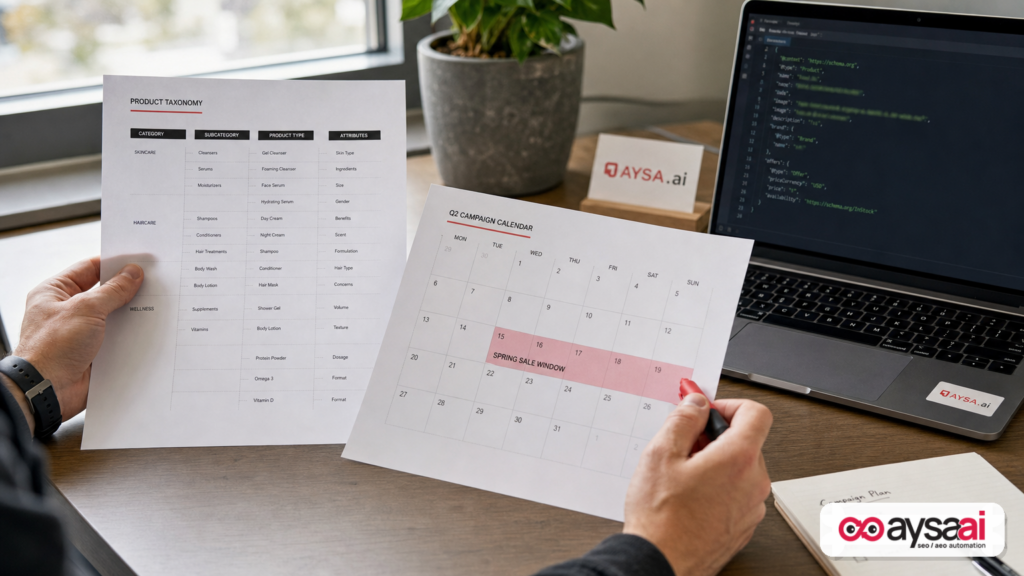
- Google added a recommended Product “category” property that can accept plain text or a
CategoryCodeobject tied to Google’s product taxonomy—bringing on-page markup closer to Merchant Center feed signals. - Google expanded guidance on sale duration to help merchants communicate when a sale price starts and ends using ISO 8601 date/time fields (with timezone recommended).
- This is about data consistency: aligning what your page says, what your feed says, and what customers see in Google’s surfaces.
- Execution is the hard part: frequent promotions and catalog changes cause schema drift. Monitoring + controlled deployment beats “set and forget.”
Table Of Contents

- What Changed In Google’s Merchant Listing Structured Data (And Why You Should Care)
- Merchant Listing Structured Data: The Real-World Context
- Category: The Missing Link Between Your Product Pages And Your Merchant Center Feed
- Plain Text vs CategoryCode: Which One Should You Use?
- Sale Duration: Stop Showing Expired Deals In Search (And Stop Training Google To Distrust Your Pricing)
- Implementation Patterns (And Where Teams Usually Break Them)
- What Can Go Wrong: The Failure Modes That Cost Money
- An SME Scenario: “Weekend Sale” For A Local Boutique With An Online Store
- What Agencies Should Rethink: From Deliverables To Systems
- What To Monitor (Because Schema Is Not “One And Done”)
- Where AYSA Fits: Approved Execution For Merchant Schema
- What To Do Next (Action List)
- Sources And Further Reading
What Changed In Google’s Merchant Listing Structured Data (And Why You Should Care)

Google updated Merchant listing structured data guidance to add two big capabilities for ecommerce sites:
- A new Product “category” property that can represent your own categories (plain text) and/or align directly to Google’s product taxonomy using a
CategoryCodeobject. - More explicit Sale Duration guidance using
validFrom,validThrough, andpriceValidUntilto communicate when a price is valid—especially for sale pricing.
The source story that brought this to light is from Search Engine Journal: Google’s New Merchant Listing Structured Data Improves SEO.
My take: these changes are Google tightening the connection between (1) what your Merchant Center feed says and (2) what your product page markup says. When those align, Google can be more confident showing rich product information—especially around category matching and sale pricing windows.
Merchant Listing Structured Data: The Real-World Context
Most ecommerce teams don’t have a single “product data source.” They have at least three:
- The product page (what shoppers see)
- The structured data (what crawlers interpret)
- The feed (what Merchant Center, marketplaces, and ad platforms ingest)
When those disagree, you get the classic Ecommerce SEO problems:
- Google shows a price that’s no longer correct.
- “Sale” callouts linger after a promo ended.
- Products appear in mismatched categories or irrelevant Shopping queries.
- Variant-level details get lost in translation.
Google’s structured data program has always been about reducing ambiguity. Schema.org markup doesn’t guarantee Rich results, but it does help Google understand what you mean. (Schema.org is the shared vocabulary: schema.org.)
In 2026 and beyond, the direction is clear: Google wants fewer guesses and more explicit merchant-provided facts—especially for commerce, where accuracy affects user trust.
Category: The Missing Link Between Your Product Pages And Your Merchant Center Feed
The new category property lets you classify products more clearly on the page, not just in feeds.
Why that matters in practice:
- Feeds are not the only truth Google sees. Google crawls your pages. If your pages are vague or inconsistent, Google has to infer.
- Your site’s navigation taxonomy is often marketing-led. “Gifts for Dad,” “Best Sellers,” “Summer Edit” might be great for humans—but not stable categories for a machine.
- Google’s product taxonomy is structured and standardized. When you map to it, you’re speaking Google’s language.
Google’s guidance (as quoted in the SEJ coverage) supports two approaches:
- Plain text category values (similar to a feed’s
product_type) CategoryCodevalues that reference a Google Product Taxonomy URL and provide either an ID or a full category path
It’s a subtle but important step: you can now create tighter unity between your on-page structured data and what you submit in Merchant Center—without relying on the feed alone.
Why Category Is Strategic (Not Just “More Schema”)
Category is not about stuffing keywords into markup. It’s about reducing category ambiguity at the entity level.
Think of the difference between:
- A product titled “Luna Dress”
- Versus a product explicitly categorized as “Apparel & Accessories > Clothing > Dresses”
Google already does classification, but when you provide an explicit classification that aligns to its taxonomy, you reduce the odds of misinterpretation—particularly for products whose names are branded, abstract, or trendy.
Plain Text vs CategoryCode: Which One Should You Use?
You can use both. But you should understand what each one communicates.
Option 1: Plain Text Category
Plain text is your custom product type. It’s flexible and reflects your internal merchandising logic.
Use it when:
- Your product catalog has unique internal groupings that don’t map cleanly to a standard taxonomy.
- You want to retain your own category labels for consistency across systems.
Risk: custom labels can become chaotic over time (“Dress,” “Dresses,” “Formal Dresses,” “Prom Dress”) unless you standardize them.
Option 2: CategoryCode (Google Product Category Alignment)
CategoryCode is the more “machine-precise” method. It references a Google taxonomy URL and uses codeValue as either a numeric ID or a full path (as described in the SEJ excerpt).
Use it when:
- You already set
google_product_categoryin Merchant Center feeds and want your pages to match. - You want to reduce mismatch risk between feeds and crawlable pages.
- Your catalog is large and needs strict categorization rules.
Risk: taxonomy mapping requires discipline. If you pick the wrong category or inconsistently apply it across variants, you create new confusion.
My Recommendation For Most SMEs
If you’re a typical SME ecommerce store (hundreds to a few thousand SKUs), do this:
- Keep plain text categories aligned with your internal navigation (clean them up if needed).
- Add CategoryCode for your primary Google Product Category where you’re confident in the mapping.
- Start with your top revenue categories first, then expand.
You’re not trying to “win schema.” You’re trying to eliminate the few data mismatches that create the majority of revenue leakage.
Sale Duration: Stop Showing Expired Deals In Search (And Stop Training Google To Distrust Your Pricing)
The second major update is about sale timing. Google’s guidance adds clarity on how to specify when a price is valid using:
validFrom(start)validThrough(end)priceValidUntil(end boundary; and per the SEJ excerpt, listings may not display if it’s in the past)
These properties communicate something ecommerce teams often fail to communicate consistently: this is a sale price, and it ends at a known time.
Why Sale Duration Has Outsized Impact
In commerce search surfaces, stale sale data is worse than missing data.
If Google sees repeated inconsistencies—sale price shown, then not honored; sale still marked after expiration; conflicting timestamps—it can reduce confidence in your pricing signals. Even if you don’t see a clear “penalty,” you can see:
- Less consistent display of rich product features
- Lower click-through because the displayed deal isn’t compelling or accurate
- More customer service friction (“But Google said it was $X…”)
Google’s documentation (via the SEJ excerpt) also emphasizes using ISO 8601 date/time format and recommends including time + timezone for accuracy.
Where Sale Duration Properties Go: Offer vs PriceSpecification
The guidance distinguishes between two implementation placements:
- On the Offer node when the
priceis the active sale price - On a PriceSpecification node when you define sale pricing there (noting that
priceValidUntilis not applicable toPriceSpecification, per the SEJ excerpt)
Even if you’re not writing markup by hand, this distinction matters because many ecommerce platforms and SEO apps generate schema in opinionated ways. Your job is to confirm where the “truth” of the sale price lives in your markup so you attach timing fields correctly.
Implementation Patterns (And Where Teams Usually Break Them)
Let’s talk about how this actually gets implemented on real sites—and why it often fails.
Pattern 1: “The Feed Has It, So We’re Done”
Many teams rely on Merchant Center feed attributes for categorization and sale windows, then leave the site markup minimal or generic.
The new Category property is a signal that Google wants better page-level alignment. A feed-only strategy can work, but it increases the odds of drift between what Google crawls and what your feed submits—especially if your pages are cached, localized, or rendered differently for bots.
Pattern 2: Template-Level Schema That Ignores Merchandising Reality
Another common pattern: a theme injects Product schema with a handful of fields (name, price, availability), but it doesn’t understand:
- Variant-specific categories
- Promo schedules
- Multiple overlapping promotions
- Regional timezones
This is where sale duration breaks first. If your schema template can’t express start/end windows, Google sees your sale price as “floating” indefinitely.
Pattern 3: Multiple Apps Outputting Conflicting Schema
It’s not unusual to see two or three JSON-LD blocks describing the same product—added by a theme, an SEO app, and a review app. This leads to:
- Conflicting price values
- Different availability states
- Different category assignments
Adding Category and Sale Duration amplifies the need to consolidate. More schema fields are only helpful if they are consistent.
What Can Go Wrong: The Failure Modes That Cost Money
Schema updates fail in predictable ways. Here are the ones that matter most for this update.
1) Wrong Category Mapping (Or Over-Mapping)
Choosing the wrong Google Product Category may not crash anything, but it can subtly reshape where you show up. If you map a product too broadly, you lose specificity. Too narrowly, you limit relevance.
Operational fix: create a category mapping spreadsheet for your top categories and standardize it before you implement at scale.
2) Timezone Drift On Sale Windows
Promotions are time-bound. Google recommends including time and timezone in ISO 8601. If your system stores promo times in one timezone but publishes in another, you can end sales early (or late) from Google’s perspective.
Operational fix: pick one canonical timezone for promotions and ensure your site outputs consistent ISO 8601 timestamps. If you cannot guarantee timezone correctness, you may choose date-only for some promotions—but you should be aware you’re trading precision for safety.
3) Expired priceValidUntil Values
Per the SEJ excerpt, listings may not display if priceValidUntil indicates a past date. That’s a direct warning: stale “until” dates can suppress visibility.
Operational fix: don’t hardcode. Generate these values dynamically based on your promotion engine, or remove them when no sale is active.
4) Conflicting Offer Nodes Across Variants
Variant-level pricing is a classic trap. If one variant is on sale and another isn’t, but your schema only outputs a single Offer, you risk communicating the wrong price window for at least part of the product.
Operational fix: ensure your schema generation logic matches your merchandising logic. If you can’t represent variant-level offers correctly, simplify the promotion strategy on those items or adjust how you represent offers.
An SME Scenario: “Weekend Sale” For A Local Boutique With An Online Store
Here’s a scenario I see constantly.
Business: a local boutique selling dresses and accessories online (Shopify/WooCommerce-style operation). They run a “Weekend Sale” from Friday 6pm to Sunday midnight.
What typically happens:
- The owner schedules a discount code in the store platform.
- The product page shows the correct sale price during the sale.
- The structured data either (a) never updates, or (b) updates price but not the window.
- On Monday, shoppers still see the sale callout in Google results (or in Shopping surfaces) even though it’s over—or they click expecting a deal and bounce.
What the new Sale Duration guidance enables: you can explicitly define the sale window so Google has less reason to keep showing sale pricing after it ends.
Where Category helps in the same business:</strong many boutique products have branded names (not descriptive). CategoryCode lets you classify those items as dresses, shoes, bags, etc., improving relevance matching.
SMEs don’t lose because Google “hates small business.” They lose because they ship promotions faster than they ship data consistency. That’s an execution gap—not a budget problem.
What Agencies Should Rethink: From Deliverables To Systems
If you’re an agency, the temptation is to treat this as a new checklist item: “Add category markup. Add sale duration markup.”
That mindset will fail for most clients because the real issue is not writing JSON-LD once—it’s keeping it correct while the catalog and promotions change.
What agencies should shift toward:
- Data governance:</strong who owns category mapping decisions?
- Promotion governance:</strong who owns sale start/end times and timezones?
- Change control:</strong how do schema changes deploy without theme/app conflicts?
- Monitoring:</strong what alerts you when expired dates or mismatches appear?
In other words: schema should be treated like an operational system, not a deliverable.
What To Monitor (Because Schema Is Not “One And Done”)
Once you implement Category and Sale Duration markup, the next job is keeping it clean.
Here’s what I recommend monitoring at minimum:
- Promo drift:</strong pages where sale price exists but dates are missing, or dates are in the past.
- Category drift:</strong pages where the site category changed but the CategoryCode mapping didn’t.
- Conflicting schema blocks:</strong multiple Product entities describing different prices or categories.
- Coverage by segment:</strong top revenue categories and top landing pages first.
This is exactly the type of operational work that should be automated and controlled, which is why we built AYSA Monitoring and the broader workflow around approved execution.
Where AYSA Fits: Approved Execution For Merchant Schema
Most “SEO tools” stop at audits: they tell you what’s wrong and leave you with a ticket list. The problem is that tickets die in backlogs—especially for SMEs without dedicated engineering.
AYSA is designed to close that gap:
- Monitor your site for changes and inconsistencies that affect search visibility (Monitoring).
- Prepare proposed updates (for example, adding CategoryCode mapping to Product markup, or inserting validFrom/validThrough on sale offers).
- Ask for approval so you keep human control over merchandising and brand risk.
- Execute accepted changes on-site, so improvements don’t stall.
This matters for the specific Google update because category and sale windows are living data. They change weekly (sometimes daily). A one-time schema project is not enough.
If you want the broader context of how we think about visibility across modern search experiences, start here: AI Search Visibility. For the toolset itself: AYSA AI SEO Tools. For ongoing learnings and playbooks: AYSA Blog. And if you need a practical place to evaluate fit and cost: Pricing.
What To Do Next (Action List)
Here’s the practical rollout plan I’d use for an SME or mid-market ecommerce brand.
1) Inventory Your Current Product Schema Output
- Identify where Product JSON-LD is generated (theme, app, custom).
- Confirm there’s only one primary Product entity per product page (or that multiple blocks are consistent).
2) Standardize Category Strategy Before You Touch Code
- Decide if you will output plain text, CategoryCode, or both.
- Create a mapping for your top categories to Google taxonomy categories.
- Start with high-volume/high-margin categories first.
3) Implement Category In Structured Data
- Add
categoryto Product markup. - If using CategoryCode, ensure
inCodeSetreferences the Google taxonomy URL as shown in Google’s guidance (via the SEJ excerpt).
4) Implement Sale Duration Where Your Sale Price Actually Lives
- If your sale price is the Offer price: add
validFromandvalidThrough(orpriceValidUntil) to the Offer. - If your sale price is within a PriceSpecification node: add
validFromandvalidThroughthere (and don’t usepriceValidUntilon PriceSpecification per the SEJ excerpt).
5) Add Guardrails For Promotions
- Require timezone-aware ISO 8601 formatting when feasible.
- Ensure end dates are never in the past for active sale offers.
- Define how flash sales and evergreen “compare at” pricing are represented.
6) Monitor And Iterate
- Watch for expired sale fields and category mismatches.
- Expand rollout from top categories to the rest of the catalog.
- Review after theme/app updates.
The Point Of This Update: Less Guessing, More Explicit Commerce Facts
Google is pushing merchants toward a more explicit product data contract. The new Category property and clearer Sale Duration guidance are not “SEO tricks”—they’re reliability upgrades. If your store can reliably tell Google what a product is and when a price is valid, you reduce the friction that keeps your listings from showing the best possible information.
For most businesses, the competitive advantage isn’t knowing this update exists. It’s being able to implement it correctly, keep it clean as promotions change, and do it without weeks of back-and-forth between marketing and dev.
That’s the execution gap AYSA is built to close.
Sources And Further Reading
- Search Engine Journal: Google’s New Merchant Listing Structured Data Improves SEO
- Schema.org (official vocabulary reference)
- Search Engine Journal: SEO section (context and ongoing coverage)
- Search Engine Journal: SEO News
Note: The SEJ coverage references Google’s Merchant Listing structured data documentation and a Google taxonomy URL. In this editorial, I’m intentionally not adding additional “official links” beyond what was provided in the supplied research context, to avoid implying direct browsing. If you’re implementing, you should confirm the latest Google documentation and taxonomy reference URLs match what you plan to deploy.
Continue the AI search topic inside AYSA.
Use these pages to connect the article with AI SEO tools, AI visibility monitoring, AI Overviews and approved website execution.
Turn this topic into a website action plan.
Use these AYSA hubs to move from reading to technical fixes, AI visibility monitoring, research, glossary context and approval-first SEO execution.