
Google Search Console’s “Validate Fix” Isn’t a Magic Button: When to Click It, When to Ignore It, and How to Operationalize Indexing Hygiene
Google’s John Mueller clarified what Search Console’s “Validate Fix” actually does: it samples affected URLs and, if they look resolved, accelerates recrawling for the rest of the known set. Used correctly, it’s a speed lever. Used blindly, it becomes busywork. Here’s how to build a practical indexing workflow for SMEs and agencies—and where AYSA’s approved execution model turns “we fixed it” into measurable recovery.

Search Console’s “Validate Fix” button is one of those UI elements that looks like it should end an argument.
You found an issue. You fixed it. You click the big button. Done.
Except that’s not how it works—and Google has now explained the mechanic in a way that should change how SMEs and agencies run Indexing operations.
Based on Google’s own explanation, “Validate Fix” is best understood as a recrawl accelerator for a specific issue’s known affected URLs, after Google tests a sample. It’s not a guarantee, not a verdict, and not required for Google to discover improvements.
This matters because “Validate Fix” is often misused as a daily ritual. Teams click it to feel progress, then spend weeks “managing” the Page Indexing report like a ticketing system—while real business problems (traffic drops, revenue losses, broken templates, bot blocks, wrong canonicals) wait in line.
I’m writing this from the perspective of building operational SEO systems at AYSA.ai: Monitoring, preparing changes, getting approval, and executing accepted website updates. The biggest gap I see isn’t knowledge—it’s execution discipline. The “Validate Fix” button sits right in the middle of that gap: it tempts teams into motion without necessarily moving the business forward.
Concise summary

- What “Validate Fix” does: Google checks a sample of affected URLs for the issue you selected. If the sample looks fixed, Google queues faster recrawling for the rest of the known affected set—not your whole site.
- What it doesn’t do: It doesn’t “approve” your fix, and it doesn’t mean rankings return. It’s not required; Google will eventually notice changes on normal crawl cycles.
- When it’s worth clicking: When you’ve fixed a sitewide/systemic issue that affected many URLs (server/CDN/bot protection causing 403/404, wrong robots rules, accidental Noindex, template-level canonical mistakes) and you need recovery faster.
- When it’s busywork: When the “issue” is expected behavior (intentional 404s after removals, redirects after migrations, canonical consolidation) or you only fixed one URL.
- How to turn this into an operating system: Triage issues by business impact, validate only after full fixes, and monitor recovery with an execution loop—exactly where AYSA’s monitoring and Approved Execution model fits.
Table of contents

- What changed: Google clarified what “Validate Fix” actually triggers
- The real meaning of “Validate Fix”: a recrawl accelerator, not a ruling
- Why it assumes you fixed everything (and why partial fixes fail)
- When the button earns the click
- When “Validate Fix” is a waste of time (and what to do instead)
- Stop treating the Page indexing report like a to-do list
- SME scenario: ecommerce catalog cleanup vs. accidental bot blocking
- A practical workflow: from “issue spike” to “recovered traffic”
- What to measure (besides your anxiety)
- Agency implications: validation theater vs. accountable execution
- Where AYSA fits: monitoring + approved execution, not more busywork
- What to do next (action list)
- Sources and further reading
What changed: Google clarified what “Validate Fix” actually triggers
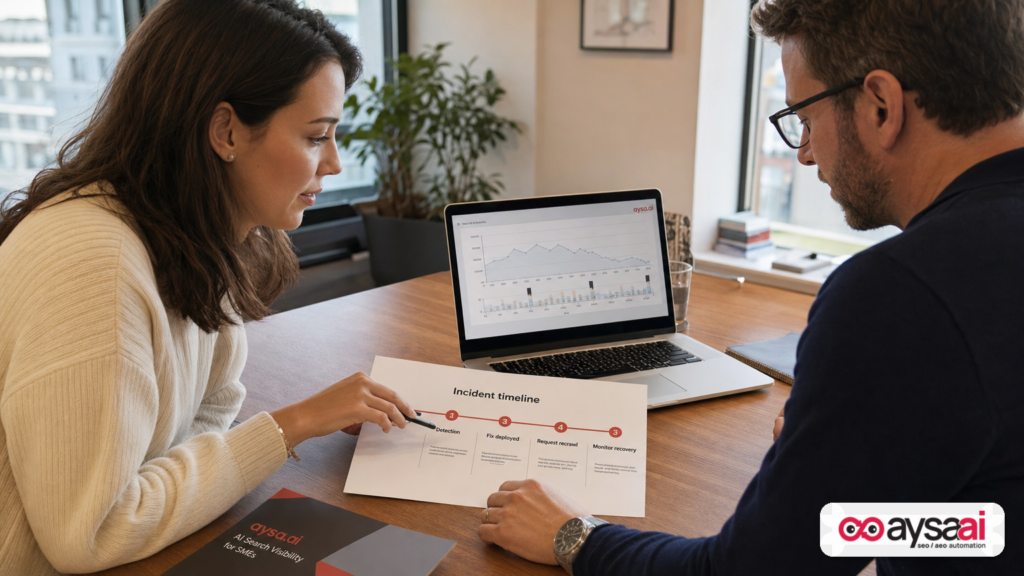
The core clarification comes from Google’s Search Off the Record discussion, summarized by Search Engine Journal. John Mueller explained that when you click “Validate Fix” for a specific issue (like 404s), Google:
- Tests a sample of URLs from the set of pages that Search Console believes are affected.
- If the issue persists on any sampled URLs, the validation stops.
- If the sample looks clean, Google then queues faster recrawling for the rest of the known affected URLs.
The key framing shift is this: validation isn’t a judgment layer. It’s not like submitting paperwork for an approval process. It’s a request to speed up Google’s verification by recrawling.
Primary research lead (summary and context): Search Engine Journal: When To Use Search Console’s “Validate Fix,” According To Google.
The Real Meaning of “Validate Fix”: A Recrawl Accelerator, Not a Ruling
To operationalize this, you need to separate three similar-sounding ideas that most teams blur together:
- Fixing a problem on your website (changing code, server behavior, CMS settings, redirects, canonicals, templates, etc.).
- Google discovering the change (recrawling, reprocessing, updating index signals).
- Search Console updating the report (the UI reflecting Google’s latest understanding of the affected set).
“Validate Fix” influences the second and third steps by pushing Google to recrawl the affected URLs sooner—assuming a sample suggests the fix really is in place.
That is materially useful in one situation: when time-to-recovery matters.
If an infrastructure incident caused thousands of valuable pages to look broken to Googlebot (403/404), waiting for regular recrawl can mean days or weeks of reduced visibility, depending on crawl patterns and site importance. In those moments, any “move recrawl forward” lever can be worth using.
But if your issue is expected (like intentional 404s after deleting products), “Validate Fix” is not speeding up something you need. You’re just adding process noise.
Why it assumes you fixed everything (and why partial fixes fail)
Search Console issues are grouped by pattern, not by your intention. When you click “Validate Fix” inside an issue, you’re effectively telling Google:
“This issue, for all URLs in this bucket, is resolved.”
That’s why partial fixes can’t pass. If you fixed one URL—or even one template—but the affected set includes multiple templates, subdomains, languages, parameters, or historical URLs, the sample can hit a still-broken case and end the validation early.
In practical terms, “Validate Fix” is a batch operation. If your work was not batch-complete, you will experience the button as unreliable. It’s not unreliable; it’s just not designed for one-off fixes.
For a single URL, the better mental model is: inspect, confirm, request. In Google Search Console, that typically means using the URL Inspection workflow rather than validating an entire issue bucket. (Google’s official documentation on Search Console features is the safest reference point; see: Google Search Console Help.)
When the button earns the click
Here’s the decision rule I recommend for business operators:
Click “Validate Fix” only when: (1) you fixed the underlying cause for the majority (ideally all) of the affected URLs in that issue, and (2) getting Google to recheck sooner has real business value.
What does that look like in real life?
1) Infrastructure incidents (server/CDN/WAF/bot protection)
Google’s own example (via the SEJ coverage) is one of the most common modern SEO incidents: a server, CDN, or bot protection layer starts returning 403 or 404 to Googlebot during crawling bursts. The pages are real, but Google is told they don’t exist (or access is forbidden), which can lead to deindexing and visibility loss.
If you:
- Identify the blocking rule (rate limiting, geo blocking, suspicious traffic heuristics),
- Fix it so Googlebot can fetch reliably again,
- And the indexing report is now full of false “errors,”
…then “Validate Fix” is the right lever because you want Google to recheck those URLs quickly.
Note: this is also where good monitoring beats heroic troubleshooting. If you’re not sure whether Googlebot is blocked, you should verify access logs and server responses. (I can’t cite a specific Google doc from the supplied context that lists exact log patterns; if you don’t already have a process for this, consider adding it.)
2) Template-level mistakes that affected many pages
These are the “one change broke 10,000 pages” scenarios. Examples include:
- An accidental noindex tag applied to a category template.
- A canonical tag pointing to the wrong URL set across a language folder.
- A robots.txt change that blocked crawling of a key directory.
- A redirect rule that created loops or forced valuable URLs into irrelevant destinations.
After you fix the template or rule, “Validate Fix” can help re-trigger recrawl of the affected set more quickly than waiting for organic crawl cycles.
3) When Search Console is “stale” and you need it to catch up fast
Search Console is both diagnostic and political. Leaders look at it. Clients ask about it. Stakeholders want reassurance.
If you’ve fixed a legitimate issue and you need Search Console to update its counts faster to reflect reality, the button can reduce the lag between “fixed in production” and “reflected in Search Console.”
Be careful with this motive, though. Don’t turn stakeholder pressure into a ritual. The right fix is better reporting and better incident communications—not button mashing.
When “Validate Fix” is a waste of time (and what to do instead)
The Page indexing report often flags conditions that are normal outcomes of running a website. When you treat every excluded URL as a task, you create two business problems:
- You waste hours resolving “issues” that are not issues.
- You desensitize your team to real incidents because everything looks equally urgent.
Common “don’t validate” scenarios:
1) Expected 404s after removals
If you intentionally removed pages (old products, expired listings, discontinued services), seeing 404s can be correct behavior. You don’t need validation—Google will recrawl and update naturally.
The only time you should treat these as urgent is when valuable URLs are 404ing by accident (broken internal links, bad migrations, or infrastructure returning 404 for valid pages).
2) Redirects and canonical consolidation that you intentionally introduced
When you consolidate duplicate pages, change URL structure, or merge categories, Search Console may show shifts in canonical selection or indexing exclusions. That often reflects the reality of your changes, not a bug.
Instead of validating, verify the business intent:
- Do the old URLs redirect to the correct new URLs?
- Do canonicals point where you intend?
- Are internal links updated to the preferred destinations?
3) You only fixed one URL
Validation is the wrong tool for a one-off. Use URL-level inspection and request recrawl/indexing for the single page (in the appropriate Search Console workflow). The point is to avoid a batch validation process when your fix was not batch-complete.
4) “Issue counts” that will naturally decay
Mueller’s explanation (as covered by SEJ) highlights a simple truth: many report items clear on their own as Google revisits URLs. If a report’s “problem” is not causing business harm, you can let the system work and focus on higher-leverage tasks.
Stop treating the Page indexing report like a to-do list
I agree with the framing referenced in the SEJ piece: the Page indexing report is often misread as a task manager.
It’s better used as a pattern detector:
- Which issue types are rising quickly?
- Which section of the site is most affected?
- Did the spike coincide with a release, migration, CDN change, plugin update, or marketing campaign?
- Is Google losing access (403/5xx), or is the site telling Google “don’t index” (noindex/canonical/robots)?
When you run this as pattern detection, you avoid the two traps:
- Validation theater: clicking “Validate Fix” to feel like work is being done.
- False urgency: treating every excluded URL as a crisis.
SME scenario: ecommerce catalog cleanup vs. accidental bot blocking
Let’s ground this with a scenario most small and mid-sized businesses can recognize.
Scenario: a niche ecommerce brand with 8,000 product pages
You run an ecommerce store. You discontinue 2,000 SKUs over a year and remove those product pages. After a few weeks, Search Console reports a growing count of “Not found (404)” URLs.
What many teams do: Panic. Export the list. Open tickets. Click “Validate Fix.”
What the business should do:
- Confirm those URLs were intentionally removed.
- Ensure high-value discontinued products redirect to the closest relevant category or successor product (if that’s your strategy), and low-value ones can 404.
- Update internal links and sitemaps so you’re not continuously advertising dead URLs.
- Do not waste cycles validating “expected 404.” Google will update counts over time.
Now the incident version:
Incident: you add bot protection and suddenly Googlebot gets blocked
You add a WAF rule or enable aggressive bot protection during a sale. It stops scrapers, but it also starts returning 403 to Googlebot for bursts of crawling. Within days, Search Console shows spikes of excluded URLs and errors. Organic traffic starts dipping.
What you should do:
- Fix the bot protection rule so Googlebot can fetch key templates reliably.
- Verify with server logs and fetch tests (if available in your process).
- Then use “Validate Fix” on the relevant issue to accelerate recrawl of the affected set.
- Monitor recovery: not just “issue count,” but organic landing page traffic and crawl/access signals.
Same tool. Two radically different outcomes. The difference is intent, impact, and completeness of the fix.
A practical workflow: from “issue spike” to “recovered traffic”
Here’s a workflow that works for SMEs and also scales for agencies. The goal is to replace “click buttons” with an incident-ready operating rhythm.
Step 1: Triage by business impact
Before you touch “Validate Fix,” answer:
- Is revenue at risk? (Money pages, lead forms, key categories.)
- Is this widespread? (Template-level, infrastructure-level, or a handful of URLs.)
- Is it actually broken? Or is it expected after a content/URL change?
At AYSA.ai, this is where monitoring matters most: you want to catch spikes early and connect them to changes you made.
Relevant AYSA capability: AYSA Monitoring.
Step 2: Identify the root cause category
Most indexing issues fall into a few buckets:
- Access problems: 403, 5xx, timeouts, bot blocking.
- Intent signals: noindex, canonical choices, robots directives.
- URL lifecycle: removals (404/410), redirects, consolidations.
- Quality/duplication signals: pages Google chooses not to index (often not a “fixable” technical bug).
“Validate Fix” is most useful in the first two buckets when you’ve corrected a systemic condition.
Step 3: Fix completely (batch mindset)
Validation assumes completeness. So implement the fix in a way that addresses the whole pattern:
- Template fix, not manual page edits.
- Rule fix at the edge (CDN/WAF) for all Googlebot requests, not temporary allowlists that expire.
- Redirect rule fix across all relevant URL formats (with/without trailing slash, parameters, language variants).
If you only fixed part of the affected set, you’re not ready to validate.
Step 4: Choose the right request lever
- Single URL changed? Use URL-level inspection/request recrawl in Search Console.
- Many URLs affected by one issue and you fixed the pattern? Use “Validate Fix.”
- You updated sitemaps or internal links? Make sure sitemaps are clean and reflect preferred URLs; don’t rely on validation to compensate for messy discovery.
Note: The SEJ coverage also mentions a practical acceleration technique: validating against a subset (e.g., a sitemap filtered to important pages) can clear faster than validating across the full affected set. Use this idea carefully—it’s a prioritization tool, not a way to dodge fixing the whole issue.
Step 5: Verify recovery using multiple signals
A recurring mistake is to treat “validation passed” as “business recovered.” Recovery is multi-signal:
- Are key pages crawled again and returning correct status codes?
- Are they showing as indexed/eligible (where appropriate)?
- Is organic landing-page traffic stabilizing?
- Are conversions recovering?
Search Console is part of that, but not all of it.
What to measure (besides your anxiety)
If you want to reduce busywork, you need KPIs that reflect outcomes rather than UI fluctuations.
1) “Money page” accessibility and index eligibility
Maintain a curated list of your highest-value URLs (top categories, best products, service pages, booking pages). Monitor their:
- HTTP status consistency
- Index eligibility signals (canonical/noindex/robots intent)
- Internal link prominence (are they orphaned after changes?)
This is also the best place to use sitemap segmentation: treat your priority sitemap like a “critical inventory list,” not a dump of every URL your CMS can generate.
2) Issue spikes by template or directory
The fastest diagnosis comes from pattern recognition:
- All issues in
/blog/? - Only faceted URLs?
- Only one language folder?
- Only mobile variant?
That’s your “root cause hint.” The report isn’t a to-do list; it’s a heatmap.
3) Change correlation
Every indexing spike should be cross-checked against:
- deploy logs / release notes
- CDN configuration changes
- CMS plugin updates
- major content imports/exports
Most “mystery SEO issues” are change management issues.
Agency implications: validation theater vs. accountable execution
If you run an agency, “Validate Fix” can become a status-report crutch:
- Client asks: “Did you fix it?”
- Agency replies: “We clicked Validate Fix.”
That sounds like action, but it’s not the same as shipping a fix and proving recovery.
The more scalable agency posture is:
- Separate diagnosis from remediation (what’s broken vs. what’s normal).
- Own the execution plan (who changes what, where, by when).
- Use validation sparingly as a recrawl speed lever for systemic fixes.
- Report on outcomes: recovered indexed coverage for priority URLs, stabilized organic landing traffic, reduced access errors.
In other words, don’t let Search Console’s UI design trick you into confusing “button clicked” with “problem solved.”
Where AYSA Fits: Monitoring + Approved Execution, Not More Busywork
The hard part of technical SEO in 2026 isn’t learning what a canonical tag is. It’s reliably turning insight into production changes without breaking things—and doing it fast enough that you don’t lose weeks to crawl lag and stakeholder doubt.
AYSA is built for that execution layer:
- Monitor for changes and anomalies that affect search visibility: AYSA Monitoring
- Prepare recommended changes (technical, content, internal linking) in a way a business owner can review.
- Ask for approval (so changes don’t go live silently or recklessly).
- Execute accepted website changes so fixes aren’t stuck in “we told the dev team” limbo.
This matters directly for “Validate Fix” because validation is only meaningful after execution. If the fix didn’t ship, validation will fail—or worse, it will pass on a sample while other variants remain broken, and you’ll burn time in false confidence.
If your goal is broader than classic SEO—specifically, improving presence across AI-driven search experiences—indexing hygiene becomes foundational. AI systems can’t cite or surface pages they can’t fetch reliably.
Relevant reading and positioning:
What to do next (action list)
- Audit your last 90 days of indexing “issues” and label each as: expected, single-URL, systemic, or incident.
- Create a priority sitemap or URL inventory of your most valuable pages and use it as your “critical index set.”
- Write a one-page triage policy for your team: when to validate, when to use URL inspection, and when to ignore noise.
- Instrument change tracking: every CDN/WAF/CMS/template change should be logged so indexing spikes can be correlated quickly.
- Define recovery signals beyond Search Console counts: top landing pages’ organic traffic, conversions, server status consistency.
- Adopt an execution system so fixes ship reliably: monitoring → proposed changes → approvals → execution. (This is where AYSA fits.)
Sources and further reading
- Search Engine Journal: When To Use Search Console’s “Validate Fix,” According To Google
- Google Search Console Help (official documentation hub)
- Search Engine Journal: Google Search Console Complete Guide for SEO (background reference)
Note: I’m intentionally not adding additional “official” links about the specific Search Off the Record episode beyond what’s present in the supplied research context. If you want, we can expand this section with primary sources (episode page/transcript) once they’re provided.
Continue the AI search topic inside AYSA.
Use these pages to connect the article with AI SEO tools, AI visibility monitoring, AI Overviews and approved website execution.
Turn this topic into a website action plan.
Use these AYSA hubs to move from reading to technical fixes, AI visibility monitoring, research, glossary context and approval-first SEO execution.

