
Bot Protection vs. Googlebot: How “Are You a Bot?” Screens Can Quietly Deindex Your Pages (And How to Fix It)
“Are you a bot?” challenges can show up for Googlebot, get indexed as your page content, and even cause Google to pick another website as the canonical. Here’s how it happens, how to detect it in Search Console, and a practical mitigation plan SMEs and agencies can execute safely.

Security is supposed to protect revenue. But there’s a quiet failure mode that does the opposite: your site shows Googlebot an “Are you a bot?” challenge page, Google indexes that interstitial instead of your content, and your real pages slide out of visibility.
This isn’t hypothetical. Google’s John Mueller recently explained that these challenge screens can cause pages to drop from Google and even lead Google to choose another site as the canonical when the interstitial content looks like a duplicate across multiple domains. The original reporting that surfaced this is from Search Engine Journal.
I’m writing this from the perspective of operators: founders, SMEs, and agency teams who need search to be dependable. The goal isn’t to shame bot protection. The goal is to make it compatible with modern Crawling, Indexing, and AI-driven discovery—without weakening your posture.
Concise summary

If Googlebot (or Google’s indexing systems) is served a verification challenge instead of your real page, Google may index the challenge. Because many sites use the same templates for these challenges, Google can cluster them as duplicates and pick the wrong canonical. The problem is hard to see because normal users might never trigger the challenge. You detect it in Google Search Console, fix it in your CDN/WAF/host rules (not just your CMS), then validate and monitor.
Key takeaways (read this first)
- This is not a “site down” problem. Google may get a clean 200 response—just the wrong content.
- The risk isn’t only deindexing. Canonical selection can go sideways if Google thinks your page is a duplicate of another site’s interstitial.
- You often can’t reproduce it in your browser. The interstitial may only appear for “suspicious” traffic patterns—like crawlers.
- Search Console is where you confirm the symptom. Look for duplicate/canonical signals and inspect what Google actually indexed.
- Fixes usually live upstream. CDN, WAF, host-level bot protection, rate limiting, or security plugins can be the culprit.
- Execution matters. You need a controlled rollout, validation, and Monitoring so you don’t trade search losses for security incidents.
Table of contents
- What Actually Changed: The New Failure Mode Isn’t “Blocked”—It’s “Indexed Wrong”
- Why “Are You a Bot?” Screens Are Uniquely Dangerous for SEO
- How Google Interprets These Pages: Duplicate Signals, Canonical Confusion, and Quiet Deindexing
- Why You (and Your Team) Usually Can’t See the Problem
- The Non-Obvious Places This Happens (CDNs, WAFs, Hosts, and Plugins)
- What This Looks Like in the Real World: SME Scenarios
- How to Detect It Reliably (Without Guessing)
- A Practical, Repeatable Fix Plan (Without Turning Off Security)
- What to Monitor Ongoing: Early Warning Signals
- Agency SOP: How to Prevent This Across 10, 50, or 200 Client Sites
- Where AYSA Fits: Monitoring + Approved Execution (So Fixes Actually Ship)
- What to do next (action list)
- Sources and further reading
What Actually Changed: The New Failure Mode Isn’t “Blocked”—It’s “Indexed Wrong”
For years, the obvious SEO failure mode with security tooling was: Googlebot gets blocked. You’d see errors, spikes in crawl failures, or a blunt robots directive. You’d fix an allowlist, reduce sensitivity, and move on.
The failure mode Mueller highlighted is more subtle: Googlebot isn’t blocked—it’s successfully served a verification page (an interstitial like “Are you a bot?”). From an HTTP perspective, it can look “fine.” From an SEO perspective, it’s catastrophic: Google indexes the interstitial, not your content.
That nuance changes how you troubleshoot:
- You can’t rely on “is the page accessible?” checks alone.
- You have to confirm what Google saw, not what you see.
- You need operational controls that treat bot protection as part of your indexing pipeline, not just “IT stuff.”
If you’re building for AI Search visibility and modern discovery, this is even more important. AI systems still depend on crawlable, indexable content as a foundation. If crawlers get interstitials, the downstream effect is fewer eligible pages to be surfaced anywhere—classic search results, AI-driven results, and everything in between. AYSA covers this broader visibility layer in AI Search Visibility.
Why “Are You a Bot?” Screens Are Uniquely Dangerous for SEO
Not all security friction is equal. A login wall on a private portal isn’t an SEO problem if the content isn’t intended for search. A rate-limit that returns a clear error might reduce crawling but it doesn’t usually replace your content in the index.
“Are you a bot?” interstitials are unique because they often:
- Return a normal “success” status code (so nothing looks broken).
- Have highly generic, repetitive text (shared templates across sites).
- Can appear inconsistently depending on traffic patterns (so your QA misses it).
- Can be triggered by indexing spikes (exactly when you want Google crawling more).
In other words: they produce content that’s both indexable and duplicate-looking. That combination is how a security setting turns into an indexing disaster.
How Google Interprets These Pages: Duplicate Signals, Canonical Confusion, and Quiet Deindexing
Here’s the core mechanics, simplified:
- Google requests your URL.
- Your stack (often CDN/WAF/host) decides the request looks suspicious.
- Instead of your page, it serves an interstitial challenge.
- Google indexes what it received.
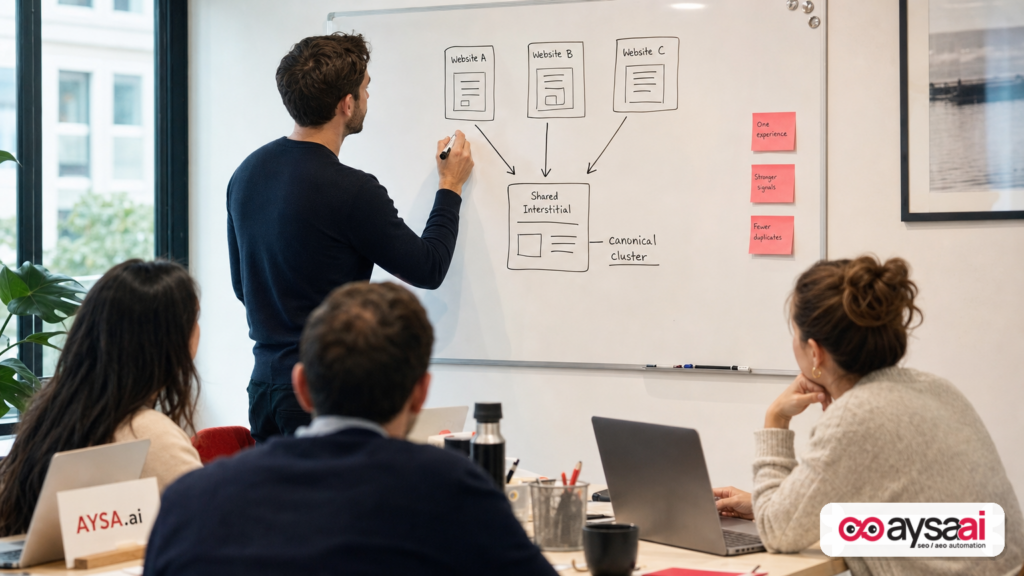
- Google sees that many sites serve very similar interstitial pages.
- Google clusters them as duplicates and selects a canonical version.
That canonical selection step is where things get extra painful. If Google treats the interstitial as “the content” for your URL, then:
- Your original page may be dropped or considered not the preferred version.
- Your URL may be treated as a duplicate of another domain’s interstitial page.
- Even if your real content is unique, it’s not what Google is evaluating.
This is why the Search Engine Journal piece matters: it reframes “bot protection” from a simple crawling constraint into a Canonicalization and indexing integrity problem. See: Are You A Bot Screens Can Get Your Pages Dropped By Google.
One more operational implication: if your site is heavily templated (ecommerce category pages, location pages, knowledge base pages), a challenge interstitial can become a sitewide duplication generator. Google doesn’t need to see it on every URL to start distrusting patterns.
Why You (and Your Team) Usually Can’t See the Problem
Most teams diagnose SEO issues by opening a page in Chrome and saying, “Looks fine.” With bot challenges, that’s exactly the trap.
These systems often score risk based on signals that normal humans won’t replicate:
- High request rate or unusual crawl patterns
- Headless browser hints
- Repeated requests across many URLs
- Data center IP ranges (common for bots and crawlers)
So a founder in a local office can browse normally while Googlebot—or Google’s indexing infrastructure—gets challenged. That disconnect leads to delayed action, and delayed action leads to lost weeks of visibility.
This is why you have to build a habit of checking indexing reality, not browsing experience. For most SMEs, that means living inside Google Search Console for technical health checks. (More on the workflow below.)
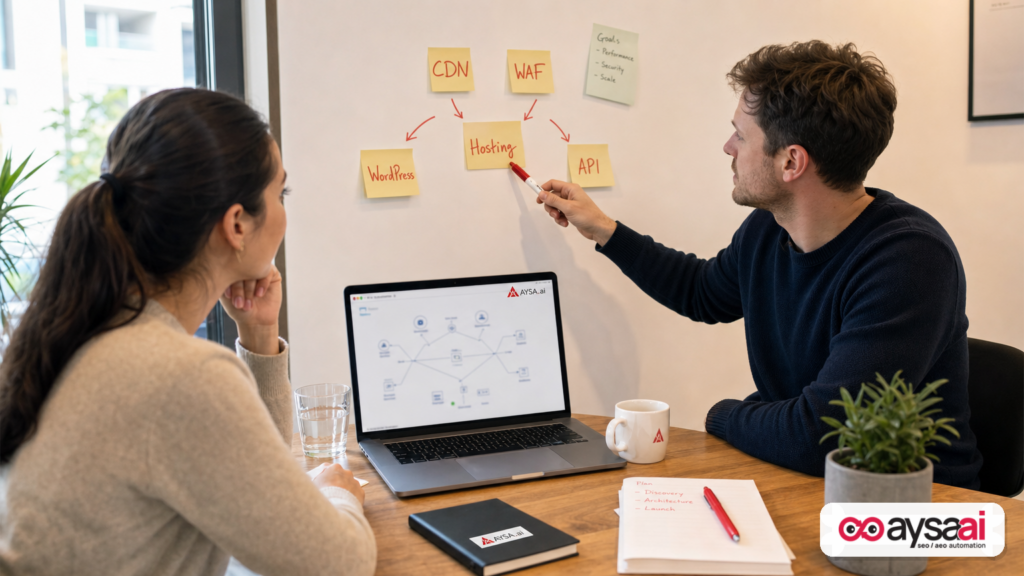
The Non-Obvious Places This Happens (CDNs, WAFs, Hosts, and Plugins)
Mueller’s point (as covered by SEJ) is also an ownership issue: the “are you a bot?” page might not be coming from your page template at all. It can come from a layer you rarely inspect.
Common origins include:
1) CDN-level bot protection
A CDN sits in front of your origin and is often configured to stop scraping, credential stuffing, or malicious scanning. Great. But misconfiguration can challenge well-behaved crawlers, including search engines.
2) WAF (Web Application Firewall) rules
WAF rules can be overly aggressive around query strings, headers, user agents, or request patterns. If a rule serves a challenge instead of passing traffic through, you’ve got the “indexed wrong” problem.
3) Host-level protections
Some hosting platforms deploy automatic protections for bursts of crawling, especially when they believe the origin is under stress. If the host injects a challenge page, your application logs might not show what happened.
4) CMS security plugins
Plugins can add rate limits, blocklists, and challenge pages. If those plugins treat Googlebot as suspicious—or if they rely on brittle UA detection—your content pipeline is at risk.
5) Third-party scripts that alter rendering
Sometimes the interstitial is delivered via script or redirect logic. That can create a mismatch between what your server “returns” and what a crawler can render or index.
The deeper point: you need to treat security layers as part of your SEO stack. If your SEO team can’t change CDN/WAF settings (or doesn’t even know they exist), you’re running search with blinders on.
What This Looks Like in the Real World: SME Scenarios
Let’s make this concrete with scenarios that don’t require you to be an SEO expert.
Scenario A: Ecommerce store drops product pages right before a seasonal spike
An ecommerce brand runs a promotion. Google increases crawling because inventory and pricing change frequently. The CDN sees a spike in requests and flips into a more aggressive bot mode. Googlebot starts getting challenged.
What the business sees:
- Product pages still load fine for the team.
- Search traffic declines over 7–21 days.
- Some products disappear from results.
What’s actually happening:
- Google indexes challenge pages.
- Google clusters them as duplicates.
- Canonical signals become unstable, and the store’s URLs lose eligibility.
Scenario B: Local service business loses “near me” visibility with no website changes
A clinic, law firm, or home services business hasn’t touched their website in months. But their host updates a security policy. Suddenly, a portion of Google’s crawls receive a verification challenge.
What the business sees:
- No errors reported by the web developer.
- Rankings drop for service pages and location pages.
- Leads decline even though ads and social are unchanged.
Root cause: upstream protection injected an interstitial. The business didn’t “break SEO.” Infrastructure did.
Scenario C: Agency client says “your SEO work stopped working”
The agency publishes new content and improves internal linking. But indexing stalls and traffic declines. The client blames the agency.
In reality, the agency shipped content into a pipe where Google can’t reliably see the content anymore. This is why agencies need a standardized technical monitoring layer—because you can’t content-market your way out of an indexing integrity problem.
How to Detect It Reliably (Without Guessing)
You don’t fix this by intuition. You fix it by verifying what Google chose to index and why. The SEJ report emphasized that Google Search Console is key here.
Practical detection checklist:
1) Use Google Search Console indexing signals to find “duplicate/canonical” anomalies
In Search Console, look for patterns where pages are flagged as duplicates or where Google selected a different canonical than you expected. The exact labels and reporting UI can evolve, but the operational goal stays the same: identify URLs where Google doesn’t consider your page the primary version.
2) Inspect URLs and compare “Google-selected canonical” vs. your intended page
Mueller’s warning (as covered by SEJ) is especially relevant here: if Search Console shows a canonical that is not your domain, treat that as a fire alarm. It suggests Google is clustering your URL with content it believes is the same—and that content might be the shared “are you a bot?” interstitial.
3) Sample multiple URL types, not just the homepage
- High-traffic landing pages
- Category/service pages
- Long-tail blog posts
- Newly published URLs
Bot protection often triggers on patterns. If you only check one page, you can miss the segment that’s impacted.
4) Stop relying on “it works for me” testing
If you can’t reproduce the interstitial, that doesn’t mean it isn’t happening. Build your detection around what Google reports it saw and indexed.
Operational note for SMEs
If your team doesn’t log into Search Console weekly, you are running search without a dashboard. At AYSA, we treat monitoring as a first-class system, not a “nice to have.” See: AYSA Monitoring.
A Practical, Repeatable Fix Plan (Without Turning Off Security)
The worst response to this issue is: “Turn off the firewall.” That’s not a plan; it’s a different kind of outage waiting to happen.
Instead, treat this as a controlled remediation. You want Googlebot to consistently receive the real page (or an appropriate, indexable response), while still protecting the site from bad traffic.
Step 1: Identify which layer injects the challenge
Start by mapping requests:
- Is the challenge generated by the CDN?
- Is it a WAF policy?
- Is it the host?
- Is it a security plugin?
If you don’t know, that’s normal. The fix is organizational: get the right parties in the same thread—marketing/SEO, developer, and whoever owns security.
Step 2: Ensure Googlebot is not challenged (allowlists and verified handling)
The general principle: do not present challenge interstitials to legitimate search engine crawlers. Depending on your security stack, the right method might be:
- Allowlisting known crawler traffic where feasible
- Reducing sensitivity for verified crawlers
- Adjusting rate limits for crawl patterns
- Ensuring that suspicious traffic gets an appropriate response that doesn’t replace your content with an indexable interstitial
Important: don’t implement brittle rules based solely on user-agent strings. That can create security holes. Work with your security vendor/host/CDN provider on best practices for distinguishing verified crawlers. If your provider documentation isn’t clear, escalate—this is revenue-critical.
Step 3: Make the wrong content unindexable if it ever appears
Defense in depth matters. Even if you “fix” the trigger, you want a safety net. If your stack must show an interstitial, it should be structured so it does not get indexed as the canonical content for business pages.
How you accomplish this depends on implementation. The safe takeaway: ensure challenge content does not become the indexable representation of your key URLs.
Step 4: Request recrawls and validate the fix
Once adjustments are live, use Search Console’s validation workflow (often exposed as “Validate fix” in relevant reports) and/or request re-crawls via URL inspection.
This is one of the few moments where “wait and see” is not a strategy. You’re trying to correct what Google has stored about your URLs.
Step 5: Monitor for recurrence (this tends to come back)
Teams often fix this once and then forget about it. But security stacks get updated, thresholds change, and traffic patterns evolve.
So you need ongoing monitoring—technical and outcome-based. If you operate multiple sites or many client sites, monitoring is the only scalable defense.
What to Monitor Ongoing: Early Warning Signals
This problem is dangerous because it’s quiet. Your site can “work,” sales can continue through other channels, and you might notice the organic decline only when it’s meaningful.
Here are durable signals worth monitoring:
- Index coverage shifts: sudden increases in duplicates/canonicalized URLs or “indexed without content”-type patterns.
- Performance anomalies: organic landing pages losing impressions broadly, not just one keyword.
- Crawl behavior: abrupt drops in crawl activity on important directories.
- Template-level symptoms: many URLs from one section behaving the same way.
AYSA’s position is simple: SEO is now a living system. Monitoring isn’t a report you pull—monitoring is the trigger for safe, approved execution. That’s the model behind Monitoring and our broader AI SEO tools.
Agency SOP: How to Prevent This Across 10, 50, or 200 Client Sites
If you’re an agency, you don’t want to discover this issue after a client asks why traffic dropped. You want it in your standard operating procedure.
Here’s a practical SOP you can adapt:
1) Intake: document the security perimeter
- Which CDN is in front?
- Is there a WAF?
- Which host?
- Any security plugins?
- Who has access and who can approve changes?
If this isn’t documented, your agency is effectively responsible for an outcome you can’t control.
2) Baseline: verify what Google indexes for representative URLs
Before content sprints, migrations, or big PR campaigns, do a baseline check. The time to discover “Google indexes the wrong thing” is before you invest.
3) Change management: coordinate with security teams
Many agencies avoid touching security. That’s understandable—but it’s no longer optional. The interstitial problem lives at the intersection of SEO and security. Someone has to own that intersection.
4) Alerting: treat canonical anomalies as an incident
If Search Console indicates cross-domain canonicalization, don’t “watch it.” Escalate it like you would a payment outage. It can be just as costly over time.
5) Proof-of-fix: document the before/after in Search Console
This reduces client stress and protects the agency relationship. It also builds a reusable playbook.
Where AYSA Fits: Monitoring + Approved Execution (So Fixes Actually Ship)
Most businesses don’t lose search visibility because they lack advice. They lose it because execution stalls:
- The SEO notices a problem but can’t access CDN settings.
- The developer is busy and puts it in a backlog.
- The security team prioritizes “safety” without realizing the search impact.
- No one owns verification in Search Console after the change.
AYSA’s model is designed for this reality: monitor → prepare changes → ask for approval → execute accepted website changes. That reduces the gap between “we found the issue” and “Google has been re-crawled and the fix is holding.”
In practice, here’s how AYSA supports the workflow:
- Visibility: ongoing monitoring to surface indexing and technical anomalies early. Start here: AYSA Monitoring
- Execution system: prepare remediation steps and implement after approval—so fixes don’t die in chat threads. Learn more: AI SEO Tools
- Business alignment: connect technical integrity to AI and search visibility outcomes: AI Search Visibility
- Practical adoption: understand how teams typically roll this out (and what it costs): AYSA Pricing
- Ongoing education: more operational playbooks on the AYSA blog: AYSA Blog
This is especially valuable for SMEs where “security” is outsourced, SEO is part-time, and no one wants to be the person who disables protection. Approved execution creates a safe lane: changes are proposed, reviewed, and only then applied.
What to do next (action list)
- Pick 10 URLs across templates (home, category/service, blog, product/location) and inspect them in Google Search Console.
- Look for canonical surprises—especially if the canonical is not your domain.
- Escalate to the security perimeter owner (CDN/WAF/host/plugin). Ask: “Can Googlebot be challenged? Under what conditions?”
- Adjust policies so verified search engine crawling isn’t served interstitial challenge content.
- Request re-crawls and validate fixes in Search Console.
- Set monitoring so this doesn’t return silently during traffic spikes or security updates.
- Operationalize it: document who approves security changes that can affect indexing and how you verify outcomes.
Sources and further reading
- Search Engine Journal: “Are You A Bot” Screens Can Get Your Pages Dropped By Google (research lead and context)
- Search Engine Journal – Latest News (ongoing industry context)
- Search Engine Journal – SEO section (additional research leads)
Note: The SEJ article references discussion from Google’s “Search Off the Record.” This editorial does not quote or claim details beyond what’s included in the supplied research context. For implementation specifics (e.g., how to verify crawlers within a given CDN/WAF), consult your provider’s official documentation and involve your security owner.
Relevant AYSA resources
Continue the AI search topic inside AYSA.
Use these pages to connect the article with AI SEO tools, AI visibility monitoring, AI Overviews and approved website execution.
Turn this topic into a website action plan.
Use these AYSA hubs to move from reading to technical fixes, AI visibility monitoring, research, glossary context and approval-first SEO execution.

