
Google’s SynthID Detector Is Public: What Watermark Verification Means For Marketing, SEO, And Brand Trust
Google has opened its SynthID Detector to the public, enabling anyone to check images, video, and audio for invisible AI watermarks from Google and partner tools. Here’s what changed, what the results really mean, where it can mislead you, and how SMEs and agencies should operationalize verification—especially as AI search and content attribution get messier.

AI content is no longer a novelty. It’s the default. And that changes the job of anyone who publishes: marketers, founders, agencies, journalists, ecommerce teams, and even customer support.
Google just pushed that reality forward by opening its SynthID Detector to the public—meaning anyone can upload an image, video, or audio file and check whether it contains Google’s invisible SynthID watermark from Google or participating partner AI tools.
This matters for one reason above all: verification is becoming part of everyday publishing. Not “deepfake forensics,” not a PR cleanup step after a controversy—everyday publishing. The same way we learned to check licensing for photos or run malware scans on attachments, we’re now entering an era where brands will routinely verify the provenance of the media they didn’t originate.
But this also comes with a trap: watermark detection is not the same thing as “AI detection.” Used incorrectly, it can create a false sense of certainty and lead to bad decisions.
In this editorial, I’ll break down what Google released, what the results actually mean, what can go wrong, and how SMEs and agencies should operationalize this. I’ll also explain where AYSA fits: not as yet another dashboard, but as an Approved Execution system that helps teams translate signals into changes that protect trust and improve AI Search visibility.
Concise summary

- Google’s SynthID Detector is now public and can check images, video, and audio for invisible SynthID watermarks from Google and certain partner tools.
- It is not a general AI detector. “No watermark found” does not mean the media is human-made; it can simply mean “not from a supported SynthID source” or “signal lost.”
- Results say “made or edited,” which collapses very different use cases (minor retouch vs fully generated) into one label—useful, but incomplete.
- Businesses should adopt a provenance workflow: verification, disclosure standards, asset storage discipline, and a clear escalation path for high-risk content.
- AYSA’s role: monitor your site and brand surface area, prepare the right content/markup/disclosure changes, ask for approval, and execute accepted updates—so verification leads to action.
Table of contents
- What changed: SynthID Detector goes public
- What SynthID is (and what it isn’t)
- “Not a general AI detector”: the line everyone should internalize
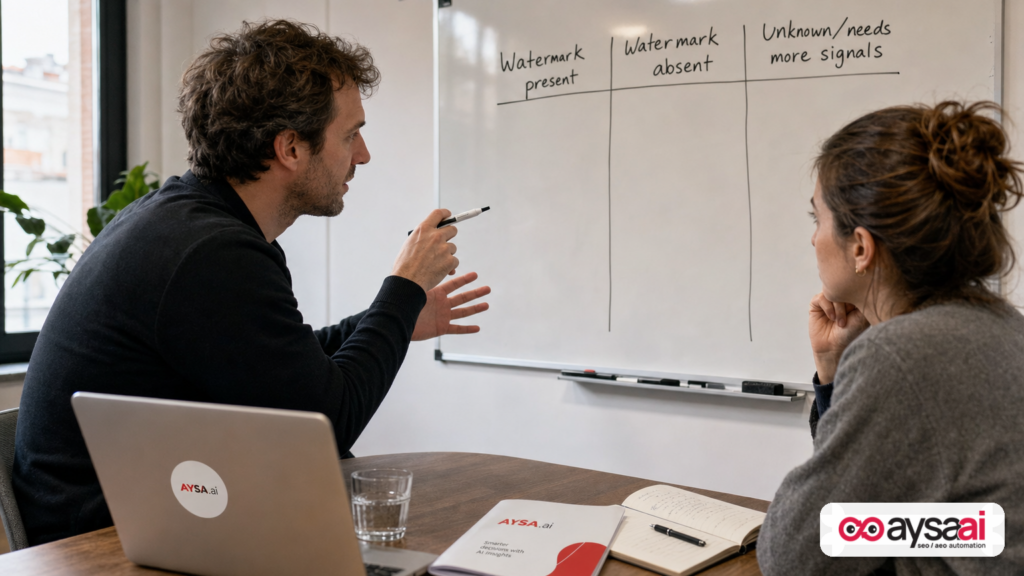
- How to interpret results: “made or edited,” robustness, and uncertainty
- Why this matters now: trust, brand safety, and AI search behavior
- Where teams will get this wrong (common failure modes)
- Practical SME scenarios: where verification fits tomorrow morning
- Agency implications: from deliverables to governance
- SEO, AEO, and GEO implications: citations, credibility, and content provenance
- Implementation playbook: a realistic provenance workflow
- Measurement & analytics: what to track (without fooling yourself)
- The AYSA take: verification is useless without operational execution
- What to do next (action list)
- Sources and further reading
What changed: SynthID Detector goes public
According to reporting by Search Engine Journal, Google has opened its SynthID Detector to everyone, globally in English, enabling users to upload image, video, or audio files to check for SynthID watermarks associated with Google and certain partner AI tools. The detector is available at synthid.com.
The key operational change is simple: the waitlist barrier is gone. What used to be limited to journalists, researchers, and selected professionals is now a public utility. That matters because the people who need this most are often not researchers—they’re busy marketing teams and business owners making decisions at publishing speed.
Search Engine Journal also notes that Google positions the detector for checking if a supported AI tool made or edited a file, and highlights that supported partners include OpenAI, NVIDIA, and Kakao, with Apple described as “coming soon.” (Release timing and broader language availability were not specified in the provided source context.)
Primary source to start with: Search Engine Journal’s coverage: Google Opens Its SynthID Watermark Detector To The Public.
What SynthID is (and what it isn’t)
At a high level, SynthID is an invisible watermarking technology designed to be embedded into AI-generated or AI-edited media. The idea is to add a signal that can later be detected—ideally even after common transformations like Compression, resizing, or re-encoding.
It’s worth separating three concepts that many teams still blur together:
- AI generation/editing: content was produced or modified with AI tools (anything from generative fill to full synthesis).
- Watermarking: a deliberate signal embedded by a tool (or platform) at creation/edit time.
- Detection: a later process that tries to identify whether that signal is present.
SynthID Detector is primarily about the last two bullets: detecting a watermark signal that participating tools add.
Why this distinction matters: If your business treats SynthID Detector like a magical “tell me if AI was used” oracle, you will make bad calls. If you treat it as a supported-tool provenance check, you’ll use it correctly.
“Not a general AI detector”: the line everyone should internalize
Search Engine Journal’s extracted text includes a crucial statement from the SynthID site: “This is not a general AI detector.” The detector can only detect media from companies that have adopted SynthID technology (as listed on the site), and Google recommends using the best-quality copy of a file for the most accurate result.
That one sentence should drive your internal policy. Here’s how to translate it into business language:
- Positive result (watermark detected) is meaningful: it tells you the media was made or edited using a supported tool that embeds SynthID.
- Negative result (no watermark detected) is not exoneration: it does not prove “human-made,” and it does not prove “not AI.”
- Inconclusive outcomes are normal: quality loss, heavy edits, re-exports, screenshots, and platform processing can impact detection—Google’s own FAQ (as summarized in the SEJ text) warns that no signal is completely robust.
In other words: SynthID Detector is a yes-for-some-sources tool, not a no-for-all-sources tool.
How to interpret results: “made or edited,” robustness, and uncertainty
Search Engine Journal reports that Google’s sample result panel can display “SynthID was detected” and state that the media “was made or edited with Google AI,” while also noting it “may have been edited further since then.”
That “made or edited” phrasing is both helpful and problematic.
1) “Made” vs “edited” collapses very different scenarios
If you’re an operator, you care about degree and intent, not just tool involvement. Consider these two realities:
- Scenario A (light edit): A real product photo gets a background cleanup using an AI tool. The product is real; the environment is altered.
- Scenario B (full generation): The product never existed; the entire image is synthesized.
A single label can cover both. That doesn’t make the label useless—it makes it incomplete.
2) “No signal is completely robust” should change how you use the output
The SEJ text notes Google’s FAQ guidance: collect multiple points of data before making a decision. That’s not legal hedging; that’s operational advice.
In practice, “multiple points of data” for a business looks like:
- Asset chain-of-custody (where did the file come from, who touched it, when?)
- Source documentation (licensing, release forms, shoot details, model releases where needed)
- Metadata retention (original exports, project files)
- Tool disclosure (what was used—especially for high-stakes categories like healthcare, finance, politics)
3) File quality isn’t a footnote—it’s the difference between signal and noise
The SynthID site’s request for the best-quality copy of the file is not “nice to have.” It means your workflow needs to stop treating assets as disposable.
If your team’s habit is to pull creatives back out of Slack, WhatsApp, or a social platform download and treat that as “the file,” you’ll get weaker detection and more uncertainty. Your asset management discipline becomes part of your trust discipline.
Why this matters now: trust, brand safety, and AI search behavior
Most businesses first hear about watermarking in the context of misinformation or deepfakes. That’s real, but for SMEs the immediate impact shows up in more ordinary places:
- Brand trust: customers are increasingly skeptical of “too perfect” visuals and voice.
- Partner trust: distributors, marketplaces, and affiliates want clean provenance to reduce risk.
- Platform compliance: disclosure and labeling norms are moving (and not always consistently) across channels.
- AI search and discovery: search experiences are shifting toward AI summaries, AI answers, and assistant-driven recommendations—where trust signals and credibility influence whether you’re cited, summarized, or ignored.
Even if you don’t care about the culture war around AI, you should care about one simple business question:
When an AI system (or a human) evaluates your content, can it confidently understand what’s real, what’s edited, and why it should trust you?
Watermark verification is part of that answer—not the whole answer.
Where teams will get this wrong (common failure modes)
As this becomes mainstream, I expect four predictable mistakes. If you avoid these, you’ll be ahead of most of your competitors.
Mistake #1: Treating watermark detection as an “AI lie detector”
A watermark detector checks for a specific signal from specific sources. It cannot reliably tell you whether something is AI-generated if it was produced by a tool that doesn’t embed that watermark, or if the watermark was lost. A “no watermark” result is not a clean bill of health.
Mistake #2: Using verification only after something goes wrong
The ROI comes from preventing brand damage and rework. If your first watermark check happens after a customer calls you out, you’ve already paid the price.
Mistake #3: Not defining what “AI use” is acceptable (and where)
Most companies have vague, unspoken norms like: “AI is fine for drafts, but not for final.” That’s not a policy; that’s a recipe for internal conflict.
Instead, define acceptable AI use by category:
- Product imagery
- Testimonials and reviews
- Medical/financial advice content
- Before/after visuals
- Staff headshots and executive statements
Each category has different risk. Your policy should reflect that.
Mistake #4: Neglecting the web surface area where trust is judged
Even if your creative team is careful, trust is judged across your entire digital footprint: your website, your author pages, your FAQs, your Schema markup, your social profiles, your press pages, and how consistently you present information.
This is where SEO, AEO, and GEO become operational—not theoretical.
Practical SME scenarios: where verification fits tomorrow morning
Let’s bring this down to ground level with scenarios I see constantly in the SME market.
Scenario 1: Ecommerce brand using AI to scale creatives
Business: a 7-person Shopify ecommerce brand selling home organization products.
Reality: they shoot a few hero images per SKU, then use AI to:
- remove cluttered backgrounds
- generate lifestyle scenes for ads
- create short video variations for Reels/TikTok
Risk: a generated lifestyle scene could imply a use case the product can’t support, or introduce visual claims that are not true. Additionally, the brand may unknowingly mix partner-provided “UGC” that is partly synthetic.
Where SynthID verification fits:
- Pre-publish check for any media coming from outside the core team (freelancers, affiliates, agencies, creators).
- Spot-checking “creator submissions” before reposting to brand channels.
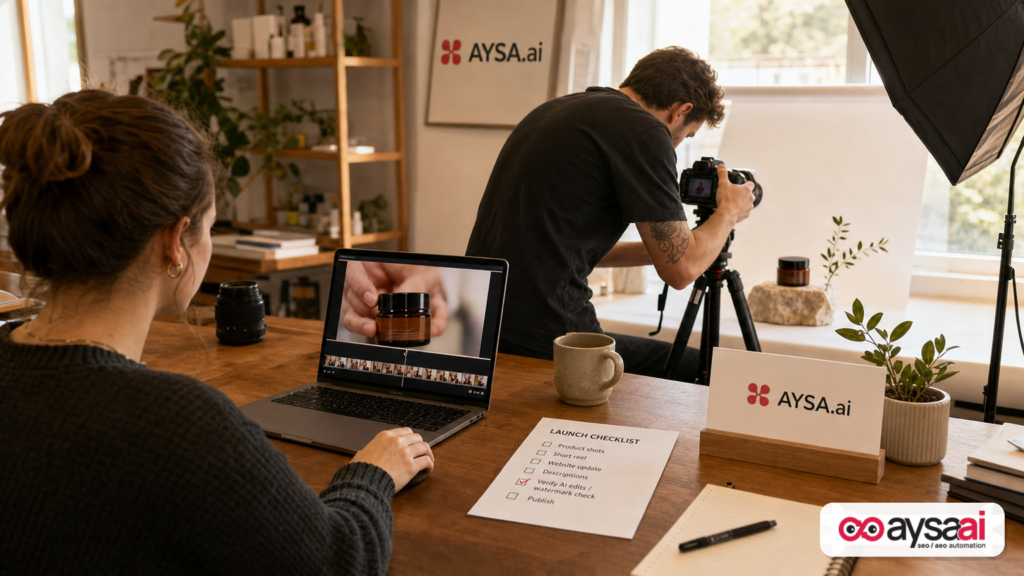
What to do beyond detection: maintain a simple internal label: “Original photo,” “AI-edited photo,” “AI-generated scene,” plus the source and date. Then ensure your product page and ad claims remain consistent with what’s real.
Scenario 2: Local clinic using AI voice and imagery for explainers
Business: a local dental clinic publishing educational videos.
Reality: they use AI voice cleanup or AI-generated b-roll to make videos look more professional.
Risk: health categories have heightened trust expectations. If a video looks synthetic, patients may question credibility. If the clinic uses AI for testimonials or before/after representations, that becomes a high-stakes risk.
Where SynthID verification fits: less about “catching your own team,” more about validating any external assets used in a clinical context and preventing accidental reuse of synthetic “stock footage” labeled as real.
What to do beyond detection: create a disclosure standard for educational content. Not a giant banner. A simple “Media note” below the video when appropriate (e.g., “Some visuals are illustrative”).
Scenario 3: Agency managing social + ads for multiple clients
Business: a 12-person marketing agency running paid and organic creative production at high volume.
Reality: multiple editors, freelancers, and AI tools; asset provenance gets messy fast.
Risk: one questionable clip can create reputational damage not just for a client, but for the agency. Agencies also face “silent scope creep” when clients demand proof about how creative was produced.
Where SynthID verification fits:
- As a standard QA step on inbound client assets (“Here’s a clip we found… can you post this?”).
- As a pre-flight check on deliverables in regulated categories.
What to do beyond detection: update your statement of work (SOW) and creative policy: define acceptable AI use, approvals, and disclosures. If your client wants “no AI,” define what that means (tools, steps, exceptions).
Agency implications: from deliverables to governance
When verification becomes easy, clients will expect it—even if they don’t ask today. That expectation changes what “good agency service” looks like.
Historically, agencies were paid for:
- creative output (ads, posts, videos)
- performance output (leads, ROAS)
Now they’ll increasingly be paid for:
- process (governance, provenance, approvals)
- risk management (brand safety, compliance, disclosure)
- defensible documentation (how something was made)
This is not “bureaucracy.” It’s the only way to scale content in a world where every asset can be questioned.
If you run an agency, consider a practical packaging shift:
- Add a “Content provenance & verification” line item to your retainers.
- Define which assets are verified, when, and what the client receives (e.g., a lightweight log).
- Set clear boundaries: verification supports decisions; it doesn’t provide absolute proof of human origin.
SEO, AEO, and GEO implications: citations, credibility, and content provenance
Why is this an AI Search topic and not just a “tools” topic?
Because search behavior is shifting away from ten blue links toward AI-mediated discovery: summaries, assistants, and agent-like experiences that choose what to cite, what to recommend, and what to ignore. In that environment, your content competes not only on relevance—but on credibility and clarity.
Here’s how watermark verification connects to modern search in practical terms:
1) Provenance is becoming a competitive signal
Even when search engines don’t directly read watermark data (we cannot confirm that from the provided context), the ecosystem around search does: publishers, platforms, partners, and users. And those behaviors shape what gets linked, cited, shared, and referenced.
That feeds the web graph and the “trust layer” that AI systems rely on.
2) Consistency across your brand footprint matters more than ever
If you publish synthetic-looking content without context, and your site lacks basic credibility scaffolding (clear authorship, transparent policies, consistent business info), you increase the chance that both humans and systems treat you as lower trust.
That is why the unglamorous work—bios, FAQs, policies, schema, and page clarity—keeps winning.
3) AEO/GEO is execution-heavy
Answer Engine Optimization (AEO) and Generative Engine Optimization (GEO) aren’t “strategies” you declare. They are the cumulative result of hundreds of small execution decisions:
- Is your content explicit about what’s factual vs illustrative?
- Do your pages make claims with supporting context?
- Are you easy to cite (clear headings, definitions, concise answers)?
- Do you reduce ambiguity that causes systems to skip you?
This is where having an execution system—one that monitors, prepares, requests approval, and then implements—becomes the difference between “we know what we should do” and “we did it.”
If you want the broader framework on visibility in AI search, start here: AYSA AI Search Visibility.
Implementation playbook: a realistic provenance workflow
Most SMEs don’t need a fancy governance program. They need a workflow that’s simple enough to run every week.
Here is a practical playbook that matches how real teams operate.
Step 1: Create a “risk tier” map for media
Start by tiering content categories:
- Tier 1 (high risk): health/finance claims, testimonials, before/after, anything political, anything about safety.
- Tier 2 (medium risk): product demos, founder statements, customer stories, PR announcements.
- Tier 3 (lower risk): illustrative blog headers, generic b-roll, abstract brand visuals.
Verification and disclosure requirements should be strictest at Tier 1.
Step 2: Standardize asset intake (stop accepting “random files”)
If assets arrive via email threads and messaging apps, you’ll never have provenance.
Minimum standard:
- Require originals or highest-quality exports (as Google recommends via the SynthID site, per SEJ’s extracted text).
- Record: source, creator, date received, intended usage, and any tool disclosures.
- Store in a shared drive with consistent naming.
Step 3: Run verification checks where they actually matter
Don’t check everything. Check what changes risk.
- All Tier 1 media before publishing.
- Any inbound media from outside parties (creators, affiliates, clients sending “found footage”).
- Random sampling of Tier 2 media to keep the process honest.
SynthID Detector fits here as one signal among several. Use it at synthid.com.
Step 4: Decide what you disclose—and make it consistent
This is where many brands freeze. They worry disclosure will hurt conversion.
My take: inconsistent disclosure hurts more than disclosure itself. A simple, consistent standard beats an over-engineered policy nobody follows.
Examples (choose what fits your industry and risk tier):
- “Some visuals are illustrative.”
- “Audio has been enhanced for clarity.”
- “Image background has been digitally modified.”
You don’t need to evangelize your tooling. You need to avoid misleading people.
Step 5: Create an escalation path for questionable assets
When verification flags something—or when a team member simply feels unsure—there must be a path that doesn’t rely on gut feelings.
Define:
- Who makes the final call (marketing lead, founder, compliance, legal counsel when needed)
- What happens (replace asset, add disclosure, request originals, or kill the post)
- How the decision is documented
Step 6: Update the website “trust layer” so you’re resilient
This is where most SMEs underinvest. Your website should make it easy for humans and machines to trust you. That includes:
- Clear About page
- Author/editor information where relevant
- Contact transparency
- Policies (returns, privacy, editorial standards where relevant)
- Clear product details (to prevent “AI summary drift” and misinterpretation)
AYSA helps here by continuously monitoring and preparing improvements across these surfaces, then requesting approval before executing changes: AYSA Monitoring.
Measurement & analytics: what to track (without fooling yourself)
One temptation will be to turn watermark verification into a vanity metric: “We checked X assets.” That’s not the KPI. The KPI is reduced risk and improved performance outcomes.
Practical metrics SMEs and agencies can track without inventing complex models:
- Rework rate: how often assets are pulled back post-scheduling due to provenance concerns.
- Time-to-approval: whether verification steps slow you down (and how to streamline intake).
- Incident rate: external complaints, platform flags, or partner pushback.
- Content performance stability: fewer “spikes then crashes” due to trust backlash.
For search specifically, the measurement conversation becomes: are you earning more qualified visibility from AI-influenced journeys? That’s broader than this one tool, but it’s exactly why operational excellence matters.
If you’re building your AI search playbook, AYSA’s tooling overview is a good reference point: AYSA AI SEO Tools.
The AYSA take: verification is useless without operational execution
Here’s my strong opinion: the market is over-indexed on detection and under-indexed on execution.
Detection tools (watermark or otherwise) create signals. Signals do not protect your brand by themselves. What protects your brand is what you do next:
- updating workflows
- adjusting disclosures
- improving page clarity
- reducing ambiguity on your site
- strengthening the trust layer that makes you easier to cite and recommend
This is where AYSA is designed to fit. AYSA is not “advice only.” It is an execution system that:
- Monitors your website and visibility surface area for issues and opportunities
- Prepares recommended changes (content, technical, structured data, on-page clarity)
- Asks for approval so humans stay in control
- Executes the accepted changes so strategy becomes reality
In a world where AI-generated media and AI search both introduce new ambiguity, approved execution is the edge: you move faster and safer.
If you want to understand how AYSA is packaged, start with: AYSA Pricing. For more playbooks like this, see: AYSA Blog.
What to do next (action list)
- Decide your risk tiers (Tier 1/2/3) for media categories in your business.
- Fix asset intake: require best-quality originals and basic source documentation.
- Add watermark verification as a QA step for Tier 1 media and all inbound third-party assets using synthid.com.
- Write a 1-page disclosure standard: what you disclose and where (site pages, YouTube descriptions, ad landing pages, etc.).
- Define escalation: who decides when verification is positive, negative, or uncertain.
- Strengthen the website trust layer: About/Contact/Policies/clear authorship where relevant—this supports both human trust and AI-mediated discovery.
- Operationalize with execution: use a system like AYSA to monitor, prepare, approve, and implement website changes so this doesn’t become another “doc no one follows.”
Sources and further reading
- Search Engine Journal: Google Opens Its SynthID Watermark Detector To The Public
- SynthID Detector (synthid.com)
- Search Engine Journal: AI Search coverage (research lead)
- Search Engine Journal: SEO coverage (research lead)
Related AYSA resources
Continue the AI search topic inside AYSA.
Use these pages to connect the article with AI SEO tools, AI visibility monitoring, AI Overviews and approved website execution.
Turn this topic into a website action plan.
Use these AYSA hubs to move from reading to technical fixes, AI visibility monitoring, research, glossary context and approval-first SEO execution.

