
Impressions Up, Traffic Down: The Modern GSC Paradox (And The Fix That Actually Works)
If Google Search Console shows rising impressions but falling clicks, you’re not “losing SEO”—you’re seeing search behavior change. Here’s how to diagnose the real cause (SERP layouts, AI features, irrelevant rankings, and new indexing) and what to do next with an execution-first plan SMEs can actually follow.

Impressions up. Clicks down. If you’re looking at Google Search Console (GSC) and feeling like your SEO is “breaking,” you’re not alone—and you’re not necessarily doing anything wrong.
This pattern is increasingly common because search results are no longer a simple list of 10 blue links. Between ads, local packs, video blocks, AI-driven answers, “People Also Ask,” shopping units, and other rich features, you can earn more visibility (impressions) while receiving fewer visits (clicks).
This editorial breaks down what’s changed, why it matters for SMEs, how to diagnose the root cause in under an hour, and how to fix the issue with an execution-first plan. I’ll also show where AYSA fits: not as “another dashboard,” but as a Monitoring and approved-execution system that turns diagnosis into real website changes—safely.
Concise summary
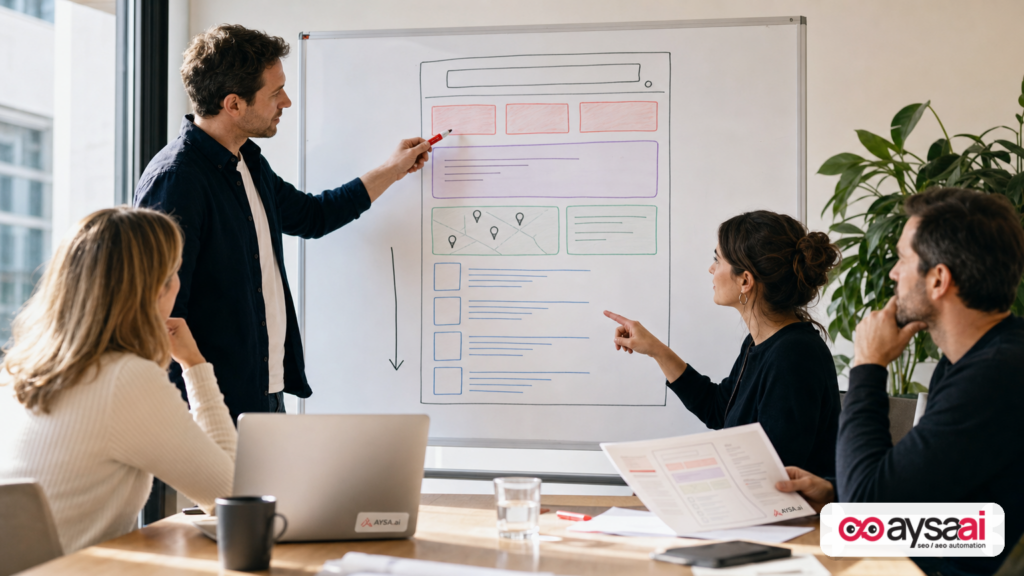
- Impressions can rise while traffic falls when Google shows your pages more often but fewer people click due to SERP crowding, intent mismatch, or new pages ranking in low-click positions.
- The fastest diagnosis is to segment GSC by page + query, then sort for high impressions with low clicks and identify patterns (new URLs, irrelevant terms, SERP feature shifts, device/country changes).
- Fixes vary by cause: CTR work for crowded SERPs, content alignment for irrelevant rankings, technical cleanup for Indexing/hack issues, and multi-format content for feature-heavy results.
- Execution is the bottleneck. Monitoring tells you what’s happening; results come from making the right changes quickly and safely—ideally with approvals, rollback, and consistency.
Key takeaways (for busy operators)
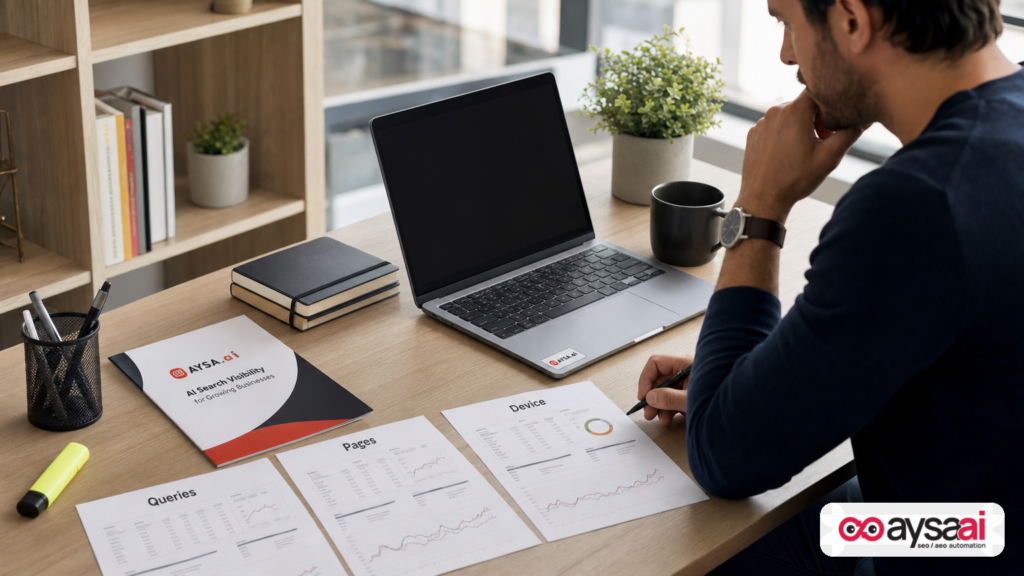
- Don’t panic. “Impressions up / traffic down” is a signal, not a verdict.
- Start with the SERP, not your site. Your rankings may be stable while clicks shift to SERP features.
- High impressions + low clicks usually mean one of four things: SERP layout changes, AI/feature answers reducing clicks, irrelevant rankings, or newly indexed content showing in low-click positions.
- Fix what you can control: intent alignment, titles/snippets, internal linking, structured data (where appropriate), and content formats (images/video/local).
- Systematize it. Build a recurring monitoring cadence and an execution workflow—this is where AYSA is designed to help.
Table of contents
- What’s Really Happening When Impressions Rise But Clicks Fall
- Why This Matters Now (And Why It’s Not Just “AI Overviews”)
- A Quick Reality Check: Impressions vs. Clicks vs. Rankings
- A Practical Diagnostic Framework (The 60-Minute GSC Investigation)
- The Four Most Common Causes (And How To Prove Each One)
- Cause #1: SERP Layout Changes & Crowd-Out
- Cause #2: New Content Getting Indexed (Visibility Before Traffic)
- Cause #3: Irrelevant Rankings, Query Drift, & Cannibalization
- Cause #4: SERP Features That “Use” Your Content Without Sending Clicks
- A Concrete SME Scenario: Ecommerce Category Pages That Suddenly “Rank”
- The Action Plan: Fixes That Move Clicks (Not Just Impressions)
- What To Monitor Weekly (So This Doesn’t Surprise You Again)
- Where AYSA Fits: Monitoring + Approved Execution (Not Another Dashboard)
- What to do next
- Sources and further reading
What’s Really Happening When Impressions Rise But Clicks Fall
Historically, the relationship between rankings, impressions, and clicks was fairly intuitive:
- You rank higher → you get more impressions → you get more clicks.
- You rank lower → fewer impressions → fewer clicks.
That mental model is outdated.
Today, you can show up for more searches than ever (higher impressions) because Google is testing more layouts, showing more modules, and surfacing more content types. But the same SERP can simultaneously reduce the click opportunity for classic organic results.
So your SEO “visibility” can increase while your “site visits” decline—because what’s really happening is click redistribution.
The question isn’t “Why did SEO stop working?” It’s:
- Which queries increased impressions?
- Which pages gained those impressions?
- What changed on the SERP that reduced clicks?
- Are you matching the user’s intent?
Why This Matters Now (And Why It’s Not Just “AI Overviews”)
One easy explanation for declining organic clicks is “AI answers stole my traffic.” Sometimes that’s true. But in practice, most businesses that see this pattern are dealing with multiple overlapping issues:
- More SERP modules (ads, shopping, local packs, video) that push organic down.
- Intent fragmentation (Google surfaces different page types for the same query).
- New pages/indexing that expand your keyword footprint but not your click footprint.
- Query drift where Google tests your pages on adjacent topics you don’t actually satisfy.
Search Engine Journal’s “Ask An SEO” column captured this reality clearly: rising impressions with falling traffic often ties back to SERP changes, AI features, irrelevant rankings, or newly indexed content showing up before it’s truly competitive. That piece is worth reading as a starting reference, and I’ll build beyond it into a full operational playbook here: Search Engine Journal: Why GSC Impressions Are Up But Traffic Is Falling.
A Quick Reality Check: Impressions vs. Clicks vs. Rankings
Before you diagnose anything, align on what GSC is actually telling you.
- Impressions = your URL appeared somewhere on a SERP for a query (even if it’s below the fold).
- Clicks = someone clicked your result and visited your site.
- CTR (click-through rate) = clicks ÷ impressions.
- Average position = an average across many auctions and layouts; it can hide volatility.
A common trap: businesses see “average position improved” and assume clicks should rise. But if the SERP above you got more crowded, or the query’s intent shifted, you may still lose clicks.
Also remember: GSC aggregates across different contexts—device, location, personalization, and SERP layouts. Your “position 2” isn’t always the same “position 2” visually.
A Practical Diagnostic Framework (The 60-Minute GSC Investigation)
If you’re an SME operator, you don’t have time for a three-week analytics project. You need a repeatable method that gets you to a defensible answer fast.
Here’s the 60-minute framework I recommend. It’s not perfect, but it’s practical—and it’s how you get from “I feel like traffic is down” to “Here’s the specific cause and the fix.”
Step 1: Compare periods properly (10 minutes)
In GSC, choose a comparison that matches your business reality:
- Last 28 days vs previous 28 days for recency.
- Same period year-over-year if you’re seasonal (hospitality, gifts, landscaping, tax services).
Pull these four metrics: clicks, impressions, CTR, average position.
What you’re looking for is not just “clicks down,” but which combination you have:
- Impressions up + position stable + CTR down → likely SERP crowding or intent mismatch.
- Impressions up + position worse → you expanded visibility but in weaker placements (new indexing, new queries).
- Impressions up + clicks flat → might still be okay; you may need to improve snippet or intent.
Step 2: Find “impression growth pockets” (15 minutes)
Go to Performance and do this in two passes:
- Queries: sort by impressions (descending) and look for queries that jumped.
- Pages: sort by impressions and find which URLs are absorbing the growth.
Then apply the simple filter that changes everything:
- Identify items with high impressions and low clicks (or falling clicks).
These are your investigation targets.
Step 3: Pair query + page to expose intent mismatch (10 minutes)
Click a high-impression query, then go to the Pages tab to see which URL is showing.
Ask:
- Is this the page I would want to rank for this query?
- Does the page actually satisfy what the searcher wants?
- Is the page a “near miss” (close intent) or “wrong universe” (irrelevant)?
Step 4: Segment by device and country (10 minutes)
Two of the most common hidden causes:
- Mobile CTR erosion because mobile SERPs are more crowded and features take more vertical space.
- Geography shifts where impressions grow in regions you don’t serve (common for local services or niche SaaS with ambiguous terms).
In GSC, add filters for device and country. See if the decline is concentrated.
Step 5: Sanity-check index coverage & surprises (15 minutes)
This is where you look for “why are we even showing for this?” issues:
- Unexpected URL patterns that shouldn’t rank (parameter URLs, internal search pages, staging remnants).
- Sudden spikes in impressions for spammy terms (possible hack or injected pages).
If something looks suspicious, treat it as a technical incident—not an SEO tweak.
The Four Most Common Causes (And How To Prove Each One)
The SEJ source framed four starting points well. I’ll keep that structure, but add “proof methods” and “fix methods” so you can act, not just diagnose.
Cause #1: SERP Layout Changes & Crowd-Out
You can have the same rankings, or even better rankings, and still lose clicks if the SERP changes around you.
What that looks like in GSC:
- Impressions rise or stay stable
- Average position looks steady
- CTR declines
- Clicks decline
Why it happens:
- More ads (including ad formats that visually resemble organic listings)
- Shopping units
- Map packs for local intent
- Video blocks and social/forum placements
- Answer modules like featured snippets and similar rich results
How to prove it (without overcomplicating):
- Pick 5–10 queries with the biggest CTR drop.
- Search them manually in an incognito window on both mobile and desktop.
- Look at what’s above the fold now versus before (you may not remember “before,” but you can still see whether organic is visually buried).
What to do about it:
- Rewrite titles and descriptions for differentiation. Not keyword stuffing—clarity and specificity. If everyone says “Best X in 2026,” you say what’s uniquely useful: pricing, lead time, who it’s for, location served, or the problem solved.
- Match the dominant SERP format. If the SERP is video-heavy, create a video asset. If it’s local-heavy, invest in local optimization.
- Build brand recall so users choose you when multiple options look similar. (This is unsexy, but real.)
AYSA angle: this is where monitoring + quick iteration matters. It’s rarely a one-and-done title change. You test, watch CTR, adjust, and roll forward—without breaking templates or creating inconsistent messaging. See: AYSA Monitoring.
Cause #2: New Content Getting Indexed (Visibility Before Traffic)
This is the “good news disguised as bad news” scenario.
Your impressions rise because Google is discovering and testing more of your pages across more queries. But those pages may be ranking:
- On page two (or below)
- In positions that are technically “good” but visually low due to SERP modules
- For long-tail queries with low click propensity
What that looks like in GSC:
- A new set of URLs appear in top pages
- Those URLs have high impressions but low CTR
- Average position across the property may worsen slightly (because you added many new rankings at lower positions)
How to prove it:
- In the Pages tab, look for URLs that were not previously significant traffic drivers.
- Click each URL and check the queries driving impressions.
- Assess: are these pages early-stage (new, thin, incomplete, or not well linked internally)?
What to do about it:
- Strengthen internal links from relevant high-authority pages to the new pages.
- Upgrade the on-page experience to meet intent: clearer headings, more direct answers, better structure, better comparisons, better “next step” CTAs.
- Consolidate where appropriate. If you created three overlapping posts that compete, you may be splitting signals.
This is where execution matters. “We should improve internal links” is easy to say and hard to implement at scale. AYSA is built to prepare changes, ask for approval, and then execute accepted updates consistently—especially when the fix touches multiple pages. Explore: AYSA AI SEO Tools.
Cause #3: Irrelevant Rankings, Query Drift, & Cannibalization
Sometimes your site is strong enough to rank for things you don’t actually deserve to rank for.
This happens a lot with:
- Established ecommerce brands launching new categories/collections
- Service businesses with broad, ambiguous terms (e.g., “termite” could be biology or extermination)
- Sites with aggressive on-page optimization that accidentally confuses intent
It can also be a red flag for something more serious—like hacked or injected pages that create irrelevant impressions (spam topics). If you suspect that, stop reading editorials and treat it like an incident response.
How to prove irrelevance quickly
In GSC:
- Go to Queries.
- Sort by impressions (descending).
- Look for terms that don’t match your offerings, geography, or content themes.
- Click the query → view the Pages tab to see which URL is showing.
If the wrong page is showing for a valuable query, you have a relevance/intent architecture issue. If you’re showing for totally unrelated terms, you likely have a content or security issue.
The SEJ source suggested using third-party tools (e.g., rank tracking platforms) to spot high-volume irrelevant queries. That can help, but you can get surprisingly far with GSC alone, especially when you export and analyze query lists systematically.
How to fix it (without accidentally nuking traffic)
- Clarify intent on the page: headings, intro, FAQ structure, examples, and language that makes it unambiguous what the page is for.
- Improve internal linking so Google understands the canonical page for a topic.
- De-optimize where you over-optimized: remove keyword-stuffed headers that broaden meaning instead of sharpening it.
- Use technical controls carefully: canonical tags, noindex, and parameter handling can help—but these are high-risk if you don’t know what you’re doing.
AYSA angle: this is exactly where “approved execution” matters. Relevance fixes often require touching templates, categories, and internal linking. Those changes should be prepared, reviewed, and shipped intentionally. Learn more about the execution workflow behind AYSA’s approach: AYSA AI Search Visibility.
Cause #4: SERP Features That “Use” Your Content Without Sending Clicks
It feels unfair, but it’s the current reality: you can contribute to the SERP experience and still not receive the click.
Examples include:
- Featured snippets / answer boxes
- People Also Ask panels
- Other rich results that satisfy the query immediately
What that looks like in GSC:
- You gain impressions on informational queries
- CTR declines even when average position looks strong
- Clicks don’t keep pace with visibility
What to do about it:
- Shift from “traffic-first” to “outcome-first” thinking. If the query is informational, the goal might be brand recall, email capture, or assisted conversion—not just the click.
- Make the click worth it: promise a template, calculator, checklist, deeper comparison, local availability, inventory, pricing, or a clear next step.
- Build content that earns trust. The SEJ source made a strong point: reduce self-promotional language in informational content. Don’t turn every blog post into an ad. Provide genuine utility so users return, share, and search your brand later.
If you’re operating in a feature-heavy SERP, you may need a broader visibility strategy that includes format diversification and brand building. AYSA’s role is to help you operationalize that—monitor the visibility shifts, propose the site changes, and execute what you approve with consistent governance. Start here: AYSA Monitoring.
A Concrete SME Scenario: Ecommerce Category Pages That Suddenly “Rank”
Let’s make this real with a scenario I see constantly.
Business: a mid-sized ecommerce brand selling home goods.
Change: they launch a new “Summer Sand” color collection and link it prominently from the homepage.
GSC outcome: impressions jump across hundreds of “sand” and “summer” related queries, but clicks decline overall.
What’s happening?
- The internal link from a powerful homepage helps the new collection page get discovered and tested.
- Google shows it for broad queries like “sand color,” “summer palette,” “beach colors,” some of which are design-inspiration intent—not shopping intent.
- The collection page gets impressions, but users don’t click because they want images, ideas, or a palette generator—not a product grid.
- Meanwhile, for transactional queries, the SERP has shopping units and ads above the fold, reducing organic clicks further.
How do you fix it without killing the new collection?
- Create an inspiration guide that actually serves the informational intent (and internally links to the collection).
- Tighten the collection page so it’s unmistakably transactional (filters, shipping/returns clarity, and content that supports purchase decisions).
- Adjust titles so the guide and the collection don’t cannibalize each other.
- Monitor query-to-page mapping weekly until the SERP settles.
This is the “impressions up / traffic down” paradox in its most common form: your SEO expanded reach faster than your site architecture and intent strategy expanded with it.
The Action Plan: Fixes That Move Clicks (Not Just Impressions)
Once you’ve identified which of the four causes is driving your pattern, move into execution. Here’s the practical playbook by lever.
1) CTR and snippet fixes (when SERPs are crowded)
- Rewrite titles with specificity (who it’s for, what problem it solves, what’s included).
- Align meta descriptions to the “next question” the user will have.
- Remove vague superlatives (“best,” “top,” “#1”) unless you can substantiate them on-page.
- Ensure the page matches the promise—otherwise CTR gains won’t stick.
Operational note: do this in batches, not randomly. Track before/after per URL group.
2) Intent alignment fixes (when impressions are off-topic)
- Rebuild the page intro and headings to clearly address the intended user.
- Add a short “who this is for” block near the top.
- Create separate pages for separate intents (guide vs category vs service page) and link them intentionally.
- Reduce internal anchor text that over-broadens meaning.
3) Format diversification (when SERPs reward other media)
- If video results dominate, produce a video that answers the query and embed it with a transcript.
- If local packs dominate, invest in local optimization and location-focused content.
- If forums dominate, consider how your brand participates (not spam) and how your site becomes the “source” people cite.
4) Internal linking and information architecture (when new pages are ranking weakly)
- Add contextual links from top-performing pages to new/strategic pages.
- Create hub pages that consolidate subtopics (and reduce cannibalization).
- Make sure navigation and breadcrumbs support topical clarity.
5) Technical safety checks (when you see suspicious irrelevance)
- Investigate unexpected URL patterns and parameter indexing.
- Check for signs of injected pages.
- Review what’s being indexed and whether it should be.
If you suspect hacking or injections, involve security support immediately. Don’t “SEO” your way out of a security issue.
What To Monitor Weekly (So This Doesn’t Surprise You Again)
Most SMEs look at SEO like a quarterly project. That’s the wrong cadence for modern SERPs.
A lightweight weekly monitoring routine is enough to prevent months of silent CTR erosion:
- Top query groups: impressions, clicks, CTR trend
- Top pages: rising impressions with falling clicks
- Device split: mobile CTR vs desktop CTR
- New pages in top results: are they the right pages?
- Brand vs non-brand queries: brand demand is a moat when SERPs get crowded
This is exactly the kind of routine AYSA is designed to support: monitoring signals, structured diagnosis, and an execution queue that you can approve and ship. Start here: AYSA Monitoring.
Where AYSA Fits: Monitoring + Approved Execution (Not Another Dashboard)
Most SEO tools stop at diagnosis. They tell you:
- what’s happening
- what might be wrong
- what you should do
Then they leave you with the hardest part: actually changing the website—without breaking templates, creating brand inconsistencies, or waiting six weeks for a dev sprint.
AYSA is built for a different reality:
- Monitors visibility and performance signals relevant to AI search and classic organic search.
- Prepares recommended changes (titles, descriptions, internal links, content structure, technical adjustments where appropriate).
- Asks for approval before changes go live—so stakeholders maintain control.
- Executes accepted changes consistently, creating a closed-loop system from insight to outcome.
When impressions rise and clicks fall, the winning businesses aren’t the ones with the fanciest reporting. They’re the ones that can identify the cause and implement the fix quickly—over and over.
If you want to understand AYSA’s approach to AI-era visibility and execution, these are the most relevant starting points:
What to do next
- Run the 60-minute GSC investigation and identify your top 10 “high impressions, low clicks” query+page pairs.
- Classify each pair into one of the four causes: SERP crowding, new indexing, irrelevant ranking, SERP feature siphoning.
- Pick one fix type per cause (don’t mix everything at once): CTR edits, intent alignment, internal linking, or format diversification.
- Implement in controlled batches, then compare the next 14–28 days to verify impact.
- Set a weekly monitoring cadence so you detect CTR erosion early.
- If execution is your bottleneck, evaluate an approved-execution system (like AYSA) that can monitor, prepare, request approval, and ship updates without chaos.
Sources and further reading
- Search Engine Journal (source): Why GSC Impressions Are Up But Traffic Is Falling
- Search Engine Journal: SEO coverage (research lead)
- Search Engine Journal: Google Algorithm Updates (research lead)
- Search Engine Journal: Local SEO / local search (research lead)
Note: This editorial intentionally avoids quoting or reproducing the source article verbatim. It uses the source as a research lead and expands into a standalone diagnostic and execution guide based on observed patterns and practical operator needs.
Continue the AI search topic inside AYSA.
Use these pages to connect the article with AI SEO tools, AI visibility monitoring, AI Overviews and approved website execution.
Turn this topic into a website action plan.
Use these AYSA hubs to move from reading to technical fixes, AI visibility monitoring, research, glossary context and approval-first SEO execution.

