
Local Services Ads Are Moving Into Google Ads: What the Performance Max “Pay-Per-Lead” Shift Means for Local Businesses (And How to Prepare)
Google is migrating Local Services Ads into Google Ads as Performance Max pay-per-lead campaigns starting August 2026. Here’s what’s changing in bidding, budgets, reporting, and lead handling—and a practical plan for SMEs and agencies to protect lead flow, attribution, and local visibility.

Google is making a significant structural change to how Local Services Ads (LSAs) are managed: LSAs are moving into the Google Ads interface, packaged as Performance Max campaigns built for pay-per-lead goals, starting with a limited U.S. rollout in August 2026 and expanding through 2027.
That sounds like “just a UI move.” It isn’t.
For local businesses—home services, wellness, education, pet care, and more—this migration changes the day-to-day mechanics of how you control spend, how you interpret performance, and how you respond to leads. It also introduces a subtle but serious risk: your unit economics can get blurred when different services are forced into a unified campaign-level target.
This editorial is my practical take as Marius Dosinescu writing for AYSA.ai: what changed, why it matters, what can go wrong, and what to do before your account is moved. I’ll also explain where AYSA fits—not as a “replacement” for Google Ads, but as an execution system that monitors your organic presence, prepares improvements, asks for your approval, and executes accepted site changes to keep your overall local acquisition engine stable when paid systems shift.
Concise summary
- LSAs are moving into Google Ads as Performance Max pay-per-lead campaigns (still keywordless, still Search + Maps only, still pay for valid leads—not Clicks).
- Operational workflows change: daily budgets instead of weekly averages, no manual bidding, one campaign-level Target CPA, lead management inside Google Ads, and Google Business Profile syncing for key business details.
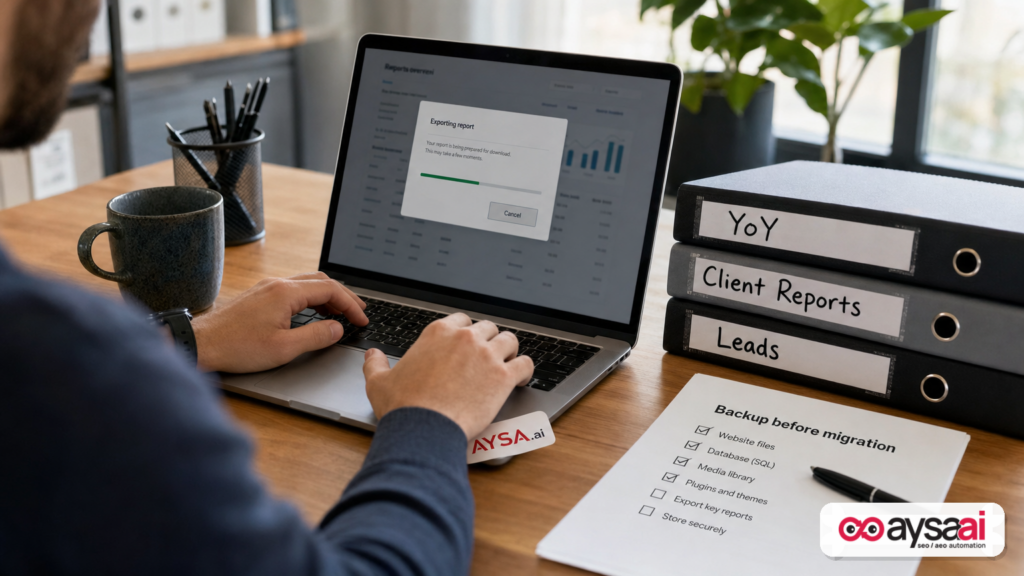
- Reporting is the sleeper issue: historical performance reports do not transfer, and the old dashboard goes away—so you need to back up what you’ll need for YoY, clients, and internal decisions.
- The strategic issue is service economics: if you sell multiple services with different close rates and customer value, a unified target can push volume in the wrong direction unless you restructure.
- Winning move: treat the migration like a controlled change management project (exports, QA, staffing, Monitoring), not like a “wait and see.”
Key takeaways (what busy operators should do)

- Back up historical performance reports before your account migrates (you’ll lose dashboard access after migration).
- Prepare a post-migration QA checklist: budget, Target CPA, categories, locations, schedule, lead routing, photos/callouts.
- Decide now whether you must separate services into different campaigns to protect margins and capacity.
- Plan for a stabilization period (Google notes it may take time for performance to settle after migration).
- Protect your local presence outside ads: your Google Business Profile data syncing and verification pauses can affect lead flow.
Table of contents
- What’s happening: Google is bringing LSAs into Google Ads
- Context: why Google is doing this (and why it’s not just “new packaging”)
- What’s actually changing: LSA becomes a Google Ads “Local Services” campaign
- Performance Max (but not really): what “PMax pay-per-lead” likely means in practice
- Bidding and budgets: from weekly averages to daily control (and no manual bidding)
- The hidden risk: one campaign-level Target CPA can distort service economics
- Lead operations: your inbox moves, and response time becomes more measurable
- Google Business Profile syncing and verification pauses: how local visibility can get disrupted
- Reporting shock: performance data doesn’t transfer—plan your backups now
- A concrete SME scenario: the contractor who sells two different “products”
- What agencies should rethink: packaging, attribution, and guardrails
- Before migration: a step-by-step checklist
- After migration: the first 14 days (how to stabilize performance)
- Where AYSA fits: keep local visibility stable while paid lead flow shifts
- What to do next
- Sources and further reading
What’s happening: Google is bringing LSAs into Google Ads
According to reporting by Search Engine Journal, Google is migrating Local Services Ads into the Google Ads platform beginning in August 2026 for a limited group of U.S. advertisers, then expanding the migration in phases through 2027.
The key framing is this: LSAs aren’t going away. They’re being re-homed inside Google Ads with a new campaign type that uses the Performance Max label, but preserves core LSA traits:
- Keywordless (you’re not managing a Keyword list)
- Placements limited to Search and Maps (not across YouTube/Display the way typical PMax can be)
- Pay-per-lead (valid calls/messages/bookings), not pay-per-click
Those constants are important. But the management model changes enough to affect budgeting, bidding control, reporting continuity, and lead handling workflows.
Context: why Google is doing this (and why it’s not just “new packaging”)
When platforms centralize products into a single interface, they usually do it for three reasons:
- Operational consolidation: fewer dashboards, fewer parallel systems.
- Standardization: shared reporting, shared policy enforcement, shared billing and identity surfaces.
- Automation leverage: it’s easier to layer automated optimization and “smart” bidding models when everything lives in one system.
Google Ads is already where most advertisers manage:
- budgets and pacing rules,
- conversion actions and Attribution settings,
- account-level permissions,
- and cross-campaign reporting.
LSAs living outside Google Ads has always been an odd split: major lead-gen spend for local businesses, but in a separate UI with separate reporting conventions and management norms. Moving LSAs into Google Ads is consistent with the direction Google has taken with other products—more centralization, more automation, more “campaign types” that emphasize outcomes over mechanics.
For local businesses, the implication is simple: you’ll have more knobs in Google Ads, but fewer of the old “LSA-specific” control surfaces you may be used to (like manual bidding and certain callouts). That can be good—if you plan for it.
What’s actually changing: LSA becomes a Google Ads “Local Services” campaign
Search Engine Journal reports that Google is introducing LSAs into Google Ads through Performance Max campaigns designed for pay-per-lead. Here are the practical changes that matter to operators.
What stays the same (don’t panic about these)
- Reach/placements: still limited to Search and Maps.
- No keyword management: still keywordless.
- Billing model: still pay for valid leads (calls, messages, bookings), not clicks.
What changes (these are the operational landmines)
- Where you manage campaigns and leads: you’ll manage the campaign and respond to leads inside Google Ads; the separate LSA dashboard goes away after migration.
- Budgets: a shift from average weekly budget management to average daily budget management.
- Bidding: manual bidding is no longer supported.
- Target CPA structure: different targets by service category are replaced by one campaign-level Target CPA.
- Business details: key business information syncs from Google Business Profile.
- Reporting continuity: historical performance reports do not transfer; dashboard access ends after migration.
- Creative/callouts: some callouts (like BBB callouts) are no longer supported; Google recommends alternatives.
- Lead inbox: lead management moves into Google Ads via Lead Manager.
This isn’t “just a reskin.” These are workflow changes that will affect your weekly routines and monthly reporting.
Performance Max (but not really): what “PMax pay-per-lead” likely means in practice
Performance Max is a loaded term in Google Ads. Many marketers hear “PMax” and think:
- multi-channel distribution (Search, YouTube, Discover, Gmail, Display),
- creative asset groups,
- black-box targeting,
- limited transparency.
But per the SEJ coverage, these new Local Services campaigns keep LSA reach exclusive to Search and Maps and maintain the pay-per-lead model. So the “Performance Max” label here seems to signal Google’s internal optimization framework rather than the full PMax channel mix most advertisers associate with the product.
What matters for SMEs isn’t the label. It’s the practical effect:
- More automation by default (because manual bidding is removed)
- More centralization (lead handling and management inside Google Ads)
- More consistency with other Google Ads workflows (daily budgets, campaign-level targets)
Translation: you should expect the system to behave more like a modern automated campaign product—meaning your advantage comes less from “tweaking bids” and more from structuring campaigns correctly, aligning targets to business economics, and handling leads operationally.
Bidding and budgets: from weekly averages to daily control (and no manual bidding)
Two changes here are easy to underestimate until you feel them in the bank account.
1) Average daily budgets change pacing behavior
Many local operators think in weekly capacity:
- How many crews do we have next week?
- How many appointments can we handle?
- What days are we short-staffed?
When budgeting shifts to an average daily number, pacing becomes more sensitive to:
- day-of-week seasonality,
- local weather or event spikes,
- short-term competitive behavior.
That can be positive if you want more predictable daily lead flow. It can also create operational stress if you’re used to “let it ride” weekly averages and then catch up later.
2) No manual bidding means less micro-control—and more need for campaign structure
Manual bidding (where available) lets some businesses cap lead prices in a direct way. Removing it pushes you toward:
- target-driven automation (Target CPA),
- budget-based constraints,
- and better segmentation (separate campaigns when economics differ).
In plain terms: if you previously “solved” profitability by hard-capping a lead price, you will need a different control system after migration—one that starts with your service mix and margins, not the bidding lever.
The hidden risk: one campaign-level Target CPA can distort service economics
This is the biggest strategic change buried inside what looks like a simple migration.
SEJ notes that advertisers can currently set different Target CPA amounts by service category, but after migration Google calculates one campaign-level Target CPA across all categories. Vertical-level Target CPA is deprecated.
Why that matters: many local businesses do not sell “one service.” They sell a portfolio of services with different:
- lead-to-book rates,
- average ticket sizes,
- gross margins,
- seasonality and urgency,
- capacity constraints (crew availability, appointment slots),
- and customer lifetime value (repeat vs one-time).
A single unified target can be perfectly fine if your service lines are economically similar. But if they’re not, you can end up with two bad outcomes:
Bad outcome #1: You “win” cheap leads that don’t make you money
If the system can hit your unified target by leaning into cheaper categories, it may do exactly that—even if those leads close poorly or produce low-margin jobs. Your dashboard looks “efficient,” but your P&L doesn’t.
Bad outcome #2: Your high-value services get under-funded
Some categories naturally cost more per lead but generate larger jobs or better lifetime value. A unified target can inadvertently starve those services if they pull the blended CPA upward.
The fix: campaign segmentation, but with a data trade-off
SEJ points out the practical approach: create separate campaigns if services need different targets—but compare lead volume, acquisition cost, close rate, and customer value first. The catch is real: splitting reduces conversion density in each campaign, which can weaken automated optimization (especially for low-volume advertisers).
My operator’s framing:
- If you have clear economic differences between services, segmentation is often worth it.
- If you have low lead volume, a combined campaign may be more stable—but only if you actively manage service mix elsewhere (capacity, scheduling, and your website’s intent signals).
You don’t need perfect attribution to make this decision—but you do need a basic model of which services actually create profit, not just leads.
Lead operations: your inbox moves, and response time becomes more measurable
Another “small sounding” change with big consequences: lead management moves from the LSA inbox to Lead Manager in Google Ads.
Even if lead quality and lead volume stayed identical (they won’t always), moving the workflow changes behavior. And behavior changes outcomes.
Here’s what typically happens during inbox migrations:
- Missed leads in the first two weeks because people don’t know where notifications live.
- Slower response times while the team adjusts.
- Broken routing (wrong phone number, wrong after-hours coverage, wrong staff access).
- Unclear accountability for message follow-up and dispute/lead validation processes.
For local services, response time is not a “nice to have.” It’s the difference between:
- a booked job, and
- a lead that calls three competitors and disappears.
If you’re a small operator, treat this as an operations change. Update:
- who owns the inbox during business hours,
- after-hours overflow rules,
- how quickly someone must respond,
- and what the first message/call script is.
Google Business Profile syncing and verification pauses: how local visibility can get disrupted
SEJ reports that business names, physical addresses, and standard hours will sync from Google Business Profile (GBP). That is convenient—until it isn’t.
Google also notes that significant name or address changes can trigger a 24–48 hour verification review that may temporarily pause the campaign.
Two implications for SMEs:
1) GBP hygiene becomes “paid media hygiene”
Historically, some businesses treated GBP as a “set it and forget it” listing. But if paid lead flow is now directly synced to GBP fields, then:
- your naming conventions,
- your address formatting,
- your hours,
- and your operational edits
become part of your paid acquisition stability. The days of casual edits are over.
2) Plan “change windows” like you would for a website deploy
If you must change your name/address/hours, do it deliberately:
- avoid peak lead seasons,
- make sure documentation is ready,
- expect a pause risk,
- and ensure organic channels are strong enough to catch demand if paid pauses.
This is exactly where a monitoring + execution system (how we think about AYSA) becomes valuable: you can keep your organic visibility and on-site conversion paths healthier so a short paid pause doesn’t become a revenue crisis.
Reporting shock: performance data doesn’t transfer—plan your backups now
SEJ highlights the point most teams will only realize after it’s too late: historical performance reports will not transfer from the old LSA dashboard into Google Ads, and the old dashboard will be unavailable after migration.
Lead histories transfer; performance reporting doesn’t.
This is not just an “analytics nerd” issue. It impacts:
- Year-over-year planning (seasonality for services is real)
- Client reporting (if you’re an agency)
- Budget defense (proving you should keep or raise spend)
- Quality investigations (showing changes in lead mix over time)
If you have ever had to answer, “Why are leads down compared to last year?” you already know why this matters.
Practical advice: back up reports before you get the 14-day notice—especially if you manage many accounts. Build a simple archive that your finance team and ops team can understand, not a folder of random CSVs that no one opens again.
A concrete SME scenario: the contractor who sells two different “products”
Let’s make the unified Target CPA issue real with a scenario most people recognize.
Business: A local contractor that does both plumbing and HVAC.
In the real world:
- Plumbing calls often skew urgent (leaks, clogged drains) and can be numerous but sometimes lower ticket.
- HVAC leads can be seasonal and sometimes higher ticket (system replacements) but might require longer sales cycles.
Pre-migration, the business might have set different targets by service category to control that mix.
After migration, one campaign-level Target CPA blends everything. Now imagine it’s shoulder season for HVAC and plumbing is steady. The system can hit the blended target by leaning into plumbing. Lead volume looks stable. But the owner notices:
- fewer high-value HVAC replacement opportunities,
- more low-margin, time-consuming plumbing jobs,
- crew utilization looks “busy” but profit is down.
That’s not a bidding problem. That’s a service-mix control problem.
Possible solutions (no single right answer):
- Split campaigns by service line if you have enough volume for each to optimize.
- Keep one campaign but adjust operational and website signals so that high-value services are easier to book and better represented.
- Align budgets to capacity: if plumbing is consuming schedule slots, you might cap availability by daypart or location.
The point: if you don’t decide how you want your service mix to behave, Google’s automation will decide for you.
What agencies should rethink: packaging, attribution, and guardrails
Agencies managing LSAs have historically lived in a specialized workflow: LSA dashboard, LSA inbox, LSA reporting conventions. Moving into Google Ads changes expectations from clients immediately:
- “Can we see it in Google Ads now?”
- “Can you report this like our other campaigns?”
- “Why did the target change?”
- “Why can’t we cap CPL like before?”
Three recommendations for agencies:
1) Update your service package language
Stop describing LSAs as a separate “set it and forget it” product. It’s now part of the Google Ads ecosystem with shared governance. That means:
- more frequent QA,
- more integration with account-level reporting,
- and more need for client operations buy-in (lead response).
2) Build guardrails for service economics
If clients have multi-service offerings, require a simple service economics worksheet before or during migration:
- service category,
- approx close rate,
- typical job value,
- margin tier (high/medium/low),
- capacity constraints.
You can’t responsibly set a campaign-level target without understanding what “good” means for the business.
3) Treat reporting backups as deliverables
If historical performance reporting disappears after migration, then exporting and archiving becomes part of your professional obligation. Add it to your migration SOW and timeline.
Before migration: a step-by-step checklist
SEJ reports that admins will receive a notice 14 days before migration and a reminder seven days later, plus a confirmation when migration finishes. Don’t wait for that email to start thinking.
Here’s a practical checklist you can run now.
1) Export and archive historical performance reports
Because reports don’t transfer and dashboard access ends after migration, build an archive for:
- YoY comparisons
- monthly board/owner reporting
- agency client reporting
If you’re not sure what to export, err on the side of too much—then organize it into a small number of files your team will actually use.
2) Document your current targets and settings
- current service categories
- current target CPL/CPA approach (especially if manual bidding is used)
- current weekly budget behavior
- current callouts and photos
- current lead routing and after-hours rules
This is your baseline. Without it, you can’t diagnose changes.
3) Decide how you want to segment services
Because the unified campaign-level Target CPA can change outcomes, pre-decide whether you will:
- keep one campaign (and accept a blended target), or
- split into multiple campaigns by service line, location cluster, or storefront vs service-area logic.
SEJ notes the trade-off: separate campaigns give more control but less conversion data in each. That’s the correct framing—make the choice intentionally.
4) Clean up Google Business Profile governance
Because key business details sync from GBP, lock down:
- who can edit the profile,
- what naming conventions are used,
- what counts as a “significant” change,
- and when those changes are allowed.
5) Prepare your team for the new lead workflow
Train the team on:
- where leads will appear (Lead Manager inside Google Ads),
- who responds first,
- response time expectations,
- how to handle missed calls and callbacks.
After migration: the first 14 days (how to stabilize performance)
SEJ notes that Google will move campaign settings automatically but recommends advertisers verify key details afterward, and that performance may take time to stabilize.
Here’s what I’d do during the first two weeks after migration.
1) Run a campaign QA sweep (same day)
Verify the basics align with business goals:
- daily budget
- campaign-level Target CPA
- service categories and locations
- ad schedule
- lead-routing phone number
- photos and callouts
2) Validate lead flow operationally (days 1–3)
- Send test messages (if possible) and confirm notifications.
- Confirm staff access and responsibilities.
- Confirm missed call handling and coverage windows.
Most “performance problems” in the first week are actually operational problems.
3) Expect volatility, but watch the right indicators (days 3–14)
Don’t overreact to daily noise. Instead track:
- lead volume by category
- lead quality notes from your staff
- response time
- booked jobs / appointments
- capacity utilization (are you filling the calendar with the right work?)
If service mix is drifting, that’s your signal to segment campaigns or adjust targets rather than “hoping it fixes itself.”
Where AYSA fits: keep local visibility stable while paid lead flow shifts
When a platform changes how leads are bought, the businesses that win aren’t the ones who “outsmart the algorithm.” They’re the ones who keep the full acquisition system steady:
- paid lead flow,
- organic visibility,
- on-site conversion,
- reputation signals,
- and operational response.
This is where AYSA.ai is designed to help—especially for SMEs who don’t have a dedicated SEO team and agencies who need execution speed without chaos.
1) Monitor what matters while paid is in flux
If your LSAs wobble during migration, you need early warnings on the organic side: are you still visible where customers search? Are your key service pages indexable and clear? Are local signals consistent?
AYSA’s approach is built around monitoring and visibility intelligence, so you can spot issues before they become revenue surprises. Learn more: AYSA Monitoring.
2) Strengthen AI search + local visibility as a hedge
Local acquisition is no longer just “rank in Maps” vs “buy leads.” Search behavior is shifting, and businesses need broader visibility across modern search experiences. AYSA focuses on visibility across AI and search surfaces: AI Search Visibility.
3) Approved execution: move fast without breaking the site
During paid platform transitions, you often need fast updates:
- clarify service pages so customers self-qualify (fewer junk leads),
- add location/service clarity,
- tighten conversion paths (calls, bookings),
- reduce confusion that increases call time and decreases close rates.
AYSA’s model is simple: it prepares changes, asks for your approval, and executes accepted updates—so improvements ship without endless back-and-forth. Explore the tooling perspective here: AYSA AI SEO Tools.
4) For agencies: execution throughput becomes a competitive advantage
Agencies will be asked to do more during this migration: backups, QA, restructuring, client education, and ongoing stabilization. Your bottleneck will not be “ideas.” It will be shipping.
If you want to see how AYSA thinks about execution-led SEO systems (and how that intersects with paid changes), browse our writing: AYSA Blog.
5) Practical next step: align tooling cost to lead value
When the paid channel changes, it’s a good time to re-evaluate what stability is worth. If one week of disrupted leads costs more than your tooling stack, your “optimization” priority should shift from tinkering to resilience.
Details here: AYSA Pricing.
What to do next
Use this as your action list, in order.
- Start report backups now (don’t wait for the 14-day notice).
- Write down your current settings: budgets, targets, categories, locations, schedule, callouts, lead routing.
- Build a service economics snapshot: close rate and value by service line (even rough tiers help).
- Decide on segmentation: one campaign vs multiple campaigns by service line (based on economics and volume).
- Train the team on the new lead handling workflow inside Google Ads.
- Lock down GBP edits and plan any necessary changes in low-risk windows.
- Set a 14-day stabilization plan: QA day-of, ops validation days 1–3, trend review days 3–14.
- Strengthen organic visibility as insurance so you’re not over-dependent on one lead source during transitions.
Sources and further reading
- Search Engine Journal: Google Is Bringing Local Services Ads Into Google Ads (primary source for the migration details referenced here)
- Search Engine Journal: Latest News (context on ongoing Google Ads and search changes)
- Search Engine Journal: Local Search (broader local visibility context)
- Search Engine Journal: PPC News (additional PPC platform updates)
Note: Google’s help documentation is referenced in the source coverage (including rollout categories and operational details). Because those specific official URLs were not included in the supplied research context, I’m not linking them directly here. If you have them internally, add them to your migration doc and keep them alongside your exported historical reports.
Continue the AI search topic inside AYSA.
Use these pages to connect the article with AI SEO tools, AI visibility monitoring, AI Overviews and approved website execution.
Turn this topic into a website action plan.
Use these AYSA hubs to move from reading to technical fixes, AI visibility monitoring, research, glossary context and approval-first SEO execution.

