
Microsoft Ads Performance Max Experiments: How to Measure Real Incrementality (and Stop Guessing)
Microsoft Ads is rolling out two new Performance Max experiment types—Uplift and Upgrade—so advertisers can quantify incremental value and validate “upgrades” before risking live performance. Here’s how to use them, what can go wrong, and how SMEs and agencies can operationalize test-and-learn with approved execution.

Microsoft just made a quiet but meaningful move for advertisers who are tired of guessing: Performance Max (PMax) campaigns in Microsoft Ads now have dedicated experiment types designed to answer two hard questions—(1) “Is PMax actually incremental?” and (2) “Can I safely upgrade my campaign setup without tanking performance?”
The update was reported by Search Engine Land, and it matters because automated campaign formats are notoriously difficult to evaluate using simple before/after comparisons. If you change a PMax campaign and conversions go up, did your change cause it—or did you just shift credit around the account?
I’m Marius Dosinescu (AYSA.ai). My take: this is Microsoft Ads acknowledging the reality that automation only works when measurement, governance, and execution keep up. Experimentation is a governance tool. And for SMEs, governance is how you stop “AI” from becoming “spend and pray.”
Concise summary
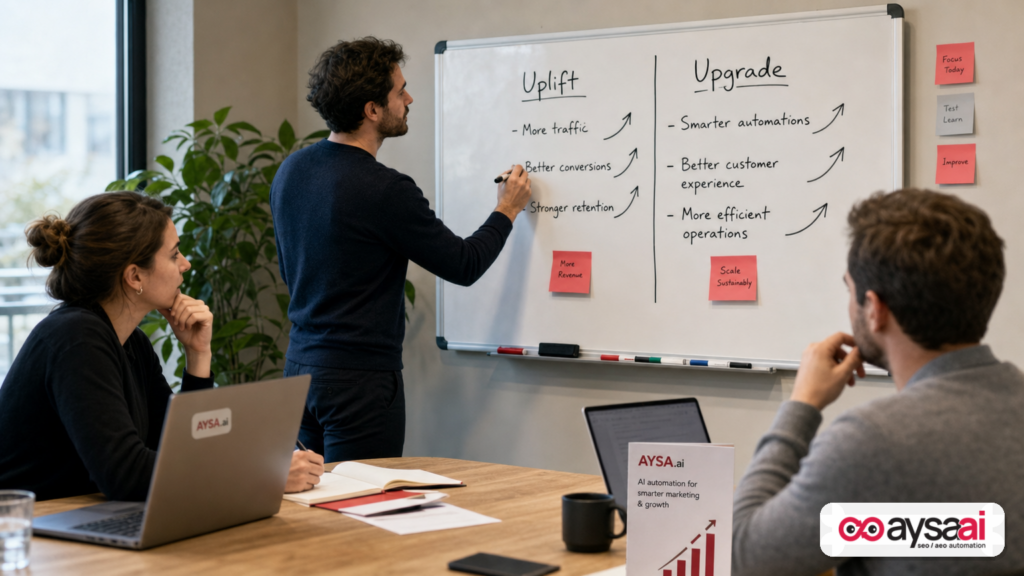
- What changed: Microsoft Ads is expanding experimentation into Performance Max with two experiment types: Uplift and Upgrade. Existing experiments for Search have been renamed to Search optimization experiments to distinguish them.
- Why it matters: Automated campaigns can create the illusion of growth by reallocating credit (and budget). Incrementality testing helps you see what PMax truly adds—beyond what you would have gotten anyway.
- What to do: Decide whether you need an incrementality answer (Uplift) or a safe migration answer (Upgrade), then plan test hygiene: stable tracking, stable budgets, consistent creative inputs, and realistic timelines.
- Where AYSA fits: Experiments only help when your site and tracking are solid. AYSA monitors issues, prepares SEO/AEO site changes, asks for approval, and executes accepted changes—so landing pages, schema, conversion flows, and content stay aligned while your campaigns learn.
Table of contents
- What Microsoft just changed (and why it’s a big deal)
- Why automated campaigns are hard to test (and easy to misread)
- The two new experiment types: Uplift vs Upgrade
- Incrementality 101: what “uplift” should actually prove
- What “upgrade” experiments are really for (migration without regret)
- A practical SME scenario: the local clinic vs the ecommerce store
- Which KPIs to watch (and which ones lie)
- Where most automated-campaign tests go wrong
- How agencies and in-house teams should operationalize this
- The AYSA.ai perspective: experiments are only as good as execution
- What to do next (action list)
- Sources and further reading
What Microsoft just changed (and why it’s a big deal)

Historically, Microsoft Ads experiments were primarily a Search-campaign thing. That’s useful, but it leaves a big gap: the more automation you use (and PMax is heavily automated), the less you can isolate cause-and-effect with traditional “change it and see” optimizations.
According to Search Engine Land, Microsoft Ads is rolling out two new PMax experiment types:
- Uplift experiments to measure incremental impact against a control group.
- Upgrade experiments to compare an existing campaign to an upgraded PMax version before committing.
These are accessible in Microsoft Ads under Campaigns > Experiments (for eligible accounts), and Microsoft is also renaming the existing experiment offering to Search optimization experiments—a subtle but important “product taxonomy” signal that experiments are no longer a single feature; they’re becoming a platform capability.
My POV: In 2026, every ad platform is racing toward more automation. The winners won’t be the platforms with the most automation—they’ll be the platforms that provide the best controls to audit automation. Experiments are those controls.
Why automated campaigns are hard to test (and easy to misread)
Most teams test PMax the wrong way because the easiest method is the least reliable:
- Run PMax for 2–4 weeks.
- Look at conversions, ROAS/CPA, and overall revenue.
- Call it a win (or a failure).
The issue is that automated campaigns can:
- Shift Attribution rather than create new demand.
- Capture existing demand (brand searches, returning users, remarketing pools) and claim it as “incremental.”
- Change auction dynamics across your account, affecting other campaigns even if you didn’t touch them.
- Trade quality for quantity—e.g., more leads but worse lead quality, more orders but higher return rates.
This is why “performance” can look better in-platform while the business feels worse. You get more “conversions” but fewer qualified calls. More orders but lower margin. More revenue but worse cash flow.
Experiments are designed to reduce the guesswork. Not eliminate it completely—marketing will always be messy—but reduce it enough that budget decisions aren’t based on vibes.
The two new experiment types: Uplift vs Upgrade
Microsoft’s two new PMax experiment types map to two different business questions.
1) Uplift experiments: “Is PMax creating incremental business?”
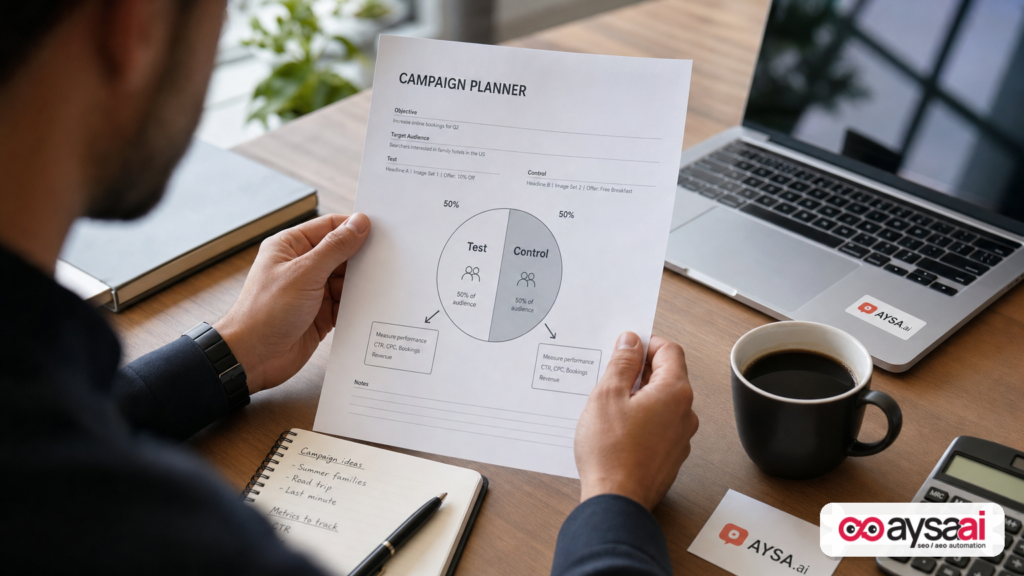
An Uplift experiment is about incrementality. It aims to compare outcomes between:
- Test group exposed to Performance Max
- Control group not exposed (or exposed differently)
The point is not to prove PMax can get conversions. Of course it can. The point is to prove PMax creates additional outcomes that would not have happened otherwise—or creates them at a better cost/margin than your alternatives.
2) Upgrade experiments: “Can I change my setup without damaging performance?”
Upgrade experiments are about change management. Most advertisers don’t fear PMax itself—they fear:
- Resetting learning
- Breaking what already works
- Launching a new structure that tanks lead quality
- Explaining a dip to a CFO who doesn’t care about ‘learning periods’
An Upgrade experiment creates a safer pathway: compare the existing campaign with an upgraded PMax version before rolling changes out account-wide.
Incrementality 101: what “uplift” should actually prove
Incrementality is a business concept, not a platform metric.
Incremental impact means the additional conversions/revenue/profit you got because you ran PMax—net of what would have happened anyway through other campaigns, organic channels, email, direct traffic, brand equity, and simple seasonality.
The questions uplift should answer
- Incremental conversions: Are total conversions higher with PMax than without?
- Incremental revenue: Does total revenue rise, or does revenue merely shift from Shopping/Search into PMax attribution?
- Incremental profit: Do you gain margin after ad costs, discounts, returns, and operational costs?
- Incremental customer value: Are you acquiring new customers, or just accelerating purchases from existing customers?
Notice what’s missing: “Did PMax hit a target ROAS?” That can be a useful operational metric, but it’s not the same as incrementality.
Reality check for SMEs
For smaller advertisers, you may not have the conversion volume to run perfect experiments. That doesn’t mean you should ignore incrementality—it means you should:
- Choose fewer, bigger tests
- Run them longer
- Use business outcomes (appointments kept, qualified leads, margin) as validation
- Keep everything else stable during the test window
If you can’t operationalize a clean test, at least adopt the mindset: “Did we grow the business, or did we move the credit?”
What “upgrade” experiments are really for (migration without regret)
“Upgrade” sounds like a feature update. Practically, it’s a risk-management mechanism.
You use upgrade experiments when you believe the new configuration is better, but you want to validate:
- It won’t reduce volume
- It won’t destroy CPA/ROAS
- It won’t change conversion mix in a harmful way
- It won’t create operational overload (too many low-quality leads)
Common “upgrade” cases in automated campaigns
Microsoft’s help docs (linked from the Search Engine Land piece) suggest upgrade experiments are intended to compare an existing campaign with an upgraded PMax version. Without overstating details not present in the supplied context, the practical “upgrade” patterns advertisers typically care about include:
- Structural upgrades: Changing how campaigns are organized (e.g., consolidating vs splitting).
- Asset strategy upgrades: Refreshing creative inputs and messaging frameworks.
- Goal and bidding upgrades: Changing targets or optimizing toward different conversion actions.
- Feed and landing page upgrades: Improving product data quality or directing traffic to higher-intent pages.
My POV: Upgrade experiments are often more immediately useful than uplift experiments for teams that already believe PMax belongs in the mix but need a safe path to evolve their setup. Uplift experiments are the “should we?” question. Upgrade experiments are the “how do we change without breaking it?” question.
A practical SME scenario: the local clinic vs the ecommerce store
Let’s make this tangible with two realistic SMEs. Neither has a giant budget. Both care about outcomes more than platform metrics.
Scenario A: A local clinic (appointments, not clicks)
A multi-location clinic runs Microsoft Ads to generate appointment requests. They’ve tried automated campaigns before and got “lots of leads,” but the front desk complained: wrong insurance, wrong services, tire-kickers, no-shows.
What they should test first: An Uplift experiment can help answer whether PMax increases kept appointments (not just form fills). Even if Microsoft’s experiment reports conversions as the platform defines them, the clinic can cross-check with internal outcomes.
What they must stabilize:
- Call tracking and form tracking consistency
- Service pages and availability messaging (so lead intent remains comparable)
- Front desk process (so conversion quality isn’t changing mid-test)
What success looks like: Not “lower CPA,” but “higher kept appointment volume at acceptable cost” and “better payer/service mix.”
Scenario B: An ecommerce store (margin and repeat purchase)
An ecommerce brand sells a mix of high-margin and low-margin products. They already run Shopping/Search and want to expand reach with PMax, but they’re worried PMax will over-prioritize the easiest-to-sell items and compress margin.
What they should test first: An Upgrade experiment if they already have PMax running but want to improve structure (for example, separating product groups or refining landing page routing). If they don’t run PMax yet, an Uplift experiment is the right “prove it” step.
What success looks like:
- Total contribution margin up (not just revenue)
- New customer acquisition rate stable or improving
- Return/refund rate not worsening
Plain-English takeaway: The clinic cares about lead quality. The ecommerce brand cares about profit quality. Both should treat experiments as business validation, not dashboard theater.
Which KPIs to watch (and which ones lie)
Automated campaigns make it easy to optimize toward what’s measurable rather than what matters. Experiments help, but you still need the right KPI stack.
Primary metrics (what the business should care about)
- Incremental conversions (ideally mapped to qualified outcomes)
- Incremental revenue (for ecommerce)
- Incremental profit / contribution margin (best-case)
- Customer acquisition mix (new vs returning)
- Lead quality indicators (kept appointment rate, sales-accepted leads, close rate)
Supporting metrics (useful, but not the truth)
- CPA / ROAS (important, but can be gamed by attribution shifts)
- Conversion rate (can rise if the campaign starts cherry-picking warmer users)
- CTR (often noisy in automation-heavy environments)
Metrics that commonly lie during automation tests
- “Total conversions” inside one campaign (because other campaigns may lose credit)
- Short-window ROAS (because PMax may change the timing of purchases)
- Branded conversion lifts (which may be capture, not creation)
My POV: If you don’t have a clean definition of success outside the ad platform, you don’t have an experiment—you have a hope.
Where most automated-campaign tests go wrong
Most PMax “tests” fail for boring reasons. Here are the ones I see most often (and the fixes):
1) Seasonality and promo overlap
What goes wrong: You run an experiment during a sale, holiday, or demand spike. The platform looks great. You scale. Then everything collapses in the normal period.
Fix: Avoid major promo windows unless the promo itself is the test variable. Keep promo calendars consistent across test/control as much as possible.
2) Conversion tracking isn’t stable
What goes wrong: Mid-test, someone updates the website, changes form behavior, modifies thank-you pages, or breaks a tag. The experiment result becomes meaningless.
Fix: Treat tracking like production infrastructure. Monitor it continuously.
This is exactly where AYSA’s model is relevant: AYSA monitors site changes and issues, prepares recommended fixes, and requires approval before execution—so you can reduce accidental measurement drift while campaigns are learning.
3) Creative and offer drift during the test
What goes wrong: You change creative inputs, offers, or landing pages midway through. Now you don’t know whether the “lift” is from PMax or from the new offer.
Fix: Either freeze creative/offer inputs during the test or explicitly structure the experiment around those changes.
4) Budget shocks and learning resets
What goes wrong: You launch the experiment and then panic-adjust budgets daily. Automation never stabilizes, and your result is mostly noise.
Fix: Set a budget policy before launch (e.g., only adjust weekly, within a defined range) and stick to it unless something is truly on fire.
5) A control group that isn’t really a control
What goes wrong: Your “control” still gets indirectly influenced by the test because other campaigns shift, audiences overlap, or brand demand is being harvested differently.
Fix: Don’t treat experiments as magical. Use them as directional evidence and corroborate with:
- Overall account performance
- Organic/direct trends
- CRM outcomes
- Business operations feedback (sales, support)
6) Tests that are too short to mean anything
What goes wrong: A 7–14 day test window gets interpreted as a final verdict. In many businesses, that’s just volatility.
Fix: If you’re an SME with low volume, accept longer test windows and fewer simultaneous experiments.
How agencies and in-house teams should operationalize this
Adding experiment types doesn’t automatically make organizations more scientific. You still need process.
Build an “experiment portfolio,” not random tests
Think in quarters, not days. A practical portfolio might include:
- One incrementality test (Uplift) per major channel or automation format
- One migration test (Upgrade) per major restructuring initiative
- Ongoing creative testing as smaller, repeatable iterations
Define decision rules before you start
Before launching, write down:
- What result would make you scale?
- What result would make you pause?
- What result would make you roll back?
- What secondary metrics must remain healthy (lead quality, margin, etc.)?
This is a governance move. It prevents you from “moving the goalposts” after you see the data.
Use naming conventions and documentation
If you’re running multiple experiments, your future self needs clarity. Use a naming pattern like:
- [Type] UPLIFT or UPGRADE
- [Objective] New customers / Margin / Lead quality
- [Variable] Assets / Landing pages / Bidding goal
- [Dates] Start–End
Tie ad experiments to site readiness
Here’s the part too many teams ignore: ad automation pushes traffic into more places, faster. If your landing pages are weak, inconsistent, or slow to update, your experiment will underperform—or worse, it will “win” by exploiting low-quality conversions.
A strong workflow is:
- Monitor landing page and conversion funnel issues.
- Prepare fixes (content clarity, forms, Internal linking, schema, trust elements).
- Approve and execute changes quickly.
- Then run the ad experiment with stable measurement.
That’s exactly the execution gap AYSA is built to close: AYSA is an execution system for SEO/AEO/GEO work that monitors, prepares changes, requests approval, and executes accepted updates—so you can keep the site aligned while you test paid growth.
The AYSA.ai perspective: experiments are only as good as execution
It might sound odd to bring AYSA (an SEO/AEO/GEO execution platform) into a Microsoft Ads PMax discussion. But in practice, paid and organic are converging on the same reality:
- More automation
- More opaque decision-making
- More emphasis on “systems” rather than one-off tactics
When PMax expands, it increases pressure on your site to do three things well:
- Convert (clear intent matching, fast UX, strong trust signals)
- Explain (content that matches what users and automated systems infer)
- Measure (stable Conversion tracking and consistent definitions)
How AYSA supports a “test-and-learn” paid strategy
AYSA is designed to operationalize site-side improvements that materially affect ad outcomes:
- Monitoring: Identify site changes, content drift, and technical issues that can break conversion measurement or degrade landing page performance (Monitoring).
- AI Search visibility readiness: Maintain a site that’s legible to both search engines and AI systems—helpful as discovery fragments across classic search and AI-driven experiences (AI Search Visibility).
- Execution with approval: Prepare updates, ask for approval, then execute—so changes are controlled, auditable, and consistent with your brand voice (core to AYSA’s model across our tools and workflows).
- Tooling: Use AYSA’s capabilities to turn insights into deployable tasks (AI SEO Tools).
If you’re an SME, this matters because you don’t have time for cross-team chaos while an experiment is running. If you’re an agency, it matters because your client doesn’t care that “the tag changed”—they care that leads fell 30% and nobody can explain why.
Budget logic: why this makes experimentation more valuable
Experiments help you decide where to spend. Execution helps you make spending actually work.
When you pair experiments with controlled execution, you get a flywheel:
- Test ad strategy changes safely.
- Confirm whether lift is real.
- Fix the site bottlenecks that limit conversion quality.
- Scale what works, with fewer surprises.
If you want to explore how that looks in practice, start with AYSA’s pricing to see which tier fits your team size, or browse implementation-oriented articles on our blog.
What to do next (action list)
- Pick the right experiment type:
- Choose Uplift if you need to prove incrementality (should we invest?).
- Choose Upgrade if you need to validate a migration (can we change safely?).
- Write decision rules before launch: What outcomes trigger scale, pause, or rollback?
- Freeze non-essential changes: Avoid changing offers, landing pages, or tracking mid-test unless that’s the test variable.
- Audit conversion definitions: Make sure “conversions” map to business reality (qualified leads, kept appointments, margin-positive orders).
- Validate the site and funnel: Monitor forms, call tracking, page speed, and content clarity so experiment results reflect ads—not broken UX.
- Operationalize learnings: Turn winners into standard practice (naming, templates, governance) rather than one-off wins.
- Close the execution loop: Use a system like AYSA to monitor and implement approved site improvements so your paid tests aren’t sabotaged by web drift.
Sources and further reading
- Search Engine Land: Microsoft expands Performance Max testing with new experiment types
- Search Engine Land: ChatGPT Ads new overview tab, suggested ad drafts, new ad formats and more (context on broader ad automation/testing trends)
- Search Engine Land: Google expands AI ad disclosures across Search, YouTube, Discover (context on transparency pressures)
- Search Engine Land: Why frontloading your ad spend usually backfires (useful budget pacing context when running experiments)
- Search Engine Land: ChatGPT commands 92% of AI referral traffic (6.77 million sessions) (context on discovery fragmentation; read critically and validate for your business)
Related AYSA resources:
Continue the AI search topic inside AYSA.
Use these pages to connect the article with AI SEO tools, AI visibility monitoring, AI Overviews and approved website execution.
Turn this topic into a website action plan.
Use these AYSA hubs to move from reading to technical fixes, AI visibility monitoring, research, glossary context and approval-first SEO execution.

