
Server Log SEO: The Crawl Data Your Tools Aren’t Showing You (And How to Turn It Into Growth)
Server logs are the closest thing you have to a truthful record of how search crawlers experience your site. Here’s how to use logs to find crawl waste, performance bottlenecks, soft 404s, and migration issues—then fix them with an execution-first workflow that actually ships changes.

SEO teams are drowning in dashboards—rank trackers, crawlers, analytics, and AI “visibility” reports. Yet one of the most valuable datasets for Technical SEO is usually sitting ignored on the server: your log files.
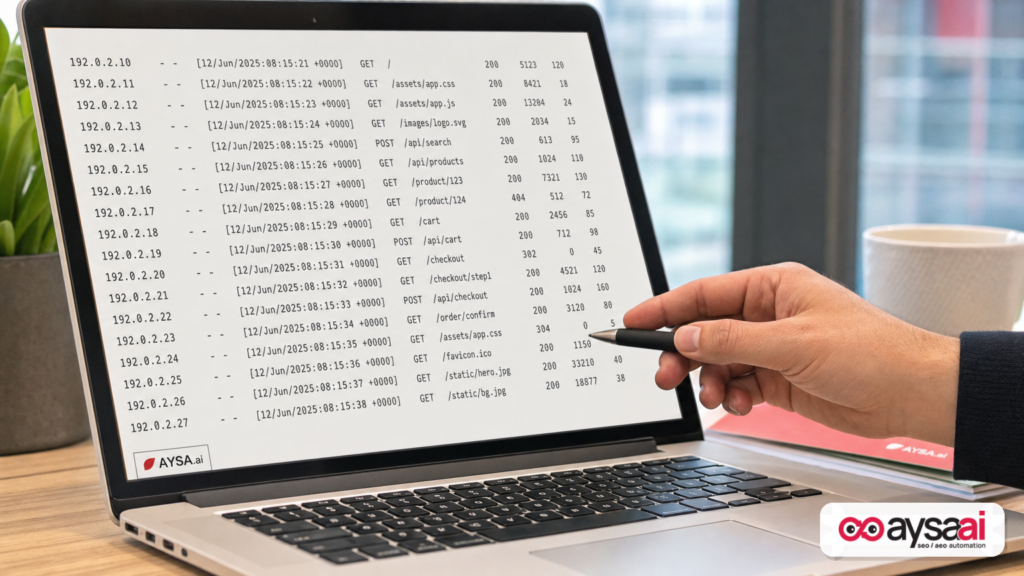
Server logs are the closest thing you have to a truthful record of how search engines (and increasingly, AI crawlers) experience your website. They don’t guess. They don’t simulate. They record every request that hit your infrastructure, including the URL requested, response code, and often response time and bytes served.
This matters because most technical SEO issues don’t start as a dramatic crash. They start as small crawl inefficiencies that compound: redirect chains, parameter loops, slow templates, empty pages returning 200 OK, or “dead” URLs that never stop getting crawled. Eventually, important pages get crawled less, indexed slower, refreshed less often—and visibility quietly slips.
Search Engine Land recently published a strong piece on this exact gap: What server logs reveal that SEO tools miss. I agree with the central message: for large and growing sites, log analysis isn’t a “nice to have.” It’s operational hygiene.
My point of view from building AYSA: insight isn’t the bottleneck anymore—execution is. The best teams will connect log-driven diagnosis to an approval-based system that actually ships changes, monitors impact, and keeps the crawl clean as the site evolves.
Concise summary
- Logs show what tools can’t: the real crawl, not a sampled report or a simulated bot run.
- The biggest wins are usually unsexy: reducing crawl waste, fixing Soft 404 patterns, and improving response stability.
- Performance is SEO: response time and reliability influence how aggressively bots crawl.
- Retention creates leverage: without historical logs, you can’t compare before/after migrations, platform changes, or seasonal crawl behavior.
- Execution beats diagnosis: log analysis only helps if you can consistently implement and validate fixes.
Table of contents

- What changed: why logs matter more now
- What server logs are (in plain English) — and why they’re different
- Why your SEO tools miss what logs capture
- The 7 log insights that routinely change SEO decisions
- Crawl budget without the myths: what logs actually show
- Soft 404s at scale: the silent crawl killer
- When infrastructure limits crawling (and nobody tells marketing)
- Separating real crawlers from bot noise (without getting fooled)
- Log retention: the simplest technical SEO advantage to buy
- Migrations: why logs are your earliest warning system
- A concrete SME scenario: the ecommerce brand that “did everything right” (and still lost traffic)
- A practical 30–60–90 day action plan
- Where AYSA fits: from monitoring → approved execution
- What to do next
- Sources and further reading
What changed: why logs matter more now

Server logs have always been useful. What’s changed is the operating environment around them:
- Sites are larger and more dynamic. Ecommerce catalogs, faceted filters, UGC pages, and programmatic landing pages can create millions of URLs—often faster than teams can govern them.
- Rendering and middleware increased complexity. CDNs, edge logic, caching layers, headless stacks, and API-driven templates make it easier for crawlers to experience a different site than users.
- More crawlers matter. It’s no longer just Googlebot and Bingbot. AI-related crawlers and agents exist (and more will come). Whether you want them crawling or not, you need ground truth about what’s hitting your servers.
- Measurement is getting harder. Search results increasingly answer questions directly, reducing Clicks for some query types (Search Engine Land has covered the trend of more “zero-click” behavior in other reporting, e.g., this item). When clicks are harder to earn, technical performance and crawl efficiency become even more important—because you can’t waste visibility you do get.
In that environment, relying only on tools that provide samples or simulations is risky. Logs show what’s actually happening.
What server logs are (in plain English) — and why they’re different
A server log is a record of requests your infrastructure processed. Think of it like a receipt printer behind the website:
- Someone (user, bot, Monitoring tool) requests a URL
- Your server returns a response (200, 301, 404, 500, etc.)
- The log records what was requested and how it was handled
For SEO, the most useful fields typically include:
- Timestamp (with timezone)
- Hostname and path (ideally full URL)
- Query parameters
- User agent (e.g., Googlebot Smartphone)
- HTTP status code (200, 301, 404, 503…)
- Response time (latency)
- Bytes served (response size)
- Client IP (with proxy/CDN headers when available)
The key difference versus most SEO tooling: logs capture every request that hit your server. Not an estimate. Not a crawler run you launched. Not a report window with expiration.
Why your SEO tools miss what logs capture
Most teams use some mix of:
- Google Search Console
- Bing Webmaster Tools
- Third-party crawlers
- Analytics tools
- Performance testing and synthetic monitoring
All of these are useful, but they each have blind spots:
1) Sampling and aggregation hide patterns
Platform reports often summarize. That’s convenient—until the problem is concentrated in one URL pattern (like a parameter) that’s quietly consuming a huge share of crawl activity.
2) Simulated crawls aren’t the same as real crawls
Third-party crawlers do a “best effort” crawl from outside your infrastructure. But search engines behave differently: they have their own URL discovery, prioritization, crawl rate logic, and patience thresholds.
3) User analytics isn’t crawler analytics
Analytics tells you what users did. Logs tell you what crawlers did. Those are not the same. A page can have low user traffic and still be hammered by bots—or the opposite.
4) Many of the worst problems are operational
Response time spikes, cache misses during crawler bursts, redirect loops introduced by edge rules, staging URLs leaking—these are infrastructure realities. Logs are where they appear first.
The 7 log insights that routinely change SEO decisions
In practical terms, these are the areas where log analysis pays back fast—especially once your site moves beyond a few thousand URLs.
1) Where crawl time is actually going
Teams assume Googlebot is spending time on “important pages” because they’re in the nav and sitemap. Logs often reveal the opposite: bots are stuck in parameterized URLs, internal search pages, or outdated archives.
2) What crawlers are seeing in status codes (at scale)
A few 500s won’t show in a crawl sample. But a recurring pattern—say, 2% of Googlebot requests to product pages returning 503 during peak hours—can reduce crawl aggressiveness across the site.
3) Redirect chains and legacy URL ghosts
Migrations and platform changes create old URL structures that never fully die. Logs show how often bots keep requesting them and whether your redirect logic is clean (single hop) or messy (chains).
4) Soft 404 footprints
“Thin pages that return 200” are hard to catch with standard status code reports. Logs plus response size (bytes) and URL patterns make soft 404 discovery much more systematic.
5) Crawl frequency by section (and whether it matches business priorities)
If your money pages aren’t being recrawled, fresh inventory and price changes won’t reflect in search quickly. Logs can reveal whether your internal linking and canonical strategy are guiding crawlers effectively.
6) Mobile vs desktop crawler differences
Google primarily uses mobile-first indexing for most sites. If Googlebot Smartphone is getting different templates, different performance, or more errors than other agents, logs will show it.
7) The impact of infrastructure changes
A CDN change, cache policy, or deployment schedule can change crawler experience immediately. Logs are the quickest way to confirm whether changes improved things or accidentally made them worse.
Crawl budget without the myths: what logs actually show
Crawl budget gets oversimplified online. Here’s the operational reality:
- Search engines prioritize. They won’t crawl everything equally on large sites.
- Your site competes with itself. Every low-value URL that looks crawlable is a candidate for attention.
- Infrastructure quality matters. Slow, unstable responses can reduce crawl rate—especially during spikes.
Logs help you answer the only crawl budget questions that matter to a business owner:
- Are bots crawling the pages that make us money (or generate leads)?
- Are bots wasting time on URLs we don’t want indexed?
- Are we accidentally manufacturing crawlable garbage?
Common sources of crawl waste that logs expose quickly:
- Infinite filter combinations (faceted navigation)
- Sort and session parameters
- Internal search result pages
- Duplicate URLs caused by inconsistent canonicals
- Old URLs that still 301 (especially chains)
- Staging or QA environments accidentally exposed
From a business standpoint, the goal isn’t to “optimize crawl budget” as a buzzword. The goal is to ensure crawler attention aligns with revenue, leads, and brand trust pages.
Soft 404s at scale: the silent crawl killer
A hard 404 is honest. The server says: “This page doesn’t exist.” A soft 404 is dishonest: the server returns 200 OK but the page is effectively empty, thin, or useless.
Soft 404s matter because they create a perfect storm:
- Bots keep crawling them because they look valid
- They dilute perceived site quality signals over time
- They consume attention that should go to real pages
Examples that hit real businesses:
- Ecommerce: out-of-stock products replaced by thin placeholders with no alternatives.
- Local services: location pages that exist in the URL structure but have generic boilerplate and no real details.
- Publishers: empty archive states created by pagination bugs.
- SaaS: onboarding pages accidentally left publicly crawlable with no useful content.
Why logs help: response codes won’t show a problem (they’re 200). But response size (bytes), repetition, and URL patterns often reveal templated “empty” pages in bulk. This approach is discussed in the Search Engine Land article as a scalable way to catch soft 404 patterns in the real crawl stream (source).
Operational takeaway: treat soft 404s like technical debt. If you let them accumulate, they steal crawl attention continuously.
When infrastructure limits crawling (and nobody tells marketing)
One of the most underrated SEO uses of logs is performance under crawler load.
Here’s the dynamic many teams miss:
- Googlebot (and other crawlers) can request URLs in bursts.
- If those requests cause cache bypasses, slow database queries, or API latency, response times spike.
- Search engines observe that instability and may crawl less aggressively.
This isn’t about shaving 50ms off a perfect page. It’s about eliminating structural bottlenecks that only show up when crawlers hit specific URL types at scale.
Patterns logs frequently reveal:
- Template-specific slowness: product pages that bypass cache due to personalization logic.
- Media crawl strain: image bots pulling heavy resources from origins without proper caching.
- Regional CDN issues: certain edge locations serving slower responses (if your logs include edge metadata).
- Rendering failures: pages depending on JavaScript that occasionally fails for bots, resulting in “empty” content responses.
Tools that run synthetic tests are helpful, but they rarely match crawler behavior exactly. Logs do—because they reflect what the crawlers experienced.
Separating real crawlers from bot noise (without getting fooled)
Logs are messy. If you take raw user agent strings at face value, you’ll get fooled—because many bots impersonate Googlebot or Bingbot.
The right workflow is to validate crawlers. At a minimum, that usually means:
- Filter by user agent patterns (first pass)
- Validate IP ownership (do not trust the string alone)
- Use reverse DNS checks / forward-confirmed reverse DNS where appropriate
I’m intentionally not providing a “definitive IP list” here because those details change and should be pulled from official documentation at the time you implement. If your organization needs this, align with your DevOps/security team and use primary vendor docs.
Once you have verified segments, you can meaningfully compare:
- Googlebot Smartphone vs other Google agents
- Image crawlers vs HTML crawlers
- Bingbot vs Googlebot differences
- Other verified crawlers relevant to your business
This segmentation is critical because different crawlers can stress different parts of your stack and highlight different indexing risks.
Log retention: the simplest technical SEO advantage to buy
If you only keep seven days of logs, you can only see seven days of reality.
But crawl patterns change slowly. Search engines adapt their crawling over weeks and months based on observed performance and perceived importance. The Search Engine Land article calls out how retention unlocks trend analysis and migration comparisons (source), and I’ll add one business framing:
Log retention is like keeping accounting records. You don’t keep receipts for a week and then ask your CFO to explain a quarterly trend.
What retention enables:
- Before/after comparisons for releases and migrations
- Seasonality analysis (crawl behavior can be seasonal in some verticals)
- Detecting “URL ghosts” that never go away
- Trend detection in response times and error rates
How long should you keep? It depends on scale and risk. Many teams aim for at least a few months; enterprise environments often retain much longer. The operational principle is simple: keep enough history to compare major platform events and seasonal periods.
Migrations: why logs are your earliest warning system
Migrations are where SEO plans go to die—because real crawler behavior after launch rarely matches what teams tested in browsers.
Logs let you see, immediately after launch:
- Whether bots are hammering old URLs
- Whether redirects are single hop or chained
- Where 404/410 spikes are happening
- Which sections lost crawl attention
- Whether response times degraded under bot load
Many teams rely on “spot checks” and crawler tools after migrations. Those are useful, but logs are the only place you can confirm what the major crawlers are truly doing at scale.
Practical migration advice:
- Establish baseline logs before launch. Without a baseline, post-migration crawl patterns are harder to interpret.
- Track legacy URL activity. If bots keep requesting old URLs, ensure redirects are clean and fast.
- Monitor error budgets by template type. It’s rarely “the whole site”—it’s usually one template.
A concrete SME scenario: the ecommerce brand that “did everything right” (and still lost traffic)
Let’s make this real.
Imagine a mid-sized ecommerce brand selling outdoor gear. They have:
- Clean category pages
- XML sitemaps
- Good content
- A solid backlink profile
Then traffic starts slipping. Not crashing—slipping. The SEO tools show nothing dramatic. Search Console has some noise but no smoking gun.
Server logs reveal three issues that SEO tools didn’t make obvious:
Issue A: Faceted filters exploded the URL space
Color, size, brand, waterproof rating, gender, and “on sale” filters generated millions of crawlable URLs. Googlebot spent a large share of crawl requests on low-value combinations.
Issue B: Out-of-stock products returned 200 with near-empty templates
When inventory ran out, the page stayed live but became a thin placeholder. It looked like a “real” 200 OK page to crawlers, so it kept getting revisited.
Issue C: The most important template was the slowest
Product detail pages bypassed caching because of a “recommended items” module that pulled personalized data. Under crawler bursts, response times spiked.
Outcome: less efficient crawling, slower refresh of key pages, and more low-quality index candidates. That’s exactly how you get an “organic visibility fade” while everything looks “mostly fine.”
Fix strategy (high-level):
- Constrain crawlable parameters (robots rules + internal linking discipline + canonical consistency)
- Change out-of-stock behavior (improve content, offer replacements, or return appropriate status codes where warranted)
- Fix cache strategy and performance bottlenecks on the money template
None of these require “more content.” They require operational cleanup guided by evidence.
A practical 30–60–90 day action plan
If you want this to produce business results (not just a pretty report), treat it as an operating system you’ll run continuously.
Days 1–30: Get usable logs and define your questions
- Confirm access and ownership: who controls logs (DevOps, hosting provider, security)?
- Ensure key fields are present: timestamp, URL/host/path, parameters, user agent, status, response time, bytes.
- Decide retention target: start by stopping the loss of historical data.
- Define 3–5 business questions: “Are bots crawling money pages often enough?” “Where are errors recurring?” “What URL patterns waste crawl?”
Days 31–60: Segment crawlers and map crawl by site section
- Validate crawler segments (don’t trust user agents alone).
- Create a URL taxonomy (categories, products, blog, parameters, search pages, account pages, etc.).
- Quantify crawl allocation by section and by crawler type.
- Identify top waste patterns (top parameter combos, internal search, infinite pagination).
Days 61–90: Fix, validate, and monitor
- Prioritize by impact: changes that shift crawler time from garbage → money pages win first.
- Ship small fixes weekly: redirect cleanup, parameter constraints, canonical corrections, performance improvements.
- Validate in logs: did crawler behavior actually change after deployment?
- Set alerting thresholds: spikes in 5xx for Googlebot, unexpected growth in crawl of parameter URLs, rising response time.
This is where most teams fail: they diagnose, then stop. The win comes from building a repeatable loop.
Where AYSA fits: from monitoring → approved execution
At AYSA, we think about technical SEO like a production system:
- Monitor continuously (so problems are caught early)
- Prepare changes based on evidence
- Ask for approval (so humans keep control)
- Execute accepted changes reliably
- Verify outcomes and keep iterating
Log data fits naturally into that model because it turns “SEO” into operational truth. It can power:
- Alerts when crawl waste starts growing again
- Checks that your money templates stay fast under bot load
- Detection of new soft 404 patterns after catalog changes
- Migration monitoring that’s based on crawler behavior, not hope
If you’re building an execution-first SEO program, these AYSA resources are a good starting point:
- AYSA Monitoring — ongoing detection so issues don’t linger unnoticed
- AI Search Visibility — because visibility is expanding beyond classic blue links
- AI SEO Tools — the broader execution toolkit view
- Pricing — evaluate based on your scale and execution needs
- AYSA Blog — tactical guides and system thinking for SEO operations
One important note: logs don’t replace Search Console or analytics. They complement them. Search Console can tell you what Google reports about indexing and performance; logs tell you what your servers actually delivered when crawlers showed up.
What to do next
- Ask your technical team one question: “How long do we retain server access logs, and do they include response time + bytes?”
- Pick one high-stakes section: product pages, service pages, or lead-gen landing pages.
- Run a simple analysis: status codes + response time distribution + top crawled URL patterns for verified Googlebot.
- Fix one crawl-waste pattern: parameter control or internal search indexation is often the fastest win.
- Validate the change in logs: did crawler allocation shift within 1–3 weeks?
- Turn it into a monthly habit: operational SEO beats one-time audits.
Sources and further reading
- Search Engine Land: What server logs reveal that SEO tools miss
- Search Engine Land: Google zero-click searches hit 68% in early 2026: Study (context on why every marginal visibility gain matters)
- Search Engine Land: Google adds guidance on third-party SEO tools, services, advice… (context on tool expectations and guidance)
- Search Engine Land: Google Analytics adds source grouping and hostname filtering (analytics context; logs vs analytics)
- Search Engine Land: Tools and software to manage AI crawlers accessing your site (crawler ecosystem context; validate against your needs)
Continue the AI search topic inside AYSA.
Use these pages to connect the article with AI SEO tools, AI visibility monitoring, AI Overviews and approved website execution.
Turn this topic into a website action plan.
Use these AYSA hubs to move from reading to technical fixes, AI visibility monitoring, research, glossary context and approval-first SEO execution.

