The UpdraftPlus Backdoor Incident Is a Wake‑Up Call: WordPress Security Is Now a Search Visibility Issue
A compromise tied to UpdraftCentral connection keys turned “legitimate” remote-management commands into a pathway for backdoor installs on WordPress sites. Here’s what changed, why it matters for revenue and search visibility, and a practical response plan for SMEs and agencies—plus how AYSA’s monitoring and approved execution model helps reduce blast radius.

WordPress powers an enormous part of the web, and that’s why incidents like the UpdraftPlus backdoor campaign shouldn’t be treated as “someone else’s problem.” When attackers can use trusted connections (not a classic code vulnerability) to install malicious plugins and create stealthy accounts, the result is bigger than a security headache—it becomes a revenue, reputation, and search visibility event.
This editorial is based on reporting by Search Engine Journal, plus the broader operational reality I see across SMEs and agencies: search performance doesn’t fail gracefully. It fails suddenly when trust breaks.
Concise summary
- What changed: Attackers abused compromised UpdraftCentral connection keys tied to UpdraftPlus to send “legitimate-looking” remote management commands to WordPress sites—no username/password needed for those connected sites.
- Why it matters: Backdoors can create hidden access paths, inject spam, cause downtime, and damage SEO signals (index quality, brand trust, Crawling efficiency, and user safety warnings).
- What to do: Update UpdraftPlus to the fixed versions, verify whether UpdraftCentral connections exist, revoke/rotate keys, audit plugins/users, and assume you must clean up existing persistence even after patching.
- Where AYSA fits: Continuous Monitoring + “prepare, ask for approval, execute” changes helps teams respond quickly without making risky, untracked edits under pressure. See AYSA Monitoring and AI Search Visibility.
Table of contents

- What Happened With UpdraftPlus (And What Makes This Incident Different)
- Why This Is an SEO Problem (Not “Just” a Security Problem)
- The Real Lesson: “No Vulnerability” Doesn’t Mean “No Risk”
- Who’s Actually at Risk (And Why Owners May Not Realize They’re Connected)
- What Attackers Typically Do After They Get In
- Practical Indicators of Compromise (That Non-Technical Teams Can Check)
- A Practical Incident Response Plan for SMEs (48 Hours, 7 Days, 30 Days)
- What Agencies Should Rethink: Security Is Now Part of Deliverables
- How Security Incidents Turn Into Search Visibility Loss
- Where AYSA Fits: Monitoring + Approved Execution Under Pressure
- A Concrete SME Scenario: The Local Clinic That “Only Needed Backups”
- What to do next (Action list)
- Sources and further reading
What Happened With UpdraftPlus (And What Makes This Incident Different)

The UpdraftPlus incident—specifically the pathway through UpdraftCentral—matters because it looks like a familiar story (plugin compromise) but works differently than the “normal” WordPress vulnerability narrative.
Per Search Engine Journal’s reporting, TeamUpdraft confirmed its website was compromised around October 17–18, 2026, and the company believed attackers accessed customer data that included UpdraftCentral connection keys. Those keys are used so UpdraftCentral can manage connected WordPress sites without logging in each time.
Once attackers had those keys, they could send commands that the plugin would treat as authentic. That’s the key twist: this wasn’t necessarily a bug where the plugin failed to validate a request. Instead, validation worked—the attackers were effectively holding the master key.
TeamUpdraft’s response (as reported) included pushing updates that revoke older UpdraftCentral connections and disconnect affected sites. Search Engine Journal notes the release of UpdraftPlus versions 1.26.13 (free) and 2.26.13 (premium) around October 19, 2026, with WordPress.org pushing updates automatically for many users.
The operational takeaway: key-based trust is powerful—and brittle. When it breaks, the break is systemic.
Why This Is an SEO Problem (Not “Just” a Security Problem)
If you run a business website, you don’t get the luxury of separating “security” from “marketing.” In search, everything is connected: uptime affects crawling; injected pages affect index quality; spam affects brand trust; and user warnings destroy conversion rates.
Here’s the business translation of what an incident like this can trigger:
Five ways a WordPress backdoor turns into SEO loss
- Injected spam pages (pharma, casino, payday): These can get indexed and associated with your brand, depressing click-through and trust. Even if removed later, cleanup takes time.
- Hidden redirects: Users (or only Googlebot) may be redirected to spam pages. That creates a mismatch between what search engines see and what users see—an SEO disaster.
- Performance and downtime: Malicious plugins can add load, generate errors, or crash pages. When bots hit errors, crawling drops and rankings can follow.
- Reputation signals: Browsers, security tools, and sometimes hosting providers can flag compromised sites. The conversion hit can be immediate.
- Operational paralysis: Teams stop publishing, stop shipping improvements, and stop iterating because they don’t trust the site. That opportunity cost is real.
This is also why I’ve been pushing a simple belief for years: SEO is now risk management. And risk management requires monitoring + controlled execution, not heroics.
If you want to see how we frame visibility across both classic search and AI-driven discovery, start with AYSA AI Search Visibility.
The Real Lesson: “No Vulnerability” Doesn’t Mean “No Risk”
Search Engine Journal highlights a critical point from Patchstack’s analysis (as quoted in the reporting): this was framed as “not an actual vulnerability in UpdraftPlus” because commands were properly encrypted and signed using genuine keys—meaning every check passed.
That nuance matters for leaders because it changes how you invest.
Why the old security model breaks
Many SMEs operate with a simplistic model:
- “We keep plugins updated.”
- “We have strong passwords.”
- “We use two-factor authentication.”
All of those are good. None of them fully address trusted connection abuse when a remote management feature can issue admin-level commands without interactive login. In these scenarios, attackers don’t need to brute force passwords, and they don’t need to bypass two-factor authentication on a login page—because they aren’t logging in through your login page.
This is the modern reality across the web: the attack surface includes your vendors, your keys, your dashboards, your defaults, and the “convenience layer” that was added to reduce workload.
The uncomfortable truth about defaults
One detail in the reporting is especially relevant for non-technical owners: Patchstack suggested some sites may have been connected to UpdraftCentral without owners realizing it, because an option could be enabled by default when connecting to a TeamUpdraft account.
Defaults are where risk hides. And defaults are why “we don’t use that feature” is not a strategy. The strategy is: prove what is enabled.
Who’s Actually at Risk (And Why Owners May Not Realize They’re Connected)
Based on the reporting, the incident primarily impacts WordPress sites with active UpdraftCentral Cloud connections, not necessarily every site with UpdraftPlus installed. The nuance matters—because it changes the immediate response checklist.
However, the operational risk still touches everyone in the WordPress ecosystem:
- If you used UpdraftPlus only for backups, you might still be connected through UpdraftCentral without realizing it.
- The risk is not purely “free vs. paid”—the reporting indicates both free and premium were affected.
- Self-hosted UpdraftCentral installations were reported as not affected (per the article’s summary of TeamUpdraft statements), which is a reminder that architecture choices matter.
The business question you should ask
Instead of asking “Are we affected?” ask:
- What third-party tools can issue admin-level changes to our site without interactive login?
- Where are those keys stored, and who can access them?
- Do we have a clean inventory of remote connections?
This is not paranoia. It’s basic governance.
What Attackers Typically Do After They Get In
Search Engine Journal reports that attackers used stolen keys to install and activate malicious plugins via normal WordPress plugin installation flows. The plugins included backdoor capabilities such as creating user accounts that appear as Editors but can be granted elevated permissions.
From an operator’s point of view, this maps to a standard playbook attackers use after initial access:
1) Establish persistence
- Create new users (sometimes with benign roles, then escalate privileges).
- Install plugins or mu-plugins that re-add access if removed.
- Modify theme files or add scheduled tasks.
2) Monetize quietly
- Inject spam pages designed to rank long-tail queries.
- Redirect specific traffic sources (search visitors are valuable).
- Run phishing or malware delivery through compromised pages.
3) Hide in plain sight
The reporting mentions attackers used many plugin names, some mimicking legitimate maintenance tools. That’s common. If a site owner sees “Cache Health Tool,” they may assume it’s normal—especially if multiple people touched the site over time.
That’s why remediation must be systematic, not vibes-based.
Practical Indicators of Compromise (That Non-Technical Teams Can Check)
You don’t need to be a security engineer to spot suspicious change. You need a checklist and the discipline to follow it.
Quick checks inside WordPress
- Users: Look for new accounts you don’t recognize (especially Administrator accounts). Also check Editors that “somehow” can do admin actions.
- Plugins: Look for newly installed plugins you didn’t approve. The incident reporting referenced many different names used for malicious plugins—so treat unknown plugins as suspicious until verified.
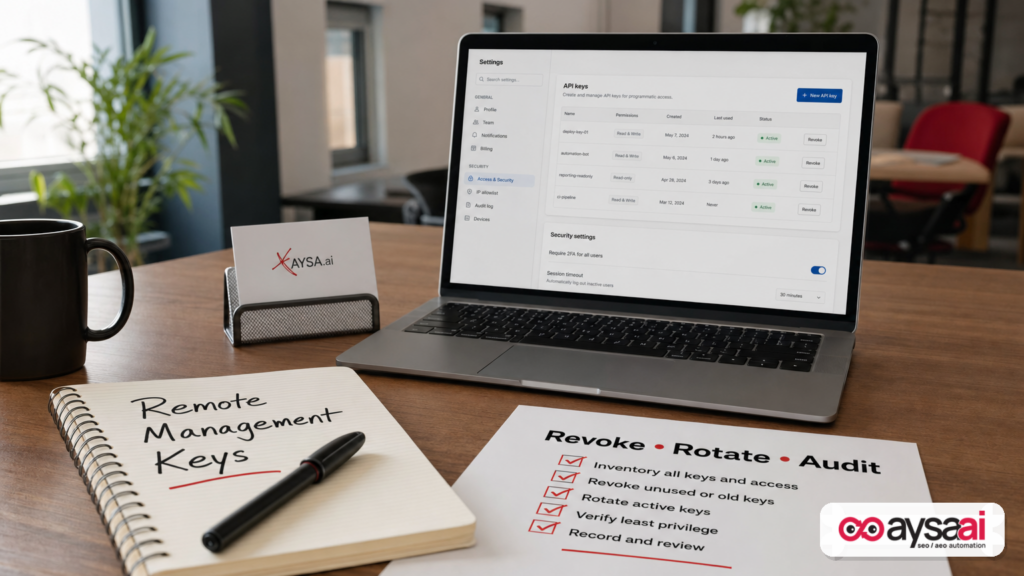
- UpdraftCentral connections: In the UpdraftPlus settings, review whether the site is connected to UpdraftCentral and whether any keys remain active. (The article notes a path under WordPress settings: UpdraftPlus → Advanced Tools → UpdraftCentral.)
- Site behavior: Check for random 500 errors, slow admin, unexplained pop-ups, or odd redirects.
External checks that matter for SEO
- Index sanity: Search your brand name plus suspicious terms (e.g., “site:yourdomain.com casino”). If you see weird results, treat it as a priority incident.
- Content diffs: Look at recent changes to key pages—home page, top landing pages, and templates. Unexpected links are a red flag.
- Traffic anomalies: Sudden spikes from irrelevant countries, weird referral sources, or sharp drops in Organic traffic can be symptoms. (These aren’t proof—but they’re signals.)
For ongoing monitoring that’s designed for business teams (not security specialists), see AYSA Monitoring. Monitoring is only useful if it leads to executed fixes—but it’s the foundation.
A Practical Incident Response Plan for SMEs (48 Hours, 7 Days, 30 Days)
When a compromise is even possible, most SMEs make one of two mistakes: they do nothing (“we updated the plugin, so we’re fine”), or they panic-edit everything (breaking the site and destroying evidence). The better approach is structured triage.
First 48 hours: contain and verify
- Update immediately to the patched UpdraftPlus version mentioned in the reporting (or newer). Don’t wait for a “maintenance window.”
- Confirm UpdraftCentral connection status and revoke/rotate keys as recommended by the vendor (per the reporting, updates revoke older connections and disconnect sites).
- Freeze risky change: pause non-essential plugin installs, theme changes, and “quick fixes.” Require approvals for all site changes.
- Audit users and plugins: export a list of users and installed plugins for review and recordkeeping.
- Take backups of the current state before major cleanup. Even a compromised backup can help forensic review later.
Next 7 days: remove persistence and restore trust
- Remove unknown plugins (after documenting). If you’re unsure, quarantine them in a staging environment or consult a specialist.
- Reset credentials: WordPress admin passwords, hosting panel passwords, database credentials if needed, and TeamUpdraft account password (TeamUpdraft advised changing it, per the reporting).
- Validate file integrity: Compare core WordPress files and theme files to known-good versions. If you don’t have the expertise, ask your host or a security provider.
- Decide on restore strategy: If evidence suggests compromise, restoring from a pre-incident backup (the reporting referenced “before October 17”) can be safer—but only if you then patch and close the access path, otherwise you re-infect.
- Review search-facing damage: check if spam pages exist, whether redirects were added, and whether the site is serving different content to bots vs users.
Next 30 days: harden and operationalize
- Reduce the attack surface: uninstall unused plugins, remove unused admin accounts, and disable features you don’t use.
- Inventory remote connections: list every tool with admin privileges (backup tools, CRM integrations, remote dashboards, deployment tools).
- Add governance: define who can approve site changes, what requires peer review, and how emergencies are handled.
- Implement monitoring that maps to business risk: new admin users, new plugins, changes to critical templates, and unusual Indexing patterns.
AYSA’s philosophy aligns with this: changes are prepared, reviewed, and executed intentionally—especially when you’re under pressure. Learn how that works across SEO operations at AI SEO Tools.
What Agencies Should Rethink: Security Is Now Part of Deliverables
Agencies often inherit WordPress environments with years of plugin history, multiple admins, and undocumented “temporary” fixes. Incidents like this expose a hard truth: if you manage search growth for a client, you implicitly manage site integrity—because search engines and users don’t care who installed which plugin.
The operational shift agencies need
- Add a security-adjacent intake: plugin inventory, remote connections inventory, and admin access review.
- Define emergency change control: during an incident, who approves changes, what is logged, and how rollbacks work.
- Stop shipping blind: avoid “just install another plugin to fix it.” Incidents are often caused by plugin sprawl.
- Align reporting to outcomes: uptime, index quality, and brand safety are marketing metrics now.
If you’re building an agency operating model around monitoring + governed execution, that’s exactly the direction we built AYSA to support. Start with Monitoring and then explore packaging and workflows in Pricing.
How Security Incidents Turn Into Search Visibility Loss
Let’s make the cause-and-effect explicit. A backdoor doesn’t need to “steal data” to harm your business. It can simply change what search engines and users experience.
1) Crawling and indexing get noisy
Spam URLs, parameter explosions, and thin injected pages eat Crawl budget and dilute site signals. Even small sites can suffer because the site’s Internal linking becomes polluted.
2) Trust becomes fragile
Search engines aim to protect users. If your site starts behaving unpredictably—redirecting, serving spam, or causing errors—trust can erode. You don’t need to know the details of algorithms to understand the outcome: fewer impressions, fewer clicks, lower conversions.
3) Brand damage persists after cleanup
Even when the technical issue is fixed, bad pages may remain indexed for a while. Customers might still see weird results when they search your name. Sales teams may get questions. Support tickets spike. This is why speed matters.
4) AI discovery compounds the problem
As AI systems summarize the web, they inherit the web’s mess. If your site has injected content, AI-based summaries can pick it up, paraphrase it, or associate your brand with it. That’s not a future problem—it’s a now problem. If you’re thinking about AEO/GEO readiness, security is a prerequisite, not a separate project.
For how we approach visibility in AI-shaped search environments, see AYSA AI Search Visibility.
Where AYSA Fits: Monitoring + Approved Execution Under Pressure
When an incident hits, teams don’t fail because they lack information—they fail because they can’t execute safely:
- Too many people have admin access.
- Changes aren’t documented.
- Someone “fixes” SEO while someone else “fixes” security, and both changes collide.
- Decision-making is emotional, not procedural.
AYSA is built around a simple operating model:
- Monitor what matters.
- Prepare recommended changes (technical and content/SEO execution).
- Ask for approval so a human is accountable.
- Execute only the accepted changes.
That “approved execution” concept becomes even more valuable in crisis mode. It helps you avoid the two classic failure modes:
- Untracked emergency edits that create new problems.
- Analysis paralysis where nothing ships because no one wants to be responsible.
If you want the broader context on how we think about SEO systems (not just tactics), our blog is the best starting point, and AI SEO tools explains our approach.
A Concrete SME Scenario: The Local Clinic That “Only Needed Backups”
Imagine a local clinic with five locations. They run WordPress because it’s easy for staff to update service pages and publish announcements. They installed UpdraftPlus years ago “just for backups,” because someone told them it’s responsible.
They don’t consider themselves technical, so they outsource occasional maintenance to a freelancer. Over time:
- Multiple admin accounts accumulate.
- Plugins pile up.
- A remote management option is enabled by default during an account connection, and nobody documents it.
Now an incident occurs like the one described in the Search Engine Journal reporting. Attackers use trusted keys to install a plugin that creates an Editor user that can silently escalate privileges. The clinic may not notice immediately. But the business symptoms show up fast:
- The site starts returning intermittent server errors.
- Some visitors see redirects or strange pages.
- Organic leads drop because key service pages lose rankings.
- Staff spend time answering confused calls instead of serving patients.
What should the clinic do?
- Update UpdraftPlus to the fixed version (or newer) and confirm UpdraftCentral connection status.
- Audit WordPress users and plugins and remove anything unfamiliar.
- Change passwords for WordPress admin accounts and relevant vendor accounts.
- Restore from a known-good backup if compromise is confirmed, then patch and re-check.
- Set up ongoing monitoring so “new admin created” and “new plugin installed” is a same-day alert, not a surprise.
This is the “SME reality”: you don’t have a SOC (Security Operations Center). So you need systems that minimize unknown changes and speed up safe remediation.
What to do next (Action list)
- 1) Confirm your UpdraftPlus version and update to the latest available version.
- 2) Check whether UpdraftCentral is connected (even if you never intended to use it). Revoke/disconnect older connections as recommended by the vendor.
- 3) Audit WordPress users: remove unknown users; rotate passwords for all admins; enforce least privilege.
- 4) Audit plugins: remove anything unknown; reduce plugin count where possible; avoid “plugin fixes” that add more surface area.
- 5) Verify site integrity: check for redirects, injected pages, and errors; review your most important landing pages manually.
- 6) Decide on restore vs. surgical cleanup: if you can’t guarantee persistence is removed, restore from a known-clean backup, then patch and harden.
- 7) Put change governance in place: monitoring + approval + execution process so incidents don’t devolve into chaos.
- 8) Operationalize monitoring for: new admin accounts, new plugins, critical file/template changes, and indexing anomalies. Start here: AYSA Monitoring.
Sources and further reading
- Search Engine Journal: UpdraftPlus WordPress Plugin Security Breach Enables Backdoor Attacks
- Search Engine Journal: SEO News (context on ongoing industry incidents)
- Search Engine Journal: Technical SEO (operational context for site health and crawl/indexing)
- Search Engine Journal: AI Search (why brand and site integrity increasingly influence AI discovery)
- AYSA: Monitoring
- AYSA: AI Search Visibility
- AYSA: AI SEO Tools
- AYSA: Pricing
- AYSA: Blog
Note: Where this editorial references Patchstack or TeamUpdraft statements, it does so based on the details included in the Search Engine Journal report linked above. For the most current remediation instructions, consult the vendor’s official incident communications and your hosting/security provider.
Continue the AI search topic inside AYSA.
Use these pages to connect the article with AI SEO tools, AI visibility monitoring, AI Overviews and approved website execution.
Turn this topic into a website action plan.
Use these AYSA hubs to move from reading to technical fixes, AI visibility monitoring, research, glossary context and approval-first SEO execution.