503 During Maintenance: The SEO-Safe Way To Take Your Site Offline (And How To Not Lose Your Index)
Planned downtime for PHP patches or infrastructure changes can quietly turn into an SEO incident if you return the wrong status codes. Here’s the practical playbook: serve a true 503 from outside the app layer, keep robots.txt reachable, use Retry-After, and avoid the traps that get URLs dropped.
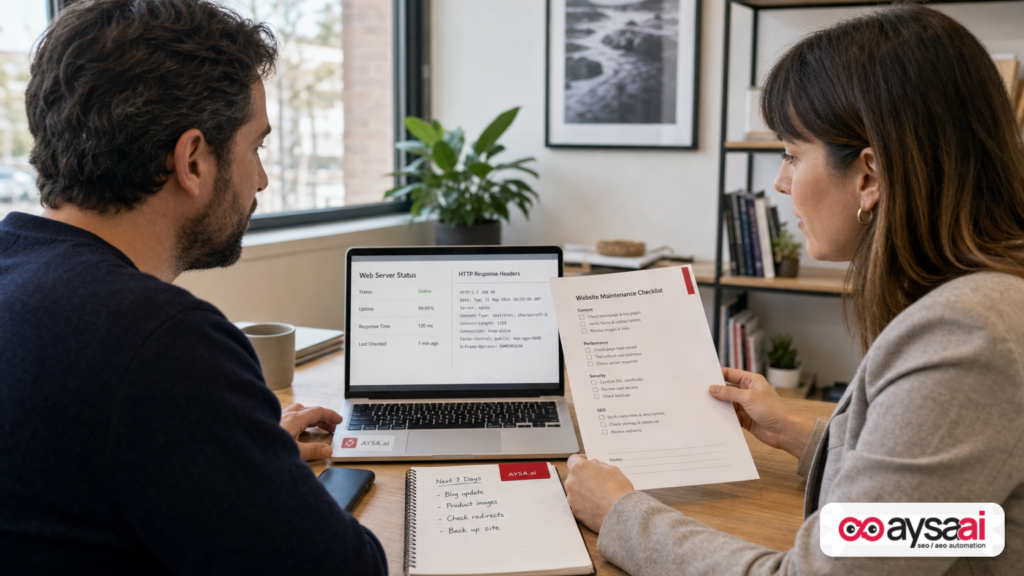
Planned downtime shouldn’t be an SEO gamble—but in practice, it often is.
The difference between a harmless maintenance window and an Indexing problem usually comes down to one thing: what your server returns while the site is unavailable. Google recently reiterated a simple rule: if you take a site offline temporarily (including for emergency PHP patching), return a 503 Service Unavailable so Google understands the outage is temporary and preserves your already-indexed URLs.
This editorial expands that reminder into a complete, SME-friendly runbook—what to do, what to avoid, and how to operationalize it so your next patch window doesn’t turn into a traffic incident.
Concise summary
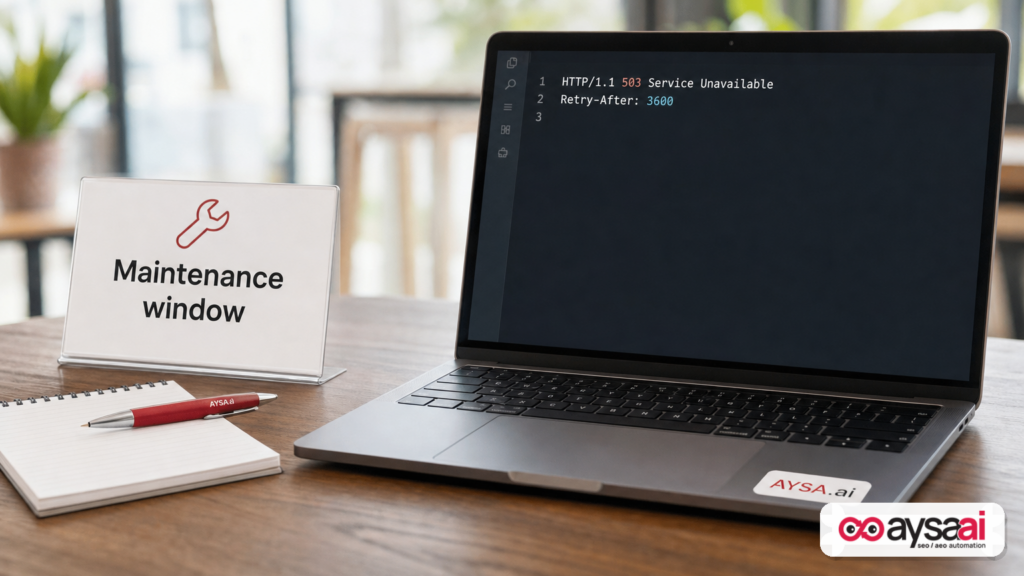
- Use 503 (not 404, not a “maintenance page” that returns 200) when you’re temporarily offline. This tells Google the downtime is not permanent.
- Serve the 503 outside of PHP (CDN/edge, load balancer, web server config, or temporary upstream) if PHP is what you’re patching.
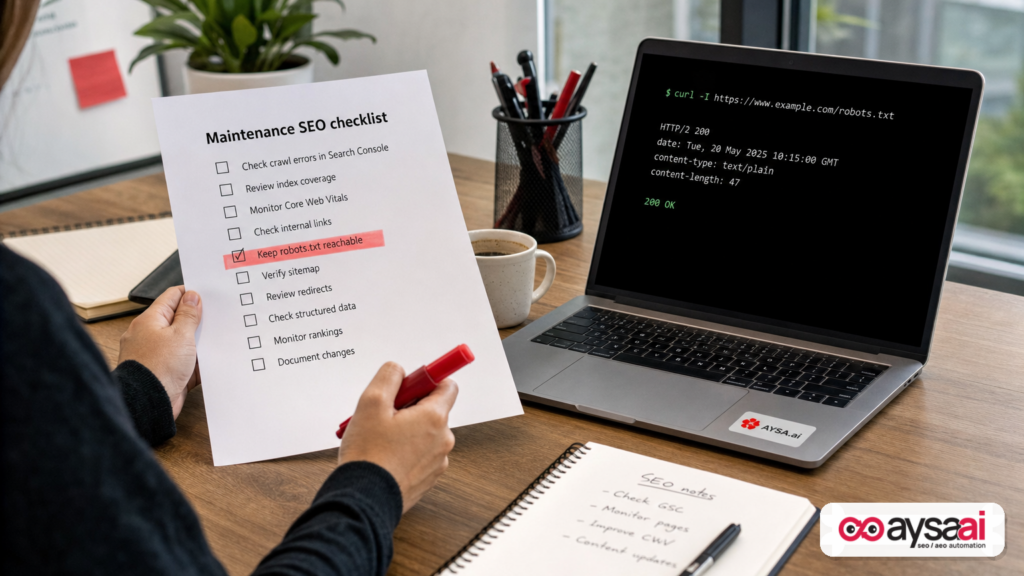
- Keep Robots.txt reachable (Google’s guidance warns against returning 503 for robots.txt because it can block Crawling).
- Don’t hold 503 for days. Google documentation warns that if the same URL returns these codes for multiple days, it may be dropped from the index.
- Add Retry-After to your 503 responses where possible to tell crawlers when to come back.
- Execution matters more than intent: “We meant to do the right thing” doesn’t help if your CDN rule didn’t deploy or your maintenance template returns 200.
Key takeaways (print this before your next maintenance window)

- 503 for most pages during a true outage; avoid timeouts.
- 200 for robots.txt (and ideally keep it stable).
- Don’t serve a fake 200 with a “down for maintenance” message.
- Use Retry-After on 503 responses.
- Monitor: status codes, crawl errors, server logs, and Search Console signals.
- Recover cleanly: return 200s, validate templates, and request key page recrawls only if needed.
Table of contents
- The real problem isn’t downtime. It’s the wrong signals during downtime.
- What Google said (and what most teams still get wrong)
- Status codes in plain English: what Google likely infers from each
- Why 503 works: indexing preservation, crawl throttling, and faster normalization
- The robots.txt trap: how to accidentally block your own recovery
- How to serve a true 503 outside PHP (CDN, web server, load balancer, DNS)
- Retry-After: the underrated header that reduces chaos
- A practical maintenance playbook (SME-friendly) for 1 hour to 48 hours
- Concrete SME scenario: an ecommerce store patching PHP the week before a promotion
- What can go wrong (the failure modes that actually drop pages)
- Monitoring and recovery: what to watch in Search Console and logs
- What agencies should change: maintenance windows as an SEO deliverable
- Where AYSA fits: monitoring, preparation, approval, execution
- What to do next (action list)
- Sources and further reading
The real problem isn’t downtime. It’s the wrong signals during downtime.
Most business owners think “downtime” is a user experience issue: customers can’t check out, book, or contact you. That’s true—but search engines experience downtime differently.
Google doesn’t “see” your intent. Google sees HTTP responses:
- Does the page return 200 OK with a “maintenance” message?
- Does it return 404 Not Found?
- Does it timeout?
- Does it return 503 Service Unavailable?
Those signals are not interchangeable. They can lead to totally different outcomes:
- A correct 503 tends to communicate: “This page exists and will be back soon.”
- A 404 tends to communicate: “This page is gone.”
- A 200 with an error message tends to communicate: “This content is the page now.” (Which can get indexed.)
This is why “We put up a maintenance page” is not a meaningful statement unless you also say: “And it returned a 503.”
What Google said (and what most teams still get wrong)
Google Search Central recently reminded site owners that if you take servers offline for PHP patches, you should return 503 Service Unavailable to indicate a temporary outage and preserve indexed URLs. The reminder also emphasized that you shouldn’t return generic 404s or serve error pages with 200 status codes during downtime.
This guidance was covered by Search Engine Journal. The same coverage references comments attributed to Google’s John Mueller about serving 503s outside PHP—such as via DNS changes or a CDN—because if you’re taking PHP down, PHP can’t be responsible for responding correctly.
Google’s own documentation (as described in the source) also warns about duration: serving 503s for more than one to two days can lead to negative effects, including URLs being dropped if Google sees those server errors for multiple days.
What most teams get wrong is not the concept—it’s the execution details:
- They deploy a “maintenance page,” but it returns 200.
- They take down the origin so completely that requests timeout.
- They block crawling by returning 503 for robots.txt (or making it unreachable).
- They leave 503s up too long because the patch window expands into a multi-day incident.
Status codes in plain English: what Google likely infers from each
You don’t need to be an SEO to reason about this. Think in terms of “what would a machine assume if it saw this response repeatedly?”
503 Service Unavailable
Plain English: “This service is temporarily unavailable. Try again later.”
SEO implication: Typically the best choice for planned short maintenance because it aligns with reality: you are not deleting pages, you are pausing availability.
500 Internal Server Error
Plain English: “Something broke.”
SEO implication: Better than 200-with-error-content, but it’s less explicitly “temporary maintenance” and can look like instability if it persists. (The SEJ coverage references a community ranking that placed 503 as best.)
404 Not Found
Plain English: “This URL doesn’t exist.”
SEO implication: If this persists, Google may eventually treat the URL as gone and drop it. Serving 404 during a temporary outage is like telling Google you deleted your business—because for that moment, that’s what your server is claiming.
200 OK with an error page
Plain English: “Here is the page.”
SEO implication: This is a classic trap: you show users a friendly maintenance message, but Google sees it as legitimate content and may index it. Later, you’re not just “recovering from downtime”—you’re cleaning up wrongly indexed content.
Timeouts / connection failures
Plain English: “No one is home.”
SEO implication: Timeouts are ambiguous; they can slow crawling and create noise in Monitoring. When possible, a controlled 503 response is a clearer, safer signal.
Why 503 works: indexing preservation, crawl throttling, and faster normalization
A proper 503 is doing three jobs at once:
1) It signals “temporary” (not “gone”)
That’s the heart of the guidance: already-indexed URLs are more likely to be preserved during short downtime when the server communicates unavailability correctly.
2) It naturally reduces crawl pressure
Google’s crawl systems will typically back off when they encounter significant rates of certain error responses. The SEJ source summarizes Google documentation that 500, 503, and 429 can reduce crawling across a hostname. That’s often what you want during maintenance: fewer requests hitting an already-stressed system.
3) It supports a “clean recovery” path
When you return to 200 responses, Google can resume normal crawling and indexing behavior gradually. The goal is to make maintenance a temporary blip, not an event that changes what Google believes your site is.
The robots.txt trap: how to accidentally block your own recovery
Here’s the part that bites even sophisticated teams: robots.txt.
Google’s guidance (as summarized in the SEJ coverage) warns that you should not return a 503 for robots.txt, because if Google can’t fetch it, crawling behavior can change in ways you don’t want. Operationally, if robots.txt is unavailable, you risk:
- Google not being able to confirm your crawl rules.
- Slower re-discovery of your returning pages.
- Extra time stuck in a “cautious crawl” posture after the site is back.
Business translation: You want Google to keep its map of your site’s access rules while the store is closed, so it can come back in an orderly way when you reopen.
Practical rule: keep robots.txt returning 200 during maintenance, and keep its contents stable unless you truly intend to change crawling directives.
How to serve a true 503 outside PHP (CDN, web server, load balancer, DNS)
If the maintenance is driven by PHP patching (or any app runtime maintenance), you cannot rely on PHP code to return the correct status. When PHP is stopped, it can’t run your “maintenance mode” logic.
That’s why the SEJ source notes that the 503 can be served outside PHP—via CDN, DNS pointing elsewhere, or other infrastructure that remains active.
Here are the common implementation patterns—described in operational terms (not vendor-specific instructions):
Option A: CDN/edge rule (often the cleanest)
Concept: At the CDN/edge layer, intercept requests and respond with a 503 and a small HTML body (or even empty body) for most paths—while allowing robots.txt (and optionally a status page) through with 200.
Why it’s strong: The edge still runs even when your origin/app is offline. You can also control caching behavior.
What to watch:
- Make sure the CDN does not cache 503s longer than intended.
- Exclude critical endpoints you want to keep live (robots.txt; possibly health checks; maybe order webhooks depending on business needs).
Option B: Load balancer / reverse proxy maintenance response
Concept: Your load balancer or reverse proxy returns 503s while your app pool is drained or turned off.
Why it’s strong: Doesn’t depend on application runtime. Often already present in hosting stacks.
What to watch: Ensure error handling doesn’t downgrade to 500/timeouts; ensure robots.txt behavior is intentional.
Option C: Web server config (Nginx/Apache) static maintenance mode
Concept: Configure the web server to return 503 for most requests and serve a static page (from disk), without invoking PHP.
Why it’s strong: Lightweight and under your direct control.
What to watch: Confirm your rules apply before PHP routing; confirm the status code is truly 503; keep robots.txt available.
Option D: DNS point to a temporary upstream
Concept: Point DNS to a temporary server that returns controlled 503 responses.
Why it’s useful: Works when you can’t change edge or web server logic quickly.
What to watch: DNS propagation and caching can make this unpredictable. Also: switching back cleanly matters, and you need to avoid long-lived caching of the maintenance response.
What not to do
- Don’t rely on a PHP plugin “maintenance mode” if PHP will be down.
- Don’t respond with 200 + “we’re down” content.
- Don’t let everything timeout.
- Don’t blanket-block crawling unless you’re intentionally pausing the site for reasons beyond maintenance (and even then, follow official pause guidance carefully).
Retry-After: the underrated header that reduces chaos
Google’s crawl guidance (as summarized in the source) notes that you can include a Retry-After header with 503 (or 429) responses to suggest when crawlers should return.
This is not a magic switch, but it’s a useful hint. It also creates internal discipline: when you set Retry-After, you’re forced to answer the real question, “When do we expect this to be back?”
Practical guidance:
- If you’re doing a 30–60 minute patch window, a Retry-After in seconds (e.g., 1800–3600) is reasonable.
- If you truly don’t know, choose a shorter value and reassess—because multi-day 503s are where risk increases.
Important: Retry-After doesn’t excuse sloppy execution. It helps good execution behave even better.
A practical maintenance playbook (SME-friendly) for 1 hour to 48 hours
Most SMEs don’t have a “search reliability engineer.” They have a founder, a developer (internal or freelance), and someone responsible for revenue. So the playbook has to work under pressure.
Use this as a runbook you can adapt to your stack.
Phase 1: Before maintenance (prep that prevents SEO incidents)
- Define the maintenance scope. Are you taking down the whole site, or just the app runtime? Can static assets still serve?
- Choose your maintenance response method. CDN/edge, load balancer, web server config, or DNS fallback.
- Decide path exceptions. At minimum:
/robots.txtshould be reachable. Also consider: health checks, status page, webhook endpoints. - Create a lightweight static maintenance body. For users, not for SEO—keep it simple.
- Confirm the actual HTTP status code. Test with a basic request tool and verify it returns 503.
- Set Retry-After. Choose a realistic value and ensure it’s included on 503 responses.
- Check caching rules. Ensure 503 responses aren’t cached for long periods at the CDN or browser level.
- Prepare a rollback plan. If the patch fails, what is the fastest way to restore service? (Search recovery depends on how quickly you can return to stable 200s.)
Phase 2: During maintenance (the discipline window)
- Enable the maintenance rule. Make sure it applies broadly enough to prevent timeouts.
- Verify from outside your network. Test like Google would: from a clean environment. Confirm 503 on key pages.
- Verify robots.txt. Confirm it returns 200 and is accessible.
- Watch error rates. If your edge is returning 503 but the origin is half-alive, you might be generating mixed signals (some 200, some timeout). Consistency matters.
Phase 3: After maintenance (recovery that avoids a second incident)
- Return to 200 responses. Disable maintenance rules cleanly.
- Spot-check templates. Product pages, category pages, booking pages, checkout—ensure they’re not returning soft errors or partial content.
- Confirm robots.txt stability. If it changed, make sure it changed intentionally.
- Monitor crawl and indexing signals. Expect a gradual return to normal behavior.
Concrete SME scenario: an ecommerce store patching PHP the week before a promotion
Let’s make this real.
You run a mid-sized ecommerce business. You’re not a “tech company,” but your site is your revenue engine. There’s an urgent PHP security patch. Your developer says: “We need to take PHP-FPM down for a bit.”
You have two competing fears:
- Security fear: leaving vulnerabilities unpatched.
- Revenue/SEO fear: losing rankings right before your promotion.
Here’s what a good outcome looks like:
- You enable a CDN rule that returns 503 to most URLs with a short maintenance page.
- You explicitly allow
/robots.txtthrough so it stays reachable. - You set Retry-After to 3600 seconds because you expect a 30–60 minute window.
- You patch PHP, bring the app back up, disable the rule, verify core pages return 200.
- In the following 24–48 hours, you monitor Search Console coverage/crawl stats and server logs for anomalies.
Now compare that to the “common bad outcome”:
- You put up a WordPress maintenance plugin page (200 status) while PHP is still partially serving.
- Half the site times out; some pages return 404; Google gets inconsistent signals.
- robots.txt returns 503, so crawling behavior becomes less predictable.
- The patch expands into a multi-day problem; now you’re in the danger zone Google warns about (multi-day server errors on the same URLs).
This is why maintenance is not just IT hygiene—it’s reputation management with machines.
What can go wrong (the failure modes that actually drop pages)
Let’s be blunt: pages don’t disappear from Google because you patched PHP. They disappear because your site told Google the wrong story during the outage.
Failure mode 1: “Soft 200” maintenance pages
You show a nice maintenance message, but the response is 200. Google may treat that as content. Later, your real page is back, but Google has seen the maintenance message enough times that it can become part of what’s indexed or used in snippets.
Failure mode 2: Multi-day 503s across key URLs
The SEJ source summarizes Google documentation warning that if the same URL returns these codes for multiple days, it may be dropped from the index. Planned maintenance is one thing; multi-day outages are a different operational category.
Failure mode 3: robots.txt unavailable
When robots.txt is unreachable (including returning 503), you can accidentally create a crawl bottleneck right when you want Google to resume normal behavior.
Failure mode 4: Mixed signals across subdomains and hosts
You might return 503 on www but timeouts on the apex domain, or 200 errors on the blog. Consistency matters because Google adjusts behavior at the hostname level.
Failure mode 5: Caching 503s too aggressively
If your CDN or browser caches the 503 for hours after you’re back, users and crawlers may still see downtime. This is one of the sneakiest causes of “We’re back up but traffic isn’t.”
Monitoring and recovery: what to watch in Search Console and logs
If you only do one thing after maintenance, do this: verify reality. Don’t assume the site is back because you can load the homepage from your office Wi-Fi.
Monitoring should include:
1) HTTP status sampling
Check representative URLs across templates:
- Homepage
- Top category
- Top product/service page
- Blog article
- robots.txt
Confirm they return the intended code (200 when live; 503 during outage; robots.txt reachable).
2) Server logs or edge logs
Look for patterns: persistent 503s after the maintenance window, spikes in 404s, or high timeout rates. Logs will tell you whether Googlebot is hitting your site during the window and what it’s receiving.
3) Google Search Console signals
Without inventing specific metrics, the practical approach is to use Search Console to watch for crawl issues and coverage changes around the window. If you see an uptick in server errors that persists, you likely didn’t fully exit maintenance mode—or caching is still serving the outage response.
4) Business metrics (because SEO is not the only risk)
Downtime can also affect paid campaigns and conversions. Even if SEO recovers, revenue may not if the experience remains unstable. The operational goal is not “avoid deindexing” only; it’s “return to a fully healthy customer journey.”
What agencies should change: maintenance windows as an SEO deliverable
If you’re an agency, this topic is not “technical trivia.” It’s a recurring source of preventable churn:
- Client does maintenance.
- Traffic dips.
- No one can confidently explain whether it’s a temporary crawl adjustment or an indexing loss.
- Weeks of panic follow.
Agencies that want to be indispensable should productize this:
Offer a “Maintenance SEO Protocol”
- Pre-flight checklist (status codes, robots.txt, caching rules)
- Approval gates (who flips maintenance mode, who verifies)
- Monitoring window (24–72 hours post-change)
- Client communication plan (what to expect, what not to panic about)
This is also where automation helps—not to replace humans, but to enforce discipline.
Where AYSA fits: monitoring, preparation, approval, execution
At AYSA.ai, we care about the gap between “knowing” and “doing.” Most SEO damage doesn’t come from ignorance—it comes from unreviewed changes, rushed deployments, and missing verification.
AYSA is designed as an approved execution system: it monitors, prepares changes, asks for approval, and then executes accepted website changes. For maintenance and downtime events, that model is exactly what reduces risk.
Here’s how it fits naturally:
- Monitoring before the window: establish a baseline of indexable URLs and technical health using AYSA Monitoring.
- Preparation: create a maintenance checklist and pre-approved configuration changes (e.g., planned robots.txt validation, key URL status checks) so you’re not improvising at 2 a.m.
- Approved execution: ensure the changes that matter (like robots directives or template outputs) don’t silently drift. This aligns with the “approved execution” discipline that reduces incidents.
- Search visibility accountability: tie technical actions to outcomes using AI Search Visibility, so teams can see whether visibility normalizes after recovery.
If you’re evaluating tooling, start with the basics: your operational ability to execute changes safely and consistently. You can explore AYSA’s approach and toolset here: AI SEO Tools.
For SMEs and agencies, the real win is not “more SEO tasks.” It’s fewer preventable incidents—and a faster, calmer recovery when the unexpected happens.
For pricing and fit, see: AYSA Pricing. For more practical runbooks like this, browse: AYSA Blog.
What to do next (action list)
Use this list as your next internal ticket or agency SOP.
- Inventory your maintenance mechanisms. Do you have a CDN/edge rule capability, load balancer control, or web server config access that works without PHP?
- Write a one-page maintenance runbook. Include: how to enable 503, how to keep robots.txt reachable, how to set Retry-After, how to verify status codes externally.
- Test it once when you’re not under pressure. A 10-minute drill on a staging environment (or during a low-traffic window) is worth more than a year of theory.
- Define a maximum time box. If you’re still returning 503s near the 24–48 hour mark, escalate: you’re drifting into the zone where Google warns about index impact.
- After recovery, validate five representative URLs. Confirm 200, correct canonical behavior, no “maintenance” remnants, robots.txt reachable.
- Monitor Search Console and logs post-change. Look for persistent server errors and crawl anomalies.
- Operationalize with AYSA. Use Monitoring and an approved execution workflow to reduce the risk of rushed, unverified changes.
Sources and further reading
- Search Engine Journal: Google Reminds Sites To Serve A 503 During PHP Patch Downtime
- Search Engine Journal: Technical SEO section (context and related coverage)
- Search Engine Journal: Google Updates (broader context for how changes affect visibility)
- AYSA: AI SEO tools
- AYSA: AI search visibility
- AYSA: Monitoring
- AYSA: Pricing
- AYSA: Blog
Note: The SEJ source references Google Search Central documentation about crawl rate and status codes, as well as Google guidance about pausing a website and robots.txt behavior during downtime. Where official Google links weren’t provided directly in the supplied research context, I’ve kept the advice aligned to what was summarized and avoided adding unverified citations.
Continue the AI search topic inside AYSA.
Use these pages to connect the article with AI SEO tools, AI visibility monitoring, AI Overviews and approved website execution.
Turn this topic into a website action plan.
Use these AYSA hubs to move from reading to technical fixes, AI visibility monitoring, research, glossary context and approval-first SEO execution.