
ChatGPT Business Hub: How To Claim Your Website, Protect Your Brand Data, And Turn AI Mentions Into Measurable Growth
OpenAI’s ChatGPT Business Hub changes how customers discover and evaluate businesses inside AI answers. Here’s what to prepare, how verification works, what can go wrong, and a practical execution plan to improve AI visibility (AEO/GEO) without breaking your SEO fundamentals.

AI didn’t “replace search.” It changed where decisions happen.
More customers now start with an assistant prompt—“Which florist delivers today?” “What’s a good B2B analytics tool for Shopify?” “Is this clinic open on Saturdays?”—and they expect a single, confident answer. That answer is increasingly shaped by structured business data, consistent brand signals, and whatever the model can reliably verify.
OpenAI’s Businesses in ChatGPT feature (now accessible via ChatGPT Business Hub) is a major step toward a new layer of “search presence”: assistant-native business profiles, verification, and performance insights. The practical takeaway for operators is simple: you now have a direct channel to reduce misinformation and improve how your business is represented inside AI conversations.
This editorial is based on process details and observations shared by Search Engine Journal’s team, plus years of hands-on SEO execution work we do at AYSA.ai. The original reporting is here: Search Engine Journal: How to Submit Your Website to ChatGPT Business Hub.
Concise Summary
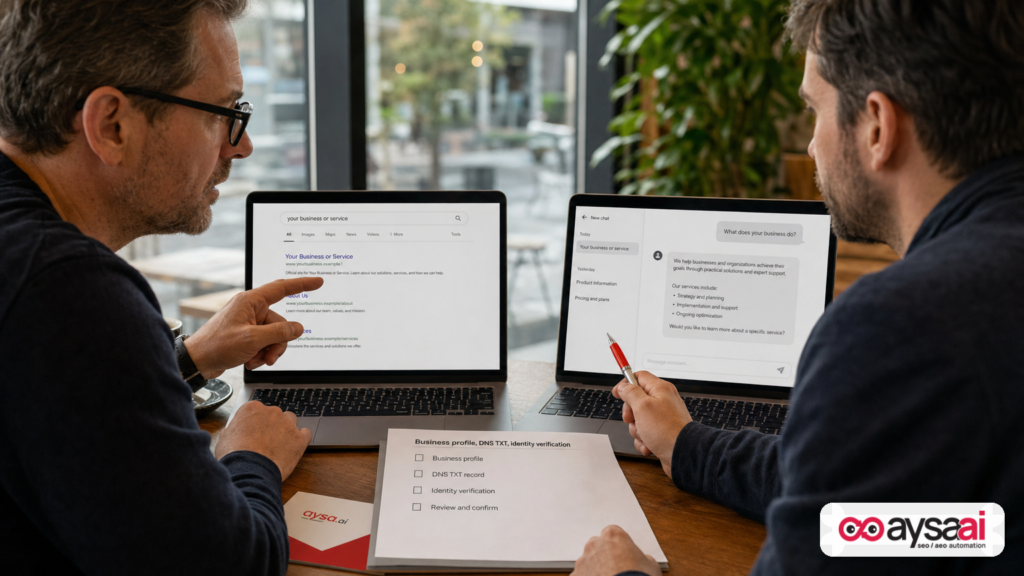
ChatGPT Business Hub allows businesses to claim or create a profile, verify a website domain via DNS, complete identity verification, and access aggregated performance insights such as mentions and website Clicks. This doesn’t guarantee you’ll rank higher in AI answers—but it does give you a governed way to supply accurate business facts, reduce inconsistencies, and measure how often ChatGPT references your website in responses.
Key Takeaways
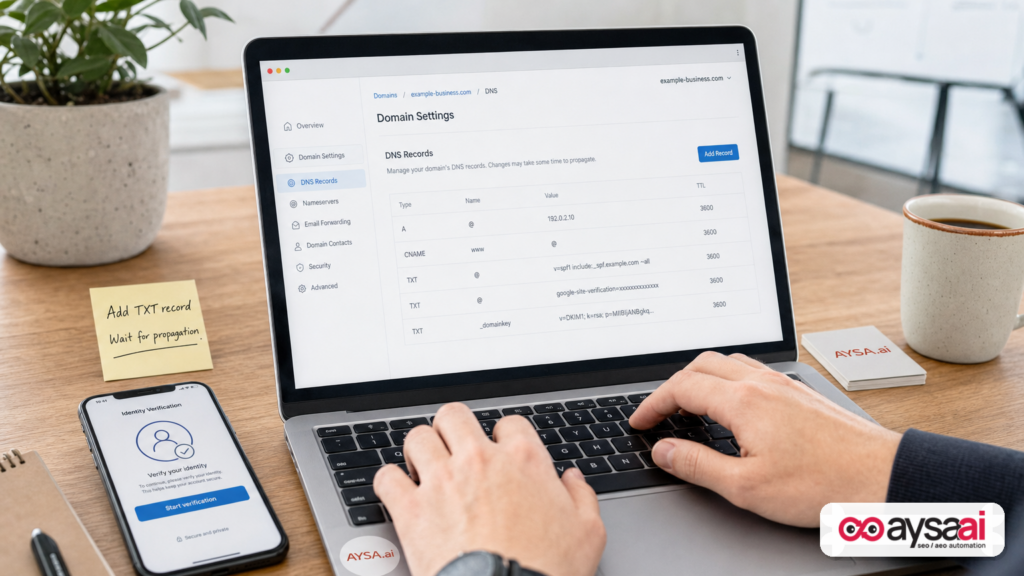
- Verification is real: expect DNS TXT record verification and identity checks. Plan for who owns domain/DNS access.
- Claiming isn’t a magic boost: OpenAI explicitly notes that claiming a business does not guarantee higher placement in recommendations; you still have to earn relevance and trust.
- AI visibility is now measurable: Business Hub can show mentions and website clicks (aggregated with thresholds). Use it alongside analytics to judge business impact.
- Consistency is the new moat: conflicting business information across your site, listings, and social profiles is an AI Search risk.
- Execution beats intention: most businesses don’t lose in AI search because they don’t know what to do; they lose because nobody ships the fixes.
Table of Contents

- What Changed: From “SEO For Google” To “Business Data For Assistants”
- Why It Matters For SMEs, Ecommerce, And Agencies
- What ChatGPT Business Hub Is (And What It Isn’t)
- What To Prepare Before You Start (The Real Checklist)
- The Business Hub Submission Flow (Without The Hype): A Practical Walkthrough
- What Information You’ll Be Asked For (And Where Businesses Get Stuck)
- Insights That Matter: Mentions, Website Clicks, And The Metrics You Should Actually Track
- Brand Consistency: The Unsexy Work That Wins AI Answers
- Your Website Still Matters: Content, Structure, And “AI-Readable” Proof
- What Can Go Wrong (And How To Reduce Risk)
- A Concrete SME Scenario: The Local Clinic That Keeps Getting Misrepresented
- What Agencies Should Rethink In 2027
- Where AYSA Fits: Monitor → Prepare → Approve → Execute
- What To Do Next (Action List)
- Sources And Further Reading
What Changed: From “SEO For Google” To “Business Data For Assistants”
For 20+ years, the default marketing reflex was: “rank in Google.” That led to a familiar operating model—keywords, pages, links, Technical SEO, and measurement in sessions and conversions.
Now, the customer journey is fragmenting:
- Some searches still happen in classic web search.
- Some happen inside social platforms.
- And a growing share happens inside assistant interfaces where the user doesn’t want 10 links—they want the answer.
That shift creates a new competitive arena: assistant credibility. When an AI system describes your business (what you do, where you operate, whether you offer returns, whether you’re “the best option”), it has to reconcile signals from many places. If your data is inconsistent, the assistant’s output becomes inconsistent—sometimes confidently wrong.
Business Hub is meaningful because it formalizes a verification + profile layer for ChatGPT, similar in spirit (not identical) to the long-standing pattern we’ve seen with business identity products in search ecosystems. It also creates a feedback loop through insights: how often you’re mentioned and how often ChatGPT sends clicks to your site.
Why It Matters For SMEs, Ecommerce, And Agencies
This isn’t just “one more profile to manage.” It’s a signal that AI platforms are moving from being content consumers to being decision mediators.
For SMEs
If you run a clinic, hotel, local service, or multi-location business, misinformation isn’t theoretical. Wrong hours, wrong phone number, or “returns accepted” when you don’t accept returns can cause:
- angry calls
- lost appointments
- chargebacks
- staff time wasted answering the same “but ChatGPT said…” questions
For ecommerce
If you sell online, the assistant layer changes how customers evaluate you:
- Assistants compare policies (shipping, returns), pricing cues, product availability, and trust.
- If you don’t control the facts, you don’t control the comparison.
For agencies
The old deliverables—rank reports, monthly blog cadence, generalized “SEO audits”—don’t fully map to AI discovery. Agencies will have to manage a broader surface area: business facts, entity consistency, technical accessibility, and measurement that ties mentions to outcomes.
What ChatGPT Business Hub Is (And What It Isn’t)
Based on the reported hands-on experience shared by Search Engine Journal, Business Hub currently supports:
- Claiming or creating a Business Profile
- Website domain verification via DNS TXT record
- Identity verification (the source describes a Persona-based flow)
- Business insights including mentions and website clicks (aggregated with thresholds)
- Admin invitations so teams can manage profiles
What it isn’t (and you should internalize this):
- Not a guaranteed ranking lever. OpenAI’s guidance (as summarized in the source) indicates claiming does not guarantee higher placement. Treat it as governance and accuracy—then earn visibility through relevance and trust.
- Not an override switch. The source notes profiles can include information from other sources. So even after you claim, you still need consistency across the web.
What To Prepare Before You Start (The Real Checklist)
The most common way these workflows fail is not “SEO complexity.” It’s operational reality: the marketer doesn’t have DNS access; the founder doesn’t know the legal name; the business address is a mailbox; the phone number routes through an IVR that blocks verification calls.
Here’s the practical prep list, aligned with what SEJ reported encountering in the flow:
1) Domain control (DNS access)
- Confirm who controls your domain registrar and DNS provider.
- Confirm you can add a TXT record.
- If you use Cloudflare or a managed DNS vendor, confirm the right person can ship changes quickly.
2) Business identity details
- Public-facing business name (what customers recognize)
- Legal entity name
- DBA/trading name (if different)
- Business type (sole proprietor vs entity)
- Registration/tax identifier depending on country (the source notes potential confusion here—don’t guess)
3) Address reality check
- A physical address may be required; the source notes P.O. boxes were excluded in their form.
- If you serve customers remotely, decide how you’ll represent that (service area vs office address) based on the options available.
4) Customer-facing policies
SEJ reported being asked about delivery/returns even for a publisher category. That’s a clue: the system is still normalizing policy fields across business types.
- Make sure your answers won’t misrepresent you.
- If a policy field doesn’t apply, select the closest accurate option and document what you chose.
5) Team access plan
Decide who will own the profile long-term. If the person who claims it leaves the company, you don’t want the profile stranded.
The Business Hub Submission Flow (Without The Hype): A Practical Walkthrough
I’m not going to replicate anyone’s screenshots or UI steps verbatim. But the reported flow follows a familiar pattern that most businesses can plan for.
Step 1: Find your business or create a new profile
You sign in, open Business Hub, and search your business name. If it exists, you claim. If it doesn’t, you create.
Operational note: SEJ reported that a physical-location creation test triggered a waitlist, while the website-based option allowed them to proceed. Expect staged rollouts by business type and geography.
Step 2: Choose how customers interact with your business
This selection matters because it routes you into different verification paths (e.g., location listing claim vs website-first business). Don’t rush it. Choose the interaction model that matches how customers actually buy from you.
Step 3: Verify your website domain (DNS TXT record)
You’ll be given a TXT record (type/name/value). Add it to DNS. Wait for propagation. Then return to verify.
Practical advice:
- Plan for propagation time (minutes to hours, sometimes longer depending on DNS TTL and provider).
- Don’t remove the record immediately after verification unless you’re told you can; some systems re-check control.
Step 4: Choose a category and write your description
The category list is predefined. Your description is optional but strategically important: it’s the plain-English “what we do” that assistants can reuse.
Write it like you’re training a very literal new employee:
- Who you serve
- What problems you solve
- Where you operate
- What makes you different in verifiable terms (not hype)
This is AEO/GEO copywriting: help the assistant match you to the right questions.
Step 5: Add contact details and answer policy questions
SEJ reported email and phone were optional in their case. Then they were asked policy questions like delivery and returns, which may feel irrelevant depending on your category.
Do not treat these as “just get through it” fields. If these fields show up in the profile preview, they may show up in answers. Incorrect policy data becomes a customer experience problem.
Step 6: Review the draft
The source describes the profile being saved as a draft, plus the presence of an advertising credit offer and plan upgrade prompts. Separate the marketing prompts from the operational goal: accurate profile + verified ownership.
Step 7: Verify identity and submit business details
SEJ reported completing a personal identity check and entering business details, with eligibility allowing owners or authorized representatives.
Key operational note from the source: after approval, new profiles may publish automatically. That means your submission is not a “private test.” Treat it like a production launch.
Step 8: Check verification status
SEJ reported near-instant verification in their case, but your mileage will vary. Build this into your go-live timeline and assign an owner to monitor status.
What Information You’ll Be Asked For (And Where Businesses Get Stuck)
Based on the SEJ walkthrough, verification requests may include:
- Personal identity (camera-based check via secure link/QR flow)
- Business name + DBA
- Country + business type
- Tax/registration identifier (may be optional depending on country and entity)
- Website
- Physical address (no P.O. boxes noted by the source)
- Legal registered address (if different)
Where teams typically get stuck:
DNS control is fragmented
The domain might be owned by a former vendor, a developer, or a founder’s personal account. That’s not a “technical issue”—it’s a governance issue.
Legal details don’t match public branding
Your storefront name and your registered entity might differ. That’s normal. But you need a clean mapping across your site and profiles so the assistant doesn’t treat you as two separate businesses.
Address policy collides with reality
Many modern businesses are remote-first or service-area-based. If the system requires a physical address, you’ll need to decide what you’re comfortable publishing and how that aligns with customer expectations.
Insights That Matter: Mentions, Website Clicks, And The Metrics You Should Actually Track
Business Hub introduces something marketers have wanted from assistant platforms: visibility instrumentation.
SEJ reported two core metrics:
- Mentions
- Website clicks
Important nuance (per the source’s summary of OpenAI’s definitions): for an online business, a “mention” requires ChatGPT to reference the website—brand name alone may not count. That’s a better definition than “the model said our name,” because it ties the metric to a traceable destination.
How to interpret these metrics without fooling yourself
Here’s how I’d treat them for decision-making:
- Mentions are top-of-funnel. They indicate presence in assistant responses, not preference.
- Clicks are intent-weighted. But a click still doesn’t mean revenue—match it to on-site behavior.
- Trends matter more than single days. AI systems shift; thresholds and aggregation can smooth or hide small changes.
What to pair with Business Hub in your analytics stack
Even if you never touch advanced attribution, you can do a credible analysis by pairing Hub insights with:
- Website analytics (sessions, engagement, conversions by landing page)
- Lead tracking (forms, calls, bookings)
- Ecommerce metrics (revenue, AOV, conversion rate)
If you’re running GA4, create a habit: when mentions spike, check what pages got visits and whether those visits converted. If they didn’t, that’s not “bad AI traffic”—it may be a mismatch between assistant context and your landing experience.
Admin access: treat it like a financial account
SEJ describes inviting admins via Business Hub. Do that early. Assign roles. Use individual accounts. And document ownership so you’re not locked out in six months.
Brand Consistency: The Unsexy Work That Wins AI Answers
If you only do one thing after claiming your profile, do this: make your brand facts consistent everywhere you control them.
Why? Because assistants don’t “look up your truth.” They reconcile signals and attempt to produce the best answer. If your signals conflict, the system may:
- blend facts incorrectly
- default to outdated sources
- show cautious language that reduces conversions (“It may be…”)
Consistency checklist (SME-friendly)
- Name: same spelling everywhere
- Address: same format; avoid multiple variants unless you truly have multiple locations
- Phone: one primary number; trackable numbers carefully (don’t fragment identity)
- Hours: the most common failure point
- Policies: shipping/returns/cancellations—written clearly on your site
- About page: state legal name/DBA relationship if it helps disambiguation (especially after rebrands)
SEJ specifically calls out NAP consistency as still important. I agree—and I’d expand it: in AI search, “NAP” becomes NAP + policies + category clarity + proof.
Your Website Still Matters: Content, Structure, And “AI-Readable” Proof
Business Hub is not a replacement for having a credible website. It’s a new distribution and identity layer. The assistant still needs to trust your pages.
What should you improve on the website side, now that Business Hub exists?
1) Write for questions, not just keywords
Assistant prompts are often longer and more specific than classic keywords. Build pages that answer:
- “Do you serve my area?”
- “What does it cost?”
- “How fast can you deliver?”
- “What’s your cancellation/return policy?”
- “Who is this for?”
This is where AI search visibility becomes a content and clarity discipline, not a trick.
2) Make business-critical pages unmistakable
For SMEs, the highest leverage pages usually are:
- Homepage (what you do, where, why you)
- Service/product category pages
- Location/service area pages (when applicable)
- Pricing, shipping, returns, and policies
- Contact page with consistent details
3) Don’t ignore technical accessibility
If your site blocks crawling, hides key content behind scripts, or is slow and unstable, assistants and traditional search engines alike will struggle to interpret it. This is where AI SEO tools matter: not to spam content, but to identify what’s broken and fix it.
What Can Go Wrong (And How To Reduce Risk)
Whenever platforms add identity, verification, and publishing features, there are predictable failure modes. Here’s what I’d watch.
Risk 1: Wrong category or description locks in the wrong “mental model”
Assistants rely on categorization to match intent. If you choose too broad a category or write a vague description, you may show up in the wrong conversations—or not show up where you should.
Mitigation: write descriptions in the language customers use; be explicit about what you do and don’t do.
Risk 2: Policy questions misrepresent the business
SEJ’s example of delivery/returns questions appearing for a publisher is a red flag for edge cases. If you select “free returns” because it seems harmless, you may create customer expectations you can’t meet.
Mitigation: treat every field as potentially public; cross-check the profile preview before submitting.
Risk 3: Verification publishes drafts automatically
SEJ notes that approval can automatically publish new profiles created through the identity flow. That means: no half-baked drafts.
Mitigation: pre-write your business description; confirm addresses; align with your website before you submit.
Risk 4: Claiming doesn’t fix external inconsistencies
Even if Business Hub becomes your most “official” profile, your ecosystem still includes your website, directories, social profiles, and PR mentions. If they conflict, assistants may still surface mixed facts.
Mitigation: do a brand facts audit and fix the root sources. Claiming is step one, not the finish line.
Risk 5: Teams treat “mentions” as a goal, not a means
Mentions can go up while revenue doesn’t. That can happen if you’re being referenced in informational contexts but your product is not the right fit—or your landing experience doesn’t close.
Mitigation: measure qualified actions and conversions. Use mentions to identify what prompts and topics are driving visibility, then build better landing pages.
A Concrete SME Scenario: The Local Clinic That Keeps Getting Misrepresented
Let’s make this real.
Imagine a two-location dental clinic:
- They rebranded last year (new name, same legal entity).
- They changed Saturday hours.
- They use a call tracking number on some directories.
- The old name still appears on a few social profiles and an outdated directory listing.
Now a patient asks: “Is BrightSmile Dental open Saturdays and do they take walk-ins?”
If the assistant sees conflicting hours and mixed brand names, it may:
- give the old hours
- suggest calling a number that routes incorrectly
- or recommend a competitor because it can’t confidently verify the facts
What does the clinic do?
- Claim the Business Hub profile and verify the domain.
- Make the website the source of truth: update the contact page, location pages, and hours with clear markup and plain text.
- Normalize the brand identity: explain the rebrand (“formerly…”) on the About page for 6–12 months to reduce entity confusion.
- Fix major external sources: key directories, social profiles, and any listings that still show the old name/hours.
- Measure outcomes: if mentions rise but bookings don’t, improve the landing pages for appointment intent.
This is not glamorous. It is, however, exactly the kind of operational work that produces compounding returns—because it reduces customer friction across every channel, not just AI.
What Agencies Should Rethink In 2027
If you sell SEO as a service, Business Hub is a signal that the market is evolving in three important ways.
1) Entity management becomes a core deliverable
Agencies will need to manage business facts and identity with the same rigor they manage technical SEO.
2) Reporting must connect assistant visibility to business results
Showing keyword rank alone will feel increasingly disconnected from how discovery happens. You’ll need narratives like:
- Which assistant contexts increased mentions?
- Which pages captured clicks?
- Which clicks converted?
- What site changes improved conversion from assistant traffic?
3) Execution speed becomes the differentiator
AI ecosystems change fast. The agency that can ship fixes weekly (not quarterly) will win. This is where workflow and governance matter as much as strategy.
Where AYSA Fits: Monitor → Prepare → Approve → Execute
At AYSA.ai, our view is blunt: strategy is not rare; execution is rare.
Business Hub adds another surface area you’ll need to maintain—but the real work still lives across your website, your content, and your brand consistency. That’s exactly why we built AYSA as an approved execution system:
- Monitor your site and visibility signals for issues and opportunities
- Prepare specific recommended changes (content, technical, structure)
- Ask for approval so changes are governed and auditable
- Execute accepted updates so they actually ship
Explore how we approach this in:
How AYSA operationalizes “Business Hub readiness”
We don’t (and shouldn’t) pretend we can control what an assistant recommends. But we can control the inputs you provide to the web:
- Make core business facts consistent across the site
- Ensure policy pages exist and are unambiguous
- Improve category/service clarity so assistant prompts match the right landing pages
- Fix technical blockers that prevent reliable interpretation
Then we track whether those changes correlate with better visibility and better outcomes.
What To Do Next (Action List)
- Decide ownership: who will claim and who will manage the profile long-term? Add admins early.
- Secure DNS access: confirm you can add TXT records and ship DNS changes quickly.
- Prepare business identity data: legal name, DBA, address, and any required identifiers—don’t guess.
- Draft your description: write a clear, customer-language description that matches your site’s positioning.
- Audit policies: ensure shipping/returns/cancellations (or equivalents) are accurate on your website.
- Claim and verify in Business Hub: complete domain + identity verification carefully, assuming it may publish after approval.
- Normalize your ecosystem: fix inconsistent NAP and brand naming across your website, key directories, and social profiles.
- Measure the right outcomes: track mentions and clicks, but judge success via leads, bookings, and revenue.
- Build an execution cadence: ship improvements weekly. Use an approved execution workflow so nothing stalls.
Sources And Further Reading
- Search Engine Journal: How to Submit Your Website to ChatGPT Business Hub
- Search Engine Journal: AI Search coverage
- Search Engine Journal: SEO coverage
- Search Engine Journal: Local SEO coverage
- Search Engine Journal: Technical SEO coverage
Note: The SEJ source references OpenAI setup guidance, insights definitions, and verification instructions within the platform experience. If you need primary documentation links for your exact region and business type, use the in-product help and policy references shown during onboarding rather than relying on third-party summaries—requirements can change quickly.
Continue the AI search topic inside AYSA.
Use these pages to connect the article with AI SEO tools, AI visibility monitoring, AI Overviews and approved website execution.
Turn this topic into a website action plan.
Use these AYSA hubs to move from reading to technical fixes, AI visibility monitoring, research, glossary context and approval-first SEO execution.