
Google Ads’ New Invalid Traffic Card: What It Really Tells You (And What It Doesn’t) About Lead Quality & ROI
Google Ads rolled out a new Invalid Traffic Overview Card that surfaces estimated savings, post-billing credits, and campaign-level invalid traffic trends in one place. Here’s the practical way to use it—without mistaking it for a lead-quality solution—and the monitoring + approved execution workflow SMEs and agencies should adopt next.

Google Ads just made invalid traffic reporting easier to find and easier to discuss with finance. That’s good. It’s also dangerous—because anything labeled “estimated savings” can get interpreted as “Google solved fraud, so performance must be fine.”
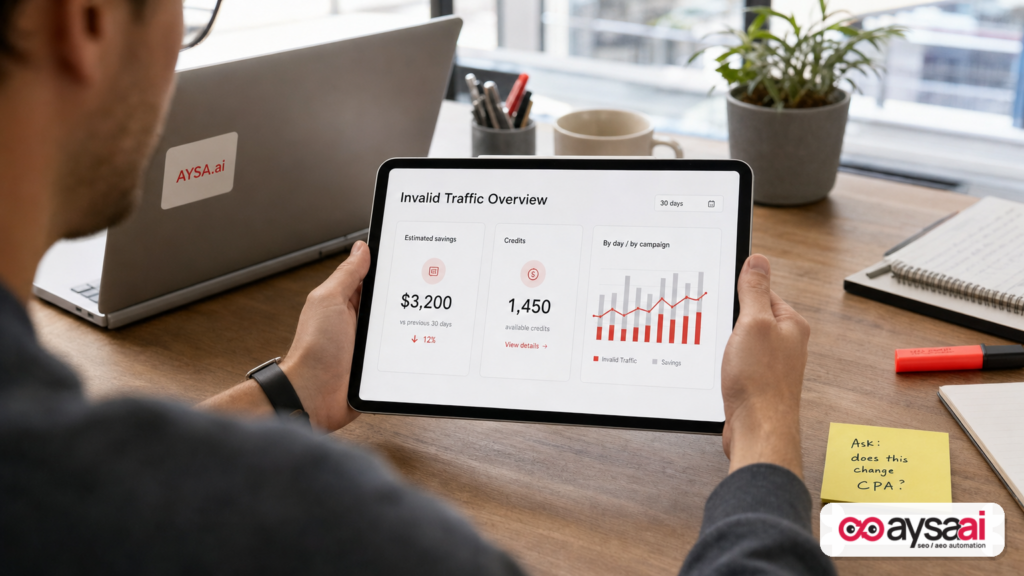
The new Invalid Traffic Overview Card brings three things into one place: (1) how much Google says it filtered before billing, (2) how much it credited after billing, and (3) a day/campaign view that helps you spot trends. The rollout was covered by Search Engine Journal, based on details shared by Google Ads Liaison Ginny Marvin via LinkedIn and the Ads Decoded newsletter.
My take, as an operator: this card is a step toward better accountability, but it’s not a lead-quality solution, and it’s not a substitute for tying Google Ads outcomes to your CRM and revenue. If you run lead gen, you can have “low invalid traffic” and still drown in junk leads. If you run ecommerce, you can have “healthy savings” and still be losing margin to weak product-market fit, bad creative, or a slow checkout. The card improves visibility—but you still need a system.
This editorial explains what changed, what it means for SMEs and agencies, what can go wrong, and what to do next. I’ll also show where AYSA fits: using Monitoring and Approved Execution to turn findings from paid search into website changes that compound (better landing pages, better content, better tracking hygiene)—without breaking things or shipping half-baked updates.
Concise summary

- What changed: Google Ads added an Invalid Traffic Overview Card that consolidates estimated savings (filtered pre-billing), credited cost (post-billing credits), and campaign/day breakdowns.
- Why it matters: It reduces guesswork and the “hunt across invoices + reports” problem—useful for audits, budgeting, and stakeholder communication.
- What it doesn’t do: It does not prove traffic quality, does not guarantee lead quality, and does not reveal fraud Google failed to detect.
- Operational impact: Post-billing credits won’t automatically change standard Campaigns table metrics because Google locks month-end performance numbers to match billing records.
- Best next move: Use the card to trigger investigations (spikes, outliers), then validate with CRM outcomes and implement fixes across targeting, exclusions, creative, landing pages, and tracking.
Table of contents
- What Google changed: the Invalid Traffic Overview Card in plain English
- Invalid traffic 101: what it is (and isn’t)
- What the card shows—plus how to interpret each number
- The metric trap: why credits don’t change your standard CPA
- Why this matters now: proof of ROI, budget pressure, and the quality gap
- Concrete SME scenario: the clinic that “fixed fraud” but still got bad leads
- A practical action plan: how to use the card without getting fooled
- What you should monitor weekly (SMEs) vs. monthly (finance)
- What agencies should rethink: reporting, trust, and responsibilities
- Where AYSA fits: from insights to approved execution on your site
- Common mistakes and how to avoid them
- What to do next (checklist)
- Sources and further reading
What Google changed: the Invalid Traffic Overview Card in plain English

Historically, advertisers who wanted to understand invalid traffic had to stitch together pieces from different places: campaign reporting for invalid Clicks, plus billing statements or invoices for any credits applied later. That workflow is clunky for operators and nearly impossible for stakeholders who don’t live inside the ad account.
Google’s new Invalid Traffic Overview Card is meant to fix that operational friction. As reported by Search Engine Journal, the card appears in the Google Ads Overview page under the Campaigns tab, and it’s rolling out globally. It is also available in Search Ads 360 for Google Ads accounts (per the same report).
Here’s the key editorial point: the card doesn’t create new fraud prevention. It mostly creates new visibility and new “proof artifacts” (trend charts, CSV downloads, and a single place to see filtered savings + credits). That visibility can improve decision-making—if you interpret it correctly.
Invalid traffic 101: what it is (and isn’t)
Google has long used automated systems and Manual Review to detect and filter invalid ad interactions—the category that can include bots, accidental clicks, and attempts to inflate traffic artificially (as described in the SEJ coverage).
From a business perspective, it helps to separate three concepts that often get conflated:
1) Invalid ad interactions (billing problem)
This is the world Google is addressing with the card. Think: clicks or interactions that shouldn’t be billed. The outcome is filtered activity (never billed) and credits (refunded after billing).
2) Bad-but-valid clicks (performance problem)
These are clicks that are real people but wrong intent, wrong GEO, wrong device context, or mismatch between Keyword and landing page. Google can’t “refund” these because they’re not invalid—they’re just not profitable.
3) Bad leads (sales/ops problem)
These can come from legitimate clicks and legitimate form submissions. They can also come from non-ad sources (organic, referral, spam bots hitting forms directly). The SEJ article notes an important nuance shared by Ginny Marvin: Google’s invalid traffic systems can filter invalid ad interactions, but bad leads can still come from legitimate clicks or submissions that never originated from an ad. Translation: the card is not a lead quality truth machine.
If you’re a founder or GM, you should treat invalid traffic reporting as one input in a bigger revenue system—not the system.
What the card shows—plus how to interpret each number
According to the SEJ coverage, the card includes three main reporting areas. Let’s translate each into “how to use it” language.
1) Estimated savings (filtered pre-billing)
This number represents the estimated advertising costs avoided when Google identifies and filters invalid activity before billing. This is the headline addition: previously, advertisers could review invalid click-related metrics, but not a consolidated estimated dollar amount filtered out pre-invoice.
How to interpret it:
- It scales with spend. A high-spend campaign can show higher “savings” simply because it has more volume.
- It is not “profit found.” It’s “spend prevented.” It does not mean the campaign is now efficient.
- It’s best used as a trend signal. Watch for spikes, step changes, or weird seasonality.
Questions to ask when estimated savings rises:
- Did we expand targeting (broad match, new geos, Display/partners, Performance Max changes) that could increase exposure to junk traffic?
- Did we increase budget aggressively (more volume = more everything)?
- Did Conversion rate or lead quality shift at the same time?
2) Credited cost (post-billing credits)
This represents credits issued after Google detects invalid activity from a closed billing period. The card also links you back to the monthly invoices where credits were applied (per the SEJ summary).
How to interpret it:
- It’s a reconciliation number. Useful for finance, accruals, and vendor accountability.
- It can arrive later. Which creates reporting confusion if you only look at the Campaigns table.
- It’s not necessarily “bad news.” It may also indicate detection systems are working. But it can still prompt an investigation if it clusters in certain campaigns.
3) Daily and campaign-level reporting (trend + breakdown)
Clicking “View details” opens a daily trend chart and a campaign table, and the reporting can be downloaded as CSV (as described in the SEJ article). This is where operators will spend most of their time, because it supports triage:
- Which campaign(s) are associated with the most invalid activity?
- When did it start?
- Does it correlate with a new creative, targeting shift, or budget increase?
The key is not to chase the biggest dollar number, but to identify anomalies: campaigns whose invalid activity trend differs from their peers relative to volume.
The metric trap: why credits don’t change your standard CPA
One of the most important operational details in the SEJ report is easy to miss: Google Ads locks standard campaign metrics at month-end to match billing records. If additional invalid traffic is detected later, credits may be applied, but they won’t change standard Cost or CPA numbers in the main Campaigns table.
This matters because many businesses run their entire performance conversation off a screenshot of the campaign table. If credits come in later, you can end up in a messy situation:
- Finance sees a credit on the invoice.
- Marketing reports CPA that still looks too high.
- Leadership thinks someone is “hiding” performance or the agency can’t reconcile billing.
Per SEJ, Google provides a way to view performance with post-billing credits factored in via a report template: “Invalid Activity Credit: Search & PMax” in the Report editor template gallery. The report includes columns like Adjusted cost and Adjusted cost / conv., and credits are attributed to the dates the ads originally ran, even when issued later.
Editorial advice: If you run an agency, make this report part of your standard close process. If you’re an SME, ask your agency (or internal marketer) to include a “credits reconciliation line” in your monthly performance summary. You’re not asking for perfection—you’re asking for trust through clarity.
Why this matters now: proof of ROI, budget pressure, and the quality gap
On the surface, this rollout looks like a small UI improvement. In reality, it reflects something bigger happening in marketing ops:
- More scrutiny on paid spend as CAC rises and budgets get tighter.
- More automation in bidding and targeting, which can make root-cause analysis harder.
- Higher expectations for “proof”—not just clicks and leads, but “quality” and revenue impact.
Invalid traffic is one of those topics that sits at the intersection of marketing, finance, and risk. When reporting is scattered, the default conclusion is often: “We’re probably wasting money.” Consolidated reporting doesn’t fix waste by itself, but it reduces the friction to address it.
At the same time, the “quality gap” is real. A business can tighten invalid traffic and still have:
- Weak lead qualification on the landing page
- Forms that invite spam or low-intent inquiries
- Sales teams that don’t follow up fast enough
- Tracking that over-counts conversions (or under-counts revenue)
That’s why the new card should be treated as a diagnostic dashboard, not a solution badge.
Concrete SME scenario: the clinic that “fixed fraud” but still got bad leads
Let’s make this tangible with a realistic scenario that mirrors what many SMEs experience.
Business: A multi-location dental clinic running Google Ads for “emergency dentist” and “teeth whitening.”
What happens:
- The owner sees the new Invalid Traffic Overview Card and notices meaningful estimated savings.
- They feel reassured: “Great—Google is filtering the bad traffic.”
- But the front desk still reports a high volume of no-shows, price shoppers, and irrelevant inquiries.
What’s actually going on (common causes):
- Legitimate clicks with wrong intent: searches like “cheap teeth whitening near me” when the clinic is premium-priced.
- Landing page mismatch: ad promises “same-day appointments,” but the landing page hides scheduling and emphasizes general services.
- Form abuse that isn’t “invalid ad traffic”: bots hit the form directly, or people submit fake info to unlock an offer.
- Offline conversion gap: calls are not properly attributed, or “leads” are counted when they never book.
How the new card helps (and where it doesn’t):
- It may confirm that a portion of obvious invalid interactions were filtered and/or credited.
- It does not explain why legitimate traffic is producing low-quality outcomes.
The right response: Keep the invalid traffic card in your monthly billing close, but run lead-quality optimization as a separate operating system—rooted in CRM outcomes and sales feedback.
A practical action plan: how to use the card without getting fooled
Here’s the workflow I recommend for SMEs and agencies. It’s intentionally procedural—because invalid traffic isn’t a vibe; it’s an investigation.
Step 1: Establish a baseline (don’t overreact to one week)
- Look at 4–8 weeks of data once you have access to the card.
- Note normal ranges for estimated savings and credited cost.
- Identify whether invalid activity is steady, seasonal, or spiky.
Step 2: Segment by campaign and intent
Use the campaign breakdown to group campaigns by:
- Intent: brand vs non-brand, high intent vs research queries
- Format: Search vs Performance Max (and any other mix you use)
- Geo: city/region targeting strategies
This matters because invalid traffic patterns (and the business impact) differ by intent. A spike in a brand campaign can be a different story than a spike in a broad non-brand campaign.
Step 3: Investigate spikes like you’d investigate a billing anomaly
When you see a spike in estimated savings or an unusual credit, ask “what changed?” Common change vectors:
- Match type loosening or broad match expansion
- New geographies
- New creatives or assets that broaden appeal unintentionally
- Budget step-up that forces the algorithm to explore cheaper inventory
Step 4: Reconcile with business outcomes (CRM & revenue)
This is the missing step in most accounts. You’re not trying to prove Google right or wrong—you’re trying to run the business.
- If invalid traffic rises but qualified lead rate stays stable, it may be mostly noise.
- If invalid traffic is flat but qualified lead rate drops, you have a problem the card won’t explain.
Step 5: Fix what you control (targeting, exclusions, and landing pages)
Invalid traffic reporting can indicate where you’re exposed. But the biggest profit levers are usually:
- Intent shaping: tighter keywords, negatives, location controls
- Offer clarity: qualify price, availability, requirements
- Landing page experience: speed, clarity, trust, friction reduction
This is where execution matters. Not “ideas.” Changes. Shipped.
What you should monitor weekly (SMEs) vs. monthly (finance)
Different stakeholders need different cadences. If you mix them, you either drown in detail or miss important signals.
Weekly operator checklist (marketing/agency)
- Invalid traffic trend direction (up/down/flat) by campaign group
- Any sudden spikes in estimated savings (investigate change history)
- Lead quality proxy metrics (qualified rate, appointment set rate, sales-accepted leads)
- Conversion anomalies that could indicate tracking issues
Monthly close checklist (finance/leadership)
- Credited cost in the month’s invoice and what period it relates to
- Reconciliation view: performance with post-billing credits (where applicable)
- Top 3 decisions made because of the data (budget shifts, exclusions, landing page changes)
If you’re an SME without a deep analytics stack, don’t try to become a fraud analyst. Build a consistent routine and focus on decisions.
What agencies should rethink: reporting, trust, and responsibilities
Agencies are going to feel this rollout in two ways: client communication and accountability boundaries.
1) Reporting needs a “billing reconciliation” layer
The SEJ article highlights a real operational detail: credits won’t change standard campaign metrics after month-end. If agencies keep reporting only from the Campaigns table, clients will eventually ask why invoices show credits but reported CPA didn’t improve.
Practical fix:
- Add a simple line item: “Invalid activity credits applied: $X” (when present).
- If needed, include an “adjusted cost” view for Search & PMax via the report template mentioned in SEJ.
2) Agencies must separate “invalid traffic” from “lead quality” in scope
Clients will assume the new card is a lead-quality report. It’s not. Agencies that don’t clarify the distinction will get dragged into disputes about fake leads, sales performance, and website form abuse—without the proper instrumentation to solve it.
Agency positioning that works:
- “We’ll monitor invalid traffic and respond to spikes.”
- “Lead quality is managed through CRM feedback loops, landing page qualification, and tracking design.”
3) The best agencies will use this as a trigger for better systems
In mature accounts, invalid traffic metrics become a governance input: a reason to tighten controls, improve first-party data, and upgrade landing pages. Agencies that can turn “a number on a card” into “site + funnel improvements” will win.
Where AYSA fits: from insights to approved execution on your site
Most PPC waste doesn’t come from not knowing. It comes from not executing—because execution is risky, slow, and often blocked by limited dev resources or internal politics.
AYSA is built for that gap: monitor → prepare → ask for approval → execute accepted website changes. When your Google Ads account surfaces an issue—whether it’s invalid traffic signals, lead-quality concerns, or conversion-rate friction—AYSA helps you ship improvements to the site without chaos.
Here are specific ways to connect this Google Ads update to compounding business outcomes using AYSA:
1) Turn “lead quality” into landing page qualification (approved changes)
If you’re getting too many low-intent leads from legitimate clicks, the fix is often not “more fraud filters.” It’s clearer qualification on the landing page:
- Pricing anchors (“starting at…”) where appropriate
- Service area clarity
- Eligibility requirements
- Better form design (reduce spam, increase intent)
With AYSA, these changes can be prepared, reviewed, and approved before they go live—reducing the fear that site edits will break SEO or branding. Start with Monitoring and build toward a steady cadence of site improvements.
2) Reduce paid dependency by building organic + AI search visibility
When paid search gets noisy, expensive, or quality-challenged, the long-term hedge is building organic demand capture and AI search visibility. This is where paid insights can guide content:
- Which questions create unqualified leads? Write clarifying pages.
- Which queries drive high LTV customers? Build deeper service/product pages.
AYSA supports that broader motion through its AI search visibility focus: AI Search Visibility and the toolkit at AI SEO Tools.
3) Make “monitoring” a shared language between PPC and SEO
The new invalid traffic card is ultimately a monitoring surface. Businesses that win treat monitoring as cross-channel:
- PPC: invalid traffic trends, conversion anomalies
- Website: landing page engagement, conversion rate, form spam patterns
- Organic/AI search: visibility, citations, content coverage
AYSA’s system approach helps teams stop arguing about channels and start improving the funnel. Explore practical workflows and updates in the AYSA blog.
4) Governance: “Approved execution” is the missing control layer
SMEs often delay site improvements because they’ve been burned by rushed changes. AYSA’s approved execution model creates a safer path: proposed changes are reviewed, approved, and then executed—so your response to lead-quality issues isn’t “we’ll fix it someday.” It’s “we fixed it this week.”
If you’re deciding how to operationalize this, align on budget and cadence using Pricing, then set expectations: you’re buying a system, not one-off edits.
Common mistakes and how to avoid them
This rollout will create predictable mistakes. Here’s what I’d watch for.
Mistake 1: Using “estimated savings” as a KPI to optimize for
If a team starts celebrating higher “savings,” they’re optimizing the wrong thing. You want profit, not “refunded or avoided cost.” Use savings as a diagnostic, not a target.
Mistake 2: Assuming low invalid traffic means high-quality leads
As noted in the SEJ report (and highlighted by Marvin), you can have low invalid traffic and still have lead quality issues. Keep your lead qualification and CRM loop separate from billing integrity.
Mistake 3: Not reconciling credits in reporting
Month-end locking means you can accidentally misreport performance if you ignore later credits. Build a monthly close routine that includes credit reconciliation when present.
Mistake 4: Treating this as “Google solved fraud” and loosening controls
Better reporting is not a license to turn on every automation knob. More automation can mean broader reach—sometimes into lower-quality traffic environments. Monitor, validate, and tighten where necessary.
Mistake 5: Ignoring the website and blaming the ad platform
Even when traffic is valid, the website can leak value: unclear offers, slow pages, weak trust signals, or forms that invite spam. The fastest wins often come from shipping landing page improvements, not debating attribution.
What to do next (checklist)
Use this as your 30-day implementation plan.
Week 1: Get access, document baselines
- Find the Invalid Traffic Overview Card in Google Ads (Overview page under Campaigns, per SEJ).
- Record baseline values for estimated savings and credited cost.
- Export the campaign-level view (CSV) if helpful for audits.
Week 2: Create a reconciliation note for finance
- Add “invalid activity credits” as a line item in your monthly summary.
- If needed, pull the adjusted-cost view via the report template mentioned by SEJ.
Week 3: Connect invalid traffic signals to lead quality
- Pick one high-volume campaign and compare invalid traffic trend vs qualified lead rate.
- Identify whether you have a billing integrity issue, an intent issue, or a website qualification issue.
Week 4: Execute 1–3 concrete improvements (not 20 ideas)
- Tighten targeting or add negatives where intent is wrong.
- Improve landing page qualification (pricing, service area, requirements).
- Reduce form spam risk (simple friction, validation, clearer value exchange).
If you want to systematize this, use AYSA to monitor site and search visibility, prepare prioritized changes, get internal approval, and execute safely over time: AYSA Monitoring.
Sources and further reading
- Search Engine Journal: Google Ads Rolls Out New Invalid Traffic Overview Card
- Search Engine Journal: Paid Media section
- Search Engine Journal: AI Search coverage (context for measurement expectations)
Related AYSA resources
Continue the AI search topic inside AYSA.
Use these pages to connect the article with AI SEO tools, AI visibility monitoring, AI Overviews and approved website execution.
Turn this topic into a website action plan.
Use these AYSA hubs to move from reading to technical fixes, AI visibility monitoring, research, glossary context and approval-first SEO execution.