
Cloudflare’s New AI Crawler Controls Could Quietly Block Googlebot: The Practical SEO Playbook Before Sept. 15
Cloudflare is changing how AI crawler controls work—splitting bots into Search, Agent, and Training—and on Sept. 15 the “strictest rule wins” approach can unintentionally block Googlebot if you block training. Here’s what changed, why it matters for real businesses, and an action plan to protect organic traffic while still controlling AI use.

Cloudflare just made a change that sounds like “AI bot management,” but the real story is bigger: crawler access is becoming a business policy decision. And if you get it wrong—especially on Cloudflare—your site can quietly become less crawlable by the very bots you depend on for revenue.
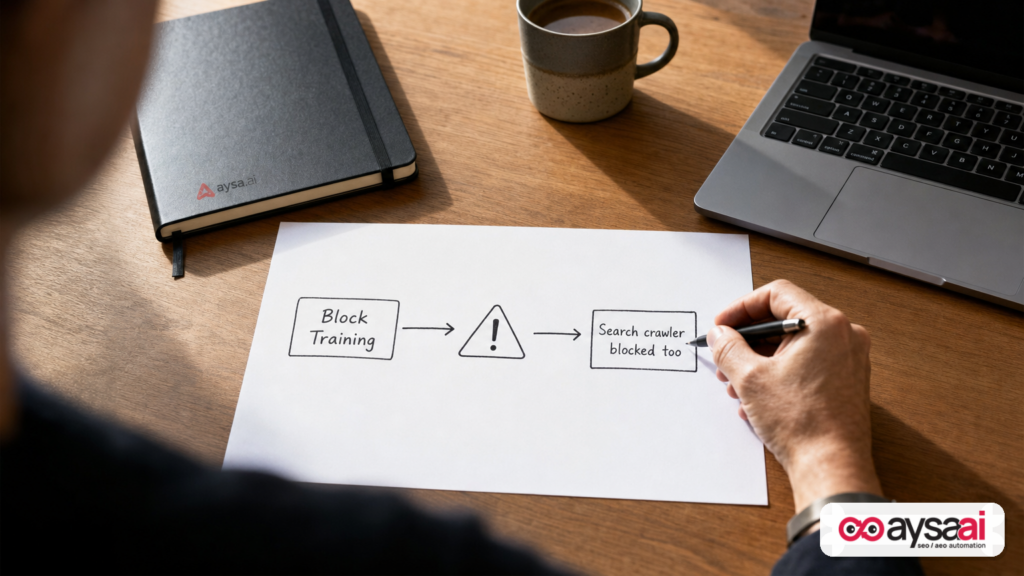
In July 2026, Cloudflare announced new controls that let every site (including free accounts) manage automated traffic by behavior: Search, Agent, and Training. The key risk arrives with the September 15 default changes and a new “strictest rule wins” approach for multi-purpose crawlers. That combination means a site owner who blocks “Training” could unintentionally block combined crawlers such as Googlebot—and that can cascade into weaker Crawling, slower Indexing, and eventually lost visibility.
This article is a practical playbook. We’ll walk through what changed, why it matters to SMEs and agencies, what can go wrong, and how to build an operational process that avoids panic fixes. I’ll also show where AYSA fits: not as a “magic AI SEO” promise, but as an execution system that monitors, prepares changes, asks for approval, and executes accepted updates safely.
Concise summary

- Cloudflare now classifies AI crawler activity into three behaviors: Search, Agent, and Training.
- On Sept. 15, new defaults and a strict matching rule can cause collateral damage: if you block Training, Cloudflare may block multi-purpose crawlers that also do Search (Cloudflare cited Googlebot, Applebot, and Bingbot as examples).
- Cloudflare blocks happen at the network edge, which is different from Robots.txt (advisory). This can be harder to “work around” later.
- If Googlebot is blocked long enough, discoverability and rankings can degrade—especially for sites that rely on frequent crawling (ecommerce, publishers, local services with changing offers).
- Action: review your Cloudflare AI crawler settings before Sept. 15, confirm Googlebot access, and operationalize Monitoring so this doesn’t become a silent failure.
Table of contents
- Context: The shift from “SEO vs AI” to “access governance”
- What changed: Cloudflare moved from “AI bots” to behaviors
- What happens on September 15 (and why it’s easy to miss)
- Why it matters: blocking training can now block search crawling
- Robots.txt vs edge blocking: same intention, very different consequences
- Failure modes: how this breaks in the real world
- An SME scenario: the “Block AI” button that tanks your leads
- Diagnostics: how to detect crawler blocking before revenue drops
- Build a crawler policy that won’t sabotage SEO
- What agencies should rethink (this is now part of your retainer)
- Where AYSA fits: monitoring + approved execution for technical SEO changes
- What to do next: a step-by-step action list
- Sources and further reading
Context: The shift from “SEO vs AI” to “access governance”

For years, Technical SEO had a relatively stable set of levers:
- Robots.txt: “please don’t crawl this.”
- Meta robots: “don’t index this.”
- Sitemaps: “here are the URLs that matter.”
- Server performance and error codes: “can you reach us reliably?”
AI changed the incentive landscape. Website owners—especially publishers and ecommerce brands—started asking a new question:
“Can I participate in search discovery without donating my content to training pipelines?”
That’s not a purely technical question. It’s policy, legal, brand protection, and revenue strategy all colliding. And it’s why Cloudflare’s move matters: Cloudflare sits between users/bots and your origin server. It can enforce policy in a way that robots.txt can’t.
But enforcement has a cost: if the rules aren’t precise, you can block the wrong things—like the crawlers that keep you findable. Cloudflare is trying to bring structure to that chaos by splitting automated access into behaviors. The idea is good. The transition risk is real.
What changed: Cloudflare moved from “AI bots” to behaviors
According to reporting by Search Engine Journal, Cloudflare introduced new controls that let site owners manage automated traffic based on three behaviors rather than a single “AI bots” switch: Search, Agent, and Training. You can read the original coverage here: Cloudflare’s AI Crawler Rules Can Block Googlebot (Search Engine Journal).
Let’s translate those categories into plain-English business outcomes.
1) Search crawlers
This is the crawl behavior most businesses historically welcomed: indexing pages so they can appear in search results. Cloudflare ties this behavior to Referral traffic—meaning it’s aligned with discovery and click-through.
Business lens: Search crawlers are your “digital shelf space.” If they can’t access your pages, your products, services, and content become harder to find.
2) Agent crawlers
These are real-time bots acting on behalf of a person: assistant experiences, browsing agents, and user-triggered retrieval. The SEJ article referenced examples like ChatGPT-User and browser agents operating within tools like Gemini or Claude.
Business lens: Agents are increasingly “the new browser.” Whether you like it or not, customers are using assistant workflows to compare vendors, request summaries, and shortlist options. Blocking agents may reduce exposure in those workflows—but it may also reduce unwanted scraping and operational load. This is a strategic choice.
3) Training crawlers
Training crawlers fetch content to train or fine-tune models. This is what many brands think of when they say “stop AI from using my content.”
Business lens: Training is where content independence concerns show up most. The motivations for blocking include protecting premium content, preventing replication, and reducing uncompensated value transfer.
The core change: Cloudflare is saying, “Don’t force websites to choose between allowing everything and blocking everything. Let them choose by intent.” That’s directionally correct for the web.
What happens on September 15 (and why it’s easy to miss)
Cloudflare’s change isn’t just a new dashboard feature. It includes default behavior changes taking effect on September 15. SEJ reported two important defaults:
- New customers / new sites: Training and Agent crawlers blocked by default on ad-monetized pages, while Search stays allowed.
- Existing free customers who haven’t changed settings: they’ll be moved to these defaults on Sept. 15.
There’s also a second change that can be more disruptive than the defaults: Cloudflare plans to treat multi-purpose crawlers using a strictest rule applies approach.
The “strictest rule wins” concept
If a crawler performs both Search and Training, and you block Training, Cloudflare may block that crawler entirely—even if you intended to allow search indexing. SEJ notes Cloudflare used Googlebot, Applebot, and Bingbot as examples of crawlers that can operate in both search and AI training contexts.
That’s the crux: you may think you’re blocking training only, but you may be blocking discovery.
Cloudflare indicated site owners can review or change these settings in their Cloudflare dashboard before Sept. 15, and that it will notify customers ahead of the date (per the SEJ write-up).
Why it matters: blocking training can now block search crawling
Most businesses don’t wake up thinking about crawl budgets. They wake up thinking about:
- Why leads slowed down
- Why revenue is down week-over-week
- Why a competitor is suddenly outranking them
Blocking Googlebot doesn’t always cause an immediate cliff. That’s what makes it dangerous. It’s often a slow suffocation:
- New pages don’t get discovered quickly
- Updated pages don’t refresh in the index
- Old URLs linger
- Search features you rely on (freshness, product availability, local relevance) degrade
If Cloudflare’s edge blocks a crawler, it doesn’t matter that your robots.txt is permissive. The request never reaches your server. From an SEO perspective, it’s like locking the door and leaving a friendly sign outside.
What’s new here is not that websites can block Googlebot—websites always could. What’s new is:
- The UI framing (“block AI training”) can lead well-meaning teams into making changes without realizing SEO consequences.
- The strictest matching logic increases the chance of collateral blocking when a crawler serves multiple purposes.
- The deadline (Sept. 15) creates a “set it and forget it” window where defaults change without an active decision.
Robots.txt vs edge blocking: same intention, very different consequences
Non-SEO operators often think robots.txt is a “block.” It’s not. It’s a request. Most reputable crawlers comply, but robots.txt is not an enforcement mechanism.
Cloudflare, however, can enforce access at the network edge. If the edge denies the request, the bot doesn’t get the HTML. That makes edge policy powerful—and risky.
SEJ’s coverage made this point clearly: robots.txt is advisory, while Cloudflare blocking operates at the network level and is harder to bypass.
Practical implication: if your organization is going to enforce bot policy at the edge, you need to manage it like production infrastructure. That means change control, monitoring, and rollback plans—not “someone in marketing toggled a setting.”
Failure modes: how this breaks in the real world
Let’s map the most common failure patterns I expect to see as these new controls roll out. These aren’t theoretical; they’re the predictable result of how SMEs operate under time pressure.
Failure mode 1: Default changes, no owner
Cloudflare is used by many small businesses specifically because it’s easy to set up and offers value on the free tier. But “easy to set up” often means “no one actively owns it after launch.”
If no one owns Cloudflare settings, September 15 comes and goes, and the site’s behavior changes. The business notices weeks later—when SEO performance or crawling anomalies start compounding.
Failure mode 2: Mixed-purpose bots become collateral damage
If a crawler is used for both search and training, and Cloudflare enforces the strictest rule, a team blocking “Training” to protect content may unintentionally block the whole crawler.
That’s exactly the scenario SEJ highlighted with Googlebot, Applebot, and Bingbot as examples.
Failure mode 3: Legal/PR drives policy without SEO review
“We should block AI training” can come from legal counsel, PR concerns, or executive sentiment. Those are valid stakeholders. But if policy changes don’t route through technical SEO, you can get a decision that protects one asset while damaging another: discoverability.
Failure mode 4: Ad pages vs non-ad pages creates partial index gaps
Cloudflare’s defaults mention ad pages. Many sites have mixed templates and mixed monetization models. It’s easy to end up with inconsistent behavior across sections of the site: some pages crawled, others blocked, leading to confusing indexing patterns.
Failure mode 5: “Verified bot” no longer means what teams think it means
SEJ reported Cloudflare revised what “Verified” means: verification doesn’t automatically grant access everywhere; access depends on category, and bots that replicate content entirely can’t be verified.
Operational impact: if your team previously assumed “verified = safe/allowed,” you need to revisit that assumption under the new categorization.
An SME scenario: the “Block AI” button that tanks your leads
Let’s make this concrete with a realistic small-business scenario.
Business: a local dental clinic with two locations and a growing implant service line.
What they care about:
- “dental implants near me” visibility
- service pages indexing quickly after updates
- blog content driving discovery for financing options and recovery timelines
What happens:
- A well-meaning admin reads headlines about AI scraping and clicks a Cloudflare setting to block AI training.
- They assume it’s like robots.txt: a polite preference.
- After Sept. 15, strict rules apply; a combined crawler is categorized such that the “Training” block causes the crawler to be blocked outright.
- For a few weeks, nothing seems wrong—because the clinic still ranks for some queries and their existing indexed pages still show.
- But new pages (new city + service pages, new FAQs, updated pricing info) don’t refresh in search the way they used to.
- Competitors update their pages, get crawled, and gradually outrank.
How it shows up in the business:
- Lead volume declines gradually
- Call center says “people are asking questions that our website already answers” (because AI summaries and cached SERP snippets reflect old content)
- The marketing manager blames seasonality, then ad spend, then the agency—before anyone checks crawl access
This is why I call it a “silent failure.” It isn’t a site outage. It’s a visibility decay.
Diagnostics: how to detect crawler blocking before revenue drops
If you run on Cloudflare, you should treat bot access as a monitored surface area—especially around major policy changes. Here are practical diagnostics that don’t require you to be an SEO expert.
1) Use Google Search Console as your early warning system
Google Search Console (GSC) is the closest thing you have to a diagnostic “black box” for Google’s crawl and index relationship with your site. If you’re not actively using it, start here: Google Search Console (official).
What to look for (conceptually):
- Sudden increases in crawl errors or blocked resources
- Coverage/indexing anomalies: fewer pages being discovered or refreshed
- URL inspection showing crawl issues
I’m not listing specific error counts or “X% drops” because those vary by site and I’m not going to invent numbers. But the pattern is consistent: crawl access issues show up in GSC before they show up in your bank account.
2) Check server logs (or Cloudflare logs) for Googlebot requests
Whether you check origin server logs or Cloudflare logs depends on your setup. The goal is simple: verify that known crawlers are making successful requests and receiving 200 responses to key pages.
If your logs show repeated blocks/denies for important crawlers, that’s a red alert. Your next step is to verify that your rule logic is doing what you think it’s doing.
3) Create canary URLs for crawling
A “canary” is a simple URL you intentionally update and monitor. Examples:
- /crawl-test/ with a timestamp updated weekly
- A small FAQ page that changes monthly
When you update it, you should expect it to be recrawled and reflected in search in a reasonable timeframe for your site. If it stops updating, it’s a signal—not proof, but a signal—that crawl access or crawl demand changed.
4) Don’t confuse robots.txt with enforcement
Robots.txt is still important, and you should keep it clean. But the Cloudflare story is a reminder: you can “allow” in robots.txt and still be blocked at the edge.
If you want a refresher on robots directives, Google’s developer documentation is the safest baseline: Google Search Central: robots.txt and crawling/indexing (official).
Build a crawler policy that won’t sabotage SEO
Most teams are approaching this backwards. They start with ideology (“block AI!”) and then scramble to fix SEO damage.
Start with business requirements, then define policy.
Step 1: Define what “visibility” means for your business
- Ecommerce: product pages, category pages, inventory and pricing updates, merchant listings
- Local services: service pages, location pages, review snippets, appointment intent queries
- SaaS: feature pages, comparisons, docs, integration pages
- Publishers: freshness, inclusion in topical coverage, syndication realities
Then ask: which crawlers are essential to that visibility?
Step 2: Choose what to allow by category—on purpose
Cloudflare’s categories make a strong framework for decision-making. Here’s a pragmatic starting point for many SMEs (not universal advice):
- Search: generally allow, because it underpins discoverability.
- Agent: decide deliberately. If your audience uses assistants heavily (travel, local services, B2B research), blocking may reduce your chance to be surfaced in assistant-driven flows.
- Training: decide based on content type. If you sell premium content, have licensing concerns, or see direct replication issues, you may block. If your content is primarily marketing content meant to be discovered, the benefit of blocking may be less clear.
The key: the decision isn’t “block AI.” It’s “what traffic do we want, and what usage do we permit?”
Step 3: Plan for mixed-purpose crawlers
The strictest-rule change exists because some operators use one crawler identity for multiple behaviors. Cloudflare is essentially telling the ecosystem: “Separate your bots by intent so website owners can choose.”
But you can’t control whether a third party separates their bots in the near term. So you must plan for the transitional reality:
- If you block Training, you might block the crawler entirely if it’s classified as multi-purpose.
- If you must preserve search visibility, you may need to avoid blanket blocks that trigger strictest-rule outcomes.
That’s not a moral stance. It’s an operational constraint.
Step 4: Treat “content-use signals” as preference, not protection
SEJ reported Cloudflare is testing a content-use signal extending Content Signals in robots.txt with values like immediate, reference (default), and full. Cloudflare noted these signals state a preference and do not block on their own.
Translation: signals can help communicate intent, but if your goal is enforcement, you’ll still need actual access controls. And if your goal is SEO safety, you’ll need to ensure enforcement doesn’t block essential crawling.
What agencies should rethink (this is now part of your retainer)
If you’re an agency, freelancer, or in-house marketer responsible for performance, Cloudflare’s update is a reminder of a hard truth:
SEO outcomes now depend on infrastructure policy more than ever.
That means your scope needs to evolve:
1) Assign ownership for bot policy
Someone must own Cloudflare configuration the way someone owns billing, DNS, and analytics. If “nobody” owns it, you’ll be the one blamed when performance drops.
2) Put change management around settings that affect crawlability
You don’t need enterprise bureaucracy, but you do need a simple rule:
- No bot policy changes without an SEO review and a rollback plan.
3) Add monitoring SLAs to technical SEO
Rank tracking is not enough. You need monitoring that detects:
- unexpected crawler blocks
- sudden crawl error changes
- indexing anomalies
This is where modern SEO gets operational. It’s less “write a blog post” and more “keep the pipes open.”
Where AYSA fits: monitoring + approved execution for technical SEO changes
At AYSA.ai, we think the next era of SEO is defined by two things:
- Search is becoming AI-mediated (AEO/GEO), which changes what visibility means.
- Technical governance is becoming decisive, because policy settings can erase your presence silently.
AYSA is built to operate as an approved execution system:
- Monitor: detect issues and changes that affect visibility and crawlability. See: AYSA Monitoring
- Prepare: assemble recommended actions (technical and content) with clear rationale.
- Ask for approval: you control what ships.
- Execute accepted changes: safely implement, then observe impact.
In a Cloudflare-style transition, the failure isn’t “we didn’t know.” The failure is “we didn’t operationalize.” Monitoring + controlled execution is how you avoid that.
If you’re building visibility in AI-driven discovery, start here: AI Search Visibility. If you want to see the toolset angle, see: AI SEO Tools. For ongoing playbooks and updates, visit: AYSA Blog. And if you need to evaluate it commercially, pricing is transparent here: AYSA Pricing.
Important boundary: This editorial is not claiming AYSA can directly reconfigure Cloudflare on your behalf in all cases; your exact stack and permissions matter. The point is the operating model: monitor risk, propose changes, require approval, execute safely, and verify outcomes.
What to do next: a step-by-step action list
This is the practical checklist I want every Cloudflare site owner to run before Sept. 15 and then repeat monthly.
1) Inventory: confirm whether your site is behind Cloudflare and who owns it
- Identify the Cloudflare account email/owner.
- Document who can change settings and who must approve.
- If you’re an agency, get explicit permission boundaries in writing.
2) Review AI crawler settings in Cloudflare before September 15
- Check how Search, Agent, and Training are currently configured.
- Confirm whether you previously enabled “Block AI bots” (as referenced in the SEJ coverage).
- Decide, intentionally, what you want to allow.
3) Protect Search crawling as a non-negotiable unless you have a strategy to replace it
If organic search is a meaningful channel and you don’t have an alternative acquisition engine, treat search crawling as critical infrastructure.
4) Validate Googlebot access (don’t assume)
- Use GSC to inspect key URLs and look for crawl issues: Google Search Console.
- Cross-check with logs where possible.
5) Create a “bot policy changelog”
- Record what you changed, when, and why.
- Keep a rollback note (what setting to revert).
- This sounds basic, but it prevents weeks of confusion later.
6) Decide your stance on Agent access based on customer behavior
If your customers research with assistants, blocking agents might reduce your future exposure. If you’re seeing operational abuse, blocking might be correct. Make it a business decision, not a reflex.
7) Operationalize monitoring so you catch issues early
- Monitor crawling and indexing signals, not just rankings.
- Use a system like AYSA to maintain visibility workflows and execution discipline: AYSA Monitoring.
My perspective: this is the beginning of “access-aware SEO”
Cloudflare’s move is a preview of the next phase of technical SEO. The old model assumed:
- bots are mostly search bots
- robots.txt is the battleground
- crawl access is stable unless your site is down
The new model is:
- bots serve multiple purposes (search, assistants, training)
- edge networks enforce policy
- defaults and classification logic can change without you touching your code
So the winning posture for SMEs and agencies is not “allow everything” or “block everything.” It’s governance:
- Decide what you want.
- Implement it carefully.
- Monitor the outcome.
- Adjust based on business results, not headlines.
Sources and further reading
- Search Engine Journal — Cloudflare’s AI Crawler Rules Can Block Googlebot
- Google Search Console (official)
- Google Search Central — robots.txt intro (official)
Related AYSA resources:
Note on sourcing: The supplied research context included Search Engine Journal’s report and general Google documentation links appropriate for robots.txt and GSC. If you want this piece expanded with Cloudflare’s primary press release and documentation links, we can add them once they’re provided in the research context or supplied directly.
Continue the AI search topic inside AYSA.
Use these pages to connect the article with AI SEO tools, AI visibility monitoring, AI Overviews and approved website execution.
Turn this topic into a website action plan.
Use these AYSA hubs to move from reading to technical fixes, AI visibility monitoring, research, glossary context and approval-first SEO execution.

