
Connected Apps in Google Search AI Mode: What It Changes for Visibility, Conversion, and the New “Interface Layer” of the Web
Google is letting users securely connect apps like Instacart, Canva, and YouTube Music directly inside Search’s AI Mode. That sounds consumer-friendly—and it is—but it also rewires how discovery, consideration, and conversion happen. Here’s what businesses and agencies should do now, what can go wrong, and how AYSA turns monitoring into approved execution.

By Marius Dosinescu (AYSA.ai)
Search is becoming the interface layer—and connected apps accelerate it

For two decades, the web’s default workflow looked like this: a person searches, Clicks a website, then completes a task somewhere else (buy, book, download, design, listen, etc.). Google’s latest move—letting users securely connect third-party apps directly inside AI Mode in Google Search—pushes that workflow into a new phase: search then do, without the same dependency on a traditional website visit.
Google’s announcement, “Connect more of your apps to Search”, describes a rollout (starting in the U.S.) where users can link services such as Instacart, Canva, and YouTube Music so they can take actions in AI Mode—adding items to a cart, pulling design templates, saving a playlist—without leaving Search until the handoff moment.
If you’re a business owner, a marketer, or an agency, this is not just a convenience feature. It’s a structural change: Search is moving closer to being a workflow hub. That has real consequences for visibility, Attribution, conversion paths, and the competitive map of who gets “picked” by AI experiences.
The short version (concise summary)
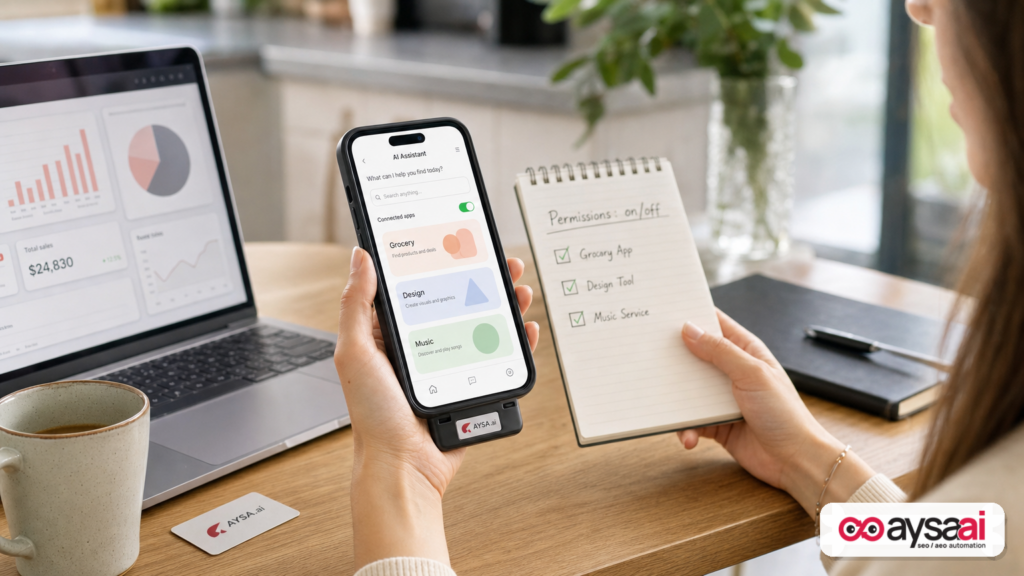
- What changed: Google Search AI Mode can now securely connect to certain third-party apps so users can complete tasks (like building a cart, starting a design, saving a playlist) inside the search experience before finishing in the partner service.
- Why it matters: This nudges users away from “clicking around” and toward “getting it done” in AI Mode. Websites may see fewer visits in some journeys, but the remaining actions can be more qualified and closer to purchase intent.
- Big risk: If your brand’s content and data aren’t easy for AI to understand (and easy to trust), you may not get surfaced when the user is ready to act.
- What to do now: Tighten your entity signals, strengthen product/service data, publish task-oriented content, improve technical foundations, and measure outcomes beyond last-click sessions.
- Where AYSA fits: AI-era search requires constant iteration. AYSA is built to monitor, prepare recommended improvements, ask for approval, and execute accepted website changes—so you can move fast without losing control.
Table of contents

- What Google actually announced (and what it implies)
- Why Google is doing this now
- The strategic shift: Search as an “interface layer”
- How search behavior changes when actions happen in Search
- The business impact: when Search becomes the workflow
- Who wins, who loses: realistic scenarios
- AEO/GEO fundamentals: what AI Mode needs from your site
- Technical readiness: what to fix before you chase strategy
- Content readiness: from “rankable pages” to “completable tasks”
- Measurement & attribution: what to track when clicks change
- What can go wrong: privacy, permissions, brand safety, and dependency
- A practical action plan for SMEs (30/60/90 days)
- Where AYSA.ai fits: monitoring → approved execution
- What to do next
- Sources and further reading
What Google actually announced (and what it implies)
In Google’s Search Blog post, Google describes a rollout where users can securely link certain third-party services directly inside Search’s AI Mode. The examples provided are practical and revealing:
- Grocery planning: Ask AI Mode for help building a grocery list and, if connected, add items directly to an Instacart cart, then finish checkout with a few taps in the Instacart experience.
- Design work: Ask AI Mode to show template options in Canva to accelerate a creative task like a flyer.
- Music curation: Ask AI Mode to curate a party playlist and save it into YouTube Music, then press play.
On the surface, that sounds like “Google adds more integrations.” But the implication is bigger: Google is treating AI Mode as a task router. It’s not merely answering questions; it’s helping users take steps.
Also note what Google emphasizes: secure linking, “connected apps,” and more “tailored responses” when combined with “Personal Intelligence.” In plain English, this means the AI experience gets more useful when it’s allowed (by the user) to connect with the tools they already use.
For businesses, this raises a strategic question: in a world where the user can complete more of the journey within Search, what role does your website play?
Why Google is doing this now
This move didn’t appear in a vacuum. It’s consistent with a broader trend: search engines are moving from being directories of links to being decision assistants and action layers.
Google has already been expanding AI experiences in Search in multiple ways. Even if you don’t work in SEO, you’ve felt it: richer results, more direct answers, more “do it here” moments, and more emphasis on structured information.
Connected apps in AI Mode fits three business goals that are easy to understand:
- Reduce friction: If the user can go from “idea” to “action” faster, they’re more likely to finish.
- Increase retention: Keeping more steps inside Search keeps the user in Google’s experience longer.
- Build a platform layer: Integrations turn Search into a hub that other services plug into.
Whether you love or hate that direction, it’s the direction. And ignoring it is not a strategy.
The strategic shift: Search as an “interface layer”
Historically, websites were the interface layer. Your site was where users compared options, built confidence, and completed a transaction or lead form. Search was the map.
AI Mode plus connected apps changes the map metaphor. Search is starting to behave like a control panel:
- The user expresses intent in natural language.
- AI Mode interprets the intent and suggests steps.
- Connected services execute those steps (cart, design template, playlist, etc.).
- The user approves or completes the final action in the relevant service.
This is similar to what we’ve seen in other platform shifts: when a platform becomes the interface layer, the value moves “upstream” toward whoever controls the starting point and the orchestration. That’s the uncomfortable part for publishers, some ecommerce sites, and lead-gen businesses: you can lose the journey even if you still provide the product or service.
But it’s not all negative. The opportunity is that the remaining clicks can become more qualified, and brands that structure their information well can get selected earlier in the decision process.
How search behavior changes when actions happen in Search
Most businesses still think in a “search → click → browse” funnel. Connected apps pushes behavior toward:
- Search → decide → act (with fewer intermediate pages)
- Search → compile (list-building, planning, comparing)
- Search → personalize (recommendations informed by connected services)
That changes what “visibility” means. It’s no longer only about ranking a single page for a single Keyword. It’s about being:
- understood (AI can interpret what you offer),
- trusted (AI can justify recommending you), and
- actionable (users can do the next step easily with you).
In other words: if your brand is hard to explain, hard to verify, or hard to transact with, you’ll be filtered out by AI-driven experiences—even if you “rank” in a traditional sense.
The business impact: when Search becomes the workflow
Let’s talk plainly about winners and losers, then we’ll get practical.
1) Traffic patterns may shift (and that’s not automatically bad)
As AI Mode handles more steps, you may see fewer sessions for certain informational queries. That doesn’t necessarily mean you’re losing business; it may mean users are getting to a decision faster.
The real question becomes: are you still being chosen when the user is ready to act?
2) Conversion paths become less linear
When a user starts in AI Mode and then completes a task inside a connected service, the path is fragmented across systems. That complicates attribution and makes it easier to misread performance if you only look at last-click web analytics.
3) Brand recall and “selection moments” matter more
In AI-driven interfaces, the most valuable moment can be when the AI selects or recommends an option. Your job is to increase the odds that your brand is eligible and compelling at that moment—through clear positioning, strong entity signals, and reliable data.
4) Partnerships and ecosystems get more important
Google is “working with a range of partners” and expects more apps. Over time, connected ecosystems can shape which providers get surfaced for which tasks. For many SMEs, the best move is not to fight the ecosystem but to become the best-structured option inside it.
Who wins, who loses: realistic scenarios
Here are scenarios that SMEs and agencies can actually recognize.
Scenario A: A specialty food ecommerce brand
You sell premium BBQ sauces and spice rubs. A user asks AI Mode: “Plan a backyard barbecue for 12 people—shopping list, timeline, and sauces.” With connected grocery services, the user may build a cart without ever visiting your blog post about “BBQ checklist.”
How you win anyway:
- Your product catalog is well-structured, with clear use cases (“best for ribs,” “spicy,” “no sugar”), and consistent naming across the web.
- Your site has strong, task-oriented content that AI can quote or summarize accurately (portion sizes, pairings, substitutions).
- You show up as a recommended brand because AI can confidently explain why your sauce fits the menu.
How you lose: your product pages are thin, your ingredient info is unclear, and your brand is hard to differentiate—so AI recommends more legible options.
Scenario B: A local clinic (dental, PT, dermatology)
A user asks: “Find me a dermatologist nearby who treats eczema and takes my insurance. Book me the earliest appointment next week.” Connected workflows may eventually reduce the importance of browsing multiple clinic sites if scheduling and eligibility checks become more integrated across platforms.
How you win: your service pages clearly define conditions treated, intake requirements, location details, and credibility signals. Your brand footprint is consistent. Your site loads fast, works perfectly on mobile, and provides straightforward next actions.
How you lose: your site is slow, your service information is vague, and your business details are inconsistent—so you’re “invisible” at the selection moment even if you’re excellent clinically.
Scenario C: An agency managing 30+ clients
AI Mode evolves quickly. Clients ask, “Are we still showing up?” The agency can’t answer confidently because execution is slow: audits pile up, dev queues are jammed, and content updates require multiple approvals.
How you win: you standardize Monitoring, establish an Approved Execution process, and ship small improvements weekly rather than waiting for quarterly “SEO projects.”
AEO/GEO fundamentals: what AI Mode needs from your site
Two acronyms you’ll hear more of in this era:
- AEO (Answer Engine Optimization): optimizing your content so AI systems can extract accurate answers and cite or reference your brand.
- GEO (Generative Engine Optimization): optimizing for visibility within generative AI experiences that synthesize information rather than listing links.
Whether Google calls it AI Mode, AI Overviews, or something else next year, the underlying requirements are consistent:
1) Clear entity signals
AI systems need to know who you are, what you do, where you operate, and how you’re distinct. That means consistency across:
- brand naming,
- product/service taxonomy,
- location details, and
- expertise and credibility signals.
2) Structured information (where appropriate)
Structured data won’t magically “rank you,” but it can reduce ambiguity. It helps machines interpret what a page represents: a product, a service, an FAQ, an organization, etc. If your site is messy, AI has to guess—and guessing is not a growth strategy.
(Note: This article avoids prescribing a specific schema stack beyond what’s appropriate for your business type, because implementations vary and the source provided doesn’t specify schema requirements for connected apps.)
3) Task completion content
Stop thinking only in keywords. Start thinking in tasks:
- “Help me choose the right…”
- “Compare options for…”
- “Build me a plan for…”
- “What do I need to prepare for…”
If your content is designed to be skimmed by humans but not structured for comprehension by AI, you’ll be harder to surface in AI Mode.
4) Proof, not hype
AI answers that influence action will lean toward information that looks verifiable: clear policies, transparent pricing ranges (when possible), specifications, citations, and consistent claims. If your site reads like marketing fog, you may get filtered out of AI summaries or recommendations.
Technical readiness: what to fix before you chase strategy
In AI-first Search, technical SEO fundamentals become less optional, not more. Why? Because when AI systems synthesize and route intent, they still rely on reliable crawling, indexing, canonicalization, and clean site architecture.
Here’s the priority stack I recommend for SMEs before you obsess over “AI hacks.”
1) Crawlability and index hygiene
- Make sure important pages are indexable and not blocked by robots directives or accidental noindex tags.
- Fix duplicate versions of the same page (parameters, faceted navigation) so the “source of truth” is clear.
- Ensure internal linking makes it obvious what matters.
2) Performance and mobile UX
If AI Mode does send a user to your site, the site must work instantly. Slow sites don’t just lose conversions—they lose trust. And trust is the currency of AI-driven recommendations.
3) Content integrity: reduce contradictions
AI systems can pick up conflicting information across pages (prices, features, policies, locations). Humans might not notice; machines will. Audit for:
- outdated pages,
- conflicting FAQs,
- multiple service pages that say slightly different things.
4) Structured consistency between HTML and reality
If you use structured data, keep it aligned with visible content. Don’t mark up things you don’t actually provide. Beyond policy risks, you’re training the system to distrust you.
Content readiness: from “rankable pages” to “completable tasks”
Connected apps inside AI Mode doesn’t mean content becomes irrelevant. It means content must be more usable—not only persuasive.
Reframe your content strategy around user jobs
Instead of building a blog calendar around keywords, build it around the jobs your customers are trying to complete. For example:
- Home services: “What does it cost?”, “How long does it take?”, “How do I prepare?”, “What questions should I ask before hiring?”
- SaaS: “Which plan do I need?”, “How does migration work?”, “What does onboarding look like?”, “How do I measure ROI?”
- Clinics: “Do I need a referral?”, “What happens at the first appointment?”, “Aftercare instructions,” “When should I seek help?”
Make your content modular and quotable
AI Mode thrives on clean, structured explanations: short definitions, bullet steps, clear decision criteria, tables where appropriate, and disclaimers. You’re not dumbing it down; you’re making it extractable and accurate.
Don’t abandon commercial pages
A common mistake is over-investing in top-of-funnel content while product/service pages stay weak. In AI-driven selection moments, your commercial pages must carry clarity:
- who it’s for,
- what it includes,
- constraints and exclusions,
- pricing logic (even if not exact),
- proof and trust signals,
- next step.
Measurement & attribution: what to track when clicks change
This is where many teams panic: “If Search does more inside the results, how do we measure performance?”
You won’t solve this with one metric. You need a measurement portfolio:
Shift from sessions to outcomes
- Qualified leads (not form fills)
- Sales and revenue quality
- Branded demand (are more people searching for you by name?)
- Share of consideration in the queries that matter (harder, but achievable with consistent monitoring)
Use Search Console intelligently (and accept its limits)
Google Search Console remains a primary tool for understanding visibility and clicks from Search. If you’re not using it weekly, you’re flying blind. (If you need an official starting point, see Google’s Search Console documentation: Search Console help.)
But also accept: AI experiences can change how impressions and clicks manifest. Don’t build your business solely on one reporting view.
Run incrementality thinking
If your organic sessions dip but conversions hold, that might be a win. The goal is not traffic; it’s growth. The right question is: what’s the cheapest reliable path to profitable demand?
What can go wrong: privacy, permissions, brand safety, and dependency
Connected apps are powerful—and with power come risks. Here are the practical concerns SMEs and agencies should keep in mind.
1) Permissioned access and user trust
Google emphasizes secure linking. Users will decide which services to connect. Businesses that already have trust (clear policies, transparent data handling, strong brand reputation) will have an advantage.
If you’re sloppy with privacy messaging or you surprise customers with unexpected marketing, you may find users less willing to connect or continue using your services—even if you offer great value.
2) Platform dependency
Any time you rely on a platform for distribution, you inherit volatility. Features roll out, change, and sometimes disappear. Your hedge is to build:
- a strong brand,
- direct customer relationships (email, loyalty, subscriptions),
- and a website that remains the authoritative source of truth.
3) Misrepresentation risk
AI summaries can be wrong. If your site is ambiguous, AI can fill gaps incorrectly. Your best defense is clarity: clean specs, clear policies, and updated pages.
4) Competitive compression
When AI Mode recommends a shortlist, the “middle” can disappear. Businesses that relied on being one of 10 blue links may now need to fight to be one of 2–3 recommended options. That forces sharper differentiation.
A practical action plan for SMEs (30/60/90 days)
If you’re an SME and this all sounds big, here’s how to make it manageable.
First 30 days: stabilize foundations
- Clarify your core pages: Improve the top 10 revenue-driving pages (products/services) for clarity, proof, and next steps.
- Fix indexability issues: Ensure key pages can be crawled and indexed; remove accidental noindex blocks.
- Align brand/entity signals: Confirm your Organization/About info is consistent across your site.
- Start monitoring: Set a baseline with AYSA Monitoring so changes in visibility don’t surprise you.
Next 60 days: build AI-friendly task content
- Create 6–10 “job” pages: Decision guides, comparison pages, FAQs that answer buying questions (not fluffy content).
- Make content quotable: Add clear definitions, steps, and decision criteria.
- Clean up contradictions: Remove outdated pages or merge overlapping ones.
- Operationalize updates: Use an execution system so fixes ship weekly, not quarterly. (This is where AYSA’s AI SEO tools support ongoing improvements.)
Next 90 days: scale what works and protect the funnel
- Expand into adjacent intents: If you sell “BBQ sauce,” own “menu planning,” “pairings,” and “dietary alternatives” content—whatever actually drives purchase decisions.
- Measure outcomes: Tie organic visibility to leads/sales, not only sessions.
- Build direct demand: Add email capture, loyalty hooks, and remarketing audiences (where appropriate) so you’re not only dependent on discovery platforms.
- Iterate continuously: AI Search changes fast. Treat your website like a product.
Where AYSA.ai fits: monitoring → approved execution
Most teams don’t fail because they don’t know what to do. They fail because they can’t execute consistently.
AI-era Search accelerates that problem. Best practices are no longer “set it and forget it.” You need a loop:
- Monitor what’s changing (visibility shifts, page performance, technical issues).
- Prepare recommended website changes that map to actual business outcomes.
- Ask for approval so stakeholders stay in control (brand, legal, compliance, leadership).
- Execute accepted changes safely and track the impact.
That loop is exactly how AYSA is designed to operate. If you want a practical overview of how we think about AI-era visibility, start here: AI Search Visibility.
If you’re comparing options or trying to budget for consistent execution, you can review AYSA pricing and see how it aligns with your growth goals.
And if you want more operator-style guidance (not theory), browse the latest on the AYSA blog.
What to do next
- Decide what you’re optimizing for: Not “traffic,” but outcomes (leads, revenue, qualified actions).
- Audit your top money pages: Are they unambiguous, trustworthy, and easy for AI to summarize correctly?
- Create task-based content: Build pages that help customers complete a decision, not just learn trivia.
- Fix technical friction: Indexability, speed, duplication, contradictions.
- Set up continuous monitoring: Don’t wait for a quarterly report to learn you’ve lost visibility.
- Implement an execution system: Use a workflow where changes are proposed, approved, and shipped regularly—without chaos.
Sources and further reading
- Google Search Blog (primary source): Connect more of your apps to Search
- Google Search Central documentation: Google Search Console help
- Google Research blog (context lead from the source page): Google Research blog
- Google DeepMind blog (context lead from the source page): Google DeepMind blog
- Google Developers blog (context lead from the source page): Google Developers blog
- Google Cloud blog (context lead from the source page): Google Cloud blog
- Google Security blog (context lead from the source page): Google Security blog
Continue the AI search topic inside AYSA.
Use these pages to connect the article with AI SEO tools, AI visibility monitoring, AI Overviews and approved website execution.
Turn this topic into a website action plan.
Use these AYSA hubs to move from reading to technical fixes, AI visibility monitoring, research, glossary context and approval-first SEO execution.

