
Google Search Console Indexing Report Is Updating Again: What the 3‑Week Data Freeze Taught Us (and How to Operationalize Indexing)
Google’s Page indexing report in Search Console resumed updates after a multi-week delay. That sounds minor—until you’re diagnosing traffic drops, launches, migrations, or AI-driven SERP changes and your most trusted indexing dashboard is stale. Here’s what changed, why it matters, what can go wrong, and the operational indexing workflow SMEs and agencies should run weekly—plus how AYSA turns monitoring into approved execution.
Google’s Page Indexing report in Google Search Console started updating again after a multi-week delay. On the surface, that’s a small piece of SEO news. In practice, it’s a reminder that many businesses run their entire search strategy on a fragile feedback loop: “publish → wait → check Search Console → decide.” When the “check Search Console” step is stale for weeks, teams make decisions with bad instrumentation.
I’m writing this as Marius Dosinescu from AYSA.ai, and my point of view is simple: Indexing isn’t a report—it’s an operating system. If you treat indexing as a dashboard you occasionally glance at, you’ll keep getting surprised by traffic drops, missing pages, and launches that don’t land. If you treat indexing as an operational workflow—Monitoring, triage, execution, validation—then a reporting delay is inconvenient, not catastrophic.
This article explains what changed, why it matters (especially in a search landscape shaped by AI features and fast iteration), what can go wrong, and the practical indexing workflow SMEs and agencies should run. I’ll also show where AYSA fits: we monitor, prepare changes, request approval, and execute accepted website fixes—so “we noticed” becomes “we fixed it.”
Concise summary
- What changed: Google’s Page indexing report in Search Console resumed updating with newer data after a delay of roughly three weeks, per coverage by Search Engine Land.
- Why it matters: stale indexing data can derail debugging for traffic drops, new page launches, migrations, and template changes—exactly when you need fast feedback.
- What to do: build an indexing workflow that doesn’t depend on a single chart. Combine GSC with server signals, site-level checks, Internal linking audits, and controlled releases.
- AYSA angle: monitoring alone doesn’t create business outcomes. Approved Execution does—especially for technical fixes like canonicals, internal links, sitemaps, and Indexability signals.
Key takeaways (read this if you’re busy)

- Search Console is a diagnostic tool, not ground truth. Even when it’s accurate, it’s delayed by design. When it’s delayed by incident, the gap becomes obvious.
- Indexing problems are often self-inflicted. Most “Google won’t index my pages” issues come from templates, canonicals, internal linking, thin/duplicative URLs, or unintentional noindex/robots changes.
- The Page indexing report is still valuable—but only when paired with a workflow. Use it for trends, reasons, and validation, not as your only signal.
- Operational wins compound. A weekly indexing routine prevents revenue-impacting surprises—and gives you a steady rhythm for site improvements.
- Execution is the bottleneck. Many teams can identify issues; fewer can safely ship fixes. That’s where approved execution systems matter.
Table of contents
- What changed in Google Search Console’s indexing report (and what didn’t)
- What the Page indexing report actually measures
- Why this matters more in 2026 than it did a few years ago
- The hidden risk: teams confuse reporting delays with indexing failures
- The most common indexing issues (plain English, business impact)
- A concrete SME scenario: “My new category pages aren’t showing up”
- The practical indexing workflow: what to monitor weekly (SMEs) and daily (agencies)
- A triage framework for Page indexing “reasons”
- Release management: how to ship site changes without breaking indexability
- What agencies should rethink: reporting, accountability, and SLAs
- Where AYSA fits: from “we noticed” to “we fixed it” with approved execution
- What to do next (action list)
- Sources and further reading
What changed in Google Search Console’s indexing report (and what didn’t)
According to Search Engine Land, Google’s Page indexing report in Search Console began showing newer data again after being stuck on older dates for roughly three weeks. If you’re a site owner, you might have noticed the “last updated” date not moving, while you were actively publishing, fixing, and testing pages.
What’s important is what this does not necessarily mean:
- It doesn’t automatically mean Google stopped crawling or indexing your site for three weeks.
- It doesn’t mean your pages suddenly “became indexable” overnight.
- It doesn’t mean your traffic will rebound just because the report updated.
It means a core diagnostic view—the report many teams use to validate technical fixes and content launches—was not reflecting the latest processed data. Once it updates, teams can finally reconcile what happened during that window.
This kind of incident is uncomfortable, but it’s also clarifying: if your SEO program can’t function when one report is delayed, then your program is under-instrumented and under-operationalized.
What the Page indexing report actually measures
The Page indexing report (Search Console → Indexing → Pages) is one of the most practical technical SEO tools Google provides. It helps you understand:
- Which URLs Google knows about (discovered and crawled).
- Which URLs are indexed (eligible to show in search results) versus not indexed.
- Why URLs aren’t indexed (exclusion reasons and signals).
- Trends over time (indexed vs not indexed counts) and how they change after releases.
Google’s own documentation explains Search Console at a high level and how reports are intended to be used. If your team hasn’t read the basics in a while, start with Google’s official Search Console documentation: Google Search Console Help.
Two nuances matter for business owners:
- “Not indexed” isn’t always bad. Many sites have plenty of URLs that should not be indexed (filtered pages, internal search, duplicate variants, etc.).
- Indexing is not instant and not guaranteed. Google chooses what to crawl, what to store, and what to serve based on quality signals, duplication, internal linking, and many other factors.
Why this matters more in 2026 than it did a few years ago
If this happened in, say, 2016, it would still be annoying. In 2026, it’s more consequential because SEO teams are operating in a faster, noisier environment:
1) Faster release cycles, more template changes
SMEs now ship updates weekly (or daily) via Shopify apps, WordPress plugins, headless CMS releases, and A/B tests. Each change can alter:
- canonical tags
- robots directives
- internal linking modules
- rendering and JS discoverability
- pagination and faceting rules
Indexing health is increasingly a release management problem, not just an SEO problem.
2) AI is reshaping the SERP and compressing feedback loops
Google is actively testing and expanding AI-driven experiences in multiple surfaces. Search Engine Land has covered Google experimenting with AI-generated summaries in Search ads (Read the source article on searchengineland.com). Whether you’re thinking about organic listings, AI results, or blended experiences, the competitive environment rewards brands that can iterate fast and validate outcomes.
That iteration requires a dependable measurement chain. If indexing reporting is stale, teams can’t confidently answer basic questions like:
- Did Google start indexing our new service pages?
- Did the migration actually settle?
- Did the new canonical logic reduce duplicates?
- Are we unintentionally noindexing our money pages?
3) Tool stacks are changing—and many teams are over-reliant on a single panel
The broader industry conversation is shifting toward new SEO stacks and operating models (Search Engine Land has discussed this shift broadly; see The new SEO stack). The core issue for SMEs isn’t “which tool is best,” it’s how you convert signals into shipping improvements.
Search Console is foundational, but it’s one input. If it’s delayed, you still need a plan.
The hidden risk: teams confuse reporting delays with indexing failures
When the Page indexing report stops updating, three failure modes show up immediately:
Failure mode #1: Panic fixes
A team sees “no movement” and assumes something is wrong with the site. They change robots.txt, rewrite sitemaps, or publish sweeping template updates—often introducing new problems.
Failure mode #2: Frozen execution
The opposite: teams pause releases because they “can’t validate anything.” This is common in ecommerce during seasonal periods, where pausing content or merchandising improvements has real revenue cost.
Failure mode #3: Incorrect attribution
A team rolls out a good technical fix, but can’t see it reflected in the report. When traffic doesn’t move immediately (which is normal), they assume the fix “didn’t work,” roll it back, and lose the long-term benefit.
The meta-lesson: Search Console should inform decisions, not dictate them in isolation. Your workflow must tolerate partial observability.
The most common indexing issues (plain English, business impact)
Let’s translate indexing into business terms. Indexing is the difference between:
- “Our product pages can be found in Google” and “Google can’t show our pages even if people search for us.”
- “Our new location page ranks” and “We built it, but no one can discover it.”
- “Our blog supports demand gen” and “Our best content never enters the search ecosystem.”
Here are the indexing problems that most often hurt SMEs. I’m not listing them to scare you—I’m listing them because they’re fixable once you run a consistent workflow.
1) Accidental noindex / robots blocks
This is the classic: a staging noindex gets deployed to production, a plugin toggles a setting, or a template update injects a meta robots tag across a section.
Business impact: revenue pages disappear from search eligibility. Brand queries may still work, but non-brand demand drops.
2) Canonicals pointing to the wrong URL (or over-canonicalization)
Canonicals are a hint, not a command, but they matter. When many pages point to a single canonical, you can effectively tell Google “ignore these.”
Business impact: long-tail pages (variants, services, categories) fail to index; growth stalls despite publishing.
3) Duplicate/near-duplicate URL explosions (facets, parameters, sort orders)
Ecommerce and directories create duplicates naturally. If internal linking, canonical logic, and parameter handling aren’t disciplined, Google sees an ocean of similar URLs and becomes selective.
Business impact: crawl resources spread thin; important pages get crawled less frequently; indexing becomes inconsistent.
4) “Soft 404” and thin pages
Sometimes pages return 200 status but contain little unique value—empty category pages, out-of-stock pages with no alternatives, templated city pages with minimal differentiation.
Business impact: Google may choose not to index, or index and then drop pages; performance becomes volatile.
5) Weak internal linking to new or updated pages
Google discovers and prioritizes URLs heavily through internal links. A page that exists only in a sitemap, or buried behind filters, is structurally “quiet.”
Business impact: launches don’t land; seasonal pages index too late; your site feels “stuck.”
6) Redirect chains and inconsistent URL versions
HTTP→HTTPS, non-www→www, trailing slash rules, and legacy redirects can produce chains that waste crawl time and confuse canonical selection.
Business impact: slower consolidation after migrations; unstable rankings; indexing bloat.
7) Rendering and client-side navigation issues
If key content or links only appear after heavy JS execution, or if navigation is behind interactions Googlebot doesn’t consistently trigger, discovery can be impaired.
Business impact: sections of the site feel “invisible,” and Search Console becomes a lagging indicator.
A concrete SME scenario: “My new category pages aren’t showing up”
Imagine a realistic ecommerce SME: a specialty home goods store. The team adds 40 new category pages for “linen bedding,” “organic towels,” “guest room essentials,” and so on. They publish on a Friday, share internally, and wait for Google.
Two weeks later:
- Paid ads are working, but organic growth is flat.
- Branded search is fine, but non-brand discovery isn’t increasing.
- The team checks Search Console’s Page indexing report—and it’s stale (during the recent delay window).
What happens next in many SMEs is predictable:
- The founder asks, “Are we being penalized?”
- The marketer assumes “Google isn’t indexing us.”
- A developer suggests resubmitting sitemaps and “request indexing” for dozens of URLs.
But the highest-probability root causes are more mundane:
- The new category pages are linked only from a hidden mega-menu state, not from crawlable HTML.
- Canonical tags default to the parent category due to a template bug.
- Many pages are nearly identical and need unique copy and merchandising modules.
- Facet URLs are being linked everywhere, diluting crawl focus.
Even with perfect Search Console data, you’d still need an operational triage process to find the cause. With stale data, the right move isn’t panic—it’s to fall back to first principles: indexability signals, internal linking, and controlled validation.
The practical indexing workflow: what to monitor weekly (SMEs) and daily (agencies)
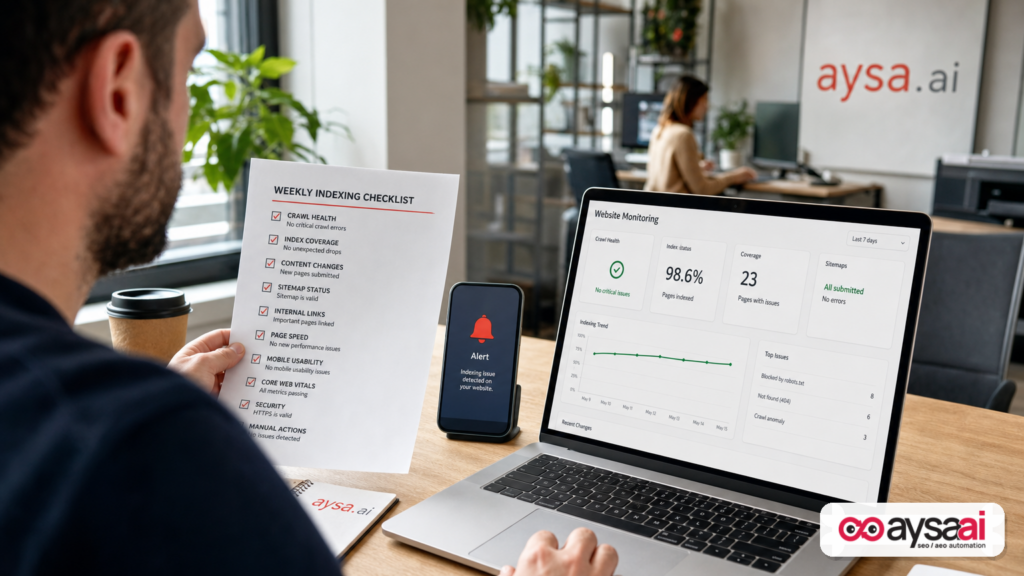
Here’s the indexing workflow I want SMEs to run weekly (and agencies to run more frequently for larger sites). This isn’t theory—it’s the minimum viable operating rhythm that keeps indexing issues from turning into revenue surprises.
Step 1: Separate “indexability” from “indexing”
Indexable means: the page is allowed to be indexed (200 status, not blocked, not noindexed, canonicalized correctly, accessible).
Indexed means: Google actually chose to include it in the index.
Your workflow must check indexability directly (site signals), not only infer it from GSC charts.
Step 2: Maintain a short list of “money URL sets”
SMEs should track a small set of URL groups that matter most:
- Top revenue product pages / service pages
- Top category pages
- Top local/location pages (if applicable)
- Recently launched pages (last 30 days)
When something looks off, start here. Don’t start with the entire site.
Step 3: Use Search Console for trend + reason codes
Search Console is extremely useful for:
- spotting sudden changes in indexed/not indexed trends
- seeing dominant exclusion reasons
- validating fixes after a reasonable processing window
But it’s not your only tool, and it’s not always current—as the recent delay demonstrated (Search Engine Land coverage).
Step 4: Pair GSC with release notes
Every time your site changes—theme update, plugin install, navigation change—log it. Even a lightweight “SEO change log” helps you correlate indexing anomalies to real events.
Step 5: Turn findings into a fix queue with owners
Indexing issues don’t get solved by knowing. They get solved by shipping changes safely:
- Who owns the fix? (SEO, dev, content, agency)
- What’s the proposed change?
- What’s the risk?
- How do we validate?
- What’s the rollback plan?
This is exactly where many SMEs stall—and where execution systems can create leverage.
A triage framework for Page indexing “reasons”
Search Console surfaces reasons pages are not indexed. Those reason labels can be confusing to non-SEO teams, so here’s a practical framework that maps to decisions.
Bucket A: “You told Google not to index this”
- Blocked by robots.txt
- Excluded by “noindex” tag
Decision: Is that intentional? If no, fix immediately. If yes, ensure internal links and sitemaps aren’t pushing these URLs unnecessarily.
Bucket B: “Google thinks this is a duplicate or alternate”
- Duplicate without user-selected canonical
- Alternate page with proper canonical
- Google chose different canonical than user
Decision: If you want the page indexed, improve differentiation, adjust canonicals, consolidate duplicates, and strengthen internal links to the preferred URL.
Bucket C: “Google found it, but isn’t convinced”
- Crawled – currently not indexed
- Discovered – currently not indexed
Decision: This is where quality, internal linking, and site-wide duplication patterns matter. Don’t treat it as a button-click problem. It’s usually a content + architecture problem.
Bucket D: “Technical response problems”
- Soft 404
- Server errors (5xx)
- Redirect errors
Decision: This is engineering triage. Fix reliability first. Then re-validate.
Bucket E: “Intentionally excluded”
- Not found (404)
- Page with redirect
Decision: Ensure your internal links don’t point at these. Confirm redirect targets are correct and final.
The point is to transform “reason codes” into a decision tree. That’s the difference between “reading reports” and “running SEO operations.”
Release management: how to ship site changes without breaking indexability
Most indexing problems show up right after a site change. So the best indexing strategy is not “request indexing” or “submit a sitemap again.” The best strategy is boring, consistent release discipline.
Pre-flight checklist before shipping
- Confirm production robots meta defaults (no accidental noindex)
- Confirm canonical template logic on representative page types
- Check XML sitemap generation rules (include what should be indexed)
- Validate internal linking modules aren’t removed by design changes
- Ensure redirects are single-hop and consistent
Post-release validation (24–72 hours + later)
- Spot-check key URLs: status codes, canonicals, robots directives
- Monitor server reliability and response consistency
- Track Search Console trends and exclusions once data processes
Notice the time horizon: you validate immediately at the page level, then you validate later in Search Console. That’s how you avoid being fully dependent on the Page indexing report’s timeliness.
What agencies should rethink: reporting, accountability, and SLAs
This is where I’ll be opinionated. Many agencies still sell SEO as:
- a monthly report
- a content quota
- a backlink target
But indexing health doesn’t respect your reporting calendar. When the site breaks, you either respond operationally or you lose trust.
The Page indexing report delay is a forcing function: agencies and in-house teams must rethink how they communicate uncertainty and how they create accountability when a major measurement source is lagged.
A better way to define SEO ops SLAs
- Detection SLA: How quickly do we notice indexability regressions after releases?
- Triage SLA: How quickly do we identify likely root cause and scope?
- Execution SLA: How quickly can we ship a safe fix with approvals?
- Validation SLA: How and when do we confirm resolution (multiple signals, not one chart)?
That’s an operational contract. And it’s closer to what businesses actually need from SEO in 2026.
Where AYSA fits: from “we noticed” to “we fixed it” with approved execution
At AYSA.ai, we think the biggest gap in SEO isn’t knowledge. It’s execution bandwidth and execution safety.
Most teams can detect issues using Search Console, crawlers, spreadsheets, and gut instinct. The hard part is:
- turning issues into concrete changes
- getting those changes approved by the business
- shipping them without breaking something else
- verifying outcomes
That’s why AYSA is designed as an SEO/AEO/GEO execution system: we monitor, prepare, ask for approval, and execute accepted website changes.
Here’s how that maps to indexing operations:
1) Monitoring that’s designed for action
Indexing issues often show up as patterns: a template change that impacts hundreds of URLs, an internal linking module removed, or canonical logic drifting. Monitoring should detect those patterns early.
Learn more about our approach to ongoing monitoring here: AYSA Monitoring.
2) Preparation: changes packaged as proposals, not vague recommendations
Instead of “your canonicals are wrong,” execution requires a proposal like:
- which template file or CMS rule changes
- which URL patterns are affected
- what the new canonical should be
- how we will validate
3) Approval: SMEs need control, not surprises
Small businesses can’t afford surprise deployments. Approved execution means the business owner or marketing lead can review and green-light changes before they go live.
4) Execution: shipping fixes that actually move the needle
The value of an SEO system is not the number of alerts—it’s the number of resolved issues that translate into:
- more eligible pages (indexability)
- better discovery and internal authority flow (crawl + prioritization)
- more stable performance (fewer regressions)
5) Indexing is foundational to AI search visibility
If your pages aren’t reliably discoverable and indexable, your brand’s visibility suffers everywhere: classic results, AI-driven results, and future search surfaces.
If you’re evaluating where you show up in modern AI-influenced discovery, start here: AI Search Visibility.
Related: our broader AI SEO tools page (how we think about systems, not hacks): AI SEO Tools.
If you’re trying to decide whether to build this operational capability in-house or use a system, see pricing and packaging here: AYSA Pricing.
And for ongoing technical + AI search strategy thinking, our editorial hub is here: AYSA Blog.
What to do next (action list)
If you’re a business owner, marketer, or agency and you want to turn this indexing-report incident into a stronger operating model, do these next.
1) Update your expectations: Search Console data is useful—and sometimes delayed
- Use GSC for trends and reasons.
- Use direct page-level checks for immediate validation.
- Document known reporting anomalies so stakeholders don’t panic.
2) Build a “money URL set” and check it weekly
- Pick 20–200 URLs that represent revenue and strategic growth.
- After every release, validate basic indexability signals.
3) Create a lightweight SEO change log
- Theme updates
- Navigation changes
- CMS migrations
- Plugin/app installs
- Template edits affecting canonicals/robots
4) Turn indexing reasons into a fix queue, not a debate
- Assign owners.
- Define risk and rollback.
- Ship fixes in small batches when possible.
5) If you want this operationalized, adopt an approved execution system
If your team’s bottleneck is “we know what to do but it doesn’t get done,” that’s the exact gap AYSA is built to solve. Start with monitoring and visibility, then move into execution with approvals:
Sources and further reading
- Search Engine Land: Google indexing report in Google Search Console fixed
- Google Search Console Help (official documentation hub)
- Search Engine Land: The new SEO stack: What replaces your old toolset
- Search Engine Land: Google tests AI-generated summaries in Search ads
- AYSA: Monitoring
- AYSA: AI Search Visibility
- AYSA: AI SEO Tools
- AYSA Blog
Continue the AI search topic inside AYSA.
Use these pages to connect the article with AI SEO tools, AI visibility monitoring, AI Overviews and approved website execution.
Turn this topic into a website action plan.
Use these AYSA hubs to move from reading to technical fixes, AI visibility monitoring, research, glossary context and approval-first SEO execution.

